If your “business model” lives in a slide deck nobody opens, you don’t have a strategy. You have a bedtime story.
An AI business model generator helps you draft a clear business model strategy fast, but speed isn’t the win. The win is iteration: testing assumptions, spotting contradictions, and getting your team aligned on one page.
That’s the point of Jeda.ai. It’s an AI Workspace and AI Whiteboard where 150,000+ users map business model strategy visually, refine it with AI, and collaborate in real time.
What is a business model strategy?
A business model strategy is a one-page explanation of how your business creates value, delivers it, and gets paid. It’s not your mission statement. It’s not your go-to-market plan. It’s the logic of the business, written in a way your team can challenge.
David Teece frames a business model as the “logic” of value creation and capture, and he argues it should be tied directly to strategy decisions, not treated like a separate worksheet. That line matters because it stops you from filling boxes just to feel productive. You’re building a hypothesis about reality. And reality fights back.
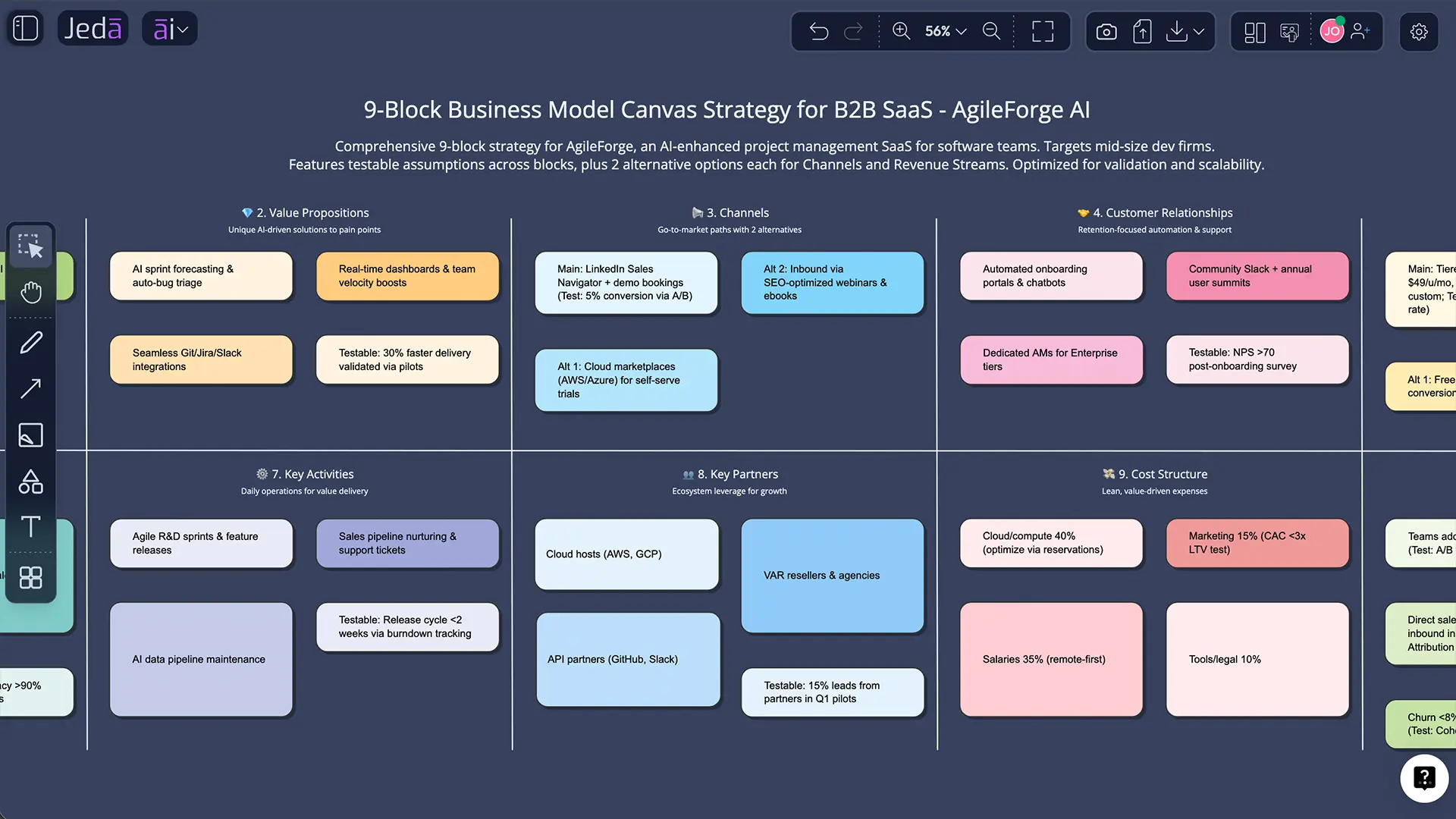
The 9 building blocks (and what “good” looks like)
Most people write a business model strategy like a list of wishes. “We’ll acquire customers through partnerships.” Cool. Which partners? Why would they care? What’s the cost?
These 9 blocks force you to be specific. Think of them as a set of connected bets. If you change one, at least one other block moves.
Customer Segments
Good: names the buyer, user, and decision-maker separately.
Try this input: “Define primary customer segments by job-to-be-done, budget range, and buying trigger.”
Value Proposition
Good: makes a measurable promise (save time, reduce risk, increase revenue) for a specific segment.
Try this input: “Write one value proposition per segment with a clear before/after outcome.”
Channels
Good: lists 2–3 channels you can actually run, with a rough cost and time-to-first-results.
Try this input: “Recommend 3 channels with expected CAC drivers and the first experiment to run.”
Customer Relationships
Good: explains how customers stay, not just how they arrive.
Try this input: “Design retention mechanics: onboarding, habit loop, and renewal triggers.”
Revenue Streams
Good: shows pricing logic, not just a price.
Try this input: “Propose pricing models (subscription, usage, hybrid) with pros/cons and who pays.”
Key Resources
Good: states the real constraints. Talent, data, IP, distribution, credibility.
Try this input: “List the 5 resources that are hardest to copy for this business.”
Key Activities
Good: names the few activities that, if broken, kill the model.
Try this input: “Identify core activities and what to automate vs keep human.”
Key Partners
Good: clarifies incentives and dependencies.
Try this input: “Map partners by incentive, integration effort, and bargaining power.”
Cost Structure
Good: ties costs to the activities that create value.
Try this input: “Estimate cost drivers by fixed vs variable and what scales with volume.”
Why use an AI business model generator?
Because the first draft is easy. The second draft is where teams win.
A good AI business model generator can do three useful jobs:
- Build a crisp first version when you’re staring at a blank page.
- Offer alternatives you didn’t think of (different segments, channels, pricing logic).
- Push on weak assumptions so you notice them before customers do.
And yes, you still decide. AI is your debate partner, not your CEO.
- Faster first draft
Generate a complete business model strategy in minutes so you can spend your time testing, not formatting.
- Assumption stress-test
Ask AI to challenge channel choices, pricing logic, and partner incentives. The goal is fewer surprises later.
- Team alignment
Use one visual source of truth in an AI Workspace. Everyone edits the same model, in real time.
How to create a business model strategy in Jeda.ai
Jeda.ai gives you two clean paths: AI Menu (best when you want a structured template) and the Prompt Bar (best when you want full control).
You’ll do this on an AI Whiteboard, so the output is editable shapes and text—not a dead document.
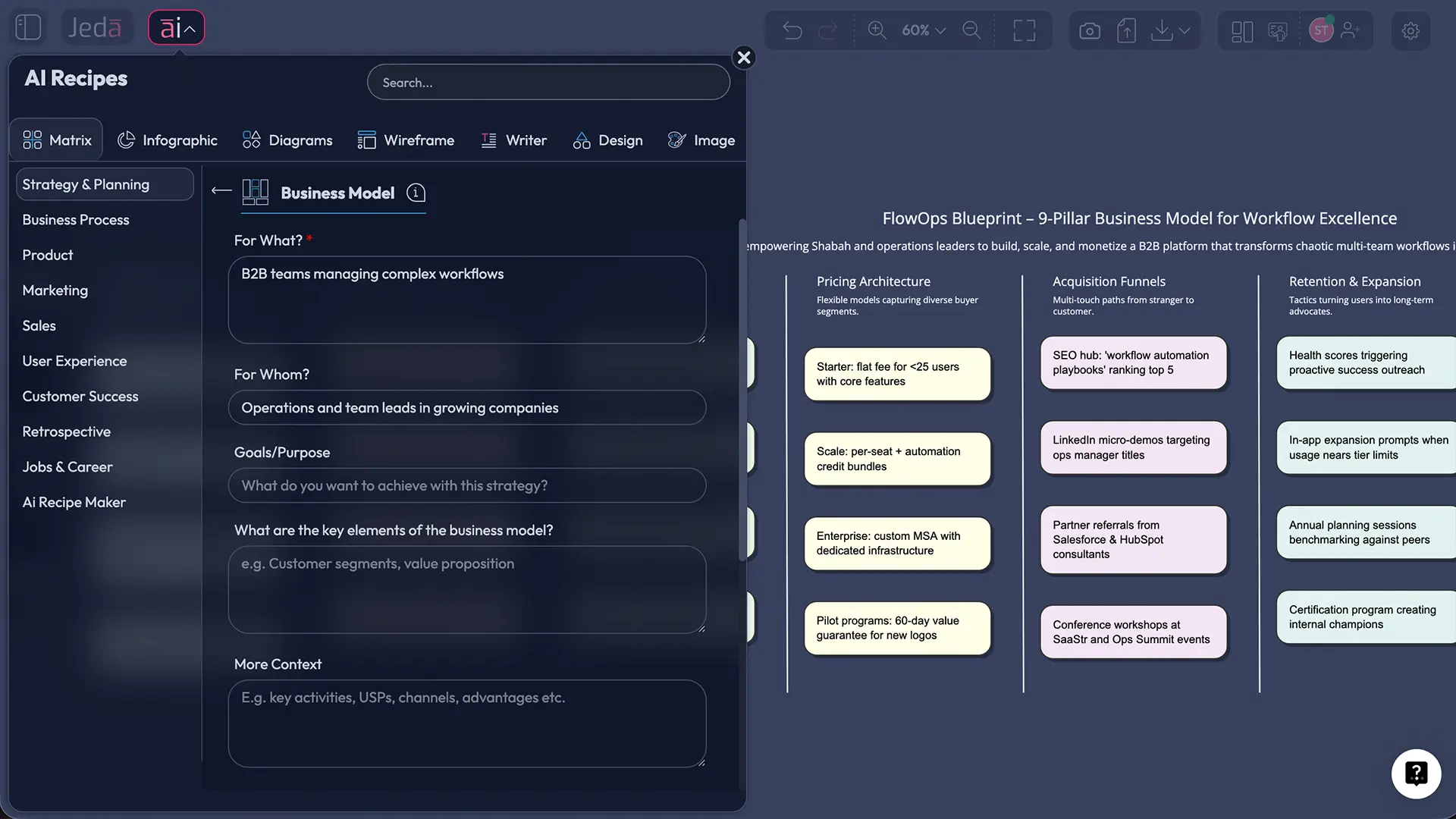
Method 1: AI Menu (recommended)
- Open your workspace in Jeda.ai.
- Click AI Menu (top-left).
- Go to Matrix Recipes.
- Choose the Business Model template.
- Enter context: business type, target customers, market, constraints.
- Click Generate.
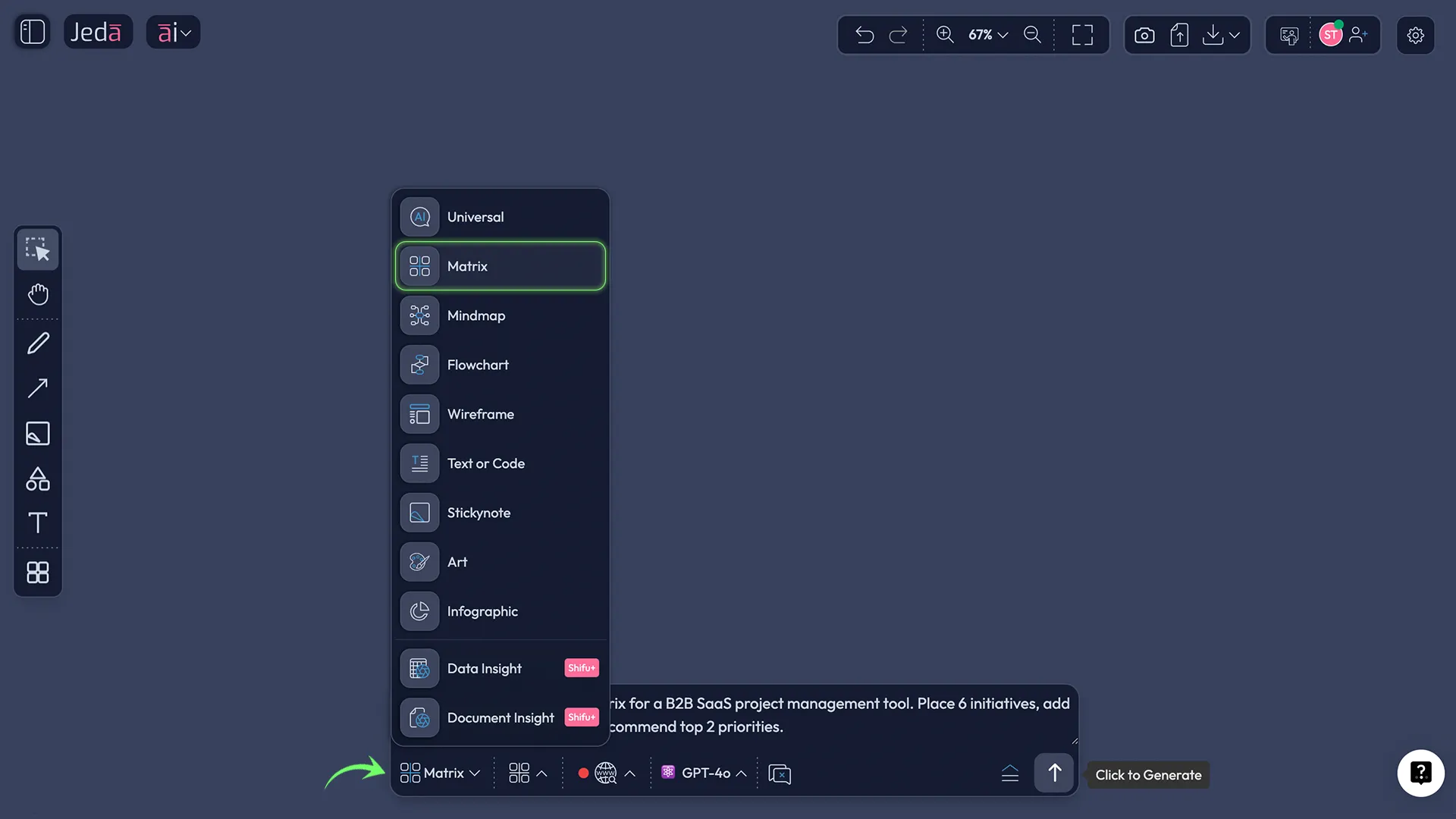
Method 2: Prompt Bar (more flexible)
- Open the Prompt Bar at the bottom.
- Select the Matrix command.
- Paste your prompt.
- Press Enter.
After it generates:
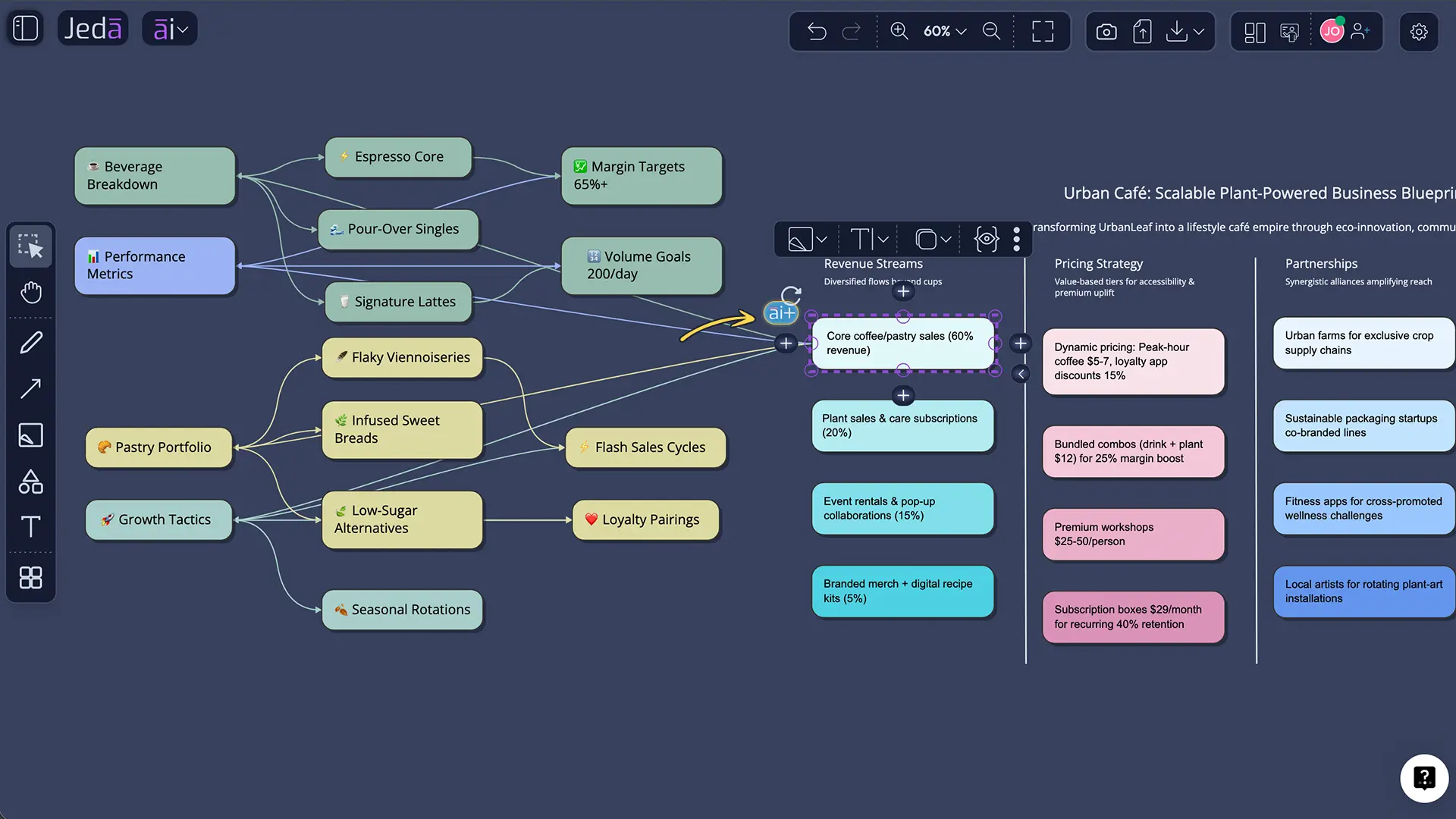
- Tap the AI+ button to extend weak blocks (pricing, channels, partners).
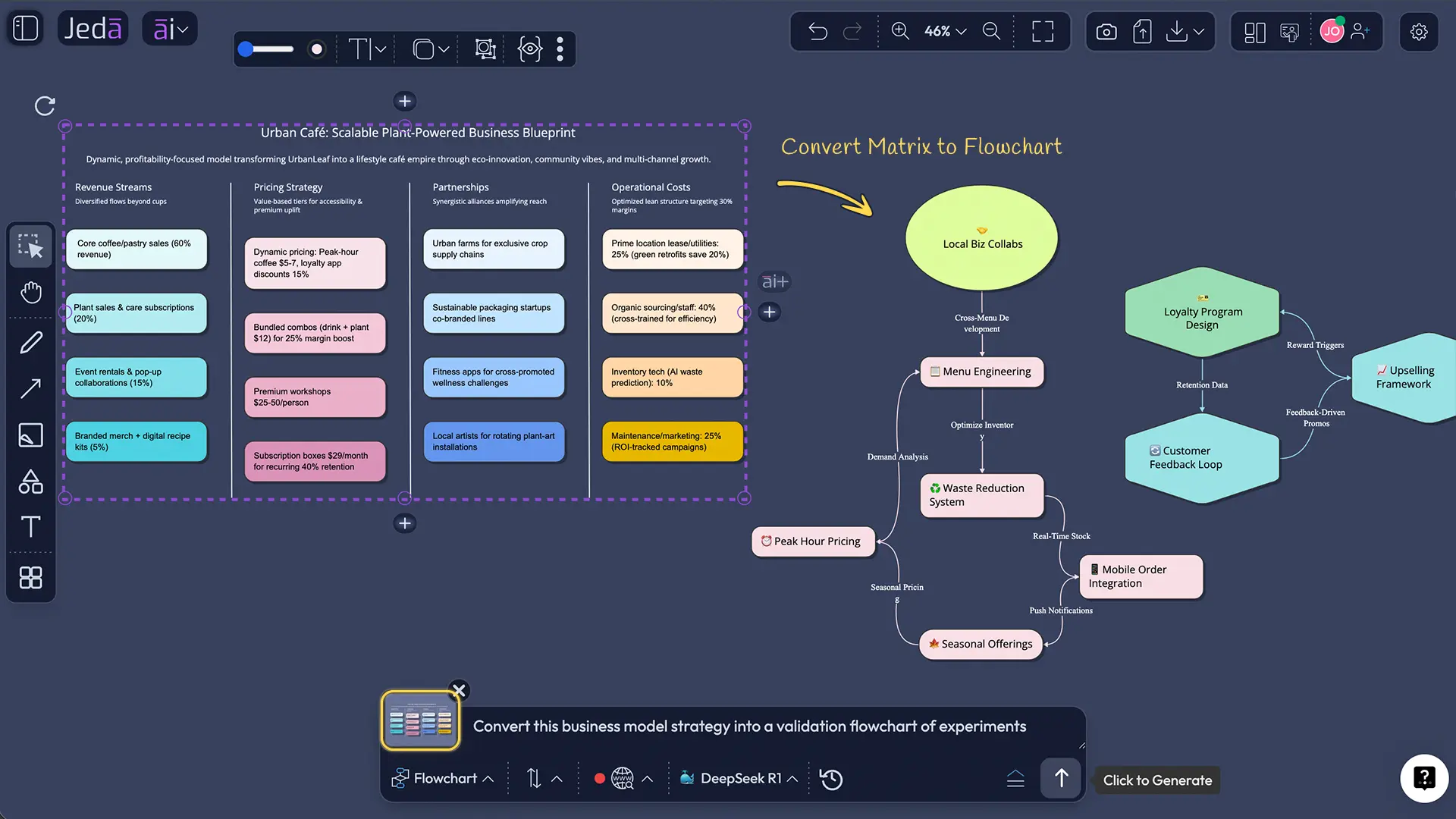
- Use Vision Transform to convert the matrix into a validation Flowchart or an execution Mindmap.
- Collect inputs
Write your offer, audience, constraints, and what you believe is true. Keep it messy. You’ll clean it up after.
- Generate the 9-block strategy
Use AI Menu → Matrix Recipes for the structured template, or select Matrix in the Prompt Bar and run your prompt.
- Edit as a team
Treat the output like a shared model. Add notes, delete fluff, and turn vague claims into testable statements.
- Extend weak blocks with AI+
Select the block that feels hand-wavy and tap AI+. Ask for alternatives, risks, and missing costs.
- Convert to a validation plan
Use Vision Transform to turn the model into a flowchart of experiments: channel tests, pricing tests, partner outreach.
- Export
Export as PNG, SVG, or PDF for decks, docs, or stakeholder review.
Copy-paste prompts for your AI business model generator
Here are prompts that produce “decision-ready” output. Not fluffy.
Templates and worked examples
You don’t need perfect examples. You need realistic trade-offs.
Example 1: B2B SaaS (mid-market)
- Segment: Ops teams with recurring process chaos.
- Value: fewer manual handoffs, fewer “where is this?” meetings.
- Revenue: subscription + usage tier.
But here’s the trap: mid-market buyers want onboarding help. That hits your Cost Structure.
Example 2: Two-sided marketplace
Marketplaces live or die on liquidity. That’s not a slogan—it’s your Key Activities and Cost Structure colliding.
- Segments: suppliers + buyers.
- Value: reduce search friction, improve trust.
- Channels: supply-first outreach, then buyer acquisition.
Example 3: Services / agency model
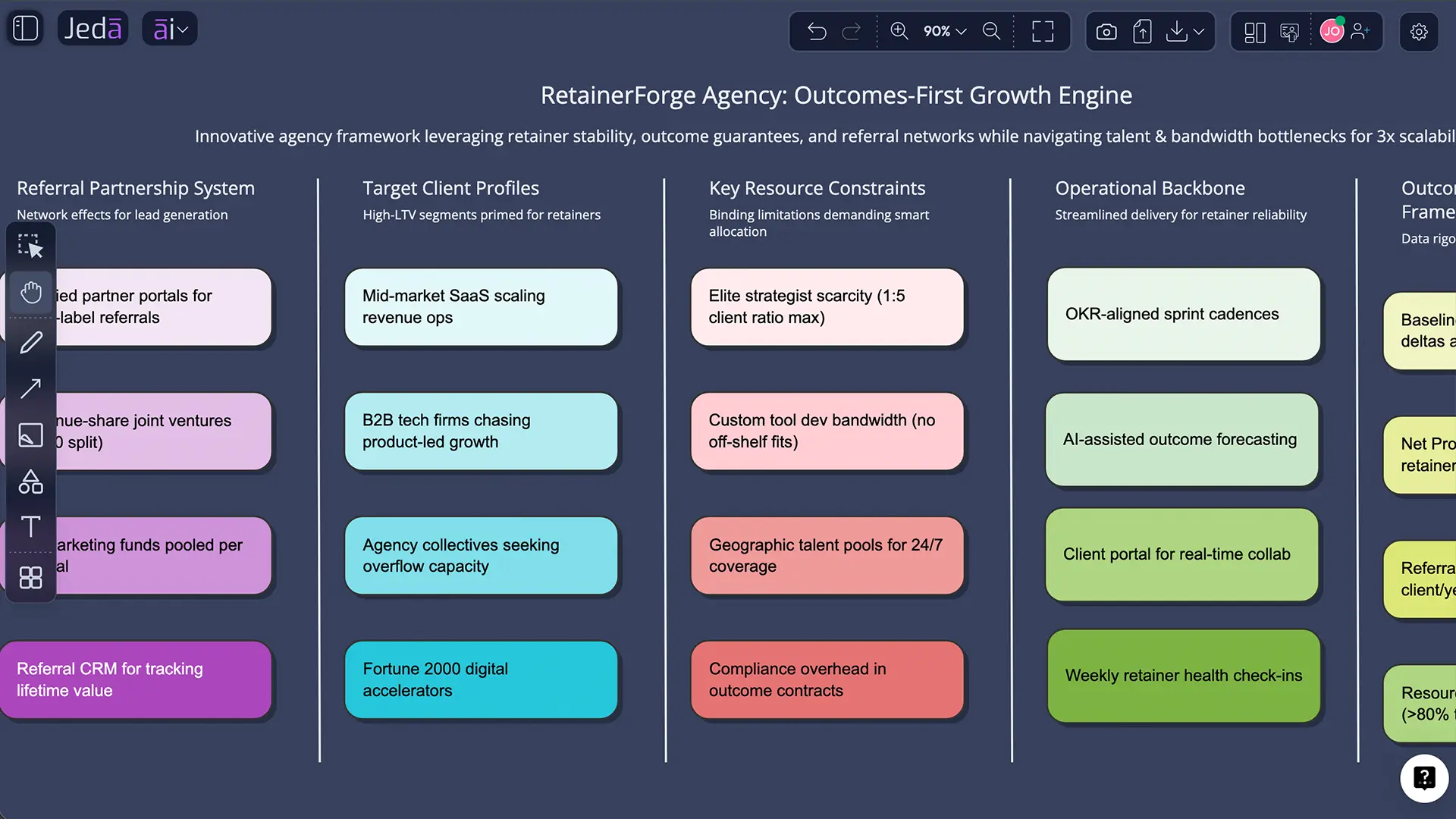
Services are underrated. They also get messy fast.
- Value: outcomes, not hours.
- Channels: referrals + content.
- Revenue: retainers + performance fees.
The hard part is Key Resources: senior talent. That scarcity shapes everything.
Validation checklist: turn it into reality
A business model strategy is a model. Models get tested.
Use this checklist as a weekly rhythm for the first 6–8 weeks.
Common mistakes to avoid
Copying generic language. If your Value Proposition could fit 20 competitors, it’s not a proposition.
Forgetting incentives. Partners don’t help because you asked nicely. They help because they win.
Treating channels like a list. Pick one channel to test first. One.
Hiding cost drivers. Your biggest cost is usually a people constraint, not software.
Not revisiting the model. A business model strategy isn’t a ceremony. It’s a loop.
Frequently asked questions
- What is an AI business model generator?
- An AI business model generator is a tool that drafts a business model strategy from your inputs, usually in a structured format. The best ones also help you compare alternatives, pressure-test assumptions, and turn the strategy into a plan you can execute and revise.
- Is a business model strategy the same as a business plan?
- No. A business model strategy explains how you create and capture value on one page. A business plan is a longer document that covers execution details like market analysis, operating plan, and financial projections. Most teams build the model first, then write the plan.
- What inputs should I give an AI business model generator?
- Give your target customer, the problem they feel, your proposed solution, what makes you different, and constraints like budget, team size, and timeline. Add any evidence you have: interview notes, pricing data, or competitor positioning. Better inputs produce sharper blocks.
- How do I validate a business model strategy?
- Validate by running small tests tied to the blocks: customer interviews for segments, landing pages for channels, pricing calls for revenue, and delivery pilots for key activities. The goal is to replace assumptions with evidence. If a block fails, update the model and test again.
- How often should I update my business model strategy?
- Update it whenever a major assumption changes, and at least monthly during early-stage work. In fast-moving markets, weekly is normal. If you’re not updating it, you’re probably not learning, or you’re not looking.
- Can AI help with pricing and revenue streams?
- Yes. AI can propose pricing models and revenue stream options, plus the trade-offs of each. Still, you need real customer reactions. Use AI to generate options, then test them with customers to see what they accept and what they ignore.
- What are the most common failures in business model strategy?
- The biggest failures are vague value propositions, unrealistic channels, and ignored cost drivers. Teams also overestimate partner willingness and underestimate adoption friction. A good model makes these risks visible so you can test them early.
- How does Jeda.ai help beyond drafting?
- Jeda.ai is an AI Workspace and AI Whiteboard where the model is editable, collaborative, and connected to evidence. You can extend weak blocks with the AI+ button, convert the model into flowcharts with Vision Transform, and export outcomes as PNG, SVG, or PDF for review.
- Does Jeda.ai support document-based strategy work?
- Yes. Use Document Insight to extract structure from PDFs or Word files into a Matrix, Flowchart, Mindmap, Diagram, or more. It’s useful when your strategy inputs live inside case studies, research briefs, or internal docs.
- How do teams collaborate on a business model strategy in real time?
- Teams collaborate by editing the same visual model on the AI Whiteboard, adding comments, notes, and evidence as they go. Follow Me mode keeps everyone on the same view during workshops, and exports let stakeholders review the same artifact later.
Sources and further reading
- [1]
David J. Teece (2010) . “Business Models, Business Strategy and Innovation” Long Range Planning.
View Source ↗ - [2]
Christoph Zott, Raphael Amit, Lorenzo Massa (2011) . “The business model: Recent developments and future research” Journal of Management.
View Source ↗ - [3]
Henry Chesbrough (2010) . “Business model innovation: Opportunities and barriers” Long Range Planning.
View Source ↗ - [4]
Mark W. Johnson, Clayton M. Christensen, Henning Kagermann (2008) . “Reinventing Your Business Model” Harvard Business Review.
View Source ↗ - [5]
Alexander Osterwalder, Yves Pigneur (2010) . “Business Model Generation” Wiley.
View Source ↗ - [6]
Bouchra Ramdani, Amani Binsaif (2019) . “Business model innovation: a review and research agenda” New England Journal of Entrepreneurship.
View Source ↗
Build your business model strategy in minutes
Join over 150,000+ users who use Jeda.ai’s AI Workspace to draft, test, and refine strategy visually.
Try Free Template