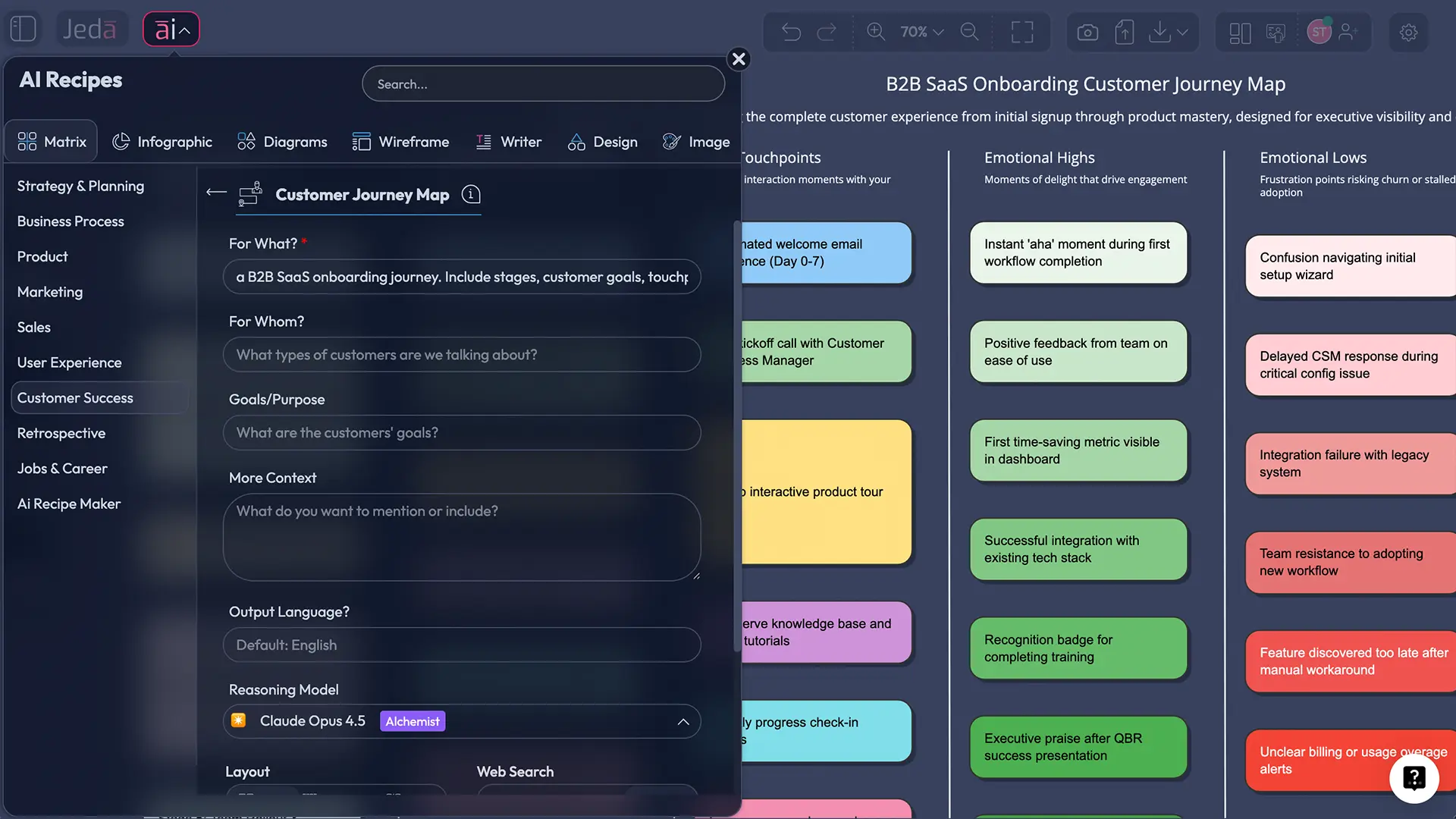
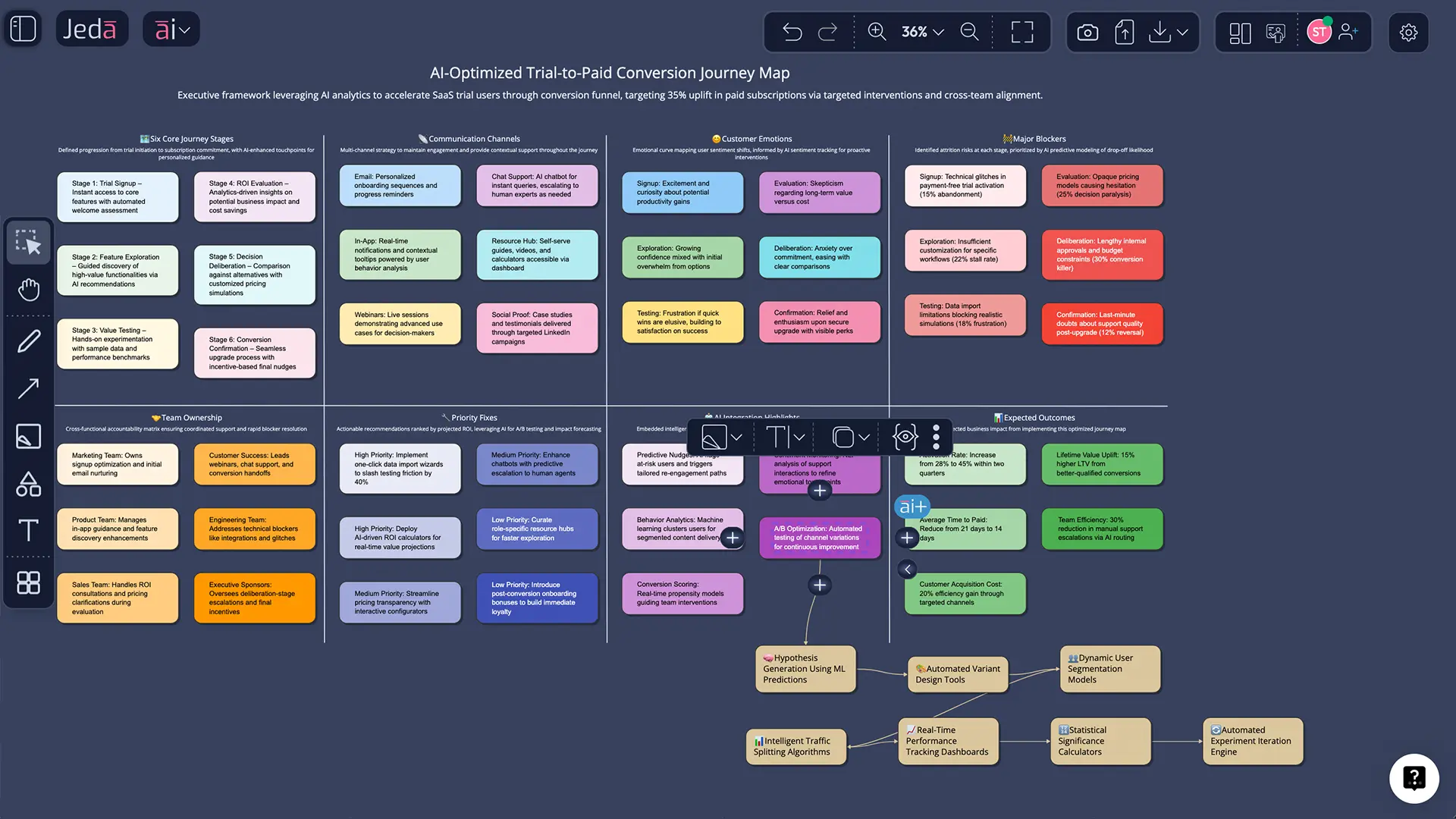
Customer journey map with AI sounds like a buzzword until you need to find where customers get stuck or quietly disappear. Then it gets practical fast. In a modern AI Workspace, the job is not just to “draw the journey.” It is to connect stages, touchpoints, emotions, friction, ownership, and next actions in one editable view. That is where Jeda.ai helps. Inside an AI Whiteboard, you can generate a structured journey map in minutes and keep it alive instead of burying it in a slide deck. And yes, 150,000+ users are already using Jeda.ai to turn messy inputs into visual decisions inside an AI Workspace built for real work.
What is a customer journey map, really?
A customer journey map is a visual model of how a specific customer segment experiences your business across time, channels, and touchpoints. Good maps do more than show steps. They capture goals, actions, feelings, friction, channels, and opportunities for improvement.
The modern idea of journey thinking took shape through service design, then grew sharper through work on the consumer decision journey and later research on customer experience across pre-purchase, purchase, and post-purchase stages. The point is not academic trivia. It is this: journeys are cross-functional, non-linear, and worth mapping when you want to improve experience instead of guessing.
Why use a customer journey map with AI instead of doing it the old way?
Because the old way is slow and fragmented. One team owns survey data. Another owns support logs. Product has onboarding metrics. Marketing has acquisition touchpoints. Customer success has churn reasons. A customer journey map with AI gets you to a structured first draft fast so your team can focus on validating, debating, and deciding.
- See the whole path
Map stages, channels, touchpoints, emotions, and blockers in one visual instead of splitting them across docs, slides, and spreadsheets.
- Turn raw inputs into structure
Use Jeda.ai to convert notes, interviews, support themes, or research summaries into a draft matrix your team can edit together.
- Work cross-functionally
Marketing, product, sales, and customer success can react to the same board inside one AI Whiteboard instead of arguing across disconnected tools.
- Spot pain faster
When friction and emotion sit next to each touchpoint, bottlenecks stop hiding in plain sight.
- Expand without rebuilding
Use the AI+ button to deepen any part of the journey map without starting over or copying the whole framework into a new file.
- Convert the map into action
Use Vision Transform to turn a journey map into a flowchart, service blueprint, or execution plan when your team is ready to move from insight to operations.
Customer journey map with AI works best when you map the right things
Plenty of journey maps look polished and still miss the point. They describe what the company does, not what the customer is trying to do.
A useful map usually includes:
If your map does not change what the team does next, it is decoration.
How to create a customer journey map with AI in Jeda.ai
Because this page is a matrix recipe in the Customer Success category, the cleanest path is to use the recipe first and the Prompt Bar second.
Method 1: Recipe Matrix
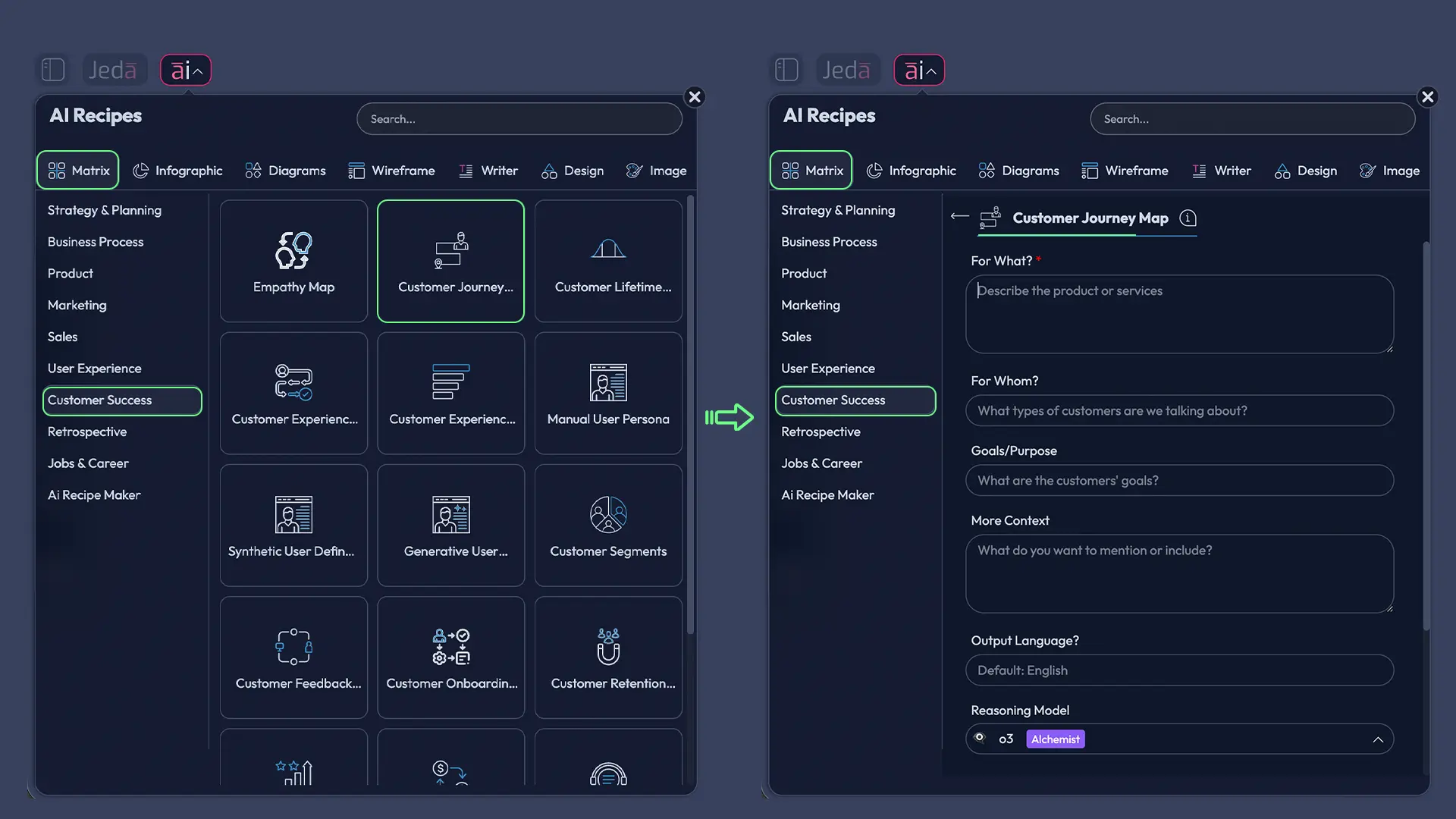
Open the AI Recipes panel from the top-left, choose Matrix, then go to Customer Success and select the Customer Journey Map recipe. Fill in the basics: who the customer is, what journey you are mapping, what the key stages are, and what context matters. Generate the first version, then edit the board directly on the canvas.
Method 2: Prompt Bar
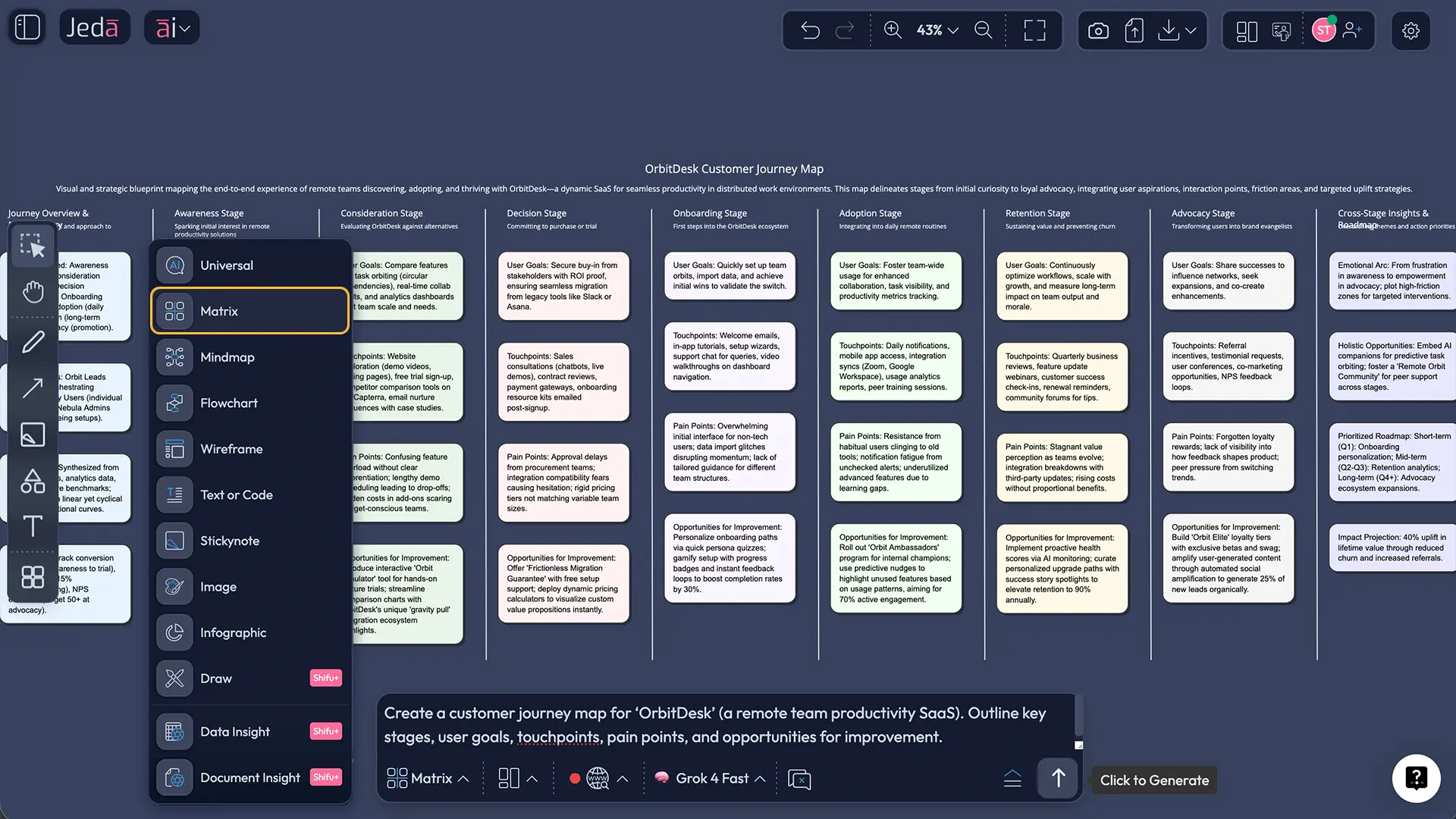
Open the Prompt Bar at the bottom of the canvas, choose Matrix, and write a direct prompt for the journey you want to map. This works well when you already know the persona, stages, and scope.
Then deepen it with AI+
After the map appears, select any lane, stage, or sticky note cluster and use the AI+ button to extend it with AI. Keep this part broad. Let the system deepen the chosen area instead of over-specifying every branch.
And when the team is ready to operationalize the journey, use Vision Transform to convert the matrix into a flowchart, process diagram, or implementation view. That is one of the quiet strengths of Jeda.ai: the same work can evolve across formats inside one AI Workspace.
- Pick one journey and one persona
Define the customer segment and the exact scenario you want to map, such as first-time onboarding, renewal, or support escalation.
- Choose the Matrix recipe in Customer Success
In Jeda.ai, open ai∨, select Matrix, go to Customer Success, and start the Customer Journey Map recipe for the fastest structured setup.
- Add the journey stages
Outline the major phases the customer moves through, keeping them customer-centered rather than team-centered.
- Map actions, touchpoints, and emotions
Capture what the customer does, where they interact with you, and how they likely feel at each step.
- Mark friction and opportunity
Flag drop-off points, confusion, delays, and moments where the experience could improve meaningfully.
- Refine the board with AI+ and team edits
Use AI+ to deepen selected sections, then edit text, shape, owners, and priorities directly on the canvas.
- Transform insight into execution
Use Vision Transform to convert the map into another working format, such as a flowchart or action plan, without rebuilding from scratch.
A practical customer journey map with AI example
Let’s make this less abstract.
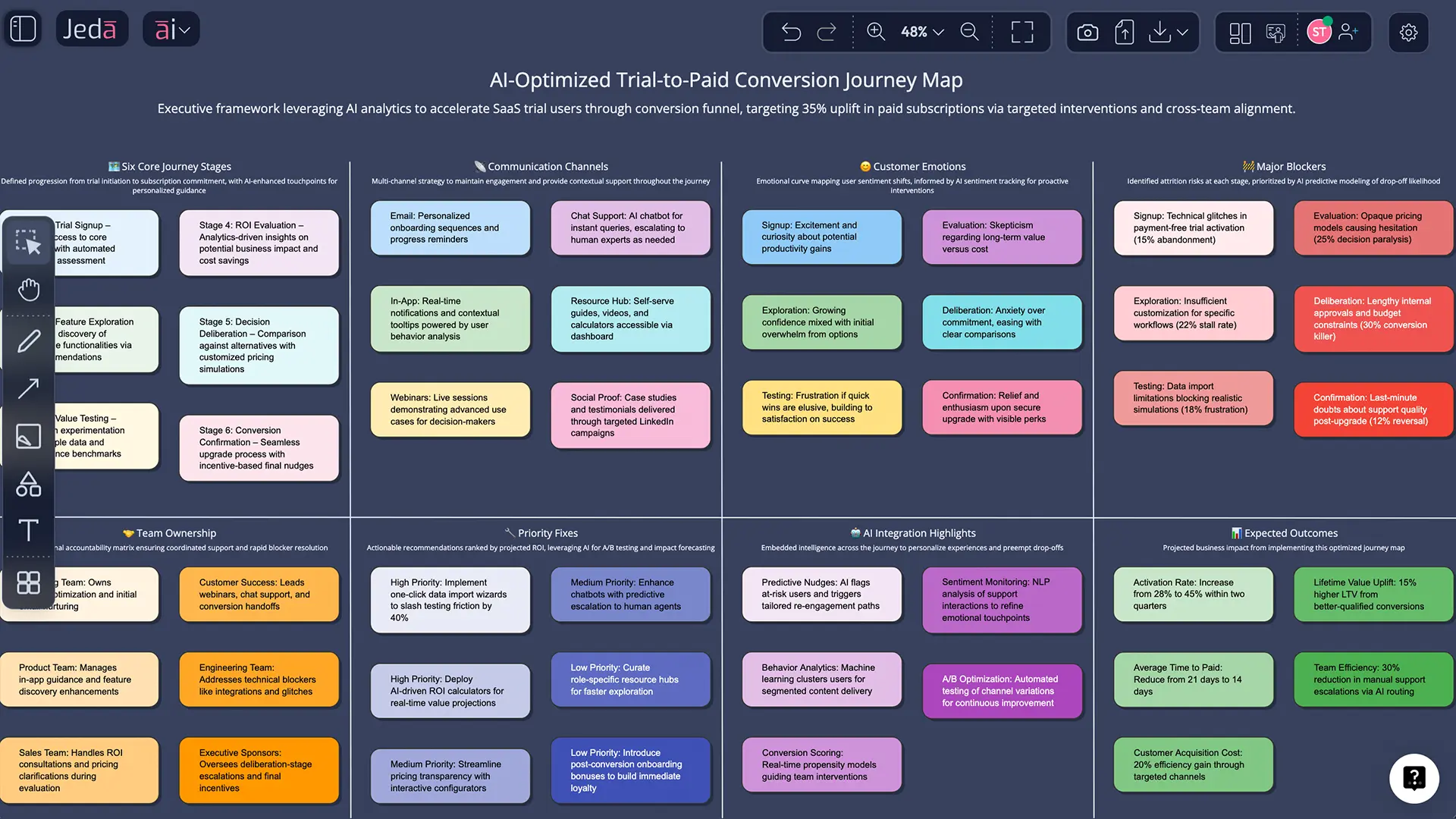
Say you run a B2B SaaS product and your customer success team keeps hearing the same thing: “The product looked easy during the demo, but setup felt heavier than expected.” Churn is not catastrophic. It is worse than that. It is slippery. People vanish quietly after week two.
A smart team would map trial-to-activation across six stages: discovery, signup, first login, setup, first success moment, and expansion or drop-off.
Then the map adds the part teams usually miss: emotion drops during setup, friction spikes when documentation and UI language do not match, the “aha” moment arrives too late, and ownership is split across product, lifecycle, and customer success.
That is when a journey map starts paying rent.
Best practices when building a customer journey map with AI
AI makes it easy to generate a map. It does not make that map true.
Common mistakes that make journey maps useless
1. Mapping your process instead of the customer’s experience
Teams do this all the time. They write down the stages they manage internally rather than the path customers actually feel.
2. Treating every touchpoint as equally important
Research has pushed back on that assumption for years. Some moments matter far more than others. That is why prioritization belongs on the map.
3. Making the map too generic
“User visits website” is not insight. “Operations lead visits pricing page after seeing integration concerns in procurement review” is closer.
4. Ending at the workshop
A finished map is not a result. It is evidence for a decision.
5. Keeping the output static
Static exports are fine for sharing, but the working version should live inside the AI Workspace where the team can keep updating it. Jeda.ai lets you export to PNG, SVG, and PDF when needed, but the real value comes from the live board itself.
Why Jeda.ai fits customer journey work especially well
A lot of tools can host a journey map. Fewer help you think with it.
Jeda.ai combines an editable AI Whiteboard, matrix-based AI Recipes, and an AI Workspace that can turn messy inputs into a structured visual your team can keep refining.
That matters for customer success teams, product managers, business analysts, strategy consultants, and business leaders alike. They are rarely missing a canvas. They are missing shared clarity.
Frequently asked questions
- What is a customer journey map with AI?
- A customer journey map with AI is a visual model of customer stages, touchpoints, emotions, and friction that is drafted or expanded with AI assistance. AI helps structure the first version quickly, but teams still validate, edit, and prioritize the map using real customer evidence.
- How is AI customer journey mapping different from traditional journey mapping?
- Traditional journey mapping starts with workshops and manual synthesis. AI customer journey mapping speeds up the early structure by organizing notes, likely stages, and visible friction patterns faster. The human team still decides what is true, what matters, and what to fix first.
- Can Jeda.ai create a customer journey map from notes or documents?
- Yes. Jeda.ai can turn structured prompts into a matrix-based journey map, and its broader workspace supports document-driven and data-driven visual analysis in other use cases. That helps when your journey work begins with messy research instead of a blank canvas.
- Which Jeda.ai method should I use first for journey mapping?
- Start with the Matrix recipe in the Customer Success category when you want the fastest structured setup. Use the Prompt Bar when you already know the persona, scope, and journey stages and want more direct control over the output.
- What should a good customer journey map include?
- A strong map includes one persona, one scenario, journey stages, customer actions, touchpoints, channels, emotions, friction, and opportunity areas. The best ones also include ownership and next actions so the map leads to decisions instead of sitting as a workshop artifact.
- Should I use AI for the whole customer journey process?
- Use AI for speed, synthesis, and visual drafting. Do not hand it full authority. Interviews, analytics, support conversations, and product context should still shape the final map. AI is a smart starting point, not the last word.
- Can I turn a journey map into another format inside Jeda.ai?
- Yes. After generating the matrix, you can use Vision Transform to convert the output into another visual structure such as a flowchart or diagram. That helps teams move from customer understanding into implementation planning without rebuilding the work manually.
- How often should a customer journey map be updated?
- Update it whenever behavior, channels, product flows, or major frictions change. Teams often revisit journey maps quarterly or after launches, onboarding changes, pricing changes, or recurring support themes. A live board inside Jeda.ai makes that much easier.
Sources & further reading
- [1]
Court, David; Elzinga, Dave; Mulder, Susan; Vetvik, Ole Jørgen (2009) . “The Consumer Decision Journey” McKinsey & Company.
View Source ↗ - [2]
Lemon, Katherine N.; Verhoef, Peter C. (2016) . “Understanding Customer Experience Throughout the Customer Journey” Journal of Marketing.
View Source ↗ - [3]
Følstad, Asbjørn; Kvale, Kjetil (2018) . “Customer Journeys: A Systematic Literature Review” Journal of Service Theory and Practice.
View Source ↗ - [4]
Rosenbaum, Mark S.; Otalora, Maria Luisa; Ramírez, Germán C. (2017) . “How to Create a Realistic Customer Journey Map” Business Horizons.
View Source ↗ - [5]
Harvard Business Review (2010) . “Using Customer Journey Maps to Improve Customer Experience” Harvard Business Review.
View Source ↗ - [6]
Think with Google (2024) . “Map Today's Customer Journey with AI” Google.
View Source ↗ - [7]
Qualtrics (2026) . “How to Create a Customer Journey Map” Qualtrics.
View Source ↗
Start Your Customer Journey Map with AI Today
Join over 150,000 professionals using Jeda.ai to turn messy customer signals into clear visual decisions inside one AI Workspace.
Try Free Template