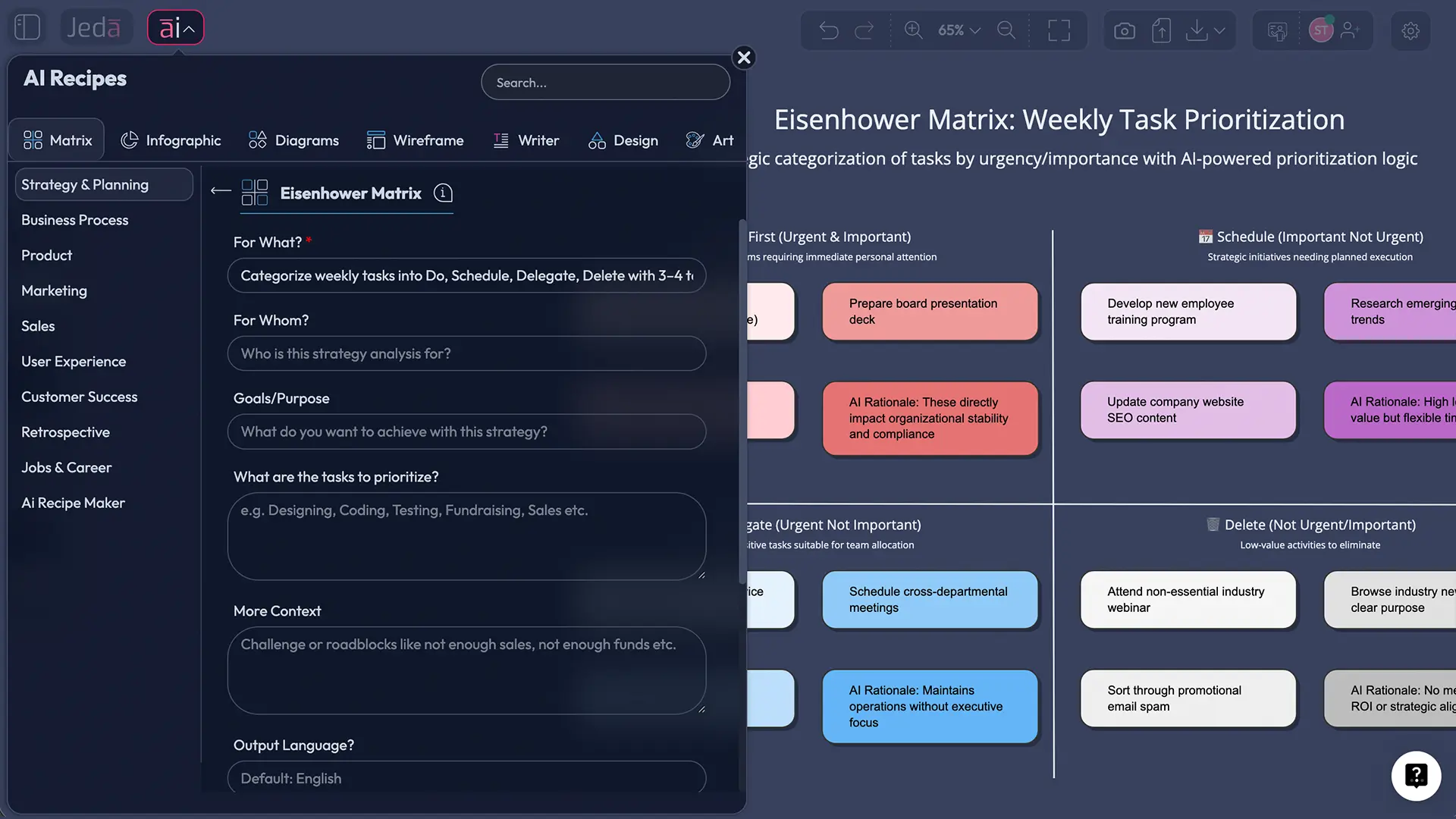
An AI Eisenhower Matrix is the classic urgent-vs-important 2×2 grid, but with AI helping you classify tasks consistently, explain why they belong in a quadrant, and turn the result into a plan your team can actually execute inside an AI Workspace. In Jeda.ai—an AI Whiteboard used by 150,000+ users—you can generate the matrix in seconds, edit every item, collaborate live, and export the board as PNG, SVG, or PDF.
Busy isn’t the same as effective. The matrix exists because our brains keep confusing “loud” tasks with “valuable” ones. And yes, that failure mode is measurable.
What is the Eisenhower Matrix?
The Eisenhower Matrix (also called the urgent-important matrix or “Eisenhower Box”) is a prioritization framework that sorts tasks along two dimensions: urgency (time pressure) and importance (impact on outcomes). The result is four quadrants: Do, Schedule, Delegate, and Delete.
In popular management literature, the framework is widely associated with Dwight D. Eisenhower’s emphasis on distinguishing urgent matters from important ones, and it was later systematized and popularized for personal and professional time management by Stephen Covey’s quadrant model. Attribution of the exact quotation is debated, so it’s better to treat “Eisenhower” here as the principle rather than a perfectly sourced origin story.
So what’s the point? The matrix is a forcing function. It makes you state—out loud—what matters, what doesn’t, and what you’re willing to stop doing.
Why urgency beats importance (and why that matters)
Most people don’t fail at prioritization because they lack tools. They fail because urgency has psychological gravity.
Behavioral research describes a “mere urgency effect”: when two tasks compete, people often choose the one that feels urgent even if it’s objectively less important. The trap gets worse when someone already feels overloaded. In plain language: the inbox wins, the meaningful work waits.
That bias explains a common real-world pattern:
- Quadrant I (urgent + important) expands.
- Quadrant II (important + not urgent) becomes “tomorrow.”
- And tomorrow never comes.
If you’ve tried the matrix before and it didn’t “stick,” this is usually why. The fix is not motivational slogans. It’s building a system that reduces subjective guessing and makes Quadrant II concrete.
Why use the Eisenhower Matrix with AI?
AI doesn’t make the framework smarter. It makes you more consistent.
Used carefully, AI can help you:
- Classify tasks with explicit criteria (impact, risk, reversibility, deadlines).
- Explain the classification so you can sanity-check it.
- Detect misfits (e.g., “urgent but not important” tasks that are actually important).
- Convert the matrix into execution artifacts—a calendar plan, delegation list, or workflow.
That’s where a Visual AI workflow helps. In a text-only tool, the matrix is a paragraph. In an AI Workspace, it becomes a board your team can edit, debate, and reuse.
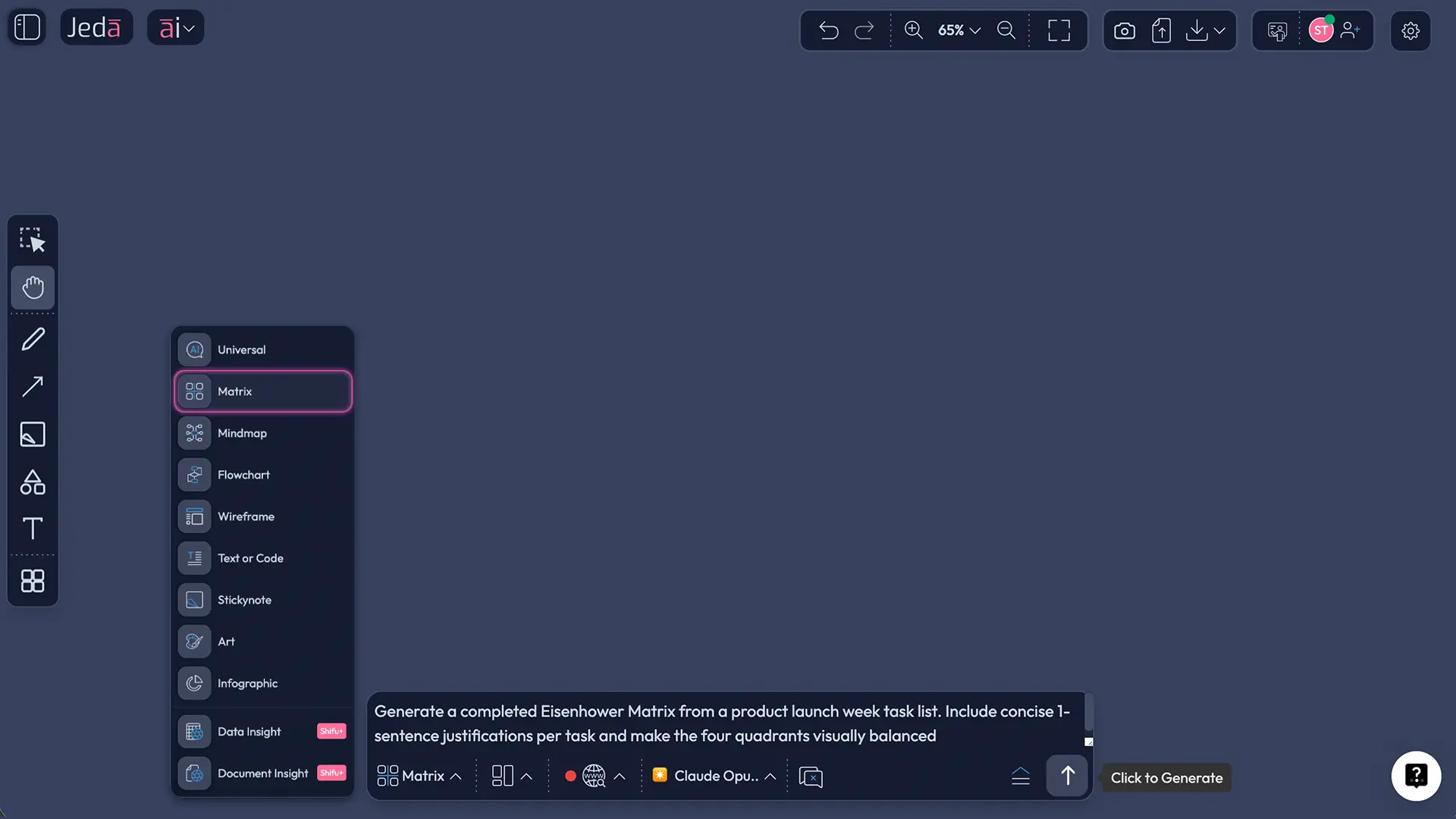
- Faster, more consistent triage
Feed a messy backlog to Jeda.ai and generate a first-pass matrix with rationale. You stay in control, but you start with structure instead of staring at a list.
- Shared prioritization on an AI Whiteboard
Teams argue less when the criteria are visible. Jeda.ai lets you collaborate in real time, annotate trade-offs, and keep the matrix as a living artifact.
- Evidence-in, decisions-out
Bring documents or spreadsheets, extract what matters, and map tasks into quadrants. Then export outcomes as PNG/SVG/PDF for briefings or retros.
And yes—Jeda.ai supports multi-model generation when you want multiple perspectives, plus an aggregator model to pick the best draft. That’s useful when “importance” is ambiguous and you want alternative reasoning, not just one confident answer.
How to create an AI Eisenhower Matrix in Jeda.ai
There are two practical ways to build the matrix inside Jeda.ai’s AI Workspace.
Method A — Prompt Bar (works in every workspace)
- Open your AI Workspace
Create a new board in Jeda.ai or open an existing planning board. If you’re doing this with others, invite collaborators so they can edit the quadrants with you.
- Select the Matrix command in the Prompt Bar
Open the Prompt Bar at the bottom, choose the Matrix command, and tell the model you want an Eisenhower Matrix (urgent vs important) with four labeled quadrants.
- Paste tasks and define your criteria
List tasks and define what ‘important’ and ‘urgent’ mean for your context. Ask AI to label each task with a short justification so misclassifications are easy to catch.
- Edit the board like a real planning tool
Move tasks between quadrants, rewrite items to be action-oriented, and add owners or dates. Everything is editable, so treat the AI output as a draft.
- Use AI+ to extend and operationalize
Select a quadrant (especially Quadrant II) and tap the AI+ button to generate next actions, schedules, or delegation messages. Convert the matrix into a plan.
- Export and share
Export the board as PNG, SVG, or PDF for stakeholders. Keep the live board as the working source of truth.
Prompt you can reuse (copy/paste):
Create an Eisenhower Matrix (urgent vs important) for the tasks below.
First, define urgency and importance using these criteria:
- Urgent = due within 72 hours OR blocks others OR has immediate risk
- Important = impacts quarterly goals, customer trust, revenue, or compliance
Then place each task into one quadrant and add a 1-sentence justification.
Finally, for Quadrant II, propose a schedule (day + time block) for the next 7 days.
Tasks: [paste list]
Method B — AI Menu Recipe (only if your AI Menu includes it)
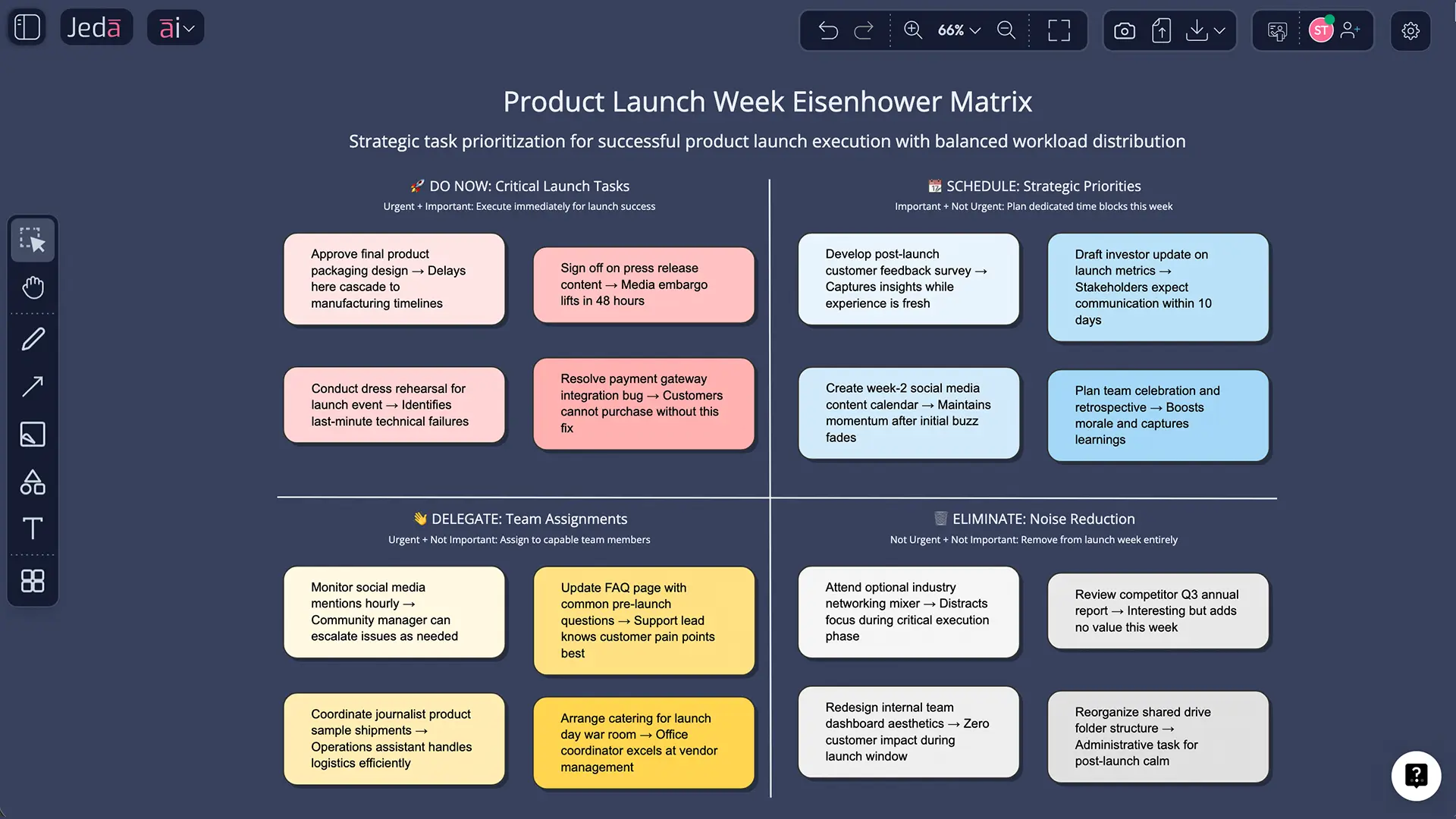
If your workspace includes an “Eisenhower Matrix” template inside the AI Menu’s Matrix recipes, use it. Recipes are helpful when you want a guided structure with fewer prompt decisions.
Steps:
- Open AI Menu (top-left)
- Choose Matrix Recipes
- Select Eisenhower Matrix (if present)
- Enter your tasks + criteria
- Generate, then refine with AI+ and collaboration
AI Eisenhower Matrix template and worked examples
Let’s make this concrete with two examples that show how AI helps most: classification consistency and Quadrant II planning.
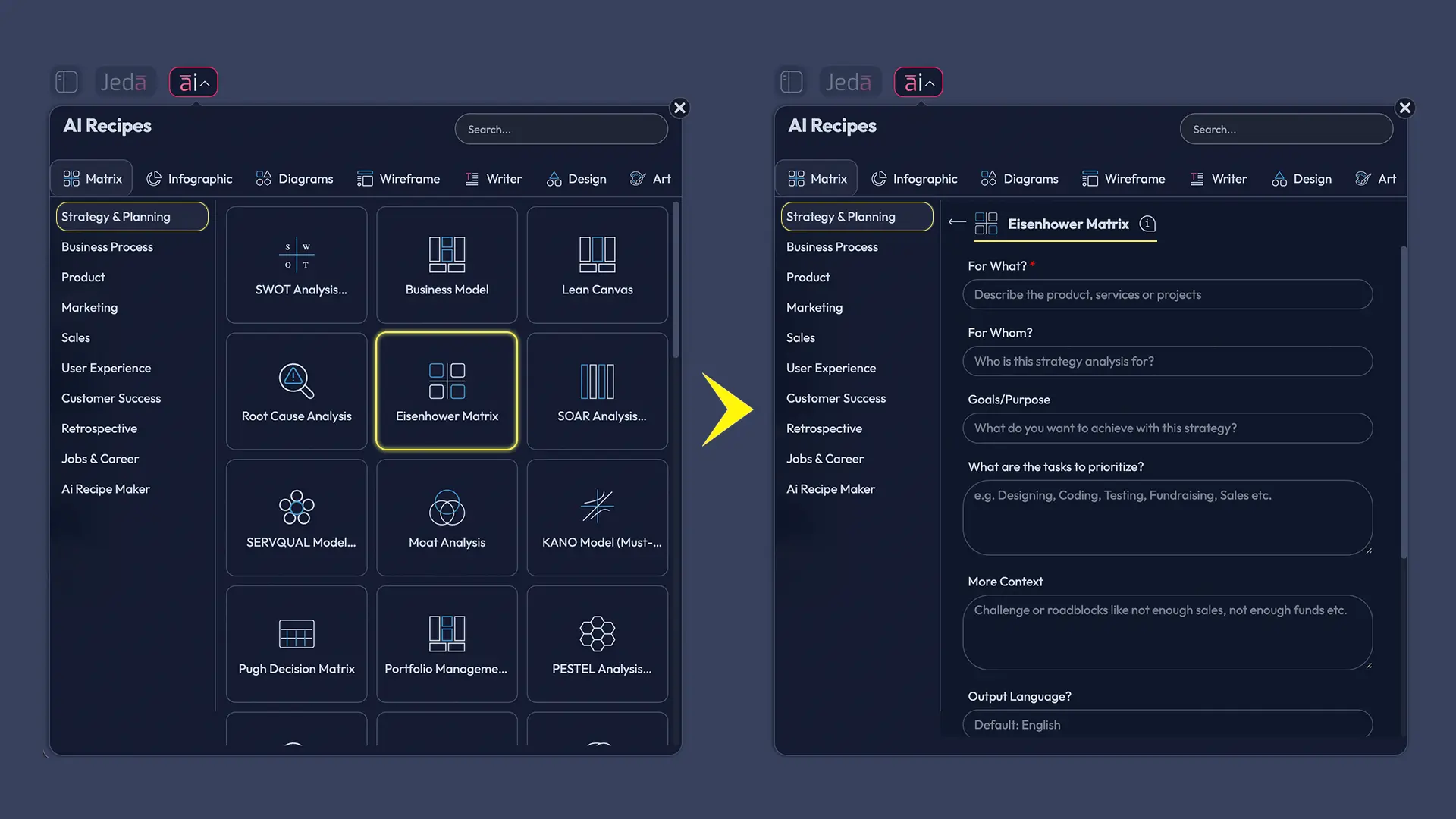
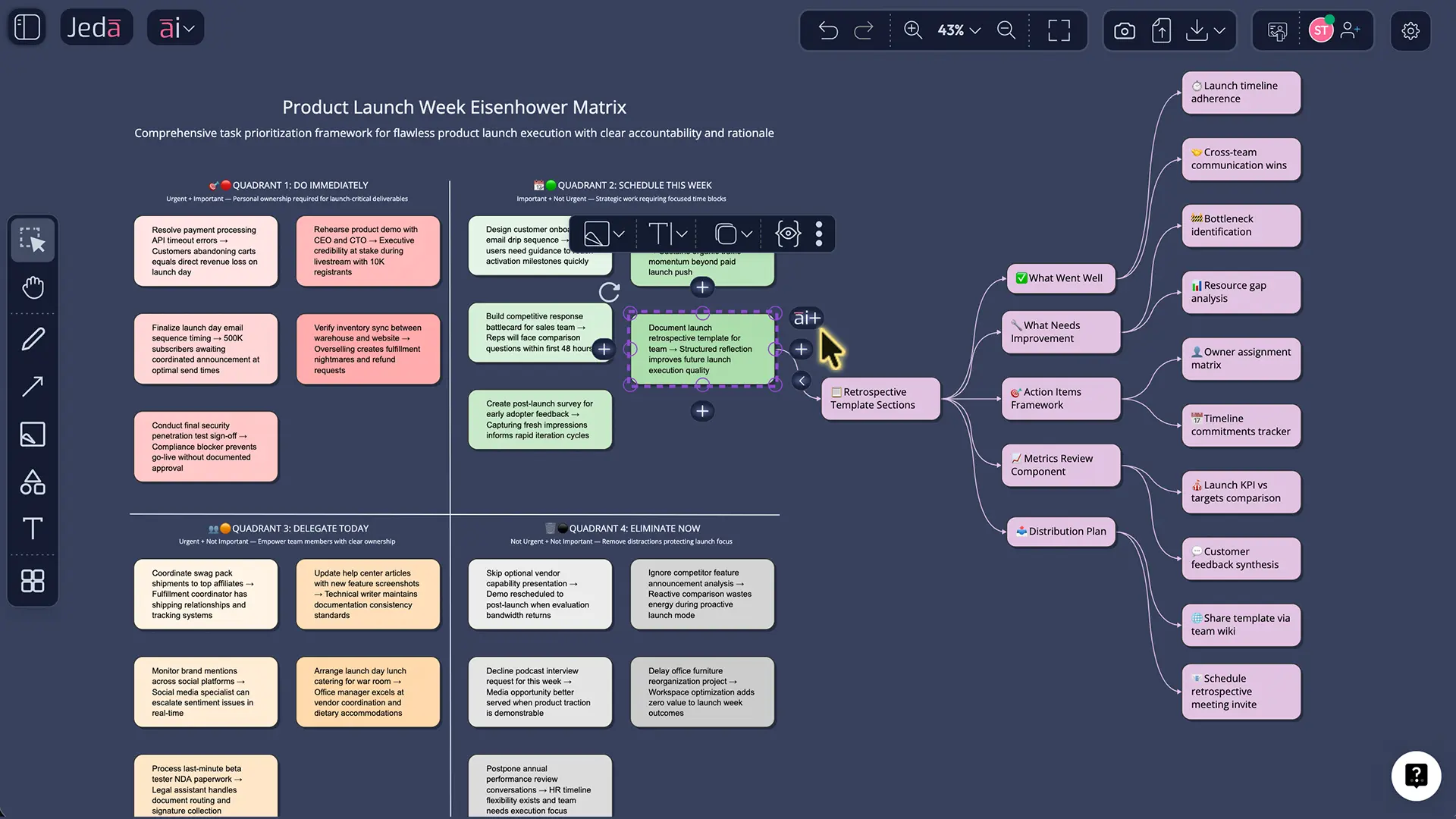
Example 1: Product launch week (team context)
Scenario: You’re shipping a launch on Friday. The backlog is loud, and Slack is louder.
- Quadrant I (Do): Fix payment bug affecting checkout; finalize legal approval for launch copy; resolve production incident.
- Quadrant II (Schedule): Write post-launch monitoring plan; run a 30-minute pre-mortem; draft next sprint goals.
- Quadrant III (Delegate): Answer routine partner status emails; update release notes formatting; minor asset resizing.
- Quadrant IV (Delete): “Nice-to-have” UI polish not tied to conversion; optional internal meeting with no agenda.
AI’s value here isn’t “telling you to fix the checkout bug.” You already know that. The value is forcing justification, and turning Quadrant II into calendar blocks so you don’t sabotage next week.
Example 2: Engineering productivity (incident hygiene)
Scenario: The team is reacting to tickets. You want fewer fires next month.
Quadrant II is where you put:
- a post-incident review template,
- monitoring/alert cleanup,
- runbook updates,
- and “one automation per week” commitments.
If your matrix never shows those items, you’re not “too busy.” You’re running an urgency-driven system. The matrix makes the trade-off visible.
Best practices (research-informed, not vibes)
Write criteria before you sort tasks.
Without criteria, the matrix becomes mood tracking.Use “importance = outcome impact,” not “importance = personal preference.”
Tie importance to goals, risk, reversibility, or stakeholder cost.Audit Quadrant III weekly.
If Quadrant III is large, you have a boundary problem, not a prioritization problem.Re-run the matrix on a cadence.
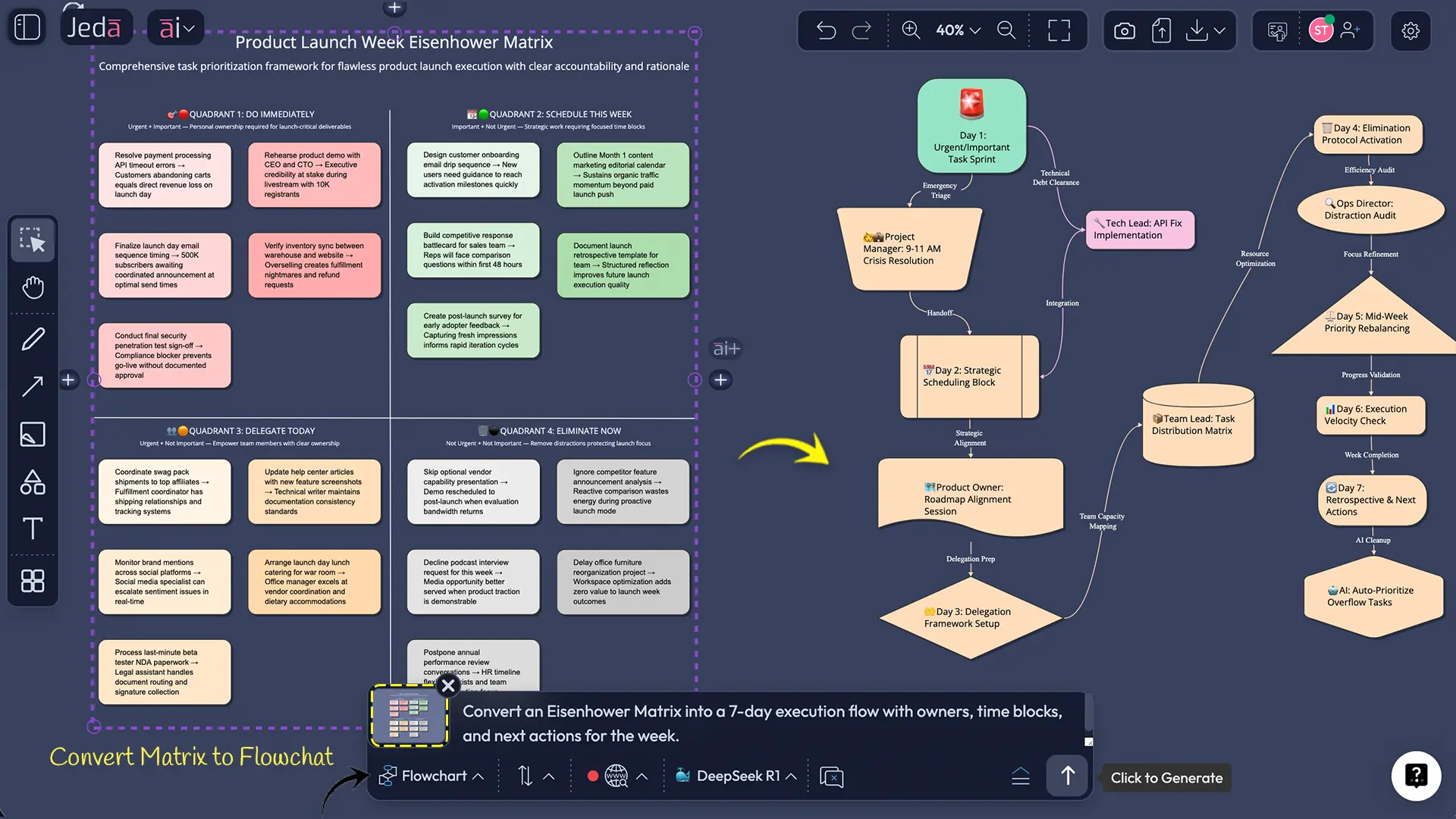
Daily for individuals; weekly for teams; per sprint for product groups.Use Vision Transform when the matrix needs execution form.
If you need a workflow from the matrix, convert it into a flowchart and attach owners and steps.
Common mistakes to avoid
Everything becomes urgent.
That usually signals unclear standards or a system that rewards fast replies over outcomes.Quadrant II becomes a parking lot.
If it isn’t scheduled, it isn’t real.Delegation without ownership.
“Delegated” is not a status. Name an owner, define success, set a check-in.Treating the AI draft as truth.
AI helps you start. You still decide.
Frequently Asked Questions
- What is an AI Eisenhower Matrix?
- An AI Eisenhower Matrix applies the urgent-vs-important framework, but uses AI to classify tasks, justify placements, and turn Quadrant II items into scheduled actions. The goal is fewer reactive decisions and more consistent prioritization.
- How do I decide if a task is important or just urgent?
- Treat “important” as outcome impact: goals, revenue, risk, compliance, or customer trust. Treat “urgent” as time pressure or blocking dependency. When you define both in writing, misclassifications drop quickly.
- Why does Quadrant II matter so much?
- Quadrant II tasks prevent future emergencies: planning, systems work, relationship-building, and skill development. When they’re skipped, the cost shows up later as more Quadrant I work—fires, churn, and avoidable rework.
- Is there research supporting urgent-over-important bias?
- Yes. Behavioral research describes a ‘mere urgency effect’ where people choose urgent tasks over objectively more important ones, even when urgency is superficial. This maps directly onto why Quadrant II gets postponed.
- Can teams use the Eisenhower Matrix, or is it personal only?
- Teams can use it well, especially for sprint planning and operational triage. The key is shared criteria and visible owners. An AI Whiteboard format helps because everyone can edit, comment, and align on the same board.
- How often should I update my Eisenhower Matrix?
- Individuals often benefit from a daily refresh, but teams usually do better weekly or per sprint. Update whenever priorities shift materially—new deadlines, incidents, stakeholder changes, or major scope adjustments.
- Does Jeda.ai export the matrix to PowerPoint or Word?
- No. Jeda.ai exports boards as PNG, SVG, or PDF. That’s typically enough for sharing, documentation, and slide import workflows without locking you into a proprietary format.
- Is the Jeda.ai matrix editable after generation?
- Yes. Matrix outputs are editable: you can move items, change labels, add notes, and collaborate in real time. Only Art outputs are static images; frameworks and diagrams remain fully editable.
- How does AI+ help after the matrix is created?
- AI+ is best used to operationalize quadrants: turning Quadrant II into scheduled next actions, drafting delegation messages for Quadrant III, or creating a short execution checklist for Quadrant I tasks.
Sources & further reading
- [1]
D. R. Kennedy (2022) . “The Illusion of Urgency” PMC (NIH).
View Source ↗ - [2]
Columbia University School of Professional Studies (Academic Resource Center) (2023) . “The Eisenhower Matrix (handout)” Columbia SPS.
View Source ↗ - [3]
Quote Investigator (2014) . “Quote Origin: What Is Important Is Seldom Urgent” Quote Investigator.
View Source ↗ - [4]
Asana (2025) . “The Eisenhower Matrix: Prioritizing tasks and to-do lists” Asana Resources.
View Source ↗