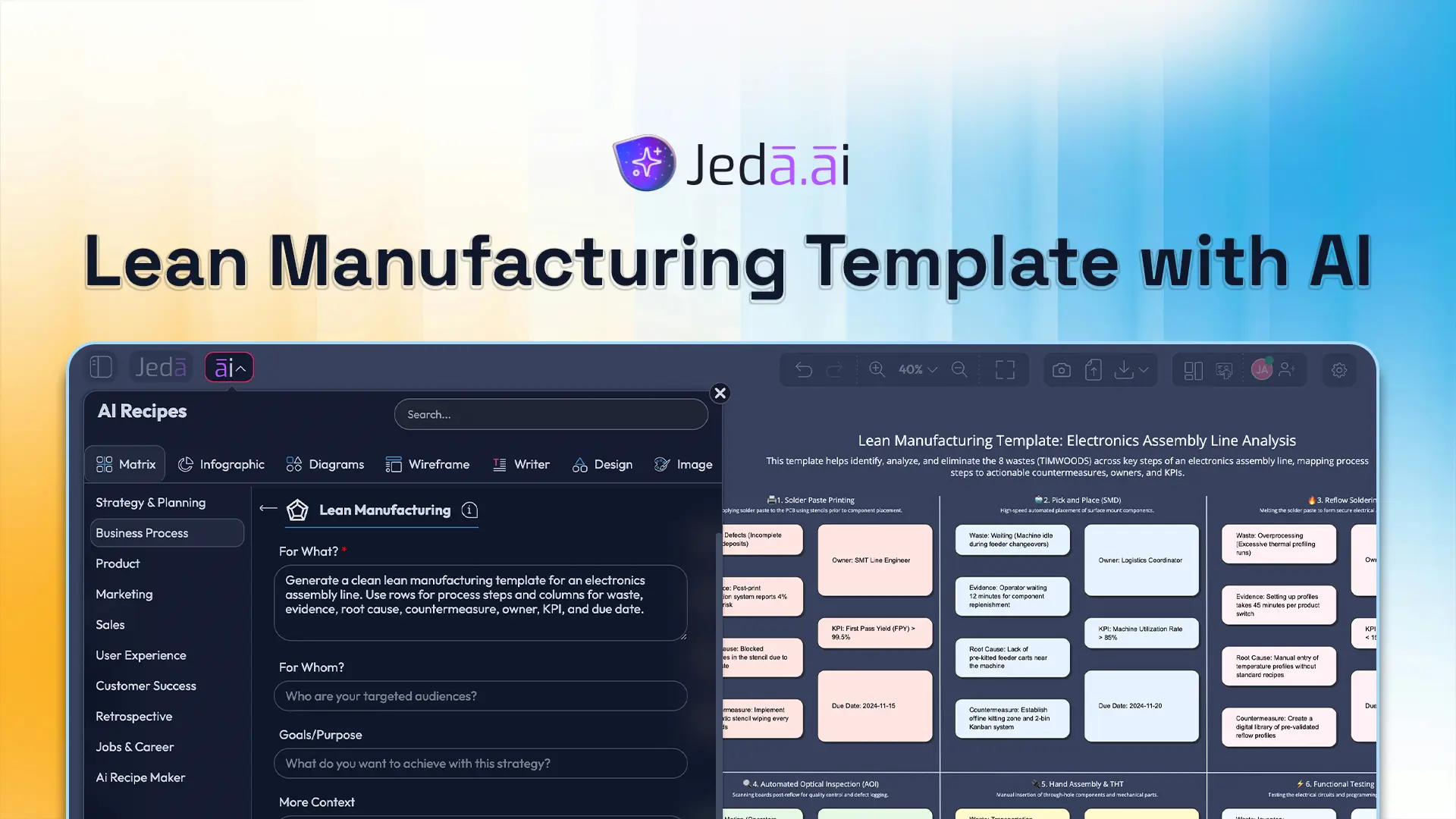
A lean manufacturing template should do more than hold boxes and labels. It should help a team see waste, decide what matters, and move from diagnosis to action without bouncing across five tools. That is where Jeda.ai fits. In one AI Workspace and AI Whiteboard, teams can generate a structured lean board, refine it with evidence, and keep the improvement discussion visual from first draft to final review. The platform’s Visual AI approach also matters here because lean work is easier to challenge when the logic stays visible. And with 150,000+ users already building in Jeda.ai, plus access to 300+ strategic frameworks, the workflow is already proven in practice.
What is a Lean Manufacturing Template?
A lean manufacturing template is a structured visual used to analyze production waste, document process constraints, define countermeasures, and assign follow-through. In practice, it gives a team one place to capture the current state, identify non-value-adding work, and design a better future state.
Its roots sit in the Toyota Production System. Toyota describes TPS as a system built around the elimination of waste, especially through Just-in-Time and jidoka. Later, James P. Womack, Daniel T. Jones, and Daniel Roos helped popularize the language of “lean production,” while Womack and Jones framed lean around five principles: value, value stream, flow, pull, and perfection.
So a good lean template is not just a poster. It is a working decision surface. It combines process steps, evidence, waste categories, owners, dates, and metrics so improvement work becomes visible instead of vague.
Why Use a Lean Manufacturing Template with AI?
Traditional lean workshops split the work in awkward ways. One team maps the process in a spreadsheet. Another writes notes in slides. Someone else summarizes actions afterward. By the time the review happens, the logic is already fragmented.
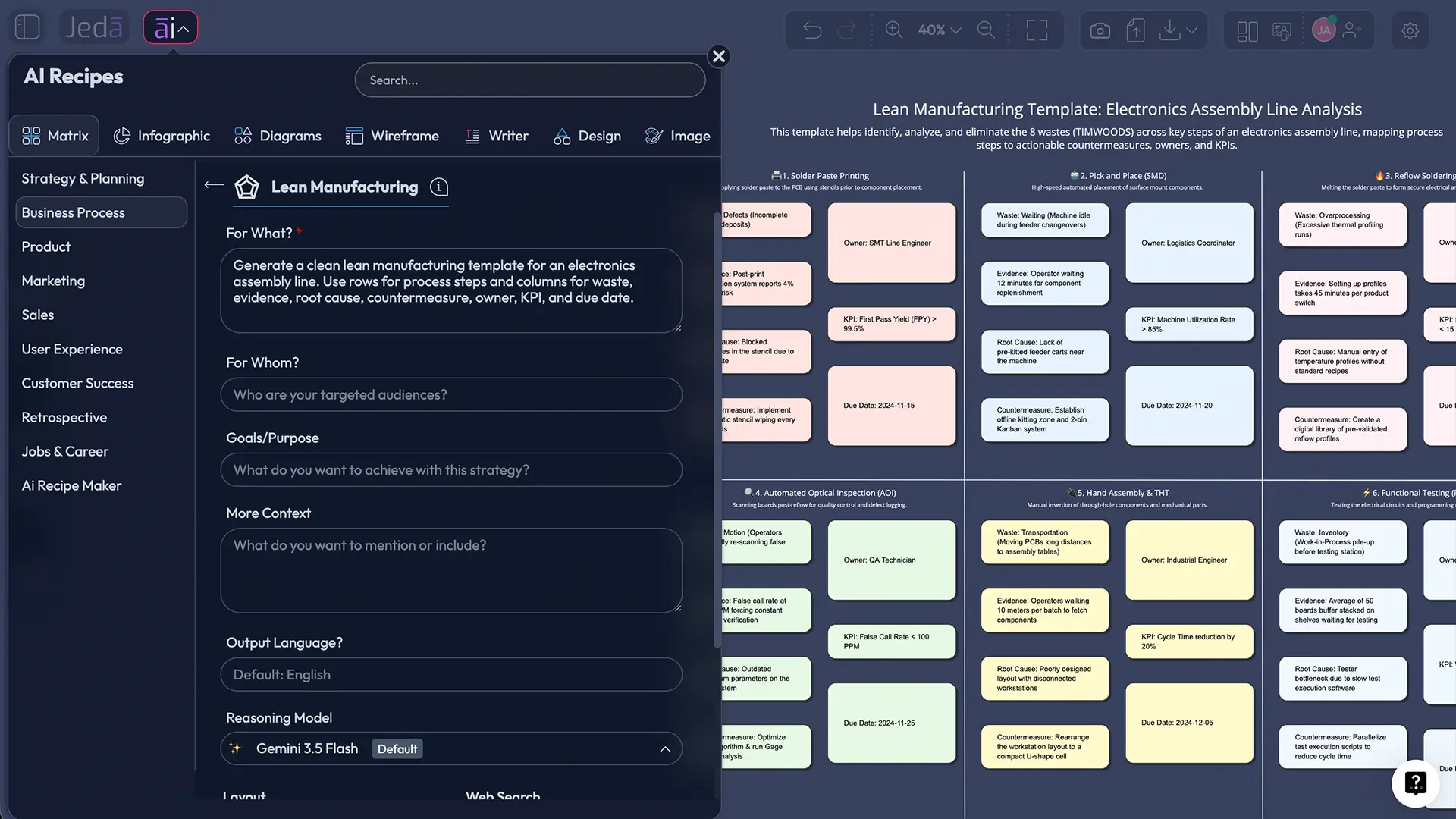
Using a lean manufacturing template inside Jeda.ai keeps the thread together inside one AI Workspace. You can generate the first matrix, edit every cell, attach supporting context, and keep the discussion visual inside an AI Whiteboard instead of flattening it into a static file.
- Structured Matrix Start
Generate a lean manufacturing template as a matrix, so waste, causes, actions, and metrics begin in a usable structure instead of a blank board.
- Collaborative Editing
Ops leads, analysts, engineers, and managers can refine the same board together in real time inside Jeda.ai’s AI Whiteboard.
- Multi-LLM Reasoning
Use 1-3 models and an Aggregator model to explore alternatives, clarify risks, and pressure-test improvement ideas before rollout.
- Evidence-In Workflow
Bring in process notes, uploaded documents, or related operating context so the analysis reflects the actual line instead of guesswork.
- AI+ Deep Dive
Tap the AI+ button to extend a selected section into deeper diagnostics, action options, or implementation detail after the first draft is generated.
- Visual Conversion
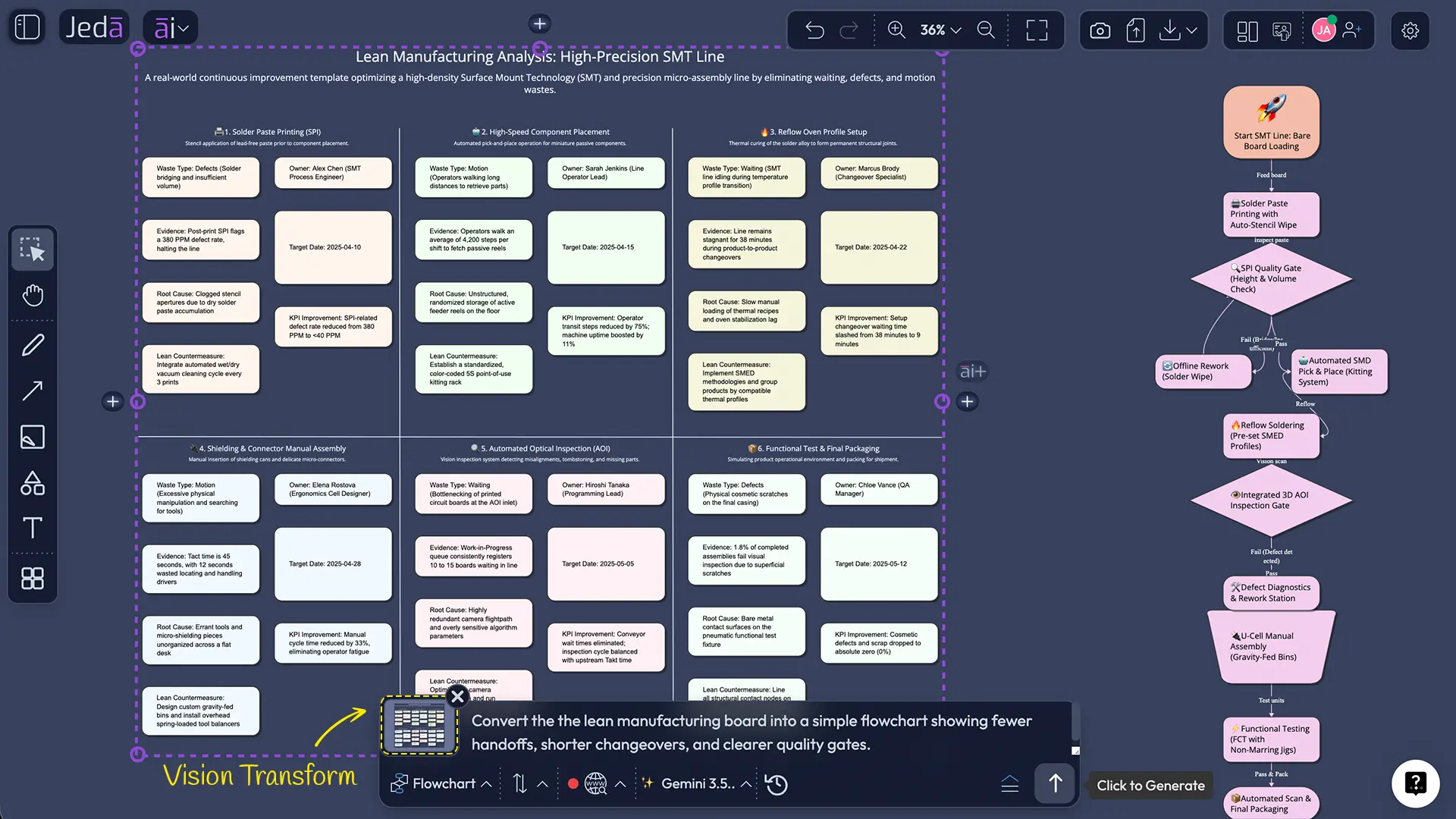
Use Vision Transform when you want to turn the same lean thinking into a supporting flowchart or diagram for a different audience.
AI does not fix sloppy thinking by magic. But it can speed up first-draft structure, expose missing fields, and make iteration less painful. Used well, it gives teams more time for judgment. Less time for formatting.
What a Strong Lean Manufacturing Template Should Include
A useful lean manufacturing template usually has rows for either process stages or waste categories, then columns that force disciplined thinking.
That layout solves a common problem: teams confuse observation, cause, and action. A stoppage is not a root cause. A queue is not a countermeasure.
Many teams also organize the board around the classic waste lens: transportation, inventory, motion, waiting, overproduction, overprocessing, defects, and unused human capability. Others prefer a current-state versus future-state layout, especially when value stream mapping is already part of the discussion.
For adjacent methods, see the AI Workspace, AI Whiteboard, Generate Fishbone Diagram Templates with AI, and How to Generate Flowcharts with AI pages.
How to Create a Lean Manufacturing Template in Jeda.ai
The two practical creation paths are Method 1: Recipe Matrix and Method 2: Prompt Bar.
Method 1: Recipe Matrix
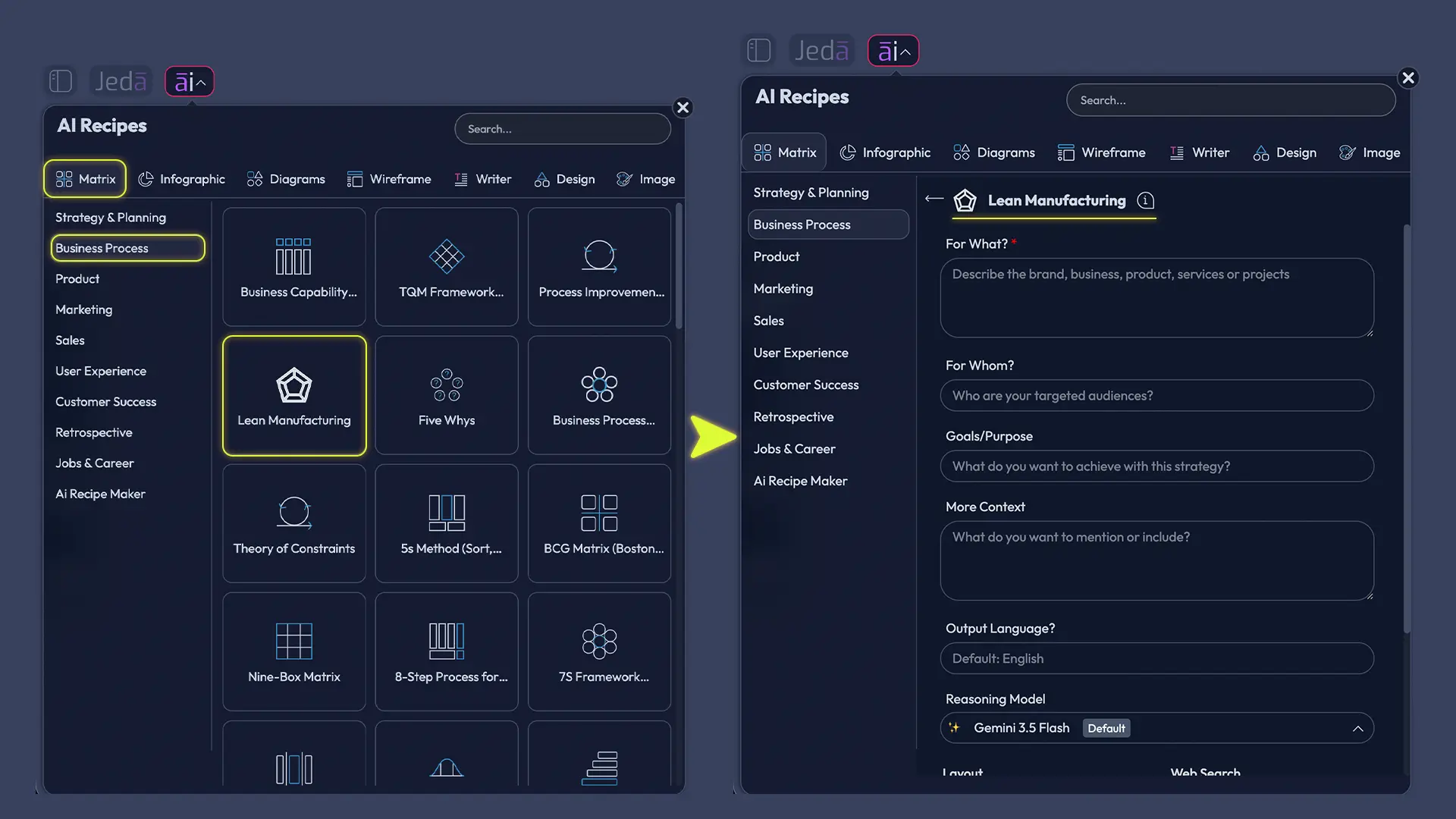
Use the AI Menu when you want a guided start. Open the AI Menu from the top-left area of the canvas, choose Matrix Recipes, and select the Lean Manufacturing Template.
Method 2: Prompt Bar
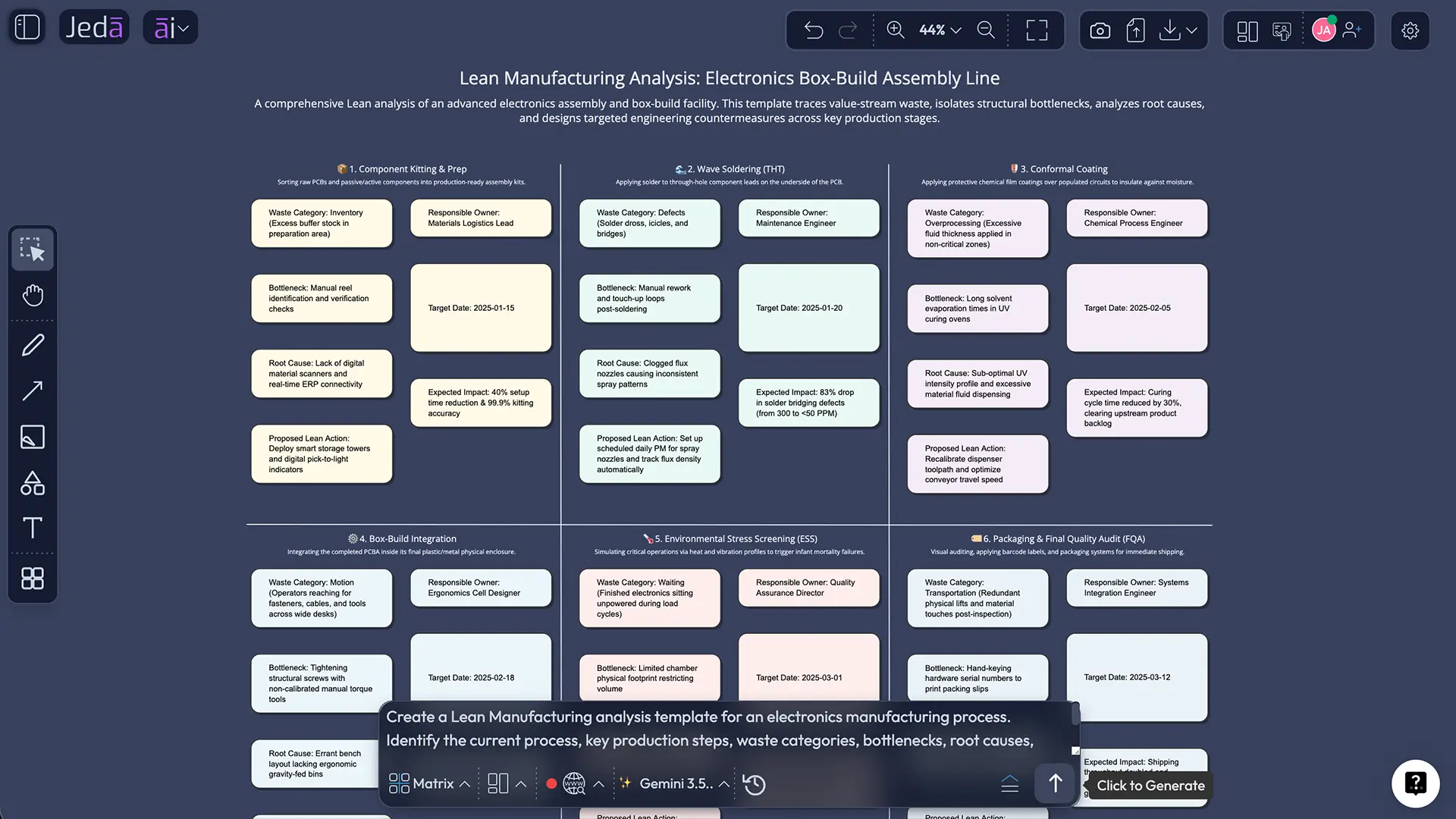
Use the Prompt Bar when you already know the board shape you want. Open the Prompt Bar at the bottom of the canvas, select the Matrix command, and write a direct instruction.
A strong example prompt looks like this:
Create a lean manufacturing template for a precision assembly line. Use rows for major process steps and columns for observed waste, evidence, likely root cause, countermeasure, owner, KPI, and review date.
From there, edit the board manually and replace generic entries with actual operating signals such as cycle time, scrap rate, queue time, changeover loss, rework hours, or OEE shifts.
- Method 1 — Open Recipe Matrix
Open the AI Menu in Jeda.ai and choose the Lean Manufacturing Template.
- Method 1 — Define the Lean Scope
Specify the line, product family, shift, or work cell you want the lean manufacturing template to cover.
- Method 1 — Generate and Edit the Matrix
Create the first board, then rename rows and columns to reflect lean manufacturing fields such as waste, evidence, countermeasure, owner, and KPI.
- Method 2 — Open the Prompt Bar
At the bottom of the AI Whiteboard, select the Matrix command from the Prompt Bar.
- Method 2 — Write a Direct Prompt
Ask Jeda.ai to generate a lean manufacturing template with the exact columns you need for process steps, causes, actions, dates, and success measures.
- Add Evidence and Owners
Replace generic text with actual production observations, assign owners, and set review dates so the board becomes operational rather than conceptual.
- Use AI+ for a Deeper Section
Select one row or cluster and tap the AI+ button to extend that section into a deeper analysis, longer action plan, or more detailed countermeasure list.
- Convert or Share the Final Board
Use Vision Transform if you need a related flowchart or diagram, then export the final board as PNG, SVG, or PDF for review.
Lean Manufacturing Template Example
Consider a mid-sized electronics assembly line that ships too slowly at month-end. Operators report waiting time during feeder changeovers, quality teams see rising rework in final inspection, and supervisors suspect the line is batching too aggressively.
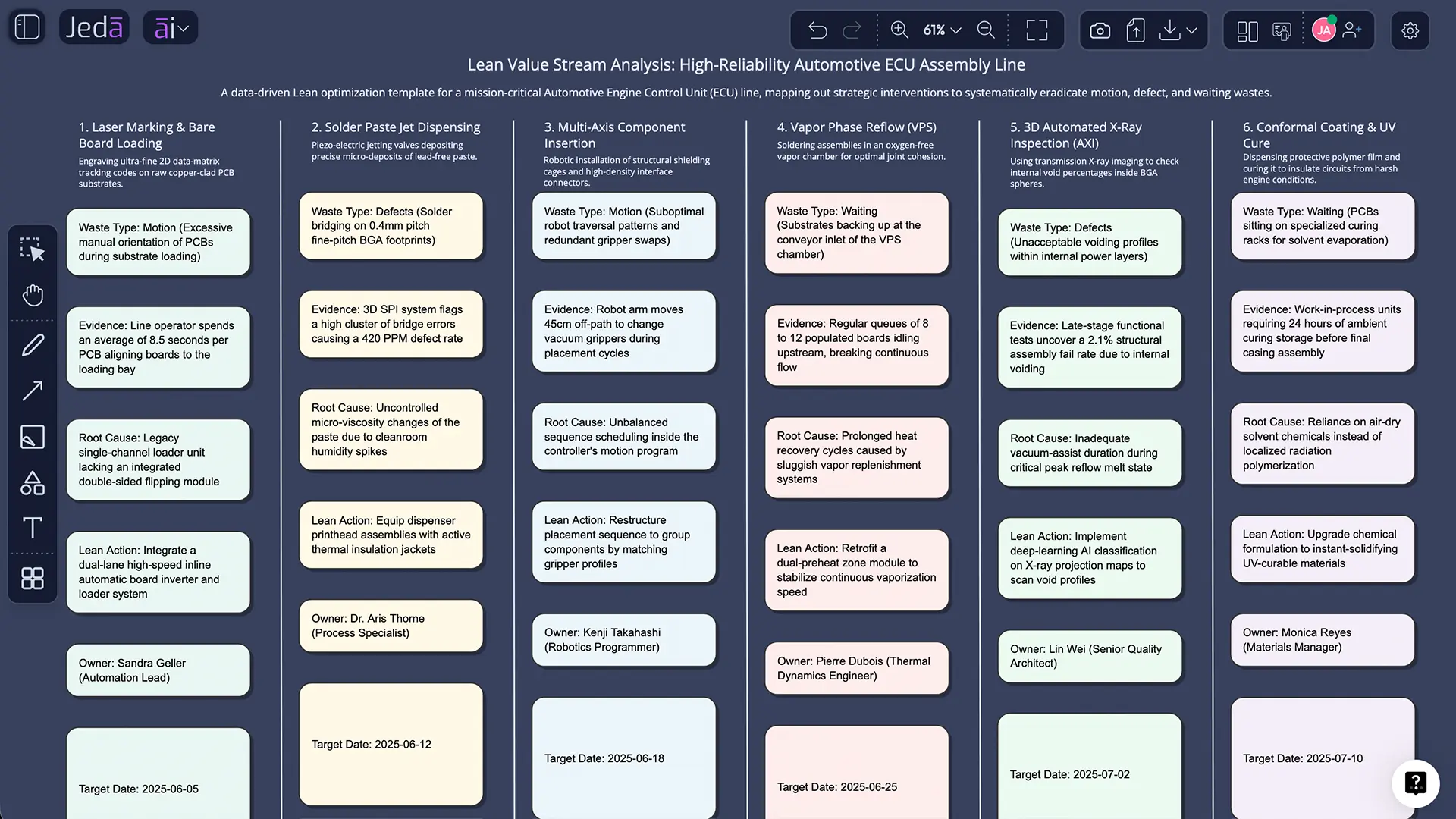
A lean manufacturing template built in Jeda.ai might organize one row like this:
That one entry already does more than a generic slide. It links the waste category to evidence, cause, action, ownership, and measurement. Multiply that across the line and the board becomes a real improvement system.
Best Practices for Using This Template Well
Lean boards become credible when they are grounded in observed work, not abstract opinion. Start with the gemba if possible. Use actual cycle data, queue length, defect counts, handoff delays, or changeover timing. Even rough evidence beats polished speculation.
The AI Workspace keeps reasoning, structure, and editing in one place, while the AI Whiteboard keeps the conversation visible enough for mixed audiences.
Common Mistakes to Avoid
The first mistake is treating the template like decoration. If the board has no owner, date, or KPI, it is not a lean tool.
The second mistake is forcing every problem into the same level of detail. Some issues need quick countermeasures. Others need deeper root-cause work, possibly with a fishbone diagram or a separate flowchart.
The third mistake is assuming speed equals quality. AI can create a matrix fast. Teams still need to verify evidence, challenge assumptions, and test changes against real constraints.
Frequently Asked Questions
- What is a lean manufacturing template?
- A lean manufacturing template is a structured visual used to analyze waste, document causes, assign actions, and track improvement metrics. The best versions combine process evidence, countermeasures, owners, and review dates so the board supports execution rather than just discussion.
- How is a lean manufacturing template different from a value stream map?
- A value stream map focuses on the end-to-end flow of materials and information. A lean manufacturing template is broader. It can include waste categories, actions, owners, and KPI tracking, which makes it useful for diagnosis, prioritization, and follow-through.
- How do I create a lean manufacturing template using AI?
- Open Jeda.ai, use either Matrix Recipes from the AI Menu or the Matrix command in the Prompt Bar, and generate a board with fields for waste, evidence, cause, countermeasure, owner, and KPI. Then refine it with your real operating data.
- Which Jeda.ai command should I use first?
- Start with the Matrix command because lean manufacturing templates work best as structured grids. Use Flowchart or Diagram later if you want to explain the redesigned process visually to a broader audience.
- Can I edit the generated board after Jeda.ai creates it?
- Yes. Matrix outputs are editable in Jeda.ai. You can change text, structure, color, and layout, then keep iterating inside the AI Whiteboard with your team.
- What is the best use of the AI+ button here?
- Use AI+ after the initial board exists. Select a row or cluster and extend it into deeper analysis, stronger action options, or a more detailed implementation plan. It is best for expansion, not for requesting an entirely different framework from nothing.
- Can lean manufacturing templates work outside factories?
- Yes. Lean principles are often adapted for service, healthcare, logistics, and office processes. The template logic still works because waste, delays, handoffs, and rework exist outside physical production too.
- Can I export the final lean manufacturing board?
- Yes. Jeda.ai supports export to PNG, SVG, and PDF. Those formats are useful once the board is stable and you are ready to share it with a broader operations or leadership audience.
Sources & Further Reading
- [1]
Toyota Motor Corporation (2026) . “Toyota Production System” Toyota Global.
View Source ↗ - [2]
James P. Womack, Daniel T. Jones, and Daniel Roos (2007) . “The Machine That Changed the World” Simon & Schuster.
View Source ↗ - [3]
James P. Womack and Daniel T. Jones (1996) . “Lean Thinking” Taylor & Francis / Google Books bibliographic record.
View Source ↗ - [4]
National Institute of Standards and Technology (2020) . “Lean and Process Improvement” NIST MEP.
View Source ↗ - [5]
American Society for Quality (2026) . “What is Lean? Lean Manufacturing & Lean Enterprise” ASQ.
View Source ↗ - [6]
Association for Supply Chain Management (2026) . “Principles of Lean Manufacturing” ASCM.
View Source ↗
Build Your Lean Manufacturing Template in Jeda.ai
Join over 150,000+ users using Jeda.ai’s AI Workspace and AI Whiteboard to turn process analysis into editable, shareable visuals.
Try Free Template