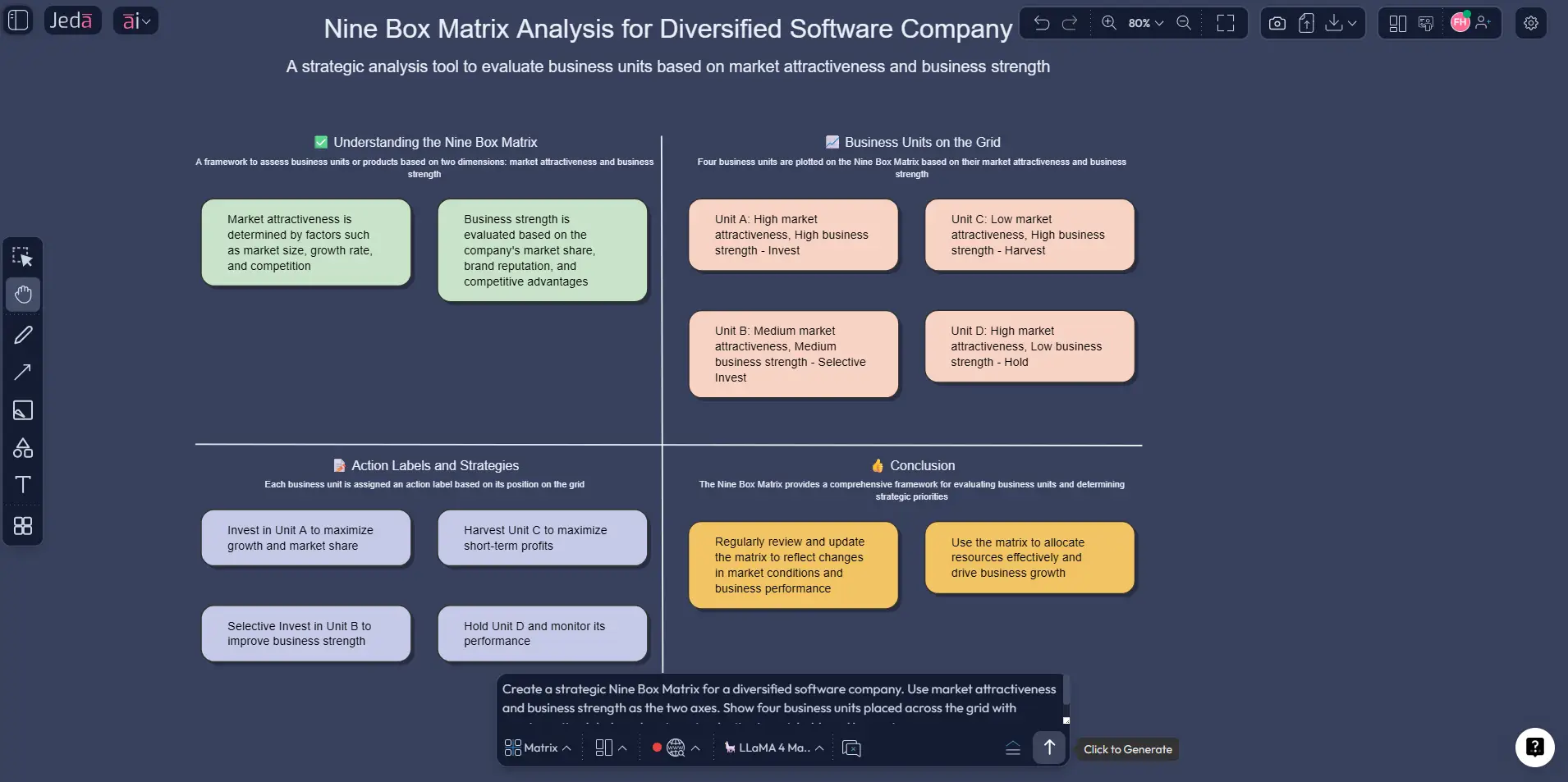
Nine Box Matrix with AI helps strategy teams decide where to invest, where to stay selective, and where to pull back. Instead of debating in a spreadsheet and rebuilding the same logic in slides, you can map market attractiveness against business strength inside a collaborative AI Workspace and AI Whiteboard, then refine the board with your team in real time.
Portfolio reviews usually fail for a simple reason: the criteria live in one place, the evidence lives somewhere else, and the recommendation gets softened in a deck. Jeda.ai keeps the thinking, the evidence, and the visual output together. With 300+ strategic frameworks and 150,000+ users, Jeda.ai is built for exactly this kind of work.
Quick clarification: this page covers the strategic Nine Box Matrix, not the HR talent-review grid. Here, the two axes are market attractiveness and business strength.
What is a Nine Box Matrix?
A Nine Box Matrix is a strategic planning framework used to assess business units, product lines, or investment options across two dimensions: market attractiveness and business strength. The output is a 3x3 grid that helps teams separate growth bets from selective opportunities and weak positions that may need harvesting or exit.
The strategic version is tied to the GE-McKinsey framework. Unlike the BCG matrix, which leans mainly on market growth and relative market share, the Nine Box Matrix lets you evaluate each axis through several weighted factors, such as profitability, growth, competitive intensity, brand strength, or cost position. That flexibility is why it still shows up in real strategy work.
Why use Nine Box Matrix with AI instead of doing it manually?
Because drawing the grid is easy. Deciding what belongs in it is the real work.
Manual matrices usually fail in three places: fuzzy criteria, inconsistent scoring, and static output nobody updates later. In Jeda.ai, you can pull your inputs together, score the portfolio visually, and refine the assumptions without rebuilding from scratch. The board stays editable, collaborative, and easy to revisit.
- Sharper scoring
Use AI to structure the factors behind market attractiveness and business strength before anyone starts debating placement.
- Evidence-in analysis
Bring in business notes, uploaded files, and current market context so the matrix is grounded in more than opinion.
- Editable visual output
Your Nine Box Matrix is not a dead image. You can edit cells, labels, colors, notes, and recommendations directly on the canvas.
- Real team alignment
Strategy leaders, consultants, analysts, and product managers can work in the same AI Whiteboard instead of passing files around.
- AI+ deep dive
Once the first matrix exists, you can use the AI+ button to expand it into deeper reasoning, action plans, or follow-up views.
- Scenario-ready
Duplicate the board, adjust the inputs, and compare optimistic, base-case, and defensive scenarios without starting over.
Jeda.ai also fits the way modern strategy work actually happens. You might start in a matrix, extend the analysis with AI+, then use Vision Transform to turn the same logic into a diagram, mind map, or presentation-friendly visual. That is where Visual AI gets practical. Not flashy. Practical.
How to create a Nine Box Matrix with AI in Jeda.ai
Jeda.ai gives you two practical ways to build it. The first is faster if you want a guided setup. The second is better if you already know the structure you want.
Method 1: Recipe Matrix in the AI Menu
This is the recommended route when you want a guided setup. Jeda.ai already has a Nine-Box Matrix path in the AI Menu, so you are not starting from a blank canvas.
- Open the AI Menu
Enter your Jeda.ai AI Workspace, open the AI Menu, and go to the business-process style recipe for Nine-Box Matrix.
- Answer the setup questions
Define what you are evaluating, list the business units or product lines, and choose the factors you want to use for market attractiveness and business strength.
- Generate the first matrix
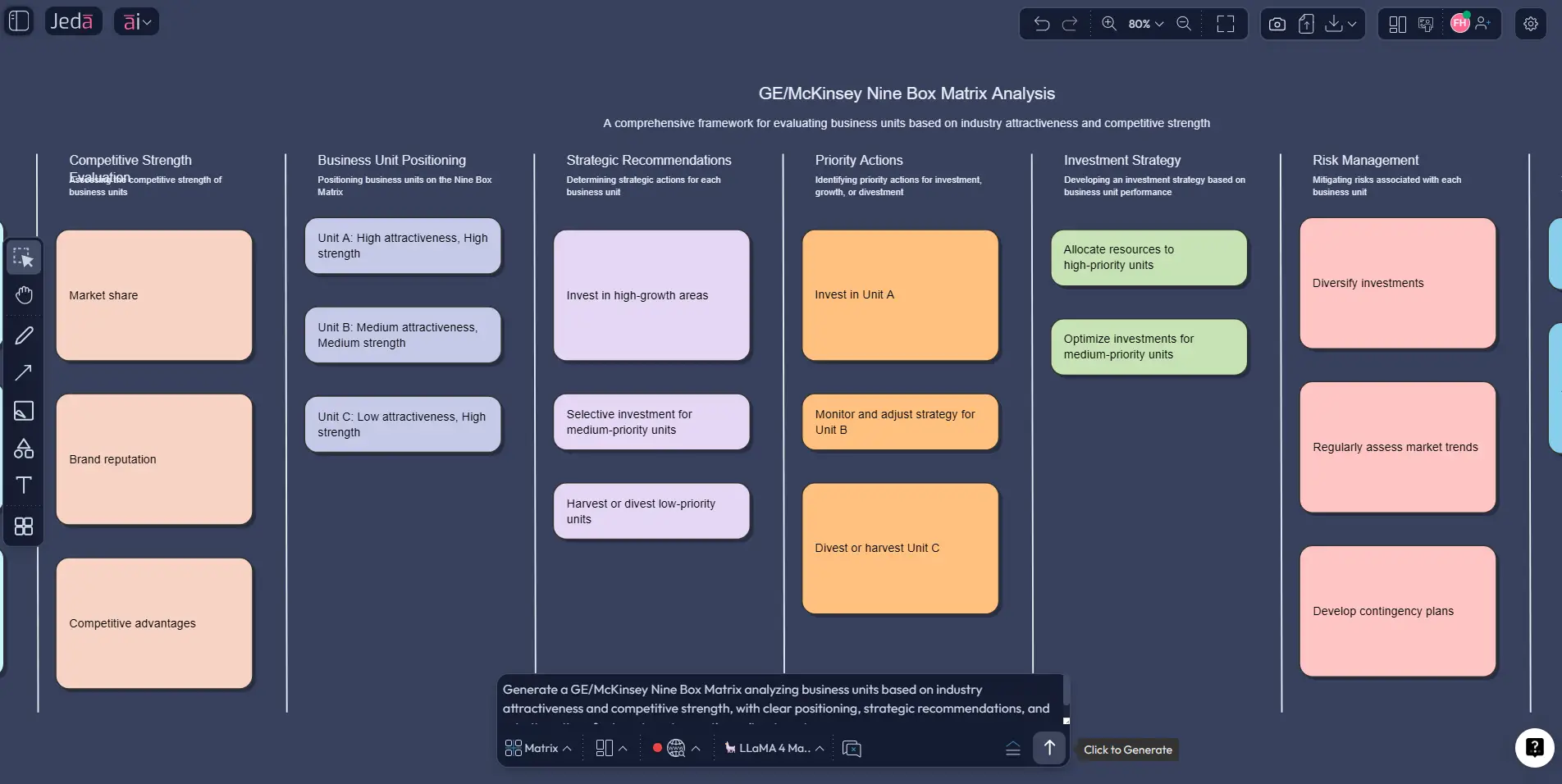
Pick your preferred AI model and let Jeda.ai create the first structured 3x3 matrix with placements, labels, and initial strategic guidance.
- Refine the scoring logic
Edit wording, move units between cells if needed, add notes, and make the criteria explicit so the board reflects leadership reality, not just first-pass output.
- Extend with AI+
Select the finished matrix and tap the AI+ button to deepen the analysis. Use it to extend the current board into richer rationale, implications, or next-step decision views.
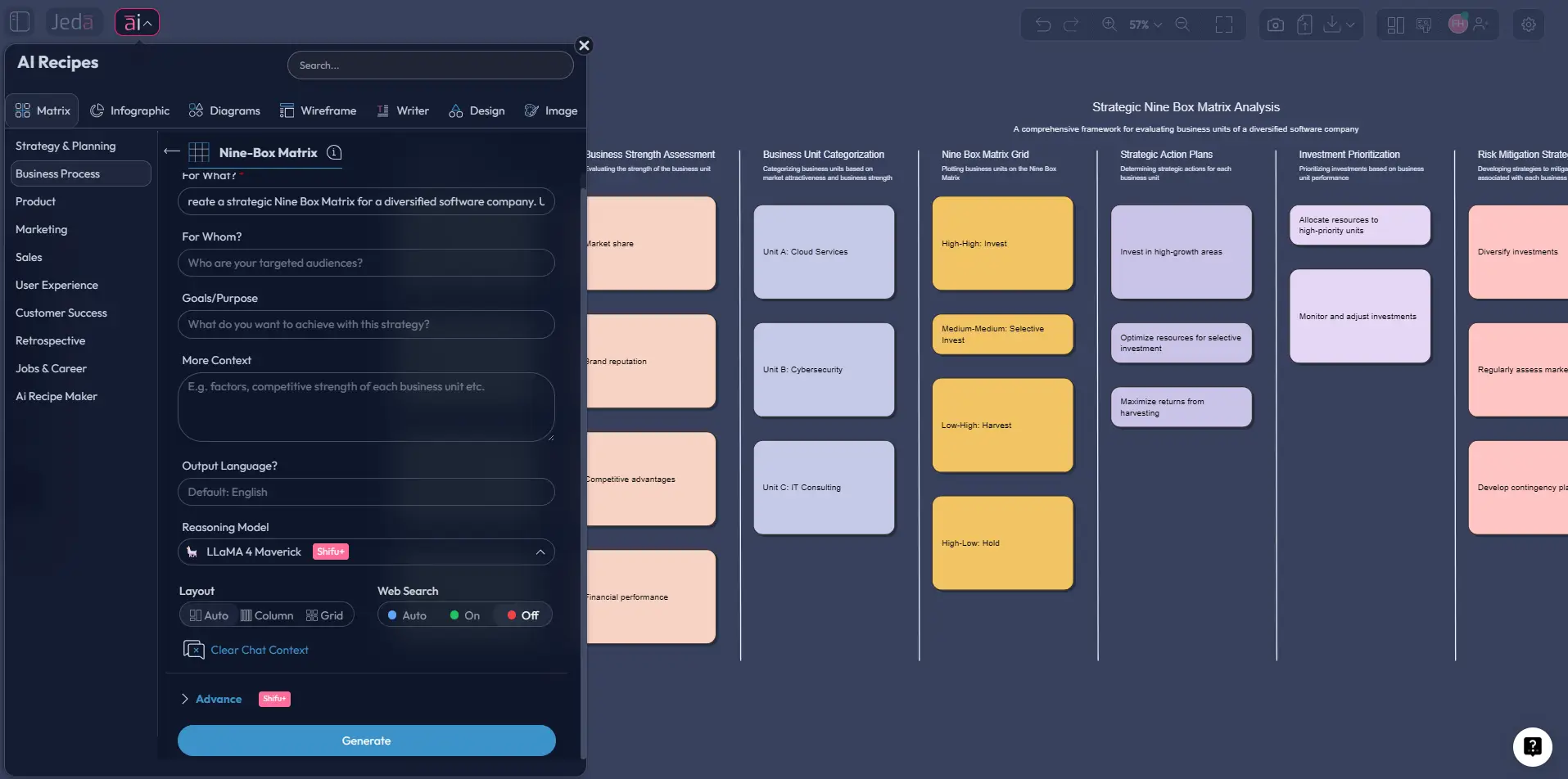
This method standardizes the structure, keeps teams consistent across units, and ties the matrix to an editable board.
Method 2: Prompt Bar
If you want more control up front, use the Prompt Bar at the bottom of the canvas.
Choose the Matrix command and enter a prompt like this:
Create a Nine Box Matrix for our portfolio. Use market attractiveness on one axis and business strength on the other. Evaluate each business unit as high, medium, or low, explain the placement logic, and recommend invest, selective investment, hold, harvest, or divest actions.
After generation, edit the board directly, add your evidence, and use Vision Transform if you want a second view for presentation or discussion.
What to do after the first matrix is generated
Do not stop at placement. That is where weak strategy pages usually tap out.
After the initial matrix appears, review each cell with a simple rule set:
Nine Box Matrix template and example
Here is what a realistic use case looks like.
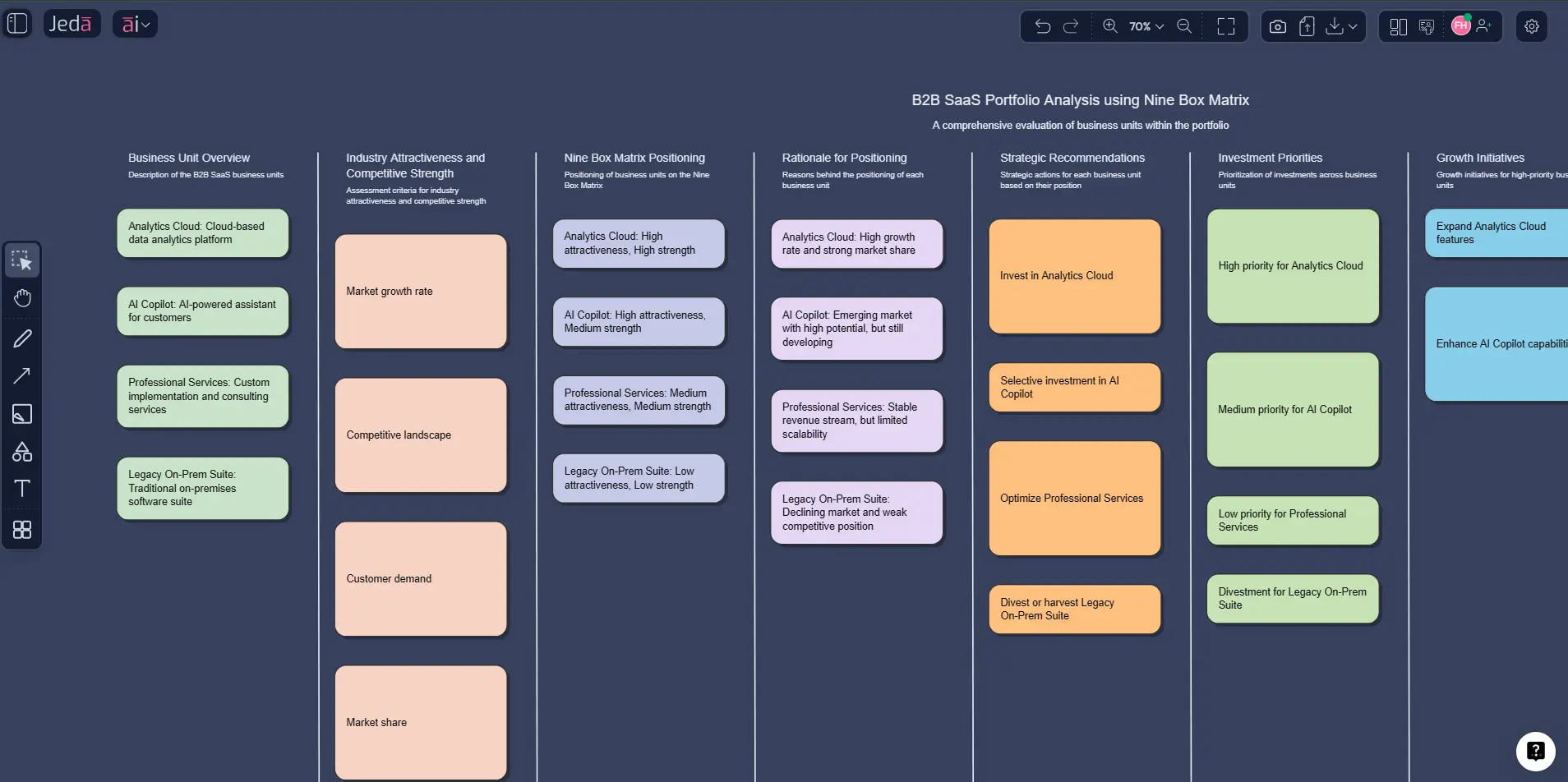
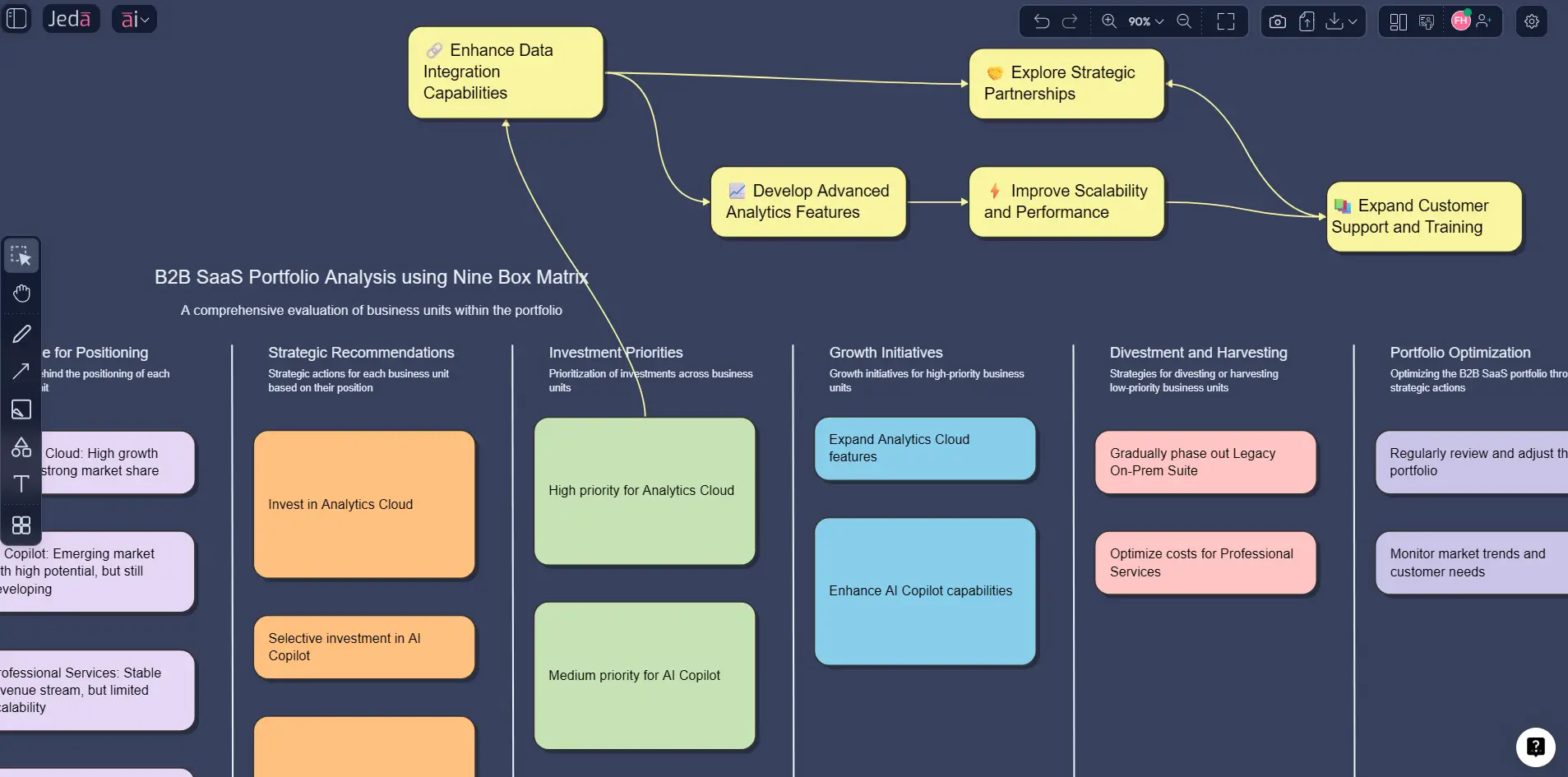
Imagine a B2B software company reviewing four units: Analytics Cloud, AI Copilot, Legacy On-Prem Suite, and Professional Services.
- Analytics Cloud lands in high attractiveness and strong business strength. The market is expanding, margins are healthy, and the company has a credible position. That is an invest-and-grow play.
- AI Copilot lands in high attractiveness but medium business strength. The market is hot, but execution is still uneven. That usually calls for selective investment and capability building.
- Professional Services lands in medium attractiveness and strong business strength. It may not be the big growth engine, but it can support cash flow, relationships, and implementation depth.
- Legacy On-Prem Suite lands in low attractiveness and medium strength. That is often a harvest, maintain, or gradual exit discussion.
Best practices for a Nine Box Matrix that leadership will actually trust
Here is what usually makes the difference between a useful matrix and one that gets politely ignored:
Common mistakes to avoid
The first mistake is using the wrong Nine Box Matrix altogether. Plenty of search results point to the HR talent-review model. That is useful, but it is not the same framework.
The second mistake is stuffing too many variables into each axis. If everything matters equally, nothing does.
Third, teams forget that the matrix is a decision aid, not a substitute for judgment. Markets move, so the board needs updates.
Frequently asked questions
- What is a Nine Box Matrix in strategy?
- A strategic Nine Box Matrix is a 3x3 portfolio framework that compares market attractiveness with business strength. Teams use it to rank business units, set investment priorities, and decide where to grow, stay selective, harvest, or exit.
- Is the Nine Box Matrix the same as the GE-McKinsey Matrix?
- In strategic planning, yes, they usually refer to the same idea. The GE-McKinsey version is the classic business portfolio model that evaluates business units across market attractiveness and competitive or business strength.
- How is this different from the HR 9-box grid?
- The HR version measures employee performance and potential. The strategic version measures market attractiveness and business strength. Same nine-cell shape, very different purpose. Confusing the two is common, and it leads teams down the wrong path fast.
- How is a Nine Box Matrix different from the BCG Matrix?
- The BCG Matrix uses a simpler 2x2 structure built around market growth and relative market share. The Nine Box Matrix is more flexible because each axis can include several weighted factors, which gives teams a more nuanced portfolio view.
- Who should use a Nine Box Matrix with AI?
- It is especially useful for strategy consultants, business leaders, business analysts, product managers, and portfolio owners who need a fast visual way to compare several units or products and explain the investment logic clearly.
- What inputs should I prepare before building the matrix?
- Bring the list of business units or products, the factors you want to use for market attractiveness and business strength, any relevant performance or market data, and the decision objective. Clear inputs make the board far more credible.
- What should I do after the matrix is generated?
- Review the placements, validate the evidence, add recommended actions, and use AI+ to deepen the current board. The first matrix is the start of the discussion, not the finish line.
- Can AI replace executive judgment in a Nine Box Matrix?
- No. AI speeds up structuring, scoring, and synthesis, but leadership still has to decide what trade-offs matter most. The best use of AI is to improve reasoning, not replace it.
Sources & further reading
The strategic version of the Nine Box Matrix is well documented as a GE-McKinsey portfolio framework built for multibusiness resource allocation, with later applications across industry and public-sector analysis.
- [1]
Coyne, Kevin (2008) . “Enduring Ideas: The GE-McKinsey Nine-Box Matrix” McKinsey & Company.
View Source ↗ - [2]
Mind Tools Content Team (2024) . “GE-McKinsey Matrix” Mind Tools.
View Source ↗ - [3]
Lucid Software (2025) . “Guide to the GE McKinsey Matrix” Lucidspark Blog.
View Source ↗ - [4]
Amatulli, Cesare; Caputo, Tiziana; Guido, Gianluigi (2011) . “Strategic Analysis through the General Electric/McKinsey Matrix: An Application to the Italian Fashion Industry” International Journal of Business and Management.
View Source ↗ - [5]
Proctor, R.A.; Hassard, J.S. (1990) . “Towards a New Model for Product Portfolio Analysis” Management Decision.
View Source ↗ - [6]
Shen, Liyin; Zhou, Jingyang; Skitmore, Martin; Xia, Bo (2015) . “Application of a Hybrid Entropy–McKinsey Matrix Method in Evaluating Sustainable Urbanization: A China Case Study” Cities.
View Source ↗ - [7]
Decuseară, Nicolae Răzvan (2013) . “Using the General Electric/Mckinsey Matrix in the Process of Selecting the Central and East European Markets” Management Strategies Journal.
View Source ↗
Start Your Nine Box Matrix Analysis Today
Join 150,000+ users who use Jeda.ai to turn portfolio questions into clearer visual decisions inside an AI Workspace.
Try Free Template