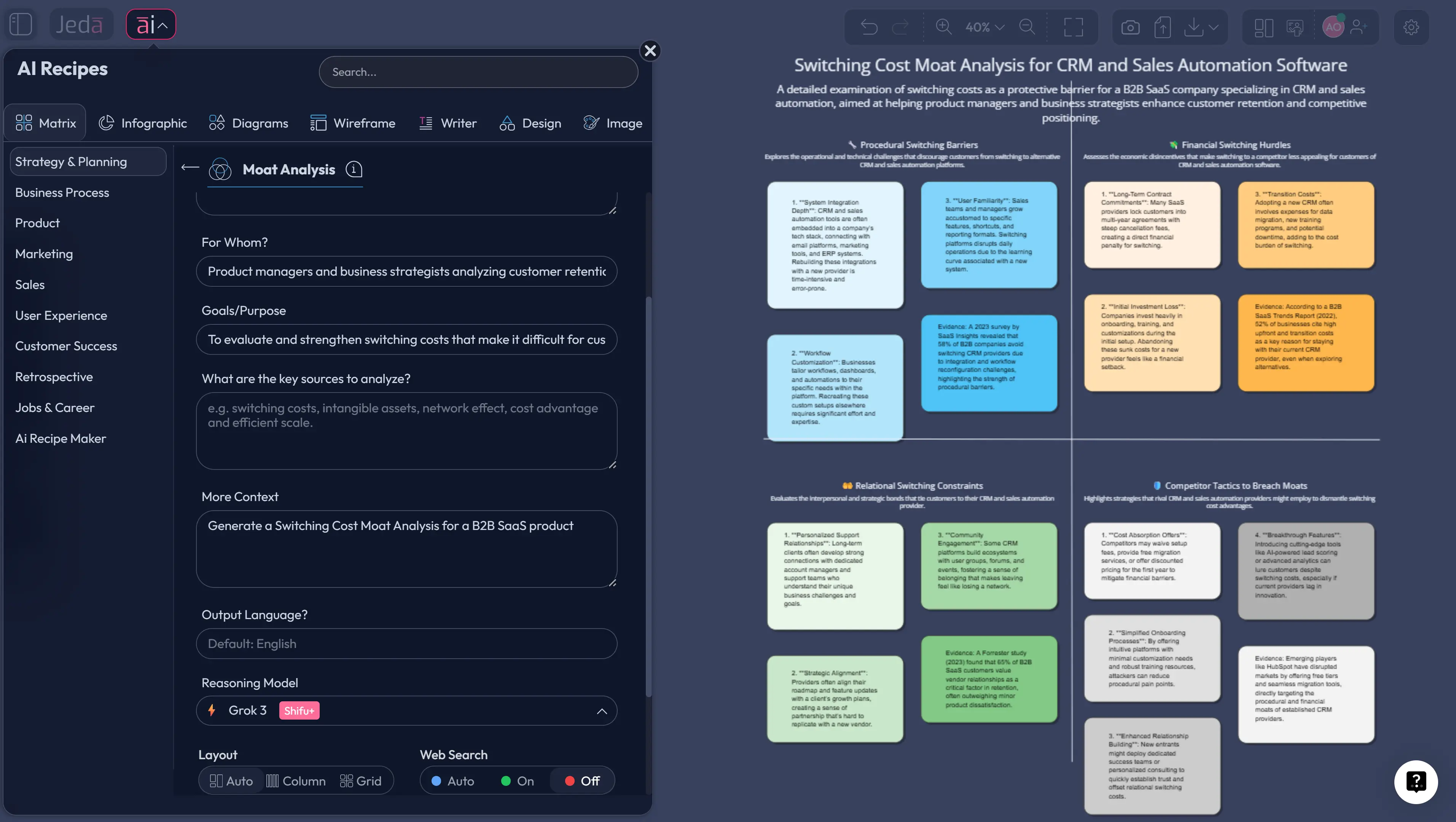
Switching cost moat analysis with AI is a method to estimate how strongly a business can retain customers and protect pricing power because switching is painful, risky, or expensive for the buyer. In practice, you’re asking one blunt question: “If a competitor offers a 10–20% better deal, do customers still stay?” If the honest answer is “yes,” you may be looking at a switching-cost moat.
This page shows how to run Switching Cost Moat Analysis with AI inside a Jeda.ai AI Workspace and AI Whiteboard (a Visual AI workspace), using a structured template that lives as a sub-recipe inside Jeda.ai’s Moat Analysis recipes. For broader context, see the AI Workspace and AI Whiteboard pillars.
What is a switching-cost moat?
A switching-cost moat is a demand-side advantage created when customers face meaningful costs—financial, procedural, or relational—if they replace a product or supplier. Those costs can generate ex post market power for the incumbent, especially when the market has lock-in dynamics (Klemperer, 1987; Farrell & Klemperer, 2007).
In business strategy language, switching costs also appear as an entry barrier that lowers the threat of entry (a point often tied to Porter’s forces framework).
Switching costs are not one thing
A useful typology groups switching costs into procedural, financial, and relational categories.
- Procedural: time, effort, training, data transfer, workflow disruption.
- Financial: termination fees, lost discounts, contract penalties.
- Relational: trust, vendor relationships, perceived risk of change.
A durable moat typically combines at least two of these.
Why switching costs create durable advantage
Switching costs matter when they produce customer captivity and pricing power, not just habit. Investment-oriented moat frameworks often describe this as “stickiness that converts into returns,” and they also emphasize that switching costs often co-exist with other moat sources.
Switching Cost Moat Analysis with AI in Jeda.ai
Jeda.ai is an AI Workspace and AI Whiteboard designed to turn messy inputs into editable, decision-ready visuals. For switching costs, that matters because the analysis spans product, revenue, support, finance, procurement, and security.
You can run the analysis in two ways:
- Use the AI Menu (recommended) and select Moat Analysis → “Switching Costs.”
- Use the Prompt Bar and select the Matrix command to generate a custom structure.
Both methods produce an editable output you can refine with teammates, then export as PNG, SVG, or PDF.
What you should get from the analysis
A good switching-cost moat analysis should answer:
- Where the switching friction comes from (data, workflow, integrations, procurement).
- Who bears the cost (end users, admins, IT/security, finance).
- How it translates into pricing power (renewals, upsell, margin stability).
- What would break it in the next 12–24 months.
- Decision-ready matrix
A structured view of procedural, financial, and relational switching costs, mapped to segments and buying roles.
- Evidence-in analysis
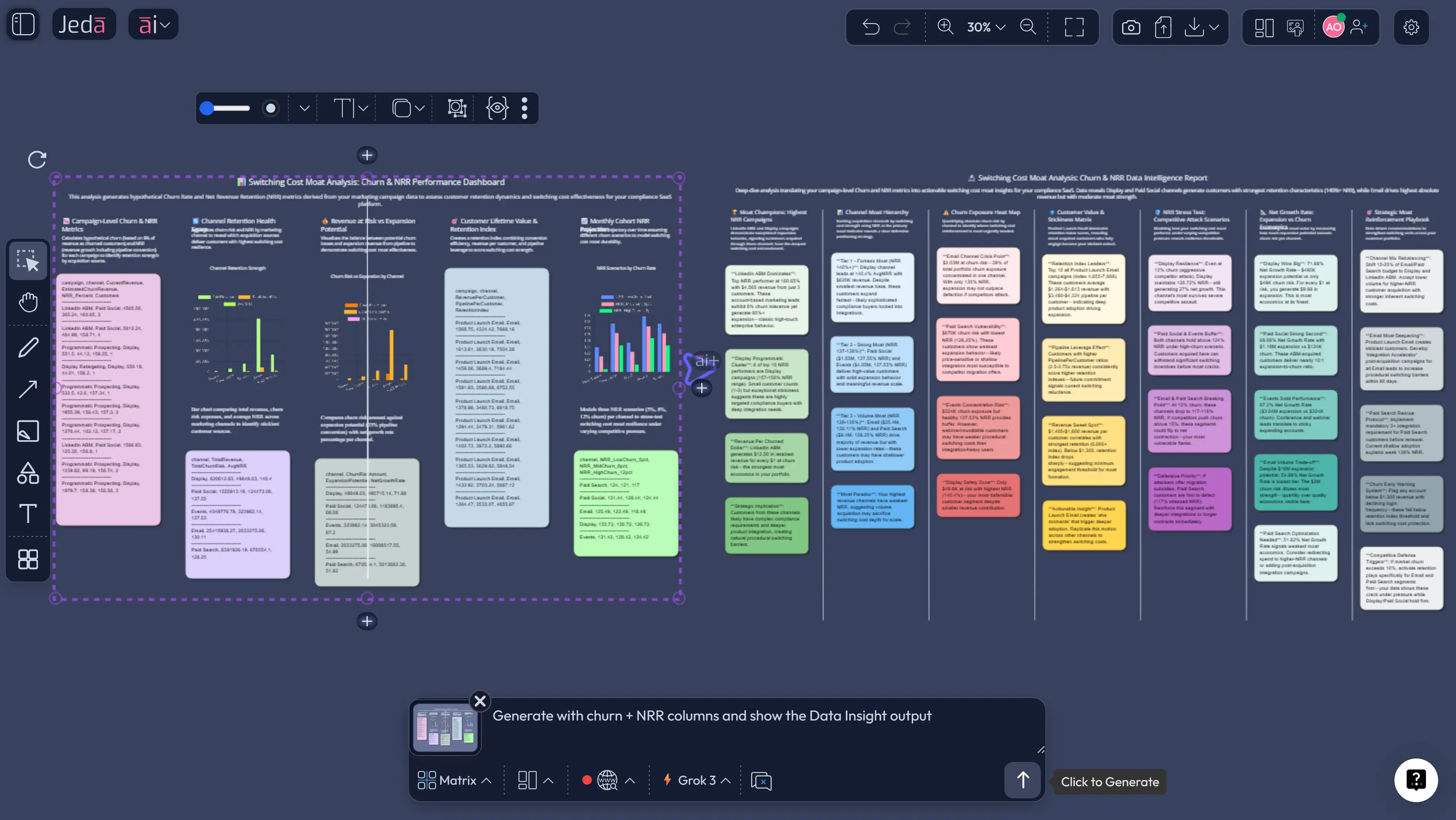
Bring onboarding docs, contracts, support tickets, or a churn CSV using Document Insight or Data Insight, then extract the real drivers.
- Collaborative refinement
Edit the output together in the AI Workspace; use Follow Me when you need everyone looking at the same section.
- Multi-model critique
Run the same prompt with 1–3 models via the Multi-LLM Agent, then let the Aggregator choose the best synthesis.
- Extend with AI+
Tap the AI+ button on any weak cell (e.g., ‘integration rebuild cost’) and ask for validation steps and metrics.
- Convert formats fast
Use Vision Transform to convert the matrix into a flowchart (switching journey) or diagram (dependency map).
How to create Switching Cost Moat Analysis with AI in Jeda.ai
Because this is a Moat Analysis sub-recipe on Jeda.ai, the AI Menu method is usually the fastest. The Prompt Bar method is better when you want tight control over wording.
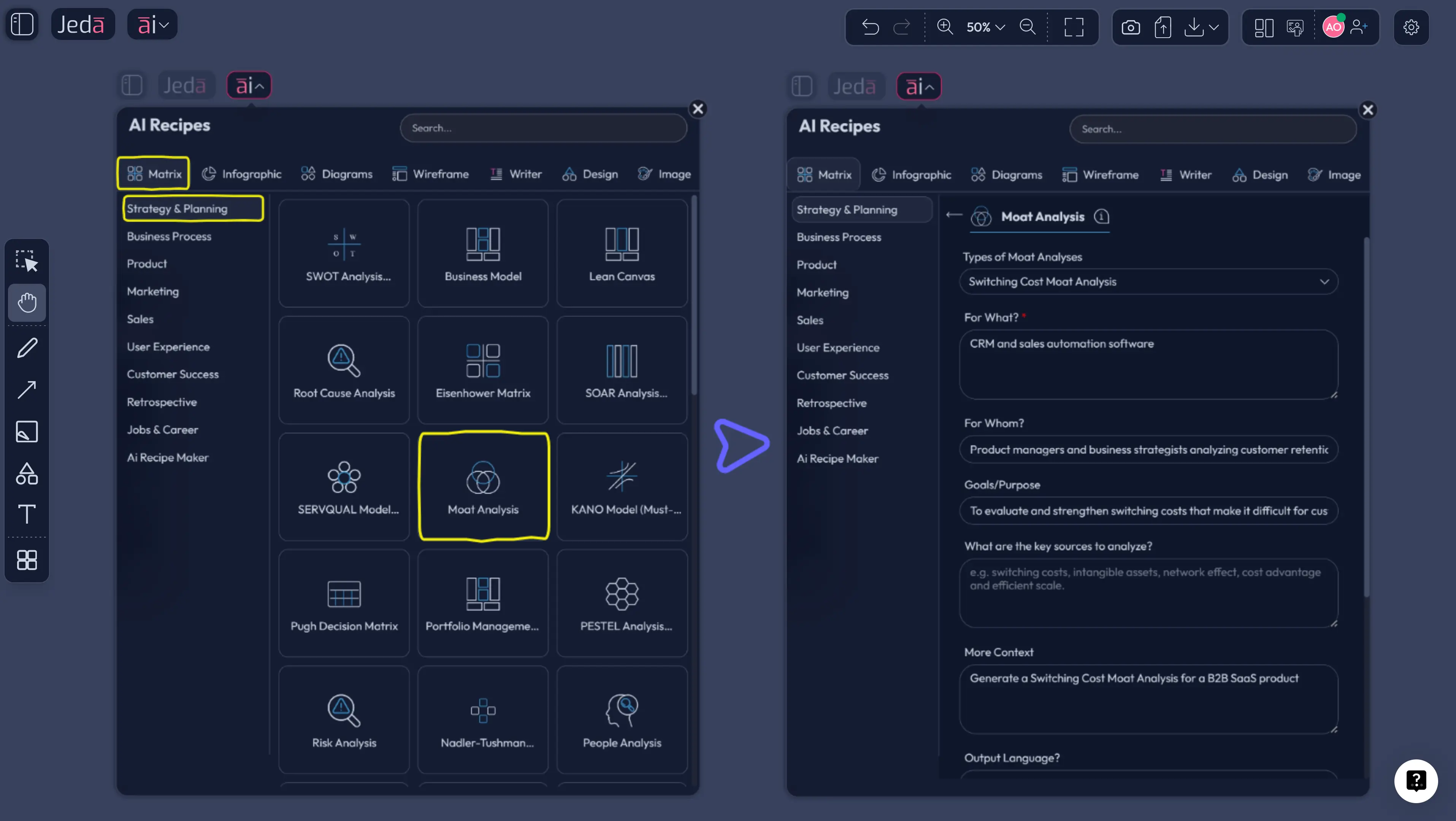
Method 1: AI Menu (recommended)
- Open the AI Menu
In your canvas, click the AI Menu (top-left). This is where 300+ strategic frameworks live.
- Select Moat Analysis → Switching Costs
Choose the Moat Analysis recipe and pick the Switching Costs sub-recipe.
- Add context (and evidence)
Fill in your business, customer segment, and alternatives. Optionally attach docs or a CSV for Document Insight or Data Insight.
- Generate and edit
Click Generate, then edit the matrix directly on the AI Whiteboard—add specifics and assign owners to validate claims.
- Stress-test with AI+
Use the AI+ button to deepen uncertain cells and to draft a verification plan (metrics + data sources).
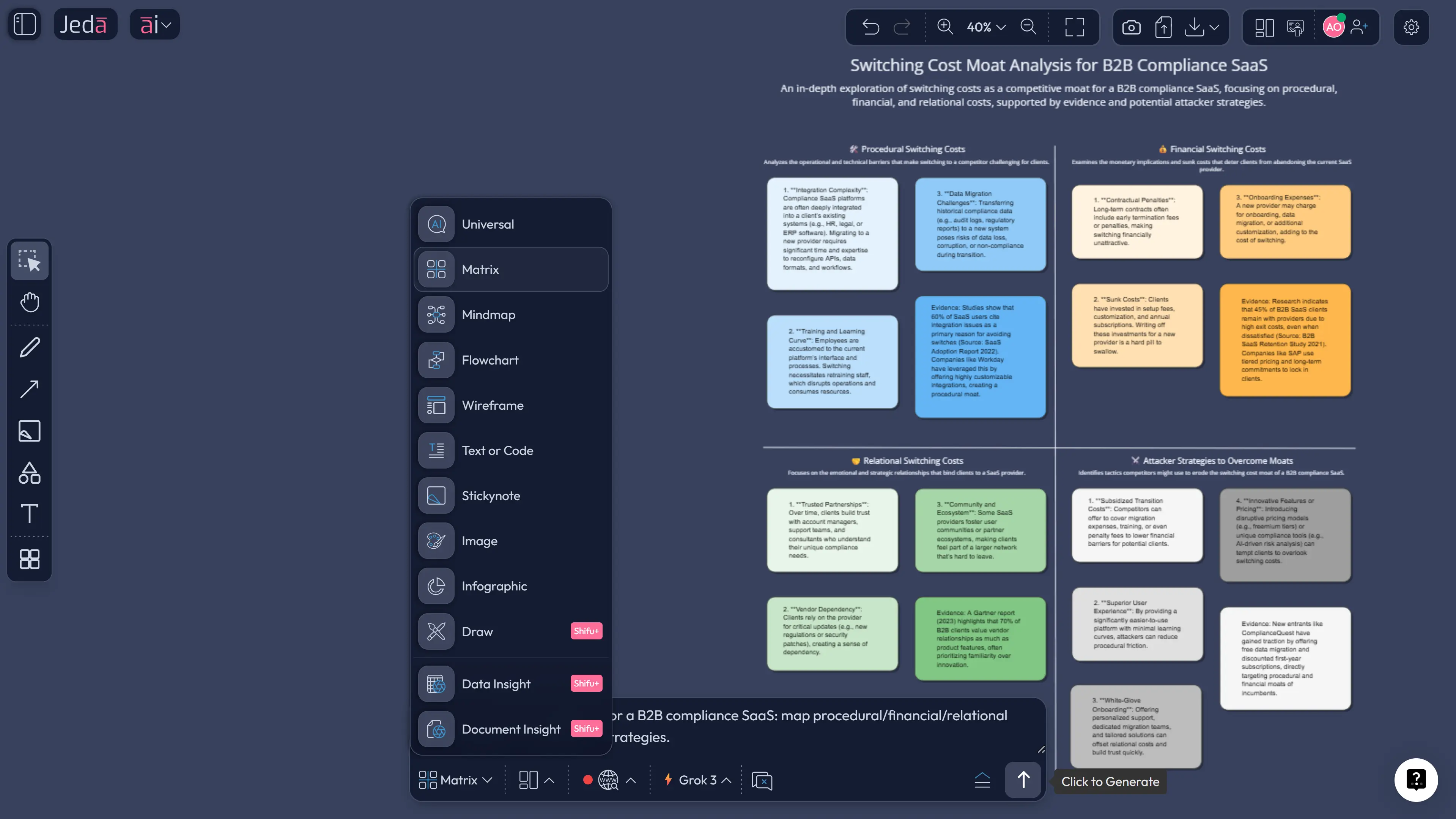
Method 2: Prompt Bar (Matrix command)
Open the Prompt Bar → select Matrix → paste the prompt below → press Enter. For extra rigor, run Multi-LLM Agent and compare outputs.
Prompt template (copy/paste):
Create a Switching Cost Moat Analysis for [Company/Product] in [Industry]. Output a matrix with columns: switching cost type (procedural/financial/relational), source (data/workflow/integration/procurement/relationship), who bears the cost, magnitude (low/medium/high), evidence to collect, and how a competitor could reduce it. End with 5 validation metrics (NRR, gross retention, migration time, payback period, price sensitivity).
The 6 switching-cost drivers to map
Map each driver to the three cost buckets (procedural/financial/relational), then ask: “Can a competitor neutralize this?”
- Data and history: customer data, configurations, audit trails.
- Workflow embed: SOPs, approvals, internal training.
- Integrations and dependencies: APIs, ETL, SSO, plugins.
- Procurement friction: vendor risk review, security sign-off, compliance.
- Ecosystem complementors: partners, extensions, marketplace depth.
- Trust and switching risk: fear of downtime, audit gaps, reputational risk.
Research on lock-in often highlights learning, incompatibility, and coordination costs—and how these can interact with network effects.
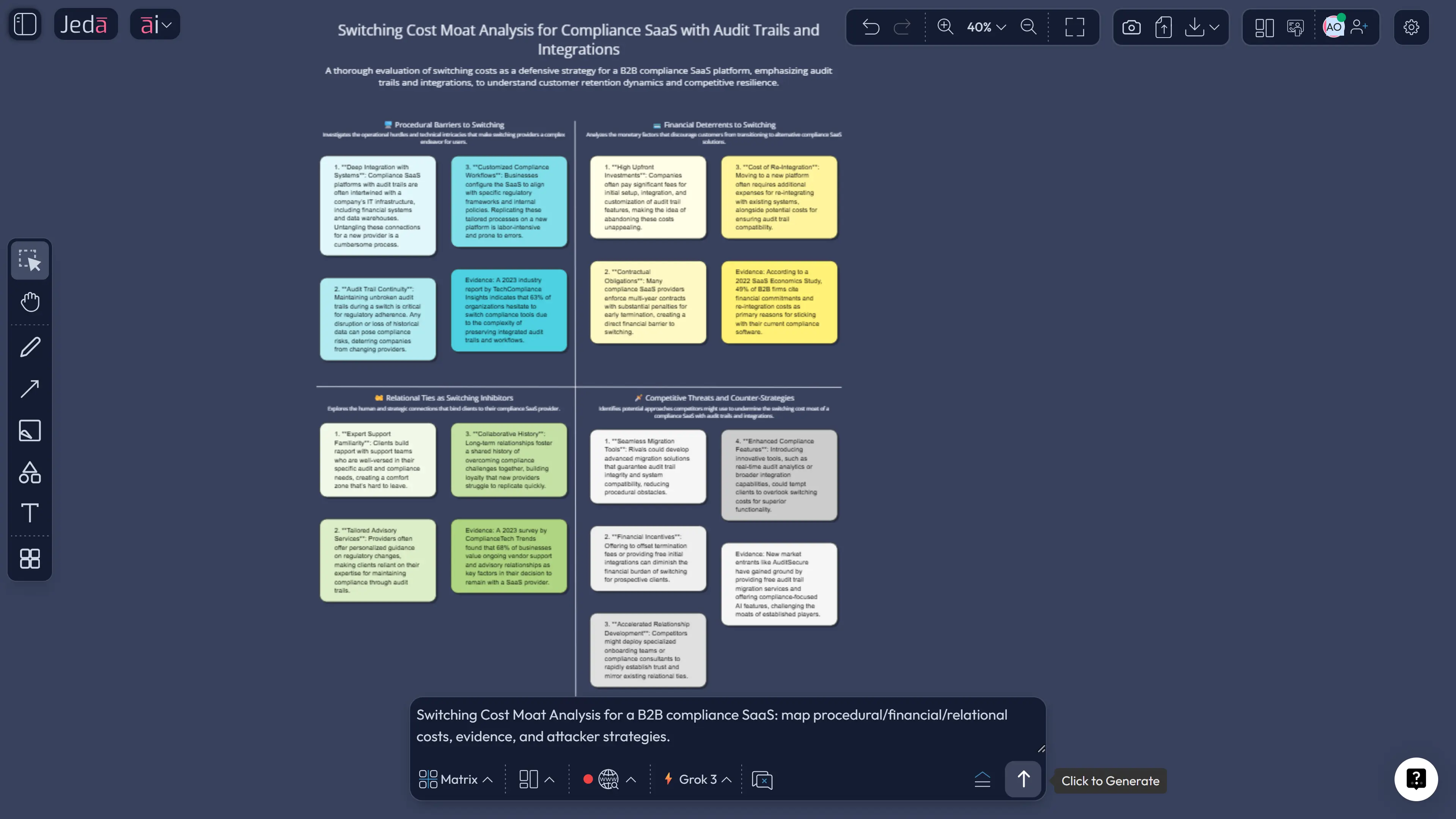
Worked example: compliance SaaS with audit trails
Imagine a compliance-oriented SaaS product where the customer relies on audit trails and approvals. The buyer isn’t a single person. It’s a small system of roles: admin, IT/security, finance, and end users.
In this setting, the moat often comes from:
- retraining + process remapping (procedural),
- audit and downtime risk (relational),
- integration rebuild (procedural/financial).
Researchers have measured switching costs in internet-enabled services and linked them to retention outcomes, showing how usage and service design can influence stickiness (Chen & Hitt, 2002).
Measuring switching costs without hand-waving
You rarely need “perfect measurement.” You need decision-grade proxies that correlate with captivity and pricing power.
Useful proxies:
- Gross retention and churn by segment.
- Net revenue retention (NRR) (expansion vs churn).
- Median migration time (plus tail risk).
- Training hours and adoption milestones.
- Integration count and criticality.
- Procurement cycle length (security + compliance).
Some research offers practical methods to estimate switching costs using observable prices and shares (Shy, 2002).
Best practices: strengthen the moat without making customers hate you
Strong switching costs usually emerge when customers choose deep embed because it reduces their risk and workload.
Patterns that work:
- High-fidelity data (history, settings, audit trails) that customers genuinely depend on.
- Integration quality that makes the product a system component, not a nice-to-have.
- Role-based workflows that become standard operating procedure.
- Trust signals: reliability, transparent change logs, migration support.
Common mistakes to avoid
- Confusing habit with switching cost.
- Ignoring who pays the switching cost (users vs IT vs finance).
- Treating all customers as one segment.
- Assuming captivity automatically implies pricing power.
- Forgetting the attacker’s playbook (migrations, compatibility, incentives).
Frequently Asked Questions
- What is switching cost moat analysis with AI?
- Switching cost moat analysis with AI is a structured way to evaluate how strongly customers are locked in by financial, procedural, or relational costs of switching—and whether that lock-in converts into pricing power. AI helps by generating a complete checklist, mapping drivers to evidence, and producing an editable matrix your team can validate.
- How do switching costs create pricing power?
- Switching costs create pricing power when customers would lose enough time, money, or operational stability by switching that small price changes are not worth the disruption. In economics, this is described as ex post market power over an installed base, especially in markets with lock-in dynamics.
- What are examples of switching costs in B2B software?
- Examples include retraining teams, rebuilding integrations (SSO, APIs, ETL), migrating data with full fidelity, redesigning workflows, and passing vendor risk reviews. In regulated environments, audit and downtime risk can outweigh purely financial switching costs.
- Are switching costs the same as network effects?
- No. Switching costs lock in existing customers because leaving is costly. Network effects increase value as more users join. They can reinforce each other, but they are conceptually distinct and are analyzed differently in research on lock-in and market structure.
- When are switching costs a weak moat?
- Switching costs are weak when they are mostly contractual penalties, when migration tools make switching easy, or when customers can run your product in parallel with a competitor. If switching takes days with little training, the moat is probably not switching-cost driven.
- How do I run this analysis in Jeda.ai?
- Use the AI Menu and select the Moat Analysis recipe for Switching Costs, or open the Prompt Bar and select the Matrix command to generate a custom analysis. Then edit the board collaboratively, extend weak cells using the AI+ button, and export the final board as PNG, SVG, or PDF.
- Does Jeda.ai support multi-model analysis for this framework?
- Yes. Jeda.ai’s Multi-LLM Agent can run your switching-cost prompt across multiple models and produce an Aggregator synthesis. This is useful for stress-testing assumptions and generating alternative attacker/defender scenarios.
- What does it cost to use Jeda.ai for moat analysis?
- Jeda.ai offers Whitebelt (Free) for all 11 commands with limited daily usage, Blackbelt ($10/month) for expanded limits and collaboration, and Shifu ($39/month) for Multi-LLM intelligence and advanced capabilities.
Sources & further reading
- [1]
Paul Klemperer (1987) . “Markets with Consumer Switching Costs” The Quarterly Journal of Economics.
View Source ↗ - [2]
Joseph Farrell & Paul Klemperer (2007) . “Coordination and Lock-In: Competition with Switching Costs and Network Effects” Handbook of Industrial Organization (Vol. 3).
View Source ↗ - [3]
Carl Shapiro & Hal R. Varian (1999) . “Information Rules: A Strategic Guide to the Network Economy” Harvard Business School Press.
View Source ↗ - [4]
Pei-Yu Chen & Lorin M. Hitt (2002) . “Measuring Switching Costs and the Determinants of Customer Retention in Internet-Enabled Businesses” Information Systems Research.
View Source ↗ - [5]
Oz Shy (2002) . “A quick-and-easy method for estimating switching costs” International Journal of Industrial Organization.
View Source ↗ - [6]
Morningstar (2025) . “Moat Ratings: The Ultimate Guide for Asset Managers” Morningstar.
View Source ↗
Start Your Switching Cost Moat Analysis Today
Join over 150,000+ users who trust Jeda.ai’s AI Workspace for decision-grade strategy work on an AI Whiteboard.
Try Free Template