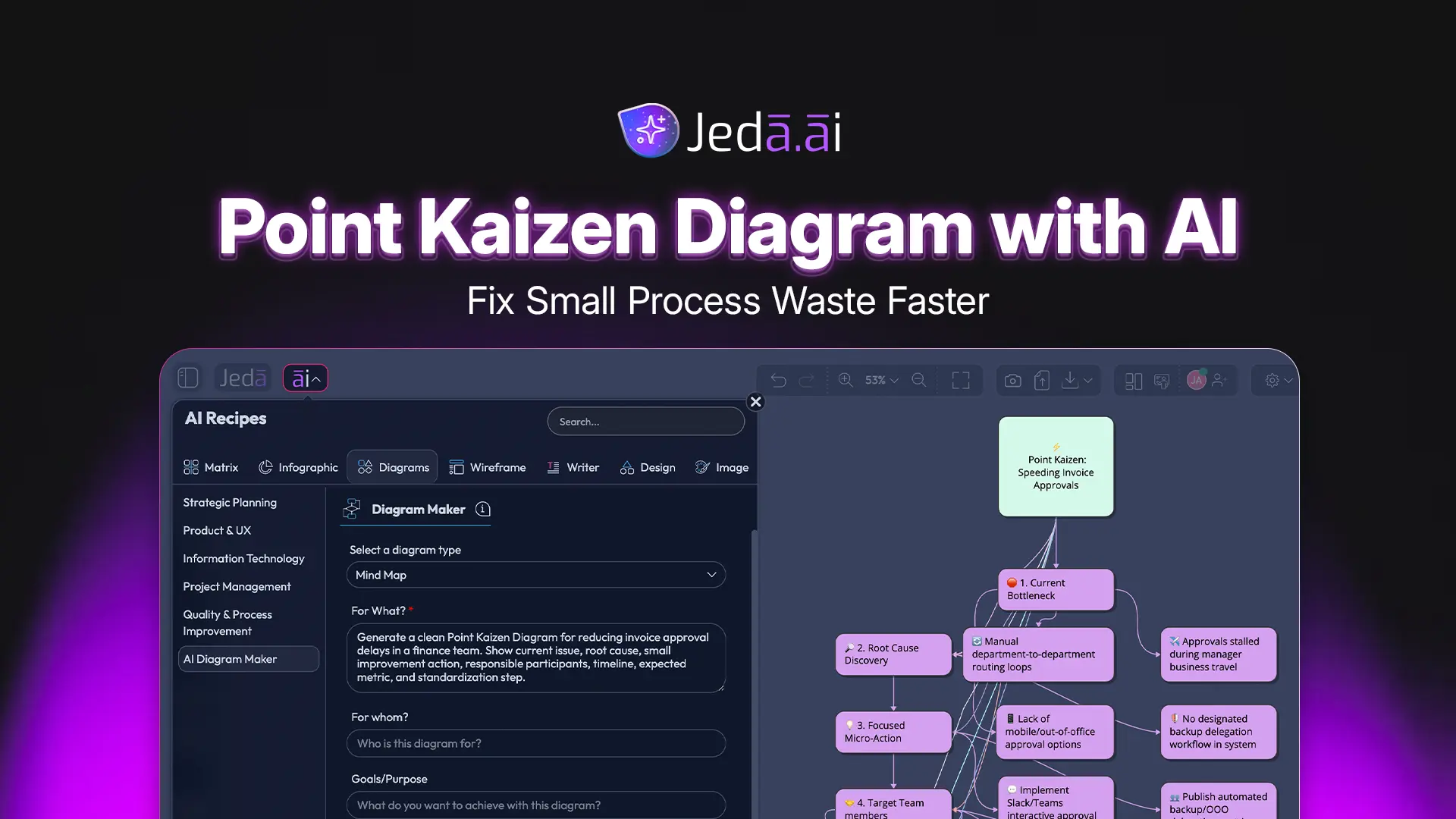
Point Kaizen Diagram with AI helps teams turn one local process problem into a clear, editable improvement map. It works best when the issue is specific: one workstation, one handoff, one recurring defect, one approval delay, or one rework loop. Instead of using a blank board and hoping the team remembers the next step, Jeda.ai gives you a structured AI Workspace where the problem, scope, people, timeline, action, and metric stay visible.
This is not a full business transformation plan. Good. It should not be. Point Kaizen with AI is about fixing a small point of waste, testing the fix, and standardizing what works. On an AI Whiteboard, the diagram becomes a shared object your team can revise, extend, and convert as the improvement work moves forward.
What is a Point Kaizen Diagram with AI?
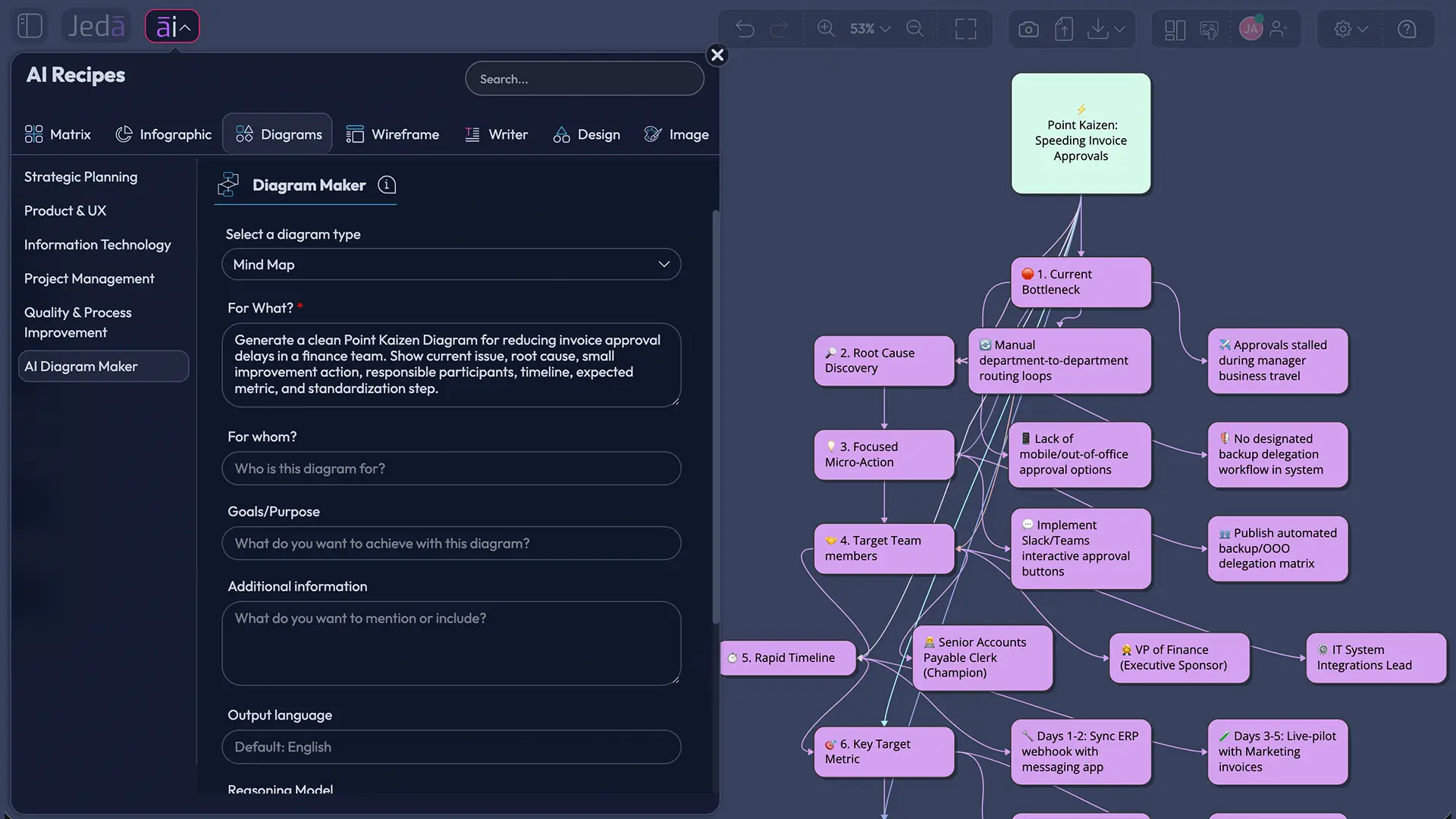
A Point Kaizen Diagram with AI is a focused visual diagram for improving one specific process point. It applies Kaizen thinking to a narrow target rather than a company-wide system change. The output usually connects the current issue, likely cause, countermeasure, owner, timeline, success metric, and standardization step.
Kaizen is commonly translated as continuous improvement. Toyota describes Kaizen as one of the core principles of the Toyota Production System, tied to quality, waste reduction, and better work procedures. Masaaki Imai’s 1986 book, Kaizen: The Key to Japan’s Competitive Success, helped bring Kaizen into global management practice. ASQ describes continuous improvement as ongoing improvement of products, services, or processes through incremental and breakthrough improvements.
The “point” part matters. Point Kaizen asks a sharper question: where exactly is the work breaking down? Maybe invoices wait too long for approval. Maybe a support ticket jumps between two teams. Maybe similar SKUs cause picking errors. A Point Kaizen Diagram gives that small problem a working structure.
Why use a Point Kaizen Diagram with AI?
Point Kaizen with AI is useful because small process issues often stay invisible until they become expensive. A late handoff, extra click, unclear owner, repeated defect, or messy workspace layout rarely looks strategic. But those issues drain time every week.
A visual diagram makes the improvement easier to discuss. It gives each person the same view of the issue and shows how the team will test the fix. In Jeda.ai, the result stays editable, so you can change node text, adjust connectors, add notes, or use Vision Transform if the team wants to convert the diagram into another visual format.
- Focus on one problem
Point Kaizen keeps the team focused on a local improvement instead of drifting into broad process redesign.
- Connect cause to action
The diagram links the issue, suspected cause, countermeasure, owner, timeline, and metric in one visual path.
- Involve the right people
Frontline users, managers, analysts, and process owners can review the same editable AI Whiteboard.
- Support PDCA thinking
Teams can plan, test, check, and standardize a small improvement without rebuilding the whole board.
- Edit after generation
Jeda.ai creates Smart Shape visuals that users can revise after the first AI output appears.
- Add current context
Web Search can be turned on when current examples, terminology, or benchmark context would help.
The practical advantage is simple: the AI does the first-structure work, and the team does the judgment work. That is where Jeda.ai fits. It is not just a chat response. It is a Visual AI workspace where the improvement map becomes something the team can use.
When should you use Point Kaizen with AI?
Use Point Kaizen with AI when the problem is local, repeatable, and small enough to test quickly. It works well for reducing data-entry errors, improving an approval handoff, cutting waiting time, lowering rework, clarifying queue ownership, improving a support workflow, or cleaning up a workstation-level issue.
Do not use it when the issue is really a system problem. If the root cause spans policy, incentives, departments, software architecture, and leadership decisions, a broader System Kaizen or process redesign will be a better fit. Point Kaizen is a scalpel, not a bulldozer.
These inputs match the Point Kaizen Diagram recipe fields in Jeda.ai. They keep the diagram specific. Nobody needs another AI output that says “improve communication.” That phrase should be made to wear a tiny cone of shame.
How to create a Point Kaizen Diagram in Jeda.ai
Jeda.ai gives you two strong methods. The recommended method is the Point Kaizen Diagram recipe because it uses guided fields and diagram-specific settings. The faster method is the Prompt Bar, which works well when you already know the full context.
Method 1: Use the Point Kaizen Diagram recipe
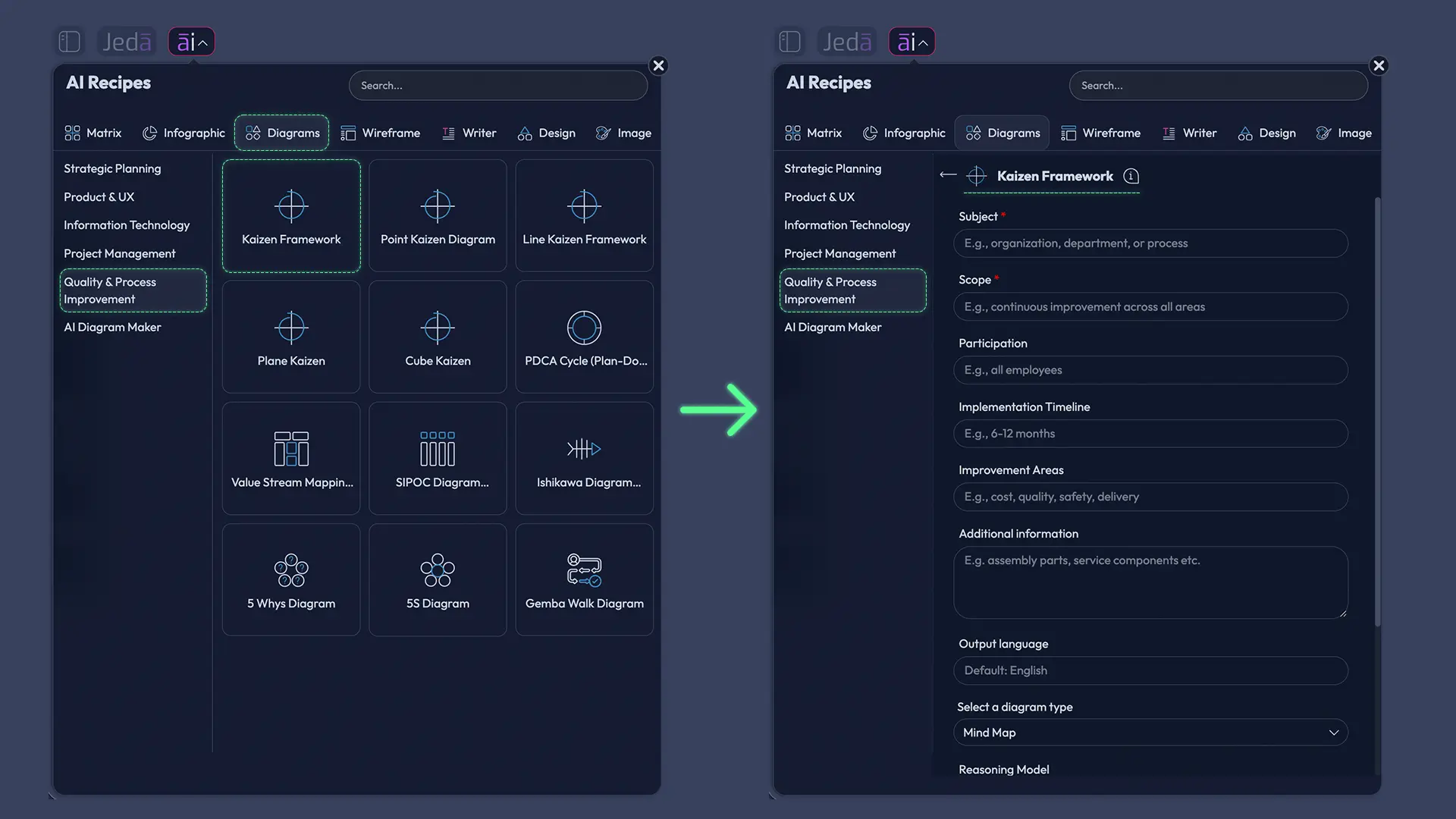
Open the AI Menu, choose Diagram recipes, go to Quality & Process Improvement, and select Point Kaizen Diagram. Then fill in the common diagram recipe fields: Subject, Scope, Participation, Implementation Timeline, Improvement Areas, and Additional Information.
This method is the safest option for teams because it forces clarity before generation. You can define the exact issue, who participates, where the improvement starts and stops, what timeline the pilot follows, and which improvement areas matter. Add baseline numbers if you have them.
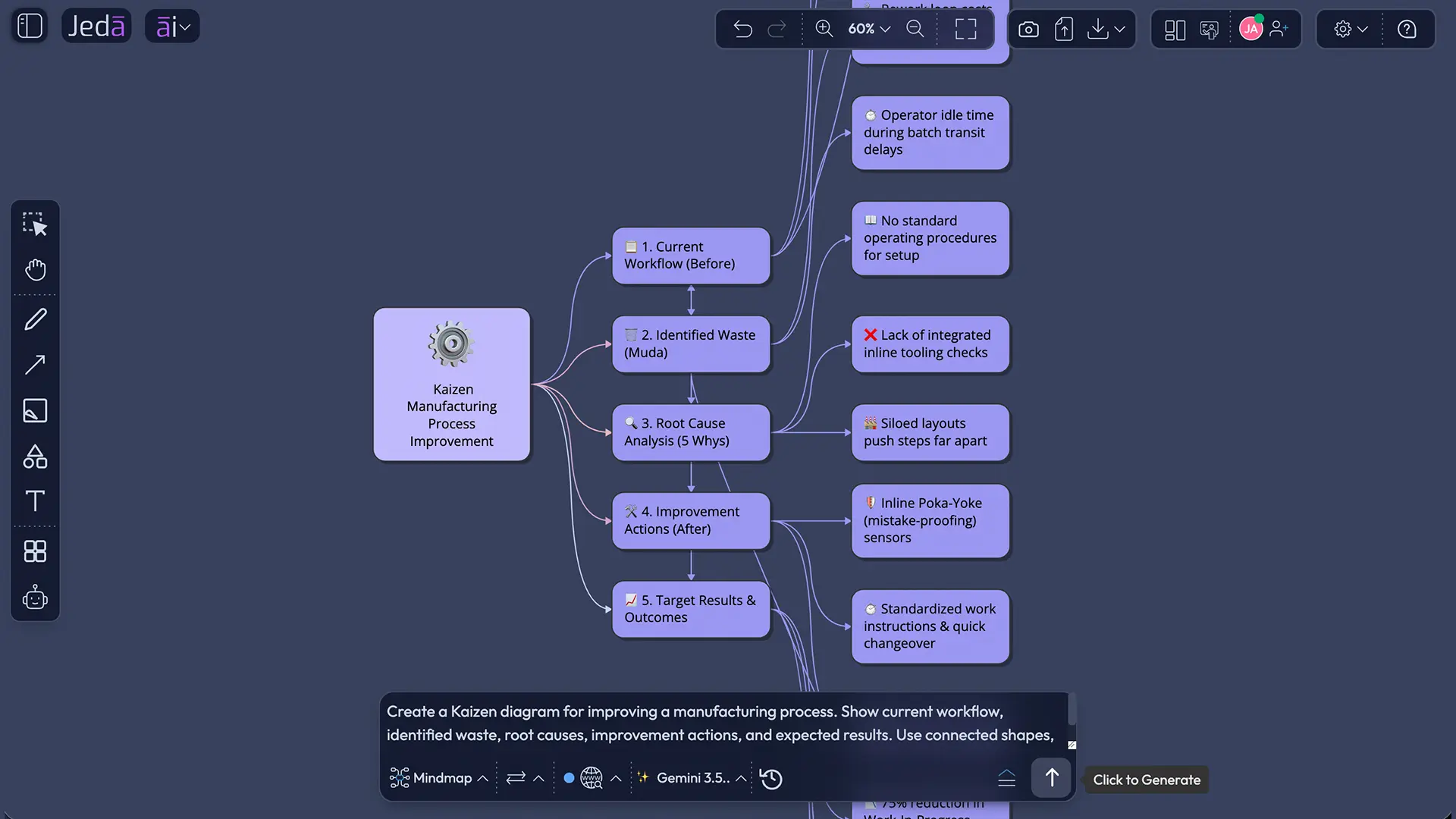
Then choose your output settings. Select a horizontal or vertical layout. Choose the diagram type: Basic Diagram, Mind Map, or Flowchart. Basic Diagram is best for a clear improvement map. Mind Map is useful for cause exploration. Flowchart works when the problem follows a sequence of steps or decisions. Turn Web Search on if current context will help, then select the AI model you want to use.
Method 2: Use the Prompt Bar
Open the Prompt Bar at the bottom of the Jeda.ai canvas. Choose the visual command that matches the output you want, enter a specific Point Kaizen prompt, select the layout, set Web Search if needed, choose an AI model, and generate.
For best results, include the same core fields inside the prompt: subject, scope, participation, implementation timeline, improvement areas, and additional information. A vague prompt gives vague output. AI is clever, not psychic.
After either method, use AI+ only to extend and deepen selected visual content. Do not use AI+ as a second prompt box for specific instructions. If you need a targeted change, edit the diagram directly or use the Prompt Bar. If you need another format, select the visual and use Vision Transform.
- Method 1: Open the AI Menu
From the Jeda.ai canvas, open the AI Menu and go to the Diagram recipes area.
- Choose the recipe category
Open Quality & Process Improvement and select the Point Kaizen Diagram recipe.
- Enter the Subject
Describe the exact process point or issue, such as reducing invoice approval delays or lowering picking errors.
- Define the Scope
State what is included and excluded so the diagram stays focused on one improvement point.
- Add Participation
List the people or roles involved, including operators, supervisors, analysts, managers, or process owners.
- Set the Implementation Timeline
Add the pilot period, review date, and expected standardization window.
- Select Improvement Areas
Choose the focus areas, such as waste, delay, rework, cost, quality, safety, communication, or customer impact.
- Add Additional Information
Include baseline metrics, constraints, current observations, or relevant business context.
- Choose layout and diagram type
Select horizontal or vertical layout, then choose Basic Diagram, Mind Map, or Flowchart.
- Set Web Search and AI model
Turn Web Search on or off based on context needs, then select the AI model for generation.
- Generate the diagram
Click Generate and review the editable Point Kaizen Diagram on the canvas.
- Method 2: Use the Prompt Bar
Open the Prompt Bar when you want a faster path without the guided recipe form.
- Write a complete prompt
Include the issue, scope, participants, timeline, improvement areas, and preferred diagram type.
- Refine visually
Edit nodes, labels, colors, and connectors. Use AI+ to extend selected content and Vision Transform when you need another visual format.
Point Kaizen Diagram recipe fields explained
The recipe fields help the AI generate a practical diagram rather than a generic improvement poster.
Subject is the exact improvement target. “Warehouse process” is too broad. “Reduce picking errors in Zone B during second shift” is specific enough to work.
Scope defines the boundary. It tells the AI and the team what not to include. That matters because improvement discussions love side quests.
Participation identifies the people who touch the work and the people who can approve the change. Kaizen depends on involvement, not top-down guessing.
Implementation Timeline turns the diagram into a test plan. Add the pilot window, review date, and standardization target.
Improvement Areas define the business value. Are you reducing waiting time, defects, rework, cost, motion waste, safety risk, or customer frustration?
Additional Information gives the AI useful context. Add observations, current metrics, known constraints, examples, screenshots, or notes from the team.
Example: Point Kaizen with AI for invoice approval delays
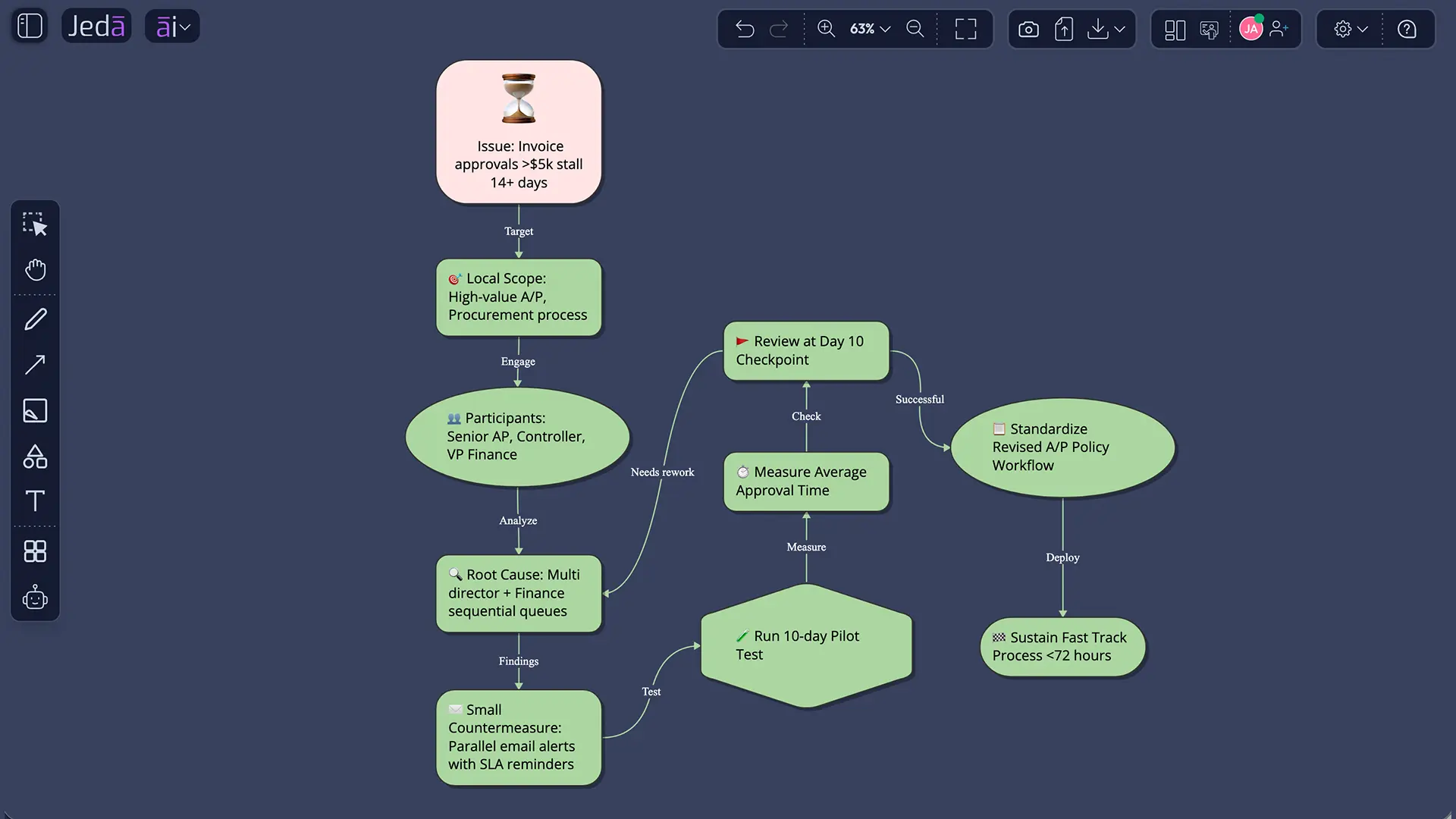
Point Kaizen with AI works outside manufacturing too. Take a finance team that sees vendor invoices over $5,000 waiting three to five days for approval. The issue creates late-payment risk and repeated status-check messages. The team does not need to rebuild finance. It needs to fix one approval point.
A good diagram should show the current issue, likely cause, proposed countermeasure, owner, test window, metric, and standardization step. In Jeda.ai, the team can edit the output after generation, add notes from the pilot, and keep the diagram as part of the improvement record.
Prompt Bar example for Point Kaizen Diagram with AI
Use this prompt when you want to generate a quick diagram from the Prompt Bar:
This prompt includes the operating context, people, timeline, improvement areas, and preferred diagram format. You can switch to Mind Map when you need cause exploration or Flowchart when you need a step-by-step before-and-after process.
Best practices for better Point Kaizen diagrams
Start small. A Point Kaizen Diagram should stay close to the work. If the diagram needs seven departments and a steering committee, you have probably moved beyond Point Kaizen.
Use a baseline. Cycle time, error rate, rework count, waiting time, complaint count, safety incidents, and handoff failures all work. If the team cannot measure the improvement perfectly, define the evidence it will review.
Connect the work to PDCA. ASQ describes PDCA as a repeated model for planning, testing, checking, and acting on change. Lean Enterprise Institute also ties PDCA to continuous improvement and standardization. Your diagram should show how the team will test the improvement and how it will standardize a successful result.
Common mistakes to avoid
The first mistake is choosing a problem that is too broad. “Improve customer experience” is not Point Kaizen. “Reduce missed follow-up emails after trial signup” is much better.
The second mistake is skipping the current condition. Teams often jump straight to countermeasures. Slow down. Show the current issue, suspected cause, and baseline first.
The third mistake is leaving the diagram unowned. Every improvement needs a person, a date, and a metric. Otherwise it is workplace fan fiction with arrows.
The fourth mistake is misusing AI+. AI+ can extend and deepen selected content. It should not be used for specific new instructions. Use direct editing or the Prompt Bar for targeted changes.
How does Jeda.ai support Point Kaizen Diagram work?
Jeda.ai supports Point Kaizen Diagram work with guided AI Recipes, visual generation, editable Smart Shapes, Web Search, AI model selection, AI+, and Vision Transform inside one AI Workspace. The output is not a static paragraph. It is an editable diagram your team can refine during improvement work.
The AI Whiteboard format is useful because process improvement often starts with messy context: notes, screenshots, observations, defects, and comments from the people doing the work. Jeda.ai gives teams a shared Visual AI canvas where that context can become a structured Point Kaizen Diagram.
Jeda.ai includes 300+ strategic frameworks and is used by 150,000+ users. That makes it a fit for consultants, business analysts, product managers, operations leaders, quality teams, industrial design engineers, and software teams that want repeatable improvement workflows instead of one-off AI chats.
Frequently Asked Questions
- What is a Point Kaizen Diagram with AI?
- A Point Kaizen Diagram with AI is a focused visual map that helps a team improve one specific process point, task, handoff, defect, or workflow issue. It uses AI to structure the problem, scope, participants, timeline, improvement areas, and next action in an editable diagram.
- How is Point Kaizen different from System Kaizen?
- Point Kaizen focuses on a localized improvement, such as one workstation, handoff, error pattern, or task. System Kaizen looks at broader process or organizational change. Use Point Kaizen when the problem is narrow enough to test quickly and System Kaizen when the issue spans multiple connected systems.
- Can I create a Point Kaizen Diagram from the Jeda.ai recipe?
- Yes. Jeda.ai has a Point Kaizen Diagram recipe under Quality & Process Improvement. The recipe uses guided fields including Subject, Scope, Participation, Implementation Timeline, Improvement Areas, and Additional Information, then lets you choose layout, diagram type, Web Search, and AI model settings.
- Can I create Point Kaizen with AI from the Prompt Bar?
- Yes. Open the Prompt Bar, choose the relevant visual command, enter a specific Point Kaizen prompt, select the layout, choose Web Search if needed, pick an AI model, and generate. This method is faster, but it works best when your prompt already contains enough process context.
- Which diagram type should I choose for Point Kaizen?
- Choose Basic Diagram for a clear improvement map, Mind Map for cause exploration, and Flowchart for before-and-after process steps. The best choice depends on the discussion. For most teams, Basic Diagram is the strongest starting point because it keeps issue, cause, action, owner, and metric visible.
- What fields should I include in a Point Kaizen prompt?
- Include the subject, scope, participants, implementation timeline, improvement areas, and extra context such as baseline metrics or known constraints. These details help the AI produce a useful diagram instead of generic continuous improvement advice.
- How does AI+ help after the diagram is generated?
- AI+ can extend and deepen selected parts of a generated visual. Use it when a node or section needs more related context. Do not treat AI+ as a separate prompt box for specific instructions. For targeted edits, change the diagram directly or use the Prompt Bar.
- Can I use Web Search for a Point Kaizen Diagram?
- Yes. Web Search can be turned on when generating from the recipe or Prompt Bar if current context would help. It is useful for general benchmarks, terminology, or external examples, but the most important input is still your team’s actual process data.
- Who should use Point Kaizen with AI?
- Point Kaizen with AI is useful for operations teams, business analysts, quality teams, product managers, support leaders, consultants, software teams, and industrial design engineers. Any team that needs to fix a specific process issue can use the diagram to align around the improvement.
- Is Point Kaizen only for manufacturing?
- No. Kaizen is strongly associated with manufacturing and Toyota, but Point Kaizen can apply to office work, software workflows, customer support, finance approvals, onboarding, product operations, and service delivery. The key is a specific improvement target and a practical test.
Sources and further reading
- [1]
Toyota UK Magazine (2024 update) . “What is kaizen and how does Toyota use it?” Toyota UK Magazine.
View Source ↗ - [2]
Toyota Motor Corporation (2026) . “Toyota Production System” Toyota Global Vision & Philosophy.
View Source ↗ - [3]
Imai, Masaaki (1986) . “Kaizen: The Key To Japan's Competitive Success” McGraw-Hill Education.
View Source ↗ - [4]
American Society for Quality (2026 accessed) . “Continuous Improvement Model” ASQ Quality Resources.
View Source ↗ - [5]
American Society for Quality (2026 accessed) . “What is the Plan-Do-Check-Act (PDCA) Cycle?” ASQ Quality Resources.
View Source ↗ - [6]
Lean Enterprise Institute (2026 accessed) . “Plan, Do, Check, Act (PDCA)” Lean Lexicon.
View Source ↗ - [7]
Gemba Academy (2026 accessed) . “System vs. Point Kaizen” Gemba Academy.
View Source ↗
Create Your Point Kaizen Diagram with AI
Join 150,000+ users using Jeda.ai to turn process issues, improvement ideas, and team knowledge into editable Visual AI diagrams.
Try Jeda.ai Free