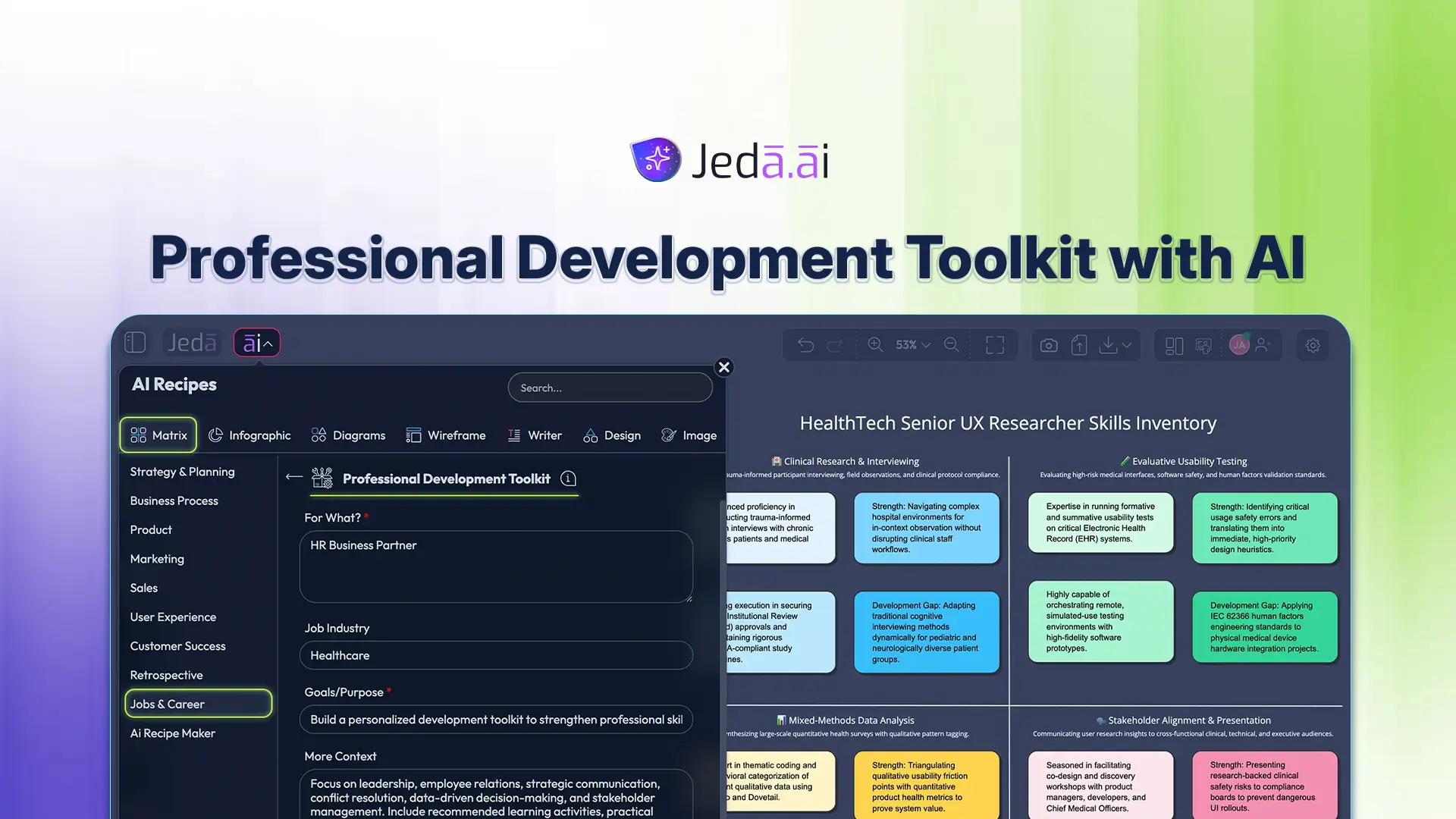
Professional Development Toolkit with AI helps you turn scattered facts into a visible professional development toolkit inside an AI Workspace. Jeda.ai serves 150,000+ users, but speed is only part of the appeal: the canvas gives you room to inspect the reasoning, correct weak assumptions, and decide what deserves action. A good template does more than arrange notes. It makes the reasoning behind a decision visible.
What Is Professional Development Toolkit with AI?
Professional Development Toolkit with AI is a coordinated set of assessment, planning, practice, reflection, and evidence tools for building job-relevant capability. It is not a verdict. Think of it as a structured first draft that helps professionals, managers, learning teams, mentors, and career coaches assemble evidence, compare perspectives, and see what is missing before a conversation or decision.
The distinction matters. AI is good at grouping notes, proposing categories, and rephrasing material. It cannot independently verify every claim, understand unspoken organizational context, or accept accountability for a people decision. For job-related work, the strongest practice is simple: provide relevant evidence, generate the structure, review it with the right people, and document what changed.
Jeda.ai presents this recipe as an editable Matrix under Jobs & Career in the AI Recipes menu. That gives the work a visual shape. Unlike a static form, the result can be reorganized on the AI Whiteboard, expanded with new evidence, and converted when another view explains the issue better.
Several established sources sharpen this method. The O*NET Content Model separates skills, knowledge, abilities, interests, work styles, activities, and context instead of collapsing them into one list. CareerOneStop connects self-assessment with occupation research and job-search action. Locke and Latham’s goal-setting research emphasizes specific, challenging goals with feedback. Savickas’s career construction work adds a needed reminder: careers develop through changing roles, transitions, and meaning, not a single fixed ladder.
What a Useful Professional Development Toolkit Output Includes
A useful professional development toolkit has a defined purpose and a clear subject. It also distinguishes facts from interpretations. If a cell says “strong communication,” ask what was observed, when it happened, who was affected, and what outcome followed. Specificity makes the output fairer and far more actionable.
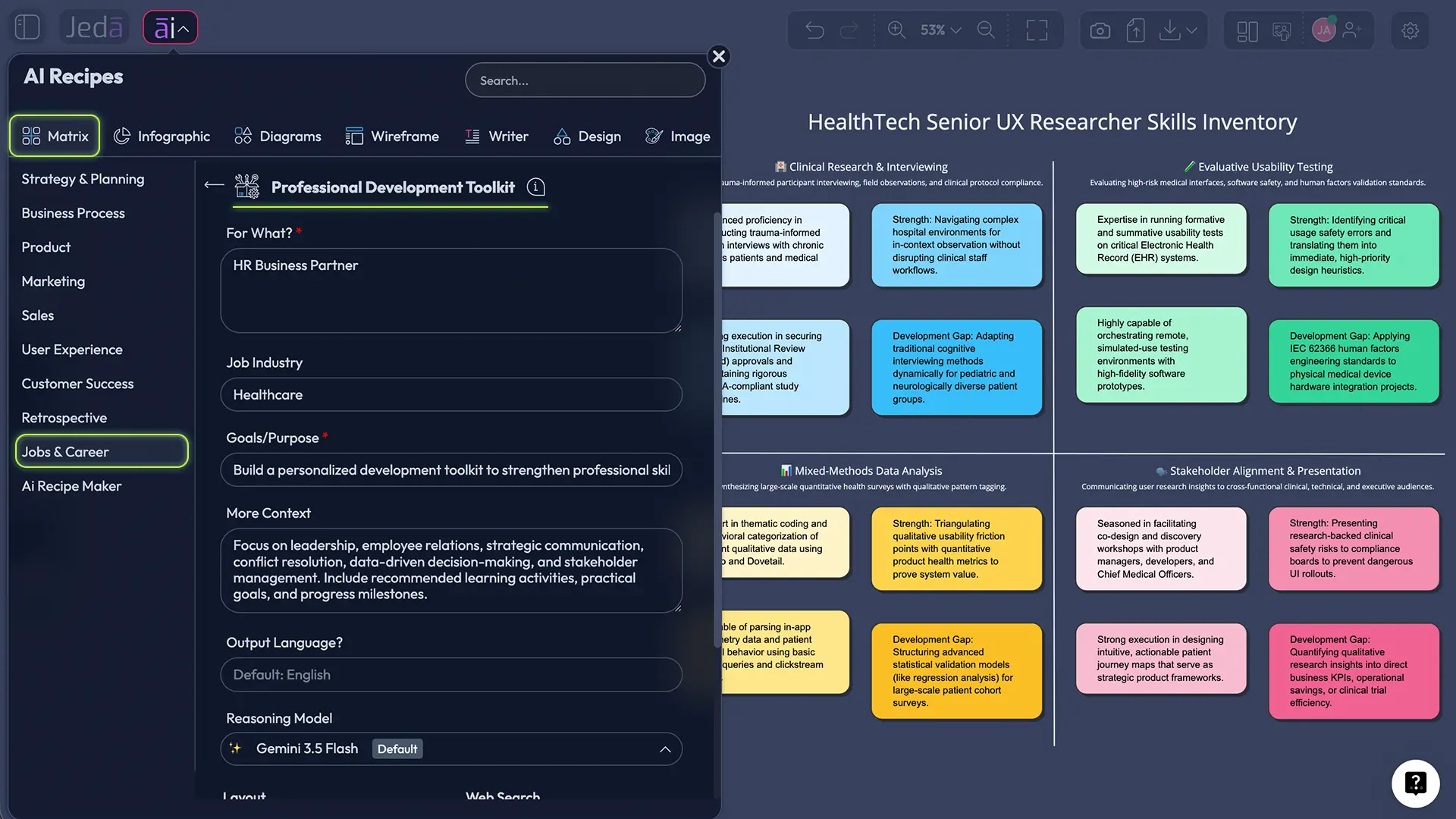
For this recipe, begin with For What?, which is mandatory. Then add Job Industry, Goals/Purpose, More Context. These fields stop the analysis from floating away from the real situation. Job Industry supplies vocabulary and constraints; Goals/Purpose tells the model what the output must help you decide; More Context carries the evidence, boundaries, or audience that cannot fit in a short label. Where the recipe asks for a duration or time horizon, state exact dates or a defined period.
Why Use Professional Development Toolkit with AI in an AI Workspace?
The value of Professional Development Toolkit with AI is not that it writes faster. The value is that it makes comparison easier. On a visual canvas, you can place evidence beside expectations, group recurring themes, expose contradictions, and move uncertain claims into a section for verification.
Jeda.ai also lets you run one, two, or three reasoning models. Different models may emphasize different risks or structures. With Aggregate turned on, an additional model can select and consolidate the strongest result. That can broaden the draft, but it does not turn consensus among models into truth. Review the source material yourself.
- Connects assessment with action
Connects assessment with action
- Balances learning and workplace
Balances learning and workplace practice
- Makes progress evidence visible
Makes progress evidence visible
- Supports manager and mentor
Supports manager and mentor conversations
- Creates a reusable review
Creates a reusable review rhythm
- Adapts to different career
Adapts to different career stages
The AI Workspace is especially useful when the analysis changes through discussion. Colleagues can collaborate on the same canvas, revise language, and follow a presenter’s view. The Visual AI output remains editable, and you can export approved work as PNG, SVG, or PDF. Jeda.ai also offers 300+ strategic frameworks, so this recipe can sit beside related planning, decision, and reflection work rather than living in an isolated document.
How to Create Professional Development Toolkit with AI in Jeda.ai
The AI Menu method is the recommended path because it exposes the recipe’s purpose-built fields. A second option is the Prompt Bar at the bottom of the canvas: select the Matrix command, describe the output and context, then press Enter. Use the recipe when you want reliable field prompts; use the Prompt Bar when you already know the structure you need.
- Open the recipe
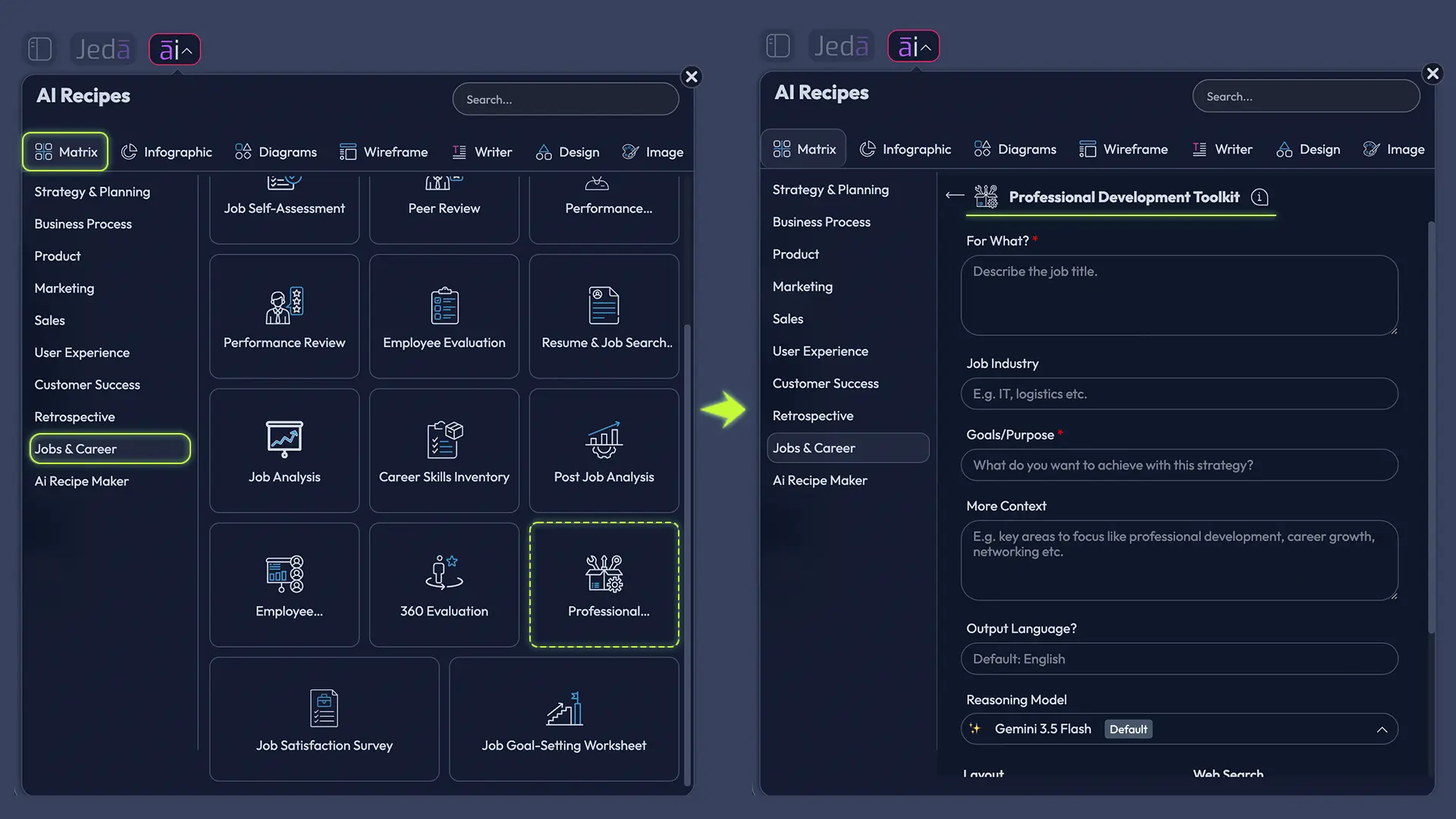
From the Jeda.ai canvas, select AI Menu, open Jobs & Career, and choose the Professional Development Toolkit recipe.
- Complete For What?
Define the exact subject of the professional development toolkit. This field is mandatory, so name the role, person, work situation, or outcome clearly.
- Add job and goal context
Complete Job Industry, Goals/Purpose, More Context with only the information needed to produce a grounded, useful result.
- Choose generation controls
Select the output language, one to three reasoning models, Auto, Column, or Grid layout, and the appropriate Web Search setting. If you use multiple models, you may turn on Aggregate and choose an additional model.
- Add approved source material
In Advance, upload a supported data or document file when it improves the analysis. Set Summarize to Auto, On, or Off, and remove unnecessary sensitive information first.
- Generate, review, and refine
Select Generate. Check every claim against your evidence, edit the matrix, use AI+ to extend a thin section, or use Vision Transform to convert it into another visual format.
Set Clear Chat Context when earlier conversation could distort the new task. Choose Output Language for the intended readers, not simply the language of the uploaded file. Web Search can be Auto, On, or Off. Turn it on for current public labor-market or industry context; keep it off when approved internal evidence must remain the only basis.
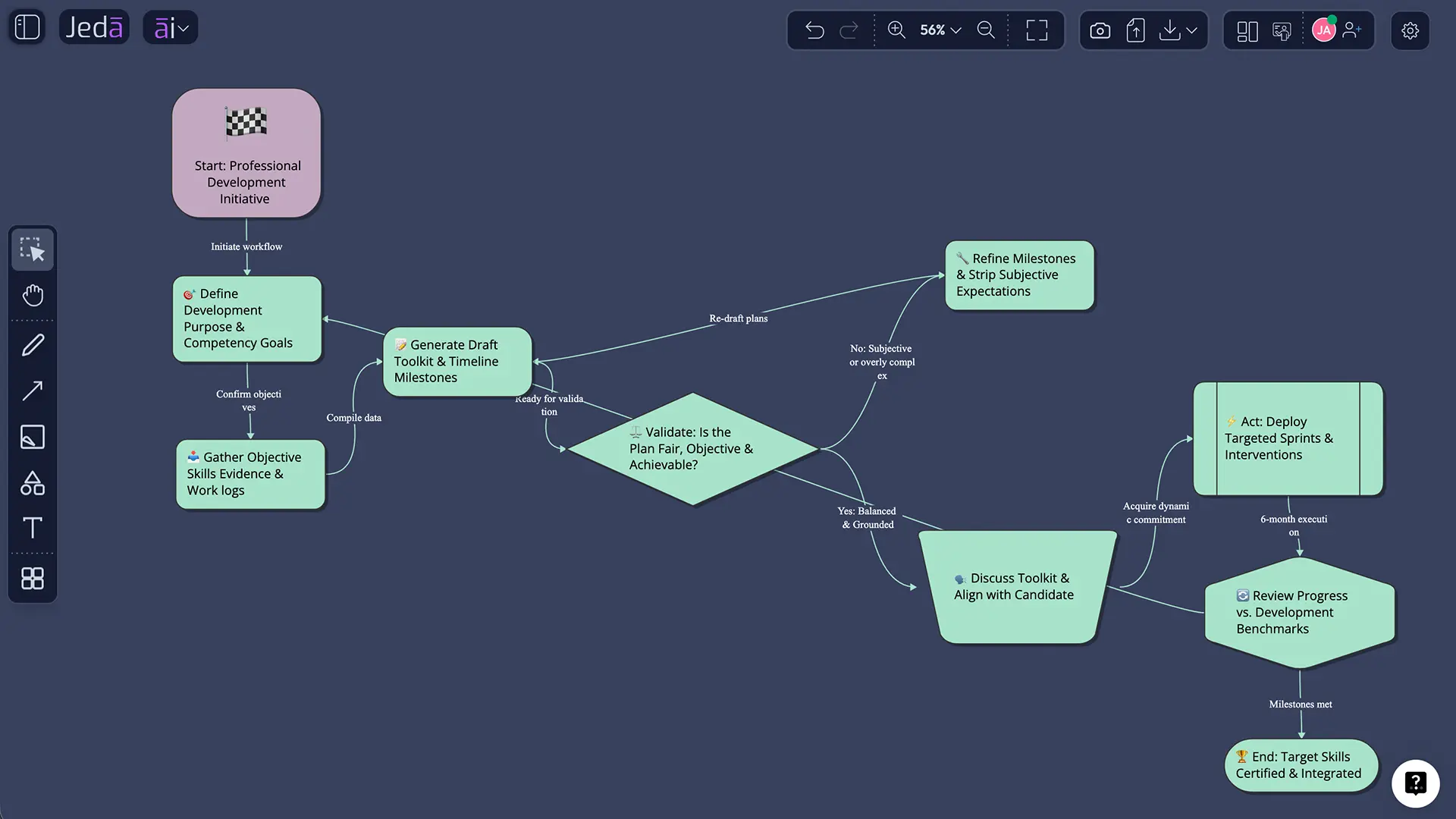
After generation, edit freely. Text formatting is available, and the matrix content can be corrected or reorganized. Use the AI+ button to extend a section that needs more detail. Use Vision Transform when the same information would be clearer as a Diagram or Flowchart.
Professional Development Toolkit Template and Worked Example
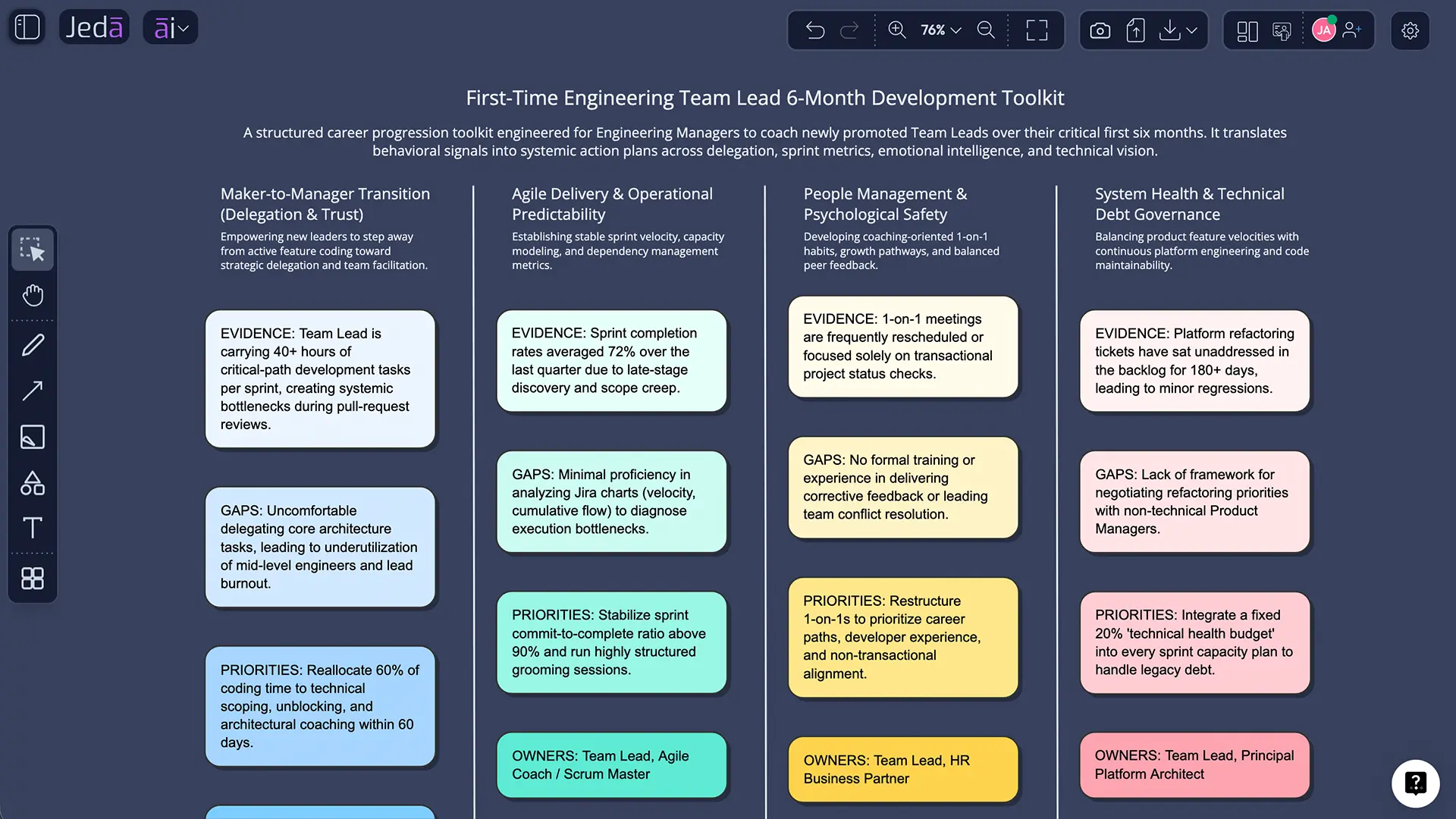
Consider an engineering manager designing a six-month development plan for first-time team leads. The toolkit includes a skills baseline, goal sheet, learning backlog, practice log, feedback prompts, evidence portfolio, and monthly review. Each tool feeds the next instead of becoming another disconnected form.
That example works because the matrix does not leap from a label to a conclusion. It shows a chain: source evidence, interpretation, significance, action, and follow-up. When evidence is uncertain, mark it as a question rather than smoothing it into confident prose. A visible unknown is useful. A polished invention is not.
How to Review the Result Before Acting
Start with provenance: where did each important claim come from? Then test relevance. A strong example from a different role, period, or team may not answer the present question. Check for missing voices, inconsistent time frames, and criteria that appeared only after the work was done.
Next, look for asymmetry. Are strengths supported by evidence while development points rely on impressions, or the reverse? Did one recent event dominate a longer period? Does the output confuse effort with results? These checks matter because tidy matrices can make weak reasoning look settled.
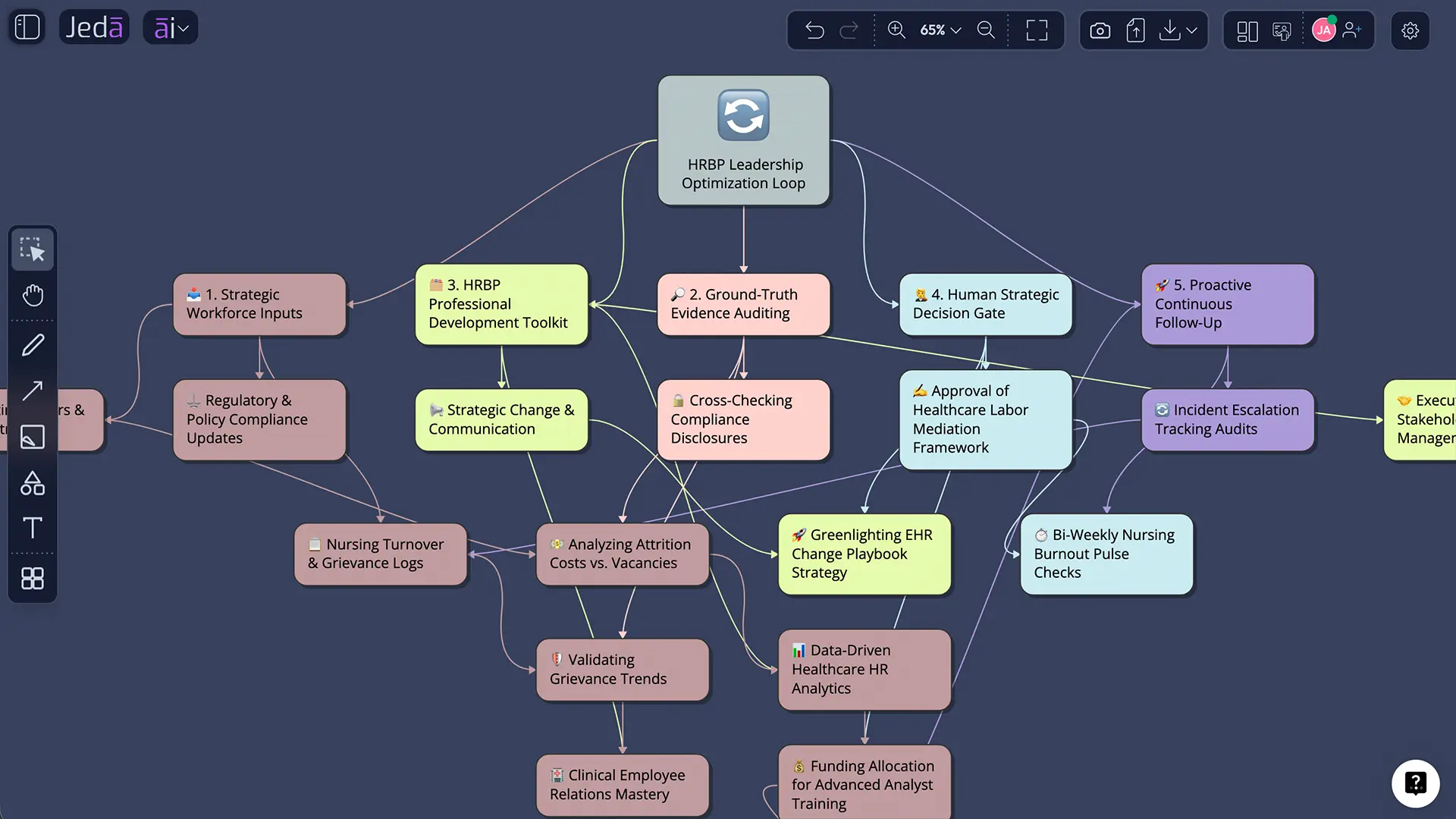
Finally, decide what requires discussion. Jeda.ai can prepare the canvas, but people should handle context, disagreement, consent, and accountability. When the topic affects hiring, evaluation, promotion, compensation, or employee relations, follow applicable organizational policy and law. Ask HR or legal specialists for guidance when the decision carries material consequences.
Best Practices for Professional Development Toolkit with AI
Use the recipe with a small evidence set first. A job description plus three specific examples often produces a better draft than a long, unfocused upload. Define the purpose in one sentence. Name the audience. State what the output should not do.
Keep the AI Whiteboard open during the review conversation. Moving a note from “conclusion” to “needs evidence” is a small action with a big effect: it prevents fluency from outrunning certainty. And when new evidence arrives, update the artifact instead of preserving a prettier but outdated version.
Common Mistakes to Avoid
Four mistakes repeatedly weaken professional development toolkit: collecting resources without a priority; equating course completion with capability; skipping feedback and reflection; using the same toolkit for every role. Each one hides uncertainty instead of managing it.
Another common error is overloading the matrix. More categories do not guarantee more insight. Keep only the sections that support the stated purpose, then use AI+ to extend a specific area if reviewers genuinely need more depth. If the content is sequential, Vision Transform can make the dependency chain easier to read.
Do not assume an AI-generated tone is automatically respectful or fair. Read the words aloud. Replace labels with behavior, remove speculation about intent, and use language the responsible person can explain in a real conversation. The final document should sound like accountable work, not borrowed authority.
Build a Connected Jobs and Career Workflow
Professional Development Toolkit with AI becomes more valuable when it connects to adjacent work. Useful next recipes include Career Development Plan with AI, Career Skills Inventory with AI, Job Goal Setting Worksheet with AI. Each page solves a different part of the job or career process, and together they form a stronger evidence trail.
You can also explore the broader AI Workspace and AI Whiteboard. Jeda.ai’s shared canvas keeps research, generated structures, edits, and follow-up work in one place. That continuity is the practical advantage: fewer handoffs, clearer reasoning, and an artifact the team can revisit.
Frequently Asked Questions
- What is Professional Development Toolkit with AI?
- Professional Development Toolkit with AI is a way to create professional development toolkit by giving an AI system a defined purpose, role or industry context, goals, and supporting evidence. The useful output is a draft for human review—not an automatic decision or a substitute for professional judgment.
- How do I create Professional Development Toolkit with AI in Jeda.ai?
- Open AI Menu in Jeda.ai, choose Jobs & Career, select the Professional Development Toolkit recipe, complete For What?, and add the relevant context fields. Choose your language, reasoning model, layout, and Web Search setting, then select Generate and edit the result on the canvas.
- What should I enter in For What?
- Describe the exact subject and intended decision. Name the role, person, team, process, or career outcome in plain language. Specific input gives the matrix a useful boundary; vague input tends to produce categories that sound reasonable but cannot guide action.
- Can I customize the generated professional development toolkit?
- Yes. Generated matrix content is editable, so you can revise wording, reorganize sections, change text formatting, and add context after generation. Keep the original evidence nearby while editing, especially when the output concerns employment decisions, evaluation, or sensitive feedback. Review carefully.
- Which AI model should I use?
- Use one model for a quick draft and two or three when the decision benefits from different perspectives. If you select multiple models, Aggregate can use an additional model to consolidate the strongest result. The final choice still needs a knowledgeable human reviewer.
- Should Web Search be on or off?
- Choose On when current labor-market, company, occupation, or industry information matters. Choose Off for confidential internal material or when your uploaded source should control the answer. Auto is a practical default when you want Jeda.ai to decide whether outside information is needed.
- Can I upload a document for this recipe?
- Yes. The Advance section accepts a supported data or document file. Upload a job description, notes, policy, resume, survey export, or development record when it is appropriate to do so. Remove unnecessary personal or confidential information before uploading, and check access permissions.
- What layout works best for professional development toolkit?
- Auto is usually the safest starting point. Choose Column when sequence or comparison matters, and Grid when several categories deserve equal visual weight. The strongest layout is the one that makes gaps, evidence, owners, and next actions easy to scan.
- How accurate is an AI-generated professional development toolkit?
- Accuracy depends on the evidence and context you provide. AI can organize information and suggest categories, but it can also omit nuance or make unsupported assumptions. Verify facts, check each conclusion against source material, and involve the accountable person before acting.
- How do I improve the first result?
- Add missing context, replace general claims with examples, and ask AI+ to extend the weakest section. You can also use Vision Transform to convert the matrix into a flowchart or diagram when a sequence, dependency, or decision path would communicate the work more clearly.
Sources and Further Reading
- [1]
O*NET Resource Center (2026) . “The O*NET Content Model” U.S. Department of Labor.
View Source ↗ - [2]
CareerOneStop (2026) . “Career Planning and Resume Resources” U.S. Department of Labor.
View Source ↗ - [3]
Locke, E. A.; Latham, G. P. (2006) . “New Directions in Goal-Setting Theory” Current Directions in Psychological Science.
View Source ↗ - [4]
Savickas, M. L. (2020) . “Career Construction Theory and Counseling Model” Career Development and Counseling.
View Source ↗
Create Your Professional Development Toolkit Today
Join 150,000+ users who use Jeda.ai to turn career and workplace evidence into clear visual action.
Try Free Template