User story mapping sounds simple until the room fills with sticky notes, five people argue about the MVP, and the backlog turns into a graveyard of “important” work. That is exactly why user story mapping still matters — and why doing it inside an AI Workspace changes the game. In Jeda.ai, teams can turn scattered product thinking into an editable visual map, layer in evidence from docs or data, use the AI+ button to deepen weak areas, and keep everyone aligned on one AI Whiteboard instead of ten disconnected tools. Jeff Patton’s core idea still holds: map the user’s journey so the team can see the whole story, not just isolated tickets.
What is user story mapping?
User story mapping is a visual way to organize the user journey, the activities within that journey, and the detailed stories beneath those activities so teams can decide what to build first without losing the bigger picture. Jeff Patton describes it as a way to tell the user’s story while you work, and NN/g frames it as a method that helps Agile teams maintain visibility into how everything fits together. Atlassian’s current guidance also reinforces the same practical structure: identify the persona, map activities and tasks, then prioritize releases.
In plain English? It stops product planning from becoming a spreadsheet funeral.
A strong user story map usually includes:
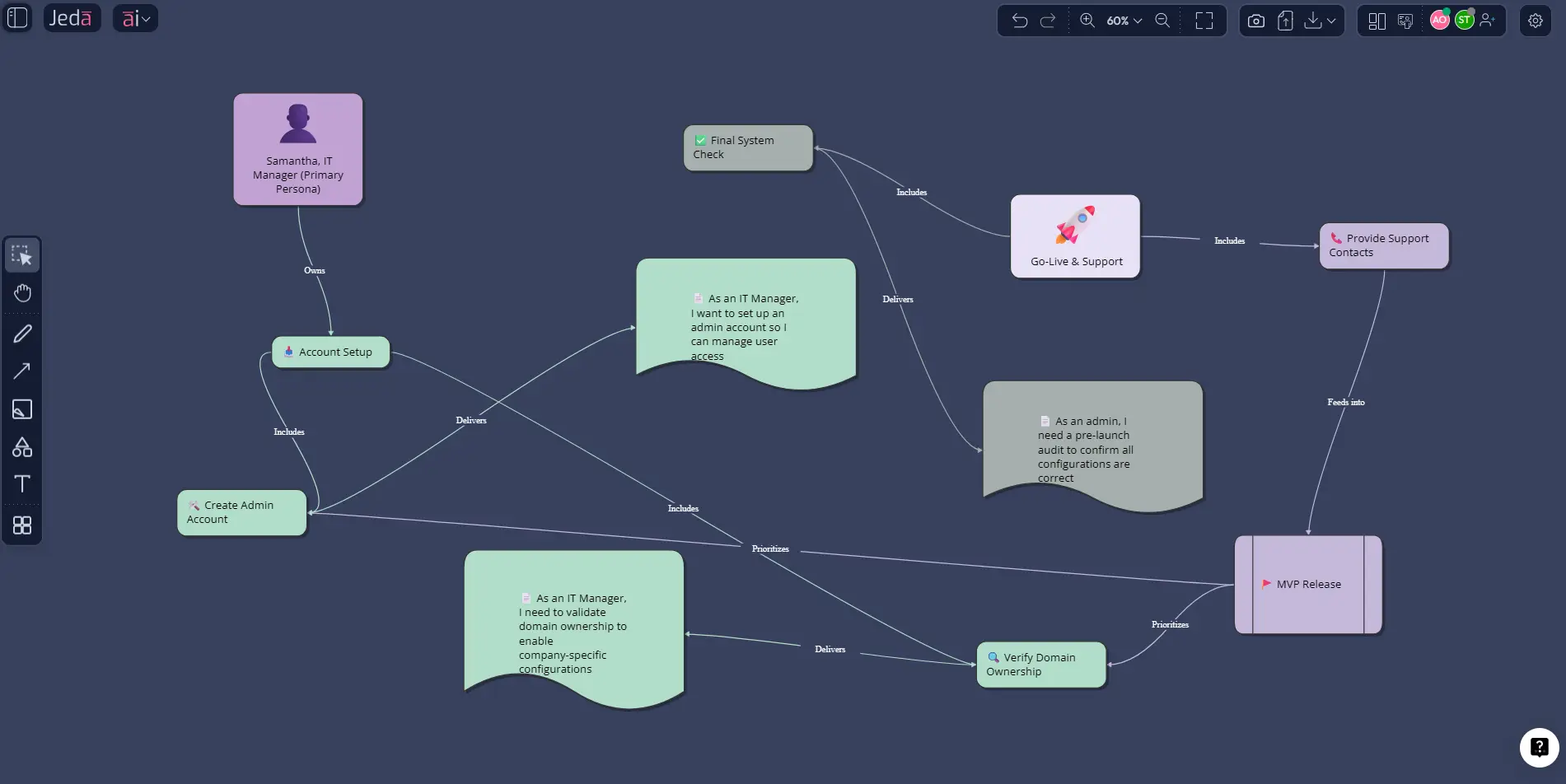
Why use user story mapping with AI?
Because most teams are not bad at having ideas. They are bad at structuring them under pressure.
A backlog can tell you what exists. A story map shows what matters first, what depends on what, and what the user actually experiences. That’s why story maps remain useful for customer-centric product development, release planning, and cross-functional alignment. Recent practitioner guides still lean on the same strengths: user story maps help teams visualize the end-to-end journey, prioritize value, and make smarter release decisions.
Where Jeda.ai becomes interesting is that the story map is no longer a static workshop artifact. Inside a shared AI Workspace, you can generate the first draft, challenge it, refine slices, add source material, and convert the result into other formats without leaving the board. The platform’s workflow file also makes two things explicit: use the AI+ button to extend a visual, and use Vision Transform when you want to convert the output into a different visual type. Those rules matter here.
- See the whole journey
Map the backbone of user behavior first so the team works from the customer flow instead of a random ticket pile.
- Generate a usable first draft
Use Jeda.ai to draft activities, tasks, and release slices fast, then spend workshop time improving the map instead of formatting it.
- Bring evidence into the board
Use Document Insight or Data Insight to pull feature requests, research notes, or usage patterns into the same AI Whiteboard.
- Align product, design, and engineering
A live visual map gives everyone one version of the story, which is a lot better than arguing across Jira tickets and scattered docs.
- Extend weak areas with AI+
Select a thin section of the map, tap AI+, and ask for edge cases, alternate flows, or hidden dependencies.
- Convert for execution
Use Vision Transform to turn the story map into a flowchart, a diagram, or a release-planning view when the conversation shifts from discovery to delivery.
User story mapping vs. journey mapping vs. backlog grooming
This is where teams often get sloppy.
Journey mapping focuses on the user’s experience, expectations, and emotions across a scenario. Story mapping focuses on what the team must build across that journey. A backlog focuses on work items, usually without enough visual context. NN/g and Easy Agile both make the distinction clearly: journey maps are about experience; story maps are about planning and prioritization across that experience.
How to create user story mapping in Jeda.ai
The internal workflow you provided requires two methods: Method 1: Recipe Matrix and Method 2: Prompt Bar, plus an AI+ button-driven deep dive. I’ve followed that structure here.
One note worth being transparent about: I found firm evidence that Jeda.ai supports this topic as a resource and that its broader framework strategy explicitly includes Agile User Story Mapping as a flagship framework topic. I also found an internal recipe reference for Agile Framework, which is the safest recipe-based entry point I can confirm from the available materials.
- Open a board in your AI Workspace
Create or open a workspace in Jeda.ai. This becomes the shared canvas for discovery, prioritization, and release slicing.
- Method 1: Use the AI Menu recipe path
Open the AI Menu at the top-left and use the most relevant product-planning matrix recipe you can confirm for your workflow, such as Agile Framework. Enter the product, user, goal, and context, then generate the first structured planning view.
- Method 2: Use the Prompt Bar for a direct story map
Open the Prompt Bar at the bottom, choose the Diagram or Mindmap command, and prompt Jeda.ai to generate a user story map with persona, backbone activities, tasks, edge cases, and MVP release slices.
- Bring in evidence before prioritizing
Upload research notes, customer interviews, support logs, PRDs, or sprint learnings. Use Document Insight or Data Insight to extract signals into the same board before final slicing.
- Use AI+ to deepen weak sections
Select any activity or release slice, tap the AI+ button, and ask for missing stories, dependencies, empty states, handoff risks, or acceptance concerns.
- Convert and share
When the team needs a delivery view, use Vision Transform to convert the map into a flowchart or execution diagram, then export as PNG, SVG, or PDF.
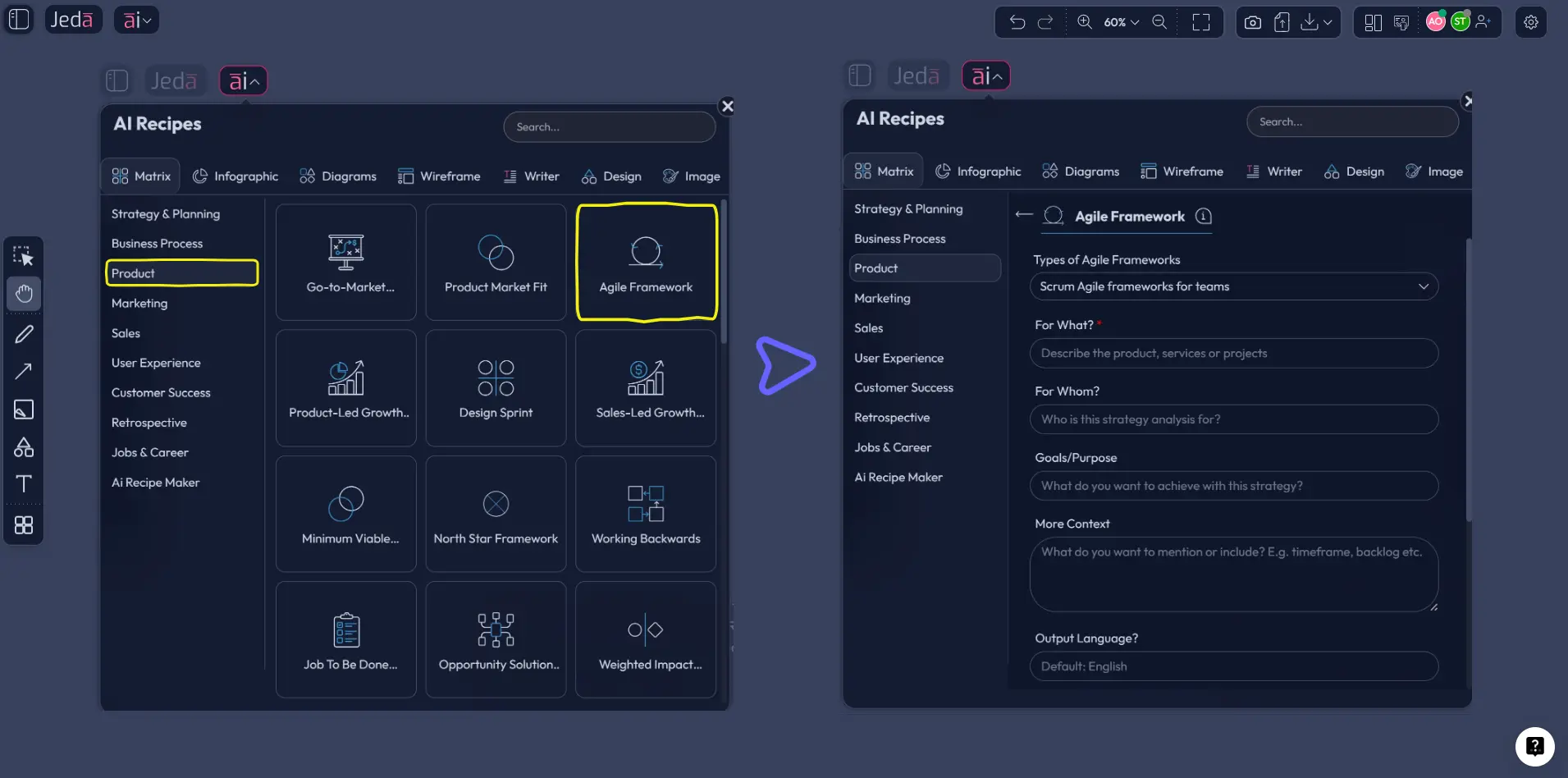
Copy-paste prompt for Method 2 (Prompt Bar)
Prompt:
Create a User Story Mapping board for [product or feature].
Primary user: [persona]. Goal: [what they need to accomplish].
Build a story map with five layers: Persona, User activity backbone, Tasks / steps, User stories, and Release slices (MVP, Release 2, Later).
Include edge cases, blockers, dependencies, and questions the team must validate.
Keep the output practical for product, design, and engineering planning.
End with: Top MVP recommendation, 3 biggest risks, and what should not be built yet.
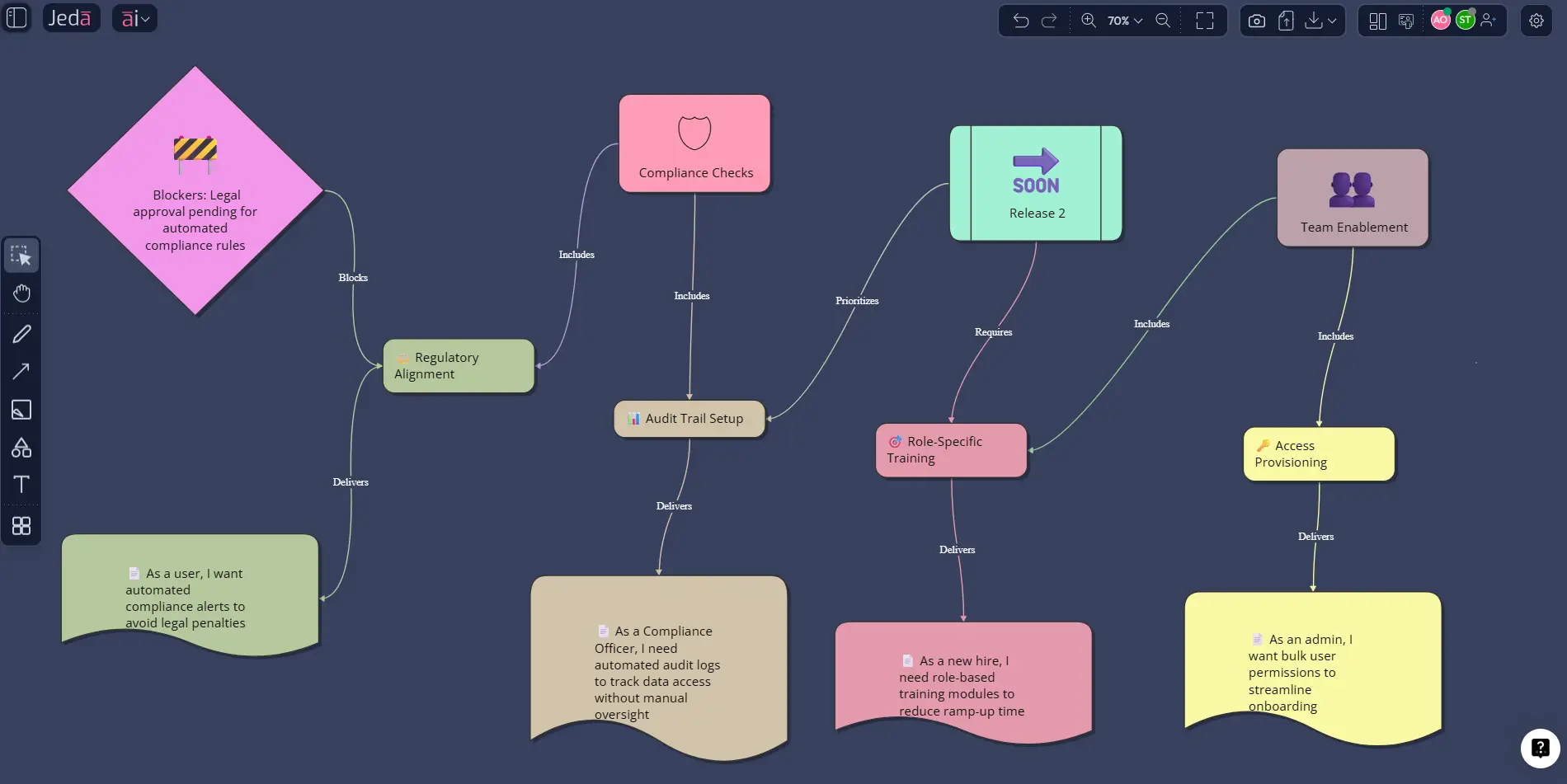
A practical example: onboarding for a B2B analytics product
Let’s make this real.
Say your team is building a self-serve onboarding flow for a B2B analytics platform. A weak backlog usually starts like this: “connect data source,” “create dashboard,” “invite teammates,” “billing,” “alerts.” That list is not wrong. It is just not enough.
A useful story map would start with the user’s journey:
Then the team would break each activity into tasks and stories, and slice the releases vertically. Atlassian’s current user-story guidance still pushes the classic “persona + need + purpose” format, which is handy for keeping individual stories grounded while the map stays visual.
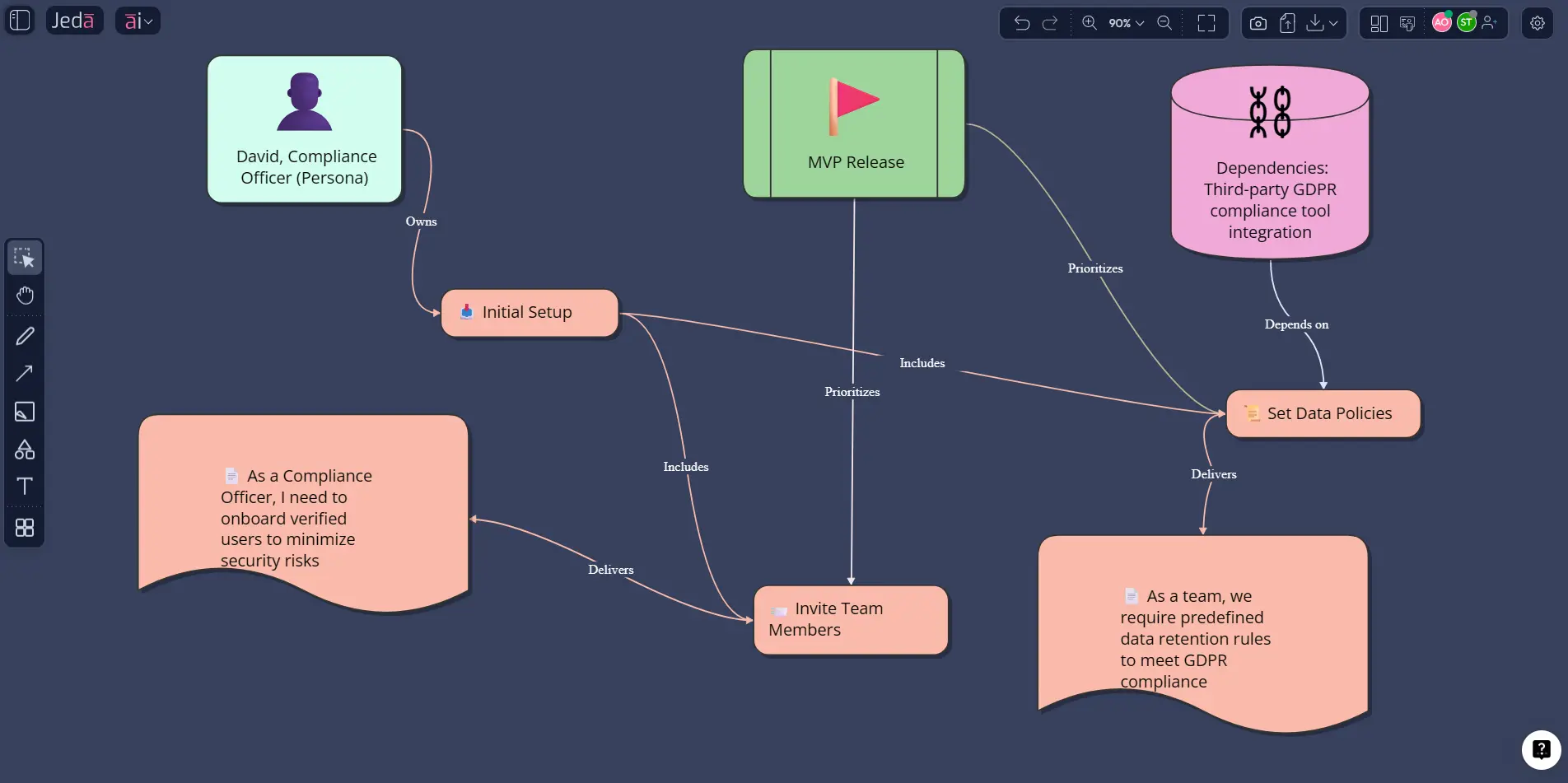
Best practices that keep user story mapping useful
Most failed story maps are not failed because the framework is weak. They fail because the workshop is lazy.
Common mistakes to avoid
1. Confusing tasks with user value
Teams often map internal system work instead of user progress. “Build API integration layer” might matter technically, but it is not part of the user’s story.
2. Cutting releases by architecture
Users do not care that backend work ships in Sprint 1 and UI work in Sprint 2. They care whether they can complete a meaningful outcome.
3. Treating the first map as final
The first version is a conversation starter, not a sacred artifact. That’s exactly where the AI+ button helps. Use it to pressure-test thin areas.
4. Mapping without evidence
If support tickets, interview notes, or behavioral data exist, use them. Otherwise the map becomes a beautifully arranged set of opinions.
5. Letting the map die after kickoff
A story map should live through MVP definition, release planning, and post-release learning. If it dies after one workshop, you built a wall decoration.
Why Jeda.ai fits this workflow especially well
Jeda.ai is not just a note board. The platform’s own positioning is framework-native, visual-first, and collaborative, with 300+ strategic frameworks, editable outputs, web search as a platform feature, and export to PNG, SVG, and PDF only. The workflow document also requires brand language like AI Workspace, AI Whiteboard, Visual AI, and 150,000+ users, so yes — I’m using the actual house rules, not just tossing in shiny words because they sound expensive.
That combination matters for product teams because story mapping is rarely a one-command exercise. You may begin in a recipe flow, draft the map in the Prompt Bar, expand a slice with AI+, pull in research through Document Insight, and convert the result into a release flow with Vision Transform. That is a genuinely better workflow than doing discovery in one place, diagrams in another, and planning in a third.
Frequently Asked Questions
- What is user story mapping in Agile?
- User story mapping is a visual planning method that organizes the user journey, tasks, and stories so Agile teams can see the bigger picture and prioritize releases around user value instead of isolated backlog items.
- Who created user story mapping?
- User story mapping is most closely associated with Jeff Patton, whose work and book helped popularize the method as a practical way to plan products around the user’s story and shared team understanding.
- What is the difference between a user journey map and a user story map?
- A journey map focuses on the customer’s experience, emotions, and touchpoints. A user story map focuses on what the team should build across that journey, including activities, stories, and release slices.
- Can I create user story mapping with AI?
- Yes. AI can draft the backbone, suggest stories, expose edge cases, and help cut MVP slices faster. The quality still depends on your context, evidence, and review, but it speeds up the hard early structure.
- Which Jeda.ai commands work best for user story mapping?
- Diagram and Mindmap are usually the most natural starting points because they show sequence and hierarchy well. Matrix can help when you want structured prioritization or a guided planning recipe around the map.
- Can Jeda.ai help with release planning after the story map is built?
- Yes. You can use AI+ to deepen or challenge a slice, then use Vision Transform to convert the map into a flowchart or another execution-friendly visual for delivery planning.
- Can I use research documents during user story mapping in Jeda.ai?
- Yes. Upload research notes, PRDs, customer interviews, support logs, or data files, then use Document Insight or Data Insight to extract signals into the same AI Workspace before final prioritization.
- Are story maps only for software teams?
- No. They are especially common in product development, but any team designing a step-based user experience or service flow can use story mapping to organize work around customer outcomes.
- Can teams collaborate on the same story map in Jeda.ai?
- Yes. Jeda.ai supports real-time collaboration, shared workspaces, and Follow Me presentation mode, which makes it practical for product managers, designers, engineers, and stakeholders to work from one visual board.
- How can I export the final story map?
- Export options are PNG, SVG, and PDF. Jeda.ai’s workflow documentation is explicit about this, so do not promise PowerPoint or Word native export unless you enjoy QA tickets with your morning coffee.
Sources & Further Reading
- [1]
Jeff Patton (n.d.) . “User Story Mapping” JPatton Associates.
View Source ↗ - [2]
Jeff Patton (2014) . “User Story Mapping: Discover the Whole Story, Build the Right Product” O'Reilly / Google Books listing.
View Source ↗ - [3]
Anna Kaley (2021) . “Mapping User Stories in Agile” Nielsen Norman Group.
View Source ↗ - [4]
Atlassian (2025) . “User stories with examples and a template” Atlassian.
View Source ↗ - [5]
Atlassian (n.d.) . “User Story Map template” Confluence Templates.
View Source ↗ - [6]
Easy Agile (2024) . “The Ultimate Guide to User Story Maps” Easy Agile.
View Source ↗
Turn messy backlog debates into one visual decision board
Join over 150,000+ users using Jeda.ai’s AI Workspace and AI Whiteboard to plan faster, align teams, and build the right release first.
Try Free Template