Visual Document Analysis with AI is what happens when you stop treating a PDF like a pile of pages and start treating it like a decision asset. Instead of reading line by line, you turn reports, proposals, contracts, research papers, decks, and internal docs into a matrix, mind map, flowchart, diagram, infographic, or structured summary inside one AI Workspace. That shift matters. A lot.
Most teams do document review the slow way. Someone reads. Someone highlights. Someone else builds a slide. Then the meeting starts, and half the room still does not see the logic. Jeda.ai fixes that by turning documents into editable visuals inside an AI Whiteboard built for thinking, not just storing notes. And with 150,000+ users, Jeda.ai is already being used to turn text-heavy material into faster conversations and clearer next steps.
This is not plain OCR with nicer packaging. Good Visual AI document work understands hierarchy, layout, key sections, relationships, and what should happen next. That is why modern document AI research moved beyond text extraction alone and toward layout-aware and OCR-free models that understand structure, not just words.
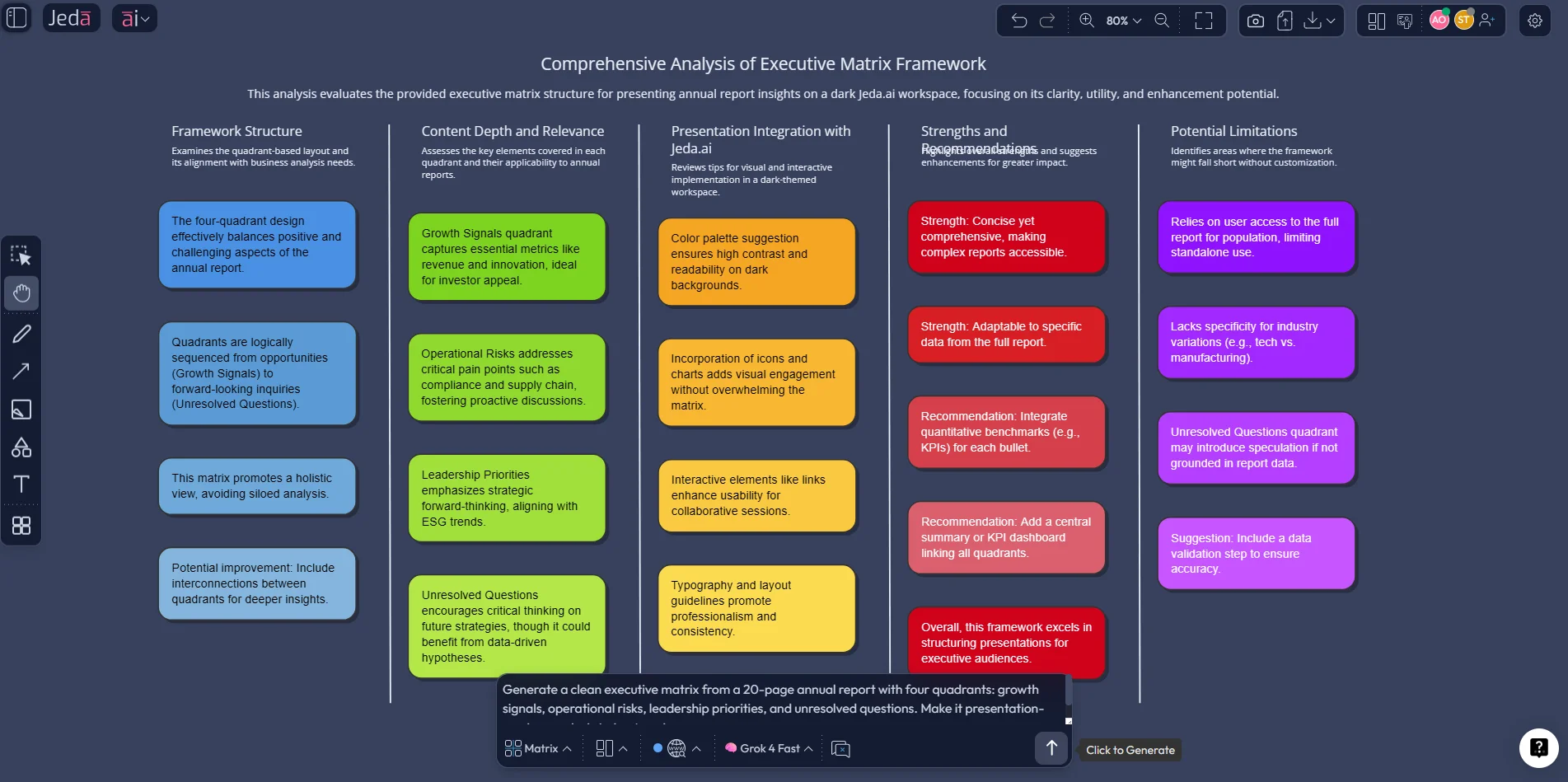
What is visual document analysis with AI?
Visual document analysis with AI means using AI to read a document, extract what matters, and reorganize the content into a form people can think with. Sometimes that is a matrix. Sometimes it is a flowchart. Sometimes a mind map tells the story better. The point is not decoration. The point is clarity.
Traditional OCR is useful, but it mostly converts text into machine-readable characters. That helps with search and extraction, yet it does not fully solve understanding. Layout-aware systems such as LayoutLM were built because document intelligence depends on both text and layout. OCR-free approaches such as Donut pushed the field further by reducing dependence on brittle OCR pipelines for some document understanding tasks. In parallel, industry platforms from Microsoft and Google Cloud now describe document AI as turning unstructured files into structured, machine-readable information while preserving relationships inside the document.
That matters because unstructured content still dominates business reality. MIT Sloan notes that roughly 80% to 90% of organizational data is unstructured. So the real business problem is not “Can AI read a PDF?” It can. The real question is, “Can your team turn that PDF into a shared decision model before the meeting ends?” That is where an AI Workspace and an AI Whiteboard start pulling away from summary-only tools.
If you want a related workflow for spreadsheets and charts, see Visual AI Data Analysis. If you want the same idea for process design, see Generate Flowcharts with AI.
Why teams are moving from document reading to visual document analysis
Teams are not asking AI to “summarize faster” just for the thrill of shaving minutes off reading time. They want better downstream decisions. A legal team wants obligations mapped. A product team wants themes clustered. A consultant wants a client-ready structure before the workshop drifts into chaos. A founder wants signal, not 73 slides of corporate oatmeal.
- See structure, not just sentences
Visual document analysis with AI surfaces hierarchy, relationships, sections, dependencies, and missing links that disappear in plain text summaries.
- Move from review to action
Turn a dense document into a flowchart, decision tree, SWOT, or roadmap so the team can discuss choices instead of rereading paragraphs.
- Collaborate in one place
Jeda.ai keeps document interpretation, discussion, editing, and refinement inside the same AI Workspace instead of scattering work across four tools.
- Ask sharper follow-up questions
Once a visual exists, you can use AI+ to expand a single node, compare sections, identify risks, or pull out hidden assumptions.
- Switch formats without starting over
Use Vision Transform to convert one document view into another when your first output is useful but not quite the right lens.
- Create presentation-ready thinking
Instead of pasting text into slides by hand, you generate a board the team can edit, present, export, and keep refining.
Here is the deeper shift. Document AI used to be framed as extraction. Useful, but narrow. The stronger use case is interpretation plus communication. Jeda.ai leans into that second part. You do not just pull data out of the file. You make the file discussable.
A plain summary can tell you what a document says. A visual analysis can show where the pressure points are, what the trade-offs look like, and which section should drive the next meeting. That is a very different job.
Jeda.ai also matters here because the AI Menu gives teams access to 300+ strategic frameworks when a document needs a formal lens, not just a loose summary. That could mean a SWOT from a market report, a risk matrix from an audit file, or a decision tree from a policy manual.
Why Jeda.ai fits this job better than a text-only summarizer
Jeda.ai combines document understanding with visual output. That sounds obvious until you use a text-only tool for real work and realize the handoff is where your time goes to die.
With Jeda.ai, you can upload a document, choose Document Insight, pick the output type you want, and generate an editable visual on the canvas. The platform also supports AI Recipes, Vision Transform, AI+ extension, real-time collaboration, and Multi-LLM review. In practice, that means your first output is rarely your last one. And that is good. Serious document work is iterative.
| Reads documents | Preserves structure | Editable visual output | Team collaboration | Follow-up expansion | |
|---|---|---|---|---|---|
| Manual review | ✓ | Depends on reviewer | ✗ | Fragmented | ✗ |
| OCR-only workflow | Text extraction only | Limited | ✗ | Outside the tool | ✗ |
| Jeda.ai | ✓ | ✓ | ✓ | ✓ | ✓ |
The current Jeda.ai product flow also matters. Users can upload documents directly, analyze them through Document Insight, choose a target visual format, and refine the output through AI+ or Vision Transform. The AI Menu gives you recipe-led workflows, while the Prompt Bar gives you speed and flexibility. Some days you want guardrails. Some days you want raw control. Jeda.ai gives you both inside one AI Workspace.
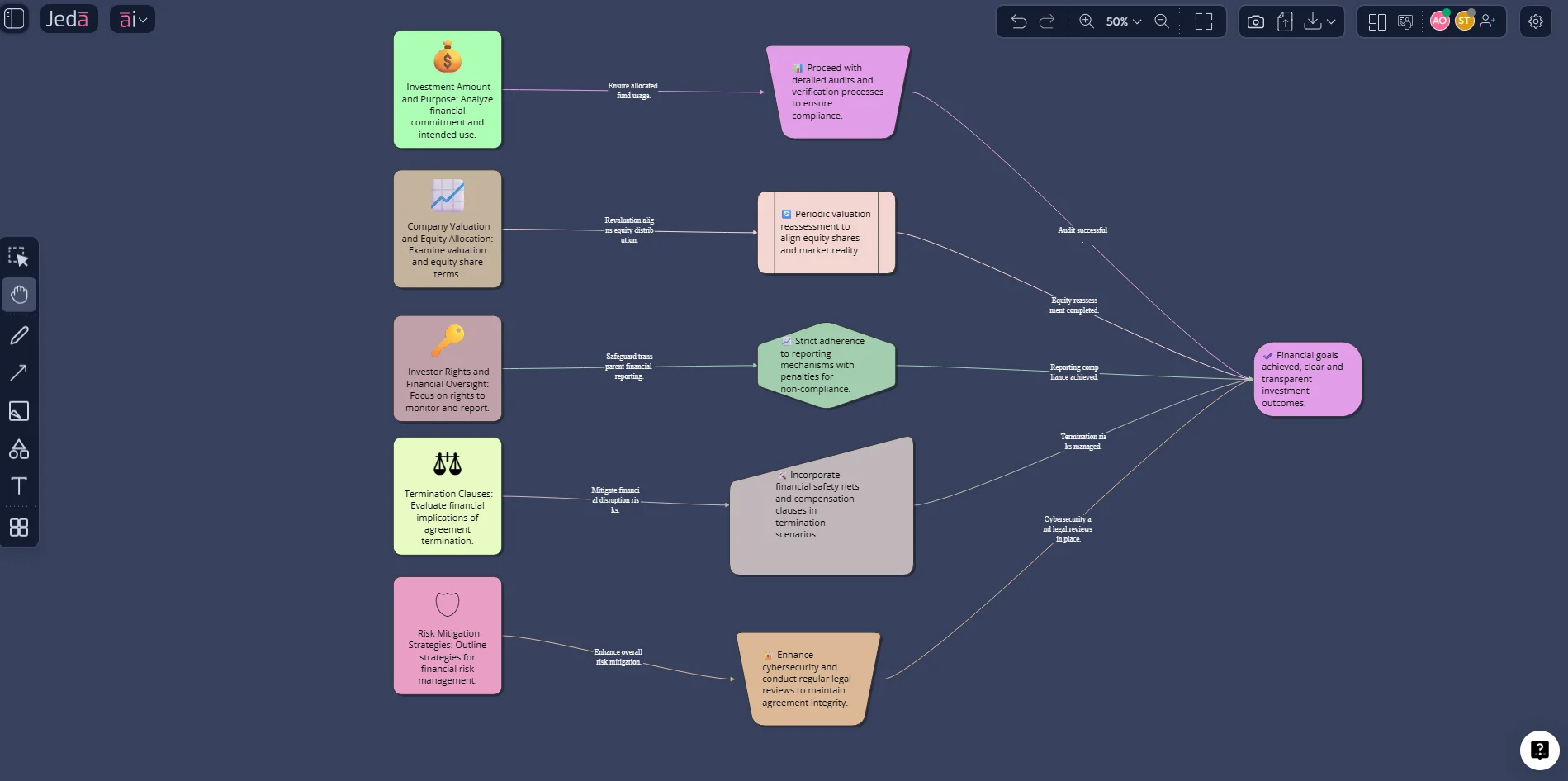
How to create visual document analysis with AI in Jeda.ai
There are three good ways to do this in Jeda.ai. The smart move is to pick the one that matches how structured your job already is.
Method 1: Recipe Matrix
Use this when you already know the framework or output pattern you want. It is the cleaner route for repeatable work such as SWOTs, risk analysis, capability reviews, policy breakdowns, process mapping, or executive summaries from uploaded documents.
- Open the AI Menu
Click the AI Menu in the top-left of Jeda.ai and choose the recipe category that fits your output, such as Matrix or Diagrams.
- Pick a recipe template
Choose a template that matches the lens you want, such as SWOT Analysis, Risk Analysis, Decision Tree, or Process Flow.
- Fill in the guided fields
Add the business context, goal, audience, and what you want the visual to surface from the document.
- Upload the document in Advanced
In the advanced section, upload and select your PDF or DOC file so the recipe uses the file as source context during generation.
- Choose layout and AI model(s)
Pick the layout and one or more models. For higher-stakes analysis, use Multi-LLM Agent so Jeda.ai can review the document from more than one angle.
- Generate and refine
Generate the first visual, then edit the board manually, use AI+ to extend key blocks, or use Vision Transform if a different format would communicate the insight better.
This method is underrated. Why? Because recipe-led document analysis keeps the output disciplined. You are not just asking AI to “summarize this.” You are telling it how to think about the file.
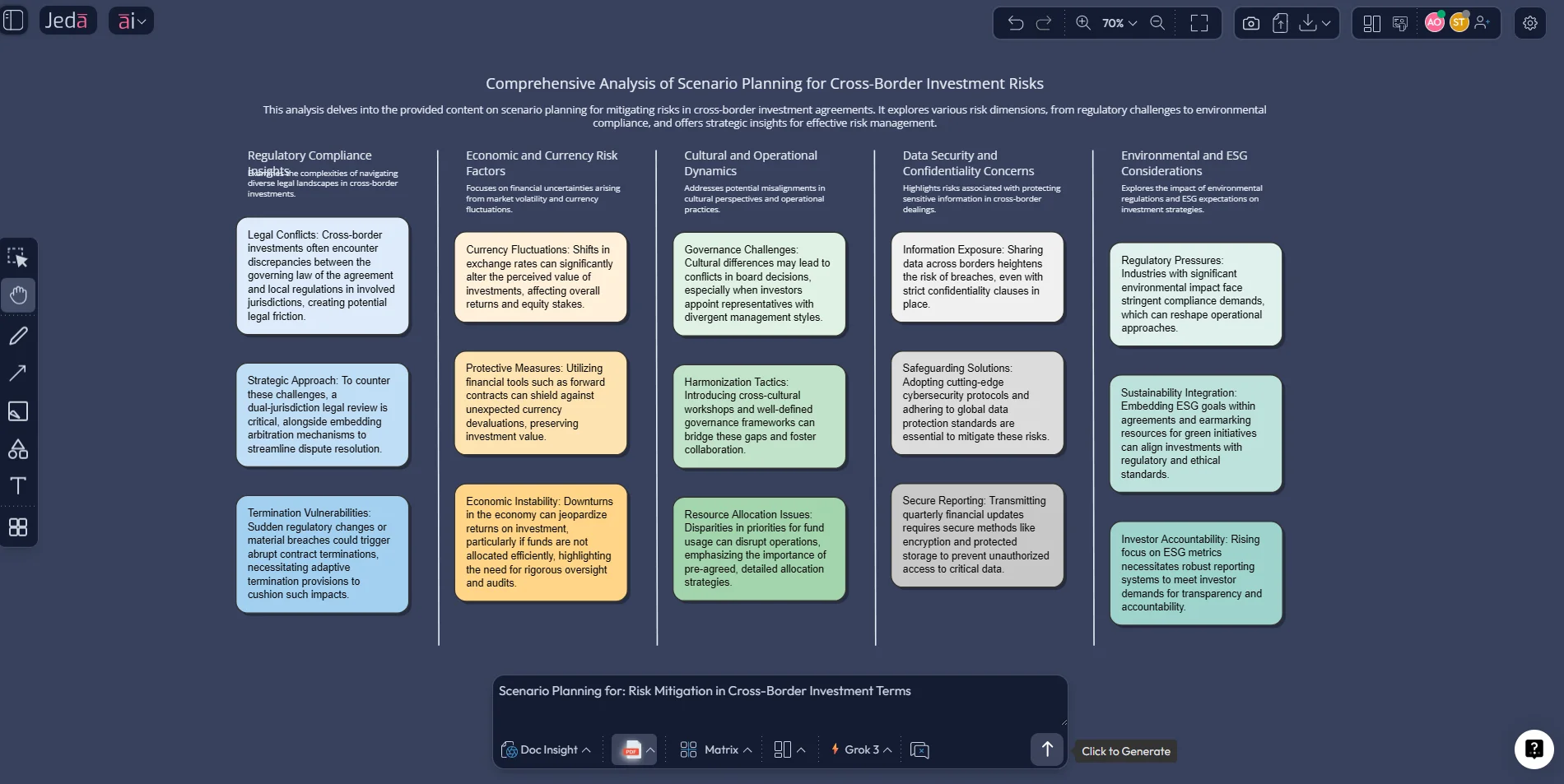
Method 2: Prompt Bar
Use this when you need speed, experimentation, or a custom angle that does not neatly fit one recipe.
Start by uploading the document. Then open the Prompt Bar, select Document Insight, choose the output format you want, and write a direct prompt. A strong prompt sounds like this:
“Analyze this annual report and turn it into a matrix with four sections: growth signals, operational risks, leadership priorities, and unresolved questions.”
Or this:
“Read this policy document and convert it into a flowchart that shows responsibilities, approval steps, deadlines, and escalation paths.”
Or this:
“Turn this product requirements document into a mind map organized by goals, features, constraints, dependencies, and open decisions.”
That is the beauty of the Prompt Bar. You are not boxed in. You can ask for a matrix first, then run the same document again as a flowchart, then compare both. One file. Three lenses. Much better meeting.
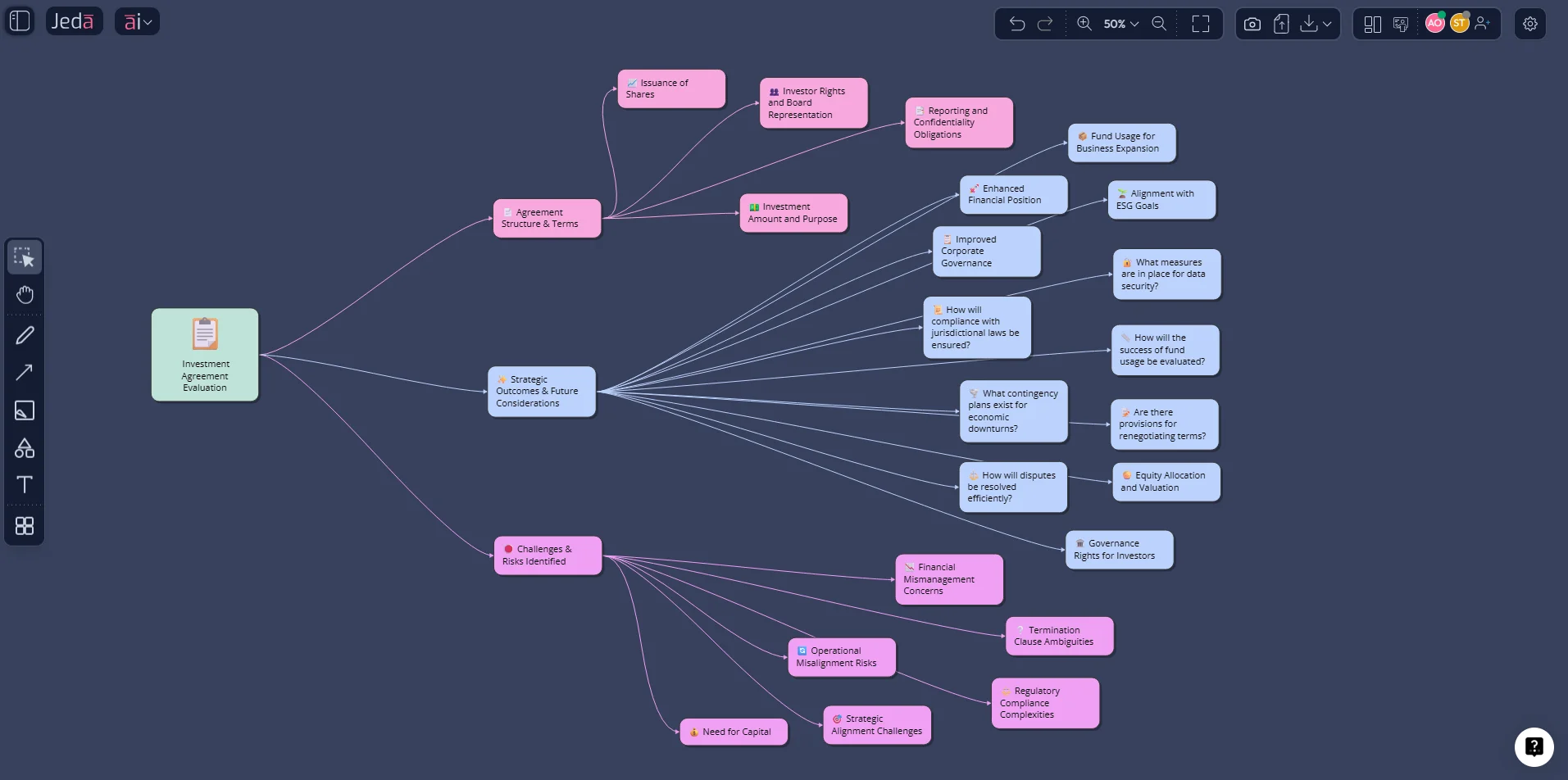
Method 3: AI+ deep dive
The first output usually shows the broad shape. The second round is where the gold shows up.
Select one block, node, or section in your generated visual. Then tap the AI+ button to extend it. This is where Jeda.ai becomes more than a viewer. You can ask AI+ to:
- expand one risk into root causes and mitigation steps
- turn one section into a task flow
- compare two clauses in a contract
- pull objections from a sales deck
- isolate assumptions in a research paper
- transform one branch into a board-ready recommendation
And when the format is wrong, do not rebuild from scratch. Use Vision Transform. A matrix can become a flowchart. A summary can become a diagram. A mind map can become a clearer executive structure. The board evolves with the question.
What visual document analysis looks like in the real world
Let’s make this concrete. Because abstract praise is cheap.
1. Contract review that people can actually discuss
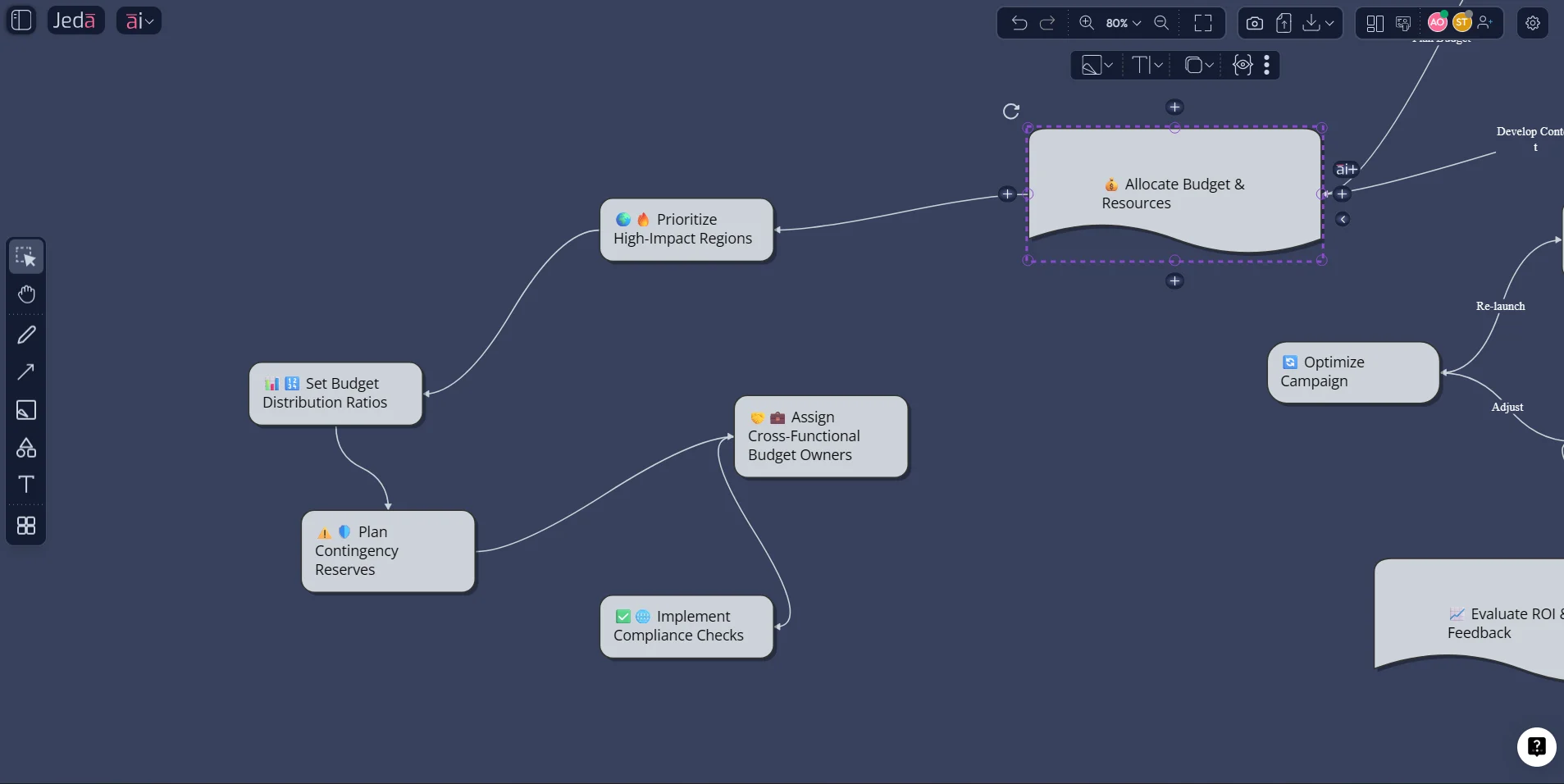
A 30-page contract usually gets read in silos. Legal marks clauses. Operations asks about timelines. Finance checks liability. Nobody shares one visual picture. With Jeda.ai, you can turn the contract into a flowchart of obligations, deadlines, approvals, penalties, and renewal triggers. Now the team has something they can point at. Literally.
2. Product requirement documents that stop being document graveyards
PRDs are useful until they become giant text vaults. Jeda.ai can convert them into a mind map or diagram that separates objectives, requirements, constraints, open questions, dependencies, and delivery risk. Product managers and engineers stop debating where the information lives and start debating the decision itself.
3. Board decks that become action maps
Investor updates, operating reviews, and strategy decks are full of signals buried in prose. Visual document analysis with AI can reorganize those decks into a matrix of wins, warnings, decisions, and next moves. Suddenly the board discussion gets sharper.
4. Research papers that become teachable
This one is huge for analysts, students, and innovation teams. Instead of summarizing a paper into five bland bullets, Jeda.ai can turn it into a concept map with methods, findings, limitations, implications, and follow-up questions. Better comprehension. Better retention. Less academic fog.
5. Sales proposals that become persuasion boards
Sales teams can turn proposal documents into client-facing value maps, implementation flows, objection trees, and benefit summaries. Same content. Better shape. Stronger conversation.
6. Policy and compliance documents that stop confusing everyone
Policies are rarely hard because the words are impossible. They are hard because the structure is buried. Jeda.ai can surface owners, control points, review cycles, escalation paths, and policy conflicts in one view.
Best practices that make visual document analysis actually useful
A weak prompt gives you a pretty board with low nutritional value. A strong workflow gives you something you can defend in a meeting.
And one more thing. Compare formats. The first output is often informative. The second output is often persuasive. Those are not the same.
Common mistakes to avoid
Treating it like a fancy summarizer
If you only ask for a summary, you will usually get a summary. Useful, yes. But limited. Ask for a visual role: compare, cluster, sequence, prioritize, evaluate, or map dependencies.
Generating one giant board with no point of view
More information is not the same as more clarity. Pick a lens. Risks. Actions. Themes. Dependencies. Evidence. Choose one.
Ignoring document structure
A contract is not a research paper. A board deck is not a policy manual. Match the output type to the document’s job.
Skipping refinement
The first pass is a draft. Use AI+, manual edits, and Vision Transform to tighten the result. Good document work is iterative. Lazy first drafts are how confusion survives.
Forgetting the audience
An analyst may love a dense mind map. An executive may want a 2x2 or a clean flow. Build the output for the room you are heading into, not the room inside your own head.
Frequently asked questions
- What is visual document analysis with AI?
- Visual document analysis with AI turns PDFs, DOCs, decks, and other files into visual structures such as matrices, mind maps, flowcharts, and diagrams. The goal is not just to summarize the text, but to surface relationships, themes, risks, decisions, and next actions in a form teams can discuss and edit.
- How is this different from an AI PDF summarizer?
- An AI PDF summarizer usually returns text. Visual document analysis with AI returns a thinking structure. That structure can be a matrix, flowchart, or map that makes trade-offs, dependencies, gaps, and action paths easier to understand and easier to present.
- What files can I analyze in Jeda.ai?
- Jeda.ai supports document analysis for common business files such as PDFs and Word documents through Document Insight. In practice, teams use it for reports, proposals, policy docs, contracts, decks, resumes, research papers, and product requirement documents.
- Can Jeda.ai convert one document into different visual formats?
- Yes. You can analyze the same file as a matrix, mind map, flowchart, diagram, sticky-note cluster, infographic, or text output. You can also use Vision Transform to convert one generated visual into another format when the first lens is informative but not ideal for communication.
- Do I need prompt engineering to use visual document analysis with AI?
- No. Jeda.ai gives you two paths. Use AI Recipes when you want a guided structure, or use the Prompt Bar when you want custom control. Dynamic Prompt adds useful guardrails when your analysis needs more context or a sharper brief.
- Can my team collaborate on the output?
- Yes. Jeda.ai is built as an AI Whiteboard and AI Workspace, so teams can review, edit, extend, and present the output together. That matters because document review is rarely a solo activity once decisions, approvals, or strategy are involved.
- How do I get better results from Document Insight?
- Specify the output you want, name the categories you need, and provide context about the audience or decision. Prompts like “turn this into a risk matrix” or “map the approval workflow from this policy” usually outperform generic requests such as “analyze this document.”
- Can I compare multiple documents in one workspace?
- Yes. A strong workflow is to upload several related documents, generate a first visual from one file, then use the same workspace to compare assumptions, obligations, themes, or contradictions across the set. That is especially helpful for due diligence, policy review, and competitive analysis.
- Can I export the results?
- Yes. Jeda.ai supports export as PNG, SVG, and PDF. There is no native PowerPoint export, but you can export as SVG and bring that into PowerPoint, then convert it into shapes for further editing.
- Why does the visual layer matter so much?
- Because understanding is not only about extracting text. Document meaning also sits in structure, section order, layout, dependency, and emphasis. When the output becomes visual, teams usually spot patterns, conflicts, and next actions faster than they do in paragraph-only summaries.
Sources & Further Reading
- [1]
MIT Sloan Management Review (2021) . “Tapping the Power of Unstructured Data” MIT Sloan.
View Source ↗ - [2]
Yiheng Xu, Minghao Li, Lei Cui, Shaohan Huang, Furu Wei, Ming Zhou (2020) . “LayoutLM: Pre-training of Text and Layout for Document Image Understanding” ACM KDD.
View Source ↗ - [3]
Geewook Kim, Omer Friedland, Arkadiy Khachatrian, Yair Segal, Dani Yogatama (2022) . “OCR-Free Document Understanding Transformer” ECCV.
View Source ↗ - [4]
Supriya V. Mahadevkar, Shruti Patil, Ketan Kotecha, Lim Way Soong, Tanupriya Choudhury (2024) . “Exploring AI-driven Approaches for Unstructured Document Analysis and Future Horizons” Journal of Big Data.
View Source ↗ - [5]
Microsoft Learn (2026) . “Document Analysis: Extract Structured Content with Azure Content Understanding” Microsoft Learn.
View Source ↗ - [6]
Google Cloud (2026) . “Document AI Overview” Google Cloud Documentation.
View Source ↗
Start Visual Document Analysis with AI in Jeda.ai
Join 150,000+ users who use Jeda.ai to turn dense documents into editable visuals, clearer decisions, and faster teamwork inside one AI Workspace.
Try Free Template