Patent news is public. The bigger story is not. Jeda.ai Patent matters because it signals a belief we have held from the start: AI should not trap its reasoning inside paragraphs that humans skim, misunderstand, or ignore. AI should be able to present its thoughts in visual ways so people can inspect them, challenge them, steer them, and actually use them. That is the territory Jeda.ai has been pushing into for years. And now part of that territory is protected.
This piece is not about legal paperwork theater. It is about positioning. We want the market to understand three things clearly. First, Jeda.ai is not following the Visual AI movement. We helped define it. Second, our peers should know this company is building unique intellectual property around a category that is still wide open. Third, entities should understand that this is not an accidental feature cluster. It is a domain we intend to keep investing in, expanding, and owning.
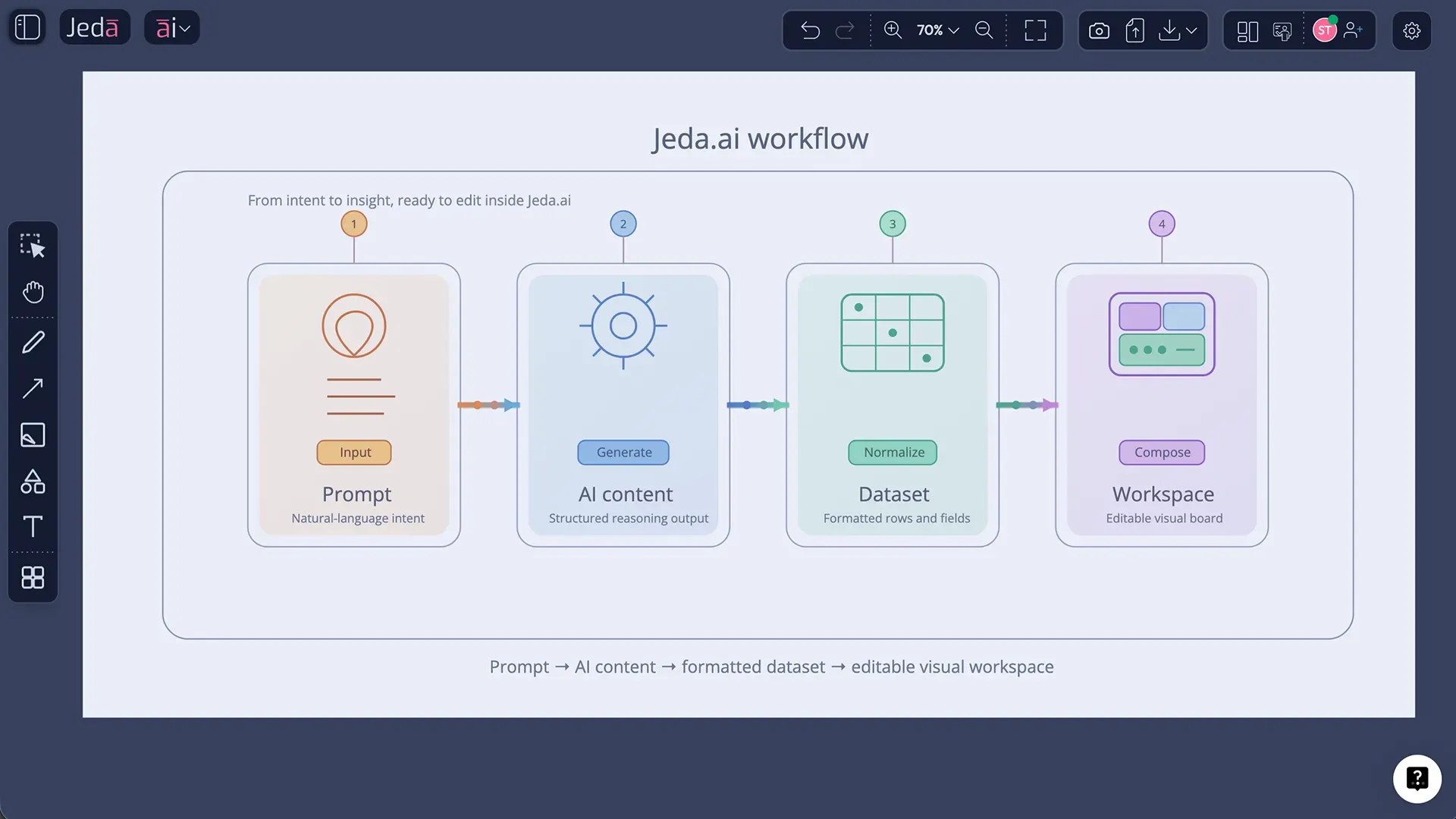
Jeda.ai Patent, in other words, is a milestone. But the real message is bigger than one filing or one announcement. The message is that the future of AI work will not be won by tools that produce more text. It will be won by systems that make AI thinking visible, inspectable, actionable, and collaborative inside an AI Workspace and AI Whiteboard people can control.
The patent matters, but the category story matters more
A lot of startup patent posts read like chest-thumping. This is not be one of them.
The practical meaning of this moment is simpler. Jeda.ai is making a long-range category claim. We believe AI should explain itself in visual forms that humans can understand quickly, refine deliberately, and use with confidence. That means the interface of intelligence cannot end at chat. It has to move into structured visual reasoning -
- Matrices.
- Mind maps.
- Flows.
- Diagrams.
- Visual frameworks.
- Decision maps.
- Shared canvases.
We are not saying, “Look, we filed something clever.” We are saying the market is moving toward a new operating model for AI, and Jeda.ai has been building for that model early.
This domain did not start yesterday
One reason this announcement matters is timing.
The newly granted U.S. patent traces back to work filed in 2024 with priority to a provisional filing in 2023, which means this direction predates the current rush of AI wrappers trying to staple chat onto every canvas, board, and document workflow. Public records also show other Dojoit patent publications across adjacent interface and visualization problems, including text input without mouse clicks and visualization of data-query sequences across multi-cloud systems. That is not random experimentation. It points to a broader pattern of invention around how humans interact with complex digital reasoning and structured visual workflows.
So yes, the patent is real. But just as important, the direction is consistent.
Jeda.ai has been building in this domain because the team saw the same thing over and over: people do not just need AI to answer. They need AI to surface its logic in a form they can work with. That is a different design problem. A harder one too.
Where these patents actually come from
They did not come from inventing in a vacuum. They came from serving users who were trying to solve real business, innovation, and strategy problems with established analytical frameworks and running into the same critical gaps.
- Text was too opaque
Teams could get an answer from AI, but they could not easily inspect the structure of that answer, challenge assumptions, or trace the logic in a collaborative way.
- Frameworks were too fragmented
People were forced to jump between chat tools, whiteboards, docs, and slideware just to turn one train of thought into something usable.
- Control was too weak
A human decision-maker needs more than fluency. They need the ability to steer, reshape, extend, and visually validate AI output before trusting it.
That is where invention tends to come from when it is healthy. Not from trend-chasing. From repeated friction.
While helping customers use SWOT, strategy maps, process flows, innovation frameworks, and other structured methods more easily, Jeda.ai kept encountering the same missing layer: the bridge between AI generation and usable visual reasoning. We saw the gap. We built around the gap. And over time, that work turned into intellectual property.
That is the part worth emphasizing to our stakeholders. The IP did not emerge as decoration around the product. It emerged because the product kept exposing important unsolved problems in the ecosystem.
What this signals to our stakeholders
A granted patent does not guarantee a company wins. Let’s keep both feet on the ground. But it does signal that Jeda.ai is building something more defensible than a generic AI assistant with a prettier landing page.
This matters because category leadership compounds when there is both product-market clarity and proprietary invention underneath it. It matters because partnering with Jeda.ai is not just aligning with a feature set. It is aligning with a long-term thesis about where Visual AI work is going and what layer of the stack will matter most. And that layer is not raw model access. It is how AI thought becomes something structured, visible, editable, and governable by humans.
The polite version is this: if you believe AI work will become more visual, more multimodal, and more collaborative, then Jeda.ai is a serious company to watch. The less polite version? Commodity wrappers come and go. Category infrastructure tends to stick.
And yes, entities should notice
This part does not need to sound aggressive to be clear.
Jeda.ai is telling the market that this domain is not empty land. There is invention here. There is strategic intent here. There is a roadmap here. We are not drifting into Visual AI because it became fashionable. We are building it as a defended category with continued investment behind it.
That matters because competition in AI often looks deceptively easy from the outside. A few models. A prompt box. A canvas. Some templates. Done. Except no, not done. The hard part is designing a system where AI thinking becomes structured enough for humans to direct, and visual enough for teams to align around. That layer is where Jeda.ai intends to keep pushing.
The product expression of that vision
Even though this article is not about unpacking one specific patent claim by claim, the product direction is easy to see. Jeda.ai is built as an AI Workspace and AI Whiteboard where people can move from prompt to visual reasoning without leaving the same operating environment.
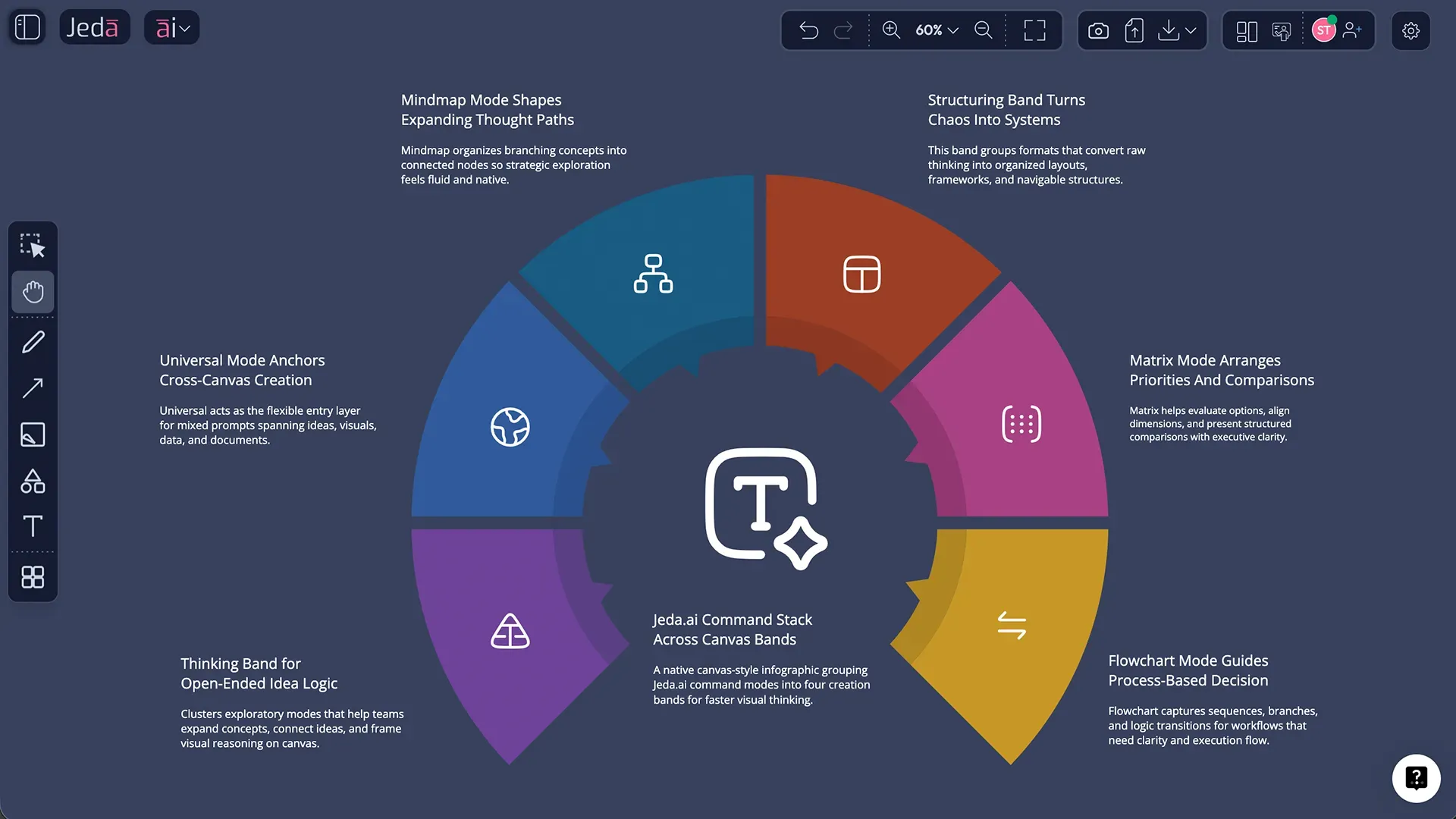
That is why the command stack matters. Universal opens broad prompting. Matrix turns reasoning into frameworks. Mindmap branches thought. Flowchart turns logic into process. Wireframe maps product and interface structure. Text or Code keeps narrative and implementation grounded. Stickynote supports loose ideation. Image generates static visuals. Draw produces richer visual communication. Infographic packages insight. Data Insight and Document Insight turn source material into structured visual outputs. And Diagram expands connected-system thinking through AI Recipes.
Put differently, the point is not that Jeda.ai has many commands. The point is that it gives AI multiple visual languages for explaining itself.
Prime features that make the vision credible
Vision without workflow is just startup perfume. Jeda.ai’s core features matter because they make the broader thesis executable.
- Multi-LLM Agent
Use multiple reasoning models together when one angle is not enough and compare or synthesize the strongest output inside one workspace.
- AI Recipes
Start from 300+ strategic frameworks and structured templates instead of rebuilding serious analysis from a blank page every time.
- Vision Transform
Change one visual form into another when the team needs a different lens, without losing the thread of the original thinking.
- AI+
Extend branches, nodes, quadrants, and sections with the AI+ button when the first pass is solid but not yet complete.
- Web Search grounding
Bring live context into the reasoning flow when freshness matters, instead of letting important work depend on stale assumptions.
- Real-time collaboration
Keep human judgment in the loop on one canvas so people can challenge, refine, and align around the output together.
These are not random product bullets. They all support the same worldview: humans should not be downstream of AI. Humans should remain in control of the structure, the framing, the interpretation, and the final decision.
How to experience this way of working in Jeda.ai
The fastest way to understand the Jeda.ai Patent story is not to read another paragraph about it. It is to make AI explain a problem visually and then work with that visual until it becomes decision-ready.
- Start from AI Menu or Prompt Bar
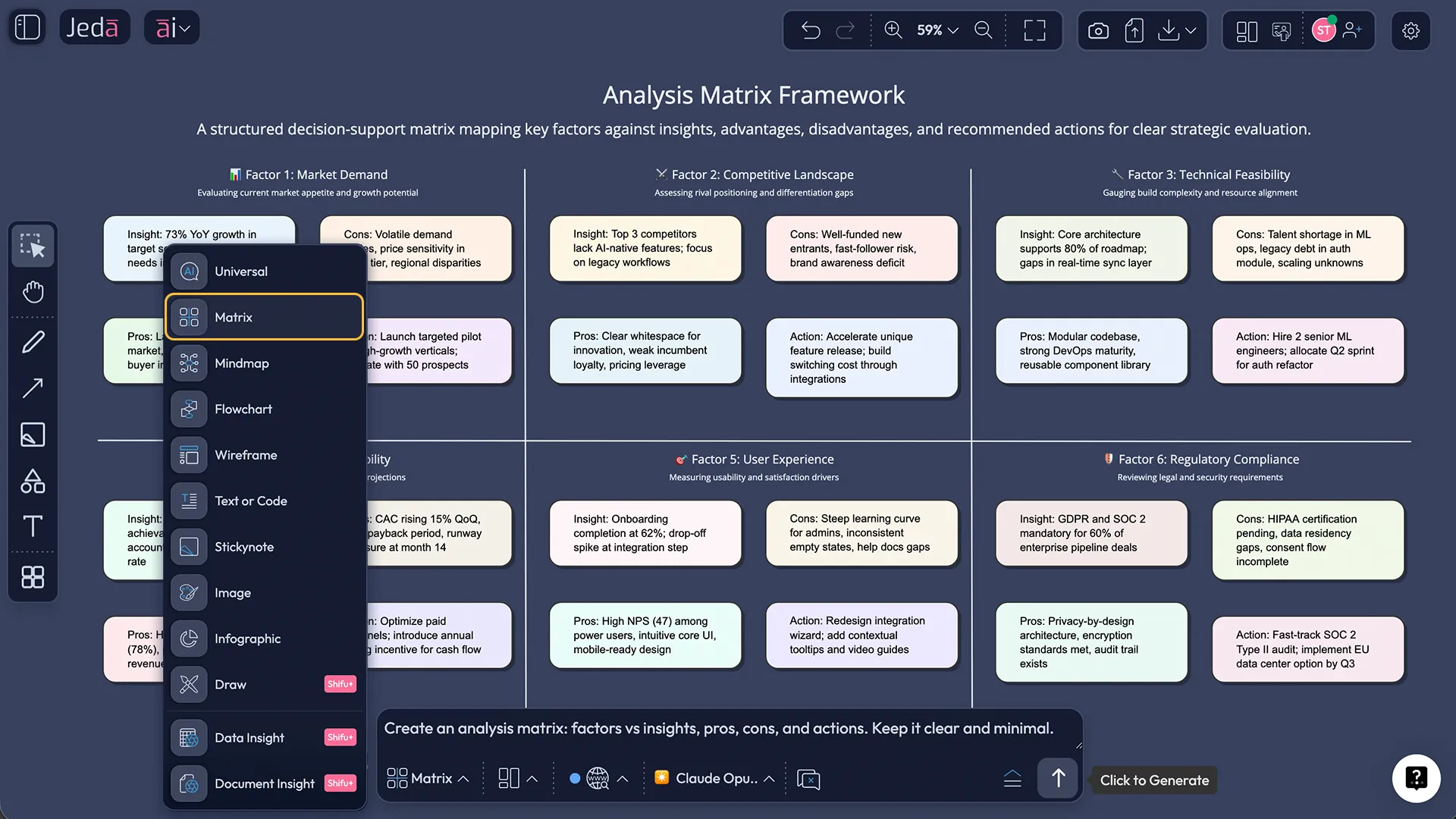
Open Jeda.ai and either choose a structured AI Recipe from the AI Menu or select a command like Matrix, Mindmap, Flowchart, Draw, or Infographic from the Prompt Bar.
- Ask AI to explain, not just answer
Frame the prompt so the AI must present its thinking visually. For example, ask it to map a strategy problem, show reasoning branches, or turn evidence into a structured decision view.
- Generate on the canvas
Let Jeda.ai turn the prompt, document, or data into an editable visual object inside the same workspace where your team will review it.
- Use AI+ to deepen the logic
Extend a quadrant, branch, or section with the AI+ button when the output is promising but still needs more depth, contrast, or context.
- Transform and collaborate
Use Vision Transform to change formats, then refine the output with collaborators so the result becomes something humans can trust, present, and act on.
Why this matters now
Because the market is getting noisier, not clearer.
Most AI products still ask humans to do the hardest translation step themselves. The model produces words. Then a person has to interpret them, reorganize them, explain them to others, turn them into artifacts, and defend the logic in a meeting. That is slow. It is lossy. And it is exactly why so much AI output gets abandoned between “interesting” and “useful.”
Jeda.ai is betting on a different future. One where AI can make its thought process legible in visual ways, and where humans can inspect that legibility before trusting it. One where the canvas is not decoration after the answer, but part of the reasoning system itself.
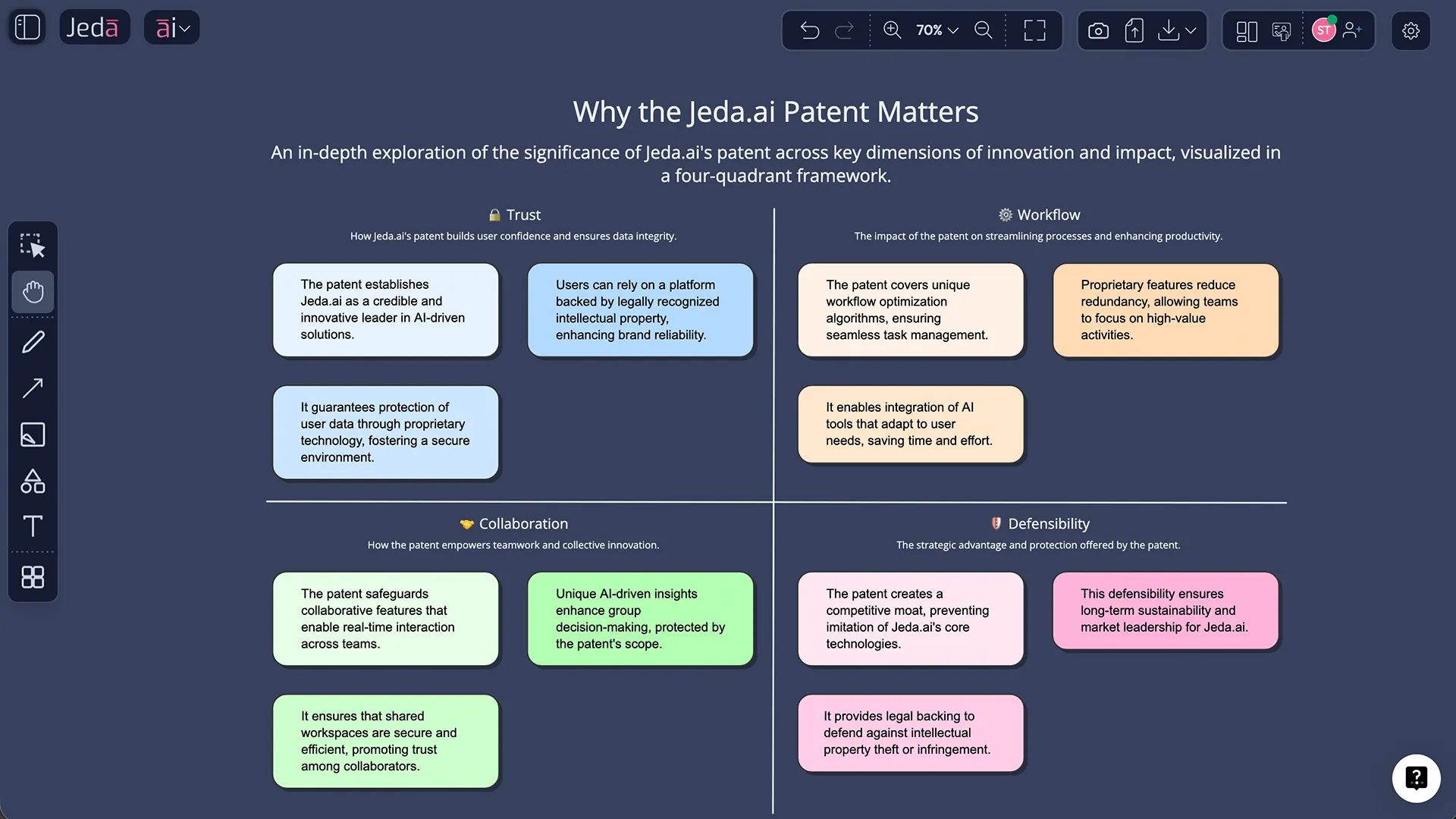
That is the deeper significance of Jeda.ai Patent. Not a trophy. A signal.
- A signal that Jeda.ai intends to lead this category, not comment on it from the sidelines.
- A signal that the company has been inventing here since well before the current hype wave.
- A signal to peers that there is real IP beneath the product surface.
- And a signal to the rest of the market that this territory is not unclaimed.
Frequently Asked Questions
- Why is Jeda.ai publishing about its patent now?
- Because the patent is more than a legal milestone. It helps Jeda.ai signal category leadership, strengthen trust with buyers, and show investors, partners, and the wider market that its Visual AI direction is backed by real invention.
- Is the main story the patent itself or the broader product vision?
- The broader vision matters more. The patent supports a much larger thesis: AI should present thinking visually so humans can understand, question, direct, and use it inside a collaborative workspace.
- When did Jeda.ai start building in this domain?
- Public patent records tie the newly granted U.S. patent to a 2024 filing with priority to 2023. Public records also show additional Dojoit patent publications in adjacent interaction and visualization areas, which suggests a longer arc of invention rather than a one-off filing.
- Where did the Jeda.ai patents and applications come from?
- They appear to come from repeated customer-facing workflow problems. Jeda.ai was helping users apply frameworks, structure analysis, and work visually, and that exposed important gaps around how AI output should become something humans can actually inspect and control.
- Why would investors or partners care about this patent story?
- Because it points to defensibility. A patent does not guarantee success, but it does suggest Jeda.ai is building proprietary intellectual property around a category it intends to lead, rather than relying only on commodity model access.
- What message does this send to competitors?
- It says Jeda.ai is treating Visual AI as a serious domain with protected invention and continued investment behind it. That raises the bar for anyone who thinks the category can be copied with a prompt box and a few templates.
- How does Jeda.ai express this vision in the product today?
- Through an AI Workspace and AI Whiteboard that support multiple visual commands, AI Recipes, Multi-LLM reasoning, AI+, Vision Transform, data and document analysis, and collaborative editing on one canvas.
- What is the simplest way to understand the Jeda.ai Patent idea?
- Use Jeda.ai to make AI explain a problem visually instead of only answering in text. Once you can inspect and reshape the output on a shared canvas, the category shift becomes obvious.
- Is this just about one patent?
- No. The announcement is centered on the newly granted U.S. patent, but public records also show other Dojoit patent publications in related areas. So the more accurate story is a growing body of invention around how humans interact with structured digital reasoning.
Sources & Further Reading
- [1]
Tawhid Khan (2026) . “Jeda.ai Receives U.S. Patent for Visual AI Technology” LinkedIn.
View Source ↗ - [2]
United States Patent and Trademark Office (2026) . “Official grant record for Jeda.ai's U.S. patent” USPTO Official Gazette.
View Source ↗ - [3]
Jeda.ai (2026) . “Visual AI Workspace — Jeda.ai” LinkedIn Company Page.
View Source ↗
See the Jeda.ai Patent vision in action
Join 150,000+ users using Jeda.ai as an AI Workspace and AI Whiteboard to turn prompts, files, and ideas into structured visual output.
Start Free