Some visuals explain. Others stick in your head like a tiny caffeine-powered raccoon in roller skates. Absurd Doodle Characters AI Art lives in that second camp.
That’s the fun of it. You start with an ordinary subject, bend it until it becomes delightfully unreasonable, and end up with artwork that feels playful, odd, and surprisingly useful. In Jeda.ai, you can do that inside the same AI Workspace where teams brainstorm, present, and build ideas together. So the doodle isn’t just decoration. It becomes a visual hook.
And there’s a practical angle here too. Doodling is not just idle scribbling; Jackie Andrade’s well-known study found that people in a doodling condition recalled 29% more information on a surprise memory test than the non-doodling group . That doesn’t mean every weird character will make you smarter by magic. It does suggest that sketch-like thinking can keep attention alive. In creative work, that matters.
What is Absurd Doodle Characters AI Art?
Absurd Doodle Characters AI Art is a hand-drawn-style image made from a simple subject, then pushed into a strange, funny, or exaggerated character concept. Think of a nervous coffee mug with shoelaces. A smug stapler with tiny jazz hands. A melancholy moon wearing business socks.
The appeal is simple: doodle illustration feels approachable, imperfect, and human. It tells little visual stories fast. Domestika’s overview of doodle illustration describes it as a style that can carry small narratives and grow in complexity as the artist develops the idea. That makes it a strong fit for ideation, campaigns, social content, playful brand assets, internal presentations, and concept art.
Jeda.ai already has a public resource page and gallery examples built around this recipe, which tells you two things. First, the recipe is real. Second, the use cases are broader than “make something cute.” The current public examples stretch from musicians’ studios to office scenes to business visuals.
This is also why the format works well inside an AI Whiteboard environment. You can spark the image in seconds, drop it into a concept board, compare multiple visual directions, and decide which tone deserves to survive the meeting.
Why use Absurd Doodle Characters AI Art in Jeda.ai?
Jeda.ai is not just another prompt box with a gallery bolted on. It gives you an AI Workspace where art generation sits next to ideation, planning, and presentation. So the image can move from “fun experiment” to “actual asset” without a messy handoff.
- Weird on demand
Start with a plain subject and twist it into something expressive, funny, or gloriously irrational in one pass.
- More control than random luck
You can guide subject, theme, scene instruction, primary colors, line color, and framing style instead of gambling on vague prompts.
- Use the image in context
Generate the art inside Jeda.ai, then use the same AI Whiteboard for concept reviews, moodboards, campaign planning, and team discussion.
A second reason is prompt quality. Both Meta AI and OpenAI’s prompt guidance repeat the same lesson: better prompts come from clear intent, specific detail, and iterative refinement. Jeda.ai supports that nicely because you can work in two ways: use the guided recipe when you want structure, or use the Prompt Bar when you want more freedom.
One caveat. This recipe uses the Art command, and art outputs are static images rather than editable smart-shape visuals in the workspace. So this is a regenerate-and-refine workflow, not an AI+ extension workflow. For this page, that’s fine. The user asked for weird characters, not editable node trees.
How to create Absurd Doodle Characters AI Art in Jeda.ai
Method 1: Recipe
Use this when you want the shortest path from subject to finished image.
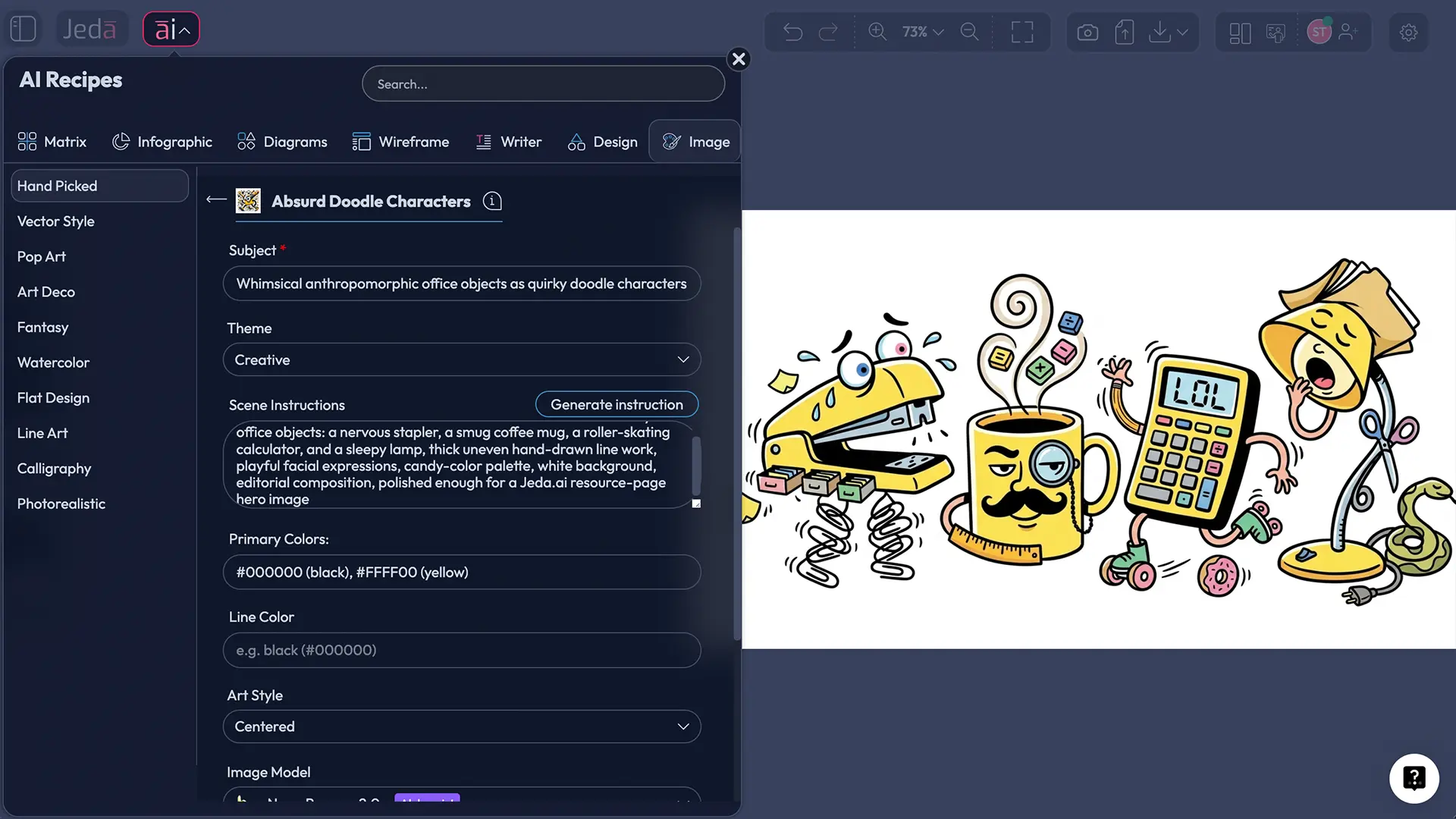
In Jeda.ai, open the AI Menu at the top-left, go to the Art recipes, choose the Hand Picked category, and select Absurd Doodle Characters AI Art. From there, fill in the required Subject field, choose a Theme, add Scene Instructions if needed, pick Primary Colors, set a Line Color, and choose the art style framing: Full Length or Centered.
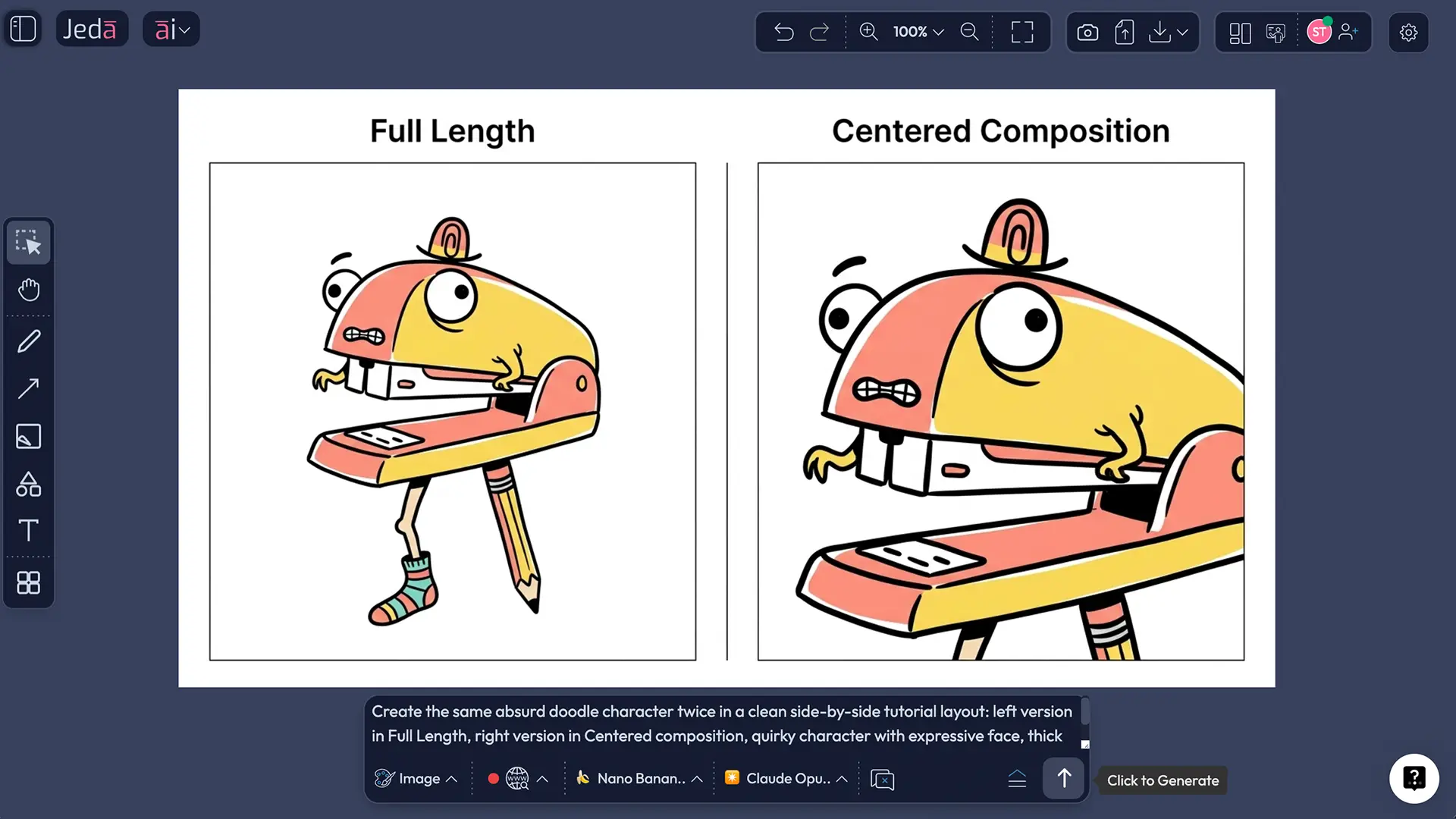
Full Length works better when pose, props, footwear, or body language are part of the joke.
Centered works better when the face, silhouette, or badge-like composition needs to carry the whole image.
- Open the AI Menu
In the top-left of Jeda.ai, click the AI Menu, then open Art recipes and choose the Hand Picked category.
- Choose Absurd Doodle Characters AI Art
Select the Absurd Doodle Characters AI Art recipe to load the guided image form.
- Enter the required subject
Type a clear subject such as 'a sleepy office printer', 'a skateboard banana', or 'a detective teapot'.
- Pick the mood and framing
Choose a theme from the dropdown, then select either Full Length or Centered depending on whether pose or facial expression matters more.
- Guide the look
Add scene instructions, choose your primary colors, and set the line color so the doodle style feels intentional instead of random.
- Generate and compare
Click Generate, review the image, and regenerate with tighter instructions if the humor, silhouette, or color balance feels off.
Art > Hand Picked > Absurd Doodle Characters AI Art, then show the Subject, Theme, Scene Instructions, Primary Colors, Line Color, and Full Length or Centered fields]" />
Method 2: Prompt Bar
Use this when you want more authorship.
Open the Prompt Bar at the bottom of the canvas, select the Art command, choose your image model, pair it with a reasoning model if you want help shaping the concept, and write the prompt directly. This method is especially useful when you want to specify composition, expression, prop logic, color contrast, or multiple character variants.
For this workflow, you choose one image model at a time. Current options include GPT Image 1, GPT Image 1.5, Nano Banana, Nano Banana Pro, Imagen 4.0, and Nano Banana 2.0. You can also pair the prompt with a reasoning model such as GPT-4o, GPT-5 Mini, GPT-5.4, Claude Sonnet 4.5, Gemini 2.5 Pro, o3, or Claude Opus 4.5 when you want help sharpening the scene instruction or absurd twist.
This is also the only place where web search enters the picture for this workflow. If your subject depends on current references, topical items, or live visual context, you can use the Prompt Bar’s web search toggle there. Not in the recipe form.
- Open the Prompt Bar
At the bottom of the Jeda.ai workspace, open the Prompt Bar and select the Art command.
- Choose your models
Pick one image generation model, then select a reasoning model if you want help drafting or sharpening the prompt.
- Write the image prompt
Describe the subject, absurd twist, expression, line style, palette, and framing. Ask for Full Length or Centered composition explicitly.
- Use web search only when needed
Turn web search on only if the subject depends on current references, named objects, or live trends. Otherwise keep the prompt focused on visual direction.
- Generate and refine
Review the result, then tighten one variable at a time: pose, colors, line weight, background simplicity, or facial exaggeration.
- Save the winner
Keep the strongest version for your campaign, board, deck, sticker concept, or moodboard, then generate alternates only after the core look works.
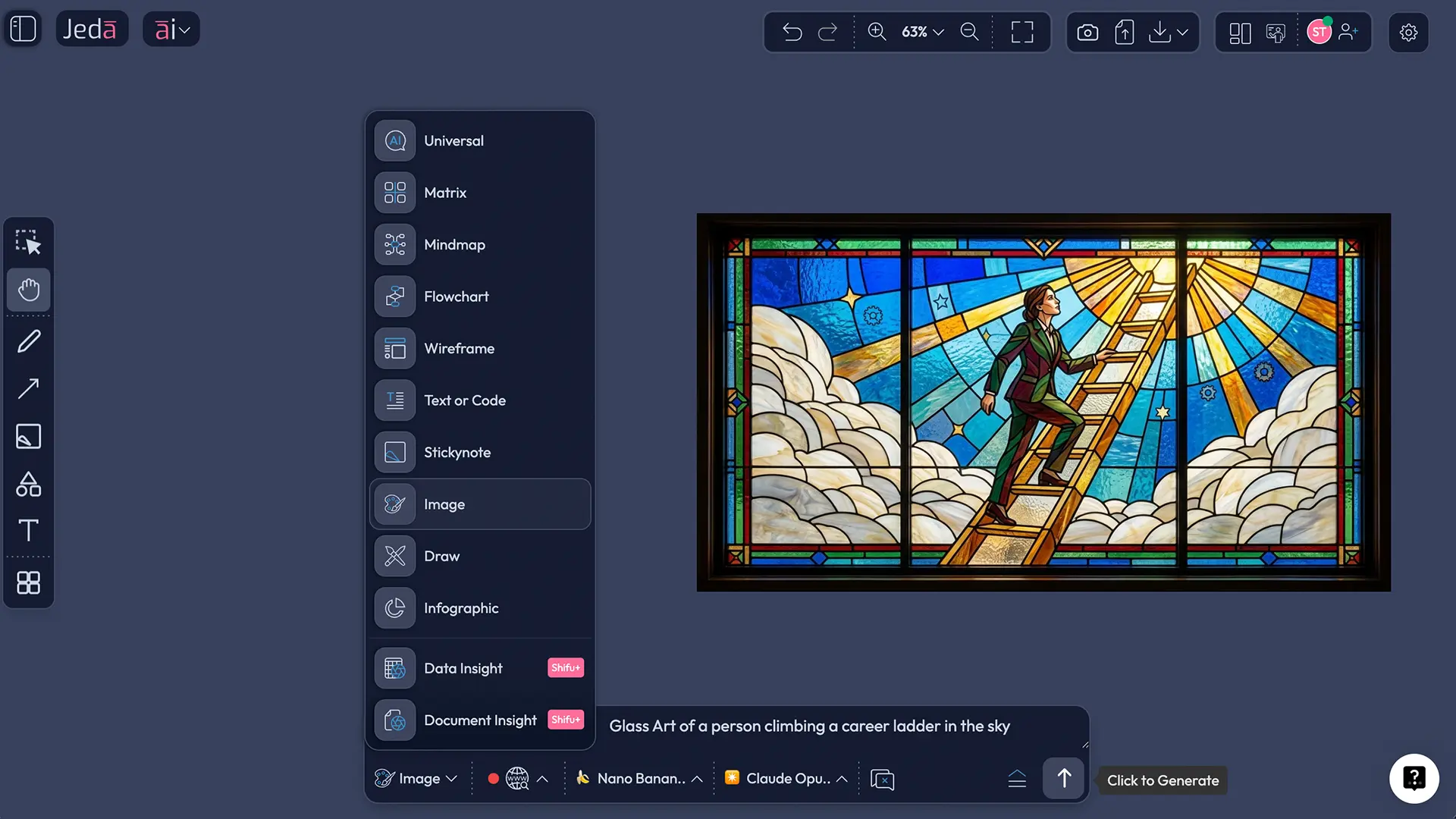
Because the Art workflow returns a static image, your refinements happen in the prompt itself. That’s not a limitation so much as the rules of the game. You don’t extend this with AI+. You direct it better.
Prompt formula that makes the weirdness work
Here’s the pattern we’ve found works best:
Subject + absurd twist + emotional expression + prop or costume + line behavior + color plan + framing
That sounds obvious. But it’s the difference between “we got a quirky blob” and “we got something memorable.”
Here are five prompt directions you can drop into Jeda.ai and tune:
- A grumpy toaster as a street magician, suspicious eyes, striped cape, tiny rabbit peeking out, thick black line work, red-yellow-blue palette, white background, Centered
- A full-length detective banana, oversized trench coat, magnifying glass, one raised eyebrow, sketchy navy line work, mustard and teal accents, Full Length
- A shy laptop plant hybrid, leaf hair, anxious smile, tangled charging cable legs, messy green line art, mint-coral palette, Centered
- A skateboarding moon made of notebook doodles, confident face, knee pads, star stickers, bold cobalt line work, pastel yellow and lavender, Full Length
- An overworked office stapler choir conductor, baton in hand, dramatic expression, playful red line work, three-color palette, Centered
Notice what changes from prompt to prompt. Not everything. Just the right pieces.
Meta’s current AI art prompt guidance recommends naming what you want, adding useful detail, generating a test image, then refining and retrying. OpenAI’s prompt advice says almost the same thing in plainer words: be specific, give enough context, and iterate. That is basically the whole game here.
Where this style is actually useful
Let’s not pretend every doodle needs to become a mascot empire. Still, this style has more practical uses than people expect.
Social content that doesn’t look dead on arrival
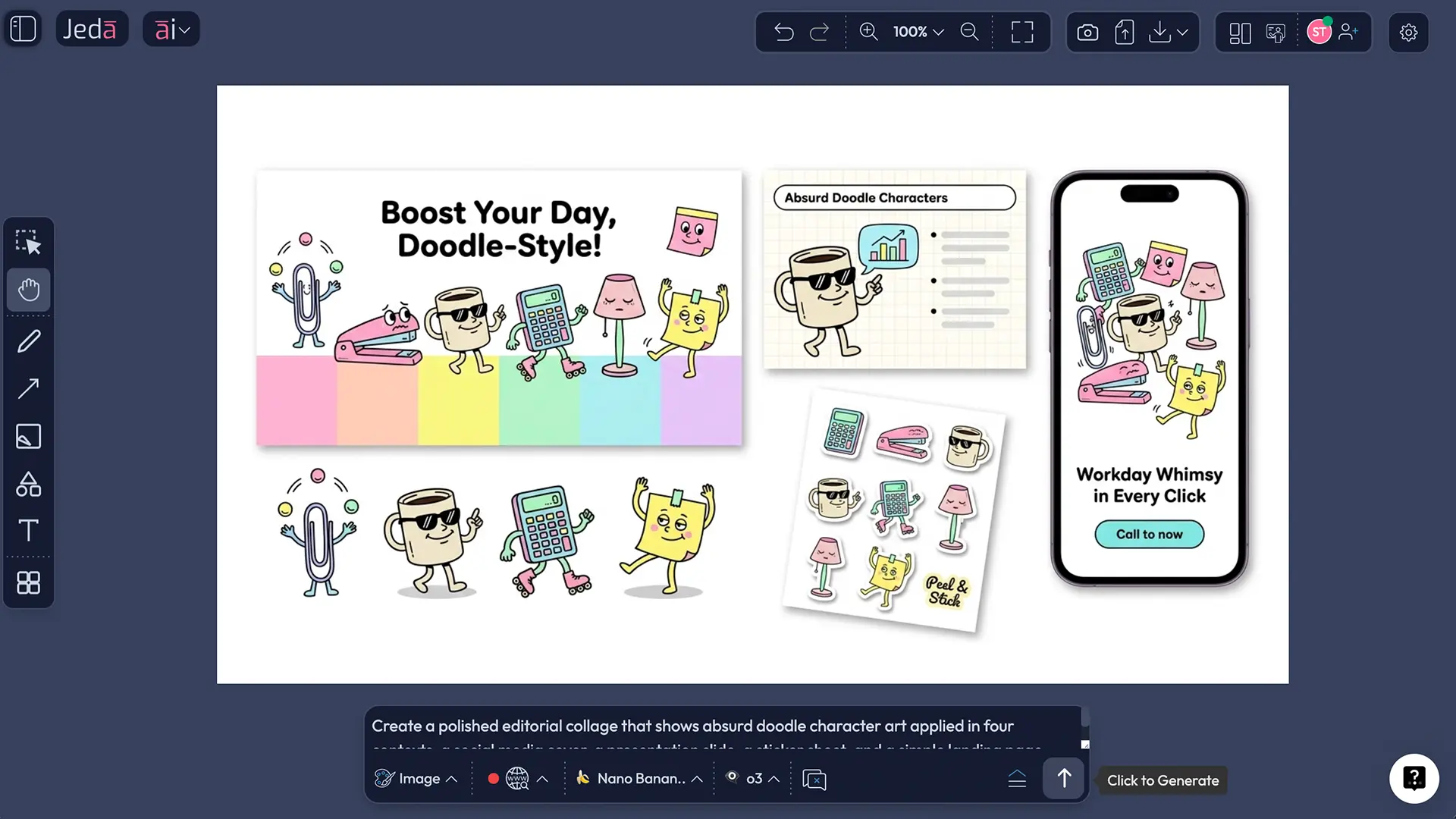
Doodle characters are sticky. They stop the scroll because they feel handcrafted even when AI helped build them. Use them for reaction graphics, campaign characters, carousel covers, or event promos.
Internal decks that need a pulse
Some presentations die from being technically correct and emotionally vacant. A bizarre doodle character can break that stiffness. Not for every slide. Just enough to keep the room awake.
Brand experiments without a six-week design spiral
Want to test whether your audience responds to playful, odd, offbeat illustration? This is a cheap way to find out before you commit to a whole illustration system.
Sticker packs, merch tests, and lightweight IP exploration
This is where Centered outputs shine. You can generate badge-like or avatar-style characters, test reactions, and quickly decide whether a character direction deserves further art development.
And yes, there’s a strategic angle. The same AI Workspace that helps teams structure ideas with 300+ strategic frameworks can also help them test tone, personality, and visual distinctiveness. Strategy isn’t always a matrix. Sometimes it starts with a ridiculous moon on a skateboard.
Best practices for stronger results
One more good habit: treat scene instructions like a director’s note, not a second prompt stuffed into the same box. Short, visual, pointed. “Standing in a puddle of spilled coffee with proud expression” beats three dense lines of over-explaining.
Common mistakes to avoid
Mistake 1: Making the subject too abstract too early
If the base subject is fuzzy, the output usually gets mushy. Start with something concrete. Mug. Chair. Lemon. Printer. Then twist it.
Mistake 2: Asking for ten styles at once
“Absurd, realistic, sentimental, dramatic, funny, surreal, scenic” is how you get visual soup. Pick one dominant theme. Add one secondary mood at most.
Mistake 3: Ignoring line color
Doodle art lives or dies on contour. A bad line color can flatten the character even when the shape is good.
Mistake 4: Treating centered and full length as interchangeable
They are not. Centered is for face-first, icon-like clarity. Full Length is for posture, limbs, accessories, and movement.
Mistake 5: Forgetting the output is static
This is an Art workflow, not a smart-shape workflow. You do not fix this with AI+ on the object. You improve the prompt, regenerate, and move on.
Frequently Asked Questions
- What is Absurd Doodle Characters AI Art?
- It is a playful image style where an ordinary subject becomes a strange, expressive, hand-drawn-style character. The result feels sketchy, humorous, and visually memorable rather than polished in a conventional stock-illustration way.
- When should I use the recipe instead of the Prompt Bar?
- Use the recipe when you want speed and guardrails. Use the Prompt Bar when you want more control over composition, emotion, prop logic, or live subject research through web search.
- What is the difference between Full Length and Centered?
- Full Length shows the whole character, so pose, costume, and body language matter. Centered focuses attention on the face, silhouette, and main expression, which works better for stickers, avatars, and icon-like visuals.
- Do I need scene instructions every time?
- No. Start without them if the subject is already strong. Add scene instructions when you need clearer context, stronger humor, a prop-based gag, or a more deliberate setting.
- How many colors should I use?
- Two to four main colors usually work best. That keeps the doodle readable, punchy, and easier to reuse across social graphics, presentation visuals, or lightweight brand experiments.
- Can I use web search with this workflow?
- Yes, but only from the Prompt Bar. Turn it on when your subject needs current references or named objects. For purely imaginative character work, it is usually unnecessary.
- Can I edit the generated doodle directly on the canvas?
- Not like a smart-shape diagram or matrix. Art outputs are static images, so major changes happen by refining the prompt and regenerating a better version.
- Is AI+ available for this recipe?
- No. This page’s workflow does not use the AI+ button. Since the Art command returns static images, the better move is prompt refinement, not extension from an existing object.
- Which themes work best for absurd doodle characters?
- Creative, Absurd, Funny, Whimsical, Magical, and Science Fiction are usually the easiest starting points. Realistic can work too, especially when the humor comes from treating a ridiculous character with serious visual framing.
- What makes a doodle character feel memorable?
- A clear silhouette, one dominant emotion, one strong prop, and a limited palette do most of the work. If viewers can describe it in one sentence, the concept is probably strong enough.
Sources & Further Reading
- [1]
Andrade, Jackie (2010) . “What Does Doodling do?” Applied Cognitive Psychology.
View Source ↗ - [2]
Meta AI (2026) . “AI Art Prompts: 5 Examples + Guide to Creating Them” Meta AI.
View Source ↗ - [3]
OpenAI (2026) . “Prompt Engineering Best Practices for ChatGPT” OpenAI Help Center.
View Source ↗ - [4]
Domestika (2020) . “What is Doodle Illustration?” Domestika Blog.
View Source ↗
Start Your Absurd Doodle Characters AI Art Workflow
Join over 150,000+ users who use Jeda.ai’s AI Workspace to turn ideas into visuals, from strategic frameworks to playful art experiments.
Try Free Template