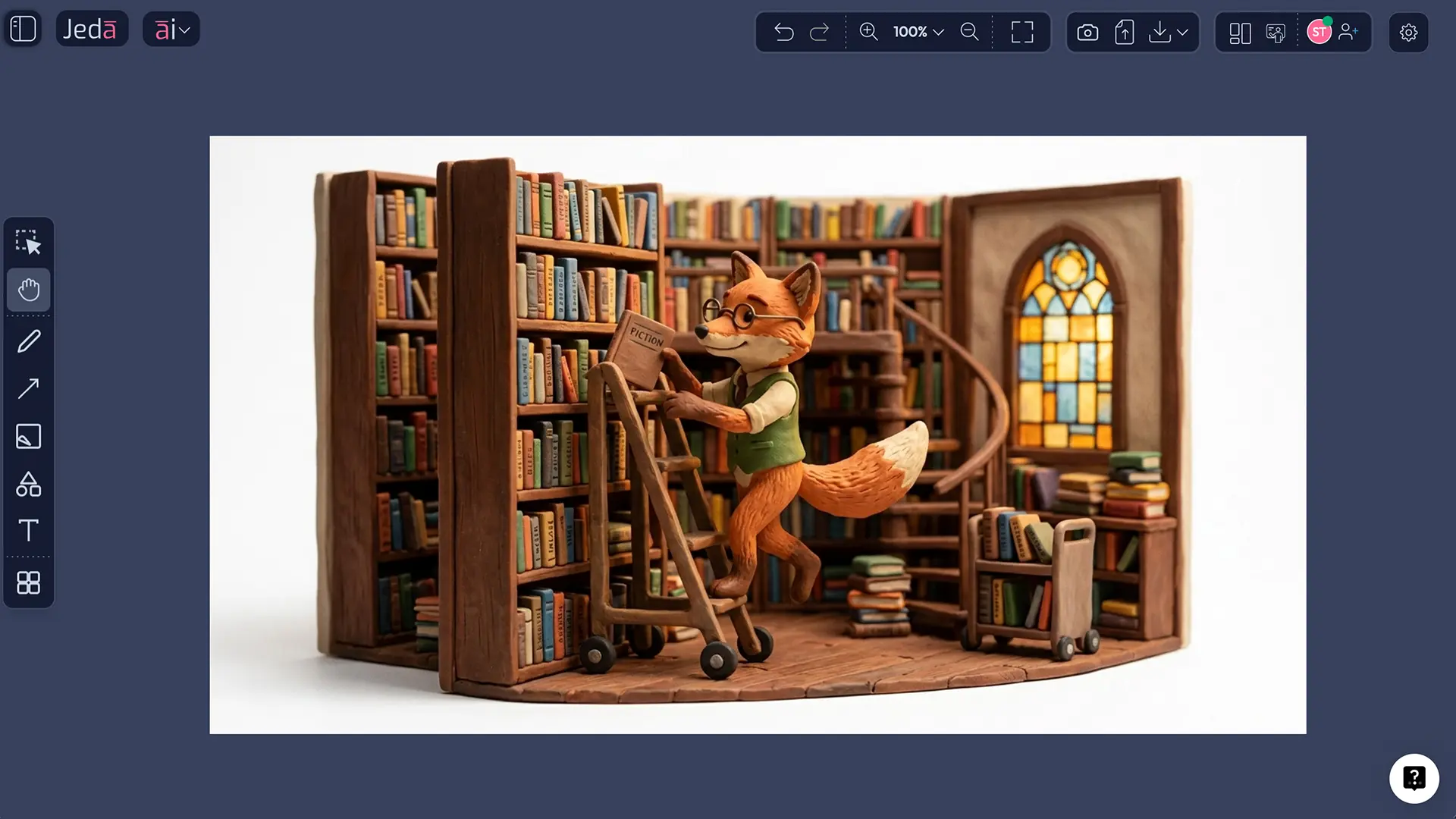
Claymation AI Art works because the style already carries a strong visual grammar. You do not need motion to suggest motion. A single still frame can imply the whole stop-motion world: hand-shaped figures, matte plasticine surfaces, miniature props, slightly imperfect edges, and lighting that feels staged rather than photoreal. In animation history, clay animation sits inside the broader stop-motion tradition, where physical objects are moved and photographed frame by frame to simulate life.
For Jeda.ai, that matters more than it sounds. Most search results around “AI claymation” still behave like photo filters or quick selfie converters, while the real creative opportunity is bigger: concept art, editorial scenes, product storytelling, educational visuals, and campaign assets that borrow the tactile credibility of handcrafted animation. That gap is exactly where a serious AI Workspace becomes useful. Instead of treating claymation as a novelty effect, you can treat it as a controlled visual language.
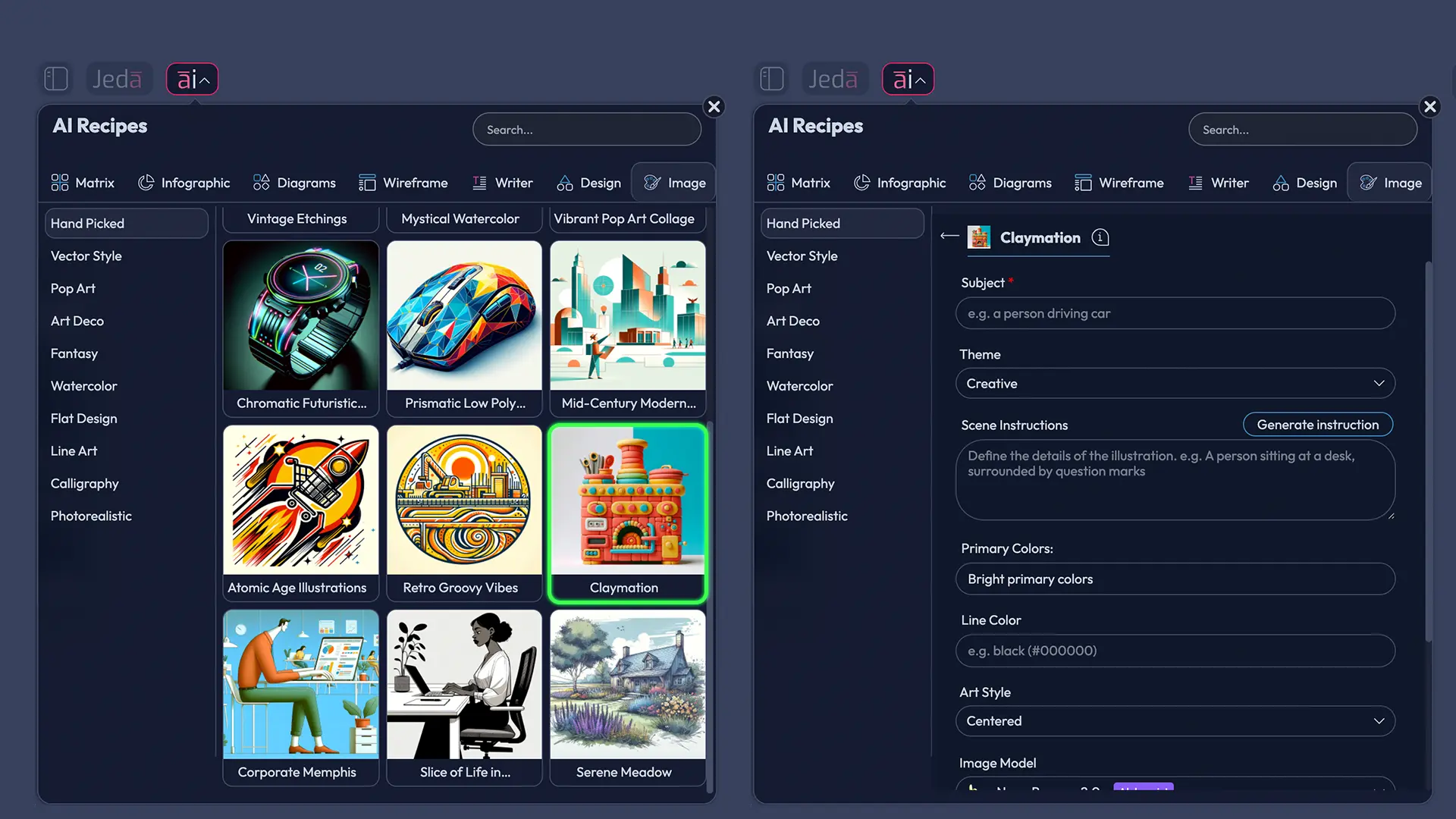
Jeda.ai gives you two clean ways to do that. You can open the AI Menu and use the prebuilt Claymation recipe in the Art area, or you can work directly from the Prompt Bar by selecting the Image command and writing a more explicit art-direction prompt. In both cases, the result is an image object rather than an editable Smart Shape, which fits the platform’s image-output rules. Jeda.ai positions this inside a broader Visual AI workflow, so the same AI Whiteboard and AI Workspace can hold your generated art beside strategy boards, brand notes, design references, and team comments.
Jeda.ai is not just an image toy. It is an AI Whiteboard and AI Workspace used by 150,000+ users, with 300+ strategic frameworks in the wider platform and a dedicated Art workflow in the AI Menu for styled image generation. The Claymation recipe lives naturally inside that environment: structured enough for repeatability, open enough for visual experimentation.
What is Claymation AI Art?
Claymation AI Art is the generation of still images that mimic the visual properties of clay animation. Historically, clay animation belongs to stop-motion practice: physical figures are shaped, positioned, and photographed in incremental changes. Aesthetically, that produces an unusual combination of volume and fragility. Characters feel sculpted rather than drawn. Sets feel built rather than rendered. And surfaces often preserve the evidence of the hand—tool marks, compression, fingerprints, seams, dents, and uneven edges. Britannica’s account of nontraditional animation and Maselli’s historical survey of stop-motion both point back to the importance of material process in shaping the medium’s meaning.
That “touched” quality is precisely why claymation remains relevant in an AI-saturated image culture. Scholarship on Aardman keeps circling back to the same point: clay materiality contributes to perceived authenticity. Not because viewers mistake it for reality, but because the medium preserves resistance. Clay bends, compresses, cracks, softens under light, and records pressure. Even when AI simulates those effects, the style still signals craft, warmth, and intention. So the goal is not realism in the photographic sense. It is realism of matter.
Why claymation translates so well to AI image generation
AI handles claymation particularly well because the style contains strong, describable cues. You can name them. And once you can name them, you can prompt them with precision.
- Tactile surface logic
Claymation depends on visible texture—fingerprints, compression marks, matte surfaces, and sculpted seams that AI can be instructed to simulate.
- Miniature worldbuilding
The style thrives on handmade sets, props, and staged lighting, which makes scene direction clearer than in many abstract illustration styles.
- Controlled color design
Primary colors and line color choices help unify the image, especially when you want the result to feel toy-like, nostalgic, comic, or editorial.
- Cinematic implication
Even a single frame can imply a stop-motion narrative, because claymation naturally suggests a paused shot from a larger animated sequence.
The live search ecosystem around this topic proves the point in a slightly chaotic way. Many ranking pages are “photo to clay” tools and claymation generators focused on portraits, pets, and quick uploads. They emphasize speed, fast transformation, and FAQ-heavy landing pages. Useful, sure. But shallow. Jeda.ai can take the stronger route by treating claymation as an art-direction workflow rather than a filter. That is the better educational angle, and frankly the more durable one.
How to create Claymation AI Art in Jeda.ai
Jeda.ai supports this workflow through the AI Menu and the Prompt Bar. For art-and-image topics, the platform uses the Art recipe path in the AI Menu and the Image command in the Prompt Bar. The current setup also matters in two practical ways: image outputs are static rather than editable Smart Shapes, and the Image command uses separate selectors for the image model and the reasoning model.
Method 1: Recipe
This is the more structured route. It suits teams, repeatable brand work, and anyone who wants a clean form instead of a blank prompt.
For the Claymation recipe, use these inputs as your control panel:
| Recipe input | What to enter | Why it matters |
|---|---|---|
| Subject | The main object, person, animal, or scene anchor | This is the non-negotiable semantic core |
| Theme | Creative, Realistic, Surrealistic, Absurd, Abstract, Fantasy, Mythical, Magical, Space Travel, Science Fiction, Futuristic, Whimsical, Funny, Sentimental, Uplifting, Action, Dramatic, Nostalgic, Scenic, Portrait, StillLife, Nature | Theme controls mood and visual rhetoric |
| Scene instruction | Miniature-set guidance, camera framing, prop details, motion implication, atmosphere | This is where the image becomes specific instead of generic |
| Primary colors | Two to four dominant colors | Keeps the palette intentional |
| Line color | Outline or edge-accent color | Helps stylize figures and props |
| Image model | GPT Image 1, GPT Image 1.5, Nano Banana, Nano Banana Pro, Imagen 4.0, or Nano Banana 2.0 | Controls rendering behavior |
| Reasoning model | GPT-4o, GPT-5 Mini, Gemini 2.5 Flash, GPT-5.4, Grok 3, DeepSeek R1, Claude Sonnet 4.5, LLaMA 4 Maverick, Gemini 2.5 Pro, Grok 4 Fast, o3, or Claude Opus 4.5 | Helps shape prompt interpretation and scene logic |
- Open the AI Menu
Click the AI Menu at the top-left of the canvas and move into the Art area where Jeda.ai keeps its image-style recipes.
- Choose the Claymation recipe
Select Claymation from the Hand Picked art recipes so the platform loads the correct guided form and art-oriented generation path.
- Define the Subject first
Enter the central subject in one sharp noun phrase. Start with the thing that must remain recognizable: astronaut cat, bakery storefront, violinist, coral reef, ceramic robot, or similar.
- Set the Theme deliberately
Use the theme dropdown to choose the emotional and stylistic register. Nostalgic, Whimsical, Futuristic, Scenic, Portrait, and Nature produce very different claymation worlds.
- Write scene instructions like a production designer
Describe the miniature set, props, camera angle, lighting, depth of field, and tactile surface cues. This is where visible fingerprints, matte plasticine, tiny handcrafted objects, and stop-motion staging should appear.
- Lock the color system
Choose primary colors and a line color that support the scene. Keep the palette compact. Claymation gets muddy fast when too many colors compete.
- Pick image and reasoning models
Select one image model for rendering and one reasoning model for prompt interpretation. In this workflow, the image model remains single-threaded even if you use more than one reasoning pass.
- Generate and evaluate the tactile cues
Generate the image, then review whether the result actually looks sculpted: surface marks, miniature props, volumetric character forms, staged shadows, and a believable handcrafted set.
Method 2: Prompt Bar
Use this route when you want tighter authorship, faster iteration, or live experimentation inside the AI Whiteboard.
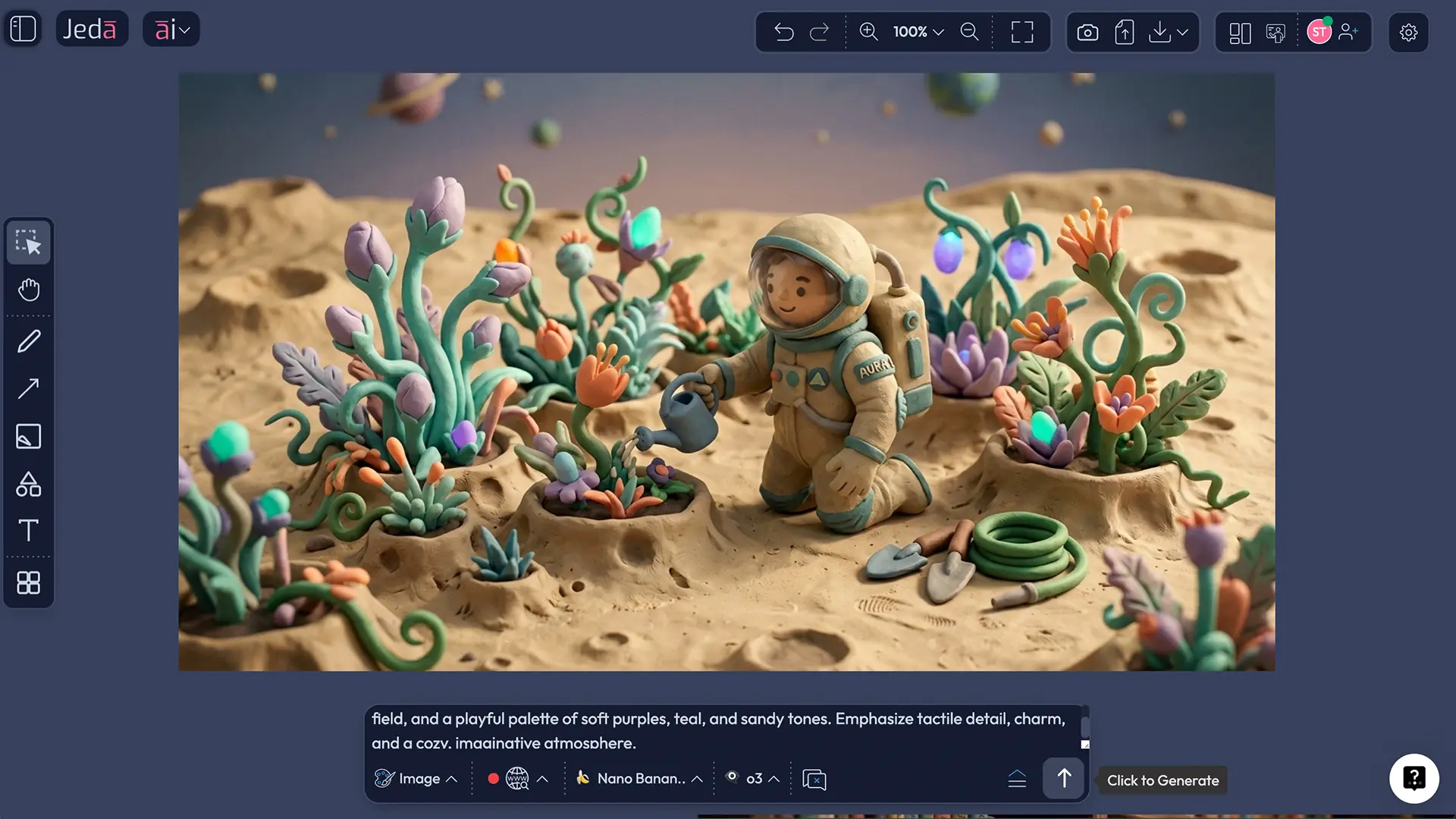
Open the Prompt Bar at the bottom of the canvas, select the Image command, choose your image model, choose your reasoning model, and write the prompt as if you were briefing a stop-motion art director. The Image command uses separate model selectors side by side, and the resulting image is generated as a static asset on the canvas. On supported setups, the Prompt Bar can also expose web search, which is the right place to ground references for current objects, places, fashions, or product details. For this Claymation workflow, keep the image model single and use the reasoning model to strengthen scene logic rather than to imitate an aggregation step.
Prompt anatomy: what makes a result read as claymation
A good claymation prompt is never just “make this look like clay.” That usually produces a glossy toy render or a generic 3D cartoon. You need material evidence.
What you are doing, in effect, is reconstructing stop-motion logic in text. Stop-motion scholarship repeatedly emphasizes that the medium evolves through materials, fabrication processes, and technical innovation. Clay is not just a look layered on top of content. It is part of the content system. When prompts ignore that, the output drifts into shiny CGI. When prompts respect it, the image begins to feel staged, handled, and plausibly handmade.
Claymation AI Art examples and where the style performs best
Claymation-style imagery shines when you want warmth, character, and memorability without defaulting to photorealism. In practice, that means a few reliable use cases.
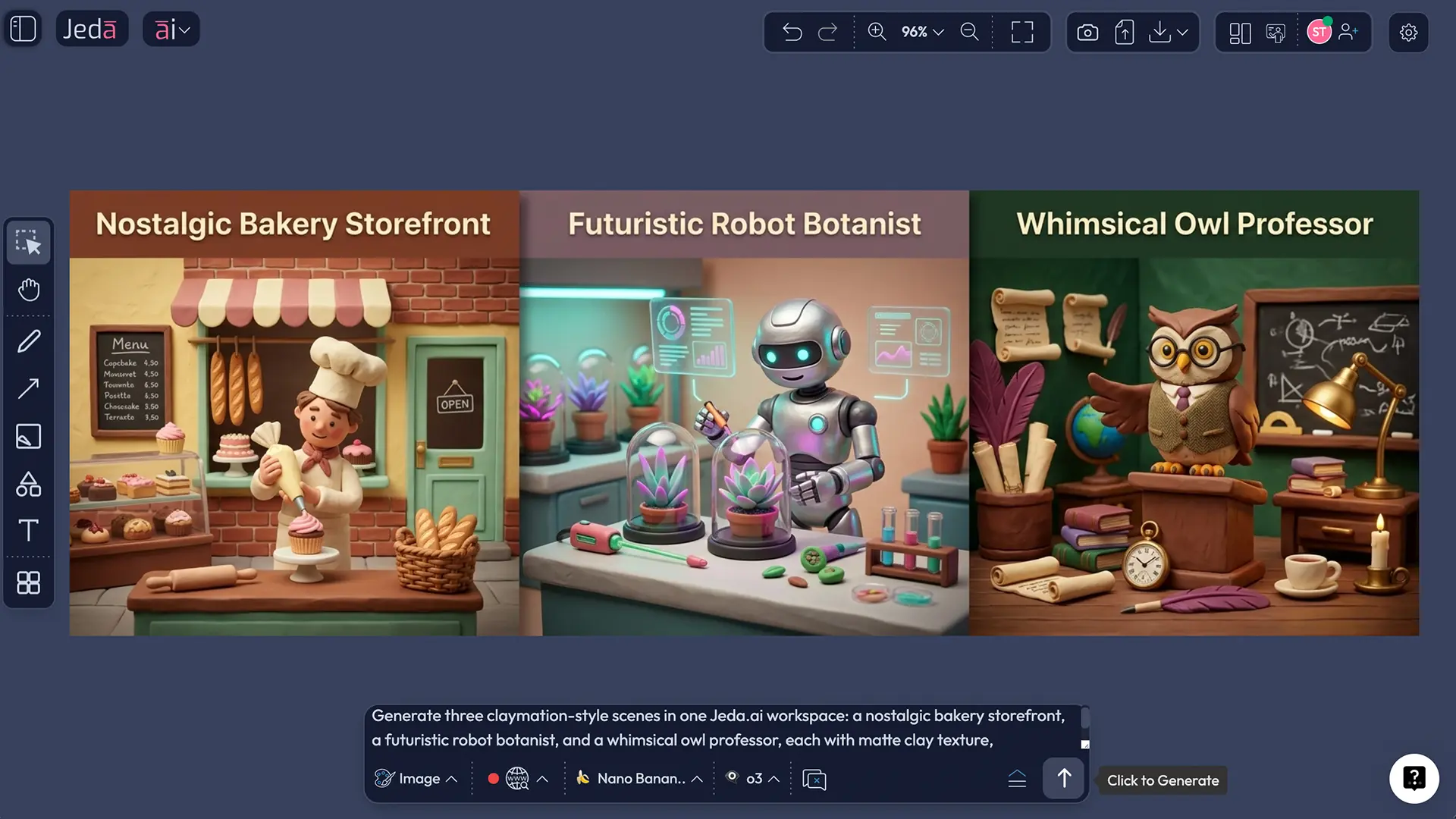
First, editorial and explainer visuals. Claymation can turn abstract topics into tactile metaphors. A burnout article becomes a drooping clay office plant. A fintech explainer becomes a miniature clay city with rising and falling blocks. The style is especially useful when you want seriousness without visual coldness.
Second, brand campaigns with a handcrafted angle. Not every product should look luxury-minimal. Some should look human. Claymation works well for food, family brands, learning products, museums, playful SaaS explainers, and seasonal campaigns because the medium carries warmth and deliberateness almost by default.
Third, concept development inside an AI Workspace. On Jeda.ai’s AI Whiteboard, the art does not need to live alone. You can place generated claymation scenes beside copy drafts, storyboard notes, color decisions, competitor references, and campaign logic. That is a small but important difference from single-purpose image tools. The art remains the image, but the workspace around it becomes a thinking surface.
Best practices for better outputs
A few practical rules make a disproportionate difference.
Keep the subject count low. Claymation scenes become noisy when too many figures compete for attention.
Prefer verbs with visible posture. “Leaning,” “balancing,” “reaching,” “glancing,” and “pedaling” give sculptural bodies something to do.
Use lighting language that implies craft: practical lamp glow, soft theatrical spotlight, warm studio bounce, overcast miniature daylight.
And be careful with realism. Claymation is not anti-real, but it is anti-frictionless. If everything is too smooth, too reflective, too perfect, the style collapses.
Common mistakes to avoid
The first mistake is prompting for claymation and photorealism at the same time. That contradiction usually produces strange plastic skin, half-CGI props, or a general “toy render” look. Pick the tactile route and commit.
The second is forgetting the set. Claymation is rarely just a character on blank nothingness. It is character plus environment plus crafted scale. A bench, a lamp, paper clouds, hand-cut leaves, a wobbly table edge—those details do a lot of the work.
The third is using too many colors. Clay tolerates bold color beautifully, but not chaos. Restrict the palette.
The fourth is describing narrative without describing matter. “A sad astronaut alone on Mars” is a story. It is not yet a claymation image. Add the clay logic.
The fifth is assuming you can edit the output like a diagram. You cannot. Jeda.ai’s image outputs are static assets, which is the right expectation to set from the beginning.
Frequently asked questions
- What makes an AI image read as claymation instead of generic 3D art?
- Claymation AI Art reads correctly when the prompt includes material evidence: matte plasticine texture, visible sculpting marks, miniature props, staged lighting, and slightly imperfect forms. Without those cues, the result usually drifts into smooth 3D cartoon imagery rather than stop-motion-inspired craft.
- Is Claymation AI Art the same thing as stop-motion animation?
- Not exactly. Claymation AI Art is usually a still-image workflow that imitates the look of clay animation. Clay animation itself belongs to stop-motion practice, where physical objects are moved and photographed frame by frame to create motion. The still borrows the visual language, not the full production method.
- Which subjects work best with the Claymation recipe?
- Characters, animals, toys, stylized portraits, food objects, miniature storefronts, whimsical landscapes, and narrative props usually work best. The style rewards subjects with strong silhouettes and expressive forms, because sculptural readability matters more here than microscopic photoreal detail.
- Should I use the recipe or the Prompt Bar for claymation work?
- Use the recipe when you want repeatability and clearer input fields. Use the Prompt Bar when you need tighter art direction or faster experimentation. In practice, teams often begin with the recipe for structure and then switch to the Prompt Bar for refinements.
- Can I use web search while generating Claymation AI Art in Jeda.ai?
- In this workflow, web search belongs to the Prompt Bar path on supported models and plans. It is useful when your prompt depends on current references, such as present-day fashion objects, product details, city landmarks, or cultural events that need more factual grounding.
- Can I generate with multiple image models at once?
- No. The image model in this claymation workflow remains single-model. You can, however, use the reasoning side to strengthen interpretation when supported. That means the rendering engine stays singular even if the planning logic around the prompt becomes more sophisticated.
- Are Claymation images editable after generation?
- No. Jeda.ai treats image outputs as static image assets rather than editable Smart Shapes. You can move, place, compare, and use them inside the workspace, but you do not edit them like a matrix, flowchart, or mind map node system.
- What should I put in the scene instruction box?
- Use the scene instruction box for miniature-set logic: props, camera angle, lighting, mood, depth of field, and tactile details such as fingerprints or tool marks. Think like a stop-motion production designer rather than like a keyword collector.
- How many colors should I specify for good claymation results?
- Usually two to four dominant colors are enough. Claymation gets stronger when the palette feels shaped rather than sprayed everywhere. A restrained palette also helps the AI preserve the handcrafted illusion instead of producing a busy scene with inconsistent material cues.
- Why is claymation still appealing in the age of AI images?
- Because claymation carries visible material resistance. It feels touched, staged, and physically made, even when simulated. That sense of authenticity—warm, tactile, and slightly imperfect—still stands apart from the polished smoothness that dominates much AI-generated visual culture.
Sources & further reading
The short version: claymation remains compelling because it combines sculptural tactility with cinematic staging. The animation literature supports that view, and the current web ecosystem around “AI claymation” still leaves room for more serious educational content. Jeda.ai is well positioned to occupy that lane because its AI Workspace and AI Whiteboard can hold both the generated image and the thinking around it.
- [1]
Encyclopaedia Britannica Editors (2026) . “Animation: Nontraditional Forms” Britannica.
View Source ↗ - [2]
Vincenzo Maselli (2018) . “The Evolution of Stop-motion Animation Technique Through 120 Years of Technological Innovations” International Journal of Literature and Arts.
View Source ↗ - [3]
Brogan Morris (2024) . “10 Great Stop-Motion Animated Films” BFI.
View Source ↗ - [4]
Annabelle Honess Roe (2020) . “Aardman Animations: Beyond Stop-Motion” Bloomsbury Academic.
View Source ↗ - [5]
Laura Ivins (2020) . “Performing Authenticity through Clay in the Wallace and Gromit Films” Referenced in Animation Studies / Aardman Animations: Beyond Stop-Motion.
View Source ↗
Start Creating Claymation AI Art in Jeda.ai
Join over 150,000+ users using Jeda.ai as an AI Workspace and AI Whiteboard for creative, visual, and strategic work.
Try Jeda.ai