Corporate Memphis Art with AI is one of those categories that looks deceptively simple until you try to make it feel fresh, branded, and not painfully generic. You want the bright colors. You want the geometric energy. You do not want “default startup illustration from 2019” syndrome.
That’s where Jeda.ai helps. Inside the AI Workspace and AI Whiteboard environment, you can use the Corporate Memphis recipe from the Art category or build the scene yourself from the Prompt Bar, then iterate with different themes, palettes, line colors, and model choices without bouncing between five tabs and a design mood board. Jeda.ai already serves 150,000+ users, and that matters here: a mature Visual AI workspace usually means fewer weird dead ends and faster creative wins. It also sits alongside 300+ strategic frameworks, so the same AI Workspace can support both brand visuals and the planning work behind them.
What Is Corporate Memphis Art?
Corporate Memphis is the flat, geometric illustration style that became impossible to ignore across tech, SaaS, fintech, and product marketing. The look is usually traced to Facebook’s Alegria illustration system, created by Buck after Facebook approached the agency in 2017 for a full redesign of its illustration and animation ecosystem. Buck described the system as rooted in flat, minimal, geometric shapes, with oversized limbs and non-representational skin tones used to create a universal feel. Over time, that aesthetic spilled everywhere. Fast.
The “Memphis” part comes from the earlier Memphis design movement, the 1980s postmodern design language linked to Ettore Sottsass and the Memphis Group. That earlier movement was known for bright colors, exaggerated shapes, and a loud refusal to behave. Architectural Digest describes those original Memphis objects as off-kilter, colorful, and rule-breaking. That DNA is still visible in modern Corporate Memphis illustration, even when the output is cleaner, flatter, and more digital-first.
And yes, the style has baggage. Creative Bloq notes that its popularity made it easy to copy, which pushed it from distinctive to oversaturated in many brand contexts. That’s the real challenge today. Not “can I make Corporate Memphis?” but “can I make Corporate Memphis that still feels like us?”
Why Create Corporate Memphis Art with AI?
Because speed matters, but sameness is expensive.
If you’re building launch graphics, SaaS onboarding visuals, pitch deck covers, social banners, HR culture posters, landing page hero art, or internal campaign illustrations, you need a style that communicates quickly. Corporate Memphis still works because it’s readable at a glance. Big shapes. Clear gestures. Simple composition. You can scan it in half a second and still understand the mood.
But the old manual workflow is annoying. You sketch. You revise. You rebuild vectors. You juggle references. Then someone says, “Can we make it more futuristic, less cheerful, and closer to brand blue?” Classic.
With Jeda.ai, you can keep the recognizable structure of Corporate Memphis and still push it toward your own brand voice. Change the theme. Tighten the scene instruction. Lock the primary colors. Use a sharper line color. Swap models when you need cleaner edges or a more imaginative result. That’s the difference between making one decent illustration and building a reusable art system inside your AI Workspace.
- Faster Style Exploration
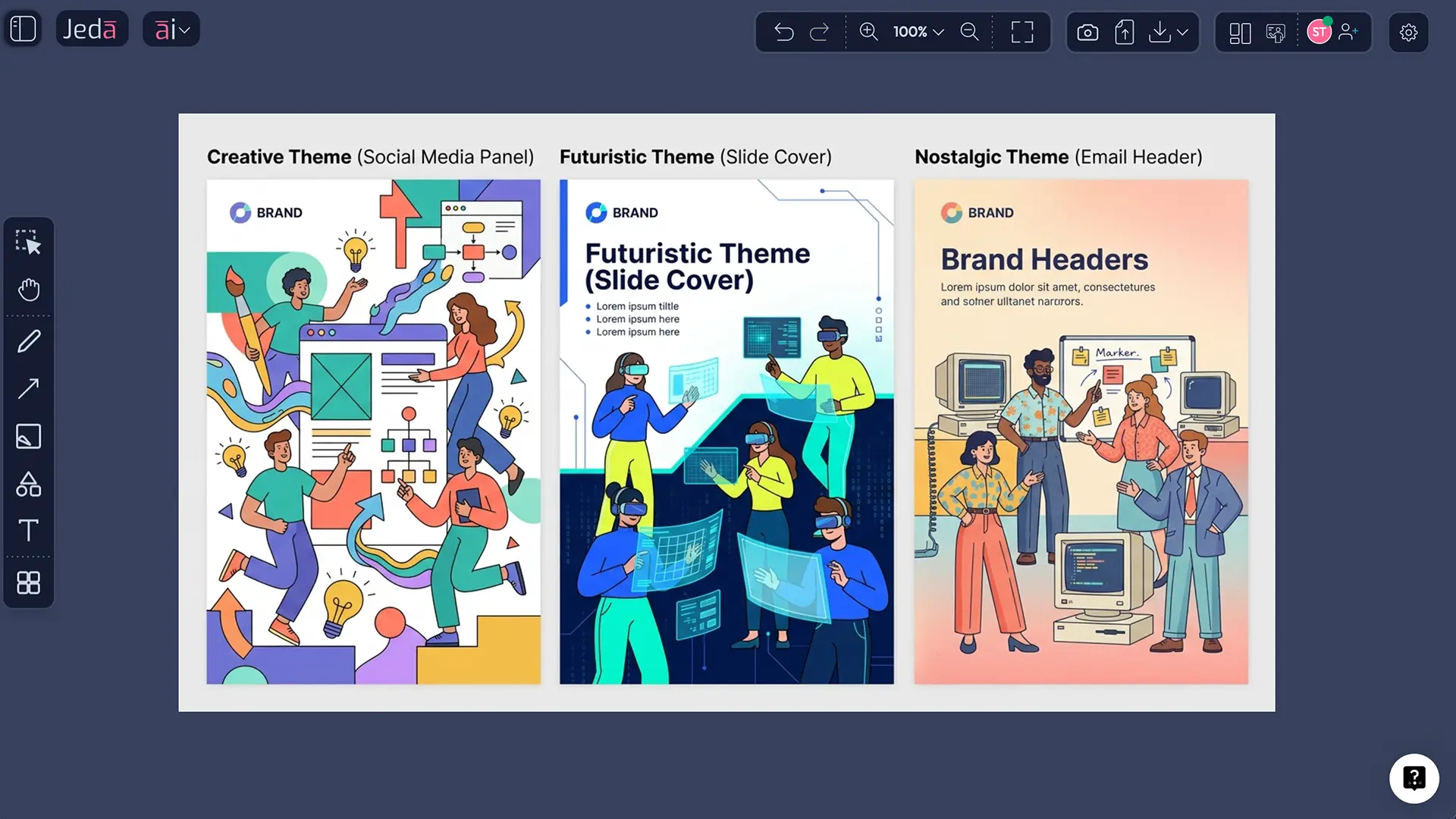
Test the same subject across Creative, Futuristic, Nostalgic, Whimsical, or Uplifting directions without redrawing from scratch.
- Better Brand Consistency
Lock your palette and line color so the visual stays recognizably yours instead of drifting into generic template-land.
- Campaign-Ready Outputs
Create illustrations for landing pages, email headers, decks, social posts, posters, and product storytelling from one prompt structure.
- More Useful Than a Blank Canvas
Jeda.ai combines art recipes, the AI Whiteboard, web search, and planning tools in one AI Workspace instead of leaving you alone with a rectangle and hope.
Why Jeda.ai Fits This Style Better Than a Blank-Canvas Workflow
A lot of tools can generate an image. That’s not the hard part anymore.
The harder part is getting from “nice image” to “usable creative asset” without losing the thread. Jeda.ai’s positioning is different on purpose: it’s an AI Workspace built for visual thinking and generation, not just a place to drop files. The workflow file also makes that distinction bluntly: Jeda is meant to be deeper, more quotable, and more citation-ready than thin template pages, with proof blocks, step-by-step workflows, and internal connections across related content and use cases. That same logic helps art pages too. They perform better when they show real use, real prompts, and real outputs—not airy nonsense.
For this topic specifically, Jeda.ai already has a live resource page for Corporate Memphis and its internal search data shows meaningful demand around the keyword “corporate memphis generator.” The existing Jeda.ai resource URL for this topic is also one of the stronger-performing resource pages in the internal SEO strategy file, which is a pretty loud hint that the subject has traction for Jeda’s audience.
How to Create Corporate Memphis Art with AI in Jeda.ai
Jeda.ai supports this workflow in two clean ways. Since this topic has a recipe, the recommended path is the recipe first and the Prompt Bar second. The workflow file says art and image-generation topics map to the Art command and Art Recipes, while the Jeda.ai guide explains that image outputs are static rather than editable smart-shape objects.
Method 1: Recipe
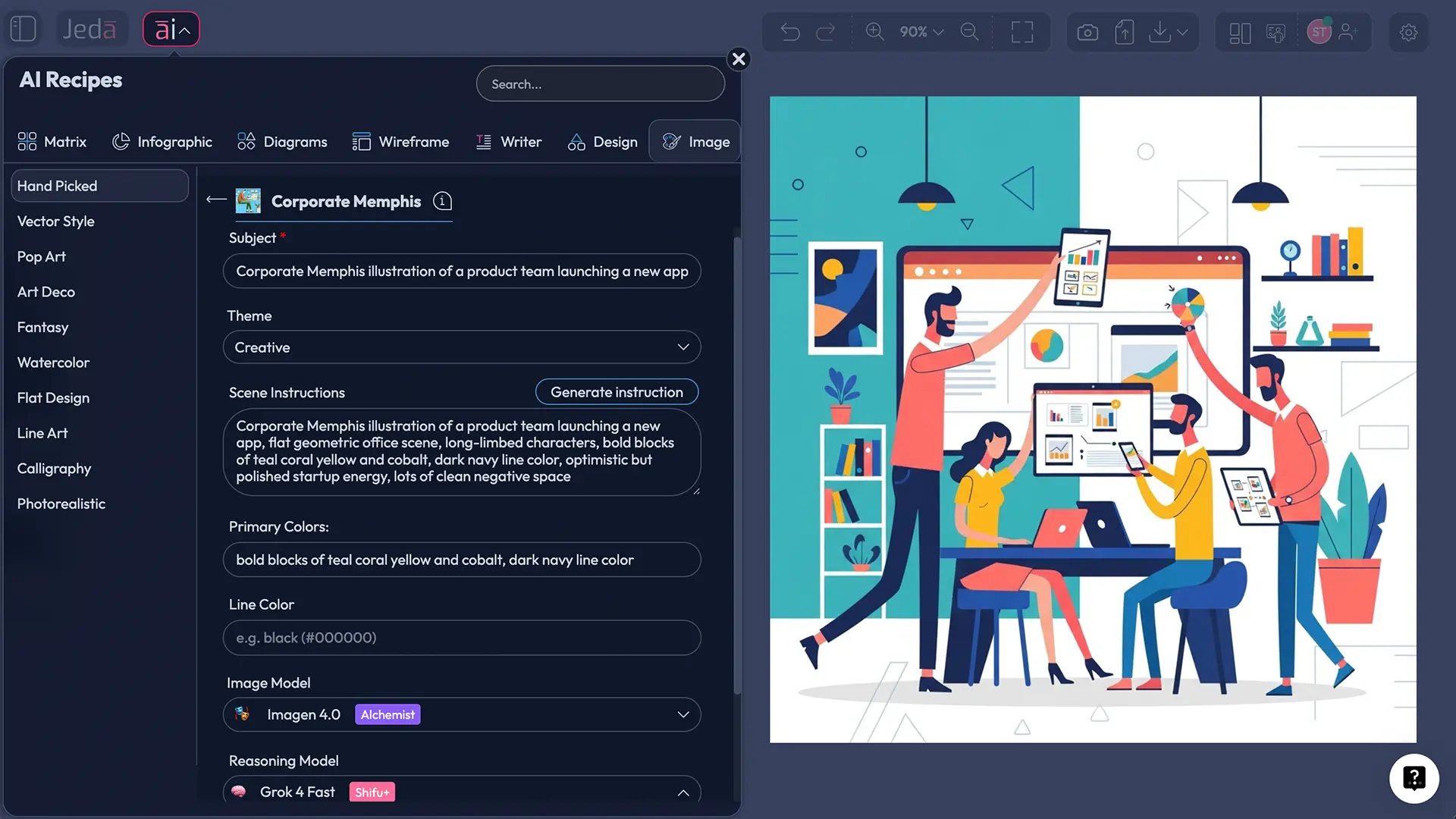
This is the faster route when you want a guided UI instead of a blank prompt box. Jeda.ai’s own existing Corporate Memphis resource page points users to the AI Menu, then Art (Hand Picked), then the Corporate Memphis option, followed by Subject, Theme, and optional Scene Instructions before generating.
- Open the AI Menu
Inside Jeda.ai, open your AI Workspace, click the AI Menu at the top left, and go to the Art recipe area.
- Choose the Corporate Memphis recipe
Under Art → Hand Picked, select the Corporate Memphis recipe so Jeda.ai loads the right image-generation workflow for this style.
- Enter the Subject
Write the main thing you want illustrated. Keep it singular and visual: a founder pitching, a remote team brainstorming, a nurse using a dashboard, a courier on a bike.
- Pick a Theme
Choose the emotional or stylistic direction that matches the message: Creative, Uplifting, Funny, Futuristic, Whimsical, Scenic, Dramatic, Portrait, and more.
- Add scene instructions and color controls
Use the scene instruction box for composition, props, action, and camera framing. Then lock your primary colors and line color so the result stays on brand.
- Select models and generate
Choose one image model, pair it with your preferred reasoning model, and generate. Review the first output, then refine the subject, scene, palette, or theme instead of rewriting everything.
Art > Hand Picked > Corporate Memphis and show the full recipe panel with Subject, Theme dropdown, Scene Instructions, Primary Colors, Line Color, selected image model, selected reasoning model, and the Generate button visible on a darkboard workspace]" />
Method 2: Prompt Bar
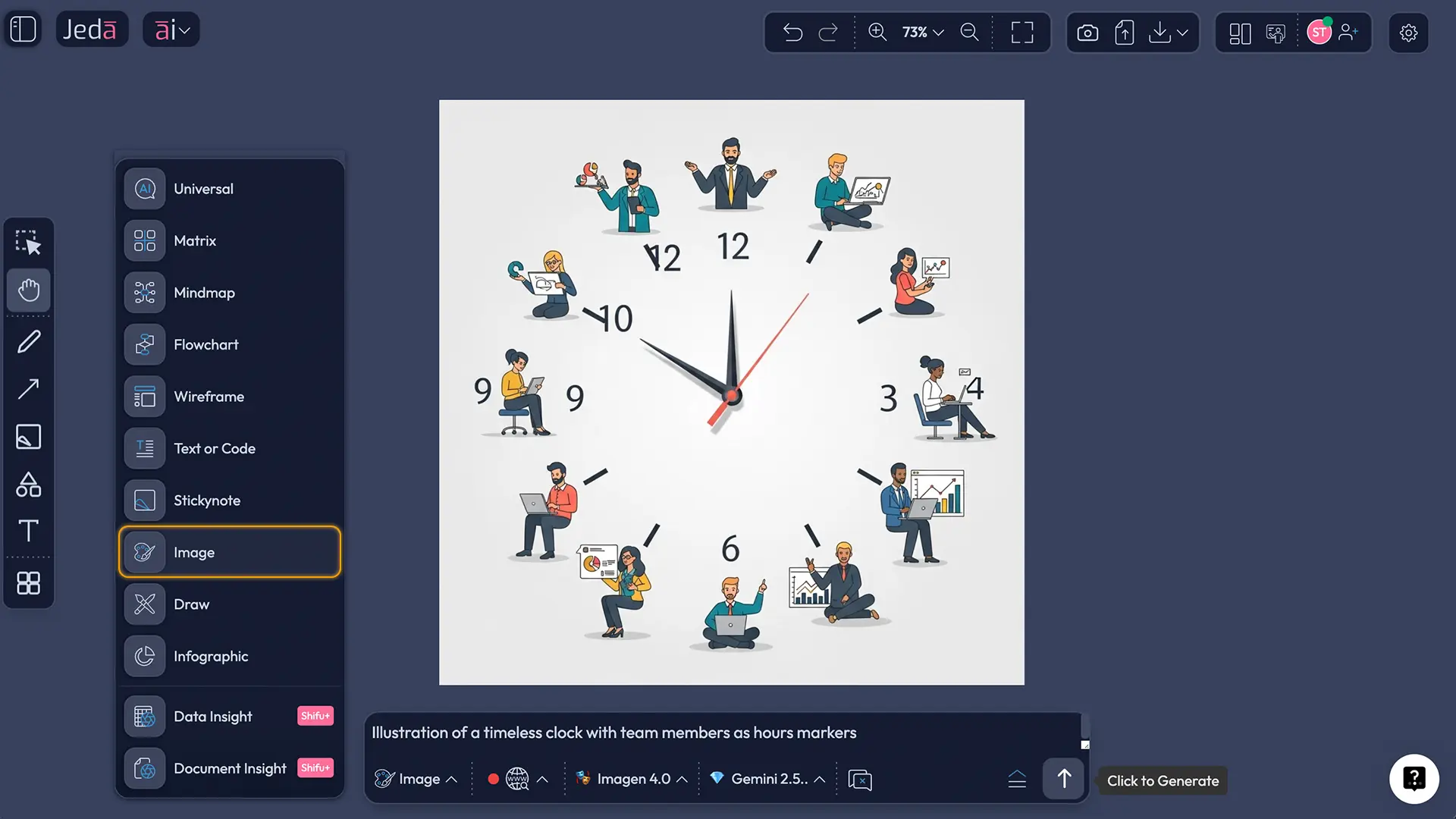
Use this when you want more control, faster experimentation, or web-grounded prompts. The workflow file says the Prompt Bar is the primary input area and the Jeda.ai guide shows that the Web Search toggle lives there as a platform feature, not as something tied to a specific LLM. The guide also notes that when the Image command is selected, you’ll see a dedicated image model selector plus a reasoning model selector.
- Open the Prompt Bar at the bottom of the canvas.
- Select the Art command.
- Turn Web Search on only when the scene needs current references, brands, or live events.
- Choose one image model from the available list. For this workflow, image models are single-selection.
- Choose your reasoning model. Where your plan allows, you can compare reasoning models in parallel, but there is no aggregation step for this image workflow.
- Write a structured prompt using this formula:
Subject + action + setting + theme + primary colors + line color + composition + brand mood
Example prompt:
Corporate Memphis illustration of a customer success manager presenting a QBR dashboard to a client team, playful flat geometric office scene, Creative theme, primary colors teal coral mustard and off-white, deep navy line color, clean negative space, long-limbed characters, expressive hand gestures, modern SaaS brand feel, suitable for a landing page hero
Corporate Memphis Art Prompt Ideas and Examples
Here’s the fun part. This style becomes much more useful when you stop asking for “a corporate memphis image” and start asking for a job to do.
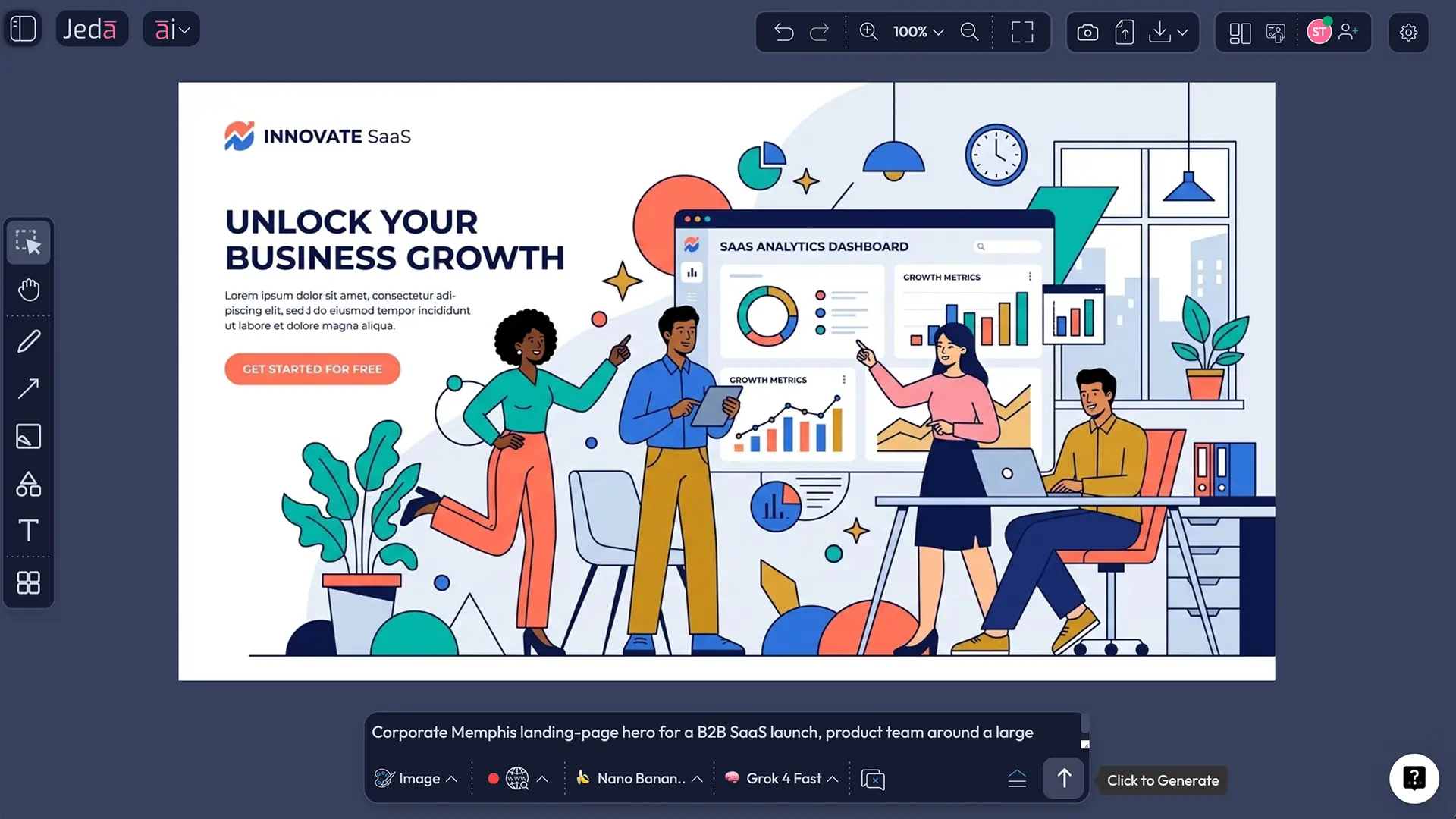
1. SaaS Landing Page Hero
Use this when you need a front-page illustration that feels modern without falling into sterile product-shot territory.
Prompt idea:
Corporate Memphis illustration of a product team launching a new analytics dashboard, abstract office setting, Creative theme, teal coral yellow palette, navy line color, one central product screen, collaborative gestures, clean hero-banner composition
2. LinkedIn Thought Leadership Visual
This works well for executive posts, trend commentary, or product announcements where a photo feels too literal and stock art feels lifeless.
Prompt idea:
Corporate Memphis illustration of a consultant explaining AI adoption trade-offs to an executive audience, Uplifting theme, royal blue coral cream palette, dark indigo line color, presentation posture, crisp whitespace, editorial social graphic framing
3. HR or Employer Brand Poster
This is where the style still shines—internal culture, onboarding, recognition, events, hybrid work, learning programs.
Prompt idea:
Corporate Memphis illustration of a diverse hybrid team celebrating project completion, Sentimental theme, warm orange teal lavender palette, deep graphite line color, playful geometric confetti, poster-friendly vertical composition
4. Product Onboarding Sequence
If you need a set of panels, keep the subject architecture consistent and only change the action.
Prompt idea:
Corporate Memphis onboarding illustration set, user signing up, user exploring dashboard, user sharing report, Creative theme, same teal cobalt coral palette across all images, same navy line color, consistent character design system
Best Practices for Better Results
Look, this style wins when it feels intentional. It loses when it feels like a shortcut.
A good Corporate Memphis image gives you instant readability plus room for message hierarchy. A bad one gives you three bendy people pointing at nothing. That’s why palette control, composition control, and subject clarity matter more than adjective pileups.
Common Mistakes to Avoid
Treating the style like a magic word
“Corporate Memphis” alone won’t carry the image. It gives the model a direction, not a complete composition.
Overstuffing the scene
Too many people, too many props, too many micro-actions. The result stops feeling clean and starts feeling crowded.
Ignoring line color
This is sneaky, but it matters. A strong dark navy or charcoal line can make the whole illustration feel more premium than default black.
Forgetting the use case
A landing page hero needs breathing room. A social card needs tighter focus. A poster can hold more motion. Prompt the format, not just the style.
Expecting editable vector objects
Jeda.ai’s art outputs are static images, not editable smart-shape boards. That’s perfect for campaigns and presentation visuals, but it’s the wrong expectation if you want node-by-node canvas editing.
Frequently Asked Questions
- What is Corporate Memphis Art with AI?
- Corporate Memphis Art with AI is the process of generating flat, geometric, brand-friendly illustrations in the Corporate Memphis style using an AI image workflow. In Jeda.ai, you can do this through the Corporate Memphis recipe or by selecting the Art command in the Prompt Bar.
- Why do brands still use Corporate Memphis?
- Because it communicates fast. The style is readable, flexible, and easy to adapt for hero banners, product stories, social graphics, onboarding visuals, and internal campaigns. The trick now is making it feel branded rather than generic.
- What should I write in the Subject field?
- Write the main subject as a clear visual unit: one person, one team action, one product moment, or one campaign idea. Think ‘customer success manager presenting a dashboard,’ not ‘future of digital transformation in modern enterprise environments.’
- Which theme should I choose first?
- Start with Creative or Uplifting if you want broadly usable business visuals. Move to Futuristic, Nostalgic, Whimsical, or Dramatic only when the brand or campaign tone needs a stronger stylistic push.
- Can I use web search when generating Corporate Memphis art?
- Yes—through the Prompt Bar workflow. Jeda.ai treats web search as a platform feature, so you can turn it on when the prompt depends on current brands, events, industries, or live references. For timeless brand scenes, leave it off.
- Are the generated images editable in Jeda.ai?
- Not in the same way as diagrams, matrices, or mind maps. Art outputs are static images. You can regenerate, restyle, or export them, but they are not editable smart-shape objects with AI+ branching behavior.
- How do I keep multiple images visually consistent?
- Reuse the same subject architecture, palette, line color, and composition language across prompts. Change only the action or placement. That gives you a cohesive illustration pack instead of five cousins who barely speak.
- Which Jeda.ai models are available for this workflow?
- For the image side, the available choices include GPT Image 1, GPT Image 1.5, Nano Banana, Nano Banana Pro, Imagen 4.0, and Nano Banana 2.0. For reasoning, the available set includes GPT‑4o, GPT‑5 Mini, GPT‑5.4, Gemini 2.5 Flash, Gemini 2.5 Pro, Claude Sonnet 4.5, Claude Opus 4.5, DeepSeek R1, o3, LLaMA 4 Maverick, Grok 3, and Grok 4 Fast, depending on plan and workflow.
- Who is this workflow best for?
- Marketing teams, startup founders, product design engineers, consultants, and business leaders all get value from it. Use it when you need a visual style that can support storytelling, onboarding, campaign communication, or slide-ready brand graphics.
- Why use Jeda.ai instead of a generic image generator?
- Because Jeda.ai places the image workflow inside a bigger AI Workspace. You can ideate, generate, compare, capture screenshots, use web search, and connect the art output to strategy or campaign work on the same AI Whiteboard canvas.
Sources & Further Reading
- [1]
BUCK (2017–2020) . “Facebook Alegria” BUCK.
View Source ↗ - [2]
Webflow (2022) . “Blue people and long limbs: How one illustration style took over the corporate world” Webflow Blog.
View Source ↗ - [3]
Tim McKeough (2013) . “A look back at the colorful work of the Memphis Group” Architectural Digest.
View Source ↗ - [4]
Creative Bloq (2023) . “Why I'm glad the Corporate Memphis art style is dead” Creative Bloq.
View Source ↗
[1] Buck’s Facebook Alegria page says Facebook approached Buck in 2017 for a complete redesign of its illustration and animation ecosystem, and describes the style as flat, minimal, and geometric with oversized limbs and non-representational skin colors.
[2] Webflow traces Corporate Memphis back to late-2010s 80s nostalgia and explains that the name references the earlier Memphis design movement.
[3] Architectural Digest describes the Memphis Group’s 1981 work as colorful, unconventional, and rule-breaking, led by Ettore Sottsass.
[4] Creative Bloq explains how Alegria’s popularity made the style easy to copy, helping push it toward oversaturation and backlash.
Start Creating Corporate Memphis Art with AI
Join over 150,000+ users using Jeda.ai’s AI Workspace and AI Whiteboard to turn ideas into campaign-ready visuals, diagrams, and strategic assets.
Try Free Template