AI doodle generator workflows have become far more useful than their old reputation suggests. What once looked like casual scribbling now sits at the intersection of visual cognition, illustration practice, and fast digital ideation. In Jeda.ai, that matters because the same AI Workspace that teams use for structured thinking on an AI Whiteboard can also produce stylized image assets for campaigns, prototypes, storyboards, lesson materials, and concept boards. For a page about Whimsical Doodle Illustrations with AI, the real question is not whether AI can make doodles. It can. The better question is whether it can make clear, playful, line-driven visuals that still feel intentional. With Jeda.ai, 150,000+ users get a practical route into that process inside one Visual AI environment.
What are whimsical doodle illustrations?
Whimsical doodle illustrations sit inside the broader family of line-based drawing. In art history and visual theory, line art reduces imagery to contours, edges, and expressive strokes rather than tonal modeling or dense shading. Encyclopaedia Britannica describes line as a foundational representational device, and contour drawing as a practice built around transferring the visible edge of an object into continuous marks.
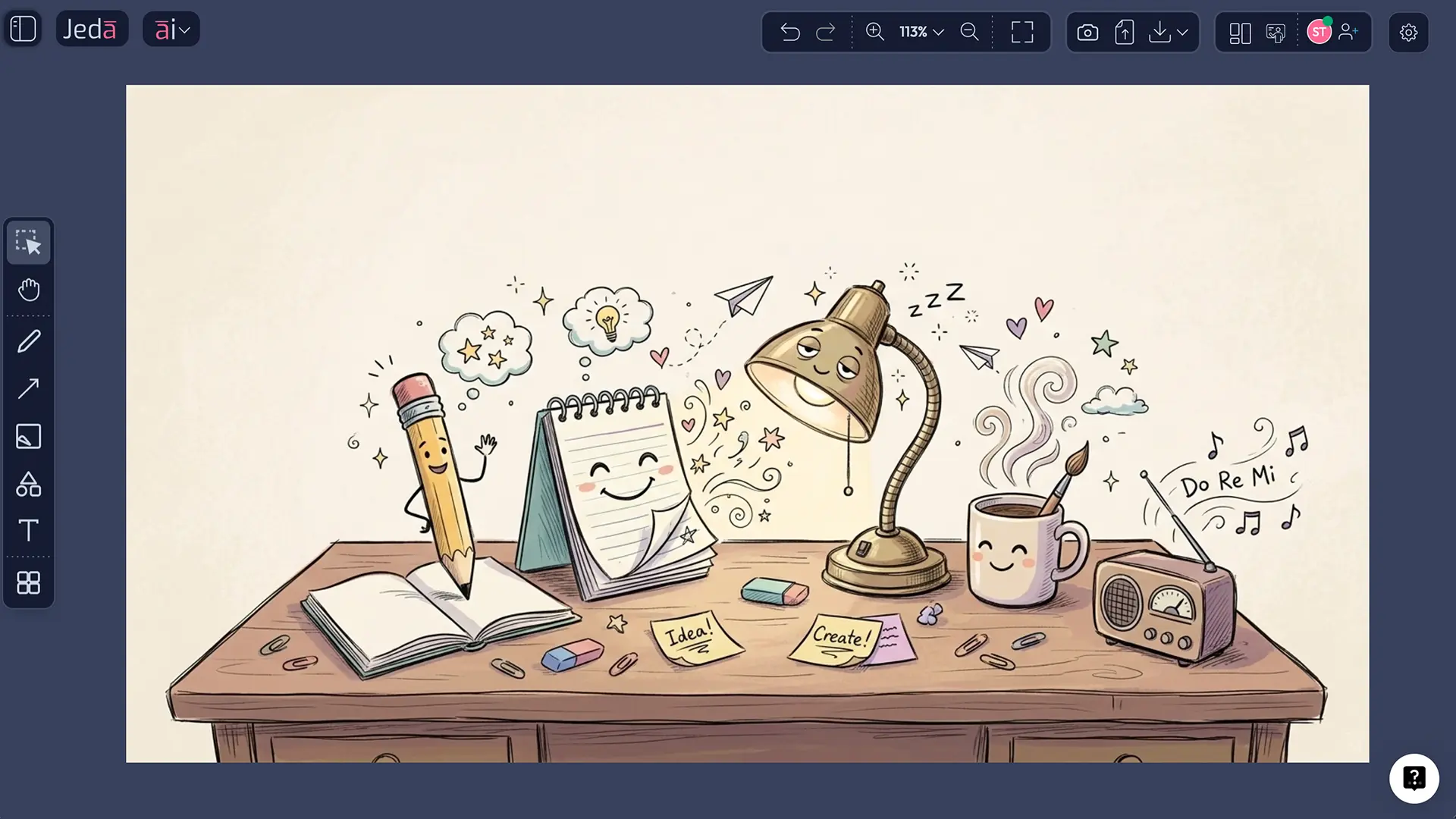
That sounds technical. The visual effect is not. Whimsical doodles usually feel light, playful, slightly odd, and often narrative. A teapot grows wings. A bookstore floats in the clouds. A robot tends a flower shop. The logic bends, but it does not collapse.
Research on visual perception helps explain why this style works so well. Studies on line drawings show that even sparse contours can remain highly recognizable because the visual system can recover meaning from simplified edge information. In other words, the brain is surprisingly good at meeting a sketch halfway.
That is exactly why whimsical doodle illustrations are so effective in digital communication. They stay readable. They move quickly. And they tolerate imagination better than many polished, high-fidelity styles.
Why use AI for whimsical doodle illustrations?
The strongest case for AI here is not novelty. It is iteration speed.
Public AI doodle and line-art tools already frame the category around quick generation, hand-drawn aesthetics, and prompt-driven customization. OpenArt positions doodle generation as a way to create whimsical doodles quickly and adjust style, color palette, and complexity. VEED emphasizes hand-drawn style illustrations from text prompts and recommends specifying the subject, elements, colors, and aesthetic direction. Adobe describes AI line generation as prompt- or reference-driven line drawing with options to refine strokes, effects, and background details.
That set of expectations matters because users now come to the category assuming three things:
- They should be able to describe a subject quickly.
- They should be able to steer style without learning illustration software.
- They should be able to regenerate until the image feels right.
Jeda.ai fits that behavior well. But it adds something most one-off image tools do not: the image can live in the same AI Workspace as your strategy notes, planning boards, annotations, and presentation material. So the doodle is not trapped as an isolated toy. It becomes part of a working canvas on an AI Whiteboard.
- Faster ideation
Move from rough concept to usable whimsical visual in minutes instead of sketching every variation by hand.
- Line-first clarity
Doodle and line-art styles preserve readable contours, which makes them strong for explainers, stickers, lesson visuals, and lightweight branding.
- Controlled mood
Theme, primary colors, and line color let you push the image toward cheerful, nostalgic, magical, dramatic, or surreal outcomes.
- Rapid variation
Swap subject, scene detail, or line color and regenerate multiple directions without rebuilding the whole visual concept.
- Creative momentum
Prompt-driven generation helps when the page is blank and the brief is vague. That alone saves a lot of wasted time.
- One workspace
Keep image outputs beside notes, frameworks, and presentation assets inside Jeda.ai's broader Visual AI workflow.
Why create this style in Jeda.ai instead of a generic doodle tool?
Because the recipe is guided.
The workflow file for Jeda.ai resource pages requires recipe-driven how-to content when a prebuilt AI Recipe exists, and your note confirms that Whimsical Doodle Illustrations is an AI Image Recipe under the Line Art category. The supplied user guide also confirms that Jeda.ai supports AI Recipes from the top-left AI Menu, while the Prompt Bar remains the primary free-form generation method.
That gives you two valid creation paths:
- Method 1: Recipe for structured setup and predictable prompting
- Method 2: Prompt Bar for flexible prompt writing with the Image command
This page follows that split on purpose.
Jeda.ai also brings a broader product context that matters for teams. The platform is positioned as an AI Workspace and AI Whiteboard, supports real-time collaboration, and sits inside a wider system that includes 300+ strategic frameworks, image generation, and visual planning workflows. So a whimsical doodle illustration can sit next to a roadmap, a lesson plan, a moodboard, or a meeting canvas without forcing tool-hopping.
One caveat. Image outputs are static. They are not editable Smart Shapes in the way matrices, mind maps, or diagrams are.
How to create Whimsical Doodle Illustrations in Jeda.ai
Method 1 — Recipe
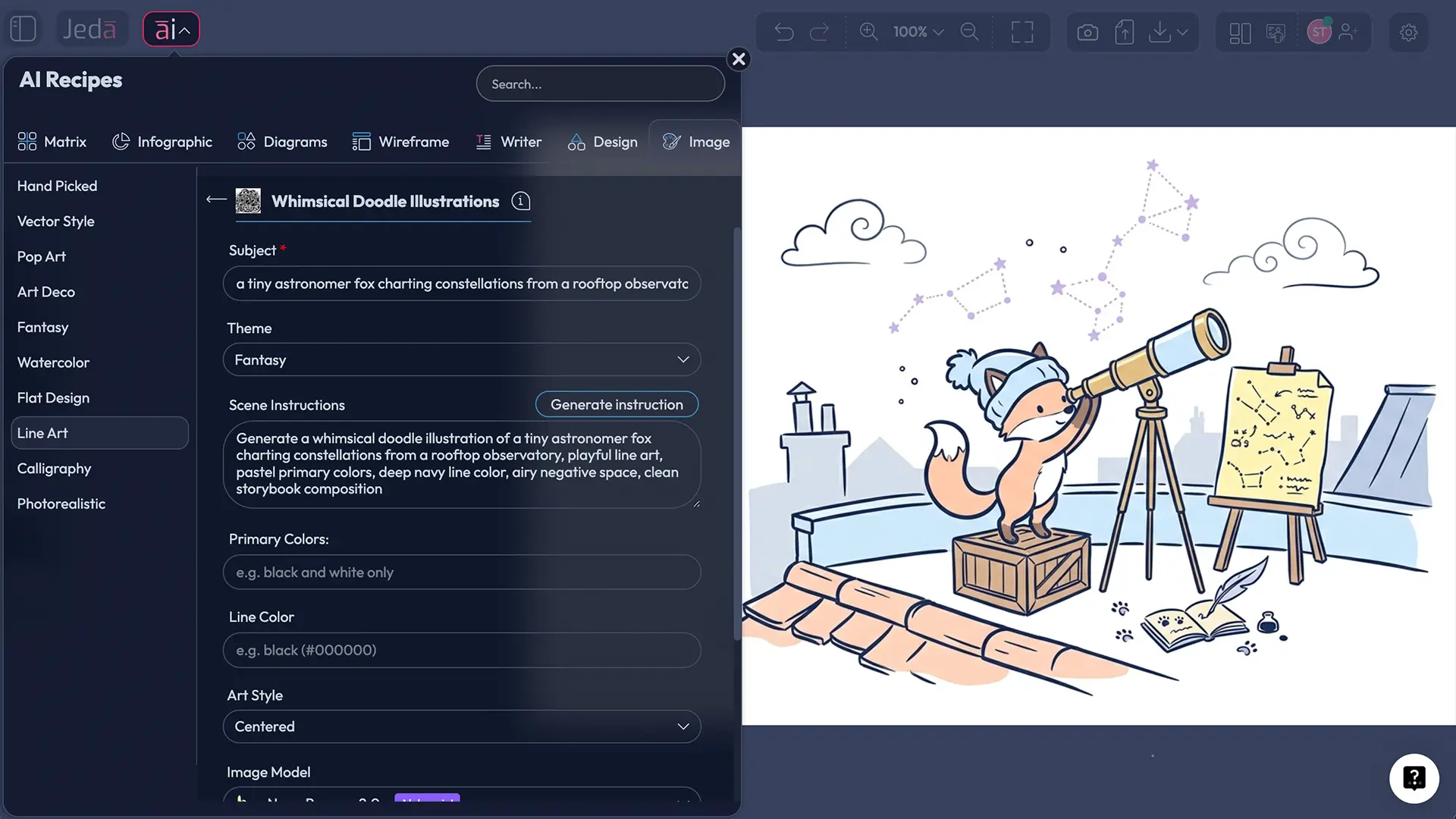
The recipe path is the better starting point for most users because it narrows the input fields into a clean visual brief. According to the Jeda.ai workflow and user guide, recipe-based generation should be preferred whenever a prebuilt recipe exists, and AI Recipes are accessed through the top-left AI Menu.
For this specific recipe, the available user inputs are:
- Subject (required)
- Theme
- Scene instruction
- Primary colors
- Line color
- Image model
- Reasoning model
A good academic rule here is simple: keep the Subject concrete and the Scene instruction situational. “Cat” is weak. “A curious cat balancing teacups on a crescent moon balcony” gives the model something to stage.
Method 2 — Prompt Bar
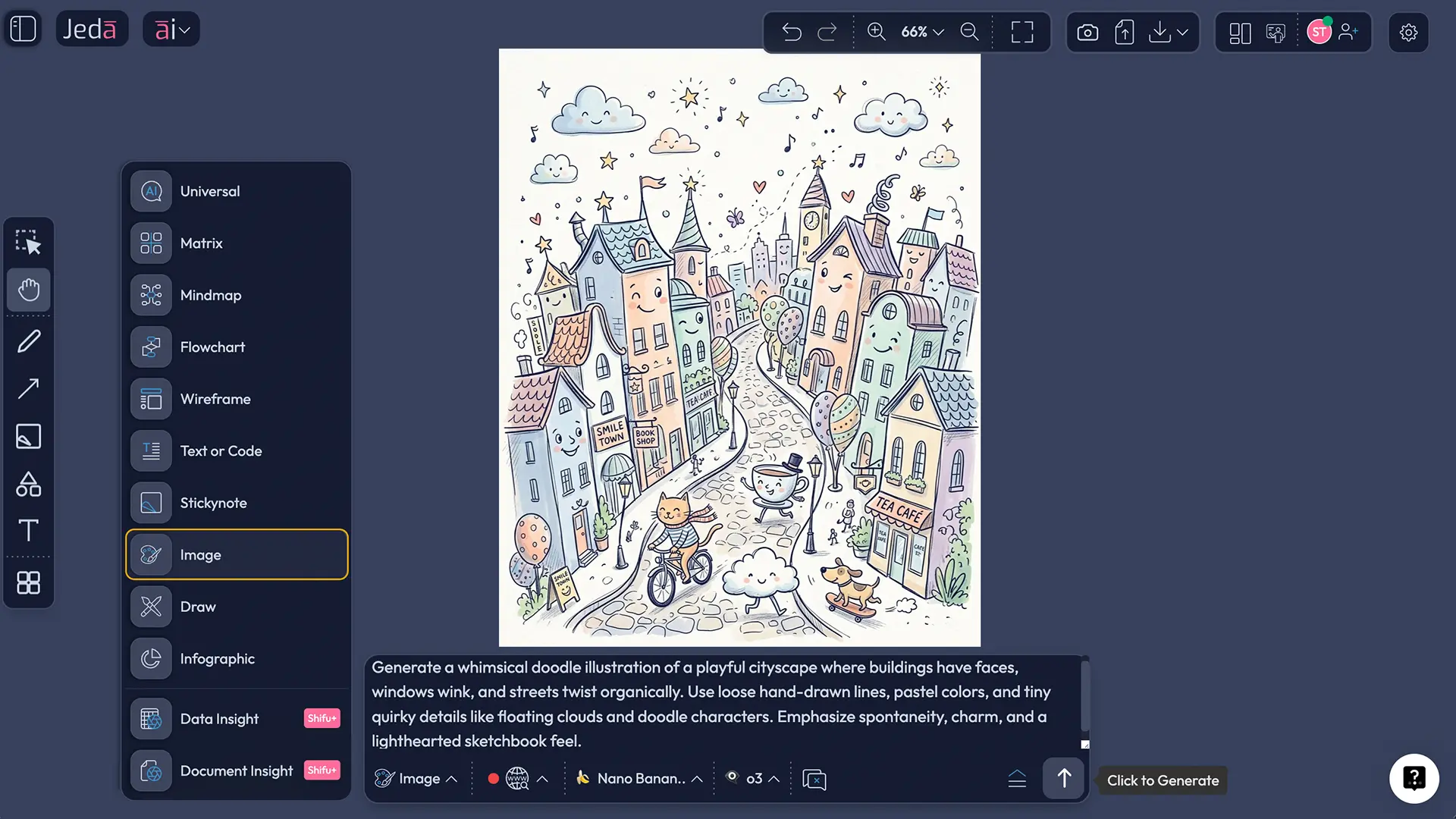
The Prompt Bar route is better when you already know the image you want and do not need the recipe form to slow you down in a good way. The user guide confirms that the Prompt Bar sits at the bottom center of the workspace, that users manually select the command there, and that the Image command exposes image-model and reasoning-model selection.
For this method, the trick is structure. Start with the subject, then add the whimsical action or setting, then the style language, and finally the color and line instructions. Public prompt-writing guidance from Zapier and Envato leans in the same direction: describe the subject first, specify the art form or style, and then add details such as color, framing, texture, and mood.
- Open a Jeda.ai workspace
Log in, open your AI Workspace, and decide whether you want the guided Recipe route or the free-form Prompt Bar route.
- Launch the Whimsical Doodle Illustrations recipe
From the AI Menu, open the image recipe area, go to the Line Art category, and choose Whimsical Doodle Illustrations.
- Set the core visual brief
Enter a clear Subject, choose a Theme, and use the Scene instruction field to describe action, composition, or environment.
- Lock the color behavior
Choose Primary colors for the overall mood and a Line color that preserves readability. Darker line colors usually keep whimsical scenes cleaner.
- Choose your models and generate
Pick the image model that best matches your output goal, pair it with a reasoning model if needed, then generate and compare the first result.
- Refine through the Prompt Bar
If the first output is close but not right, switch to the Prompt Bar, select the Image command, and rewrite the prompt with more precise subject, scene, and style language.
A reliable prompt formula for this recipe
Here is the cleanest way to think about the prompt.
Subject + playful action + setting + line-art style + mood/theme + primary colors + line color + composition cue
That formula works because it gives the model a hierarchy. Subject anchors recognition. Style locks the visual language. Color and line instructions keep the output from drifting toward overly painterly or noisy results.
Example prompt 1
A curious robot gardener watering floating tulips, whimsical doodle illustration, clean line art, magical theme, mint and peach primary colors, charcoal line color, light storybook composition, lots of negative space
Example prompt 2
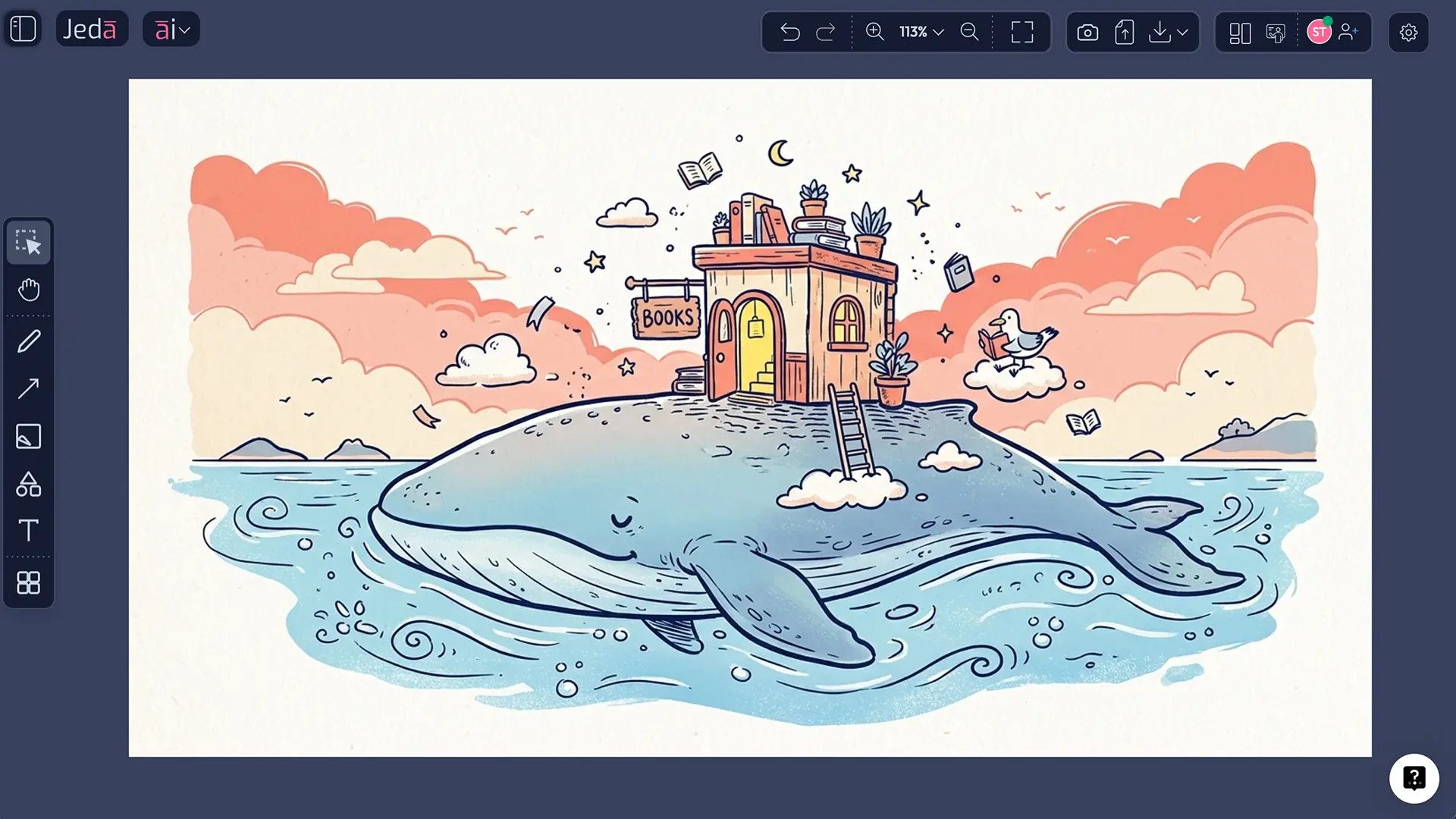
A tiny bookstore on the back of a sleepy whale, whimsical doodle illustration, fantasy line art, uplifting mood, sky blue and warm coral primary colors, dark navy line color, balanced composition, playful micro-details
Example prompt 3
A scientist raccoon mixing moonlight in glass jars, whimsical doodle illustration, science fiction theme, funny but elegant line art, lavender and lemon primary colors, black ink line color, centered composition
The pattern is consistent. Keep the nouns crisp. Keep the mood visible. Do not bury the image in prose.
Best practices for stronger whimsical doodle outputs
The academic literature on doodling and line drawing does not tell you how to write prompts for Jeda.ai. It does, however, help explain what visual ingredients keep sparse drawings legible and emotionally effective. Line drawings remain recognizable because edge information carries a lot of meaning for the visual system. Doodling, meanwhile, has been linked in research to attention, recall, and positive reward-pathway activation during visual self-expression.
That is why the strongest outputs usually follow four practical rules:
## Common mistakes to avoidThe most common failure is over-description.
A whimsical doodle illustration is still a line-driven image. If you ask for ten characters, six props, three emotional tones, cinematic lighting, a complicated background, and hyper-detailed ornamentation, the output often stops behaving like doodle art. It becomes confused illustration soup. Nobody ordered that.
The second mistake is color inflation. Too many primary colors flatten the hierarchy between contour and fill.
The third is vague subject writing. Prompts like “make it cute and whimsical” are style instructions, not image instructions. The model still needs a scene.
The fourth is ignoring line color. Public line-art tools repeatedly emphasize clean, precise contours because contour quality is doing the real representational labor. If the line color is too pale, the style can lose its whole point.
Frequently asked questions
- What is a whimsical doodle illustration in AI image generation?
- A whimsical doodle illustration is a playful, line-driven image built from simplified contours, imaginative subjects, and light narrative exaggeration. In AI image generation, the style works best when you specify the subject, mood, color palette, and contour behavior instead of asking only for something 'cute' or 'fun'.
- Is line art the same as doodle art?
- Not exactly. Line art is the broader visual language built from contours and strokes rather than tonal shading, while doodle art is a looser, more spontaneous subset. Whimsical doodle illustrations usually combine both: readable contour-based drawing with playful, often exaggerated narrative details.
- What should go into the Subject field versus the Scene instruction field?
- Use the Subject field for the main focal idea, such as 'fox astronomer' or 'floating tea shop'. Use the Scene instruction field to describe what that subject is doing, where it appears, and how the composition should feel. That split keeps the prompt organized and easier to refine.
- Which themes work best for whimsical doodle illustrations?
- Themes with emotional clarity usually perform best: Whimsical, Magical, Funny, Fantasy, Uplifting, Nostalgic, and Science Fiction. They give the model a coherent mood target without forcing photorealism, which helps preserve the line-art character of the final image.
- How do I keep the doodle lines clean and readable?
- Start with one clear subject, use a limited palette, and choose a darker line color than the fill colors. Also avoid piling too many objects into the scene. Clean line art depends on hierarchy: the contour has to stay visually stronger than the decorative detail.
- Can I use web search for this workflow?
- Yes, but for this recipe it is most relevant from the Prompt Bar when you need current references, niche motifs, or factual visual cues. In Jeda.ai, web search is a platform feature rather than an LLM-specific feature, so it should be described as part of the workspace workflow.
- Are whimsical doodle illustration outputs editable in Jeda.ai?
- Image outputs are static image assets rather than editable Smart Shape visuals. You can position, use, and present them inside the workspace, but they do not behave like matrices, diagrams, or mind maps that expose editable node structures and connected shape controls.
- Who benefits most from this recipe?
- Marketing teams, product designers, innovation teams, educators, and founders all have strong use cases. The recipe is useful anywhere you need fast, distinctive, low-friction visuals that communicate mood and concept without the production time of polished custom illustration.
Sources & further reading
The Jeda.ai product instructions in this page were grounded in the supplied project workflow file and Jeda.ai user guide used for this build.
- [1]
Britannica Editors (2026) . “Line Art” Encyclopaedia Britannica.
View Source ↗ - [2]
Britannica Editors (2026) . “Contour Drawing” Encyclopaedia Britannica.
View Source ↗ - [3]
Sayim, Bilge; Cavanagh, Patrick (2011) . “What Line Drawings Reveal About the Visual Brain” Frontiers in Human Neuroscience.
View Source ↗ - [4]
Singer, Julian J. D. et al. (2023) . “The Spatiotemporal Neural Dynamics of Object Recognition for Natural Images and Line Drawings” Journal of Neuroscience.
View Source ↗ - [5]
Hawkins, Robert D. et al. (2023) . “Visual Resemblance and Interaction History Jointly Constrain Pictorial Meaning” Nature Communications.
View Source ↗ - [6]
Andrade, Jackie (2010) . “What Does Doodling Do?” Applied Cognitive Psychology.
View Source ↗ - [7]
Kaimal, Girija et al. (2017) . “Functional Near-Infrared Spectroscopy Assessment of Reward Perception Based on Visual Self-Expression: Coloring, Doodling, and Free Drawing” The Arts in Psychotherapy.
View Source ↗ - [8]
Zapier Editorial Team (2025) . “How to Write an AI Art Prompt” Zapier Blog.
View Source ↗ - [9]
Envato (2025) . “The Complete Guide to Creative AI Art Prompts” Envato Elements.
View Source ↗ - [10]
Adobe (2026) . “AI Line Drawing Generator” Adobe Firefly.
View Source ↗ - [11]
VEED (2026) . “AI Doodle Generator” VEED.io.
View Source ↗ - [12]
OpenArt (2026) . “AI Doodle Generator” OpenArt.
View Source ↗
Start Your Whimsical Doodle Illustration Today
Join over 150,000+ users who use Jeda.ai as an AI Workspace and AI Whiteboard for visual thinking, image generation, and fast creative iteration.
Try Free Template