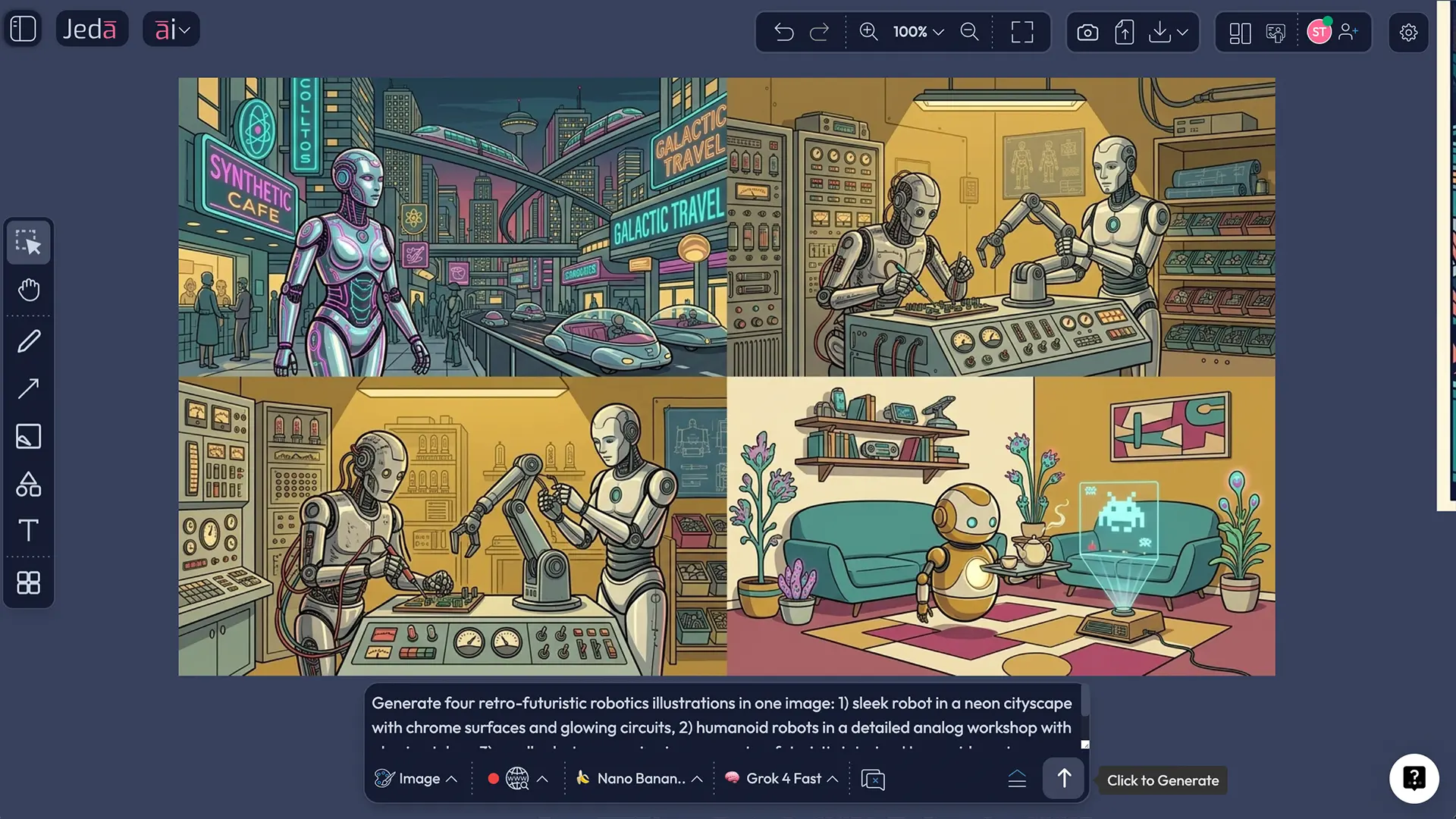
Retro Futuristic Robotics AI Art works when the future looks slightly outdated on purpose. That tension is the whole charm. You are not just asking AI for “a cool robot.” You are asking it to imagine how an earlier era might have pictured tomorrow, then render that idea with clean vector structure, bold outlines, and intentional color logic inside Jeda.ai’s AI Workspace. On an AI Whiteboard, that matters because the image stops being a throwaway prompt result and becomes a reviewable visual asset your team can discuss, annotate, and place beside references, notes, and campaign ideas.
Jeda.ai gives you two practical routes for this recipe: use the built-in Recipe in the AI Menu for structured control, or build the artwork from the Prompt Bar with the Image command for more direct prompt experimentation. That flexibility is one reason 150,000+ users come to Jeda.ai when they need Visual AI outputs that support real concept work, not just novelty images. And yes, the same platform also includes 300+ strategic frameworks, so the illustration can sit in the same AI Workspace as your campaign boards, moodboards, launch plans, and review notes.
What Is Retro Futuristic Robotics AI Art?
Retro-futuristic robotics imagery sits at the intersection of two visual ideas. First, it borrows from earlier future-facing art traditions: machine-age modernism, streamlined industrial form, and the Futurist fascination with motion, technology, and engineered progress. Second, it filters those ambitions through hindsight. That is why retrofuturism often feels both hopeful and slightly haunted: it is the future imagined from the past, then remixed in the present.
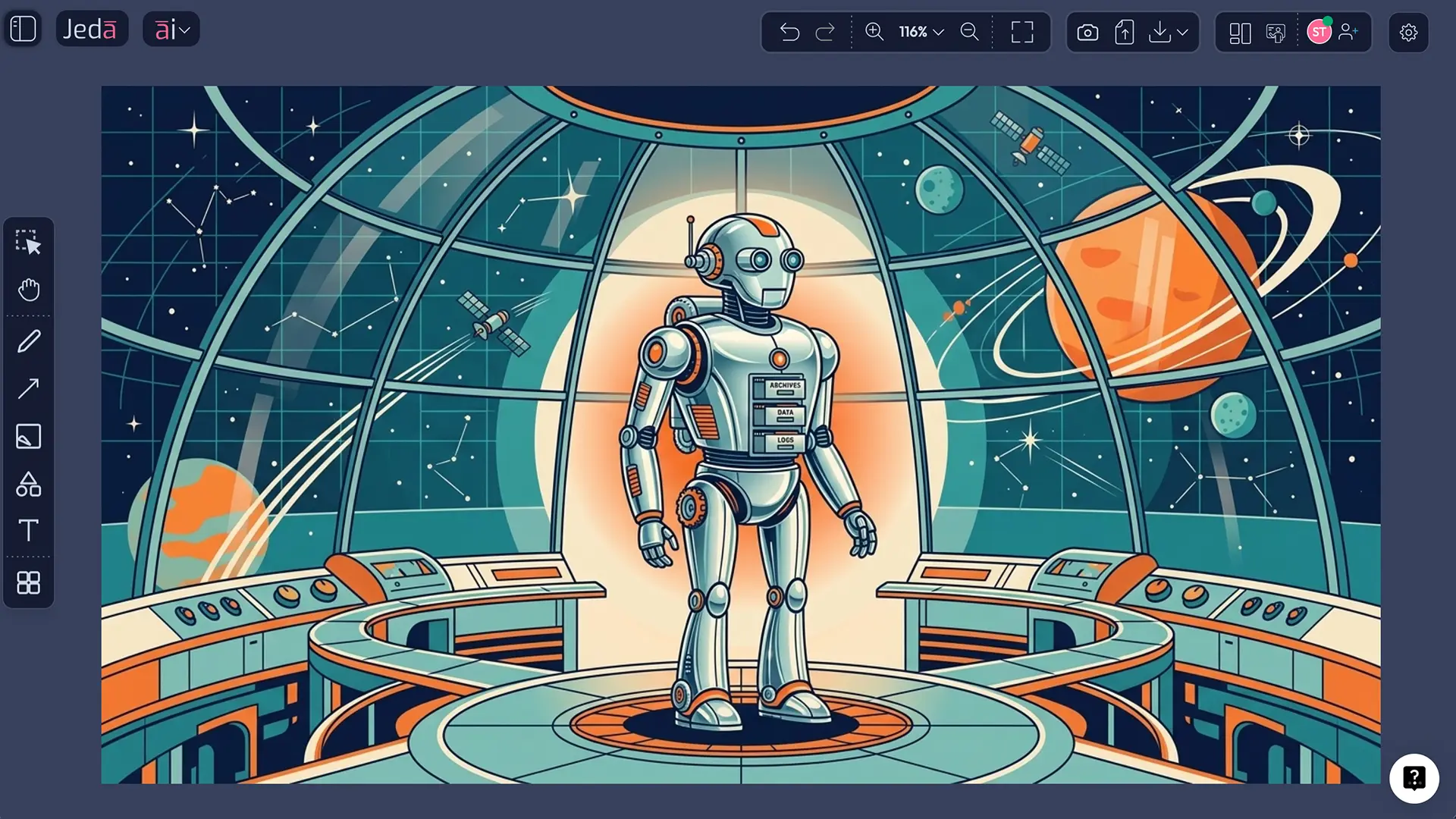
For this page, the style becomes especially effective when rendered as vector art. Vector graphics are built from mathematically defined lines, curves, and shapes, so they stay sharp at many sizes. That makes them a natural fit for robotics illustrations, where silhouette, contour, geometry, and clean line discipline do a lot of the heavy lifting. A robot with a domed helmet, segmented joints, orbital background elements, chrome-inspired flat shapes, and confident outlines reads faster in vector form than in muddy painterly noise. No mystery there.
In practice, Retro Futuristic Robotics AI Art usually combines four ingredients:
- an engineered subject,
- a historical future mood,
- a controlled palette,
- a scene that gives the robot a role.
That last part matters more than most people think. A “robot” is a category. A “retrofuturistic archive robot cataloging lunar seeds in a glass observatory” is a visual idea.
Why Use Retro Futuristic Robotics AI Art with Jeda.ai?
Jeda.ai is useful here because it gives shape to ambiguity. A lot of image tools can make a robot. Fewer help you systematically control the relationship between subject, theme, scene instruction, primary colors, line color, and model choice inside one Visual AI workflow. That is the difference between random output and intentional direction.
On Jeda.ai’s AI Whiteboard, the image can also live beside prompt drafts, brand notes, concept labels, and review comments. So even though the final art output is static, your working environment is not. Teams can compare directions, discuss visual tone, and move from image ideation to messaging or campaign planning without leaving the AI Workspace.
- More specific robot concepts
The recipe starts with a required Subject field, which forces the concept to have a real focal point instead of a vague machine aesthetic.
- Better style control
Theme, primary colors, and line color help shape the emotional register, from dramatic sci-fi poster work to lighter whimsical editorial illustration.
- Vector-friendly composition
Retro-futuristic robotics works best with simplified geometry, readable silhouettes, and deliberate contours. Jeda.ai makes those constraints easier to prompt for.
- Recipe or freeform workflow
Use the built-in Recipe when you want structure, or the Prompt Bar when you want direct experimentation with wording and model combinations.
- Prompt Bar web search support
When you need fresher references or terminology, web search is available from the Prompt Bar workflow for the Image command.
- Review on the AI Whiteboard
Place generated art beside notes, references, and strategy artifacts in the same AI Workspace used by 150,000+ users across creative and business workflows.
Recipe Inputs That Matter Most
You can get decent output by winging it. You can get memorable output by treating the recipe like a design brief.
Recipe fields for Retro Futuristic Robotics
| Field | What to enter | What it controls |
|---|---|---|
| Subject (required) | The robot’s identity, role, or form | The core concept and silhouette |
| Theme | Creative, Realistic, Surrealistic, Absurd, Abstract, Fantasy, Mythical, Magical, Space Travel, Science Fiction, Futuristic, Whimsical, Funny, Sentimental, Uplifting, Action, Dramatic, Nostalgic, Scenic, Portrait, StillLife, Nature | The mood and narrative frame |
| Scene instruction | Short custom guidance or AI-generated guidance | Context, staging, camera feel, environment |
| Primary colors | 2–4 main colors | Overall palette logic |
| Line color | One outline color | Visual cohesion and contrast |
Available image models
GPT Image 1, GPT Image 1.5, Nano Banana, Nano Banana Pro, Imagen 4.0, and Nano Banana 2.0.
Available reasoning models
GPT-4o, GPT-5 Mini, Gemini 2.5 Flash, GPT-5.4, Grok 3, DeepSeek R1, Claude Sonnet 4.5, LLaMA 4 Maverick, Gemini 2.5 Pro, Grok 4 Fast, o3, and Claude Opus 4.5.
A practical note: image models do not run in parallel multi-model mode. Reasoning models can. So if you want help expanding the prompt logic before image generation, you can compare up to three reasoning models, but there is no aggregation step in this workflow.
How to Create Retro Futuristic Robotics AI Art in Jeda.ai
This recipe has two methods for this workflow: Method 1: Recipe and Method 2: Prompt Bar. There is no AI+ extension step here. The quality lift comes from better recipe inputs, stronger scene instructions, and smarter model selection.
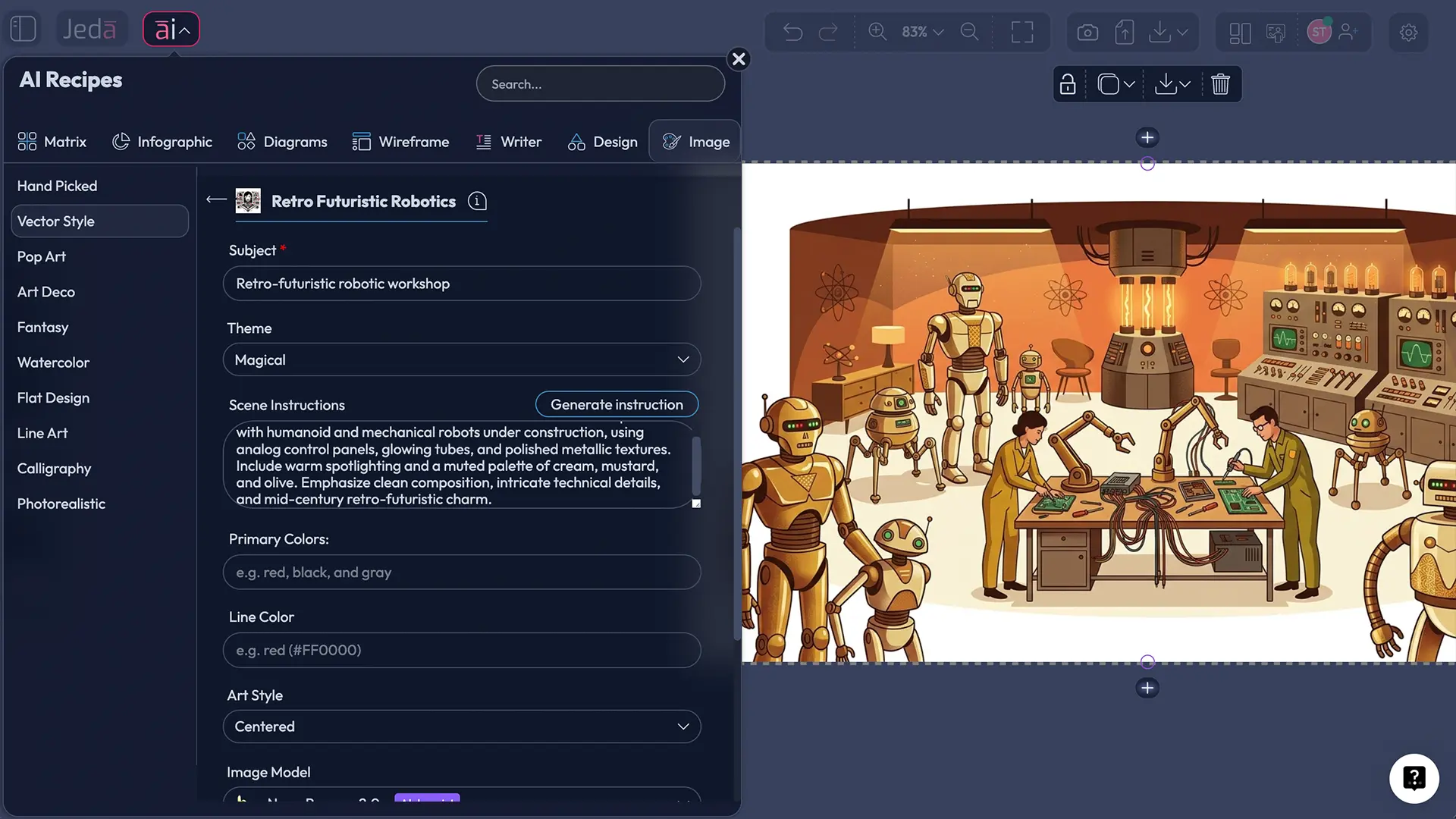
Method 1: Recipe
Use this when you want a guided path. It is the better choice for repeatable team workflows, structured experimentation, and handoff-friendly creative briefs.
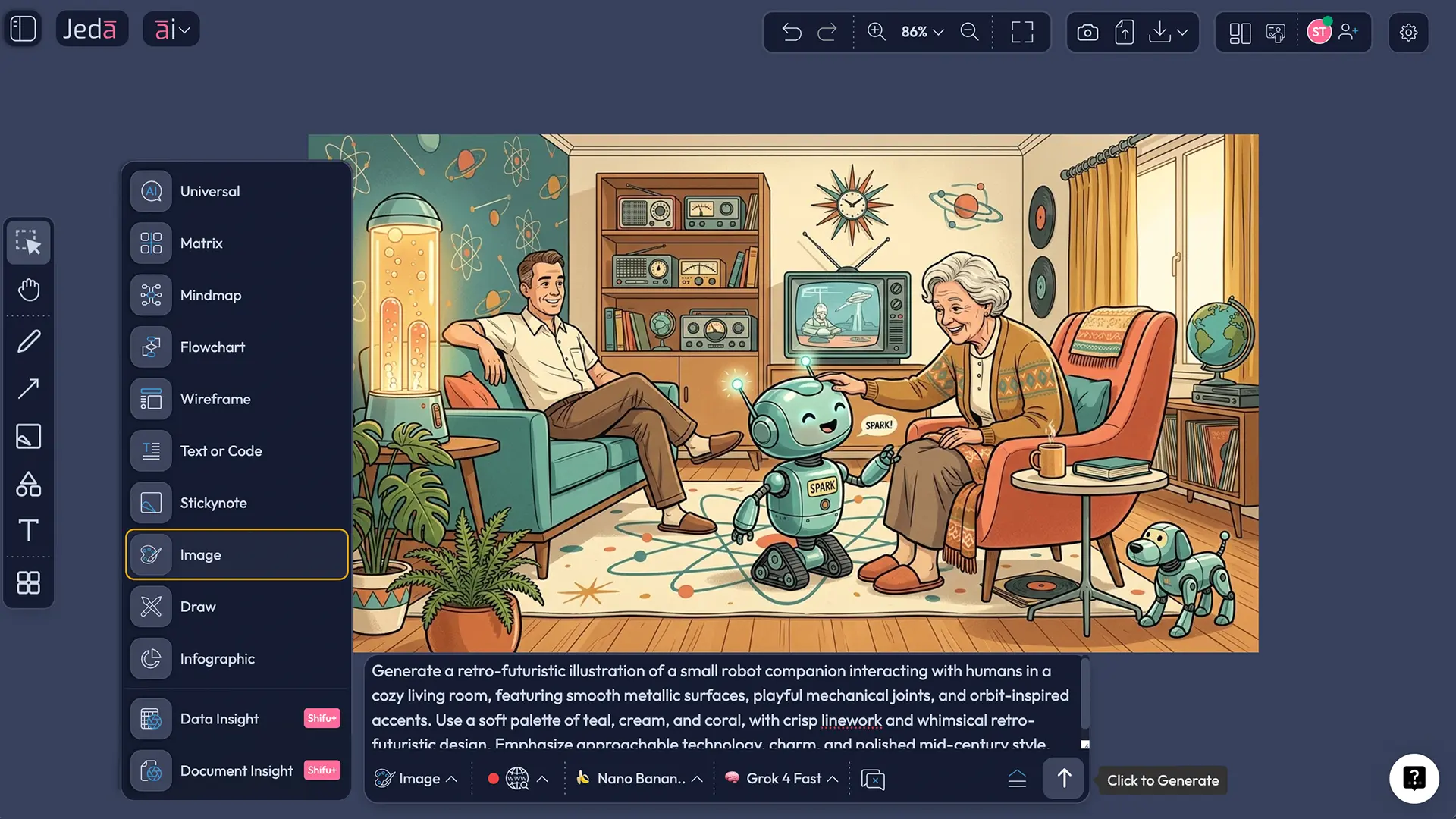
Method 2: Prompt Bar
Use this when you want more direct control over wording, want to toggle web search, or want to experiment with the relationship between the image model and the reasoning model inside the Image command.
- Open the AI Menu and choose the Image recipe path
Click the AI Menu in the top-left corner, open the Image recipe area, and choose the Vector Style category. Select the Retro Futuristic Robotics recipe.
- Define the Subject first
Enter a precise subject such as archive robot, transit robot, hospitality android, botanical caretaker robot, or retro service droid. Specific roles produce better visual logic than generic labels.
- Set the Theme and scene direction
Choose a theme that shapes tone, then write a short scene instruction. Good scene direction explains where the robot is, what it is doing, and what emotional atmosphere the image should communicate.
- Choose colors before generating
Set the primary colors and line color early. This keeps the vector result coherent and avoids the muddy palette drift that often weakens retro-futuristic work.
- Select your image and reasoning models
Pick the image model you want for rendering. Then choose a reasoning model if you want help refining prompt logic before generation. Image models do not support parallel multi-model output.
- Generate from the Recipe workflow
Click Generate and review the composition for silhouette clarity, line discipline, palette harmony, and whether the robot actually feels retro-futuristic rather than merely futuristic.
- Switch to the Prompt Bar for freeform control
Open the Prompt Bar at the bottom of the canvas, select the Image command, and write a direct prompt that combines subject, retro-futuristic styling, vector execution, scene instruction, primary colors, and line color.
- Use Prompt Bar web search only when needed
If you need fresher references or terminology, use web search from the Prompt Bar workflow. Then generate, compare outputs, and place the best version on your AI Whiteboard for review or presentation.
Retro Futuristic Robotics AI Art Prompt Template and Examples
The easiest way to keep the style coherent is to build the prompt in layers. Start with the robot’s identity. Then add the retro-futuristic era signal. Then define the vector treatment. Then lock the color logic. Finally, add the scene.
Here are three prompt directions that work for different creative jobs:
1. Poster-style concept art
Subject: intercity transit robot
Theme: Futuristic
Scene instruction: guiding travelers through a moonport terminal with sweeping signage and modular seating
Primary colors: cobalt, cream, vermilion
Line color: charcoal
2. Editorial illustration
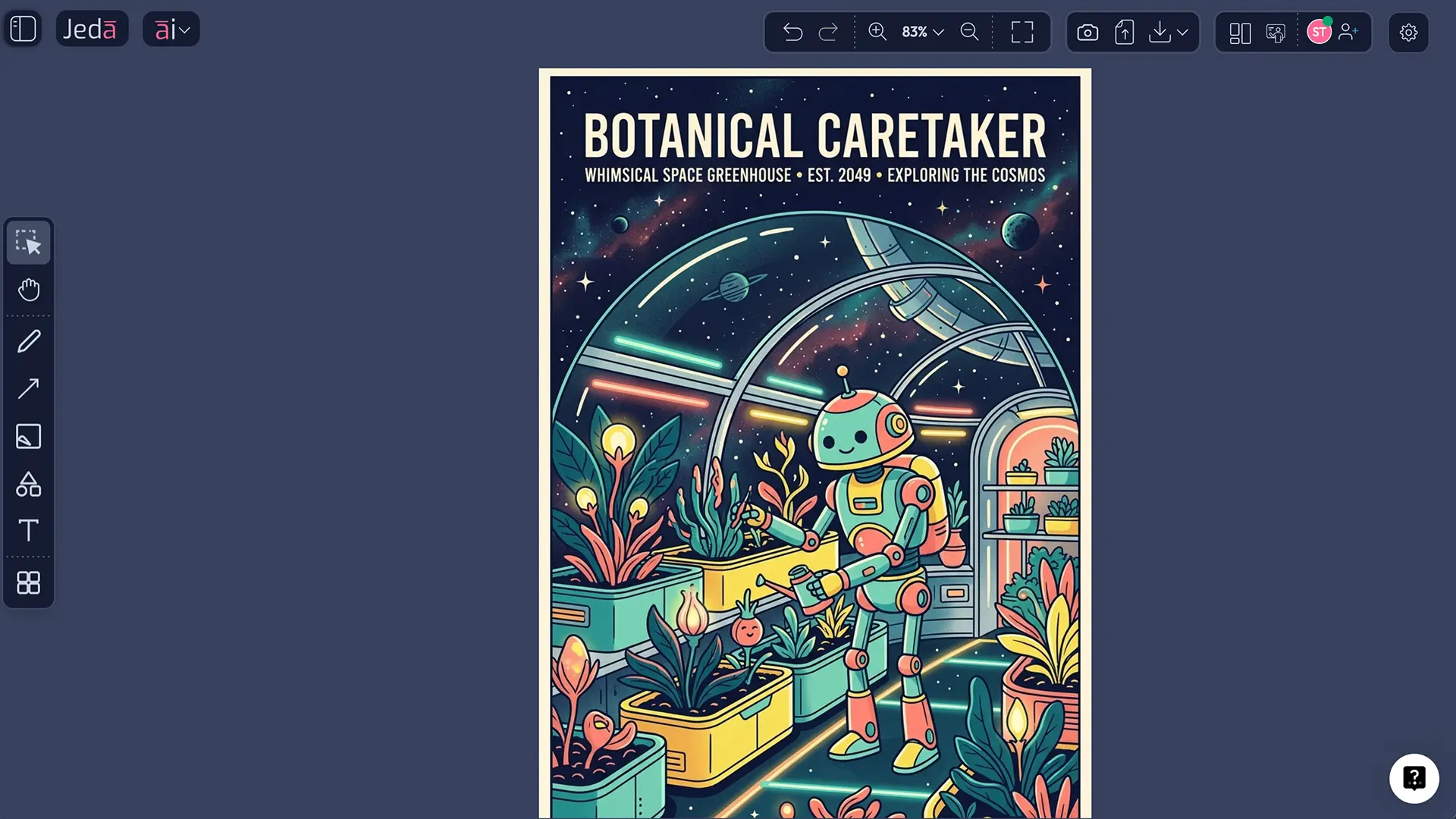
Subject: botanical caretaker robot
Theme: Whimsical
Scene instruction: pruning glowing rooftop plants in a retro space greenhouse under a curved glass canopy
Primary colors: teal, coral, lemon
Line color: navy
3. Brand mascot exploration
Subject: archive assistant droid
Theme: Nostalgic
Scene instruction: organizing magnetic data reels in a mid-century future library with gentle ambient lighting
Primary colors: rust, pale blue, ivory
Line color: dark espresso
A small but important distinction: retro-futuristic is not the same as cyberpunk. Cyberpunk leans toward grit, overload, and decay. Retro-futuristic robotics usually reads cleaner, more diagrammatic, more optimistic, and more shaped by earlier industrial design fantasies.
Best Practices for Stronger Retro-Futuristic Robot Images
A lot of AI art fails for boring reasons. The robot is generic. The palette collapses. The scene is decorative instead of functional. The outlines disappear. Or the image becomes “future-ish” without any actual retro signal. That is why a few rules are worth keeping.
Common Mistakes to Avoid
Treating “robot” as the whole brief
That gives you default sci-fi sludge. The fix is simple: define purpose, setting, and emotional tone. A transit robot and a nursery robot should not share the same posture, background, or palette.
Using too many era signals at once
Art Deco, cyberpunk neon, 1950s Googie architecture, brutalist machinery, vaporwave gradients, and anime mech language can all be interesting. Stuff them into one image and the result usually wobbles. Pick one dominant historical future reference and support it.
Ignoring line color
In vector-style work, line color is not a minor parameter. It is structural. If your outlines are too light, the form dissolves. If they are too harsh, the image feels clipped and brittle.
Writing scene instructions like captions
A scene instruction should guide composition. “A robot in a city” is lazy. “A retro courier robot waiting beneath a crescent-shaped platform sign in a rain-free moon terminal” is useful.
Confusing static output with dead output
The image itself is static, yes. But Jeda.ai is still an AI Workspace. You can place the art on the AI Whiteboard, add notes, duplicate directions, compare palettes, and build a whole review board around the image.
Where This Style Works Especially Well
Retro-futuristic robot vectors are not only for posters or moodboards. They are useful in product marketing, startup storytelling, keynote visuals, editorial design, campaign concepting, onboarding flows, speculative brand systems, and classroom or workshop prompts where the image needs to feel inventive without becoming visually chaotic.
That is why this page belongs inside a broader Jeda.ai AI Workspace conversation. You can create the image, then move directly into campaign planning on the same board. Or place the art next to a brand matrix, a launch checklist, or a workshop diagram. The handoff friction drops. And that is the point.
You can also use the style in collaborative critique. Because Jeda.ai is an AI Whiteboard, the generated visual does not sit alone in a gallery view. It sits in context. With text, comments, comparisons, and decision notes. Much better.
Frequently Asked Questions
- What makes Retro Futuristic Robotics AI Art different from generic robot art?
- Retro Futuristic Robotics AI Art blends robotics imagery with older visions of the future. The look depends on historical future cues such as machine-age geometry, optimistic industrial styling, poster-like structure, and disciplined vector outlines rather than generic sci-fi noise.
- Why is vector style a strong fit for retro-futuristic robot illustrations?
- Vector style works well because the aesthetic depends on silhouette clarity, controlled geometry, and crisp outlines. Those qualities help the robot read quickly in posters, editorials, interfaces, brand concept boards, and presentation visuals without losing detail when scaled.
- Should I use the Recipe or the Prompt Bar first?
- Use the Recipe first when you want structured control and repeatability. Use the Prompt Bar first when you want freer wording, faster experimentation, or access to web search in the Image workflow.
- What should I write in the Subject field?
- Write the robot’s role, not just its type. Better examples include archive robot, concierge android, transit droid, greenhouse caretaker, or lunar survey assistant. The role gives the image clearer narrative logic and usually improves composition.
- How many colors should I choose for this recipe?
- Two to four primary colors is the safest range. Fewer colors usually produce stronger retro poster discipline, while too many colors can weaken the vector feel and blur the line hierarchy.
- Can I use web search with this workflow?
- Yes, but for this page’s workflow it belongs to the Prompt Bar method. Use it when you need fresher visual vocabulary, setting references, or terminology before generating with the Image command.
- Are the generated images editable like diagrams or smart shapes?
- No. Image outputs are static rather than fully editable smart-shape visuals. The useful part is that you can still place them inside Jeda.ai’s AI Workspace or AI Whiteboard, annotate around them, and compare multiple directions in context.
- Which themes are best for this art style?
- Futuristic, Science Fiction, Nostalgic, Whimsical, Dramatic, and Space Travel are strong starting points. The right theme depends on the job: posters often benefit from Dramatic or Futuristic, while editorial or brand work may benefit from Whimsical or Nostalgic.
- Can I generate multiple versions with different reasoning models?
- Yes. Reasoning models can be used in parallel for comparison, while image models remain single-output selections. That setup is useful when you want different prompt interpretations before committing to the final rendered look.
- What is the fastest way to improve a weak result?
- Rewrite the concept at the brief level. Change the robot’s role, tighten the scene instruction, reduce the palette, or improve the era cue. Those adjustments usually help more than dumping in more descriptive adjectives.
Sources & Further Reading
Jeda.ai product-specific workflow notes in this article were aligned to the uploaded workflow file and current user guide. The broader art and design context below supports the historical and visual framing used in the article.
- [1]
Elizabeth Guffey (2006) . “Retro: The Culture of Revival” Reaktion Books / University of Chicago Press.
View Source ↗ - [2]
Tate (n.d.) . “Futurism” Tate Modern.
View Source ↗ - [3]
Emily Casden (n.d.) . “Italian Futurism: An Introduction” Smarthistory.
View Source ↗ - [4]
Adobe (n.d.) . “What is vector art?” Adobe Creative Cloud.
View Source ↗ - [5]
The Museum of Modern Art (2014) . “Finding The Robot” MoMA.
View Source ↗ - [6]
Jody Zellen (2024) . “Experiments in Art and Technology: Fujiko Nakaya” Getty.
View Source ↗
Start Retro Futuristic Robotics AI Art in Your AI Workspace
Join over 150,000+ users using Jeda.ai’s AI Whiteboard and AI Workspace to turn creative direction into reviewable visual work.
Try Free Template