AI landing page copy generator tools are easy to find now. Good ones? Much rarer. Most give you something that sounds polished, then falls apart the moment a real buyer asks, “Why should I care?” In Jeda.ai, you can generate landing page copy with AI inside a shared AI Workspace, pressure-test the draft with your team, ground it with source material, and move from raw words to a sharper page narrative without hopping across five tabs. That matters because landing pages live or die on clarity, relevance, and speed. And yes, this all happens inside the same AI Whiteboard trusted by 150,000+ users.
What is an AI landing page copy generator?
An AI landing page copy generator is a tool that drafts the written parts of a landing page from a brief: headline, subheadline, benefit blocks, proof, objection handling, FAQs, and calls to action. HubSpot, for example, frames its generator around supplying a title, subheadings, and paragraph copy from a few inputs. That basic idea is sound. The real question is whether the tool helps you produce copy that is specific enough to persuade, not just neat enough to look finished.
That distinction is not academic fluff. Nielsen Norman Group has long argued that users often leave web pages within 10–20 seconds, and that pages need to communicate a clear value proposition in roughly the first 10 seconds. On landing pages, that means your opening copy has to answer five things fast: what the offer is, who it is for, what changes for the buyer, why they should believe you, and what to do next.
Jeda.ai approaches this from a broader angle. The Landing Page writer recipe gives you a guided drafting path, while the Prompt Bar gives you direct control. Both sit inside a collaborative AI Workspace, so the copy is not trapped in a lonely text box. It stays connected to discussion, refinement, and handoff.
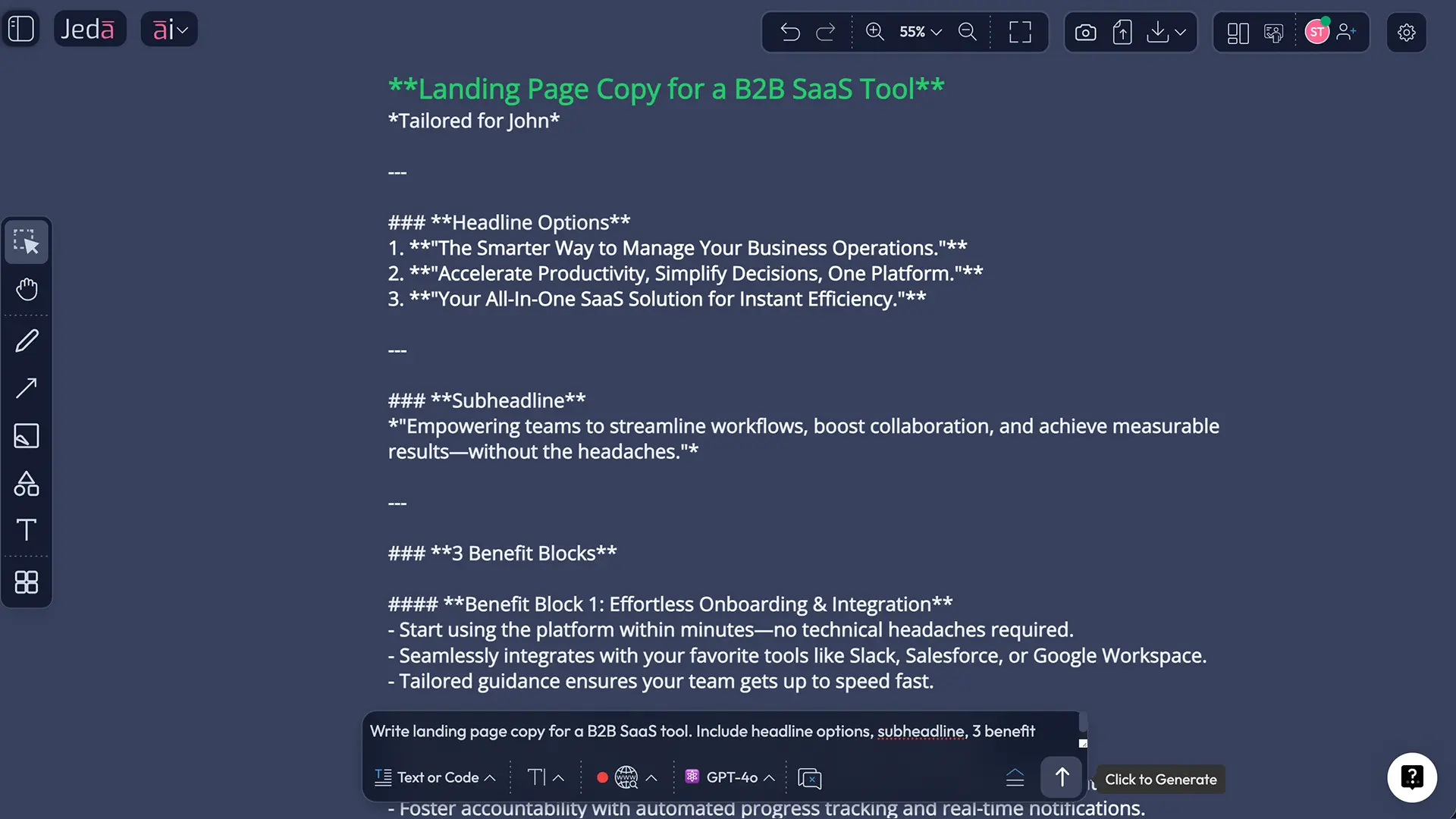
Why use an AI landing page copy generator inside Jeda.ai?
Here is where Jeda.ai stops behaving like a one-shot copy toy and starts acting like working software.
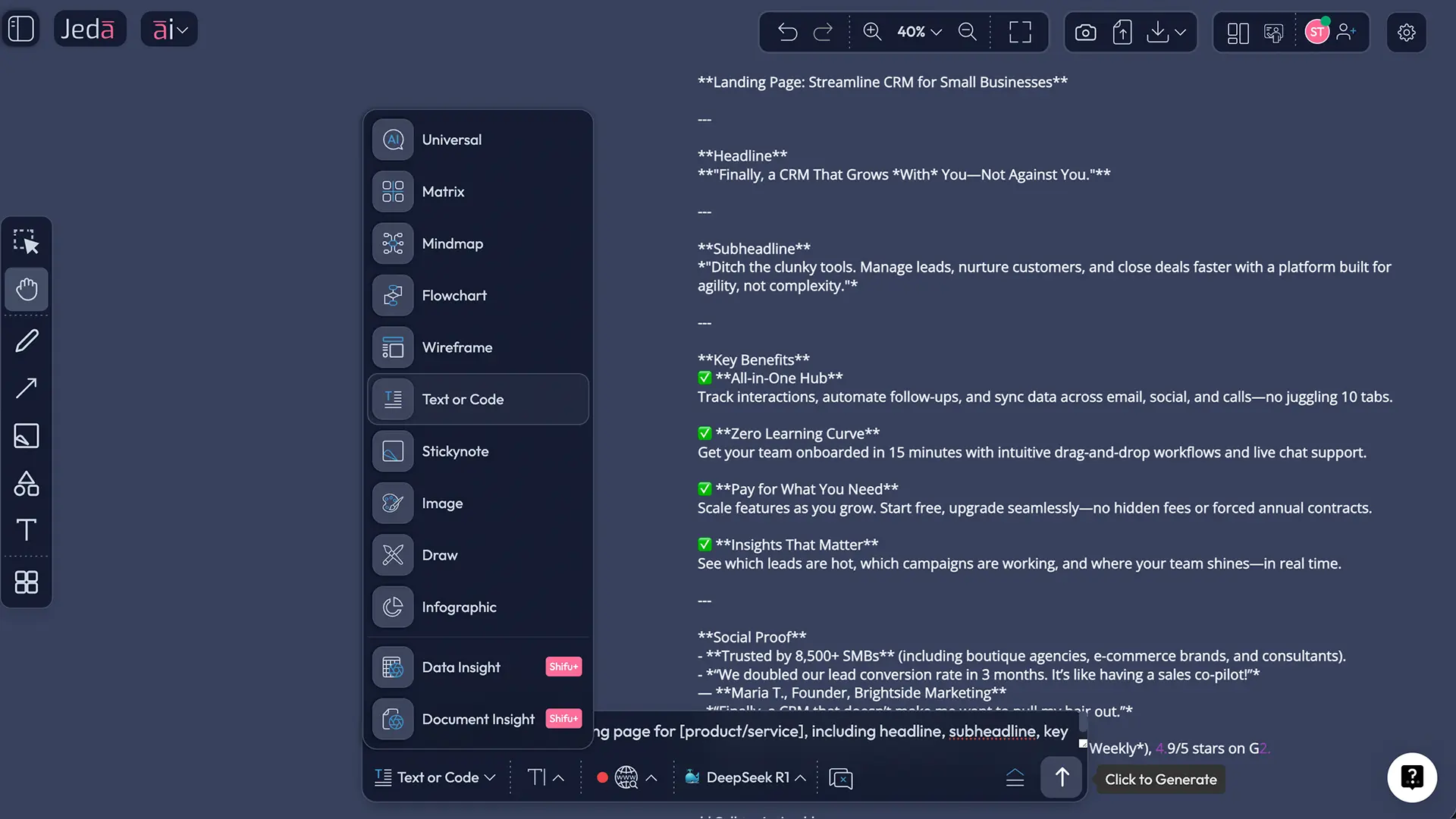
First, the draft is created in the same AI Workspace where your team can review positioning, annotate claims, and challenge weak sections. Second, Jeda.ai lets you bring in briefs, customer notes, product docs, PDFs, or spreadsheets through Document Insight and Data Insight, which means the copy can be informed by actual source material rather than vibes and caffeine. Third, you can use the platform’s Web Search feature when the page depends on current market language, competitor framing, or category claims. That is a platform capability, not a model trick.
And there is a practical upside most copy generators miss: the handoff. In Jeda.ai, the same board can move from copy draft to structured review and then toward layout exploration. Because it is also an AI Whiteboard, the copy does not disappear after generation. It stays editable, discussable, and visible. Even better, the writer workflow lives inside a broader system that includes 300+ strategic frameworks, so product, growth, and strategy conversations can stay in one place. That broader Visual AI context is useful when landing page copy needs to reflect positioning, proof, or category strategy rather than generic “increase your efficiency” mush.
How to use an AI landing page copy generator in Jeda.ai
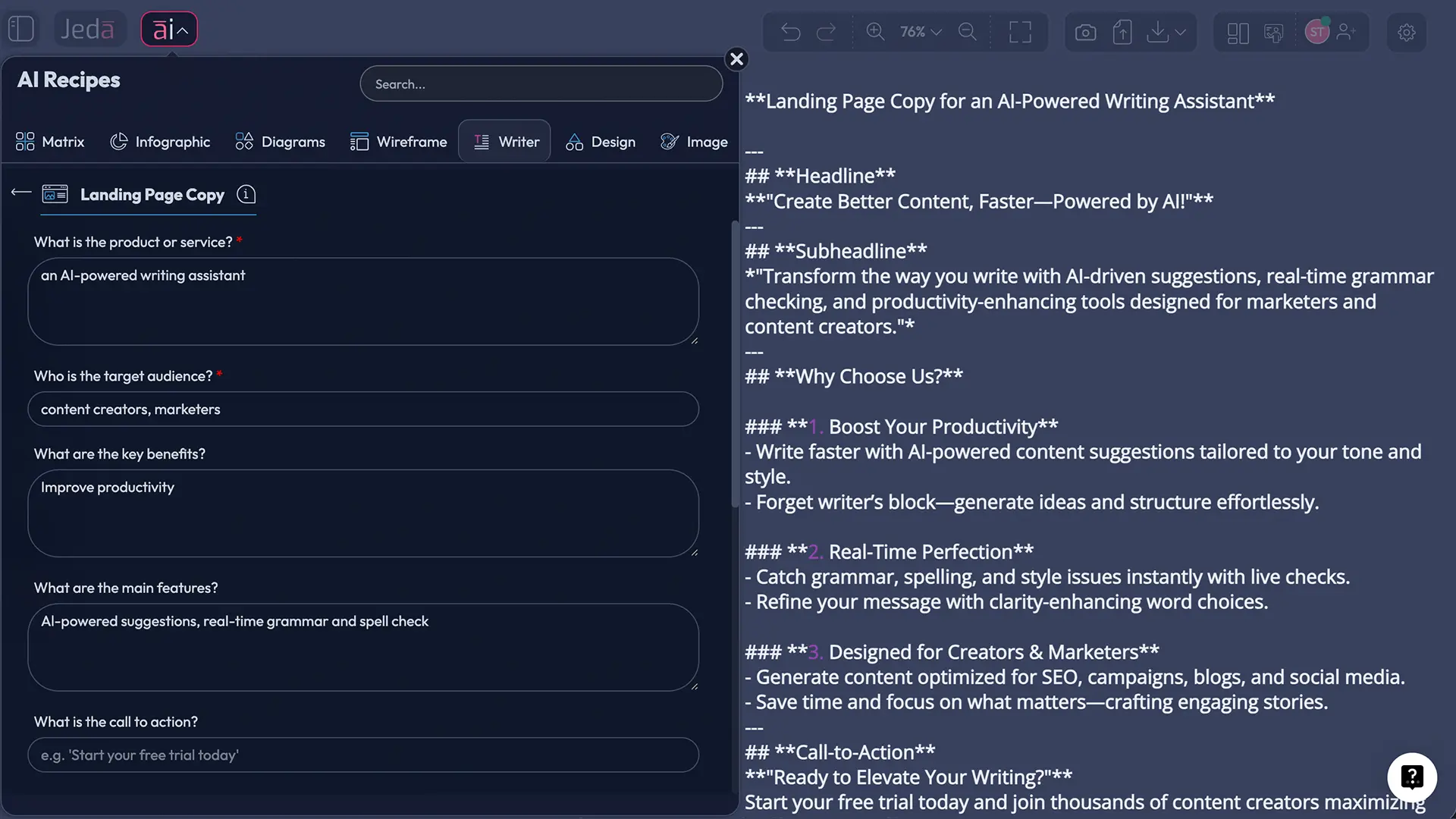
You have two solid routes. Method 1 is the Recipe Matrix path in the AI Menu using the Writer recipe. Method 2 is the Prompt Bar path for tighter control. Use the recipe route when you want speed and structure. Use the Prompt Bar when you want stricter section control, custom outputs, or more deliberate prompting.
- Open a board in Jeda.ai
Create or open a workspace in Jeda.ai. This gives you a shared canvas where copy, feedback, and later layout ideas can live together.
- Method 1 (recommended): Use the Recipe Matrix route in the AI Menu
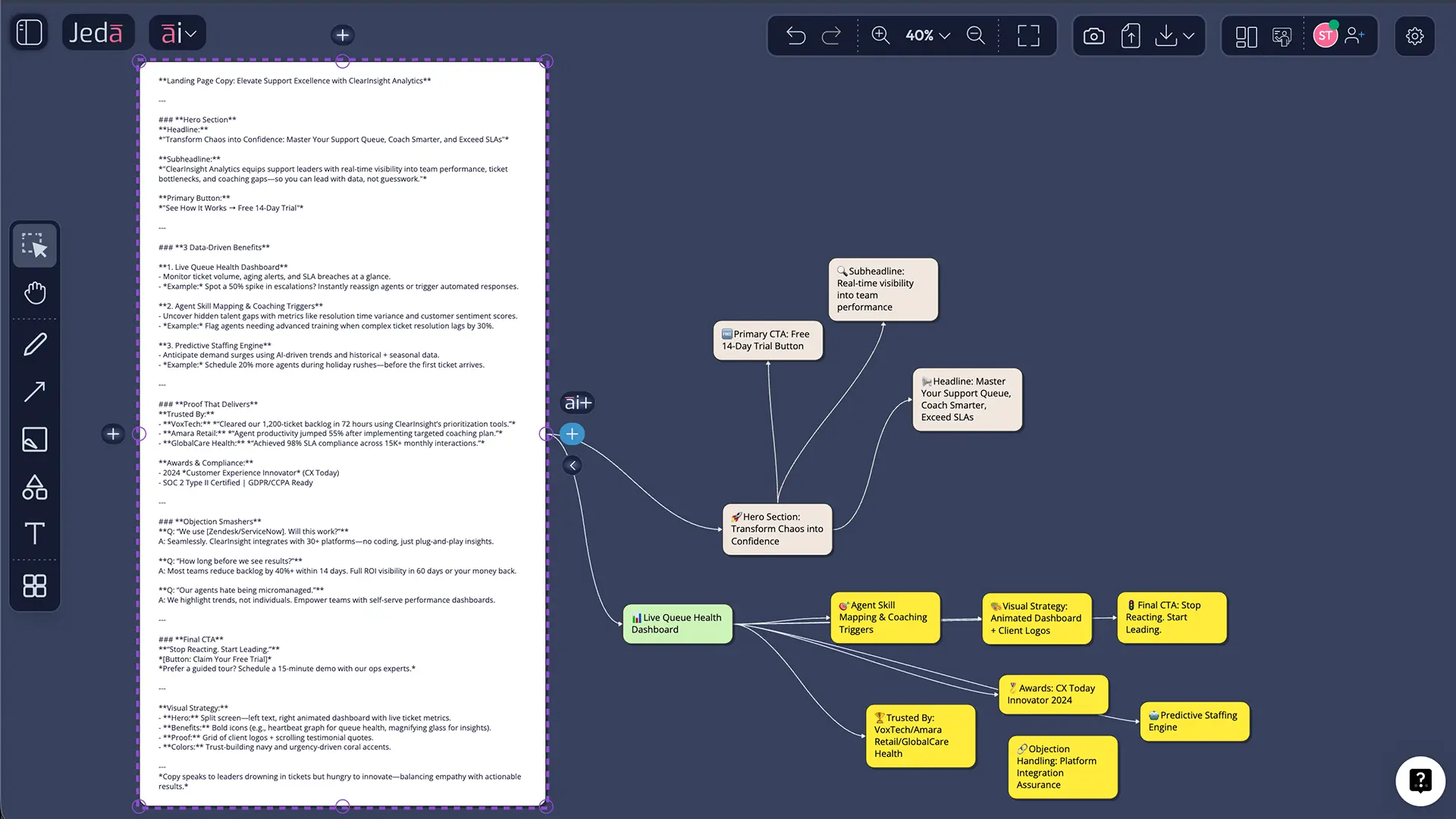
Open the AI Menu at the top-left, go to Writer, choose the Landing Page recipe, fill in the guided brief fields, and generate the first draft. This is the fastest route for a structured result.
- Review the first output for message match
Before polishing lines, check the basics: offer, audience, proof, and call to action. If those are fuzzy, the draft will stay fuzzy no matter how pretty the wording gets.
- Method 2: Use the Prompt Bar for tighter control
Open the Prompt Bar at the bottom, select the Text or Code command, set the output format to Document, paste a detailed landing-page brief, and generate. This route is better when you want named sections, variant counts, or a stricter structure.
- Bring in real source material
Upload a brand brief, product sheet, customer interview notes, FAQ doc, or research deck. Use Document Insight or Data Insight when you want the page to inherit actual claims, language, and proof instead of generic filler.
- Use AI+ for deeper sections, then convert the draft
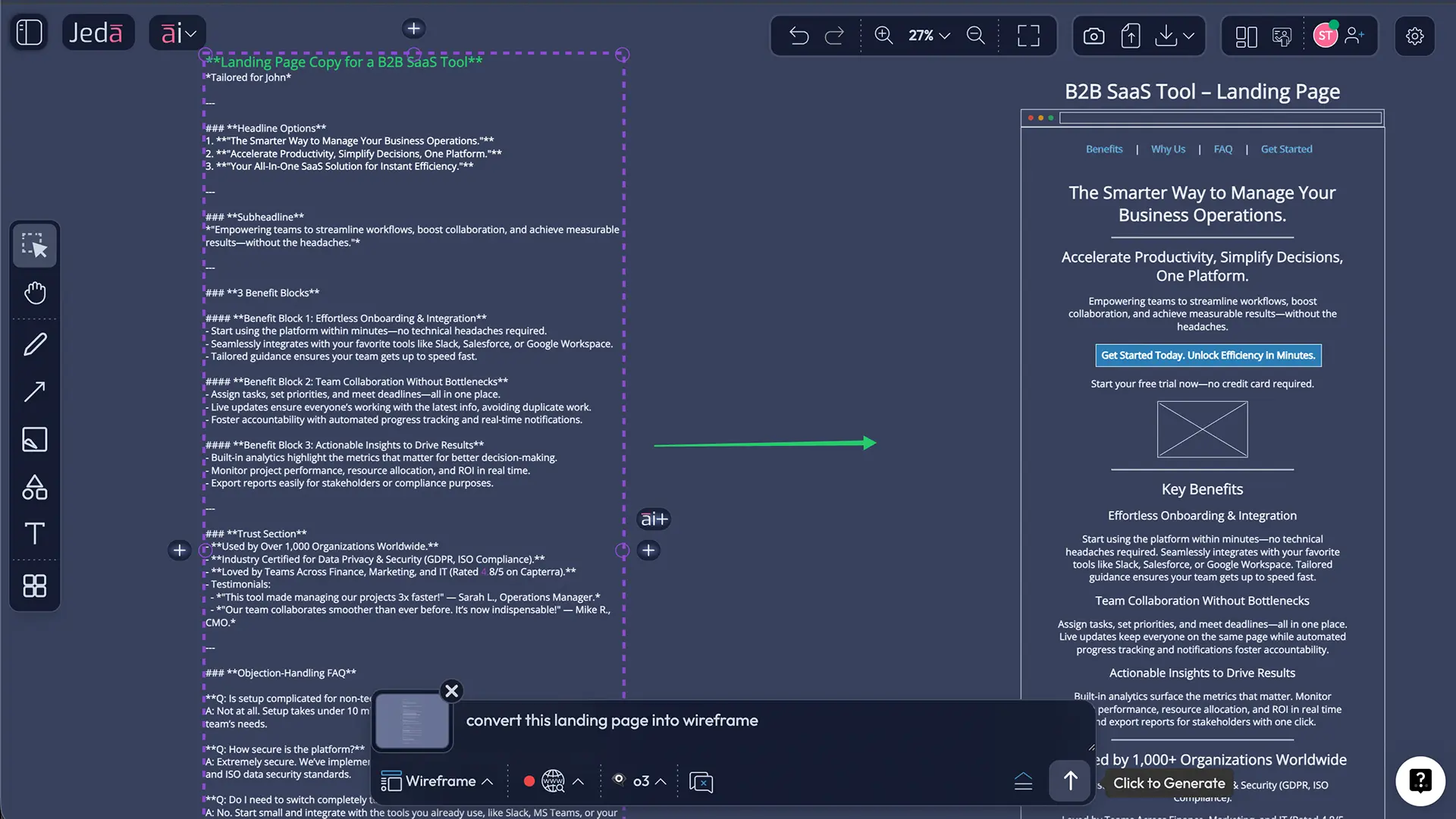
Select a generated section and use the AI+ button to deepen it. After that, use Vision Transform to convert the copy into a wireframe-ready structure for design discussion on the same board.
- Collaborate, refine, and export
Edit the copy with your team in the workspace, then export the board as PNG, SVG, or PDF when you need stakeholder review or archiving.
Copy-paste prompt for the Prompt Bar
Prompt:
Write landing page copy for [product or service].
Audience: [specific customer segment].
Primary action: [book demo / start free trial / request quote / join waitlist].
Core problem: [problem the buyer wants solved].
Unique advantage: [clear differentiator].
Proof available: [customer results, testimonial themes, metrics, certifications, case studies].
Include: 5 headline options, 2 subheadline options, hero copy, 3 benefit sections, a proof section, objection-handling FAQ, and 3 CTA variations.
Keep the language specific, plain, and credible. Avoid hype. Match the copy to the keyword or ad intent: [target phrase].
What good landing page copy usually includes
The best landing page drafts are not complicated. They are disciplined.
A strong first version usually begins with a headline that makes the offer legible, not clever for its own sake. Then comes a subheadline that frames the audience, the outcome, or the mechanism. After that, you want benefit blocks written from the user’s point of view, not a parade of internal feature names. Proof has to show up earlier than most teams expect. And the CTA needs to be concrete. “Start your 14-day trial” beats “Learn more.” Every time.
Example: B2B SaaS demo-request page
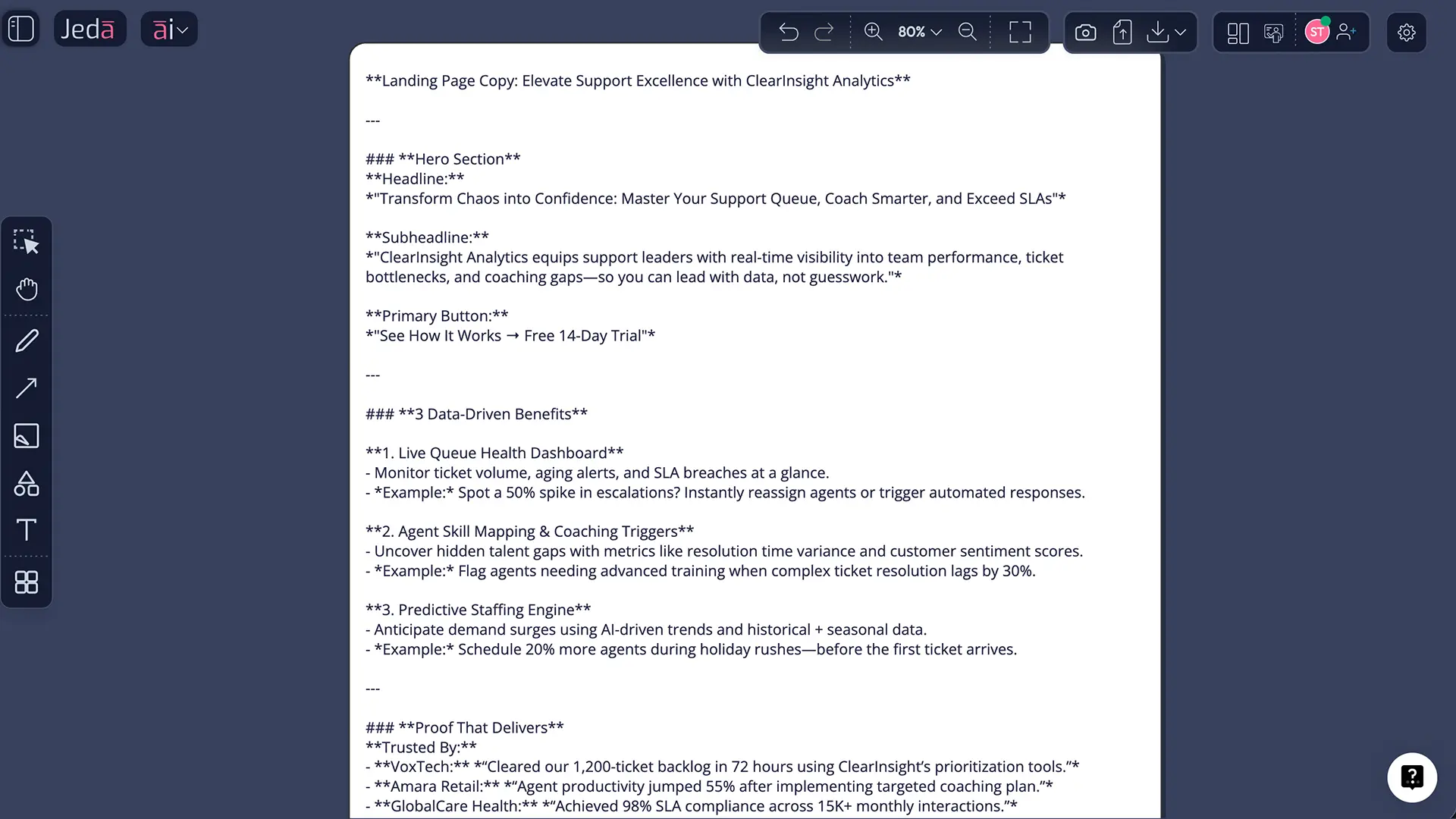
Suppose the product is a customer-support analytics platform for support leaders. A weak AI draft might say, “Transform your operations with next-generation insights.” That says almost nothing.
A better Jeda.ai draft would move closer to this logic:
Headline: See where support time is leaking before your queue breaks.
Subheadline: JedaPulse helps support leaders spot ticket bottlenecks, coaching gaps, and channel overload faster, so teams can improve response quality without adding headcount.
Proof block: Used by support operations teams across SaaS and ecommerce workflows.
CTA: Book a live walkthrough.
That is not magic. It is specificity. The AI gets there faster when your brief includes audience, stakes, proof, and desired action.
Best practices for generating landing page copy with AI
The writing itself matters. The input matters more.
Nielsen Norman Group recommends making the value proposition clear right away and using the audience’s language rather than jargon. Google Ads guidance pushes the same idea from a paid-performance angle: the landing page should closely match the ad, keyword, and CTA that brought the visitor there. Put those together and the rule is pretty simple — the copy has to feel like the right next step, not an awkward detour.
## Common mistakes that make AI landing page copy feel genericStarting with the company instead of the customer
Teams love opening with who they are. Buyers care first about what changes for them. Lead with the problem, outcome, or promise. Bring the company story in later.
Hiding the proof too deep
If the first screen makes a big promise and shows no evidence, skepticism arrives fast. Proof does not always need to be a giant testimonial block. Sometimes one hard number, one client category, or one result claim is enough to steady the page.
Stuffing features where benefits should be
Feature lists are not evil. They are just usually early. Benefits explain why the page matters. Features explain how the product delivers. Get that order wrong and the copy feels like a spec sheet.
Mixing audiences on one page
A founder, a procurement lead, and a mid-market practitioner do not read the same way. If your draft tries to satisfy all three in the hero, it normally lands with none of them.
Treating the AI draft as the final draft
This one bites a lot of teams. AI is excellent at acceleration. It is still not your market. Review the draft. Cut hype. Add proof. Tighten the CTA. Then test.
Can AI landing page copy help SEO and paid performance?
Yes, but only when the draft becomes useful copy, not commodity copy.
Google’s ads documentation is pretty blunt here: landing pages should closely match the ad and keyword, follow through on the offer, stay mobile friendly, and load quickly. Google also ties landing page experience, expected CTR, and ad relevance to Quality Score. In other words, the page does not need to repeat the search phrase like a parrot. It does need to deliver what the visitor expected to find.
That same logic carries into organic discovery. Google’s guidance for AI search experiences emphasizes unique, satisfying content that fulfills user needs, especially as queries become longer and more specific. So if you are using an AI landing page copy generator, the safest strategy is not more words. It is better words. Useful words. Specific words.
And that is where Jeda.ai has a nice edge. Because the copy sits in an AI Workspace instead of a disposable output window, you can review it against product docs, audience notes, positioning work, and even layout decisions on the same board.
From copy draft to page layout: AI+ and Vision Transform
Landing page copy often gets stuck at the handoff. Marketing writes it. Design rebuilds it. Product comments in a different tool. Everyone gets slightly annoyed. A classic workplace hobby.
Jeda.ai shortens that loop. After you generate the first copy draft, select a weak block and use the AI+ button to deepen it. That works well for expanding proof, sharpening objections, or giving a thin CTA section a bit more muscle. Keep it general: AI+ is best used for deeper continuation, not micromanaged prompting.
Then use Vision Transform to convert the copy into a rough Wireframe view. That is especially useful when you want to see whether the story still holds once the content becomes an actual page structure. Inside an AI Whiteboard, that shift from message to layout is much less clumsy than the usual copy-doc-to-design-file relay race.
Frequently Asked Questions
- What does an AI landing page copy generator actually create?
- An AI landing page copy generator usually creates the written sections of a landing page: headline, subheadline, benefit blocks, trust signals, FAQs, and calls to action. The useful ones do more than that, though. They help you organize the page around one conversion goal and one audience.
- Is AI-generated landing page copy good enough to publish without editing?
- Usually not. AI is excellent at giving you a fast first draft, structural options, and alternate angles. It still needs human review for message accuracy, proof quality, brand voice, compliance, and strategic judgment. Publish-ready copy is normally edited copy, not raw copy.
- Which Jeda.ai route is better: the Writer recipe or the Prompt Bar?
- The Writer recipe is better when you want a guided, quick first pass. The Prompt Bar is better when you want tighter control over the structure, number of variants, tone, or required sections. Most teams start with the recipe, then switch to the Prompt Bar for refinement.
- Can Jeda.ai use my existing briefs, research notes, or customer material?
- Yes. You can bring in source documents and supporting material so the copy starts from real inputs instead of guesswork. That is especially useful when you want the page language to reflect customer interviews, product facts, brand positioning, or proof already collected by the team.
- Can an AI landing page copy generator help with message match for paid traffic?
- Yes, if you feed it the actual ad angle, keyword intent, and desired CTA. Message match works when the landing page follows through on what the ad promised. AI can help draft that connection fast, but only if your brief clearly states the search intent or campaign angle.
- What should I include in the prompt for better landing page copy?
- Include the offer, audience, primary action, main problem, differentiator, and available proof. Those six inputs do most of the heavy lifting. You can also add tone, target keyword, common objections, and page constraints. The tighter the brief, the less cleanup the draft usually needs.
- Can Jeda.ai turn the copy into a rough page layout?
- Yes. After generating the copy, you can use Vision Transform to convert the structure into a rough wireframe view. That helps teams check hierarchy, section order, and CTA placement before a designer spends time polishing the page in a separate design workflow.
- What is AI+ useful for in a landing page copy workflow?
- AI+ is useful for continuing or deepening weak sections after the first draft exists. It is a strong fit for making a proof block richer, expanding objection handling, or strengthening a thin CTA area. Think of it as a depth tool, not a replacement for your original brief.
- Is this workflow only for marketers, or can product and design teams use it too?
- It is useful for more than marketing. Product marketers can shape positioning, founders can draft launch pages, growth teams can build test variants, and designers can use the same board to evaluate narrative flow before layout. That shared context is one of Jeda.ai’s better advantages.
- Can I export or share the final work from Jeda.ai?
- Yes. Once the copy and structure are reviewed, you can collaborate on the same board and export the workspace as PNG, SVG, or PDF for review and archiving. You can also continue editing directly in Jeda.ai if the team wants a living working board instead of a static file.
Sources and further reading
- [1]
HubSpot (2026) . “AI Landing Page Copy Generator” HubSpot Campaign Assistant.
View Source ↗ - [2]
Jakob Nielsen (2011) . “How Long Do Users Stay on Web Pages?” Nielsen Norman Group.
View Source ↗ - [3]
Huei-Hsin Wang (2024) . “Homepage Design: 5 Fundamental Principles” Nielsen Norman Group.
View Source ↗ - [4]
Google Ads Help (2026) . “Optimise your ads and landing pages” Google.
View Source ↗ - [5]
Google Ads Help (2026) . “About Quality Score for Search campaigns” Google.
View Source ↗ - [6]
Google Ads Help (2026) . “Evaluate the performance of your landing pages” Google.
View Source ↗ - [7]
- [8]
Google Search Central (2025) . “Top ways to ensure your content performs well in Google's AI experiences on Search” Google for Developers.
View Source ↗
Create your next landing page draft in Jeda.ai
Join over 150,000+ users building sharper messaging, layouts, and decisions in Jeda.ai’s AI Workspace.
Try Free Template