Product Description with AI is a Jeda.ai AI Writer recipe that helps you turn product facts into buyer-ready copy. It asks for the product first, then lets you add features, benefits, word count, tone, and output language so the generated description starts with useful context instead of a blank-page shrug.
That distinction matters. A product description is not filler below the product photos. It is where a buyer decides whether the promise, proof, fit, and risk all make sense. In an AI Workspace, the description can become part of a larger product-message system: features, benefits, customer objections, search context, and team review all visible in one place.
Jeda.ai gives more than 150,000+ users a Visual AI canvas for thinking, drafting, editing, and collaborating. Product Description with AI sits inside that larger workspace. It writes the description, yes. But the better use is sharper: build the product argument before the product page asks the buyer to trust you.
Why product descriptions are becoming decision infrastructure
A product page is not just a shelf. It is a negotiation.
The buyer wants to know what the product is, why it matters, whether it fits their problem, what the tradeoffs are, and what happens if they choose wrong. Baymard’s product-page research frames the product page as central to ecommerce purchase decisions, and its benchmark work shows that weak product-page UX still causes users to abandon products that may have been suitable. That is a brutal little truth: sometimes the product is fine, but the explanation loses the sale.
AI raises the stakes. Search engines, shopping feeds, marketplaces, internal sales teams, support teams, and AI assistants all depend on product information being clear. Google’s ecommerce guidance recommends sharing product data through product-page structured data and Merchant Center feeds because richer product data can improve Google’s understanding of price, availability, shipping, and other commerce details. The product description is not the same thing as structured data, but it should come from the same disciplined product truth.
This is where the Jeda.ai AI Whiteboard angle becomes useful. Your team can map product facts, objections, use cases, benefits, competitors, and proof before generating the final copy. Then the AI Writer recipe converts the inputs into a usable preview. Copy becomes less like wordsmithing. More like product reasoning with a deadline.
Why AI product descriptions fail when the inputs are thin
AI product descriptions usually fail in one of three ways. They become generic. They invent benefits. Or they sound polished while saying almost nothing. The third one is the sneakiest. It looks usable until a customer asks one sharp question.
Shopify’s own product description guidance points toward the same discipline: write for the ideal customer, highlight benefits, stay specific, provide evidence for claims, and make the description scannable. Its Shopify Magic documentation also warns that merchants are responsible for checking generated text because automatic suggestions can include benefits or facts that were not explicitly provided.
That warning is not anti-AI. It is sane.
Jeda.ai’s Product Description with AI recipe is strongest when the user provides the real material: what the product is, main features, key benefits, tone, desired length, output language, and context about the audience. Optional Web Search can help when the description needs current market language or comparison-aware phrasing, but Web Search is a platform feature, not something tied to a specific model. Keep that mental model clean. Otherwise the copy starts doing magic tricks with your credibility.
- Start with product truth
Use the mandatory product field to define what is being sold before asking AI to write around it.
- Add benefits carefully
Benefits should connect features to buyer outcomes, not inflate the product with unsupported claims.
- Ground when needed
Set Web Search to Auto or On when current terminology, trends, or market context should inform the draft.
How Jeda.ai’s Product Description recipe works
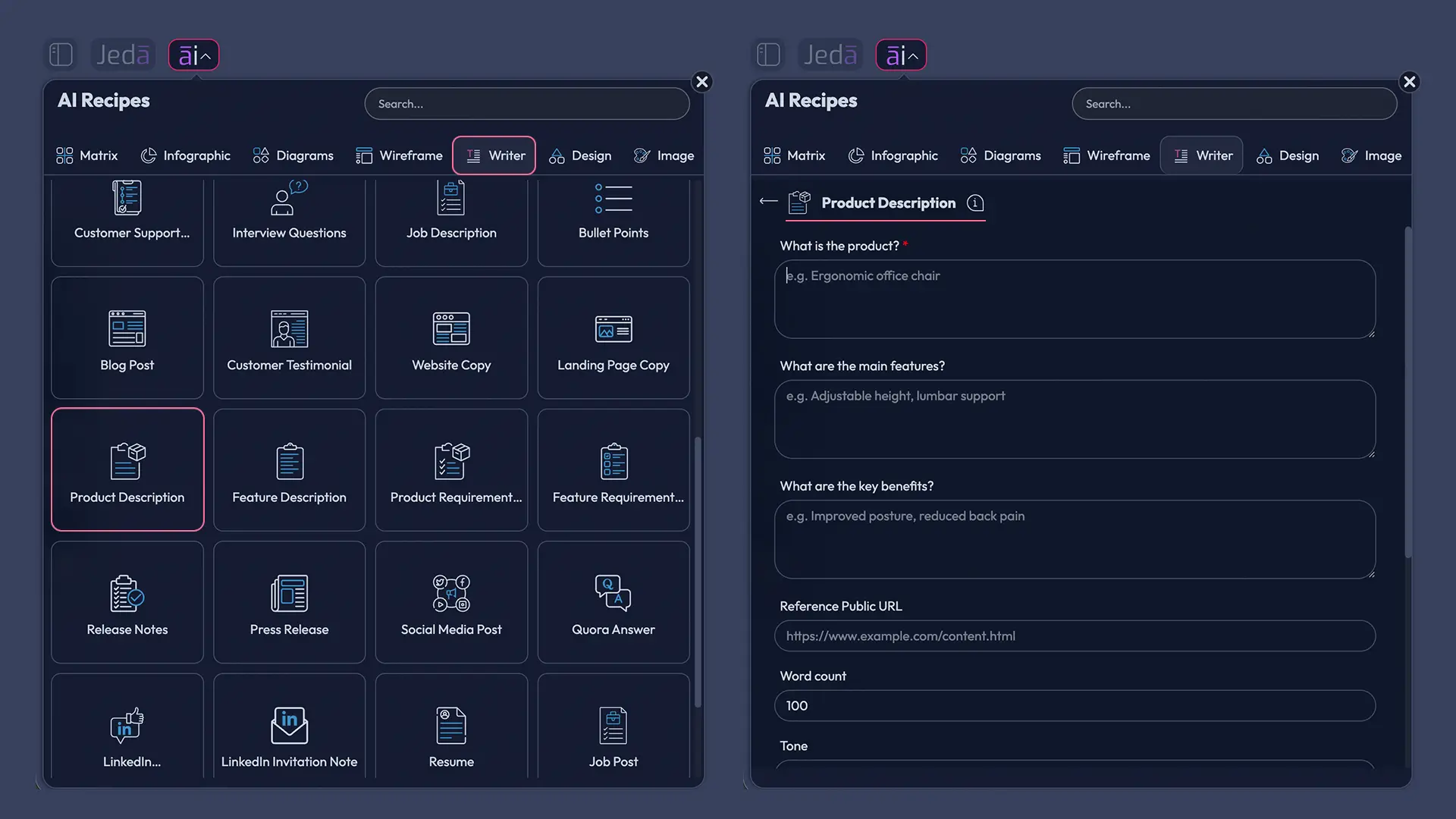
Product Description with AI is a Writer recipe in Jeda.ai. There is no sub-recipe or category inside the AI Writer tab for this specific recipe. You can browse to it from the AI Menu or search for it directly, which is usually faster if you already know what you need.
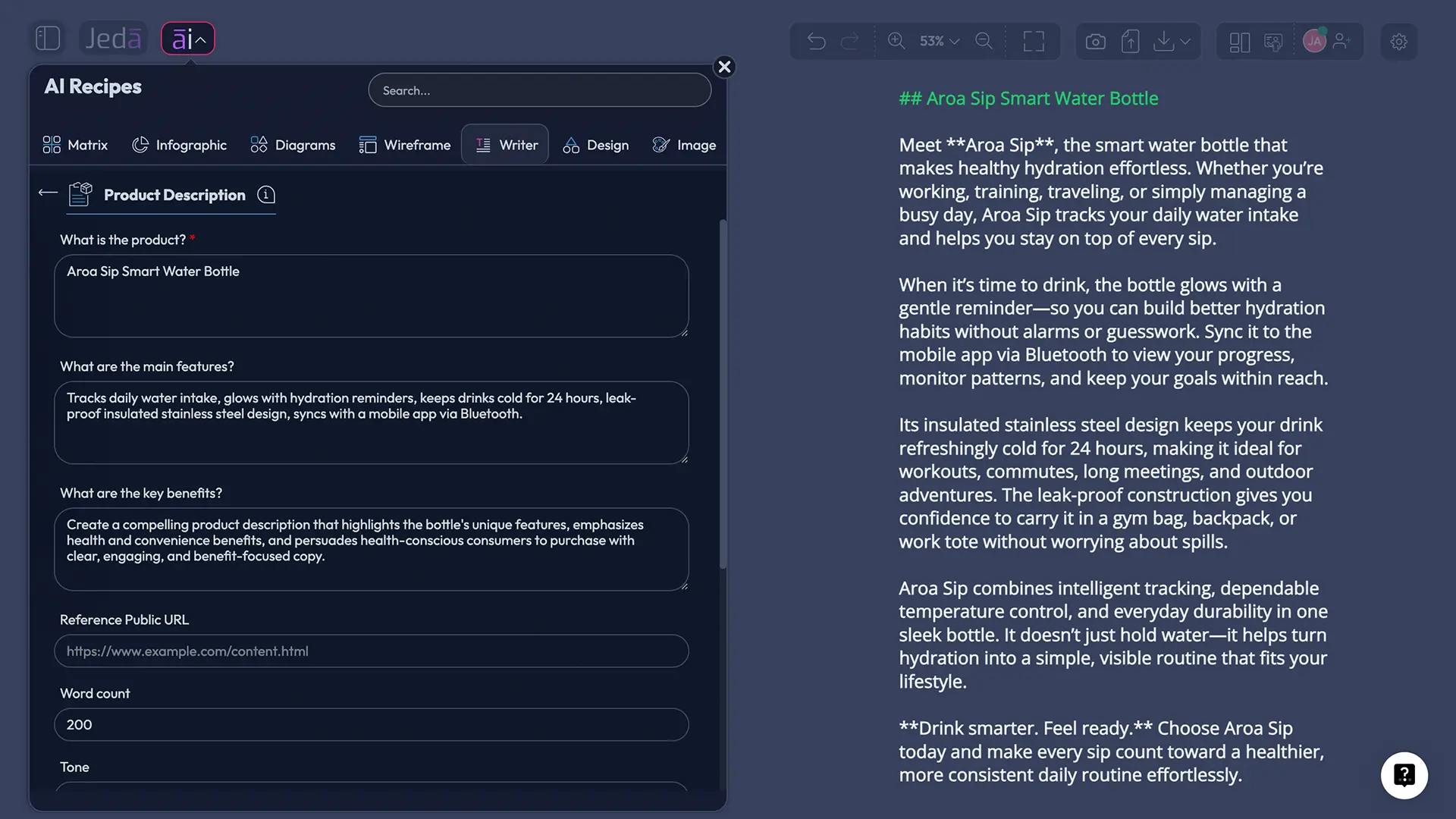
The recipe starts with one mandatory field: What is the product. That is the anchor. Optional fields let you add main features, key benefits, word count, tone, and output language. English is the default output language, but the field is available when you need another language.
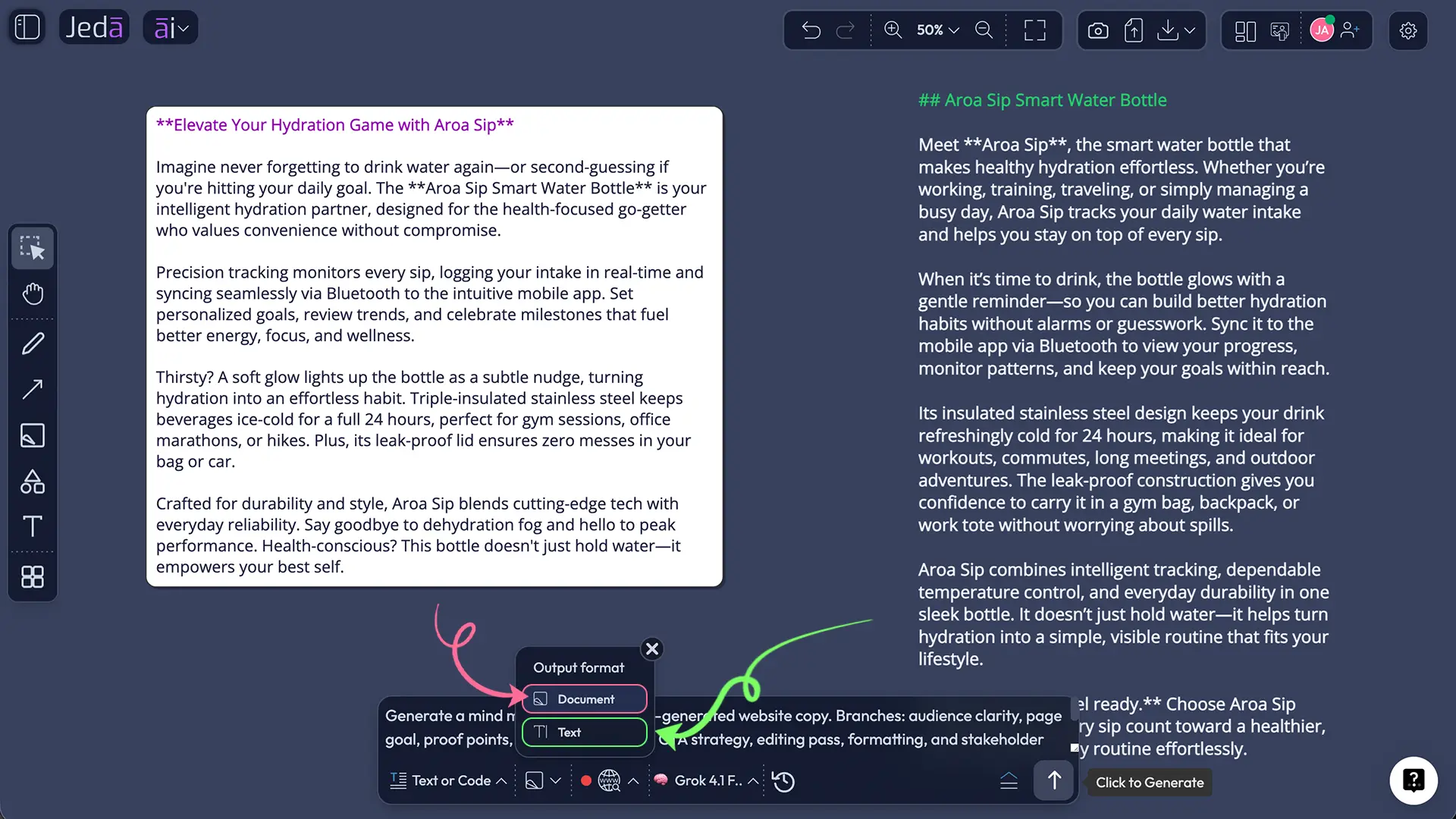
Below the fields, the workflow gives you generation controls. You can choose one, two, or three reasoning models at a time. If more than one model is selected, you can toggle the Aggregate feature and choose an additional AI model to consolidate the strongest result. You can select the output format as Document or Text. This is a preview output on the canvas; the recipe does not generate native document files.
Web Search has three modes: Auto, On, and Off. Auto lets Jeda.ai decide when current information is useful. On forces grounding with web context. Off keeps the recipe focused on the provided prompt and existing workspace context. There is also a Clear Chat Context button, which is useful when yesterday’s product launch, pricing debate, or random strategy rabbit hole should not leak into today’s product copy. The gremlin must be evicted occasionally.
How to create Product Description with AI in Jeda.ai
Use the AI Menu method when you want the guided Writer recipe. Use the Prompt Bar method when you want a faster, more direct Text or Code output. Both are valid; the better choice depends on how structured your input already is.
Method 1 — AI Menu recipe, recommended
Open a workspace in Jeda.ai and click the AI Menu from the top-left area. Choose Writer, then search for or select Product Description. Fill in the mandatory product field first. Add features, benefits, word count, tone, and output language if you have them. Then select your reasoning model setup, choose Document or Text output, set Web Search to Auto, On, or Off, and generate.
This route is best when you want a repeatable product copy workflow. It keeps the input fields visible, which reduces the chance that someone writes a dramatic product description while forgetting the product. A classic startup ritual, unfortunately.
Method 2 — Prompt Bar direct generation
Open the Prompt Bar at the bottom of the canvas, select Text or Code, choose Document or Text output, and type a clear product description prompt. Include the product, audience, top features, benefits, tone, length, and any constraints. Generate the output, then edit the text directly on the canvas.
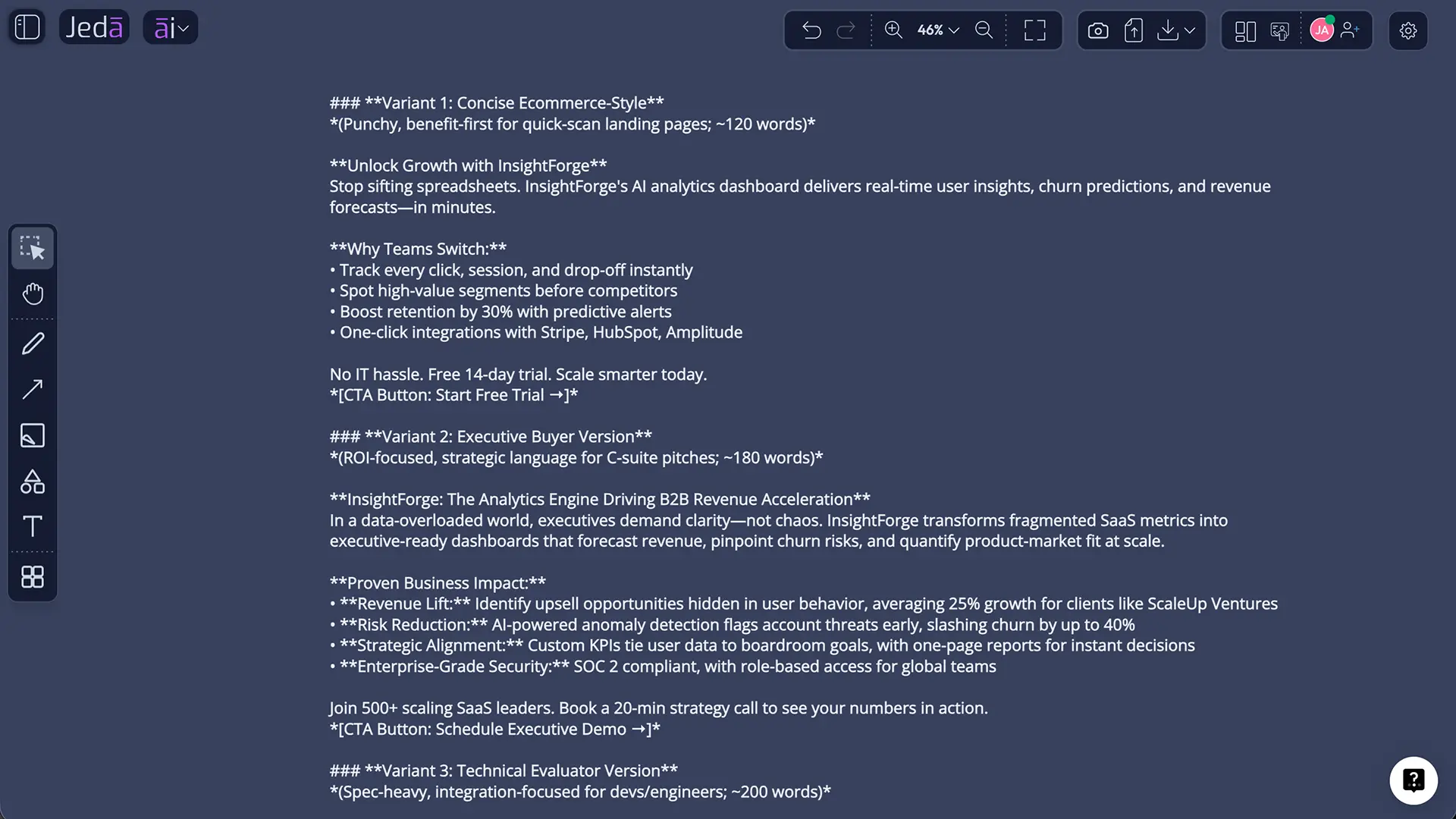
This route is best when you already have a full brief. It is also useful for variants: shorter marketplace copy, longer ecommerce page copy, technical product copy, or a version rewritten for a different customer segment.
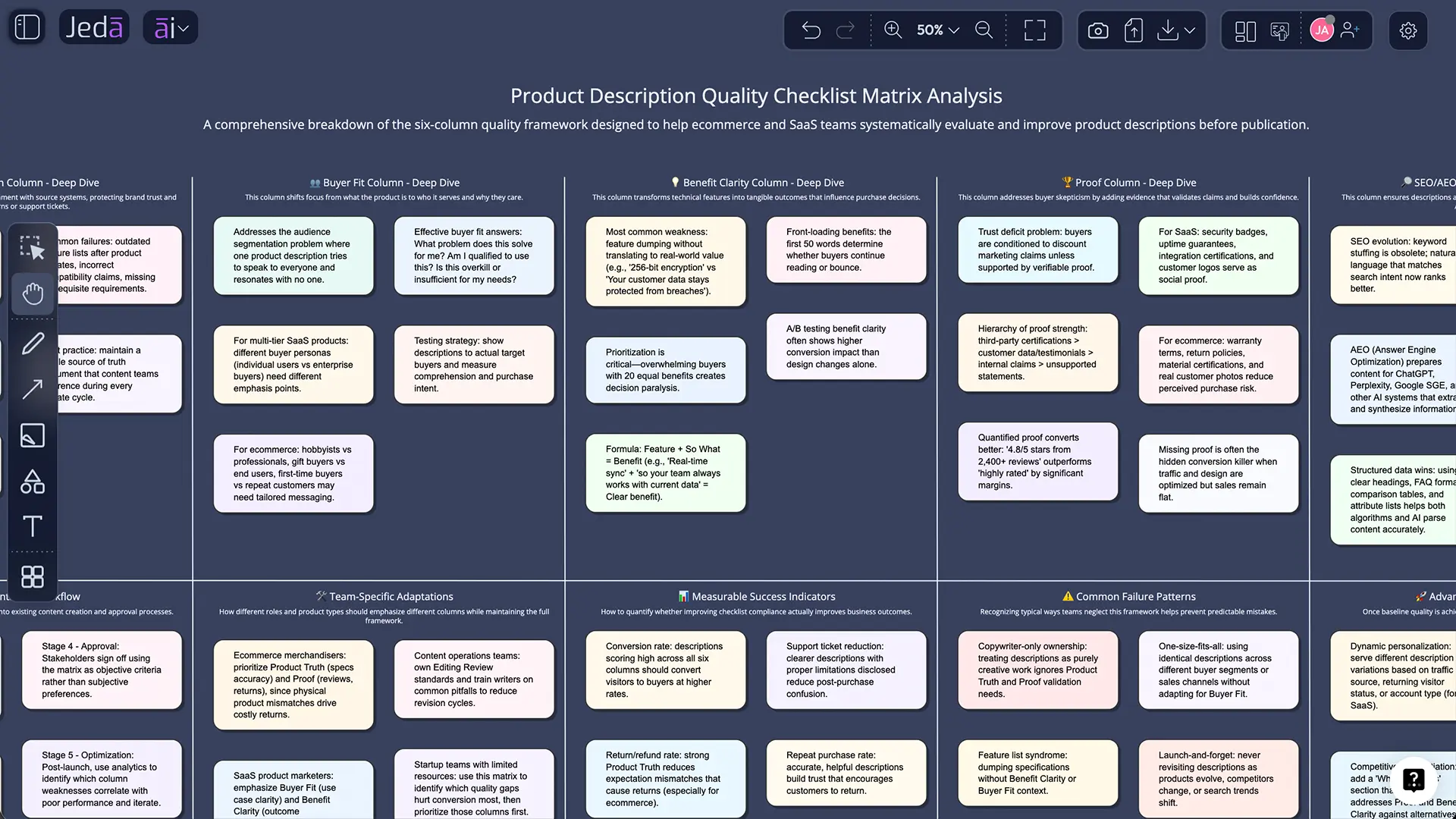
After generating, manually edit the wording and formatting. If you build supporting Smart Shape visuals around the description—such as a benefits matrix, objection map, or launch messaging board—use the AI+ button to extend sections that need more depth. Use Vision Transform when the same thinking should become a matrix, infographic, mind map, or AI Whiteboard review artifact.
- Open the AI Menu
Start from a Jeda.ai workspace, click the AI Menu in the top-left area, and choose the Writer category.
- Select Product Description
Browse or search directly for the Product Description recipe. This recipe sits in AI Writer and does not require a sub-recipe selection.
- Enter the product
Fill the mandatory 'What is the product' field with a clear product name or short product explanation.
- Add optional context
Add main features, key benefits, word count, tone, and output language when those details are available.
- Choose generation controls
Select one to three reasoning models, use Aggregate when comparing multiple model outputs, choose Document or Text, and set Web Search to Auto, On, or Off.
- Clear context if needed
Use Clear Chat Context before generation when old workspace conversations should not influence the new product description.
- Generate and edit
Generate the preview, then manually edit the text, formatting, and claims before using it in a product page, marketplace listing, sales deck, or launch note.
Product description example prompts you can generate in Jeda.ai
A good prompt does not ask AI to be clever. It gives the AI enough reality to stop guessing.
For a simple ecommerce product, use a prompt like this:
Generate a 150-word product description for a lightweight insulated travel mug. Main features: double-wall stainless steel, leak-resistant lid, 12-hour heat retention, fits most car cup holders. Key benefits: keeps drinks hot during commuting, prevents bag spills, easy to clean. Tone: warm, practical, confident. Output language: English.
For a B2B SaaS product, make the stakes explicit:
Generate a product description for a revenue forecasting dashboard for sales leaders. Main features: CRM sync, scenario modeling, pipeline health alerts, executive summary view. Key benefits: reduces forecast surprises, improves leadership alignment, and helps teams spot pipeline risk earlier. Tone: executive, concise, trust-building. Word count: 220 words.
For a technical product, ask for restraint:
Generate a product description for an API monitoring tool. Focus on uptime visibility, endpoint-level diagnostics, latency alerts, and incident review workflows. Avoid exaggerated claims. Include who it is for, what problem it solves, and why it is different from generic monitoring dashboards. Tone: technical but readable.
Jeda.ai can then hold the output beside a benefits matrix, competitor notes, screenshots, or product requirement documents in the same AI Workspace. That is the workflow upgrade. You do not have to copy a paragraph into five different tools just to decide whether the first sentence is doing its job.
Best practices for AI product descriptions that buyers can trust
Start with the buyer. Not the product team’s favorite feature. Not the founder’s emotional support adjective. The buyer.
Shopify recommends writing toward the ideal customer and using language that answers the questions buyers actually ask. That advice becomes more important with AI, because AI can produce fluent copy even when the underlying brief is mush. Ask who the description is for, what they already believe, what they fear, and what proof would make them slow down.
Then separate features from benefits. A feature is what the product has. A benefit is what changes for the buyer. A claim is what you must prove. Keep those three categories apart before generating. If the product has a leak-resistant lid, the benefit is fewer spills in a commuter bag. If the product claims “best-in-class,” the proof had better be sitting somewhere nearby, ideally before legal, support, and customers all start sharpening tiny knives.
Use Web Search selectively. For evergreen product pages, Off or Auto may be enough. For descriptions tied to market trends, seasonal launches, competitive positioning, or current terminology, On can help ground the draft. Then edit. Always. AI-generated copy should be reviewed for factual accuracy, brand voice, prohibited claims, and practical clarity.
Jeda.ai is useful here because the description is editable after generation. Teams can format the output, revise the copy, compare versions, and keep supporting evidence in the same AI Whiteboard or AI Workspace. For larger content systems, connect the recipe to Jeda.ai’s broader 300+ strategic frameworks: value proposition canvas, persona analysis, competitive matrix, buyer objection mapping, or launch positioning.
Common mistakes to avoid
The first mistake is asking for a “high-converting product description” without providing the product reality. High-converting for whom? In what category? Against which alternatives? With what proof? AI cannot rescue a lazy brief. It can only make the laziness sound expensive.
The second mistake is treating the first output as final. Jeda.ai makes manual editing and formatting available after generation because the last mile still matters. The draft may have the right structure and the wrong emphasis. Or the right tone and one risky claim. Editing is not a sign that AI failed; it is how professional publishing works.
The third mistake is confusing a Document output preview with a native file export. Product Description with AI can produce Document or Text output on the canvas, but the recipe itself is a preview workflow. It does not generate Word or other native document files. Keep that expectation clean in product education and support materials.
The fourth mistake is leaving old chat context active when switching products. If you wrote a luxury skincare description five minutes ago, then draft copy for a cybersecurity API tool, Clear Chat Context is your friend. Otherwise things get weird. Moisturizing endpoint protection is not a category we need.
Frequently Asked Questions
- What is Product Description with AI in Jeda.ai?
- Product Description with AI is a Jeda.ai AI Writer recipe that generates buyer-ready product descriptions from product details. It uses a mandatory product field plus optional fields for features, benefits, word count, tone, and output language.
- Is Product Description a sub-recipe in AI Writer?
- No. Product Description is a Writer recipe, but there is no separate sub-recipe or category inside the AI Writer tab for it. You can browse to the recipe or search for Product Description directly.
- What field is mandatory for the recipe?
- The mandatory field is 'What is the product.' This gives the recipe its core subject. Optional fields can then refine the result with features, benefits, word count, tone, and output language.
- Can I edit the generated product description?
- Yes. After generation, manual editing is allowed. You can revise the copy and use available text formatting so the output better matches your product, brand voice, and publishing format.
- Does the recipe generate document files?
- No. The output format can be Document or Text, but it is a preview output on the canvas. The recipe does not generate native document files such as Word documents.
- How many reasoning models can I use?
- You can select one, two, or three reasoning models at a time. When multiple models are selected, you can toggle the Aggregate feature and choose an additional AI model to consolidate the strongest result.
- When should Web Search be Auto, On, or Off?
- Use Auto when you want Jeda.ai to decide whether current information is needed. Use On for market-aware or trend-sensitive descriptions. Use Off when the output should rely only on your provided product details and workspace context.
- Why use Clear Chat Context before generating?
- Clear Chat Context helps remove previous AI conversation context before creating a new product description. It is useful when switching between unrelated products, brands, industries, or tone requirements.
- What should I include for better AI product descriptions?
- Include the product name, target buyer, main features, key benefits, proof points, tone, desired length, and output language. The more specific the input, the less generic the generated description will be.
- Can Product Description with AI support ecommerce and SaaS copy?
- Yes. The recipe can generate product descriptions for physical products, SaaS products, services, and other offerings as long as the product field and supporting context are clear.
- How does this fit into an AI Workspace?
- In Jeda.ai, product description generation can sit beside research notes, benefit matrices, product screenshots, customer objections, and team feedback. That makes the description part of a visible workflow instead of an isolated AI text response.
- Is Web Search a model feature?
- No. In Jeda.ai, Web Search is a platform feature. It can be set to Auto, On, or Off for supported commands and recipes, but it should not be described as belonging to a specific reasoning model.
Sources and Further Reading
- [1]
Shopify Help Center (2026) . “Automatically generating product descriptions” Shopify.
View Source ↗ - [2]
Shopify Help Center (2026) . “Writing engaging product descriptions” Shopify.
View Source ↗ - [3]
Edward Scott (2026) . “Product Page UX 2026: 10 Pitfalls and Best Practices” Baymard Institute.
View Source ↗ - [4]
Google Search Central (2025) . “Share your product data with Google” Google for Developers.
View Source ↗ - [5]
Google Search Central (2026) . “Merchant listing (Product, Offer) structured data” Google for Developers.
View Source ↗ - [6]
Qidwai, Mukhopadhyay, Khatiwada, Roth, Gupta (2025) . “PRAISE: Enhancing Product Descriptions with LLM-Driven Structured Insights” arXiv.
View Source ↗ - [7]
Kedia, Mantha, Gupta, Guo, Achan (2021) . “Generating Rich Product Descriptions for Conversational E-commerce Systems” WWW '21 Companion / arXiv.
View Source ↗
Create Product Descriptions Inside an AI Workspace
Join 150,000+ users using Jeda.ai to turn product facts, buyer context, and team feedback into clearer content. Generate the first draft, edit it, and keep the thinking visible on an AI Whiteboard.
Try Jeda.ai Free