Interview Questions and Answers with AI can turn a vague preparation session into a role-specific practice system. But speed is not the real prize. The better outcome is structure: questions tied to actual job requirements, answer frameworks grounded in real experience, and a review process that exposes weak evidence before the interview does. Jeda.ai brings that work into an AI Workspace and AI Whiteboard where candidates, recruiters, career coaches, and hiring teams can generate, edit, compare, and organize interview material in one place. 150,000+ users use Jeda.ai to turn prompts into editable work.
What Are Interview Questions and Answers with AI?
Interview Questions and Answers with AI are role-specific interview prompts and response frameworks generated from information such as a job title, industry, hiring objective, seniority level, competencies, and additional context. For candidates, the output can become a rehearsal guide. For hiring teams, it can become the first draft of a structured interview plan.
A stronger guide asks what the role requires, which evidence demonstrates it, and which follow-up questions test the claim.
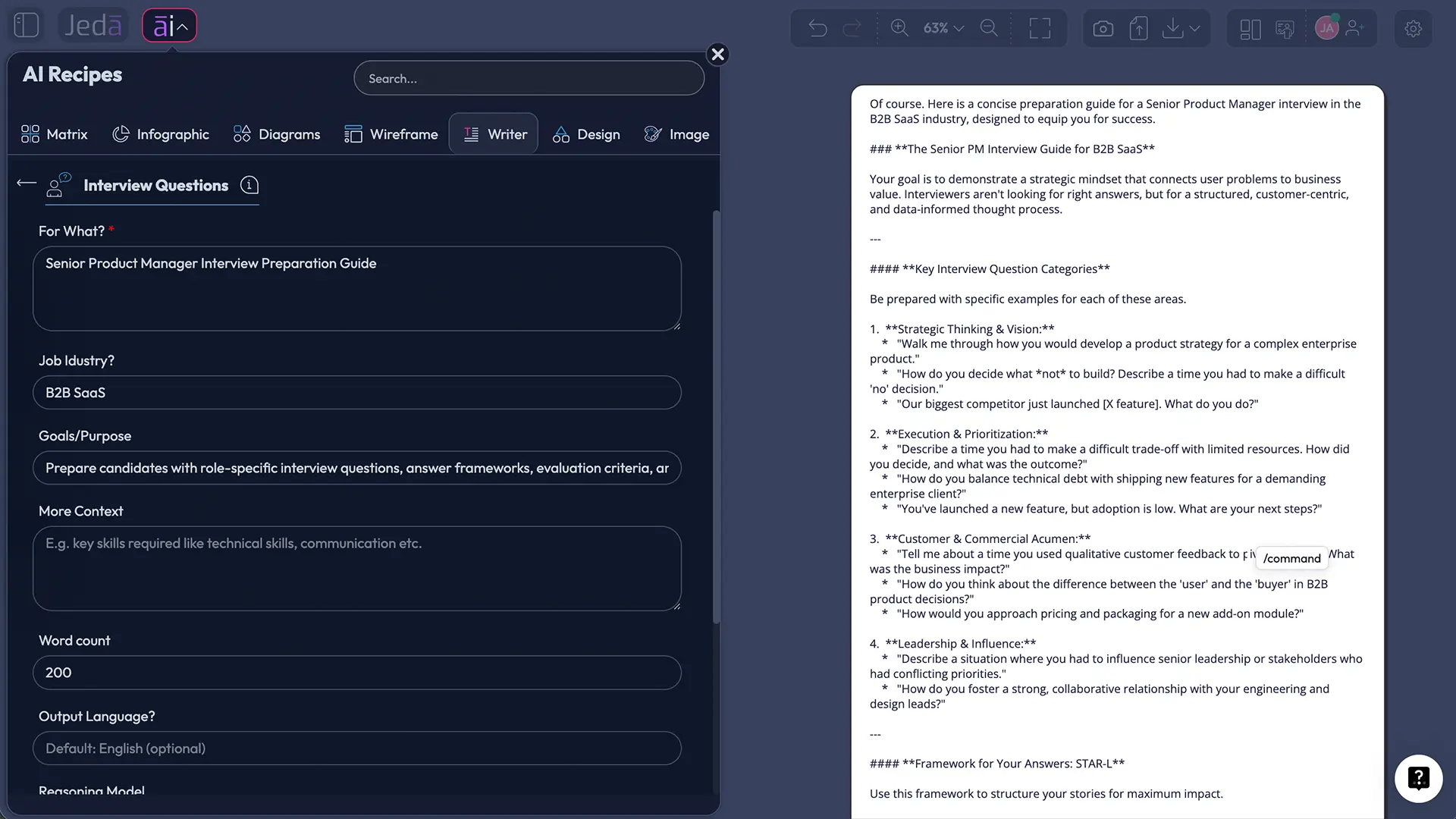
Jeda.ai provides a dedicated Interview Questions and Answers Writer recipe. The recipe has no sub-recipe. You can open it from the Writer area of the AI Menu or find it directly with search. Its required field is For What. Optional fields include Job Industry, Goals/Purpose, More Context, Word Count, and Output Language, with English selected by default.
Why Better Interviews Need More Than More Questions
An interview guide is measurement design, not trivia. Research reviewed by Levashina, Hartwell, Morgeson, and Campion shows that structure involves choices about question types, probing, rating scales, bias, and candidate reactions. The U.S. Office of Personnel Management and CIPD likewise emphasize job-related competencies, common questions, and consistent evaluation standards.
AI can accelerate that design. It cannot rescue a badly defined role. “Give me questions for a manager” will produce broad material. Add responsibilities, decision rights, success measures, team context, and competencies, and the questions start doing useful work.
- Role alignment
Generate questions around the actual responsibilities, decisions, and success measures of the job.
- Evidence focus
Build answer frameworks that ask for examples, actions, constraints, outcomes, and lessons rather than slogans.
- Consistent evaluation
Create common questions, follow-ups, and scoring indicators that hiring teams can review before interviews begin.
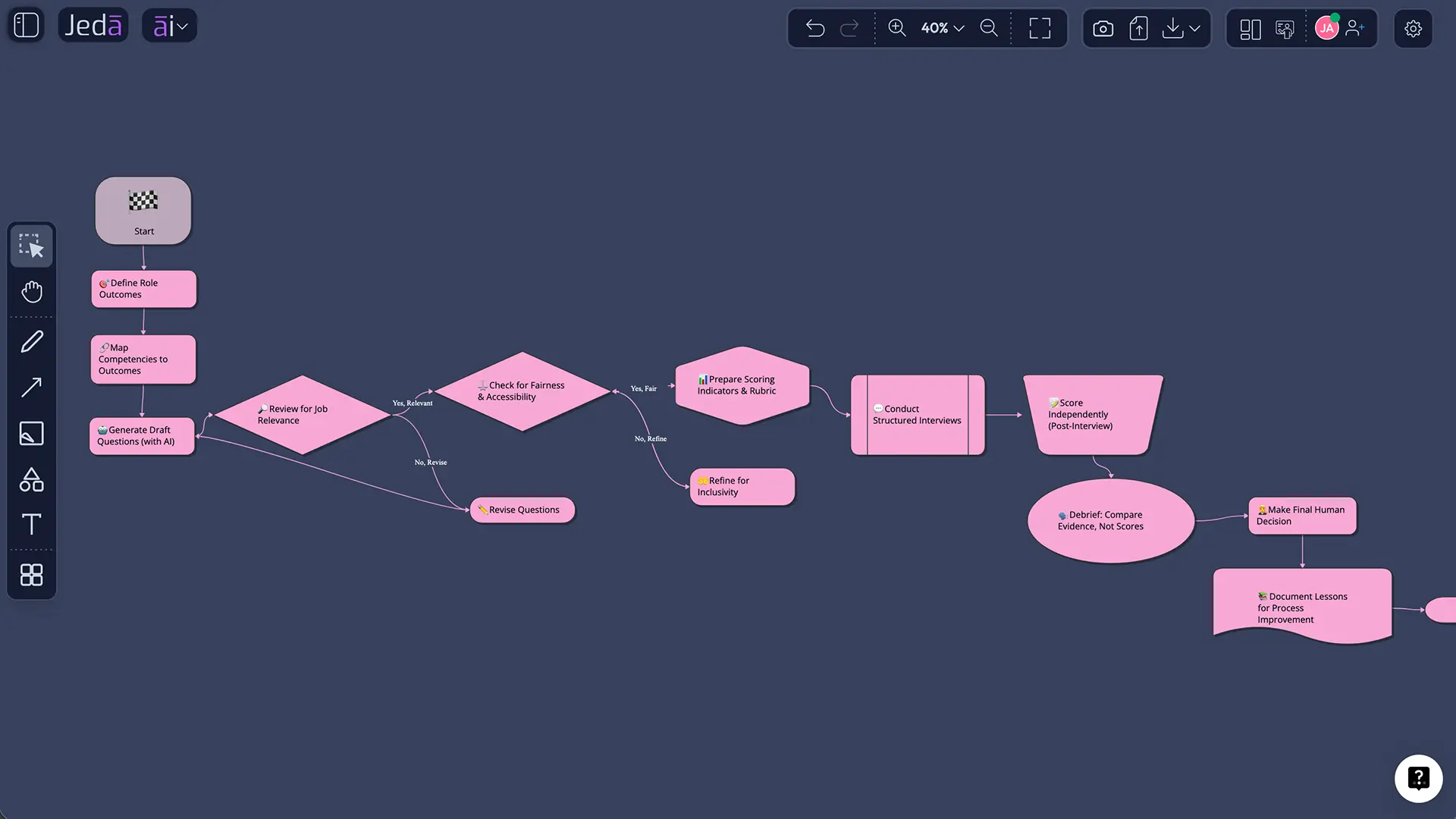
This is where a Visual AI workflow becomes useful. The written guide can sit beside a job description, competency map, candidate notes, decision matrix, or interview flow on the same AI Whiteboard. The interview stops being an isolated conversation and becomes part of a visible decision process.
How to Generate Interview Questions and Answers in Jeda.ai
Jeda.ai offers two practical routes to the same Writer recipe: navigate through the Writer area or search for the recipe directly. Both open the same guided form.
Method 1: Navigate Through the Writer Recipes
Use this route when you want to browse the Writer library and understand where the recipe lives.
- Open a Jeda.ai workspace
Open a workspace where the guide can sit beside supporting material.
- Open the AI Menu
Click the AI Menu in the top-left area of the workspace.
- Select Writer
Choose Writer. The recipe appears directly because it has no sub-recipe.
- Open the recipe
Select Interview Questions and Answers to open its guided input form.
- Complete For What
State the exact role and whether the guide is for preparation or hiring.
- Add optional context
Add industry, goals, context, word count, and language as needed.
- Choose AI settings
Choose up to three models, Web Search mode, and Document or Text.
- Generate and review
Generate the preview, then edit and format it before use.
Method 2: Search for the Recipe Directly
Use search when you already know what you need and do not want to browse recipe cards.
- Open the AI Menu
Click the AI Menu from the workspace.
- Use the search bar
Type Interview Questions and Answers into the recipe search field.
- Select the matching recipe
Open the Writer recipe from the search results.
- Describe the interview task
Name the role, seniority, and intended user in For What.
- Set the depth and context
Add industry, competencies, interview format, constraints, length, and language.
- Generate the preview
Choose models, search mode, and output format, then generate.
How Should You Fill In the Recipe Fields?
Use For What to name the exact role and whether the output is for candidate practice or interviewer planning. Add Job Industry for domain context; Goals/Purpose for the competencies or outcomes; and More Context for seniority, interview stage, question mix, time limits, company stage, or scoring needs. Set Word Count for depth and choose Output Language.
An entry might request a Senior Product Manager panel guide for B2B SaaS, focused on product judgment, discovery, prioritization, stakeholder alignment, metrics, and execution. For candidates, add the job description and real experiences to retrieve. For hiring teams, add competency definitions and scoring intent. Never ask AI to invent achievements, numbers, projects, or qualifications. That shortcut has the shelf life of warm milk.
How Do Reasoning Models, Aggregation, and Web Search Help?
Select one, two, or three reasoning models. One model works for a straightforward practice guide; multiple models help when a complex role benefits from contrasting perspectives. With multiple models selected, turn on Aggregate and choose an additional model to consolidate the results. Give it explicit criteria such as job relevance, evidence depth, realism, fairness, and clarity. Otherwise, “pick the best” becomes a tiny beauty pageant for paragraphs.
Web Search has three modes:
- Auto lets Jeda.ai decide when current information may improve the output.
- On requests live web grounding, which can help with fast-changing industries, current tools, market context, or recent role expectations.
- Off keeps the generation within the supplied context and model knowledge.
Use web context to support—not replace—job analysis. A trending skill is not automatically a core competency.
What Is the Difference Between Document and Text Output?
The output setting changes how the generated content is presented on the Jeda.ai canvas.
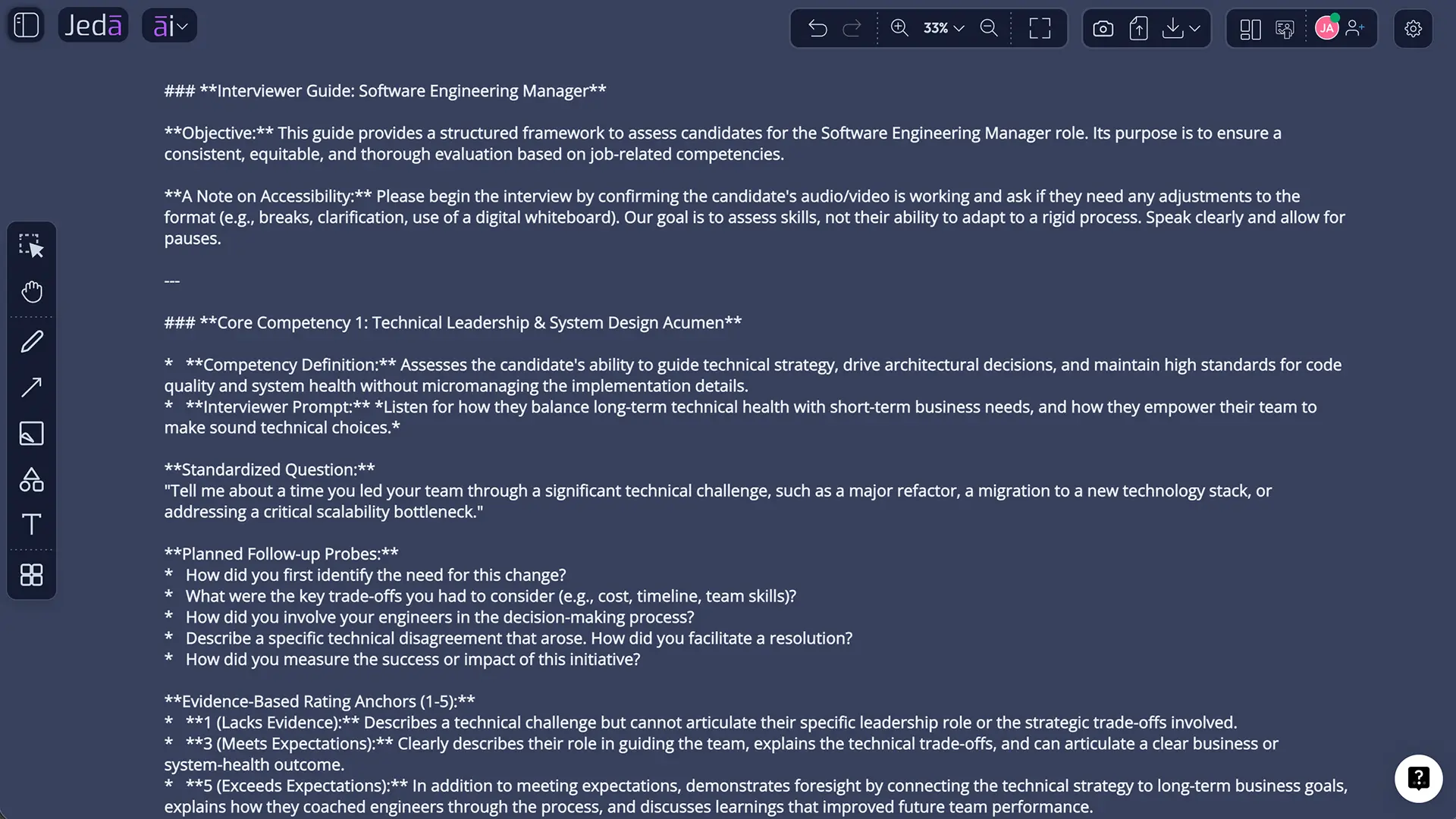
Document displays the interview guide in a styled document-like container. It is useful when you want a polished, readable block with headings, sections, and formatting. Text creates a simpler text object that is easier to place beside other canvas content.
This is a preview choice. It does not generate a Word or document file. After generation, you can manually edit the content and use the available text-formatting controls to change wording, hierarchy, emphasis, links, font, size, alignment, and other presentation details.
What Should a High-Quality AI Interview Guide Contain?
A useful guide should connect every question to a reason for asking it. For each major competency, include a primary question, one or two probes, answer evidence, and a review standard.
| Role relevance | Evidence prompts | Follow-up logic | Review consistency | |
|---|---|---|---|---|
| Structured AI-assisted guide | Mapped to responsibilities | Examples, actions, outcomes | Planned probes | Shared indicators |
| Static question list | Often broad | Inconsistent | Usually absent | Left to interviewer |
| Generic AI prompt | Depends on input | May be shallow | Possible but unplanned | Rarely defined |
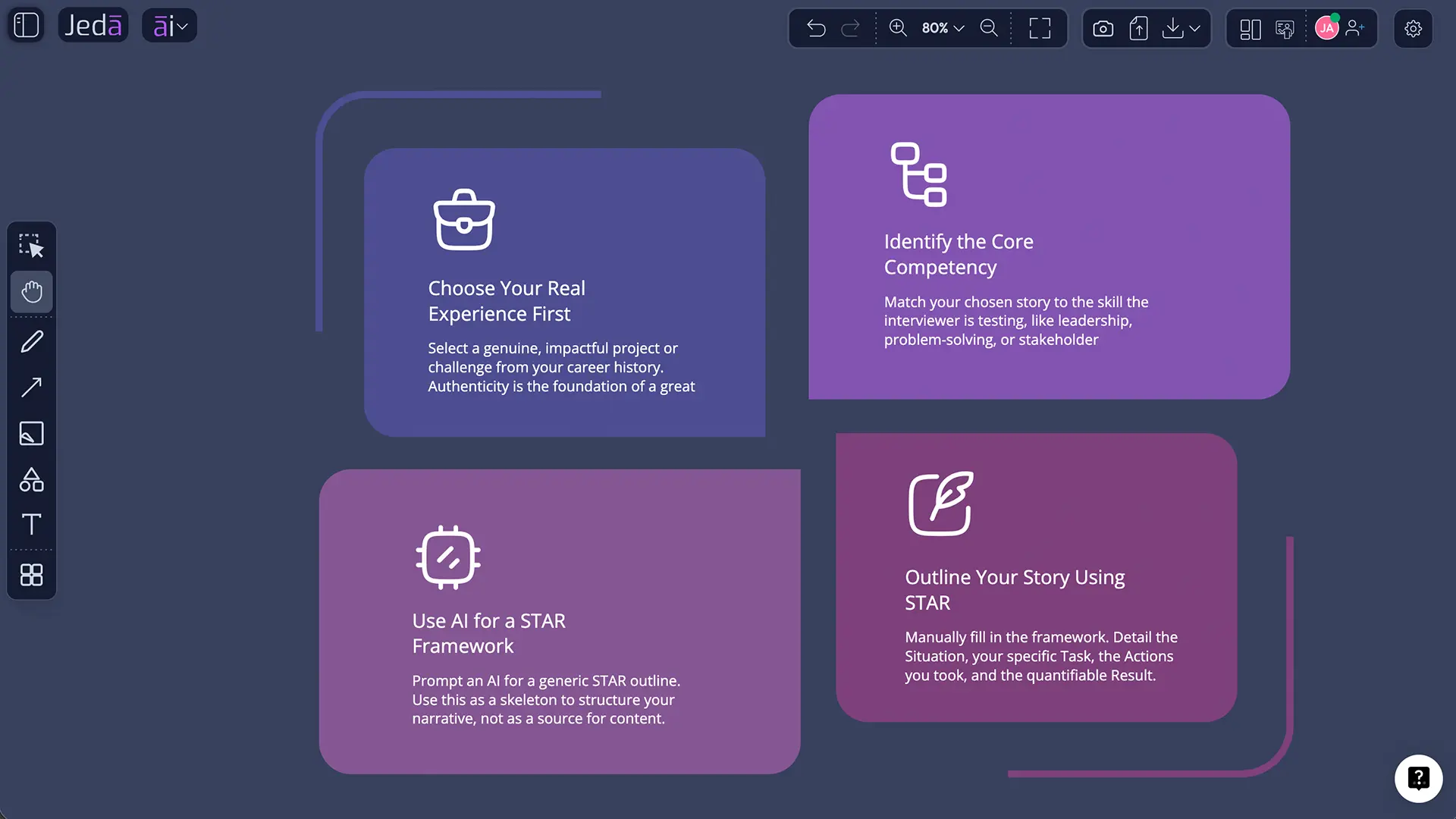
For candidates, “answer” should mean a framework, not a script. A solid behavioral answer often follows STAR: Situation, Task, Action, Result. The National Careers Service also advises candidates to keep examples concise, conversational, and ready for follow-up questions. That last part is the authenticity test. A memorized answer tends to collapse the moment an interviewer asks, “What did you personally do?”
For hiring teams, an answer guide should describe observable evidence rather than a single perfect response. Different candidates may demonstrate the same competency through different industries, projects, education, volunteering, or life experience.
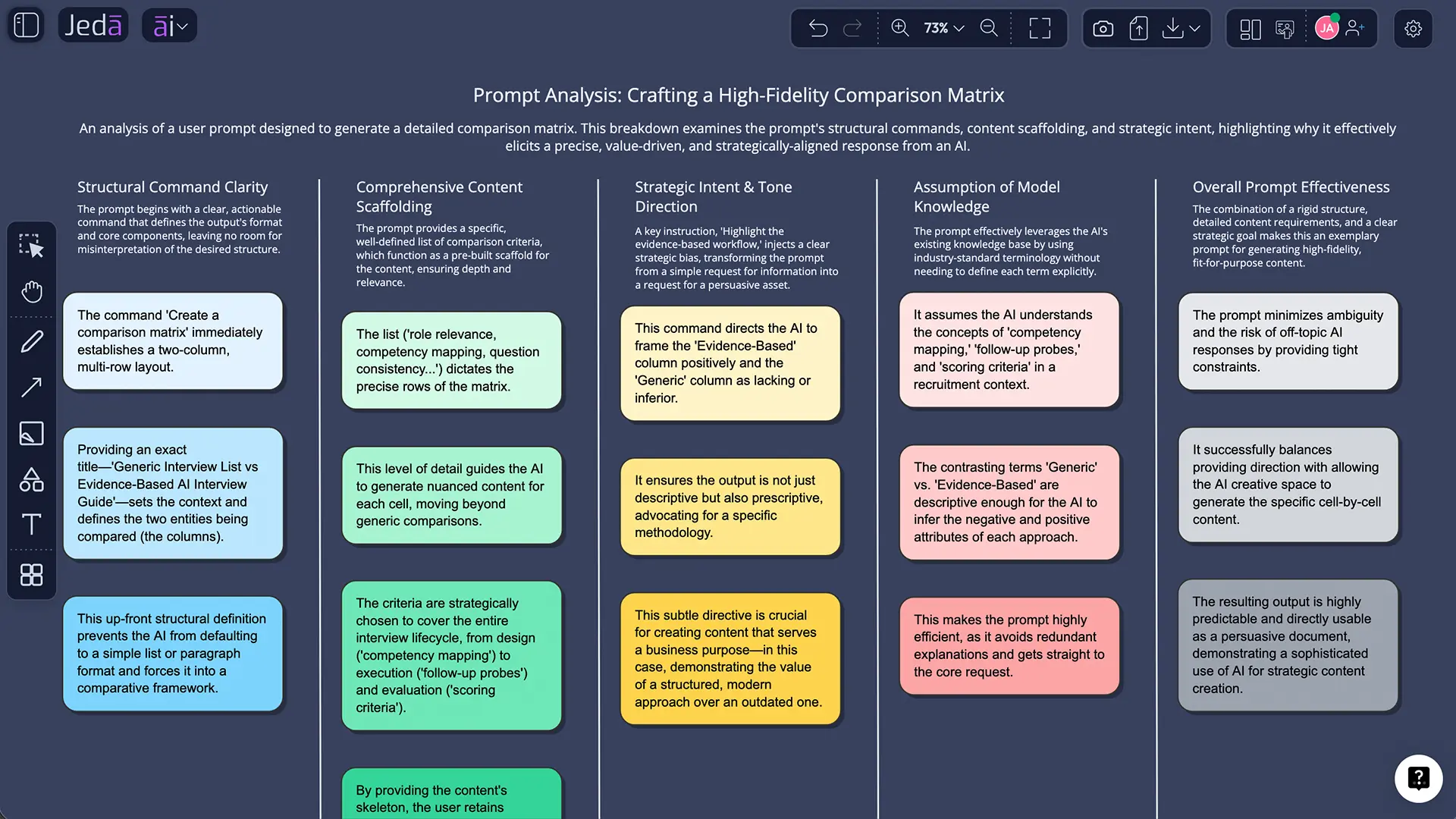
Example: Turn One Question into an Evidence System
Suppose the role is Senior Product Manager and the competency is prioritization under uncertainty.
AI should make the reasoning structure visible, not supply a personality.
How Should Candidates Use AI Without Sounding Artificial?
Use AI to retrieve, organize, and pressure-test your own evidence. Do not use it to manufacture a heroic career that your references have never met.
List real projects, conflicts, failures, improvements, and decisions. Ask Jeda.ai to map them to competencies and likely questions, then draft STAR outlines. Speak them aloud, cut jargon, verify every metric, and practise probes. Leave some humanity in the answer; one honest limitation is often more credible than a flawless monologue that sounds like a management textbook learned to breathe.
How Should Hiring Teams Use AI Responsibly?
AI-generated questions should be reviewed against the job, the competency model, the interview format, and applicable employment requirements. People remain responsible for the process and decision.
Use the same core questions and scoring standards for comparable candidates. Confirm each question is job-related, remove prompts that invite irrelevant personal information, plan accessibility support, and score evidence independently before group discussion. Where practical, combine interviews with job-relevant work samples.
This is also where Jeda.ai’s broader AI Workspace can help. The interview guide can connect to a job description, scorecard, selection flow, or decision matrix on the same AI Whiteboard. Jeda.ai includes 300+ strategic frameworks, so hiring teams can visualize competency mapping, stakeholder roles, process risk, and final decision criteria rather than treating the interview as a standalone ritual.
How Can You Edit and Extend the Generated Output?
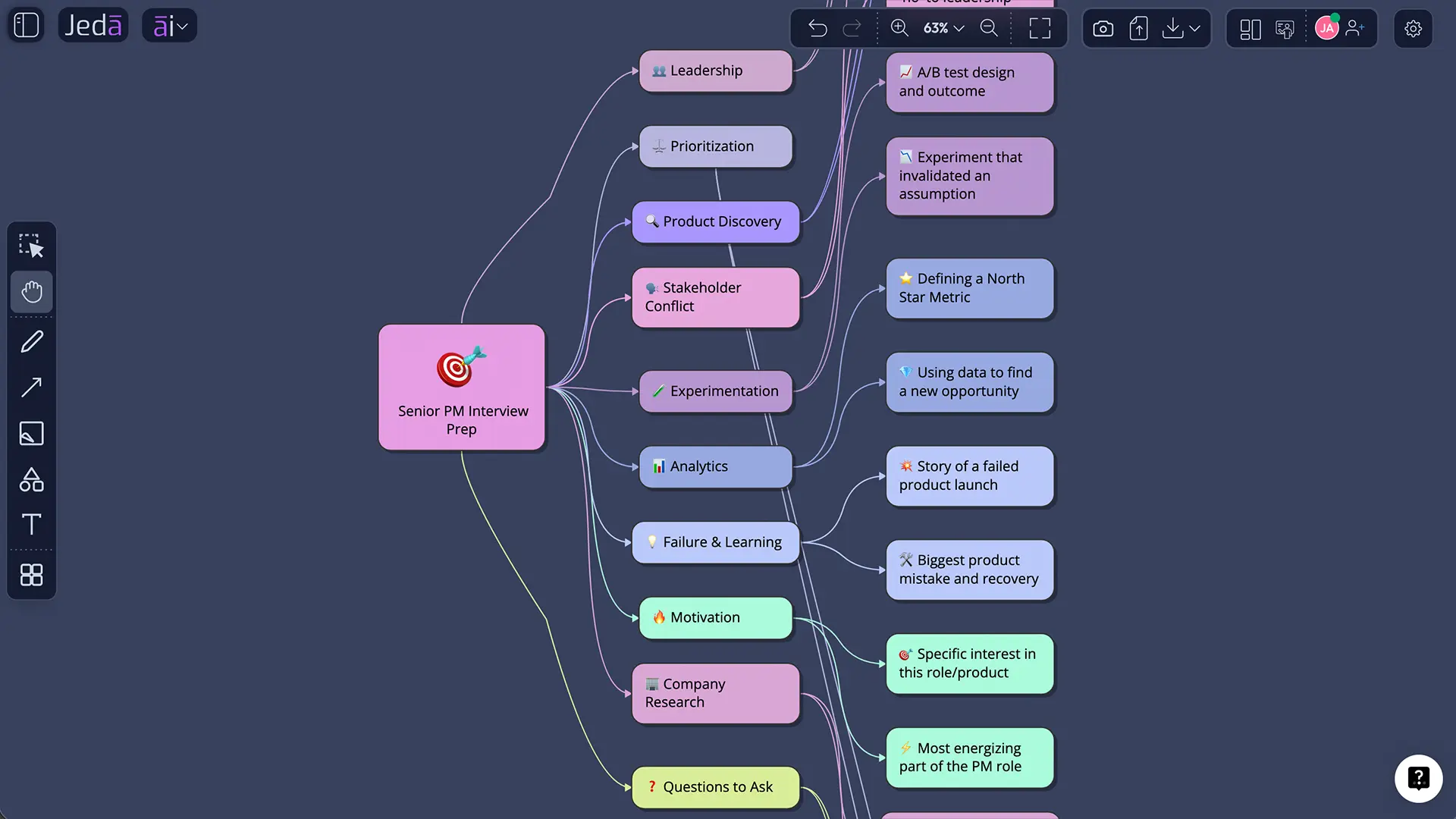
Edit the preview directly: tighten vague questions, replace generic competencies, add formatting, and reorder sections to match the interview. Vision Transform can convert the writing into a rehearsal mind map, process flow, scoring matrix, or diagram. On a connected visual, select a node and use the AI+ button to extend that branch. Writing, visual structure, and decision logic stay connected instead of bouncing between four tools and someone’s mysteriously final-final-v7 file.
Common Mistakes to Avoid
Generating a huge list without a competency map. More questions usually create a longer meeting, not a better interview.
Writing “perfect answers.” Build evidence frameworks; over-scripted responses collapse under follow-up questions.
Reusing one generic bank for every role. Different jobs require different decisions, skills, and proof.
Letting AI define truth. Verify technical content, company facts, regulations, and role expectations.
Skipping scoring criteria. Use observable indicators and shared standards.
Keeping stale context. Clear Chat Context when the role, candidate, or client changes.
Frequently Asked Questions
- What are Interview Questions and Answers with AI?
- Interview Questions and Answers with AI are role-specific questions and response frameworks generated from job context, industry, competencies, goals, and other details. They can support candidate rehearsal or help hiring teams draft structured interview guides, but every output should be reviewed and adapted by a human.
- Can AI write answers for job interviews?
- AI can help organize answer frameworks, identify missing evidence, and turn real experiences into concise STAR outlines. Candidates should not memorize generated scripts or invent achievements. The safest use is rehearsal: adapt the structure to your own voice, facts, decisions, and measurable results.
- What is the STAR method for interview answers?
- STAR stands for Situation, Task, Action, and Result. It helps candidates explain the context, their responsibility, what they personally did, and what happened. Keep the setup brief, spend more time on the action, and prepare for follow-up questions about choices, constraints, and outcomes.
- How do I make AI interview questions role-specific?
- Include the job title, level, industry, responsibilities, success measures, interview stage, and competencies. Add realistic constraints such as interview duration, panel format, technical depth, and required question types. The richer the job context, the less likely the output is to become generic career-content soup.
- Should recruiters use the same questions for every candidate?
- For candidates being compared for the same role, structured interviews generally use the same core questions, order, and rating standards. Interviewers may use planned probes to clarify evidence, but consistent design makes answers easier to compare and reduces the influence of improvisation or first impressions.
- Can Jeda.ai generate interview questions using multiple AI models?
- Yes. The recipe supports one, two, or three reasoning models at a time. When multiple models are selected, you can enable Aggregate and choose an additional model to evaluate the responses and create a consolidated output based on criteria such as relevance, depth, realism, and clarity.
- What does Web Search do in the interview recipe?
- Web Search can run in Auto, On, or Off mode. It may help ground questions in current industry context, technologies, or market conditions. It should not replace the job description, competency analysis, or human verification, especially when the interview affects employment decisions.
- Does Document output create a Word file?
- No. Document and Text are presentation options for the generated preview on the Jeda.ai canvas. Document uses a styled document-like container, while Text creates a simpler text object. The recipe does not generate a .doc or .docx file from this output setting.
- Can I edit the generated questions and answers?
- Yes. After generation, you can manually edit the content and use text-formatting controls to change wording, hierarchy, emphasis, links, font, size, and alignment. You can also use Vision Transform to convert the writing into a visual format for rehearsal, process design, or scoring.
- How do I find the Interview Questions and Answers recipe in Jeda.ai?
- Open the AI Menu and either select the Writer tab or type Interview Questions and Answers into the search bar. The recipe appears directly in Writer and has no sub-recipe or nested category. Open it, complete For What, add optional context, and generate.
Sources and Further Reading
- [1]
Levashina, Julia; Hartwell, Christopher J.; Morgeson, Frederick P.; Campion, Michael A. (2014) . “The Structured Employment Interview: Narrative and Quantitative Review of the Research Literature” Personnel Psychology, 67(1), 241–293.
View Source ↗ - [2]
U.S. Office of Personnel Management (n.d.) . “Structured Interviews” Assessment and Selection.
View Source ↗ - [3]
Chartered Institute of Personnel and Development (2024) . “Selection Methods” CIPD Factsheet.
View Source ↗ - [4]
National Careers Service (n.d.) . “The STAR Method” Careers Advice.
View Source ↗ - [5]
National Institute of Standards and Technology (2023) . “Artificial Intelligence Risk Management Framework (AI RMF 1.0)” NIST.
View Source ↗
Create Better Interview Questions and Answers with AI
Join 150,000+ users building clearer, editable interview preparation and hiring workflows in Jeda.ai.
Start Building Free