Meeting notes rarely fail because nobody wrote anything down. They fail because the notes never become a usable record of what changed, who owns the next move, and when it needs to happen. Meeting Notes with AI can fix that gap—provided you give the AI a clear draft and a clear objective, then review the result like a responsible adult rather than treating generated text as holy scripture.
Jeda.ai approaches this as a writing and decision-clarity workflow. Its Meeting Notes recipe turns rough notes, pasted transcripts, or an untidy draft into structured, editable content inside an AI Workspace. You can shape the output around your meeting goal, compare responses from one to three reasoning models, and choose a Document or Text preview. More than 150,000+ users already use Jeda.ai to move from scattered ideas to organized work across one Visual AI canvas.
What are Meeting Notes with AI?
Meeting Notes with AI are structured records generated from a meeting draft, transcript, or set of raw notes using artificial intelligence. A useful result normally captures the meeting purpose, major discussion points, decisions, action items, owners, deadlines, unresolved questions, and follow-up context.
A transcript preserves the conversation; meeting notes compress it into a record people can scan and act on. Formal minutes may also include motions, votes, and governance details.
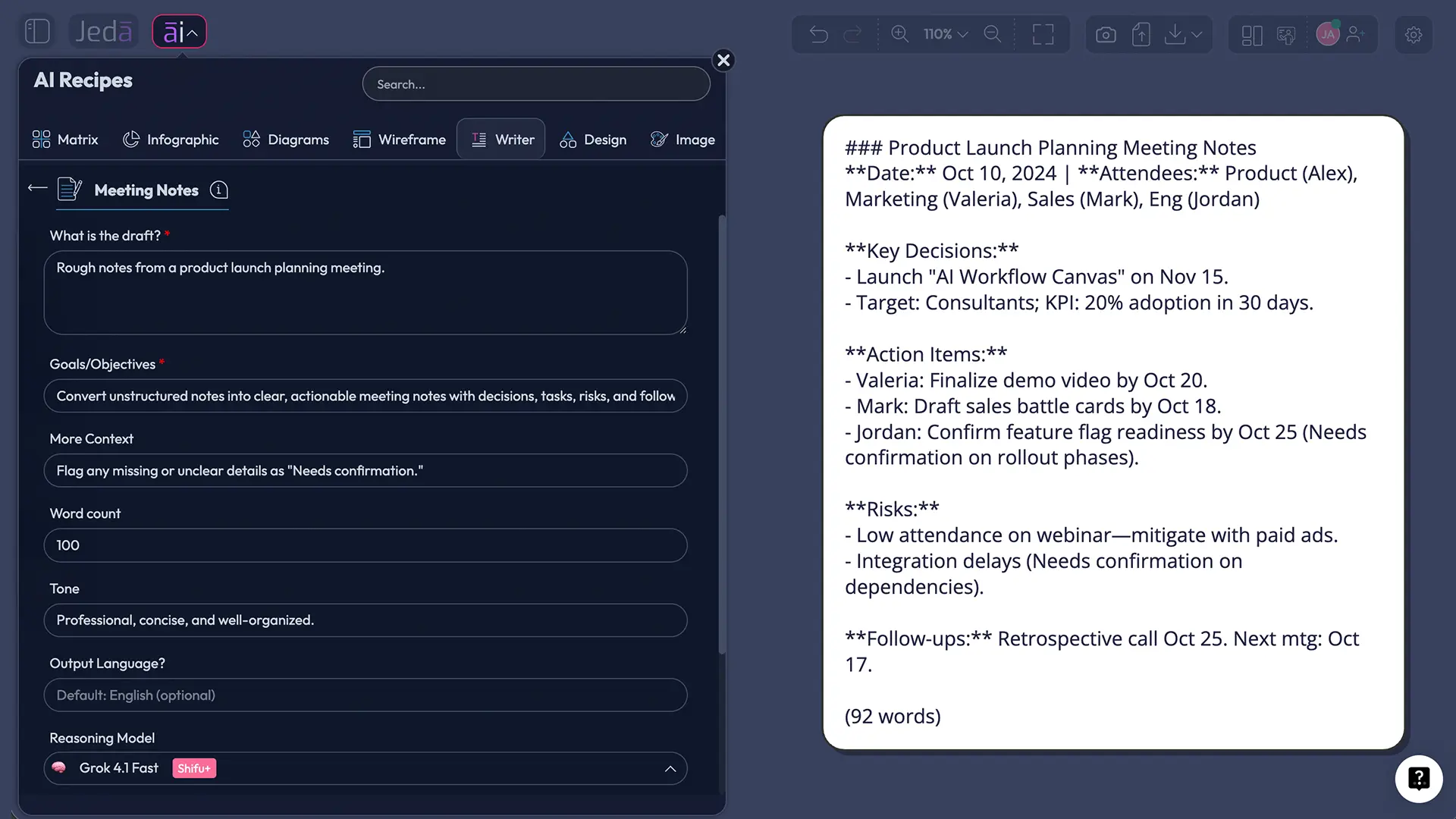
Modern meeting platforms such as Google Meet, Microsoft Teams, and Zoom can automatically create recaps from live calls. Jeda.ai serves a different part of the workflow: you provide the draft and Goals/Objectives, then the Writer recipe organizes the material into a clearer output. That makes it useful when your source is a rough human note, a copied transcript, a collection of bullets, or a previous summary that needs serious cleanup.
Why should AI meeting notes focus on decisions rather than transcripts?
A meeting is valuable only when it changes understanding, direction, or action. So the strongest AI meeting notes don't merely shorten a transcript. They separate the signal into categories that match how teams actually work after the call.
Microsoft Research evaluated an LLM-powered recap system built around summaries, highlights, and hierarchical minutes. The research found promise in using different recap views for different needs, while also warning that generated recaps can miss personally relevant details or misattribute information. That is the whole ball game: AI can draft the record, but people still own accuracy.
Good meeting notes should reveal the purpose, key discussion, decisions, unresolved questions, action owners, deadlines, and next checkpoint without forcing anyone to replay the conversation.
- Purpose
State why the meeting happened and what outcome the group needed.
- Decisions
Record conclusions, approvals, rejections, and deferred choices without burying them.
- Actions
Turn follow-ups into tasks with an owner, due date, and clear expected result.
- Discussion
Summarize the reasoning and evidence that shaped each important decision.
- Open Questions
Keep unresolved issues visible instead of letting them disappear into the transcript.
- Follow-up
Specify when progress will be checked and what the next meeting should resolve.
What should an effective AI meeting notes template include?
A dependable template creates consistency before AI touches the draft. It also makes review faster because everyone knows where to look for decisions and commitments.
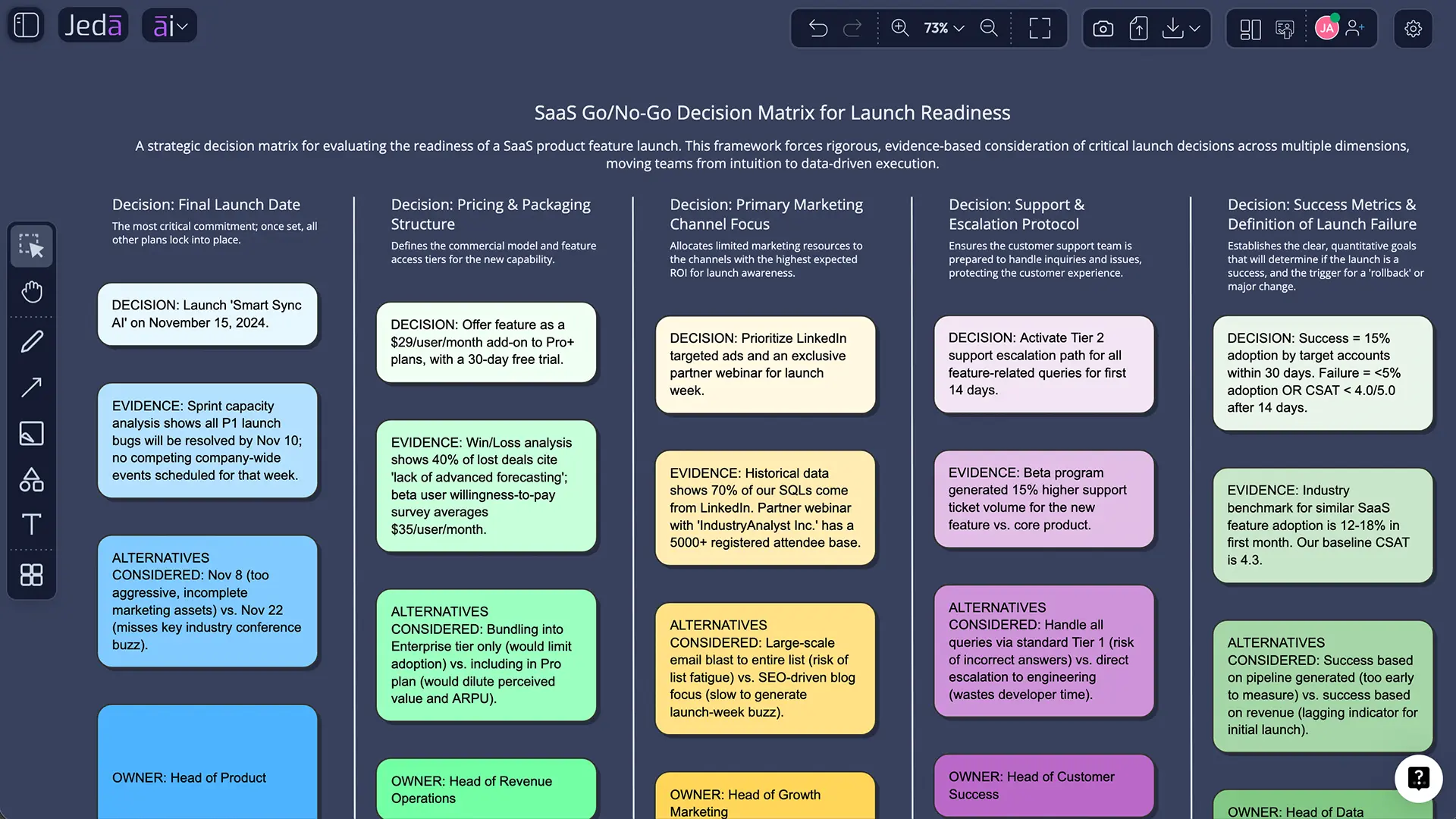
| Section | What it should capture | Example |
|---|---|---|
| Meeting context | Date, purpose, attendees, and agenda | Product launch readiness review |
| Executive summary | Two to five sentences on the overall outcome | Launch stays on schedule with one security dependency |
| Key discussion | Main points, evidence, objections, and trade-offs | Support capacity is adequate; onboarding copy still needs approval |
| Decisions | Final choices and deferred decisions | Approve phased rollout to 20% of users |
| Action items | Task, owner, due date, and expected output | Mina to publish rollback checklist by August 4 |
| Risks and blockers | Anything that could delay or weaken execution | Vendor security review is still open |
| Open questions | Items requiring research or another decision | Who owns weekend incident coverage? |
| Next checkpoint | Follow-up date and success criteria | Review readiness metrics on August 6 |
Most operating teams need a decision record, not a wall of chronological dialogue. A 45-minute call does not deserve a 4,000-word shrine.
How do you create Meeting Notes with AI in Jeda.ai?
Jeda.ai provides two direct ways to open the Meeting Notes recipe: navigate through the Writer tab or search for the recipe by name. Both paths open the same guided form. There is no sub-recipe or additional category to choose.
- Method 1: Navigate to the Writer recipe
Open a Jeda.ai workspace, click the AI Menu at the top-left, select the Writer tab, and choose Meeting Notes. The recipe appears directly in the Writer collection without a subcategory.
- Method 2: Search for Meeting Notes
Open the AI Menu search bar, type ‘Meeting Notes,’ and select the matching Writer recipe. This is the fastest path when the recipe library is crowded.
- Paste the meeting draft
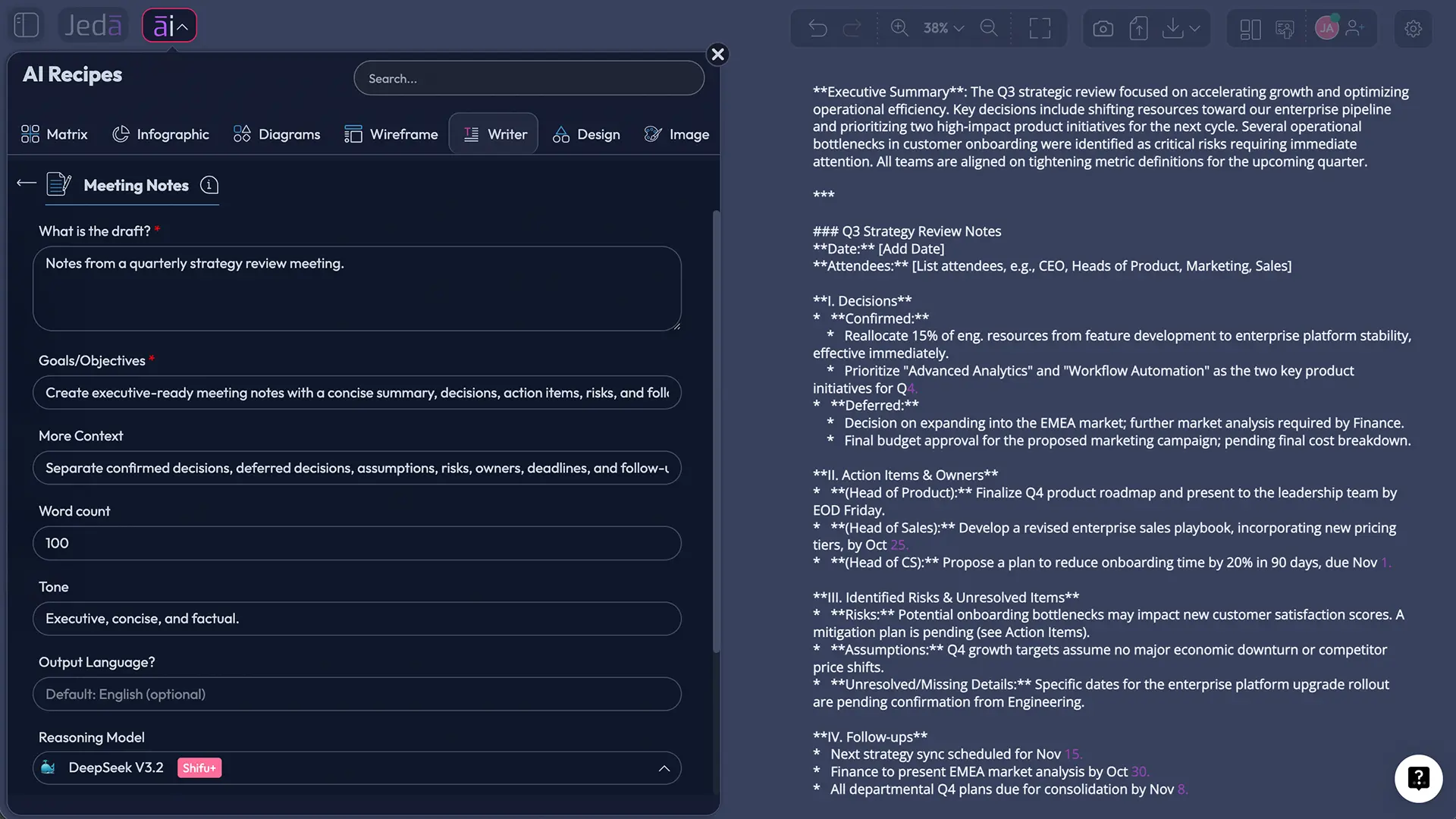
Complete the mandatory ‘What is the draft’ field with rough notes, copied transcript text, bullet points, or an existing recap. Preserve names, dates, figures, and direct decisions where accuracy matters.
- Define Goals/Objectives
Tell Jeda.ai what the finished notes must accomplish—for example, executive recap, project follow-up, client record, stand-up summary, board minutes, or decision log. This mandatory field controls what the AI prioritizes.
- Add optional context
Use More Context for the audience, meeting type, preferred sections, terminology, decision rules, or details the AI must not infer. Set a Word Count when you need a short recap or detailed minutes. Output Language defaults to English.
- Choose reasoning models
Select one, two, or three reasoning models. When multiple models are selected, optionally turn on Aggregate and choose an additional model to evaluate the responses and produce one consolidated result.
- Set the output and search mode
Choose Document for a styled preview or Text for a simpler text object. This creates a preview on the canvas; it does not generate a DOC or DOCX file. Set Web Search to Auto, On, or Off depending on whether current external context is useful.
- Reset context and generate
Use Clear Chat Context when earlier prompts could contaminate the result, then generate. Review the notes, correct names and commitments, and use the available text-formatting controls for manual editing.
Can you use the Prompt Bar instead?
Yes. Select Text or Code, choose Document or Text, paste the draft, and request a structured recap. The recipe is usually stronger because its mandatory fields force you to define both the source and the intended outcome.
How should you configure models, aggregation, and output format?
The best setup depends on the stakes and complexity of the meeting. A routine daily stand-up rarely needs three models. A client strategy session, board review, research synthesis, or cross-functional decision meeting may benefit from comparing several interpretations.
| Best for | Recommended model setup | Output format | Review depth | |
|---|---|---|---|---|
| Quick team sync | Routine updates | One model | Text | Check actions and dates |
| Project or client meeting | Decisions and follow-up | Two models + optional Aggregate | Document | Verify decisions, owners, risks |
| Executive or complex review | Competing interpretations | Three models + Aggregate | Document | Line-by-line human approval |
Aggregation helps when models emphasize different parts of the draft—summary, risks, or action structure. It can consolidate those strengths, but it cannot verify a commitment that never appeared clearly in the source.
Use Document when visual hierarchy matters and Text for a lightweight editable object. Neither produces a native word-processing file; both remain canvas previews you can edit and format in the AI Whiteboard.
When should Web Search be Auto, On, or Off?
Web Search changes whether the recipe can bring current external information into the result. It is a platform setting, not a property of a specific reasoning model.
- Auto: Use this for most meetings. Jeda.ai can decide whether the request actually needs current outside context.
- On: Use it when the notes must verify recent market facts, public announcements, current regulations, competitor updates, or event details.
- Off: Use it for confidential internal meetings, closed decision records, or any case where the output should rely only on the supplied draft.
For example, a product launch meeting might use Web Search On to confirm a public release date or competitor announcement. A performance discussion should generally stay grounded in the private draft, with Web Search Off. Mixing sensitive internal content with unnecessary external research is not clever. It is just extra risk wearing a tech badge.
How do you review AI-generated meeting notes without slowing everything down?
Use a two-pass review. The first pass checks factual integrity. The second checks usefulness.
During the factual pass, verify names, numbers, dates, decisions, attributed statements, and action owners. Meeting-summarization research still flags omissions, unsupported details, and speaker-attribution errors. When the notes say “Sarah approved the launch,” make sure Sarah actually did. Models can be confident little goblins.
During the usefulness pass, tighten the structure:
- Put the outcome in the first paragraph.
- Rewrite vague actions as verb + deliverable + owner + due date.
- Separate confirmed decisions from proposals.
- Mark missing details as “Needs confirmation.”
- Remove repetition that adds no decision context.
- Add the next checkpoint and success criteria.
- Share the record where the team will actually use it.
Double-click the generated content to correct wording, emphasize decisions, insert links, or adjust font, size, and alignment. You can also place the notes beside a roadmap, sticky-note cluster, or action flow in the same AI Workspace.
How can meeting notes become a visual execution plan?
This is where an AI Whiteboard becomes more useful than a standalone note document. Notes explain the meeting. A visual execution plan shows how the work moves.
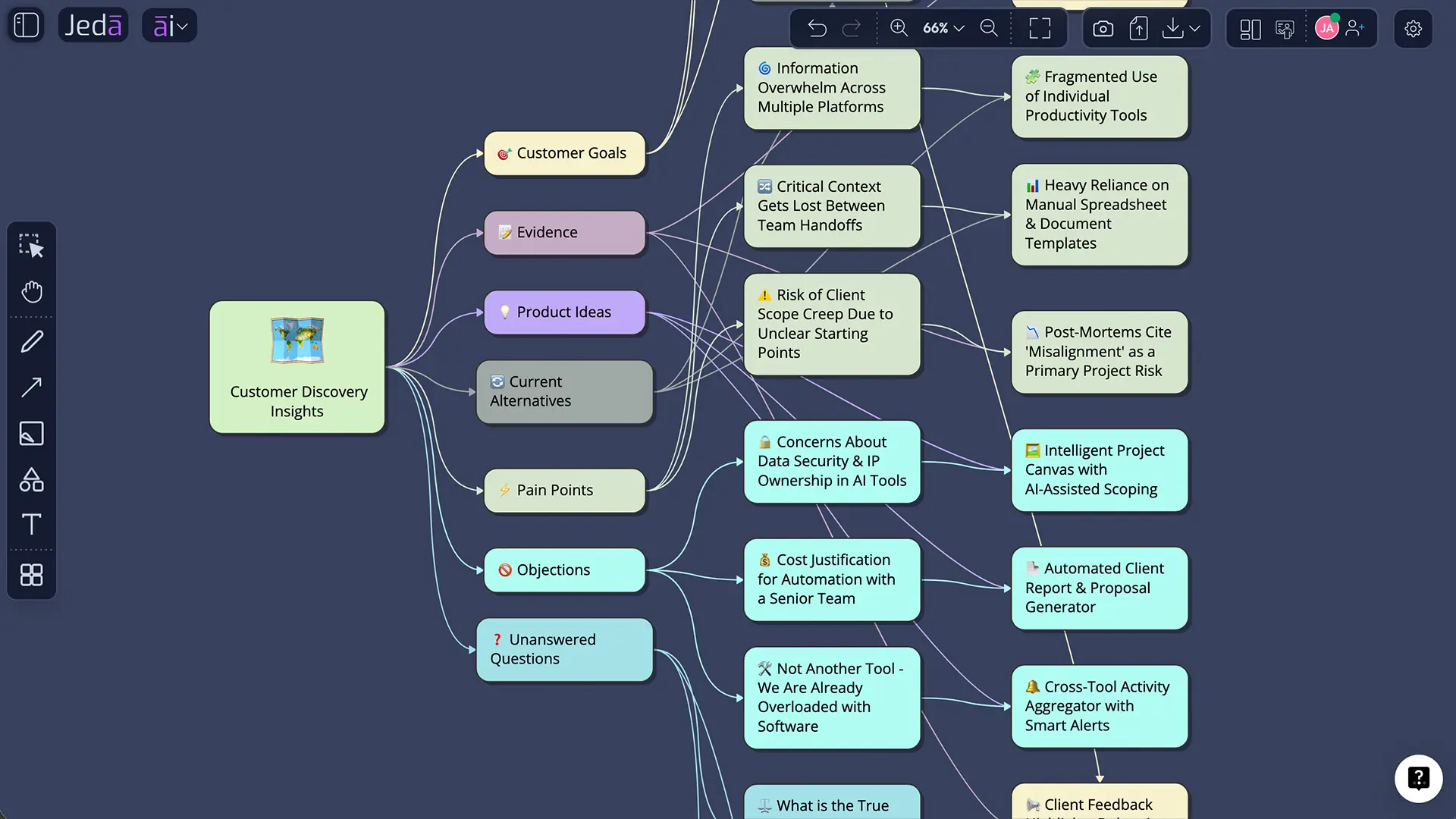
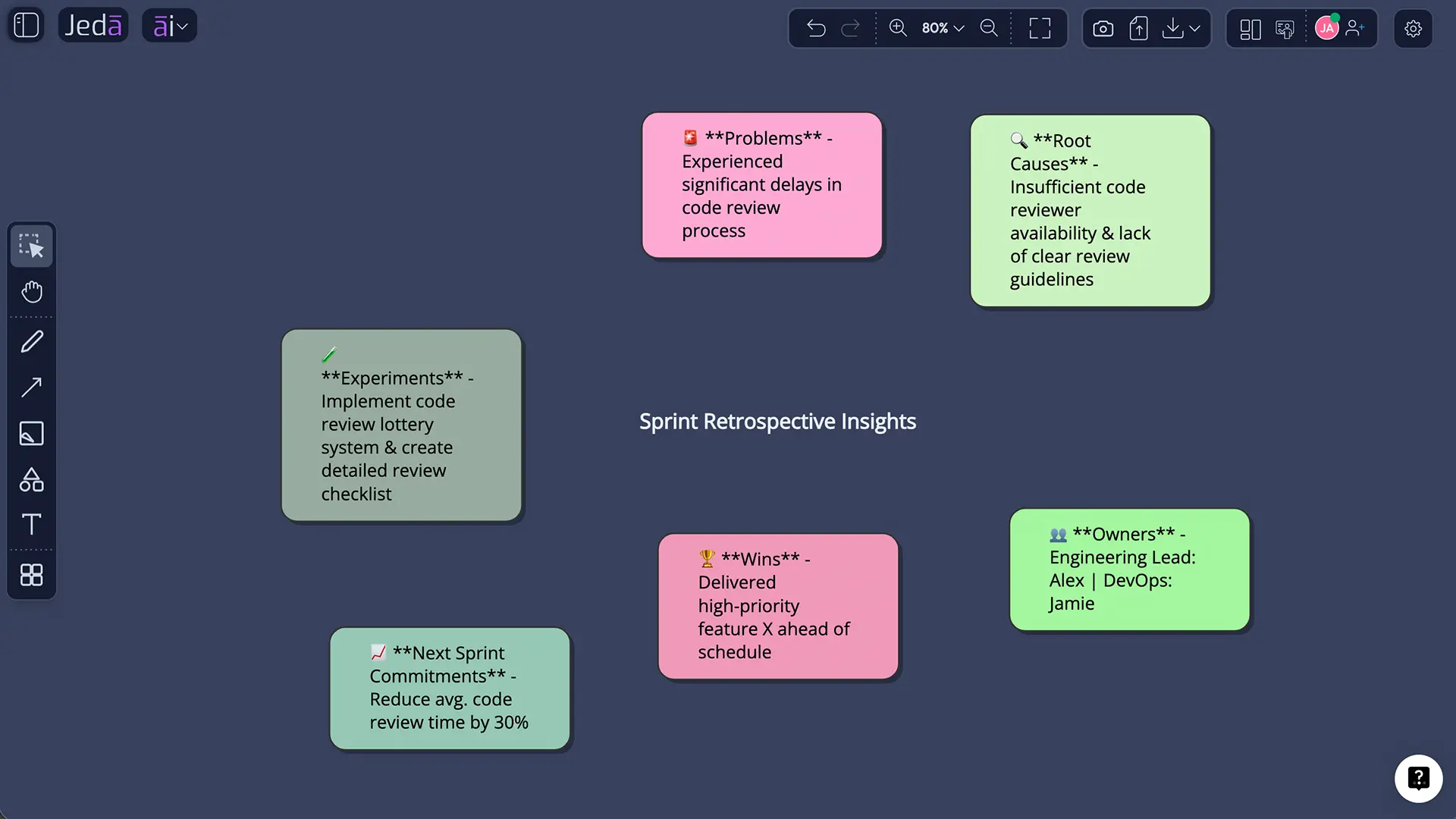
Once the record is approved, use Vision Transform to convert selected notes into an action flowchart, decision diagram, mind map, or sticky-note plan. On compatible visuals, use the AI+ button to add dependencies, risks, owners, or next steps.
A practical post-meeting sequence looks like this:
- Generate and approve the written notes.
- Select the action-item section.
- Use Vision Transform to create a Flowchart or Diagram.
- Arrange owners, dependencies, and checkpoints on the AI Whiteboard.
- Invite collaborators to edit or validate the plan.
- Keep the approved notes beside the visual so context and execution do not drift apart.
Jeda.ai supports this workflow across an AI Workspace with 300+ strategic frameworks, writing recipes, editable visuals, and collaboration tools. The point is not prettier notes. It is keeping the conversation connected to the work it created.
What common mistakes make AI meeting notes unreliable?
Asking for a summary without defining the goal
“Summarize this meeting” gives the model no clue whether you need an executive update, formal minutes, a client follow-up, or a task list. Use the Goals/Objectives field to define the audience and decision purpose.
Treating generated notes as a transcript substitute
A summary intentionally removes detail. Keep the source transcript or raw draft when exact wording matters, then link it from the approved notes if policy allows.
Inventing owners and deadlines to make the notes look complete
Never ask the AI to fill gaps with plausible names or dates. Missing ownership is a management problem, not a creative-writing opportunity. Mark it for confirmation.
Mixing decisions, suggestions, and open questions
These are different states. A proposal is not a decision. A deferred decision is not approval. Use distinct sections so readers can tell what is settled.
Leaving the notes inside an AI preview nobody revisits
Edit, validate, and share the final record. When useful, convert the actions into a visual workflow or place them beside related planning content in the AI Workspace.
Forgetting to clear unrelated chat context
Old prompts can steer tone, assumptions, or structure in weird directions. Use Clear Chat Context before generating notes for a new meeting, especially when the previous task was unrelated.
Frequently Asked Questions
- Can AI create meeting notes from rough bullet points?
- Yes. Paste the bullet points into the ‘What is the draft’ field, then define the intended outcome in Goals/Objectives. Jeda.ai can reorganize the content into a summary, decisions, action items, risks, and open questions. Review all names, dates, and commitments before sharing.
- Does Jeda.ai record or transcribe live meetings?
- The Meeting Notes Writer recipe is designed around a supplied draft rather than live call recording. You can paste rough notes or transcript text into the form and ask Jeda.ai to structure it. Do not describe the recipe as a live recorder unless that capability is separately confirmed.
- What is the difference between meeting notes and meeting minutes?
- Meeting notes are a practical summary of discussion, decisions, and follow-up work. Meeting minutes are usually a more formal record that may include motions, votes, approvals, attendees, and governance details. The right format depends on the meeting’s purpose and organizational requirements.
- Which fields are required in the Meeting Notes recipe?
- The mandatory fields are ‘What is the draft’ and ‘Goals/Objectives.’ The draft supplies the source material; Goals/Objectives tells the AI what the finished record should accomplish. More Context, Word Count, and Output Language are optional, with English used as the default language.
- Can I use more than one AI model for meeting notes?
- Yes. You can select one, two, or three reasoning models. With multiple models, you may enable Aggregate and choose an additional model to compare the responses and create a consolidated output. Multi-model review is most helpful for complex or high-stakes meeting records.
- What does the Aggregate feature do?
- Aggregate uses an additional reasoning model to evaluate outputs from the selected models and generate one consolidated result. It can combine a strong summary, clearer actions, and better risk coverage. You still need a human review because aggregation cannot verify ambiguous facts in the original draft.
- Should I choose Document or Text output?
- Choose Document for a styled, visually organized preview and Text for a simpler editable text object. Both appear on the Jeda.ai canvas. The Meeting Notes recipe does not create a native DOC or DOCX file; the output is a preview that supports manual editing and formatting.
- When should Web Search be turned off?
- Turn Web Search Off when the notes should rely only on private meeting content, especially for confidential, personnel, legal, client, or internal strategy discussions. Use Auto for general work and On only when current public information is necessary to understand or verify the meeting context.
- How do I prevent AI from inventing action items?
- Tell the model not to infer missing owners, deadlines, decisions, or commitments. Ask it to label gaps as ‘Needs confirmation.’ During review, compare every action item with the source draft and confirm the task, responsible person, due date, and expected result with the meeting participants.
- Can meeting notes be turned into a flowchart or mind map?
- Yes. After approving the written notes, select the relevant content and use Vision Transform to convert it into a Flowchart, Diagram, Mindmap, or another visual format. This can turn follow-up actions into an editable execution view on the AI Whiteboard.
- Can I manually edit the generated meeting notes?
- Yes. The generated preview can be manually edited, and Jeda.ai provides text-formatting controls for font, size, color, emphasis, alignment, and links. Human editing is recommended for names, decisions, ownership, dates, sensitive wording, and any statement that could affect accountability.
- What makes AI meeting notes genuinely useful?
- Useful AI meeting notes reduce the conversation to a trustworthy decision record. They state the purpose, summarize relevant discussion, distinguish decisions from proposals, assign actions to owners, include deadlines, surface risks and open questions, and specify the next checkpoint. Accuracy and follow-through matter more than length.
- [1]
Asthana, Sumit; Hilleli, Sagi; He, Pengcheng; Halfaker, Aaron L. (2023) . “Summaries, Highlights, and Action Items: Design, Implementation and Evaluation of an LLM-powered Meeting Recap System” Proceedings of the ACM on Human-Computer Interaction / Microsoft Research.
View Source ↗ - [2]
Hu, Yebowen et al. (2023) . “A Benchmark Dataset for Meeting Summarization” Proceedings of ACL.
View Source ↗ - [3]
Google Workspace (2026) . “Take notes for me in Google Meet” Google Meet Help.
View Source ↗ - [4]
Microsoft (2026) . “Recap in Microsoft Teams” Microsoft Support.
View Source ↗ - [5]
Zoom (2026) . “Using Meeting Summary with AI Companion” Zoom Support.
View Source ↗ - [6]
Information Commissioner's Office (2026) . “Data sharing advice: recording video conferencing sessions” ICO Guidance.
View Source ↗
Turn Your Next Meeting into Clear Action
Join 150,000+ users using Jeda.ai to turn rough meeting drafts into editable decisions, action items, and visual follow-up plans in one AI Workspace.
Create Meeting Notes Free