Chromatic Futuristic AI Art feels like the point where electric color, speculative design, and machine-speed imagination all collide. Inside Jeda.ai, you can create that look without wrestling three separate apps, a moodboard folder, and a half-broken prompt note on your desktop. You open the AI Workspace, pick the recipe or the Prompt Bar, and push out a vivid future-facing image inside the same AI Whiteboard where your team already works. And yes—this matters for marketers, product designers, founders, and creative teams who need visuals that look expensive, fast.
What is Chromatic Futuristic AI Art?
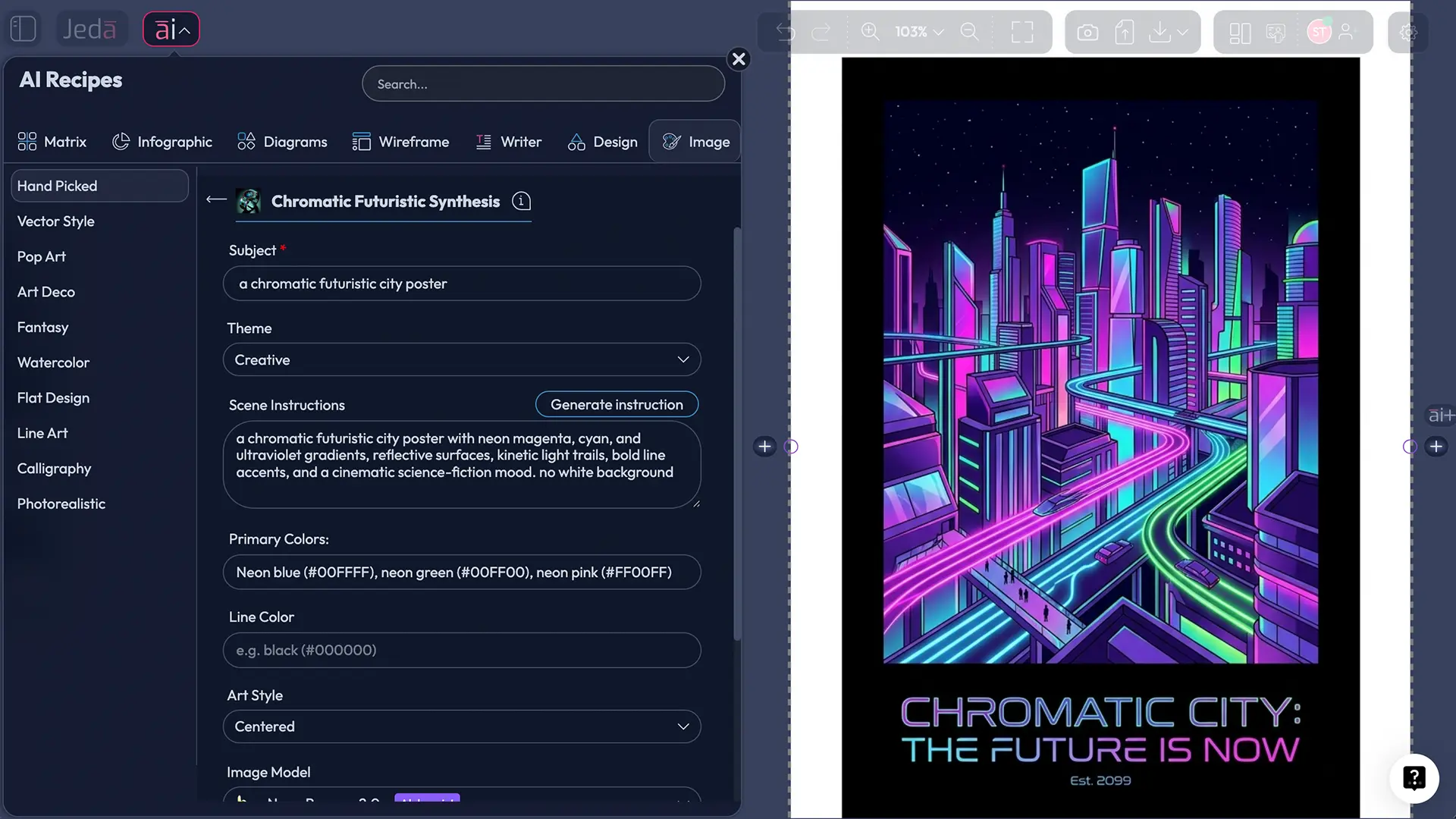
At a practical level, Chromatic Futuristic AI Art is a style of AI-generated visual work built around saturated palettes, motion-heavy composition, machine-age energy, and an unmistakably forward-looking aesthetic. Think glowing gradients, metallic surfaces, synthetic atmosphere, hard-edged silhouettes, speculative architecture, and light that looks like it has somewhere urgent to be.
That “future in motion” idea is not random. MoMA describes Futurism as a movement concerned with fragmented forms and subjects in motion, while Britannica frames Futurism around speed, energy, machines, and modern life. The color side matters too: Britannica’s visual-arts definition of the color wheel and complementary colors explains why oppositional hues create so much tension and visual snap. Put those two ideas together and you get the bones of this look—movement plus chromatic contrast.
Here’s the blunt truth: most “futuristic AI art” ends up looking like generic cyberpunk wallpaper. Pretty, maybe. Useful, not always. The better version has intention. It knows what the subject is, what the palette is doing, what the lines are emphasizing, and what emotional temperature the scene should hold.
That’s where Jeda.ai gets interesting. In one AI Workspace, you can move from rough concept to finished art prompt, use the AI Whiteboard for team discussion, and generate the final art output without pretending the image is editable afterward. Art outputs in Jeda.ai are static and non-editable, which is actually helpful here—it forces the workflow to behave like image production, not like diagram cleanup.
Why this style works so well right now
Futuristic visuals keep showing up because they compress a lot of meaning into one frame: innovation, ambition, velocity, experimentation, risk, optimism, and sometimes a little beautiful chaos. Adobe’s Firefly documentation makes the broader point well: AI image workflows are strong at rapid ideation, style exploration, and sketch-to-image iteration. That maps perfectly to this art category because chromatic futuristic work usually benefits from multiple fast passes rather than one “perfect” generation.
But there’s another angle. Teams don’t just need “art.” They need launch visuals, ad concepts, blog headers, event graphics, landing-page hero images, social content, deck covers, and campaign experimentation. So the question isn’t whether futuristic art looks cool. It does. The real question is whether you can generate it with control.
You can, if you control four things:
- Color tension
Primary colors and line color create the emotional signature. Magenta-cyan is energetic; amber-indigo feels more premium and cinematic.
- Theme discipline
The theme dropdown stops the prompt from drifting. Futuristic, Science Fiction, Surrealistic, Abstract, or Portrait each push the image in a different direction.
- Scene direction
A good scene instruction turns mood into structure: camera angle, subject posture, background complexity, lighting source, and texture behavior.
- Model choice
Different image models interpret gloss, texture, edges, and atmosphere differently. The fastest way to better art is often switching the model, not rewriting the whole prompt.
How to create Chromatic Futuristic AI Art in Jeda.ai
You have two clean ways to do it in Jeda.ai: the recipe path for guided generation and the Prompt Bar path for freer control. For this workflow, skip AI+. This recipe does not use AI+ as an extension step; you get better results by revising the prompt, palette, theme, or model and generating again.
Method 1: Recipe — Chromatic Futuristic Synthesis
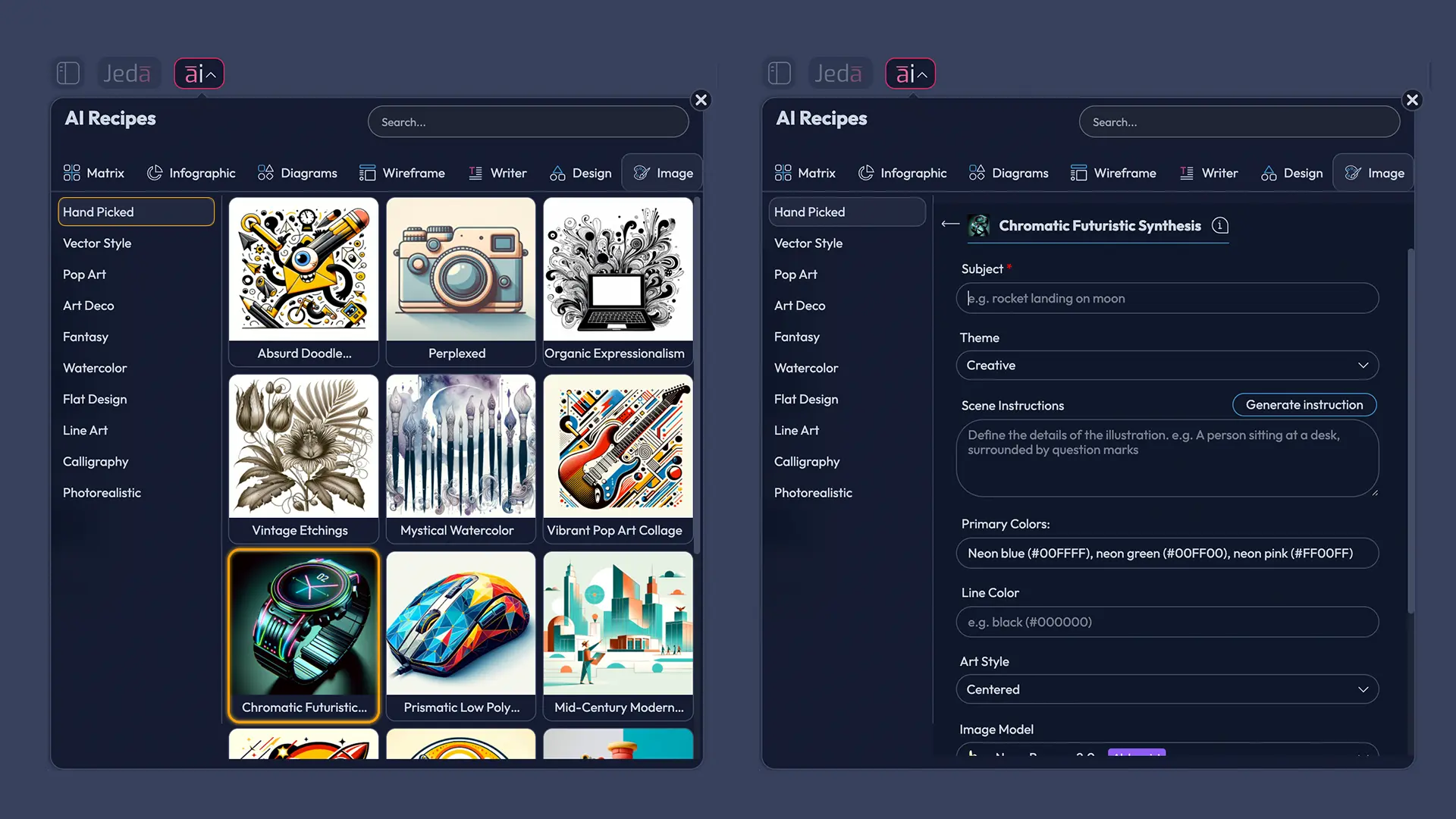
The recipe route is the faster option when you want structure. Jeda.ai’s workflow file says AI Menu recipes are the recommended route when a recipe exists, and the user guide confirms Art Recipes are accessed from the AI Menu in the top-left. The Image/Art flow also supports separate image and reasoning model selection in the Prompt Bar environment, which matches this recipe’s generation logic.
- Open the AI Menu
Inside Jeda.ai, click the AI Menu in the top-left of the AI Workspace and go to the Art category. Under Hand Picked, choose Chromatic Futuristic Synthesis.
- Enter the subject
Start with one clear subject. Examples: humanoid android fashion portrait, floating concept car, AI cathedral lobby, futuristic street market, neon product pedestal, or sci-fi botanical greenhouse.
- Choose the theme
Pick the theme that matches the outcome you want. Futuristic and Science Fiction are obvious starting points, but Abstract, Portrait, Surrealistic, Scenic, or Magical can produce stronger brand-specific looks.
- Write the scene instruction
Use the scene box to describe composition, angle, depth, lighting, background, texture, and atmosphere. Keep it visual, not abstract. Say what should be seen.
- Set primary colors and line color
Choose two to four dominant hues, then a line color that either sharpens edges or softens them. High-contrast pairs usually feel more kinetic and more futuristic.
- Pick the image model and generate
Select one image model, review the result, and regenerate with adjusted color, scene, or subject details until the visual lands. For this recipe, iteration beats overstuffed prompting.
Method 2: Prompt Bar — use the Art command for custom control
Use the Prompt Bar when you want to steer the output more aggressively or ground the concept with current references. The workflow file defines the Prompt Bar as the primary input method, and the user guide shows that web search is controlled from the Prompt Bar itself, not from a specific model. That matters when you want the art direction to borrow from a live trend, event aesthetic, or current design language.
Prompt structure that works:
Subject + theme + scene + palette + line behavior + atmosphere + composition + finish
Example prompt:
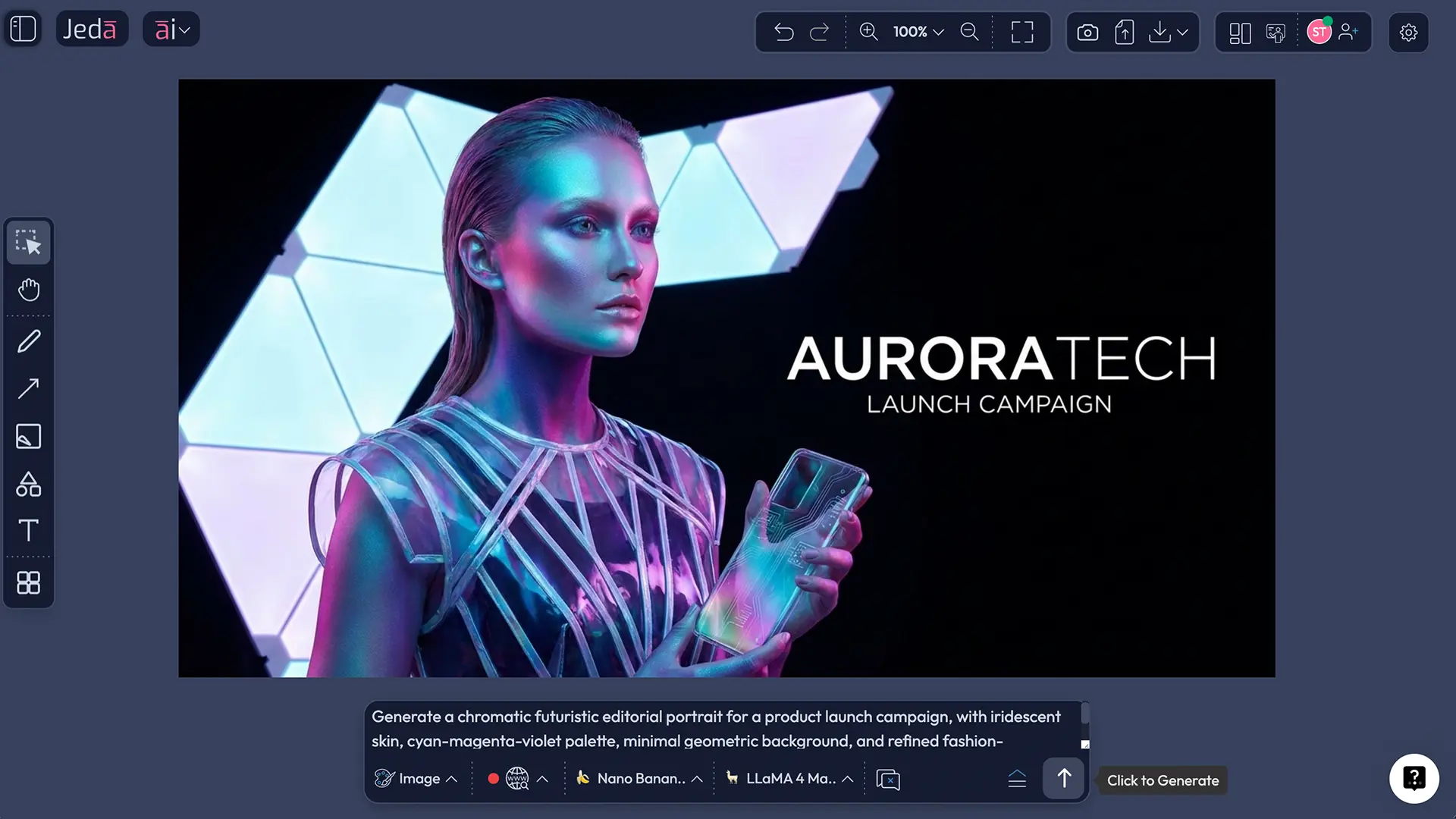
A futuristic fashion portrait of an androgynous android creative director, chromatic neon gradients, science fiction theme, mirrored visor, liquid-metal jacket, magenta cyan ultraviolet palette, thin white contour lines, volumetric fog, reflective city skyline, off-center composition, editorial lighting, high-detail poster finish
- Open the Prompt Bar
At the bottom of the canvas, open the Prompt Bar and select the Art command for image generation.
- Set web search only if it helps
If you want the style informed by current references or cultural trends, turn Web Search to Auto or On. If your concept is purely imaginative, leave it off.
- Choose the image model
Select one image model for the render. This workflow does not run image models in parallel, so be intentional about the choice.
- Choose the reasoning model
Pick one reasoning model for prompt shaping, or run multiple reasoning models in parallel if you want alternative prompt logic. This flow does not use aggregation.
- Write a controlled art prompt
Describe the subject, theme, scene, color system, line color, atmosphere, and composition. Keep it specific and visual.
- Generate and iterate
Review the first result, then refine one variable at a time: palette, camera angle, texture language, line color, or scene density. Small edits usually outperform total rewrites.
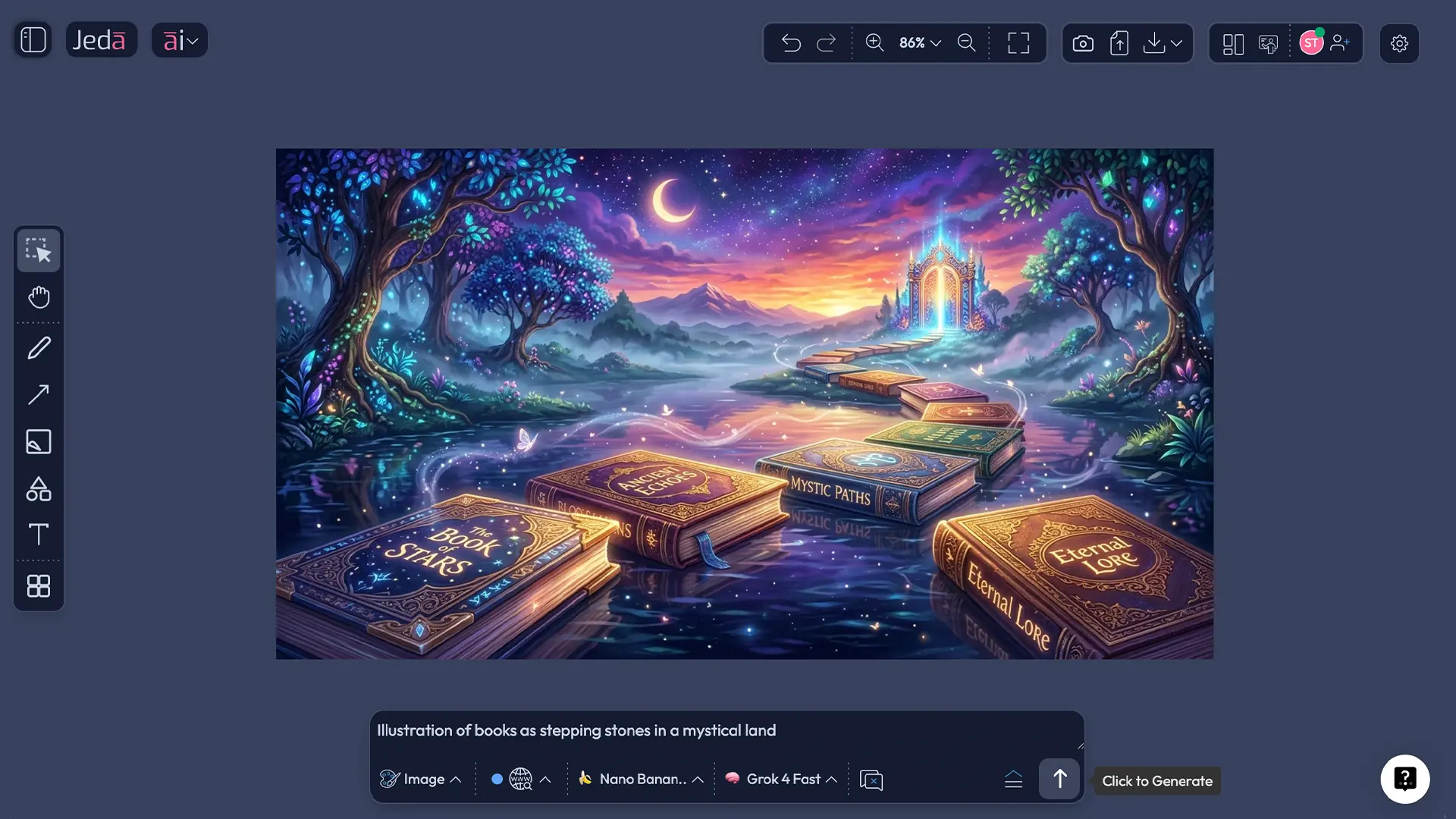
Prompt examples you can actually use
Best practices that separate strong work from generic cyberpunk sludge
First, choose fewer colors than your instincts want. Three dominant hues usually beat seven. The color wheel exists for a reason: relationships matter more than raw intensity. Complementary pairs can create energy, while adjacent hues can create a more premium, controlled look.
Second, don’t confuse “future” with “busy.” Futurist aesthetics historically emphasized dynamism and modernity, not random clutter. Speed. Force. motion. Mechanical confidence. If every surface glows and every corner screams, the image collapses under its own ambition.
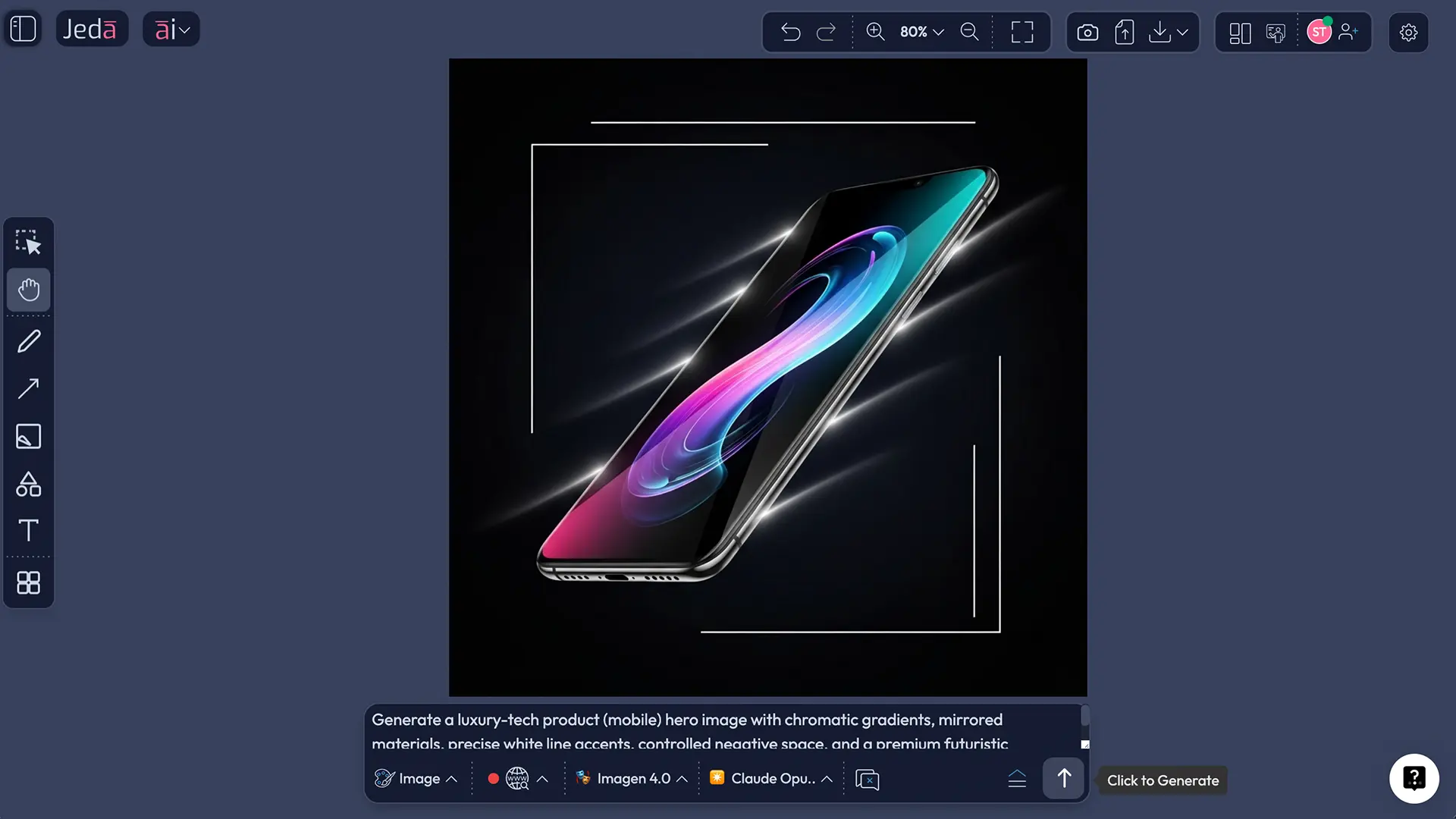
Third, use line color strategically. White or silver line accents create precision. Dark graphite or indigo line accents feel more architectural. Neon line accents can work, but they can also turn a sharp image into arcade wallpaper in about two seconds.
Fourth, build variations by changing one variable at a time:
- same subject, new palette
- same palette, new camera angle
- same composition, new theme
- same theme, different image model
That is how you actually learn what the system is doing.
Common mistakes to avoid
1. Writing a vibe instead of a visual
“Make it futuristic and amazing” is a wish, not direction. Give the system a subject, environment, palette, light source, and camera logic.
2. Letting the palette run wild
Chromatic work needs discipline. Too many competing hues flatten the hierarchy and make the image feel cheap.
3. Forgetting line behavior
Your line color is not a throwaway setting. It controls edge clarity, graphic tension, and the overall reading speed of the image.
4. Using the wrong theme for the job
A Portrait theme and an Abstract theme may start from the same subject and still produce wildly different usefulness. Pick the theme based on output purpose, not curiosity alone.
5. Expecting post-generation shape editing
This is Art inside Jeda.ai. Static image. Not a smart-shape visual. Treat it like image production from the start.
Where this style fits in real work
This is not just for concept artists having a good Tuesday.
Chromatic Futuristic AI Art works especially well for:
- campaign hero images
- event posters
- keynote or webinar cover art
- startup launch visuals
- landing-page hero sections
- social graphics for AI, fashion, gaming, music, or product launches
- editorial blog headers when you want the piece to feel contemporary, not corporate-sleepy
And because the work happens in the same Jeda.ai environment as your broader planning, you can ideate in the AI Whiteboard, decide direction in the AI Workspace, and generate the image without hopping into a totally separate visual workflow. That single-space behavior is the part people underestimate. Jeda.ai is not just “an image maker.” It’s where the art direction and the asset can live together.
Frequently Asked Questions
- What is Chromatic Futuristic AI Art in simple terms?
- It is AI-generated visual art built around future-facing subjects, high-impact color relationships, and motion-heavy or machine-influenced aesthetics. In practice, it combines a clear subject, a controlled theme, strong scene direction, and deliberate chromatic contrast.
- Is the image editable after generation in Jeda.ai?
- No. Art outputs in Jeda.ai are static images, not editable smart-shape visuals. That means you should treat this workflow like image production: prompt carefully, compare versions, refine settings, and regenerate until the result is right.
- Should I use the recipe or the Prompt Bar?
- Use the recipe when you want a guided starting point and faster structure. Use the Prompt Bar when you want tighter creative control, web-grounded references, or more deliberate model and prompt experimentation.
- How important are primary colors and line color?
- They matter a lot. Primary colors set the emotional temperature and visual identity of the piece, while line color affects edge definition, graphic sharpness, and how futuristic or refined the result feels.
- Can I use web search for this art workflow?
- Yes, but from the Prompt Bar workflow only. Jeda.ai treats web search as a platform feature, not as something a single model does by itself, so turn it on when you want current references, aesthetics, or contextual inspiration.
- Can image models run in parallel for this workflow?
- No. This flow uses one image generation model at a time. However, the reasoning side can be run in parallel for prompt-shaping support when you work from the Prompt Bar, and this setup does not use aggregation.
- What theme should I choose first?
- Futuristic or Science Fiction is the safest starting point for obvious future-tech aesthetics. Portrait, Abstract, Surrealistic, Scenic, or Magical can outperform them when the image needs a stronger brand mood or a more editorial finish.
- What makes a futuristic image look premium instead of generic?
- Restraint. Fewer dominant colors, cleaner composition, purposeful line accents, and a subject with clear visual hierarchy usually produce a more premium result than overloading the scene with glow, clutter, and random tech props.
- Can I use these images in marketing work?
- Yes, these visuals are especially useful for campaign covers, hero images, social graphics, and event assets. Just make sure your prompt direction matches the brand tone instead of defaulting to loud sci-fi spectacle every time.
Related Jeda.ai paths worth exploring
If you want to keep the broader visual workflow connected, explore Jeda.ai AI Workspace, Jeda.ai AI Whiteboard, the existing Chromatic Futuristic Web Art resource, and pricing. That is the bigger advantage here: one place for ideation, visual direction, and generation, with 300+ strategic frameworks sitting alongside creative AI recipes. Jeda.ai has 150,000+ users for a reason. It covers strategy and creation in the same room.
Sources & Further Reading
- [1]
The Museum of Modern Art (2026) . “Futurism” MoMA.
View Source ↗ - [2]
Encyclopaedia Britannica (2026) . “Futurism” Britannica.
View Source ↗ - [3]
Encyclopaedia Britannica (2026) . “Color wheel” Britannica.
View Source ↗ - [4]
Encyclopaedia Britannica (2026) . “Complementary color” Britannica.
View Source ↗ - [5]
Adobe (2026) . “Free AI art generator: Type images into existence in seconds” Adobe Firefly.
View Source ↗
Start Creating Chromatic Futuristic AI Art Today
Join over 150,000+ users who use Jeda.ai’s AI Workspace and AI Whiteboard to move from creative direction to final visual output faster.
Try Free Template