This release is all about one thing: making AI Vision feel less like a magic trick and more like a serious strategic instrument for people who actually own outcomes — business consultants, strategy leads, and decision makers.
You do not just need AI answers. You need defensible thinking, clear frameworks, and auditability. That is exactly where this upgrade hits.
Release Highlights
New Strategy Brains: User Persona, JTBD, DFC, and AWR Matrix Recipes
We have leveled up the Matrix AI Recipes so they map to how real strategy work actually happens.
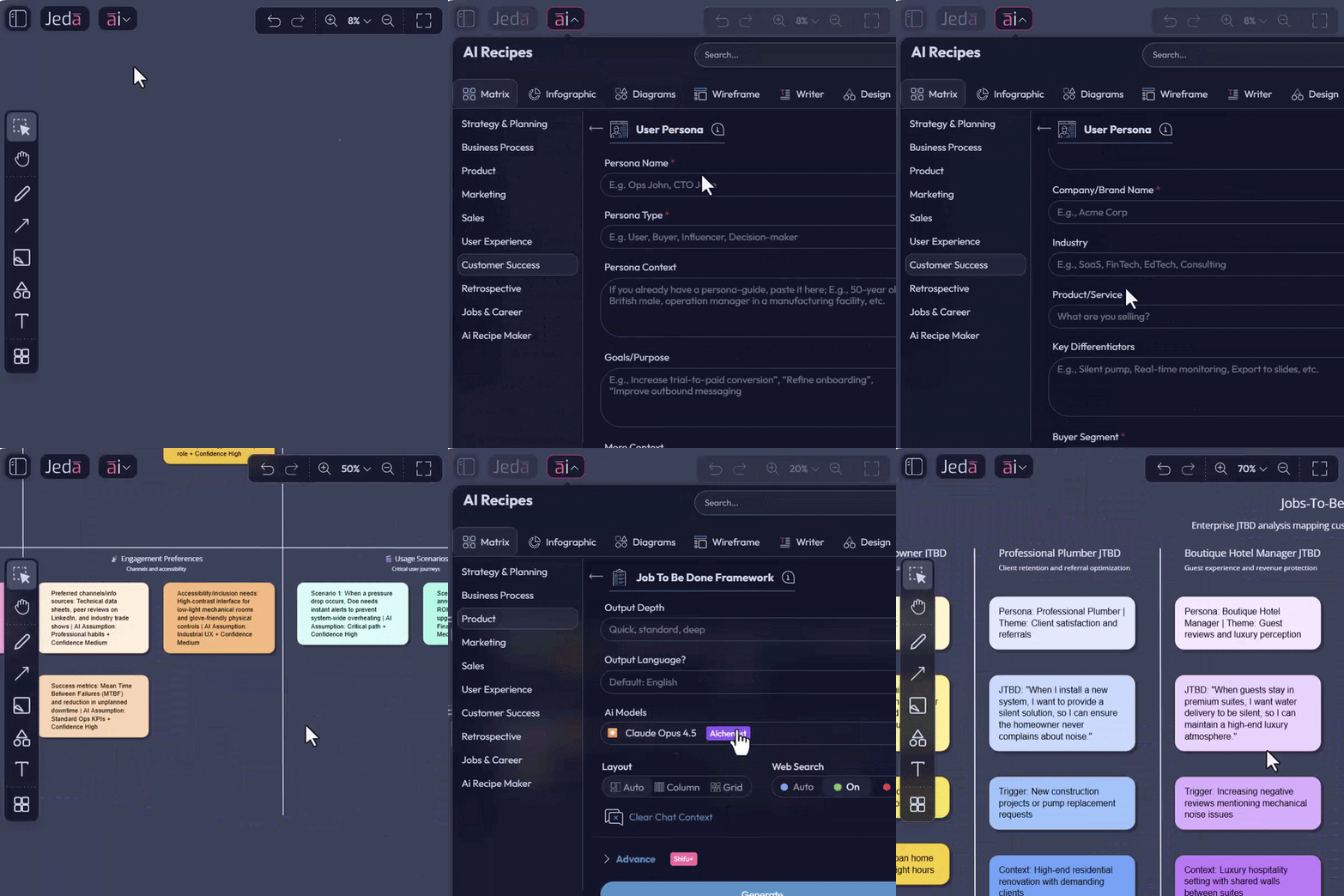
Upgraded: User Persona and Jobs To Be Done
The User Persona and Jobs To Be Done matrices are now tuned for sharper, more usable outputs.
For consultants and MBA cohort decision makers, that means:
New: DFC Opportunity Discovery Framework
Say hi to the DFC Matrix:
- Demand — Is there real pull?
- Friction — What is blocking adoption?
- Change — What shifts are opening this opportunity?
Use the DFC recipe to:
Perfect for:
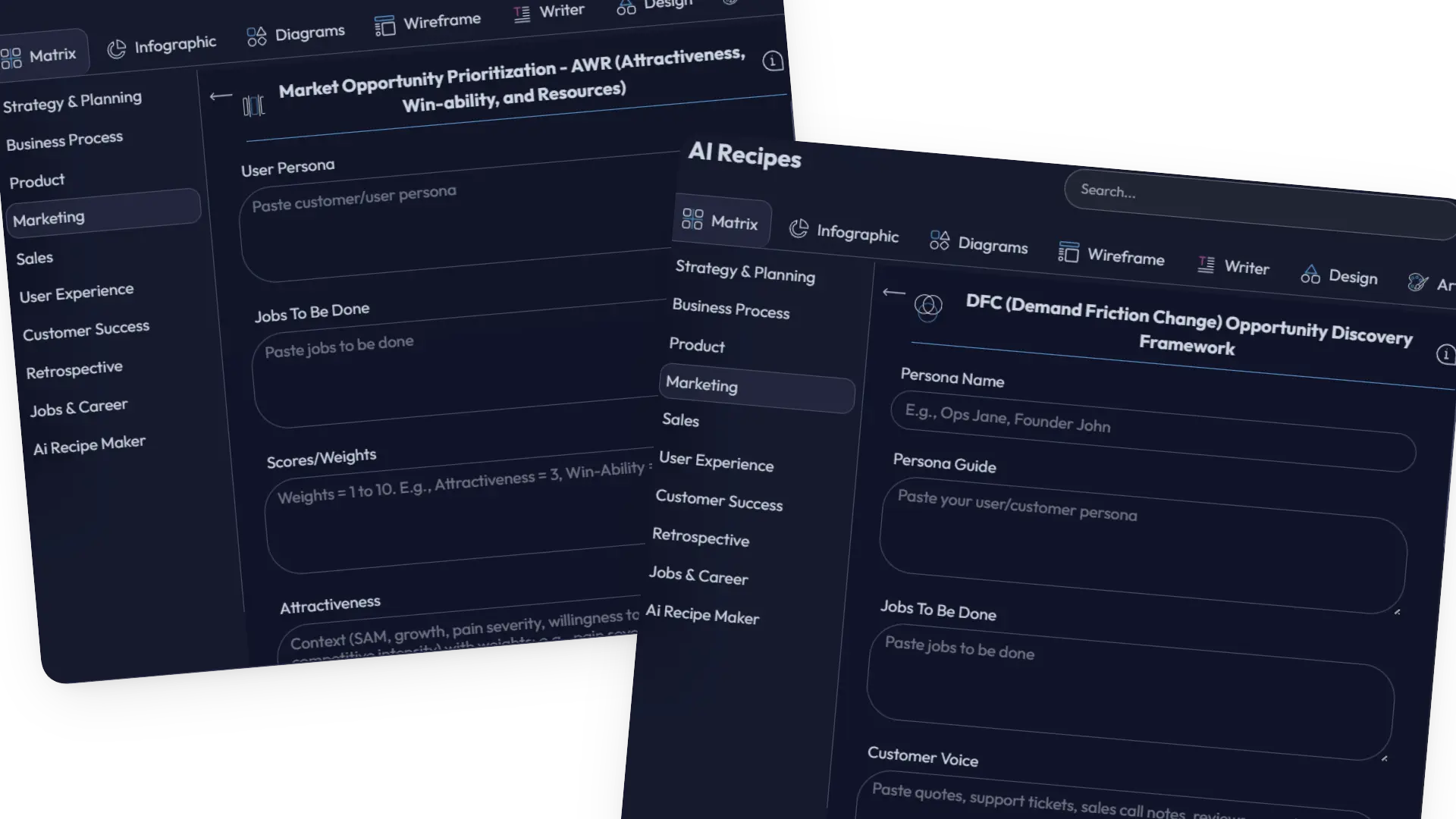
New: AWR Market Opportunity Prioritization
Then there is AWR:
- Attractiveness — Is this worth winning?
- Win-Ability — Can you realistically win?
- Resources — Do you have, or can you get, what it takes?
This gives you a way to sort opportunities by:
Consultant reality: you are always asked, “Which one first?” The AWR Matrix turns that into a structured, visual argument instead of a gut-feel shrug.
Web Search with Clickable Citations: Trust What You See
AI without provenance is just creative writing. So we have made real-time web search more transparent and usable.
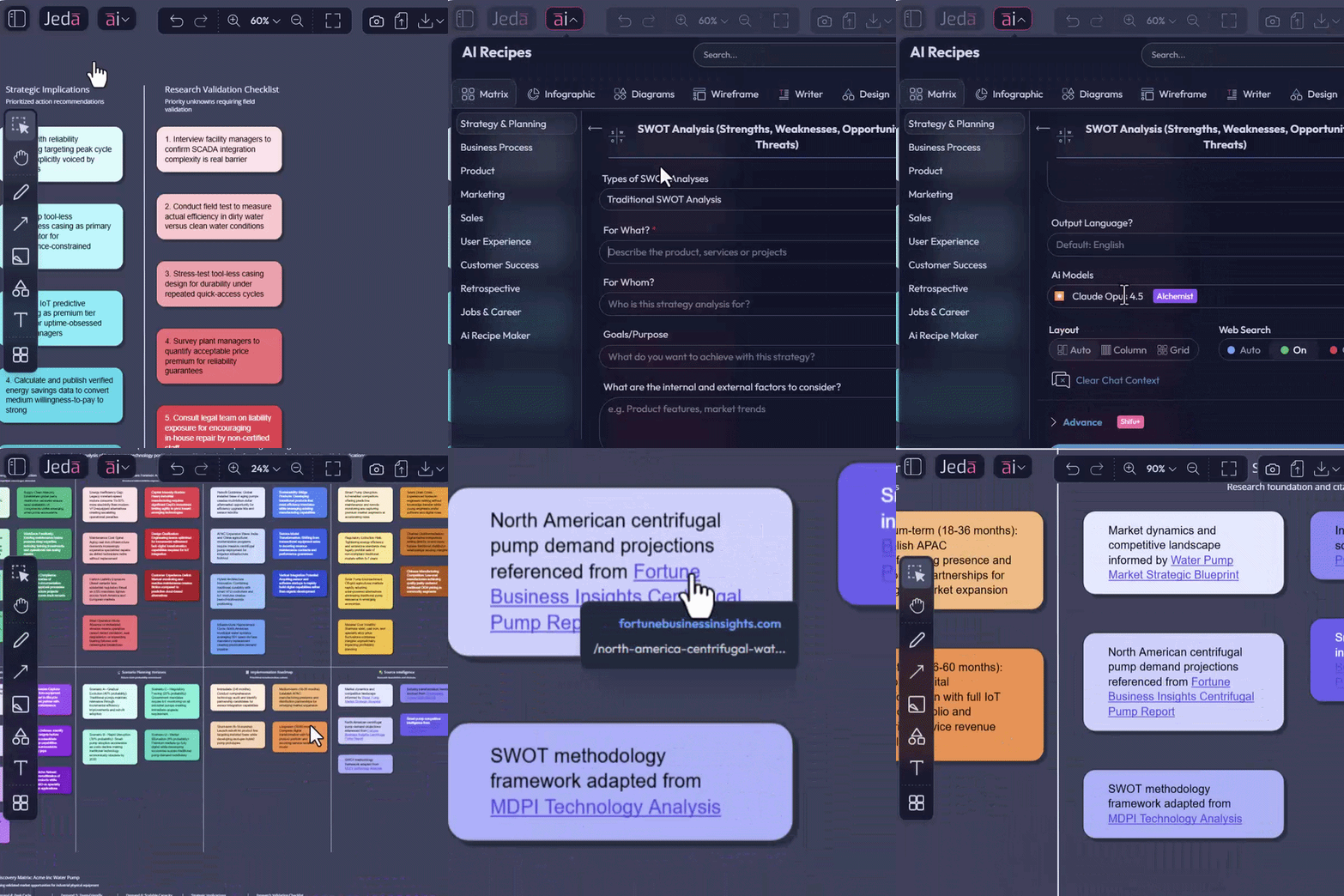
When you run AI commands with Web Search enabled, your output may now include references and links:
AI strategies are no longer just smart. They are inspectable.
AI Vision + AI Recipes on Selected Objects: Iteration in Place
This is the big one.
Previously, you could select one or more objects on the canvas, run a query in the AI Prompt Bar, and have AI Vision work on that selection.
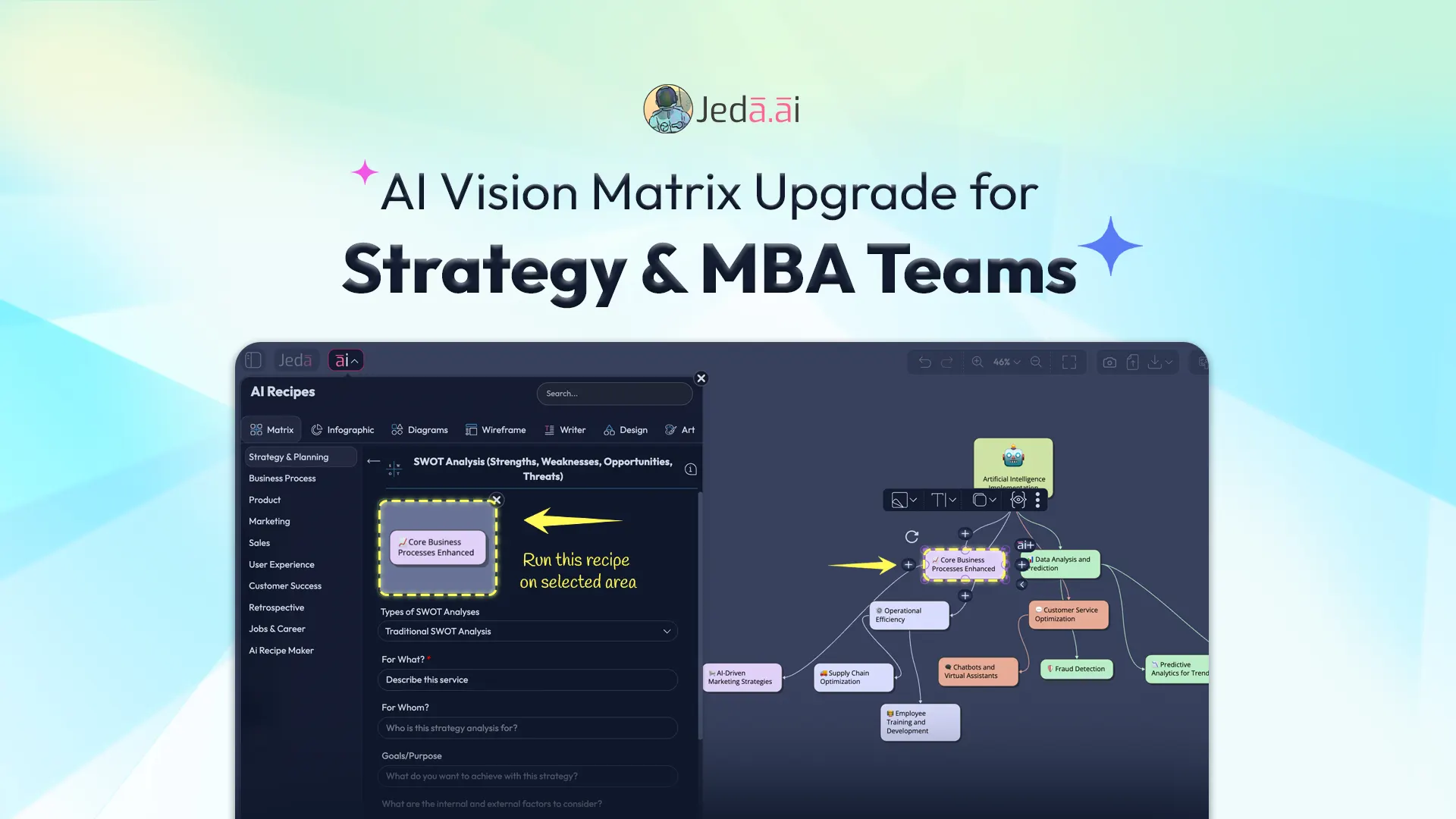
Now, that same selection-aware intelligence is available inside AI Recipes as well.
How It Works
- Select an object or group of objects
It can be a mind map, a cluster of sticky notes, a matrix, an imported screenshot, or another relevant canvas object.
- Open the AI Recipes panel
A thumbnail of your selected content appears inside the recipe interface so the recipe can run on that exact context.
- Choose the recipe and fill in the fields
Use a relevant recipe such as Strategy templates, JTBD, Persona, DFC, AWR, or one of the other 300+ recipes.
- Generate on the selected content
The recipe runs on the selected content, powered by AI Vision, so you can iterate in place instead of rebuilding from zero.
Why This Is Huge for Consultants and Decision Makers
This turns your board into a living, iterative knowledge surface, not a graveyard of static outputs.
Here is what you can now do in place, on existing diagrams, matrices, and notes.
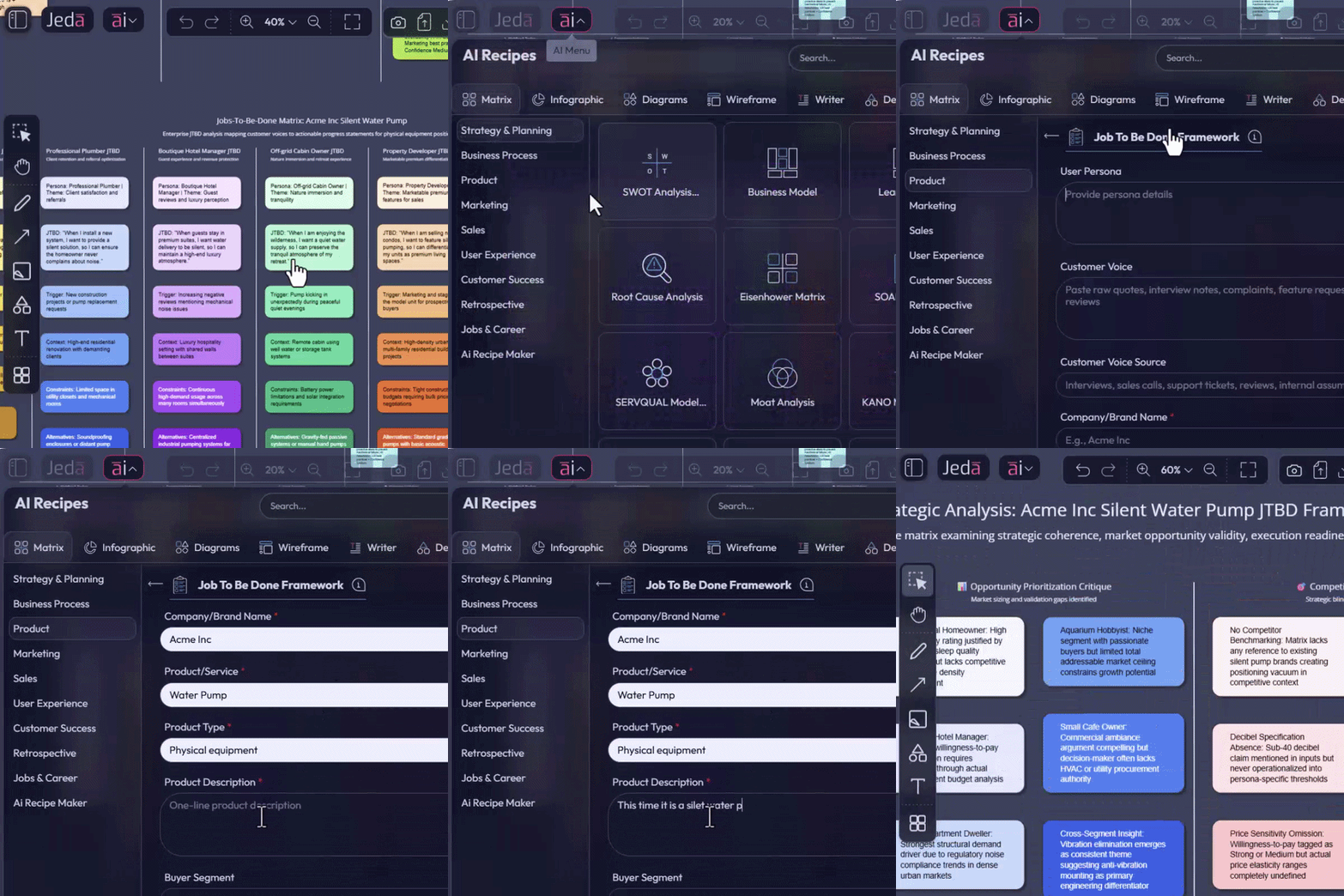
Regenerate with Different Input
Select an existing matrix or diagram you built earlier, plug in a new angle or updated constraints into a Matrix recipe, and get a refreshed alternative view on the same visual foundation.
Possible use cases include:
Correct or Tighten the Output
Not happy with how something landed?
Select the messy output and use a recipe with instructions such as:
AI Vision and Recipes now act like an on-board editor for your canvas content.
Deep Dive: From Overview to Zoomed-In Intelligence
You can select one branch of a mind map, run a JTBD, DFC, or AWR recipe just on that portion, and turn a simple branch into a deeper strategic drill-down without moving to another tool.
Perfect for:
This is AI Vision evolving from “process this thing” into “iterate on my thinking where it lives.”
Performance Improvements and Bug Fixes
We have also shipped faster behavior around object selection, recipe loading, and AI Vision operations, along with stability fixes for edge cases in grouped selections, web search outputs, and large-board operations.
Translation for you:
Frequently Asked Questions
- What changed in this AI Vision release on Jeda.ai?
- This release upgrades AI Vision in three practical ways: sharper matrix recipes, clickable web citations, and AI Recipes that can run on selected objects. It also includes performance and stability improvements for smoother work on larger boards.
- Which new matrix recipes are highlighted in this update?
- The update highlights improved User Persona and JTBD recipes, plus new DFC and AWR matrices. Together, they help teams move from customer understanding to opportunity discovery and then into structured prioritization.
- How do clickable citations work in web-enabled AI outputs?
- When Web Search is enabled, citations can appear inline or near relevant sections of the output. Hovering shows the source name and URL, and clicking the citation card takes you directly to the original source.
- What does selection-aware AI Recipes mean?
- It means you can select existing content on the canvas, open AI Recipes, and run a recipe directly on that chosen context. The selected area appears as a thumbnail inside the recipe flow so you can iterate in place.
- What kinds of canvas content can be used with AI Vision in recipes?
- The release specifically calls out mind maps, clusters of sticky notes, matrices, imported screenshots, and groups of objects. The main point is that you can work on existing canvas material instead of starting over.
- Why are DFC and AWR useful for consultants and MBA teams?
- DFC helps explain where demand is rising, what friction blocks adoption, and what changes make the opportunity timely. AWR helps teams prioritize what to pursue first by weighing attractiveness, win-ability, and required resources.
- How do I go back to the normal recipe flow without selected content?
- You can clear the selected-context workflow by crossing out the thumbnail or by clicking outside the selection range. After that, recipes run in the usual way on fresh input instead of the selected content.
- What performance improvements are included in this release?
- The release mentions faster object selection, recipe loading, and AI Vision operations, plus stability fixes for grouped selections, web search outputs, and large-board work. In practice, that means less lag and fewer interruptions during live sessions.
Wrapping Up
This is not just AI that draws more boxes. It is AI that helps you see, stress-test, and evolve your thinking directly on the board, with frameworks and references that executives and students can trust.
If you do strategy for a living, go select a cluster of sticky notes, open a Matrix recipe, and run a DFC or AWR deep dive.
You will feel the shift.
Run Your Next Strategy Pass Directly on the Board
Select your existing notes, matrix, or diagram, then use AI Vision and Matrix Recipes to sharpen the thinking without rebuilding the work from scratch.
Open Jeda.ai