This release is not about "small tweaks." It’s about making Jeda.ai the place where online MBA programs and business consultants actually show how strategy moves, not just talk about it. If you run cohorts, lead executive education, or advise leadership teams, these upgrades are built to make your sessions clearer, more dynamic, and more convincing.
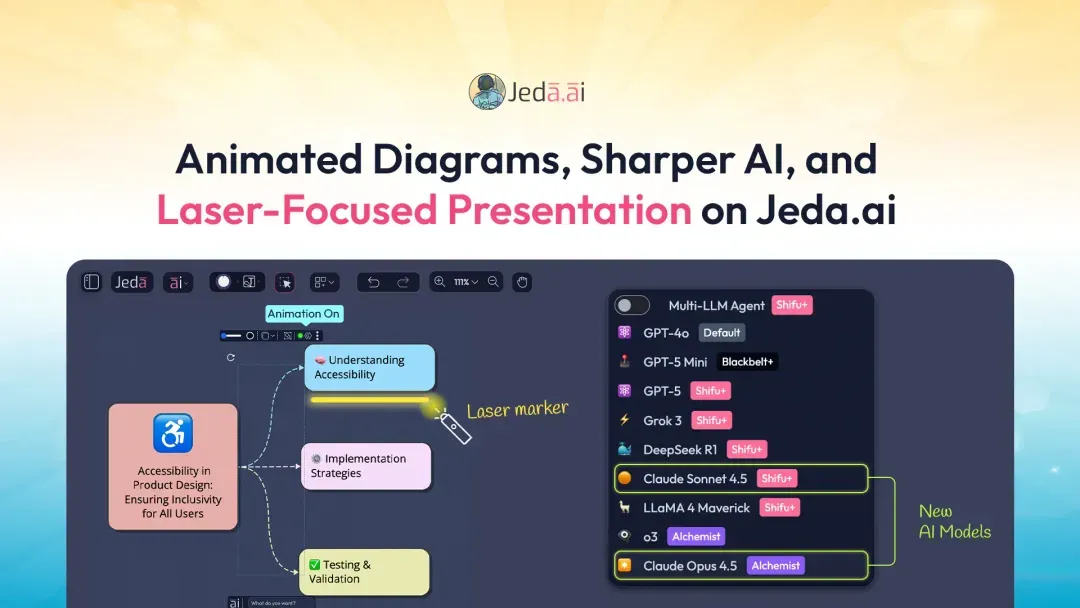
Sonnet 4.5 and Opus 4.5: Sharper Brains for Serious Work
Previously, Jeda.ai already shipped with Claude Sonnet 4 and Claude Opus 4 for high-stakes reasoning.
Now we’ve upgraded to:
What this really means for you
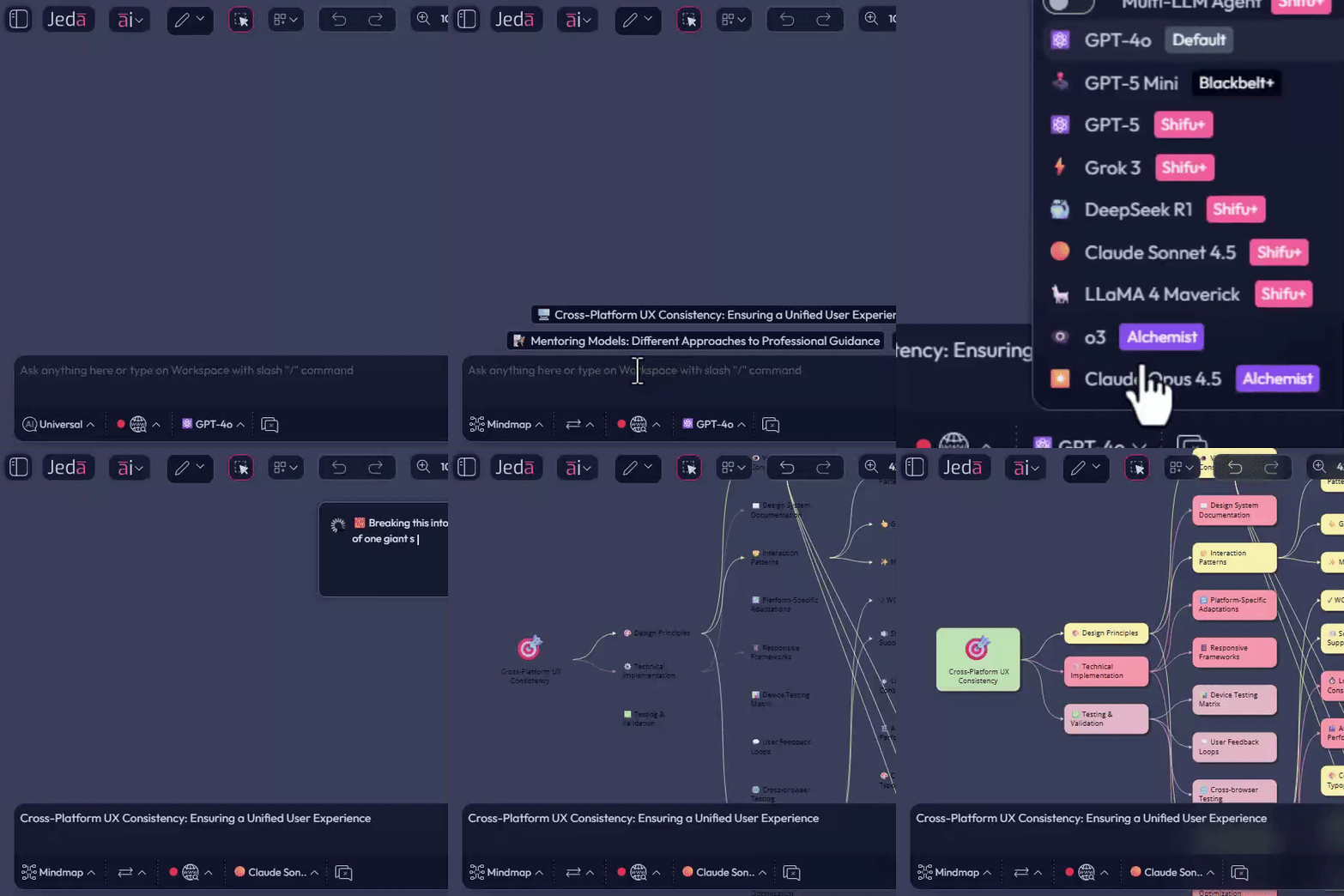
For online MBA programs, this is ideal for
Sonnet 4.5 and Opus 4.5 are the brain upgrade behind the visuals your cohort or client will see on the Jeda.ai canvas.
New Sticky Note Shapes: Circle and Oval for Visual Priority
Sticky notes are no longer just squares and rectangles. We’ve added, among many other shapes:
And you can drag to morph between circle and oval to find the perfect in-between.
Why this matters for consultants and online MBA teams
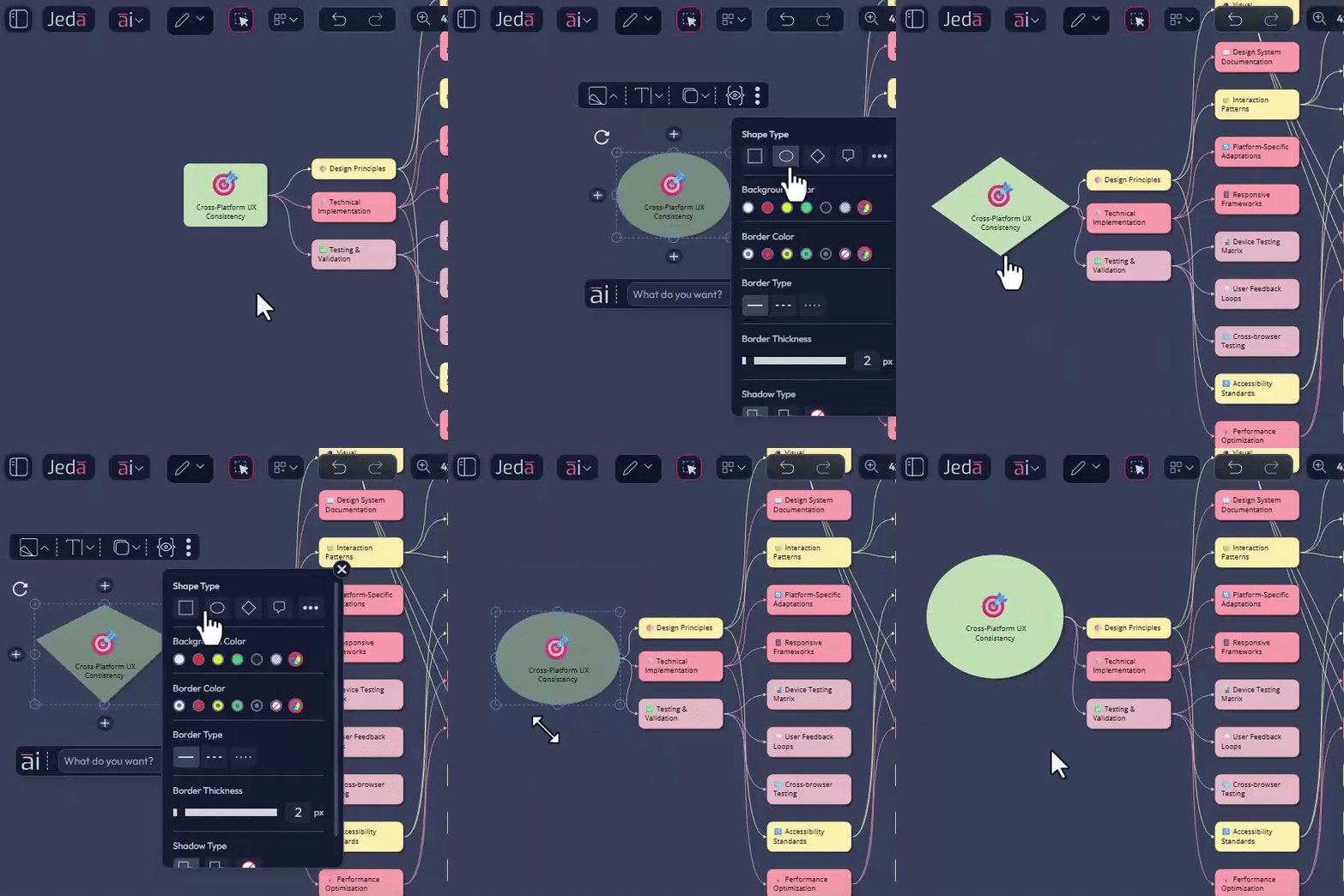
One simple visual logic for live sessions
- Circle = central thesis
- Oval = key drivers or risks
- Square = actions, owners, next steps
This is the small visual change that makes complex boards readable at a glance on a screen share.
Animated Connectors: Show Movement, Not Just Structure
We previously introduced connector styling such as thickness and solid, dotted, or dashed lines for mind maps, flowcharts, and diagrams.
Now we’ve unlocked something much more storytelling-friendly:
When a connector’s line type is dotted or dashed, a new Animation option appears when the connector and its adjacent sticky note are selected.
Turn Animation on and the connector becomes a moving, pulsing line.
What this is perfect for
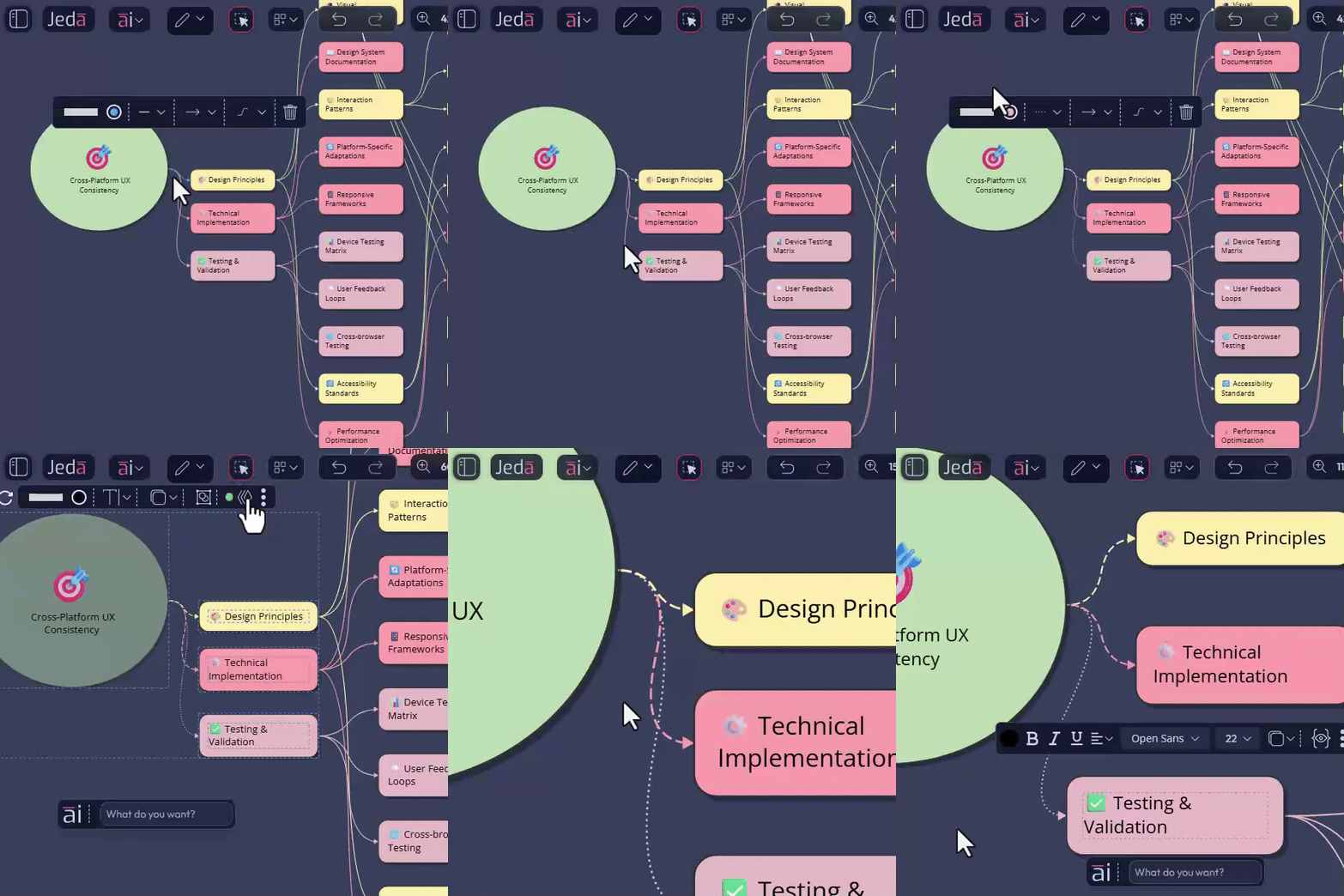
A simple use flow for async teaching and consulting
- Record a short clip of your animated diagram
- Drop it into your LMS, slide deck, or async lecture
- Students feel the system, not just read labels
For consultants, this is gold for explaining systems thinking, risk propagation, or operating model dynamics to leadership teams who don’t have time for a 30-page doc.
Laser Marker: Guide Attention Like a Live Studio Host
We’ve added a Laser Marker tool to the toolbar:
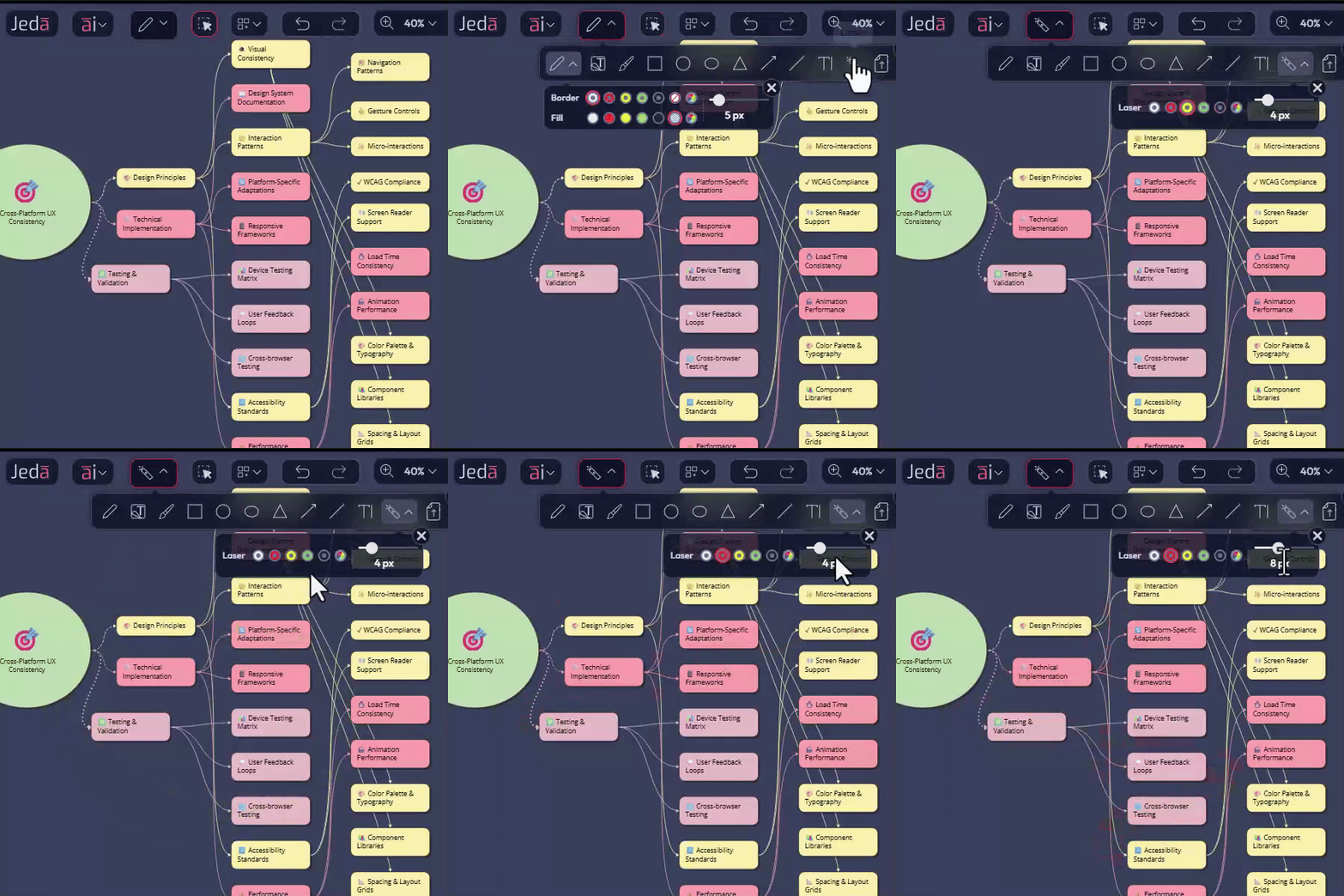
How this changes your online sessions
Common live-use moments
- Highlight one quadrant of a 2×2
- Trace a path through a customer journey
- Circle a KPI spike on a chart
Students track your thinking the same way they would follow a lecturer pacing in front of a physical whiteboard.
For online MBA decision makers, this tool is a quiet upgrade that makes every live session feel more like a studio production and less like a static screen share.
Bug Fixes and UI/UX Improvements: Smoother for Real Courses and Clients
And of course, the boring but critical part:
- Bug fixes across canvas behavior and tools
- UI/UX refinements for smoother control panels, cleaner interactions, and more predictable behavior
What you get
What This Release Really Delivers for Consultants and Online MBA Programs
If we strip away the technicalities, this release gives you:
Put simply:
Jeda.ai is making it easier to teach strategy, explain systems, and sell decisions in a way that people actually understand and remember.
Frequently Asked Questions
- What are the headline updates in this Jeda.ai release?
- This release introduces Claude Sonnet 4.5, Claude Opus 4.5, circle and oval sticky notes, animated connectors, a laser marker for live sessions, and smoother bug-fix and UI improvements across the canvas experience.
- Who benefits most from these updates?
- The biggest winners are business consultants, online MBA programs, EMBA cohorts, executive education teams, and anyone who needs to explain strategic thinking clearly in live or asynchronous visual sessions.
- Why do Sonnet 4.5 and Opus 4.5 matter on Jeda.ai?
- They improve serious reasoning work. That means cleaner strategic narratives, deeper case analysis, and stronger long-form outputs such as investor memos, teaching notes, and structured lecture outlines.
- What do the new circle and oval sticky notes help with?
- They improve visual hierarchy. Teams can use circles for core truths, ovals for supporting ideas, and standard notes for execution details, which makes complex strategic boards easier to scan and explain.
- How do animated connectors improve teaching and consulting presentations?
- Animated connectors make movement visible. Instead of showing only static structure, they help explain loops, flywheels, impact direction, and recurring systems in a way that feels more intuitive during presentations.
- What makes the laser marker useful during live sessions?
- The laser marker lets you guide attention without cluttering the board. You can highlight, trace, or circle a point during a live session, and the mark fades automatically after serving its purpose.
- Are these updates only about new visuals?
- No. The release also includes bug fixes and UI or UX refinements that reduce friction, improve predictability, and make Jeda.ai more reliable for real classroom sessions, consulting workshops, and client presentations.
- What is the bigger outcome of this release?
- The larger gain is clarity. Jeda.ai now makes it easier to think through strategy, present systems, and run dynamic sessions that people can follow, understand, and remember.
Wrapping Up
If you’re running an online MBA, EMBA, or consulting practice and still juggling slides, stale whiteboards, docs, and five other tools, this is your cue to centralize the real work on one visual AI workspace.
Log in, try the new sticky notes, toggle connector animation, and run your next session with the laser marker turned on. Your cohorts, and your clients, will feel the upgrade.
Run Your Next Strategy Session on Jeda.ai
Use sharper AI, clearer visuals, animated diagrams, and laser-guided presentation flow in one visual AI workspace.
Try Jeda.ai