Jeda.ai's latest updates introduce GPT-4.1, new object and workspace download capabilities, and enhanced collaboration options designed to boost productivity and streamline workflows. This release focuses on making the platform smarter, easier to export from, and more reliable for real-time teamwork.
What's New
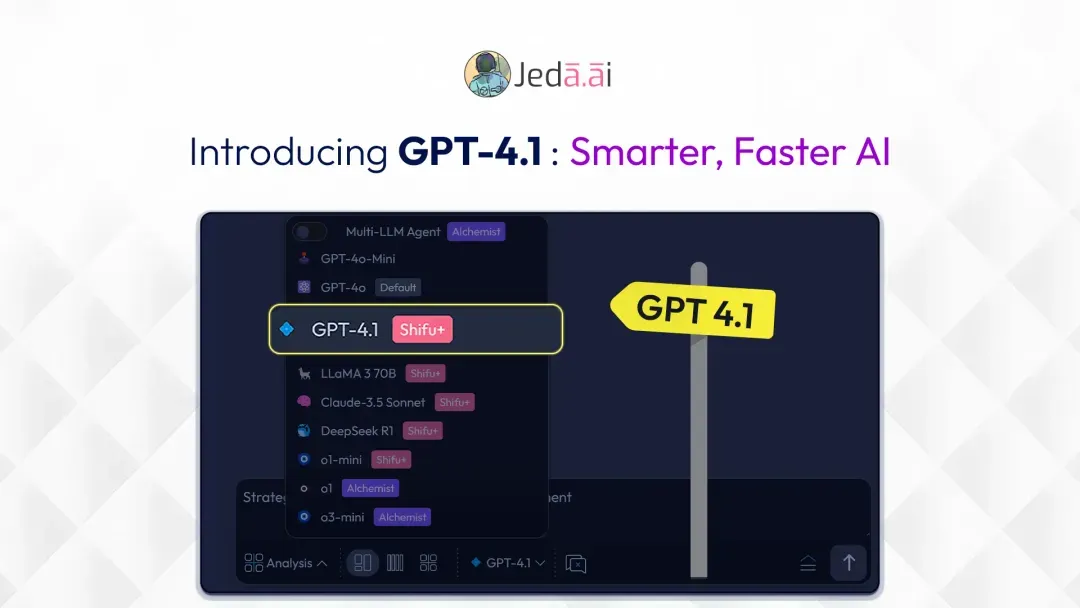
1. Introducing GPT-4.1: Smarter, Faster AI
Jeda.ai now includes GPT-4.1, a new AI model built for faster processing, smarter responses, and up to 1M-token context. The update is positioned as a major step up for real-world coding, advanced task handling, high-level reasoning, and agentic workflows.
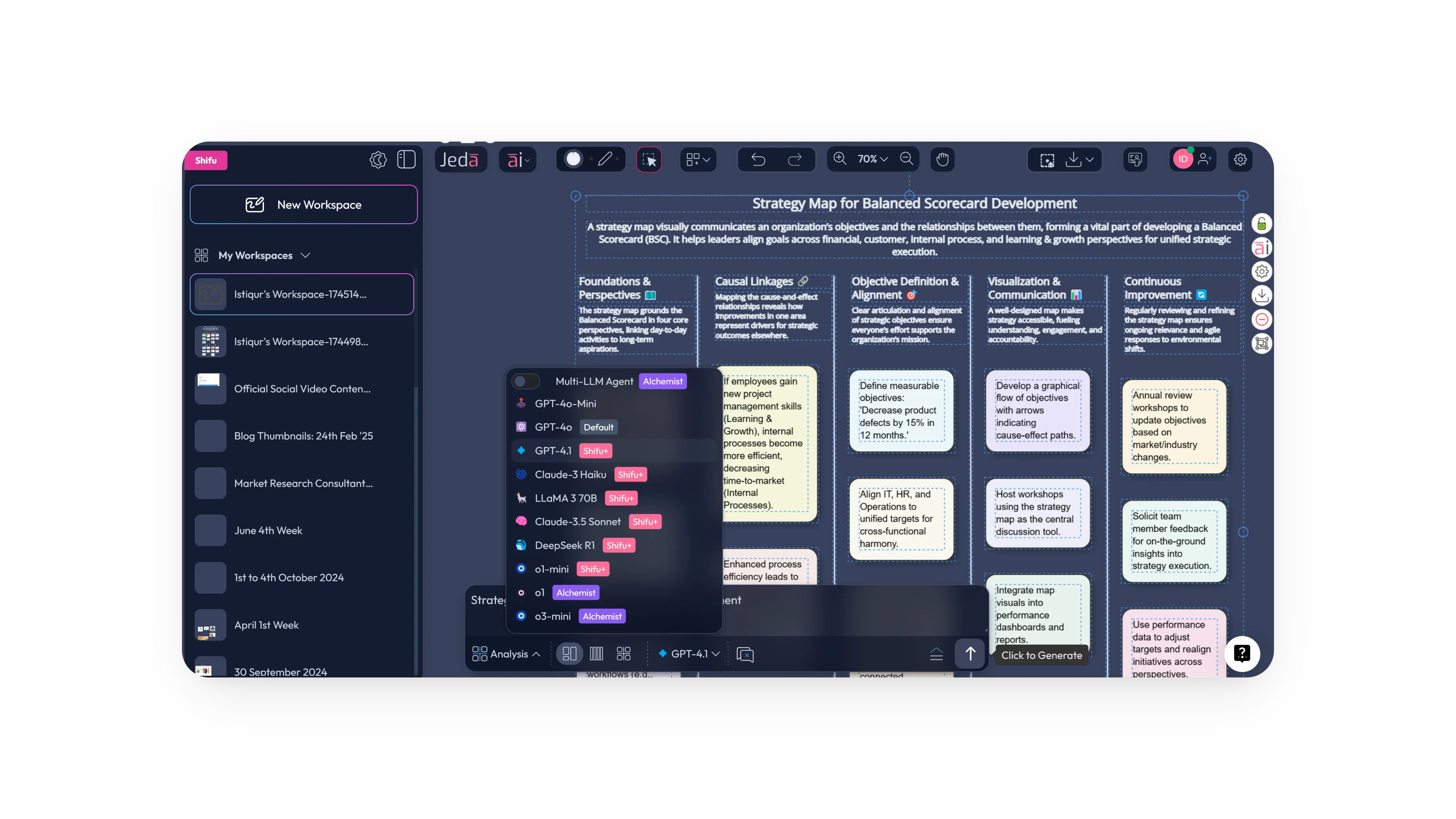
Alongside GPT-4.1, Jeda.ai continues to offer a broad model lineup across different types of work.
2. Download Objects and Workspaces as SVG
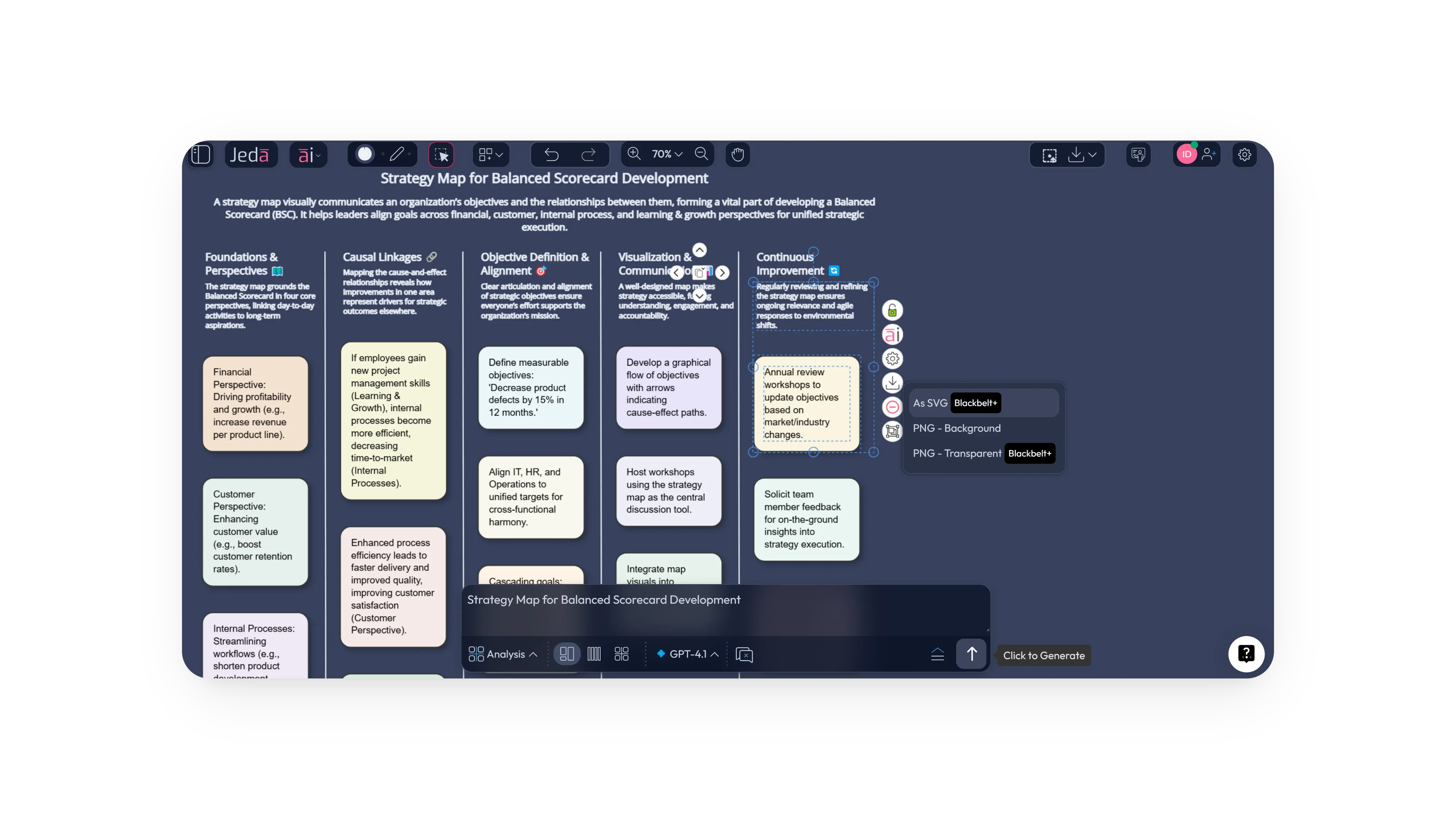
Jeda.ai now supports SVG downloads for both individual objects and full workspaces. This makes it easier to export visual assets, share them across tools, and work with files in a more flexible format when needed.
Download Objects as SVG
- Select your objects
Select one or more objects or elements on the canvas.
- Open the download option
Click the download option for the selected content.
- Choose SVG
Select SVG as the export format.
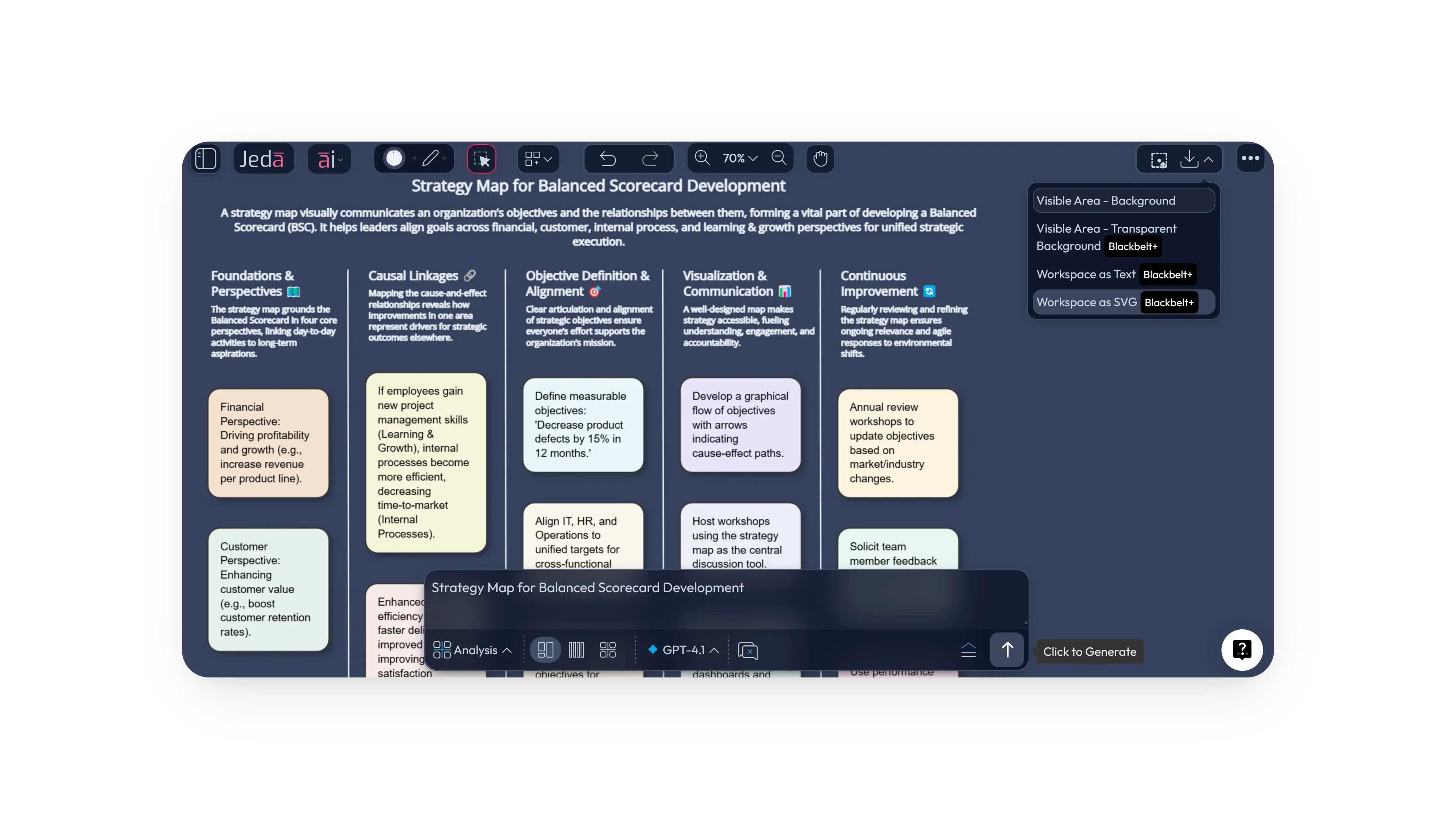
Download Workspace as SVG
- Open the workspace download menu
Go to the Download Workspace menu.
- Choose SVG
Select the SVG download option to export the workspace.
3. GPT-4o Is Now the Default for Whitebelt and Blackbelt Users
To simplify the experience for users on Whitebelt and Blackbelt plans, GPT-4o is now set as the default model. This change is intended to give those users a more reliable starting point for everyday work.
4. Limited Workspace Join Requests Based on User Plan
Jeda.ai has introduced plan-based limits for real-time workspace join requests. These limits are designed to improve collaboration flow and optimize workspace usage across different plan levels.
5. Bug Fixes and Performance Improvements
This release also includes a range of bug fixes and performance enhancements aimed at delivering a smoother and more reliable product experience across the platform.
Frequently Asked Questions
- What is the biggest addition in this Jeda.ai release?
- The headline update is the introduction of GPT-4.1, alongside SVG downloads for objects and workspaces, collaboration limit updates by plan, and broader performance improvements.
- What does GPT-4.1 add to Jeda.ai?
- GPT-4.1 brings faster processing, smarter responses, and up to 1M-token context, making it better suited for coding, advanced task handling, high-level reasoning, and agentic work.
- Can I now export visuals from Jeda.ai as SVG?
- Yes. You can now download selected objects as SVG, and you can also export an entire workspace in SVG format through the workspace download menu.
- How do I download an object as SVG in Jeda.ai?
- Select one or more objects or elements, open the download option, and choose SVG as the format.
- How do I download a full workspace as SVG?
- Open the Download Workspace menu and select the SVG option to export the workspace.
- Which users now get GPT-4o as the default model?
- GPT-4o is now the default model for users on the Whitebelt and Blackbelt plans.
- How many collaborators can join a workspace under each plan?
- Whitebelt users can allow 3 collaborators, Blackbelt users 6, Shifu users 10, and Alchemist users have no collaborator limit per workspace.
- Does this release include fixes beyond new features?
- Yes. The update also includes bug fixes and performance improvements to make the platform smoother and more reliable overall.
Wrapping Up
These updates strengthen how users create, export, and collaborate inside Jeda.ai. With GPT-4.1 now available, SVG downloads for objects and workspaces, updated default model behavior for select plans, and better real-time collaboration controls, the platform continues to improve the practical experience of getting work done.
Stay tuned for more updates as Jeda.ai continues to evolve.
Explore the Latest Jeda.ai Features
Put GPT-4.1, SVG exports, and improved collaboration controls to work in your next workflow.
Try Jeda.ai