At Jeda.ai, we’re always working to bring you new tools, improved functionality, and a smoother user experience. This update brings a number of enhancements, including new ways to personalize your interface, access cutting-edge AI models, and enjoy a more stable platform.
What’s New in This Release?
Dark and Light Mode for All Users
Guest users can now enjoy the flexibility of switching between dark and light modes, just like registered users. Choose the interface that best suits your environment and mood with the new theme toggle button.
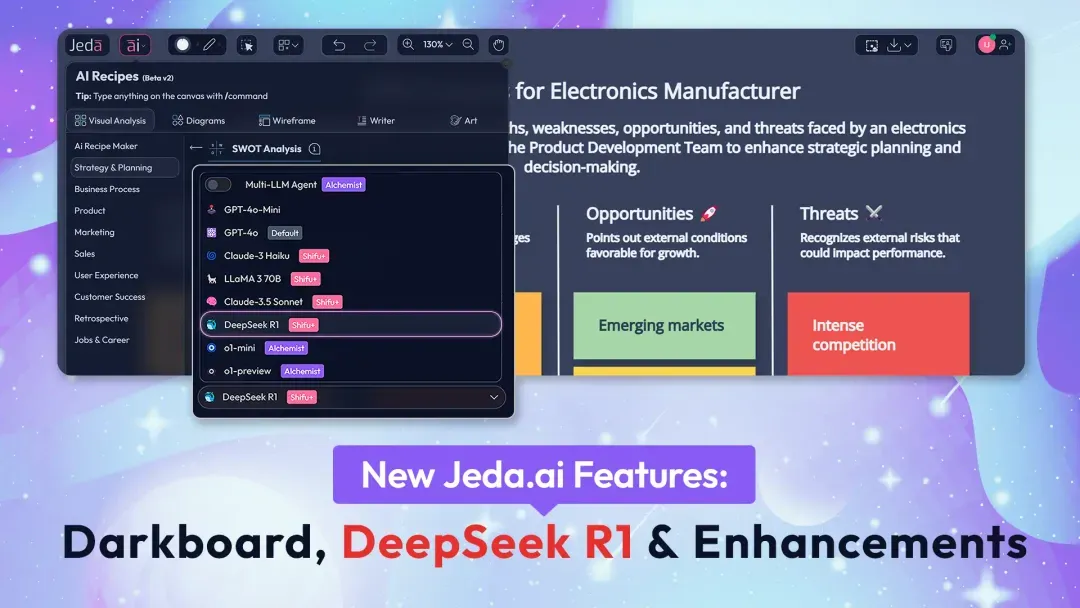
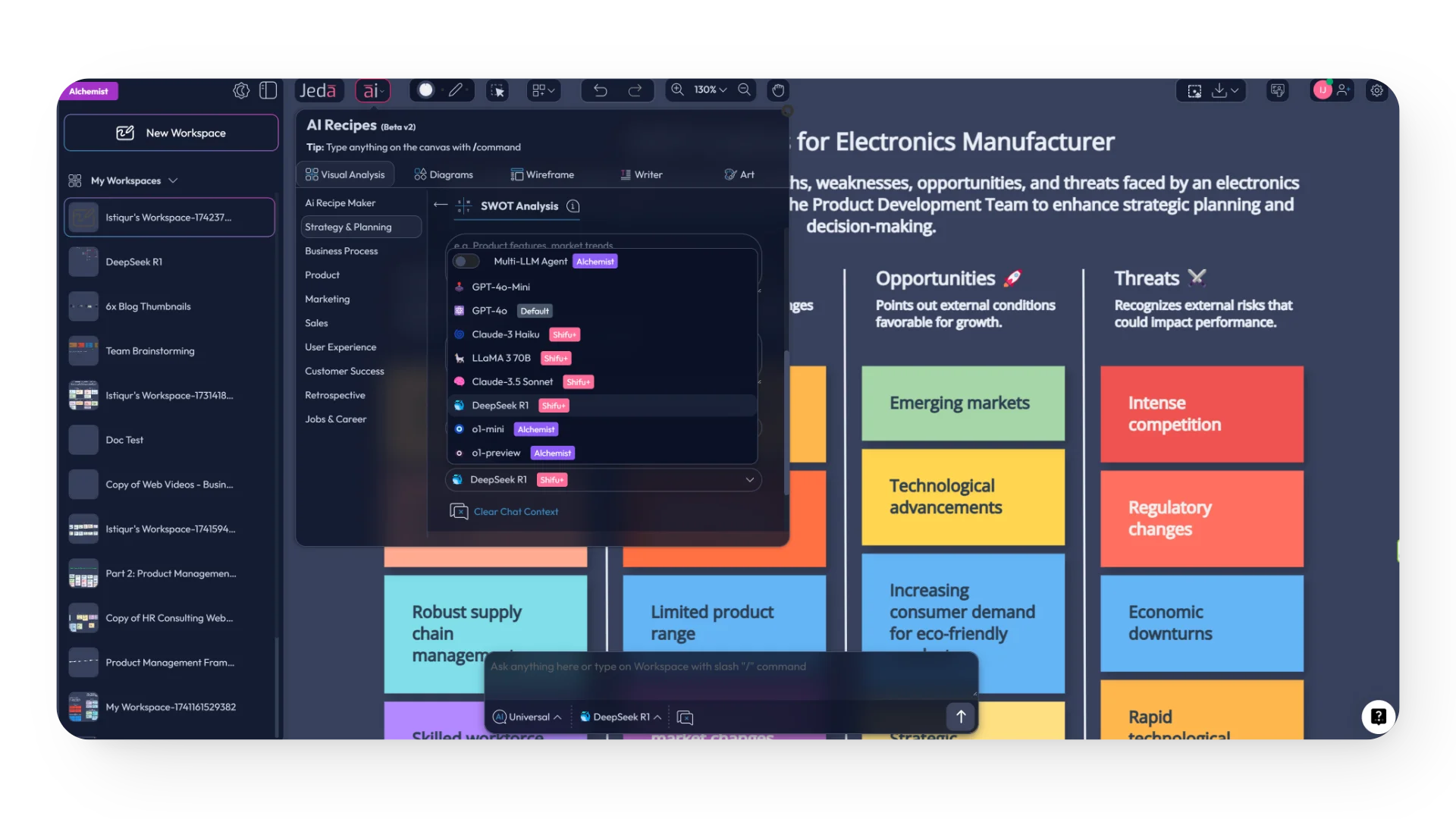
Introducing DeepSeek R1 Model
We’re excited to add DeepSeek R1 to our lineup of AI models, alongside GPT-4o Mini, GPT-4o, Claude 3 Haiku, Claude 3.5 Sonnet, LLaMA 3 70B, o1-Mini, o1-Preview, and DALL-E 3. This new model opens up even more possibilities for content creation and enhanced performance.
Performance Improvements and Bug Fixes
We’ve worked hard to enhance the platform’s speed and stability. With this release, you’ll notice smoother interactions and a more reliable experience across the board.
How to Use the DeepSeek R1 Model
- Start creating content
Use Jeda.ai the way you normally do when beginning a new creative or content task.
- Select DeepSeek R1
When choosing an AI model, select DeepSeek R1 from the available model list anywhere model selection is supported.
- Check your plan access
DeepSeek R1 is available to Shifu and Alchemist plan users.
Why This Update Matters
Frequently Asked Questions
- What is included in this Jeda.ai feature release?
- This release includes dark and light mode access for guest users, the addition of the DeepSeek R1 model, and platform-wide performance improvements with bug fixes.
- Can guest users switch between dark and light mode?
- Yes. Guest users can now switch between dark and light modes, giving them the same theme flexibility highlighted in this update for a more comfortable experience.
- Where can I find the DeepSeek R1 model in Jeda.ai?
- You can find DeepSeek R1 anywhere AI models are available for selection in Jeda.ai. It appears alongside the other listed models in the platform.
- Who can access DeepSeek R1?
- DeepSeek R1 is available for users on the Shifu and Alchemist plans.
- What does the performance enhancement update improve?
- The update is designed to improve speed, stability, and overall reliability, so interactions across the platform feel smoother and more dependable.
- Why did Jeda.ai release these updates?
- These enhancements were released to give users more control over their interface, expand AI model options for eligible plans, and deliver a more stable user experience.
Wrapping Up
We’re thrilled to bring these enhancements to Jeda.ai and are excited for you to explore the new features. Whether you’re toggling between dark and light modes as a guest or accessing the new DeepSeek R1 model, we hope these updates make your creative process even more seamless and efficient.
Stay tuned for more updates. Our journey to enhance Jeda.ai is just getting started.
Explore the Latest Jeda.ai Experience
Switch themes, try supported AI models, and enjoy a smoother platform experience with the latest Jeda.ai improvements.
Explore Jeda.ai