Jeda.ai is thrilled to announce major upgrades to your creative toolkit. Our image generation capabilities are now more powerful than ever, and our newly launched Design Recipes offer business-ready templates, all fully integrated into your Jeda.ai subscription. Whether you’re crafting visual strategy, analysing data, making wireframes, presentations, or social assets, these updates expand your creative possibilities.
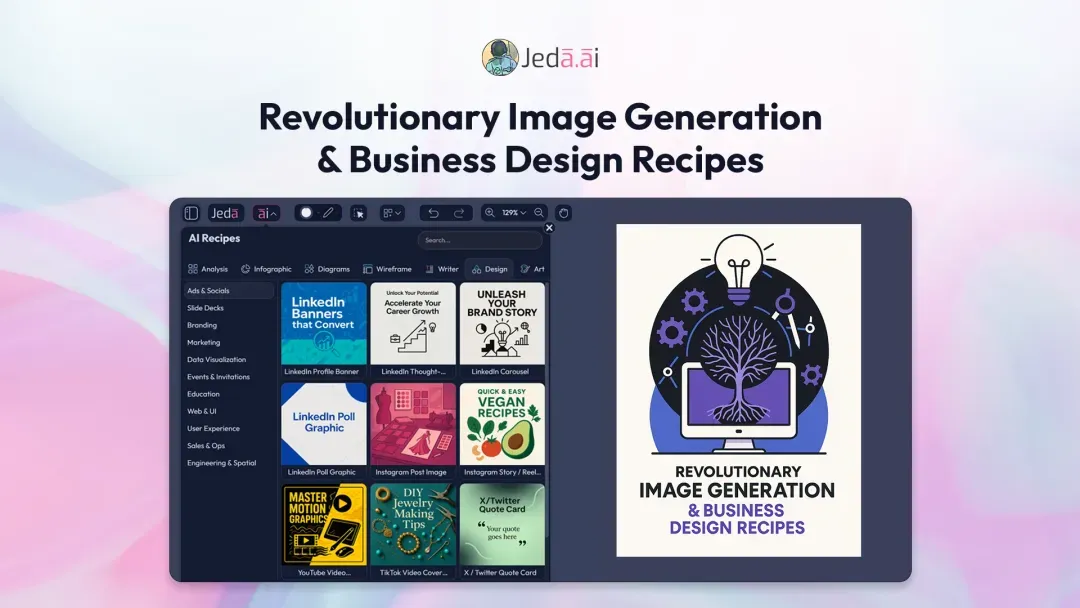
GPT-Image-1: Next-Level AI Image Generation
Previously, Jeda.ai relied on DALL·E 3 for image generation. While effective, the results were sometimes limited in text accuracy and design fidelity. Now, with GPT-Image-1, you can generate images that are more precise and better aligned with your instructions.
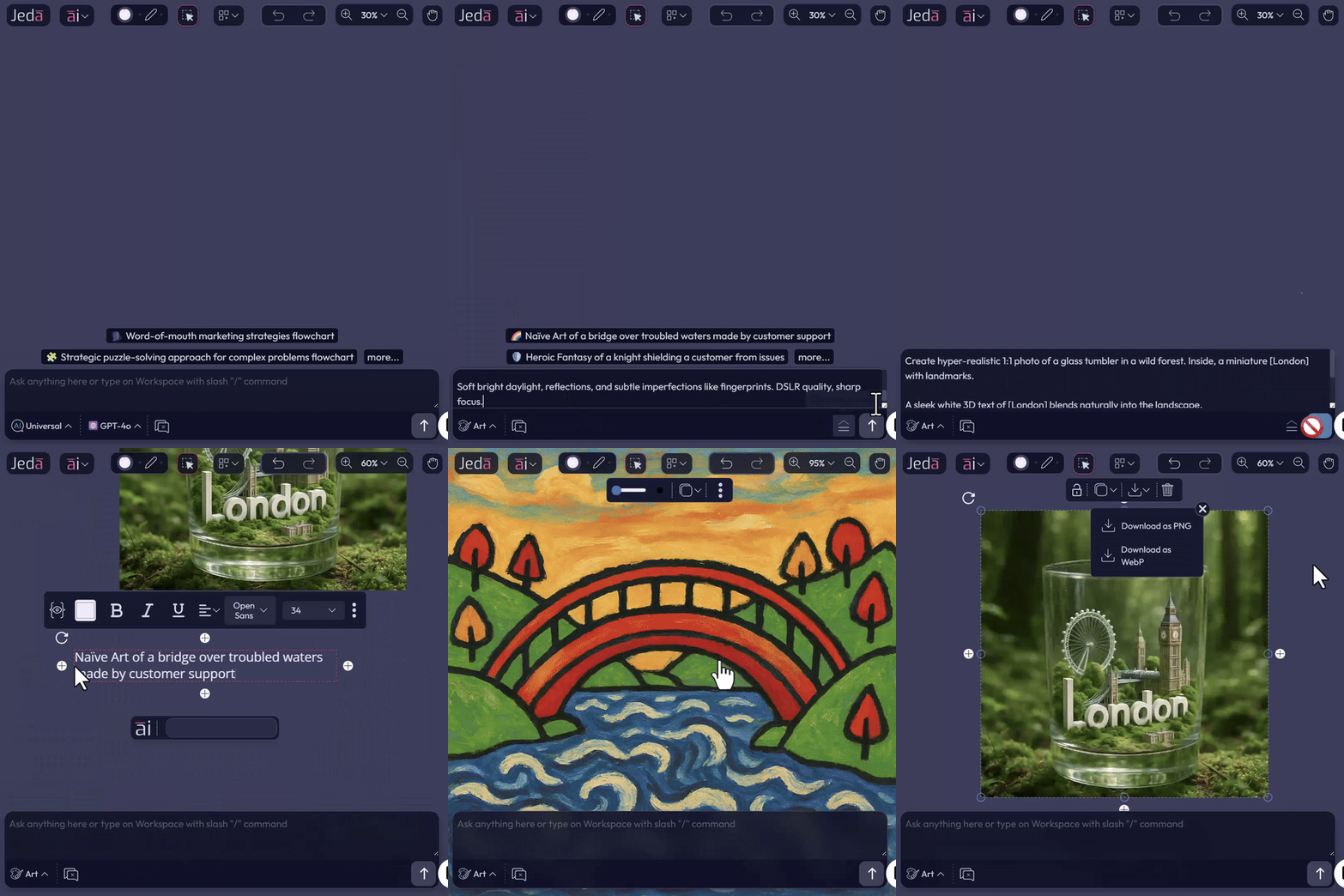
How to Manually Generate Images on Jeda.ai
- Open an AI canvas
Open an AI canvas on Jeda.ai.
- Write your prompt
Enter your prompt with any specific instructions.
- Choose your input method
Use either the AI Prompt Bar or the command options available in the AI Workspace.
- Generate the image
Click Generate and your image is created.
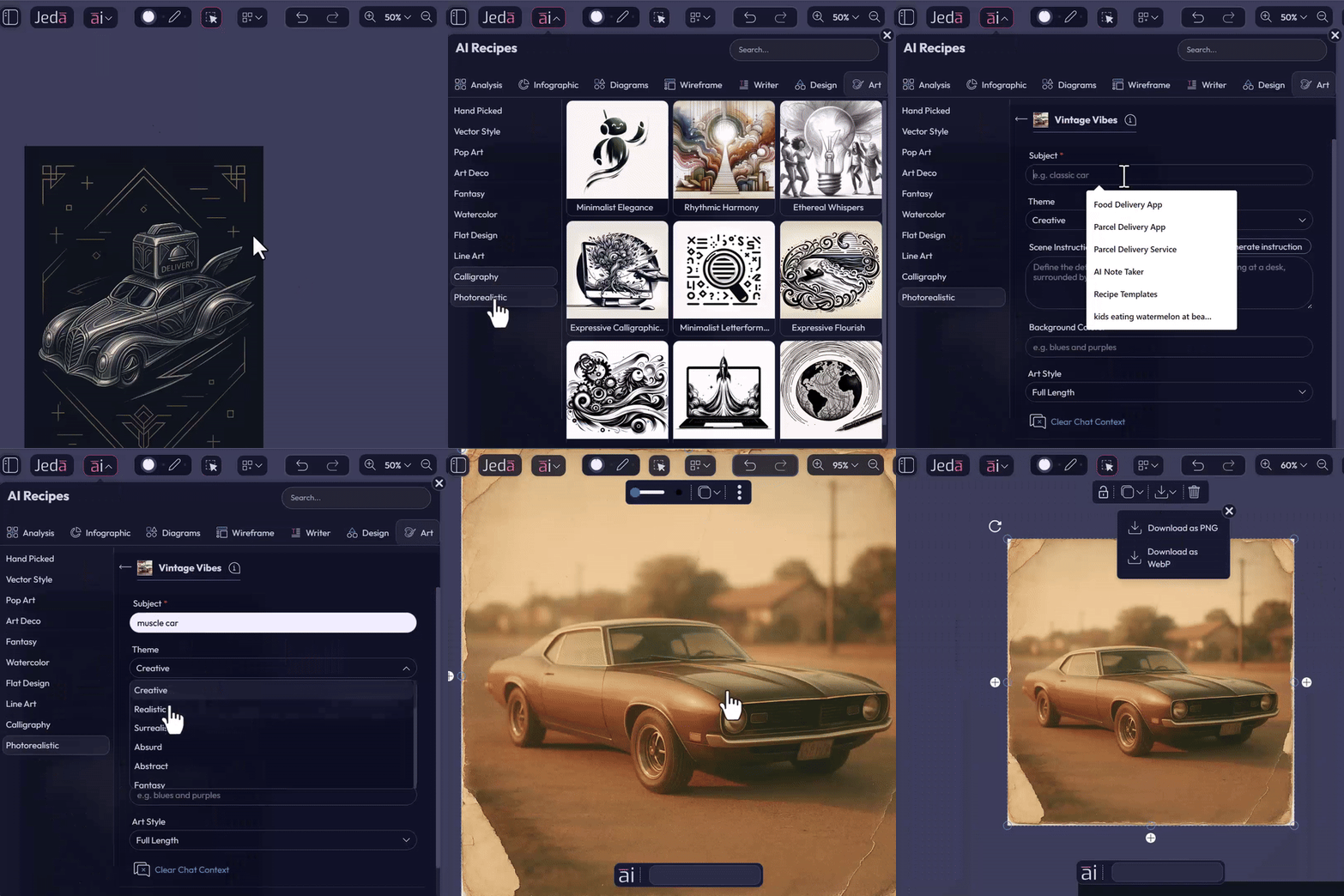
How to Use AI Art Recipes
- Open AI Art Recipes
Open the AI Art Recipes menu.
- Choose a template
Select a template from hundreds of pre-built designs across multiple categories.
- Fill in your inputs
Add the subject matter, adjust the theme, write your own instruction, or generate with AI. You may also keep it blank to review the AI’s imagination.
- Generate the final image
Click Generate and the final image follows your specified guidelines, ready for download in various formats.
Design Recipes: Business-Ready Templates
In addition to AI Art Recipes, Jeda.ai now includes a new set of templates for business design called Design Recipes.
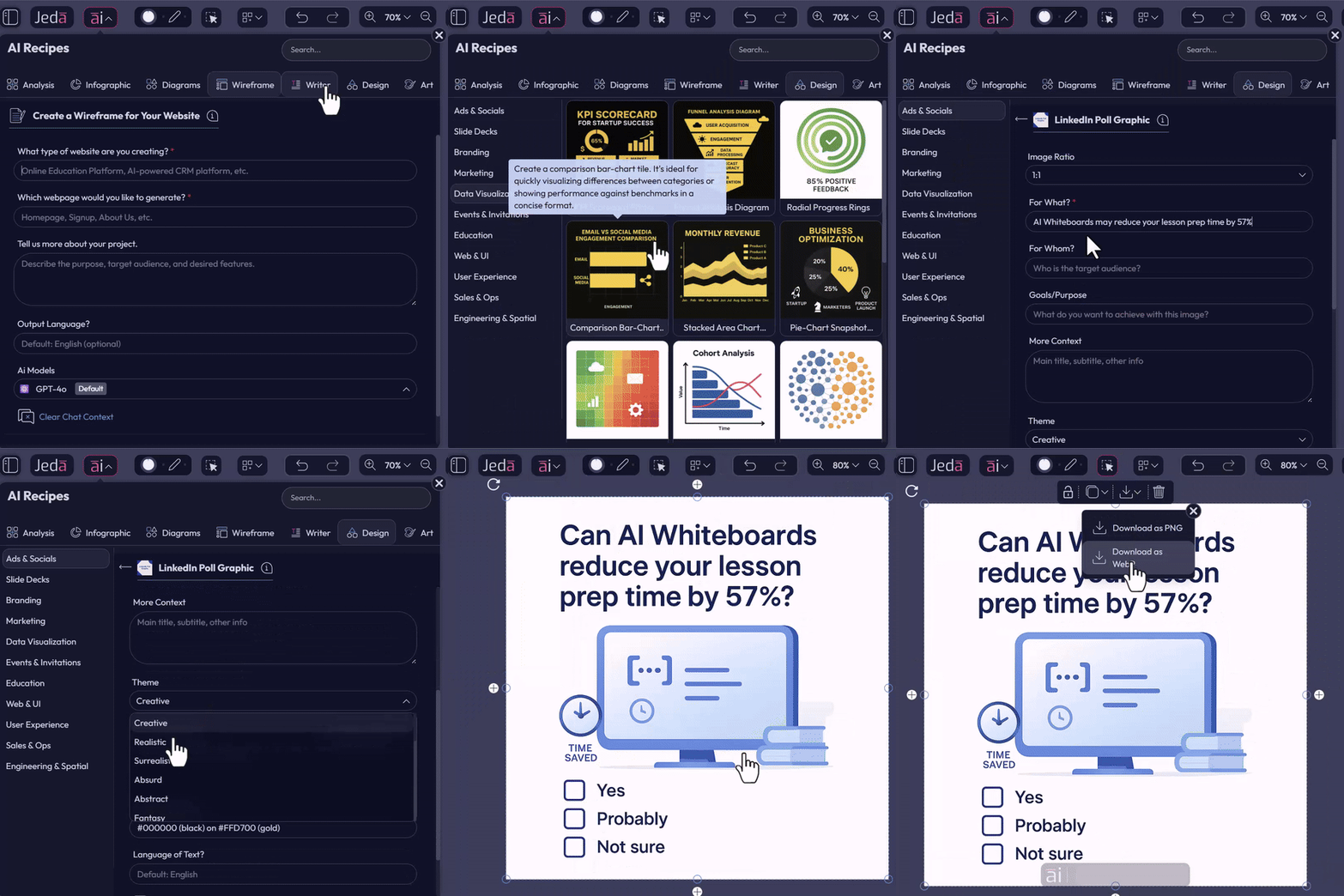
How to Use Jeda.ai’s Design Recipes
- Open Design Recipes
Open the Design Recipes menu in Jeda.ai.
- Browse and select
Browse categories and select your preferred template.
- Complete the recipe inputs
Fill in the fields, generate with AI or write your own instructions, then choose a theme and aspect ratio.
- Generate on the whiteboard
Click Generate and your business-ready visual is produced on the infinite AI whiteboard, ready for download in various formats.
These recipes make it simple to produce professional social media graphics, slide decks, UX mockups, or educational visuals without starting from scratch.
Why This Matters
With GPT-Image-1, AI Art Recipes, and Design Recipes, Jeda.ai users can now do more creative work with more precision and less friction.
Whether you’re a marketer, designer, instructor, or business strategist, these capabilities give your visuals more precision, more polish, and more professional impact.
Frequently Asked Questions
- What is GPT-Image-1 in Jeda.ai?
- GPT-Image-1 is the upgraded image generation model now available in Jeda.ai. It improves text accuracy inside visuals, follows design instructions more closely, and helps users create more polished outputs for personal and professional use.
- What can I create with AI Art Recipes?
- AI Art Recipes help you generate images from pre-built creative templates across multiple categories. You can choose a template, add your subject matter and theme, then generate an image that follows your direction more closely.
- What are Design Recipes used for?
- Design Recipes are built for business-ready visual creation in Jeda.ai. They support use cases such as social graphics, slide visuals, educational designs, and UX-related outputs without requiring you to start from a blank canvas.
- Do Design Recipes support branding and design consistency?
- Yes. The update states that Design Recipes are optimized for GPT-Image-1 so teams can produce polished visuals faster while maintaining more consistent branding, including text, logos, and design attributes.
- Can I generate images directly on the Jeda.ai workspace?
- Yes. You can generate images directly from an AI canvas in Jeda.ai using the AI Prompt Bar or the workspace command flow. That keeps image creation inside the same environment where you plan, create, and collaborate.
- Who benefits most from this release?
- This release is especially useful for marketers, designers, instructors, and business strategists who need polished visuals quickly. It is built for people who want more precision, faster output, and less manual design setup.
Try These New Capabilities Today
Log in to Jeda.ai and explore the new AI model for images, AI Art Recipes, and Design Recipes. From inspiration to production, your visuals are now faster, smarter, and more accurate.
Stay tuned for additional templates, AI models, and workflow enhancements as Jeda.ai continues to expand its creative capabilities.
Explore GPT-Image-1 and Design Recipes in Jeda.ai
Create more precise images, use business-ready templates, and turn ideas into polished visuals faster.
Open Jeda.ai