Jeda.ai is thrilled to announce a significant update to our platform's user interface, designed to enhance your visual experience and streamline your workflow. With a new default dark mode and an optional light mode, our latest update brings a modernized look and feel to your AI workspace.
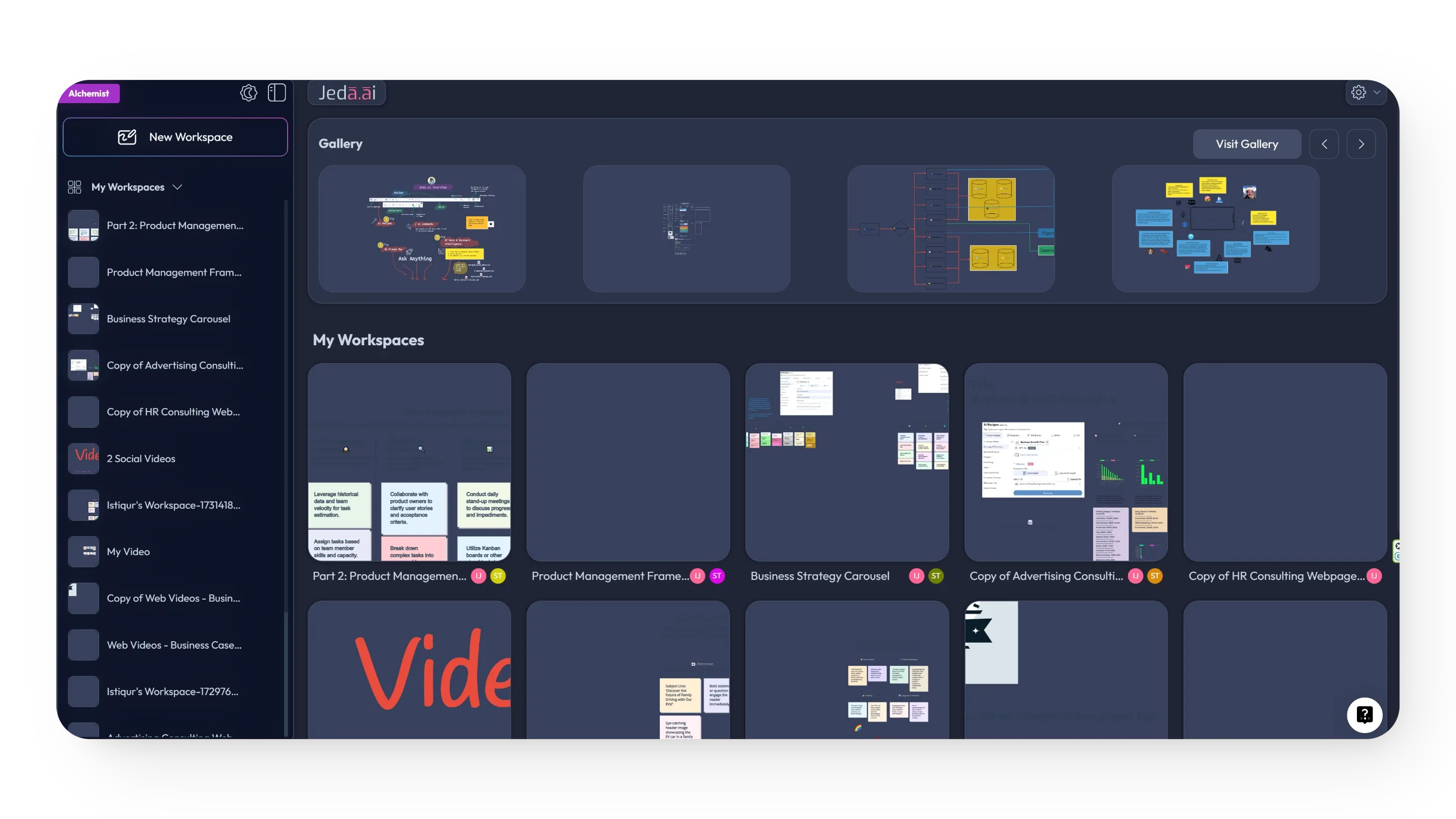
What's New in the Refreshed Interface
The Update at a Glance
How to Toggle Dark and Light Modes
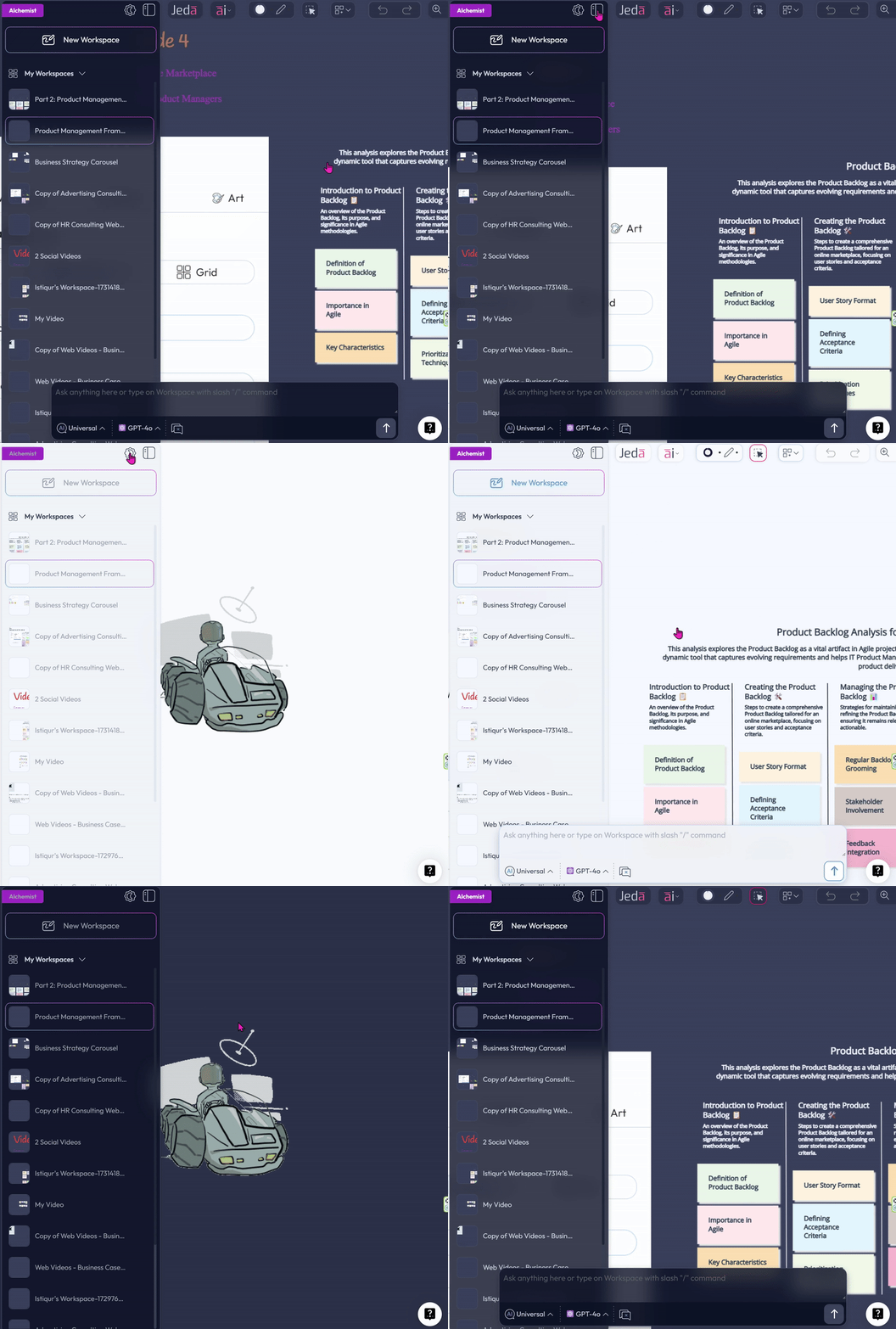
The updated interface makes it easy to switch between display modes based on your preference or ambient lighting.
- Switch from dark mode to light mode
Click the moon button at the top left of the new side panel to switch from the default dark mode to light mode.
- Switch from light mode back to dark mode
Use the reverse moon button in the same top-left location of the side panel to return to dark mode.
New Left Side Panel Features
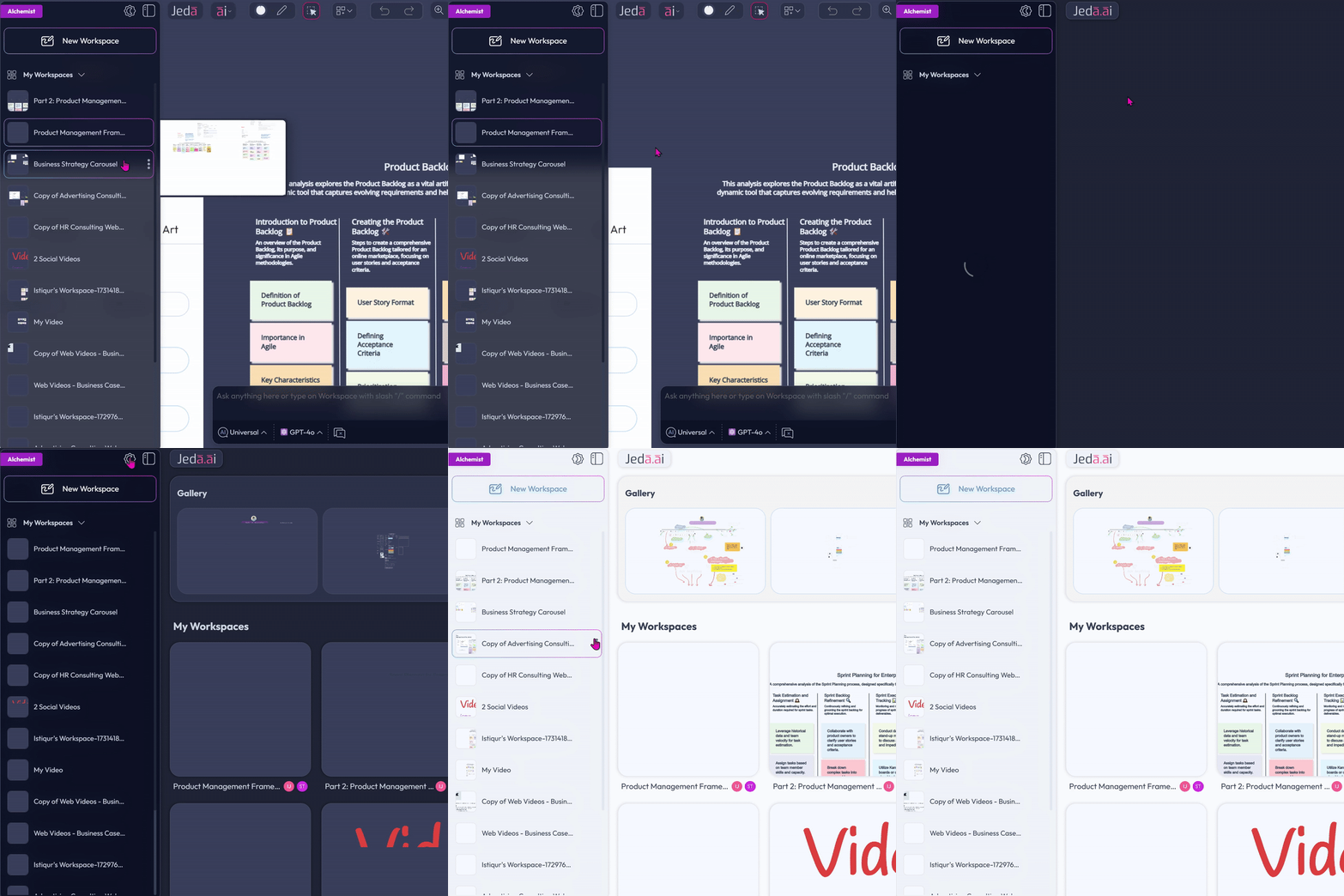
The new left side panel improves workspace access and day-to-day management without interrupting the flow of work.
Why This Refresh Matters
The refreshed user interface is not only about visual polish. It improves usability with a more accessible side panel, a more visible prompt bar, clearer naming conventions, more responsive undo and redo behavior, improved gallery placement, refined side-panel styling, stronger performance, and additional bug fixes.
Frequently Asked Questions
- What changed in this Jeda.ai interface update?
- This update introduces a refreshed user interface with dark mode by default, an optional light mode, a new left side panel, an expanded AI Prompt Bar, improved panel styling, updated naming conventions, performance enhancements, gallery repositioning, and bug fixes.
- Does Jeda.ai now open in dark mode by default?
- Yes. The refreshed interface uses dark mode as the default view. It is designed to feel sleek, reduce eye strain during longer sessions, and give the workspace a more modern visual experience from the moment you open it.
- Can I switch between dark mode and light mode anytime?
- Yes. You can toggle between dark and light modes at any time by using the moon buttons located at the top left of the new side panel. The switch is meant to be quick and easy.
- What is the purpose of the new left side panel?
- The new left side panel makes workspace navigation and management faster. It lets you switch workspaces more easily, preview workspace thumbnails on hover, and access more options from the three-dot menu for each workspace.
- What changed in the AI Prompt Bar?
- The AI Prompt Bar now opens in an expanded state by default. This makes it easier to find, access, and use right away, which helps reduce friction when starting work in the Jeda.ai workspace.
- How do undo and redo behave in the new interface?
- Undo and redo now activate and deactivate dynamically based on your actions. This makes their behavior more intuitive because the buttons better reflect what is currently available to reverse or restore.
- Were there changes beyond appearance in this release?
- Yes. The release also includes performance enhancements, improved naming conventions across workspaces and shared areas, smoother interactions, and bug fixes aimed at making the platform feel more stable and reliable overall.
- Where can I find the gallery after this update?
- The gallery has been moved to the top of the Dashboard. This new placement is intended to give users quicker and more convenient access to visual assets during everyday work inside Jeda.ai.
Wrapping Up
Our commitment to enhancing your Jeda.ai experience continues with these new features designed to make your interaction with the platform as intuitive and productive as possible. Log in today to explore the new dark and light modes and discover the benefits of our latest interface enhancements.
Stay tuned for more updates as we continue to innovate and improve Jeda.ai.
Explore Jeda.ai's Refreshed Interface
Log in to experience the new dark and light modes, cleaner navigation, and a more intuitive AI workspace.
Open Jeda.ai