Jeda.ai continues to evolve, empowering your creativity with greater control, flexibility, and precision. This release introduces advanced sticky note controls, connector arrow enhancements, improved canvas panning, and smarter UI/UX behavior, all designed to make your AI workspace more intuitive and productive.
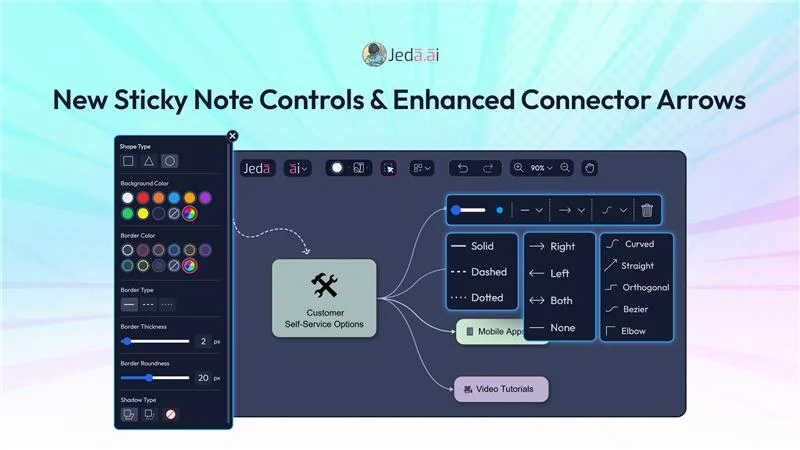
Advanced Connector Arrow Controls
We’ve upgraded connector arrows between objects to give you full styling and directional control.

These updates make mind maps, flowcharts, and diagrams clearer and visually consistent, giving your relationships and connections precise meaning.
New Sticky Note Controls: Full Customization
Sticky notes just got a major upgrade.
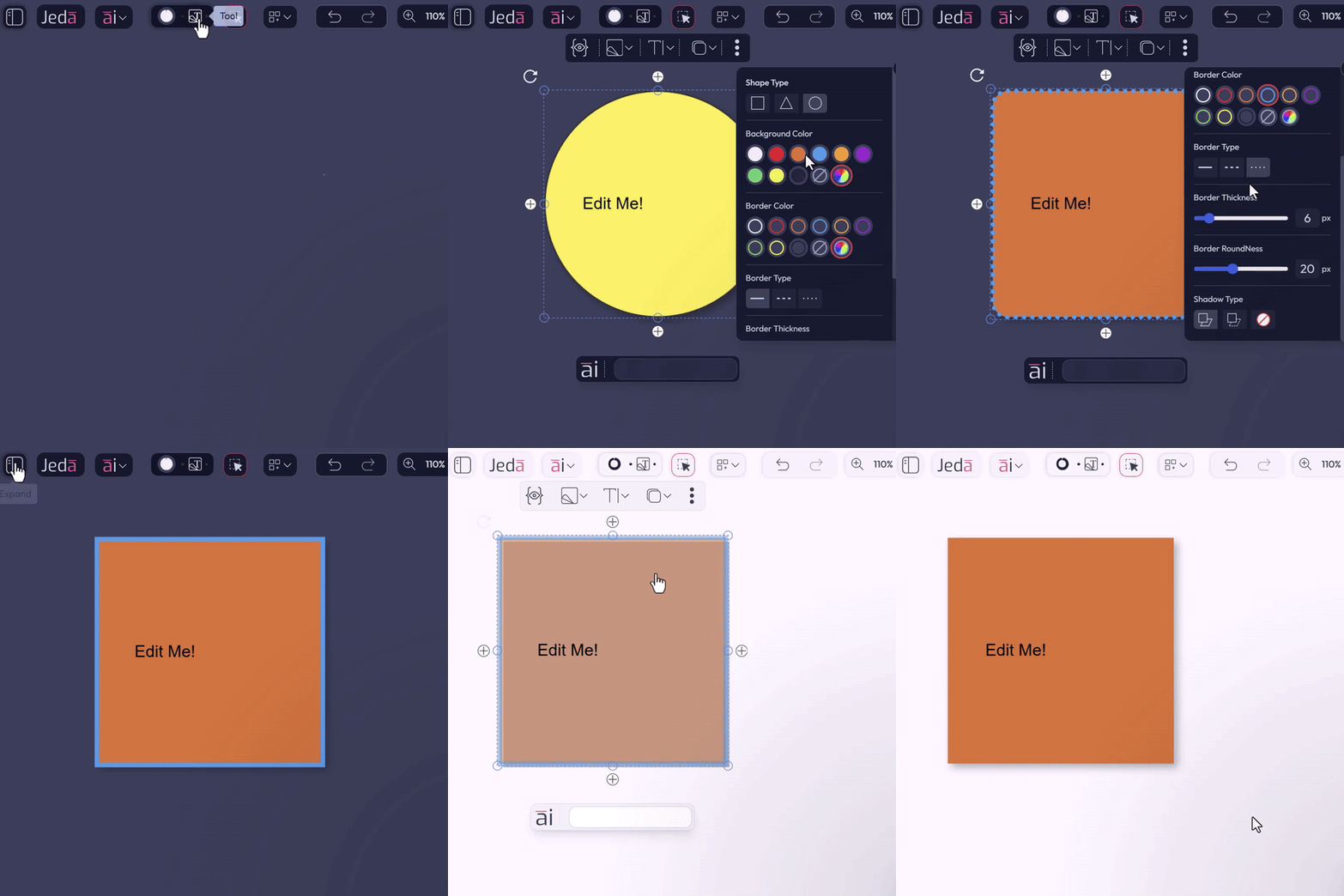
These enhancements let you organize ideas visually, highlight important information, and maintain a clean, structured workspace.
Smarter Canvas Behavior
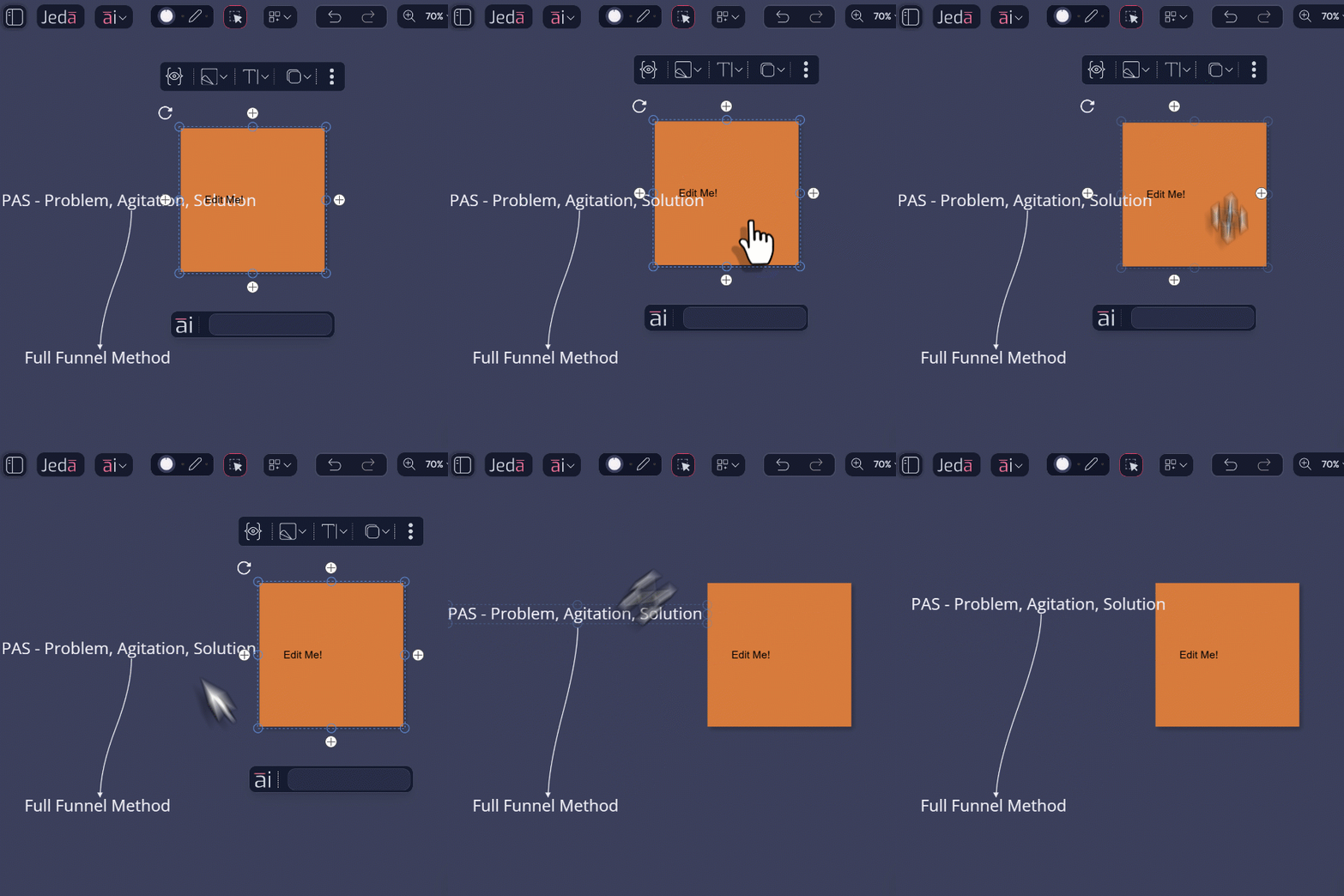
These upgrades ensure your workspace is clean, responsive, and easy to navigate, letting your focus stay on creativity.
Bug Fixes & UI/UX Enhancements
Alongside these new capabilities, we’ve squashed multiple bugs and polished interface behavior, improving overall performance, stability, and visual consistency.
Frequently Asked Questions
- What can I customize in Jeda.ai connector arrows?
- You can change connector path style, arrow direction, line type, line color, and thickness. The update gives you more precise control over how relationships appear in mind maps, flowcharts, and diagrams.
- What new sticky note controls are included in this release?
- You can now change sticky note shapes, background color, border color, border style, border thickness, corner radius, and box shadow. These controls make it easier to organize and highlight ideas visually.
- What happens to workspace controls while panning?
- When you pan across the canvas, object controls and the AI Alchemy bar hide automatically. This keeps your board clear and makes navigation smoother, especially on larger and more complex workspaces.
- How does automatic object centering help in Jeda.ai?
- Objects added from AI Recipes now center automatically in your view and adjust zoom to fit more cleanly. That means less manual repositioning and a faster path from generation to editing.
- Is this update focused only on new features?
- No. It also includes bug fixes and UI polish that improve performance, stability, and visual consistency across the workspace, so the experience feels cleaner in day-to-day use.
Wrapping Up
With new sticky note controls, connector styling options, and smarter canvas behavior, Jeda.ai now gives you unprecedented control over your AI workspace. Organize, highlight, and connect ideas visually; faster, cleaner, and more intuitive than ever.
Log in today to explore these new controls and enhancements, and take your visual collaboration and design workflows to the next level.
Explore the New Workspace Controls in Jeda.ai
Customize sticky notes, refine connector arrows, and move through large boards with a cleaner, more responsive visual workflow.
Log In to Jeda.ai