This isn’t a cosmetic refresh.
Jeda.ai V4.0 is a structural upgrade to how serious teams think, validate, and ship decisions. If you’re a business consultant, strategy lead, or program decision maker, this release is designed to cut the gap between idea to evidence to executive-ready output.
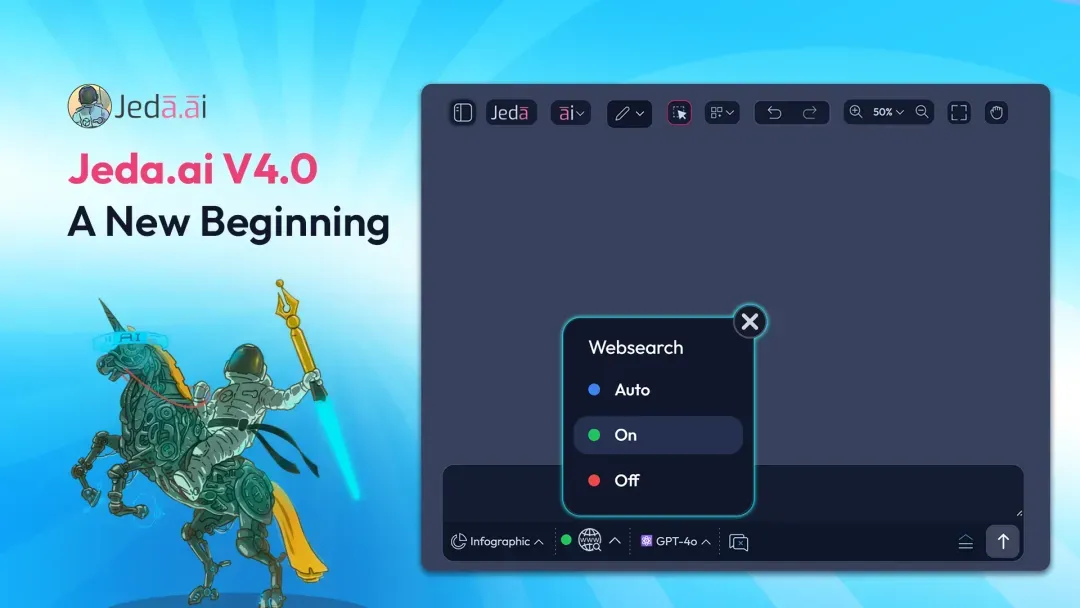
Real-Time Web Search Inside AI Commands (Shifu & Alchemist)
Jeda.ai now supports web search for real-time data in almost all AI commands.
This unlocks a new category of output: current, evidence-backed strategy and visuals without hopping between browsers, docs, spreadsheets, and slide tools.
With Jeda.ai V4.0, you can:
And what not ...
What This Transforms
You can now strategize, diagram, generate text, sticky notes, infographics, and more using:
This is the shift from AI as a drafting tool to AI as a live intelligence co-creator.
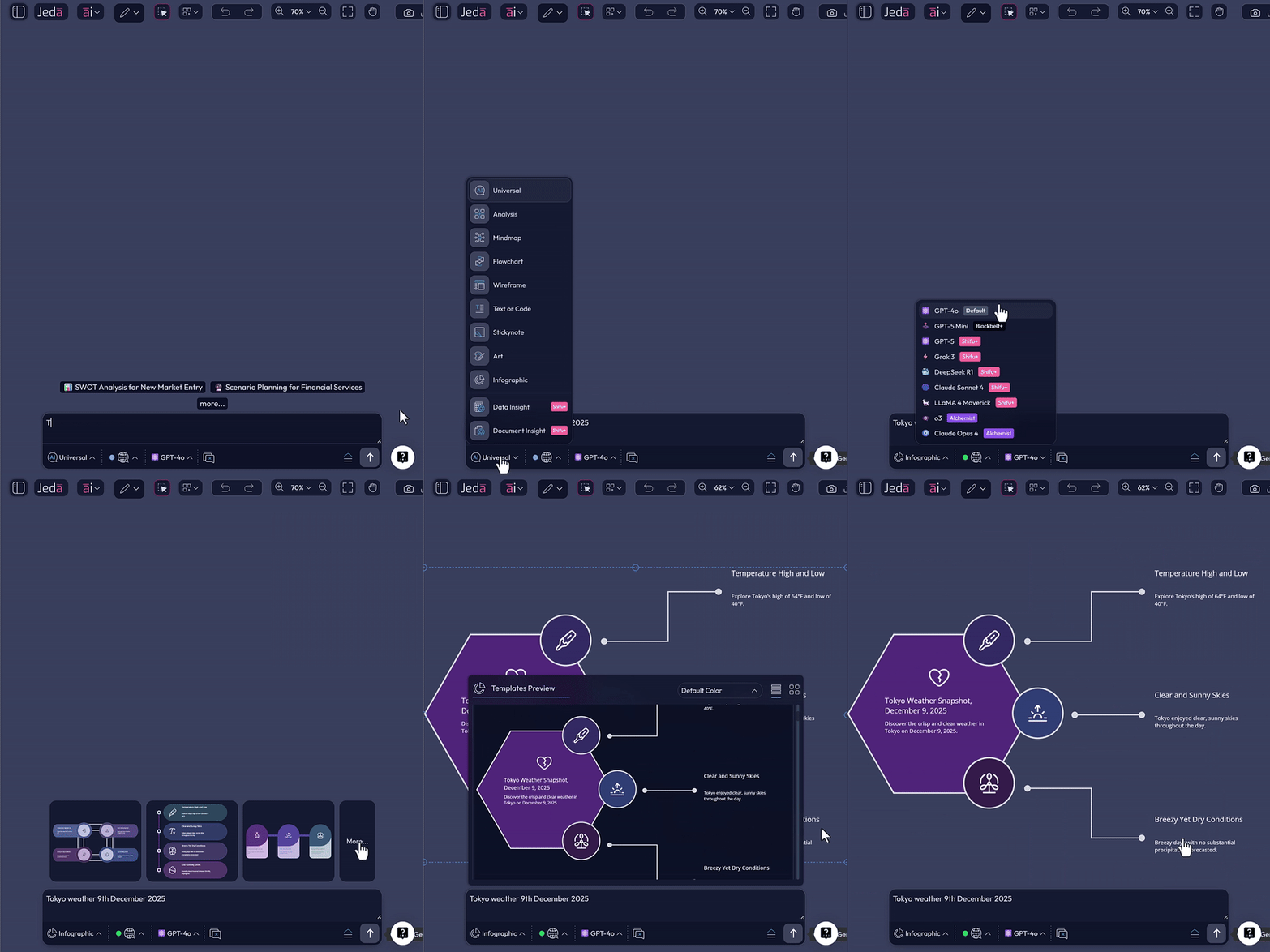
Example: Real-Time Prompt Bar Workflow
- Write your prompt in the AI Prompt Bar
Example: Weather Tokyo, 9th December 2025.
- Choose your output format
Select Text, Sticky Notes, Infographic, and more.
- Set Web Search to Auto or On
Enable live grounding before generation.
- Generate
Now your output is grounded in current data, not last quarter’s memory.
Example: Strategy Recipe + Live Benchmarking
- Go to the AI menu
Open the recipe workflow from the Jeda.ai workspace.
- Select Business Model AI Recipe
Choose the recipe that fits your strategy task.
- Fill in the fields with your data
Add your company or project details into the recipe form.
- Request live context
In Additional Information, ask for live context. Example: Benchmark with current industry market data.
- Turn Web Search On
Make sure the workflow uses real-time information.
- Select layout and AI model
Choose the output format and the reasoning setup you want.
- Generate
This is where Jeda.ai becomes consultant-grade: structured inputs, live market context, and multi-model reasoning leading to board-ready output.

Mind Map & Diagramming Updates
Building on the momentum of the last several months and Mind Map V2, Jeda.ai V4.0 continues to sharpen your diagramming experience.
Expect a more natural, controlled flow for:
This is about turning your canvas into a thinking instrument, not just a drawing surface.
Diagram Assistant (AI+): Keep Context, Kill Blank-Screen Thinking
This one is definitely big.
You can now click the AI+ button next to any:
…and extend the discussion with full context preserved.
For consultants, this means:

UI/UX, Performance & Stability Upgrades
Jeda.ai V4.0 ships with broad improvements that reduce friction across the workspace:
These aren’t headline features, they’re the invisible upgrades that make teams trust the platform for real work.
Why This Release Matters for Decision Makers
Jeda.ai V4.0 is built for high-stakes environments where speed matters, accuracy matters, and confidence in the final narrative matters most.
You now get:
- What is the headline change in Jeda.ai V4.0?
- The headline change is real-time web search inside almost all AI commands, paired with AI+ context-preserving expansion and continued improvements to mind mapping and diagramming. Together, these changes help teams move faster from idea to evidence-backed output.
- Who is Jeda.ai V4.0 built for?
- This release is aimed at serious teams, especially business consultants, strategy leads, and program decision makers. The focus is on reducing the gap between raw ideas, validated evidence, and executive-ready outputs that can be used in real decision-making environments.
- How do I use real-time web search in the Prompt Bar?
- Write your prompt in the AI Prompt Bar, choose your output format, set Web Search to Auto or On, and generate. The result is grounded in current data instead of relying only on model memory.
- How does live benchmarking work in Jeda.ai recipes?
- Open the AI menu, choose a recipe such as Business Model AI Recipe, fill in your data, request live context in the additional information field, turn Web Search on, select your layout and AI model, and generate.
- What does the AI+ Diagram Assistant do?
- AI+ lets you extend an existing item on the canvas while keeping the surrounding context intact. You can use it on text, sticky notes, mind map nodes, flowchart objects, diagram elements, and parts of an analysis to continue the discussion without starting over.
- Why does this release matter for decision makers?
- It matters because decision makers need speed, accuracy, and confidence at the same time. Jeda.ai V4.0 brings live intelligence into strategy workflows, improves diagramming flow, and supports more reliable visual reasoning for high-stakes work.
Wrapping Up
Jeda.ai V4.0 is your upgrade from AI that helps me write to AI that helps me decide.
If you’re on Shifu or Alchemist, turn on web search and feel the difference immediately. This is the start of a faster, sharper era of Visual Business Intelligence with fewer tools, fewer tabs, and far more impact.
Try Jeda.ai V4.0 in your next strategy workflow
Turn on web search, extend ideas with AI+, and move from idea to executive-ready output with fewer tabs and less rework.
Open Jeda.ai