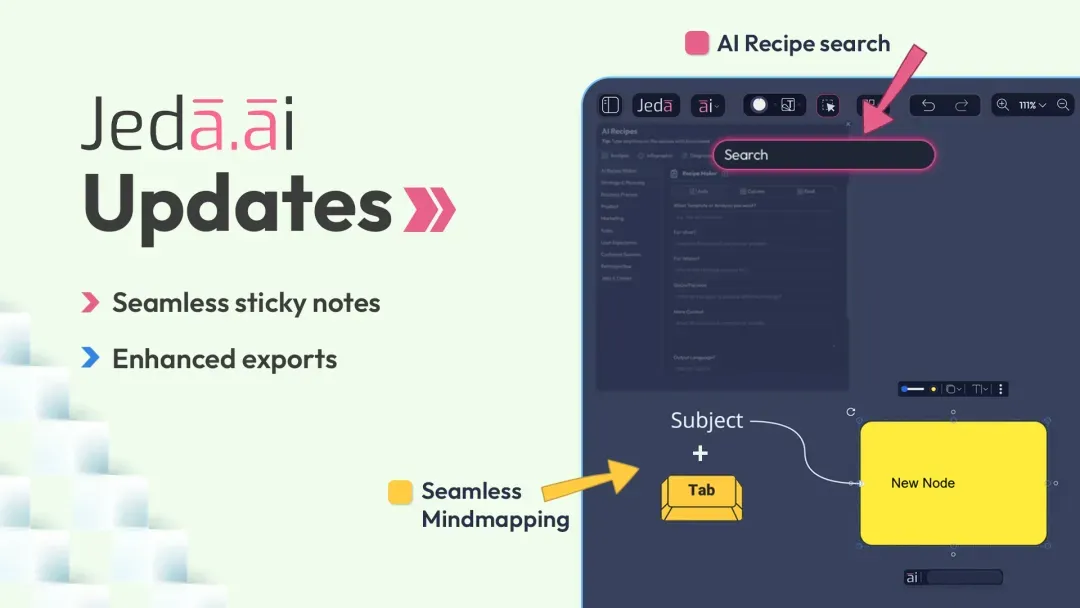
At Jeda.ai, we continuously work to make your creative and strategic workflows faster, smoother, and more useful. This release introduces major capabilities that take your AI-powered workspace forward and help you think, create, and collaborate with less friction.
What's New
1. AI Recipes Search: Find the Perfect Tool Instantly
With over 300 AI recipes and more being added, navigating AI Recipes could start to feel heavy. So Jeda.ai now includes a search capability that helps you find the right recipe faster.
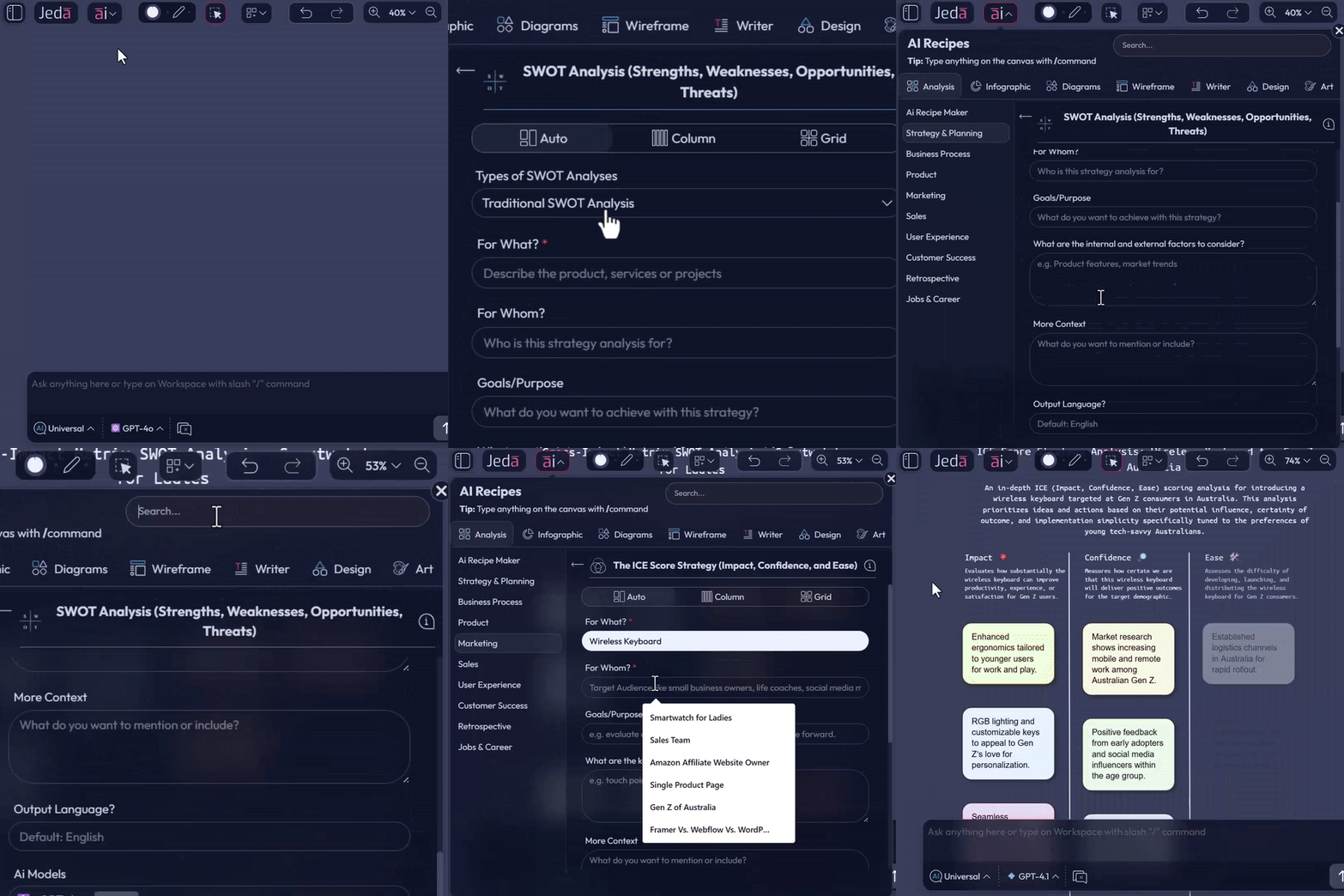
This turns the workflow from endless scrolling into focused exploration. You spend less time looking and more time creating. Whether you are generating content, visuals, or strategy maps, the tool you need is now only a few keystrokes away.
2. Manual Mind Mapping: Brainstorm Without Limits
Jeda.ai now supports true manual mind mapping anywhere on your canvas, giving you more freedom to structure ideas visually.
- Select an object on your canvas
Start from any existing object you want to expand.
- Press the Tab key
A new node is instantly created, and you can start typing directly into it.
- Press Tab while typing
The entire object is selected, which exits text edit mode.
- Press Tab again
A new node is created immediately so you can keep building without extra mouse clicks.
- Use the connector plus icon
This creates a new child node, just like pressing the Tab key.
- Keep visual relationships clear
The parent node and connector remain in their own distinct colors.
- Let child nodes inherit color
Each child node and connector inherits the color from its immediate parent.
- Drag a connector into empty space
Create a new node exactly where you need it on the canvas.
- Customize connectors
Choose straight, dotted, or dashed lines and set connector colors as needed.
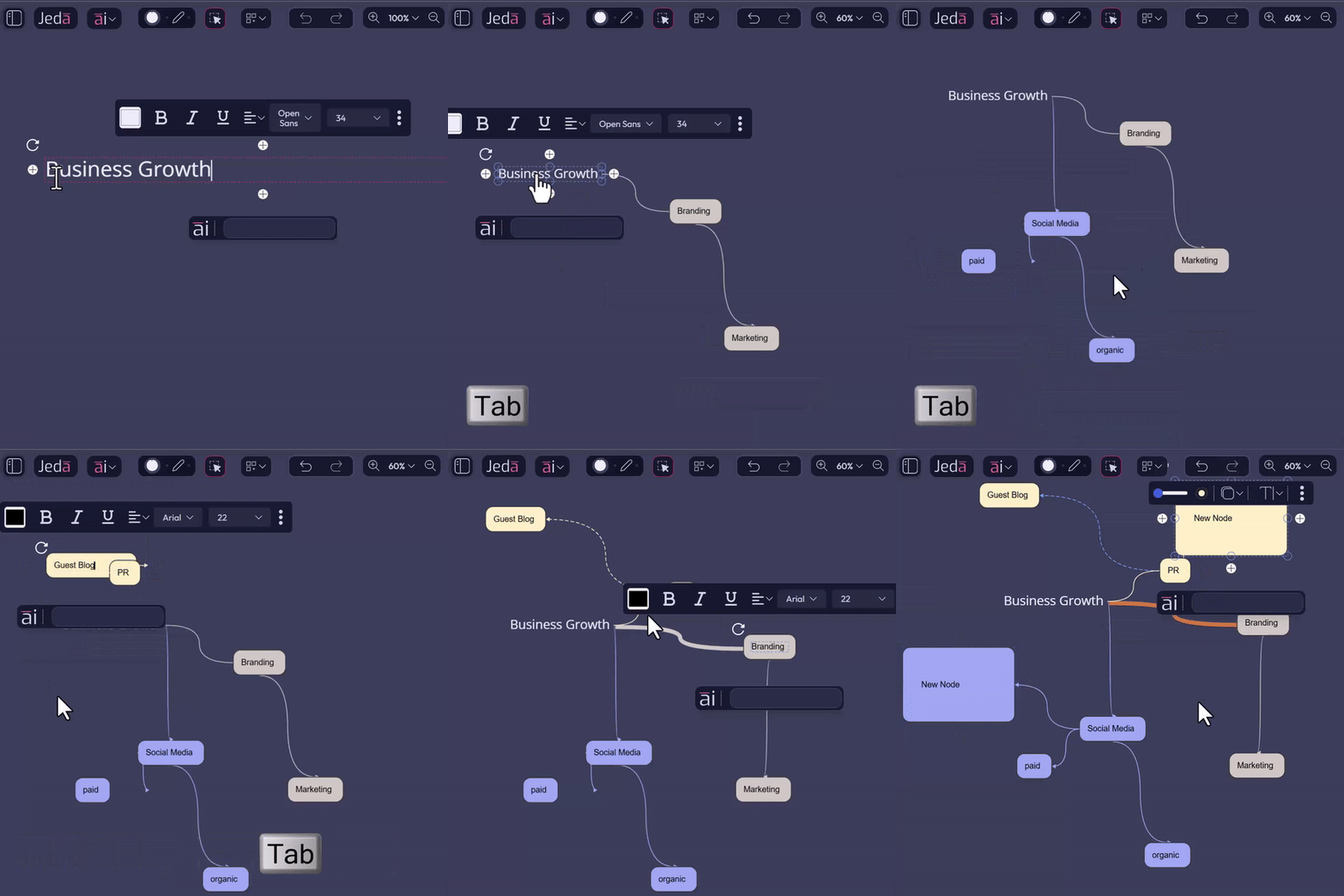
Result: seamless, dynamic brainstorming. You can organize thoughts, visualize relationships, and plan strategies or workshops in real time.
3. Sticky Notes: Step-Less Editing
Previously, editing a sticky note meant selecting it and then clicking inside it to begin typing. That extra step is gone.
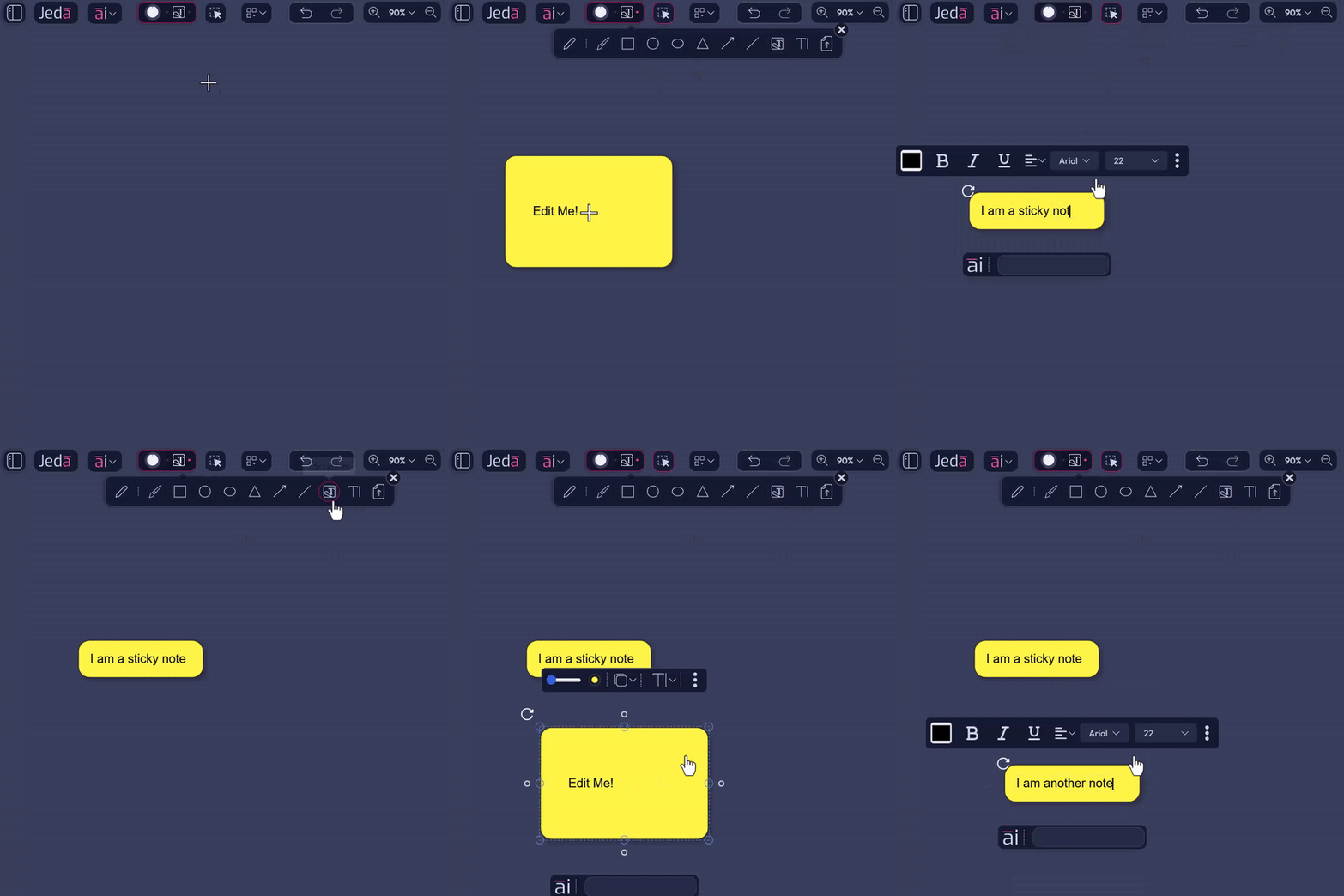
It sounds minor. It is not. This small change makes rapid note-taking much faster, especially during meetings, workshops, and brainstorming sessions where speed matters.
4. Visual Export Made Seamless
Jeda.ai already supported object export to PowerPoint, and this release expands what you can do with presentation workflows.
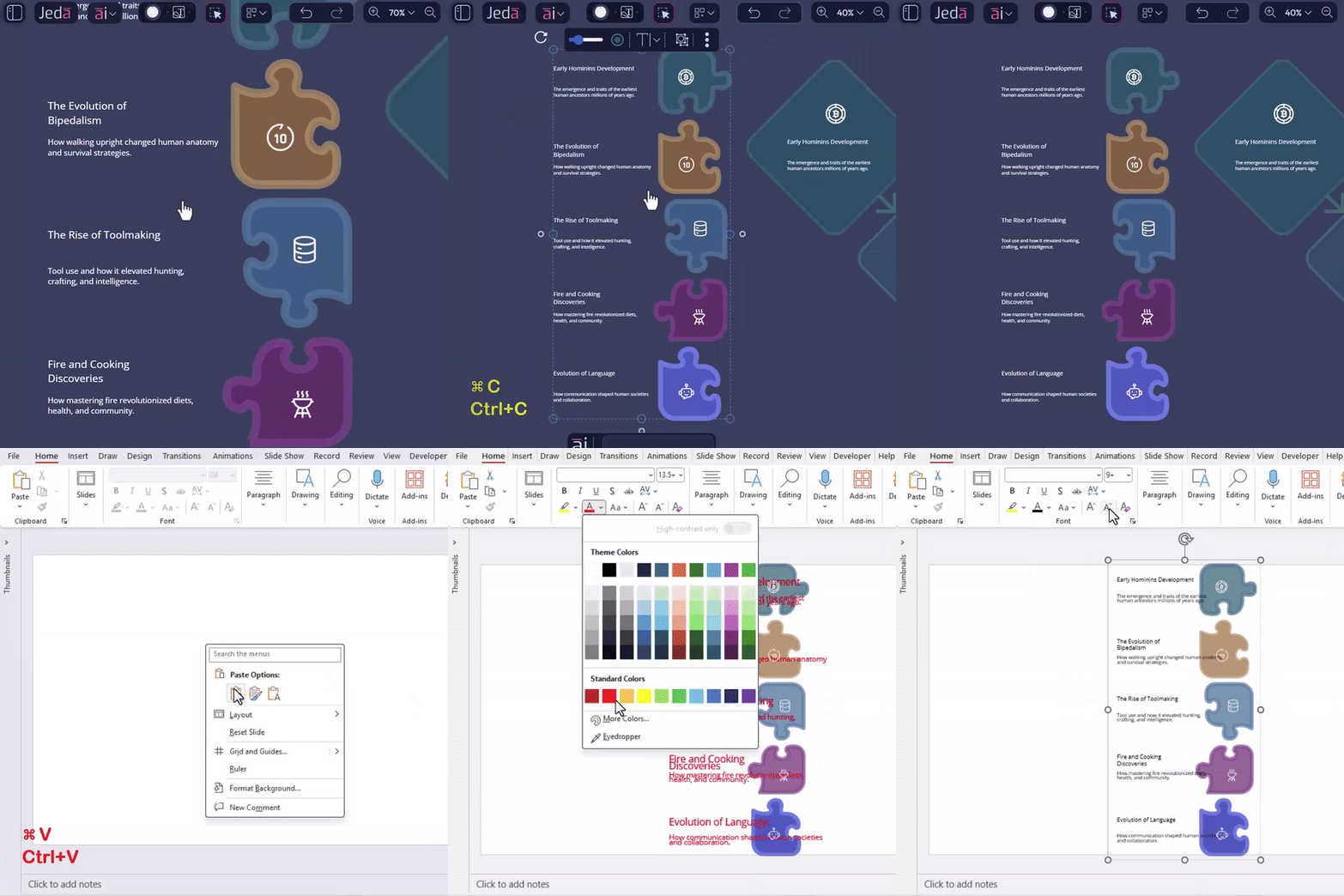
Whether you are preparing executive decks, teaching materials, or client presentations, this saves time while keeping visuals professional and customizable.
5. Enhanced Image Download Options
Images on the AI Canvas now support WebP downloads in addition to PNG.
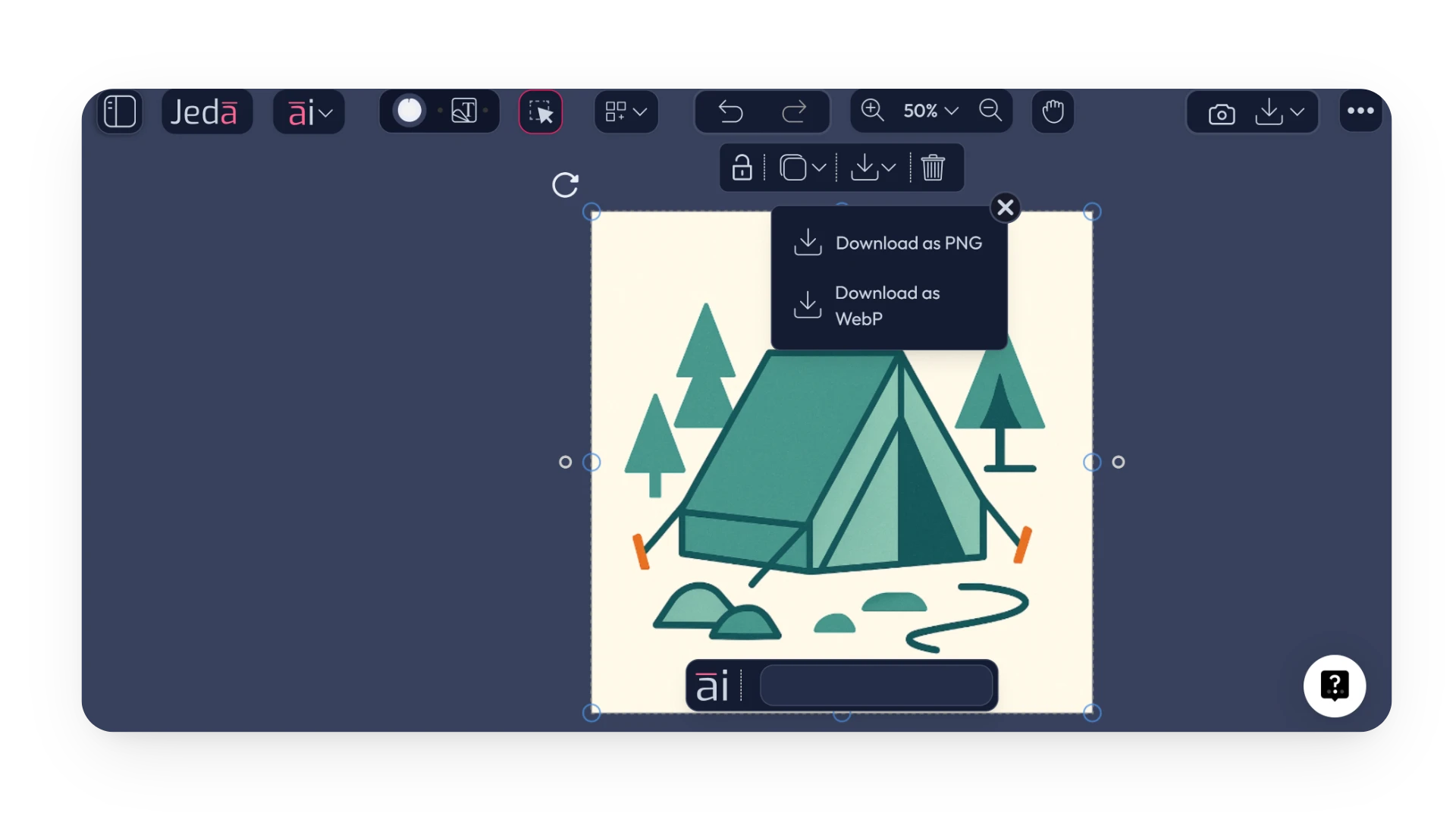
This makes visual content easier to work with, lighter to share, and more flexible across workflows.
6. Performance, UX, and Reliability Upgrades
Behind the scenes, Jeda.ai now includes broader workspace improvements that support a better day-to-day experience.
These changes may not be the first thing you notice, but they affect every interaction and make the workspace feel more stable and responsive.
How These Capabilities Elevate Your Workflow
By combining intelligent search, true mind mapping, step-less sticky notes, easier visual export, and more flexible image downloads, Jeda.ai now helps you:
These capabilities are built for real work. Whether you are a business strategist, UX designer, professor, or team leader, the goal is the same: make ideas easier to capture, structure, and share.
FAQ
- What is new in this Jeda.ai update?
- This update adds AI Recipes search, manual mind mapping, faster sticky note editing, easier visual handoff to PowerPoint and Google Slides, WebP image downloads, and broader performance and reliability improvements across the workspace.
- How does AI Recipes search improve workflow speed?
- AI Recipes search helps you find the right recipe without scrolling through categories manually. You type a query, see relevant results instantly, and jump straight into the workflow you want to use.
- What can I do with manual mind mapping in Jeda.ai?
- You can create and extend nodes directly on the canvas with the Tab key, connector actions, and drag-based node creation. It gives you more control over how ideas branch, connect, and evolve during brainstorming.
- What changed in sticky note editing?
- You no longer need to click inside a selected sticky note before typing. Once the sticky note is selected, you can start typing immediately, which removes an extra interaction and speeds up note capture.
- Can I move Jeda.ai visuals into presentation tools?
- Yes. You can still use Download as SVG for PowerPoint workflows, and you can now also copy objects directly from Jeda.ai into PowerPoint or Google Slides and convert them as shapes.
- Why add WebP download support for images?
- WebP gives you smaller files with strong visual quality. That makes sharing, loading, and reusing images easier, especially in presentations and collaborative workflows where file weight matters.
Wrapping Up
Open Jeda.ai and explore the new workflows. From rapid ideation to polished presentations, these updates make it easier to capture, shape, and share ideas.
More AI recipes, templates, and workflow capabilities are on the way, and Jeda.ai continues to grow as a workspace for creativity, strategy, and collaboration.
Explore the New Jeda.ai Workflows
Try AI Recipes search, manual mind mapping, faster sticky note editing, and easier presentation-ready visual sharing in your workspace.
Open Jeda.ai