This release is not about making prettier pictures.
It is about turning Jeda.ai into a stronger business design engine for consultants, strategy teams, and decision makers who need visuals that do real work: explain a market, shape a narrative, support a recommendation, or make a boardroom point land on the first slide.
And the big shift starts with the model lineup.
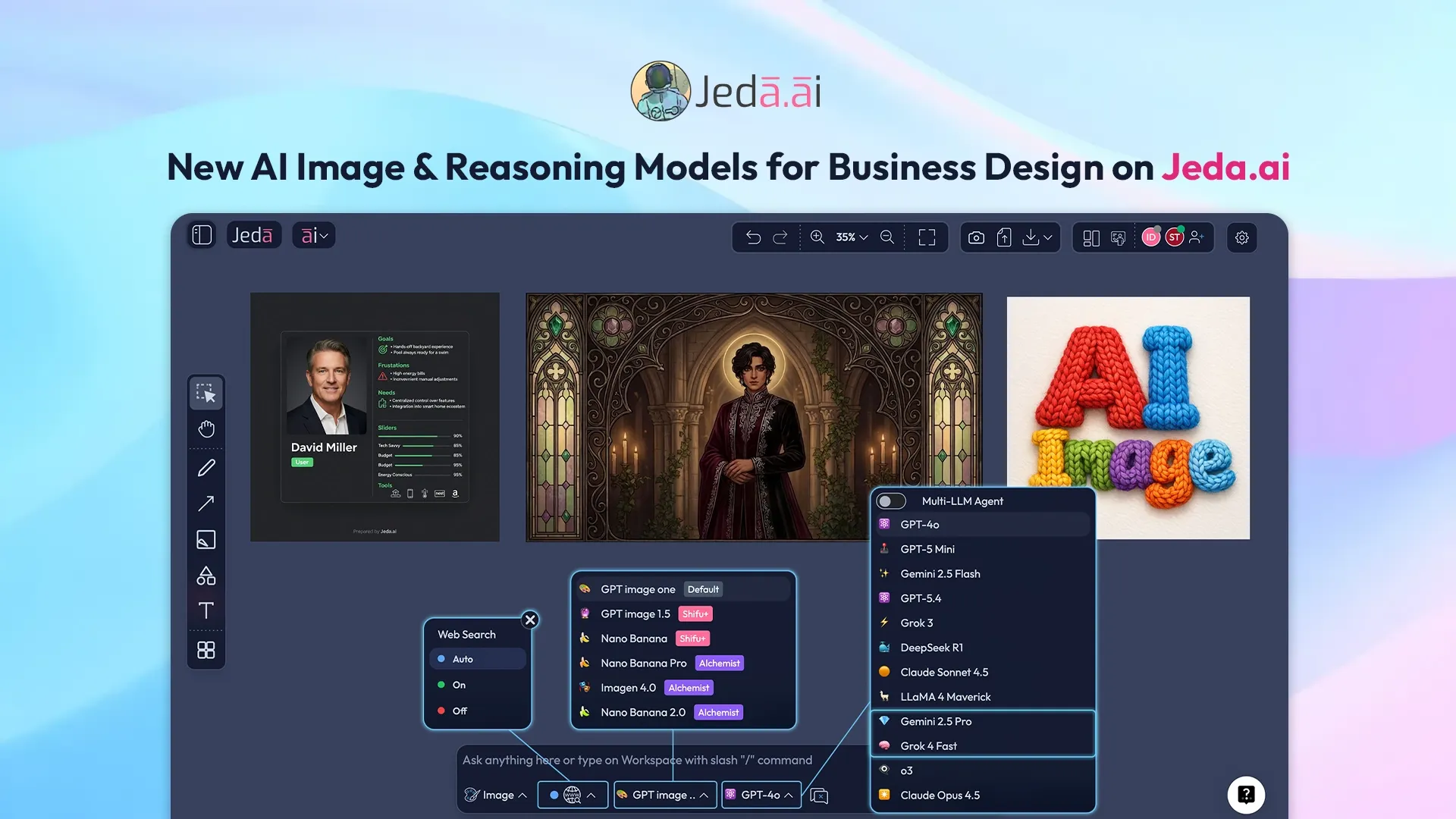
Jeda.ai has expanded its image-generation and reasoning stack with new additions across both sides of the workflow. On the image side, the release adds GPT Image 1.5, Nano Banana, Nano Banana Pro, Imagen 4.0, and Nano Banana 2.0. On the reasoning side, it adds Gemini 2.5 Flash, Gemini 2.5 Pro, and Grok 4 Fast. That matters because the newest image models are no longer just “text-to-image toys.” GPT Image 1.5 is positioned by OpenAI as its state-of-the-art image model with stronger instruction following, while Imagen 4 emphasizes sharper clarity, better typography, and stronger prompt adherence. Google's Nano Banana family goes even further into contextual, editable, production-style image workflows.
The image stack just got serious
Previously, Jeda.ai used GPT Image 1 (Dall-E models earlier). Now the release broadens that into a much more flexible system.
That matters because business users do not all need the same kind of image output. Sometimes you want tight prompt adherence and cleaner brand control. Sometimes you want fast iterative generation. Sometimes you need editable, text-heavy, real-world-aware visuals that feel closer to a consultant's working asset than to an art experiment. GPT Image 1.5 is built for stronger adherence to prompts, while OpenAI also describes it as better at preserving branded logos and key visuals across edits. Imagen 4 is positioned as Google's highest-quality image model with improved text rendering. Nano Banana is designed for high-volume, low-latency generation and conversational editing, while Nano Banana Pro is Google's more advanced precision-focused image model. Nano Banana 2 then pushes further with stronger world knowledge, production-ready output, and real-time web-informed generation.
That’s the real story here: Jeda.ai is no longer anchored to one image model and one style of output. It now has a portfolio of image engines, each useful for a different business-design job.
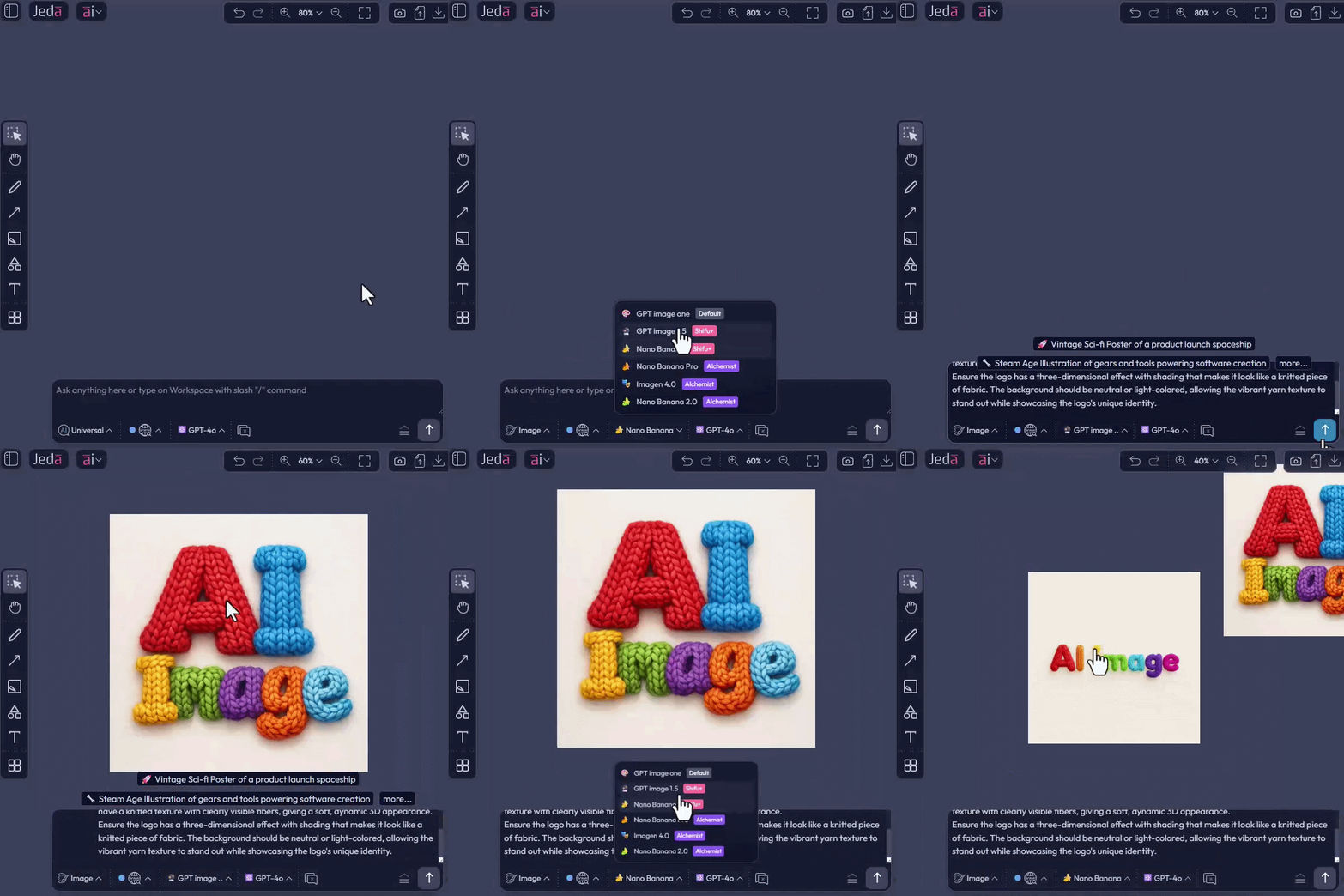
AI Art is now AI Image, and the name change matters
The command formerly known as AI Art is now called AI Image.
That is more than a cosmetic rename. “Art” implies style. “Image” implies range. And this release deserves the broader word.
Because the new workflow is not just about illustrations or concept art. It is about:
In other words: business design.
That shift lines up with where the underlying models are already heading. OpenAI frames GPT Image as a multimodal image model with stronger contextual awareness, while Google positions Nano Banana and Nano Banana 2 as tools for contextual creation, editing, infographics, and even turning notes into diagrams.
Jeda.ai now connects image generation with web search
This is where things get especially useful for consultants and decision makers.
Image generation can now access web search for research context, so the output can be informed by fresher, more grounded inputs rather than only a closed prompt. That means your image workflow can move closer to real business use cases:
This direction fits where some of the newest model families are already going. Google describes Nano Banana 2 as using the Gemini model's world knowledge plus real-time information and images from web search to generate more accurate renderings, create infographics, and turn notes into diagrams. Google also documents Search grounding across Gemini APIs, which reflects the broader industry move toward live-context generation rather than purely static prompting.
For business consultants, that is the difference between “make me a cool visual” and “help me make a visual argument backed by live context.”
Reasoning models are now part of the image-design workflow
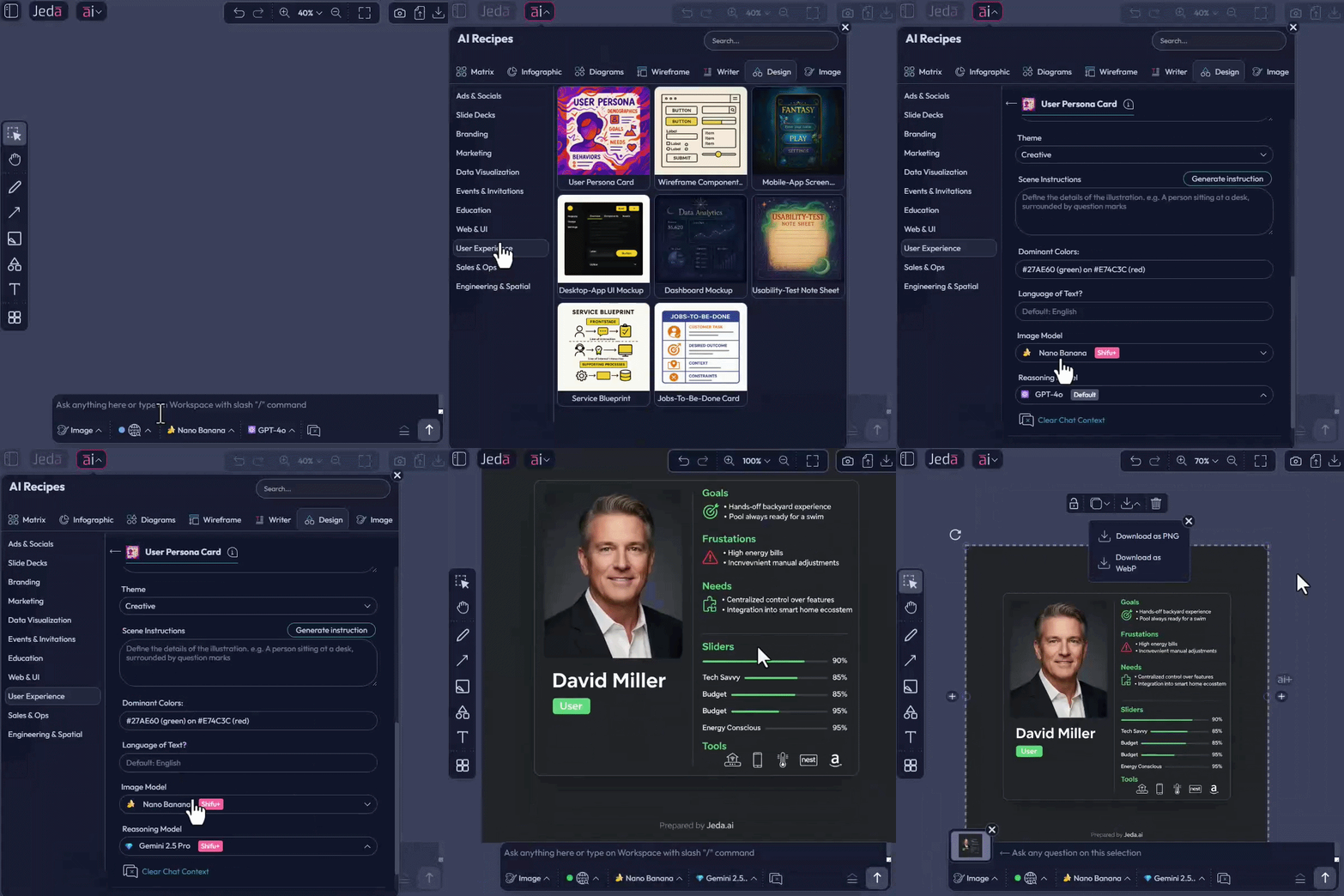
The other big shift is that Jeda.ai image generation can now access several image models and reasoning models for outputs that are not mere images, but business designs.
That matters a lot.
Because good business visuals are usually not blocked by design polish first. They are blocked by thinking quality:
That is exactly where the new reasoning additions help.
Google positions Gemini 2.5 Flash as a strong everyday-performance model for low-latency tasks with thinking capability, while Gemini 2.5 Pro is its advanced reasoning model for complex problems, large datasets, codebases, and long-context work. xAI positions Grok 4 Fast as a everyday-efficient intelligence model aimed at high reasoning performance with better speed economics.
In plain English: Jeda.ai can now better split the work between thinking models and making models.
That opens a stronger workflow for serious teams:
That is how you move from “generate me an image” to “help me communicate a strategic recommendation.”
Why this matters for business consultants
Consultants do not get paid for pixels. They get paid for clarity.
This release helps in at least four high-value scenarios:
Client storytelling
When the recommendation is right but the story is weak, you lose the room. The newer image models improve prompt adherence, typography, and editing control, making it easier to create sharper visuals that support an argument instead of distracting from it.
Rapid concept testing
Need three visual directions for the same idea? Nano Banana is designed for high-velocity generation and editing, while GPT Image 1.5 improves instruction following. That makes iteration faster without turning each revision into a full redesign cycle.
Brand-sensitive business visuals
If the output needs to preserve logos, key visuals, or typography more faithfully, the newer image stack is materially stronger than older generation tools. GPT Image 1.5 is explicitly highlighted to better preserve branded elements, and Imagen 4 and Nano Banana Pro are emphasized for better typography and text rendering.
Infographics and decision visuals
This is especially important. Nano Banana 2 explicitly mentioned to create infographics and turn notes into diagrams, which maps directly to the kind of consultant and executive artifacts that sit between analysis and presentation.
Why this matters for decision makers
Decision makers do not need “more AI.” They need:
This release pushes Jeda.ai closer to that ideal.
A decision maker can now use a single environment to:
That compresses the path from question → analysis → visual explanation.
And that is a meaningful business advantage, because in executive settings, the speed of a decision is often limited by the speed of making the decision understandable.
Fixes and improvements
This release also includes fixes and improvements across the experience.
That matters because model power alone is never enough. If the workflow is clunky, the gain disappears. The win comes from combining:
Frequently asked questions
- What is the biggest shift in this Jeda.ai release?
- The biggest shift is that Jeda.ai now expands both the image-generation stack and the reasoning stack, while also connecting image generation with web search for more grounded business-design workflows.
- Why does the rename from AI Art to AI Image matter?
- Because the workflow is no longer limited to illustration or concept art. The new name better reflects a broader range of business-design outputs such as pitch-deck visuals, infographics, branded assets, and visual-first strategy communication.
- How do reasoning models improve image workflows on Jeda.ai?
- They help clarify the message before rendering the visual. That means teams can use reasoning models to shape narrative, hierarchy, framing, and emphasis before using an image model to produce the final output.
- Why is web search important in the AI Image workflow?
- Web search helps image generation work from fresher and more grounded inputs, which is especially useful for market maps, trend slides, product concepts, and infographic-style outputs shaped by current external signals.
- What kinds of teams benefit most from this release?
- Consultants, strategy teams, and decision makers benefit most because they often need visuals that explain a market, support a recommendation, shape a narrative, or make an executive point land quickly and clearly.
- What is the practical workflow this release enables?
- A stronger workflow is now possible: use a reasoning model to sharpen the message, use web search to add live context, and then use the best-fit image model to render a polished business visual.
Wrapping up
This release makes a strong statement:
Jeda.ai is not trying to be an image toy. It is building toward a visual AI workspace for serious business communication.
The expanded image lineup gives users more creative and business-ready control. The new reasoning models strengthen the logic behind the output. Web search pushes the workflow toward grounded, current-context design. And the rename from AI Art to AI Image finally matches the ambition.
For consultants, that means sharper client visuals. For decision makers, that means faster, clearer communication. For Jeda.ai, that means one step closer to being the place where strategy stops being abstract and starts becoming visible.
Turn strategy into business-ready visuals
Use Jeda.ai to think through the narrative, bring in fresher context, and turn it into sharper executive visuals inside one Visual AI Workspace.
Get Started