Feature Description with AI is not about making product copy louder. It is about making the feature easier to understand, easier to evaluate, and harder to misinterpret. That matters because most product teams do not suffer from a lack of features. They suffer from a translation problem: engineering ships capability, marketing writes benefit, sales needs proof, and customers ask, “So what does this actually do for me?”
That gap is where Jeda.ai’s AI Writer recipe earns its place. Inside the AI Workspace, the Feature Description recipe helps teams turn raw feature details into a clear written preview that can be edited, formatted, compared, and refined on the AI Whiteboard. The recipe starts with the feature itself, then lets teams add function, benefits, word count, tone, output language, model selection, Web Search preference, and output style.
The best use case is not “write faster.” That is table stakes now. The better use case is “write with a clearer decision trail.” Google’s guidance on AI-generated content is blunt in the right way: AI can help with research and structure, but pages still need accuracy, quality, relevance, and value for users. For product teams, that means the human job moves upstream. You decide what the feature is, who it helps, what proof matters, and what must not be exaggerated. AI helps shape the first version. You still own the truth.
What is Feature Description with AI?
Feature Description with AI is the process of using an AI-assisted writing workflow to turn a product feature into a concise, useful explanation of what it is, what it does, and why it matters to the user.
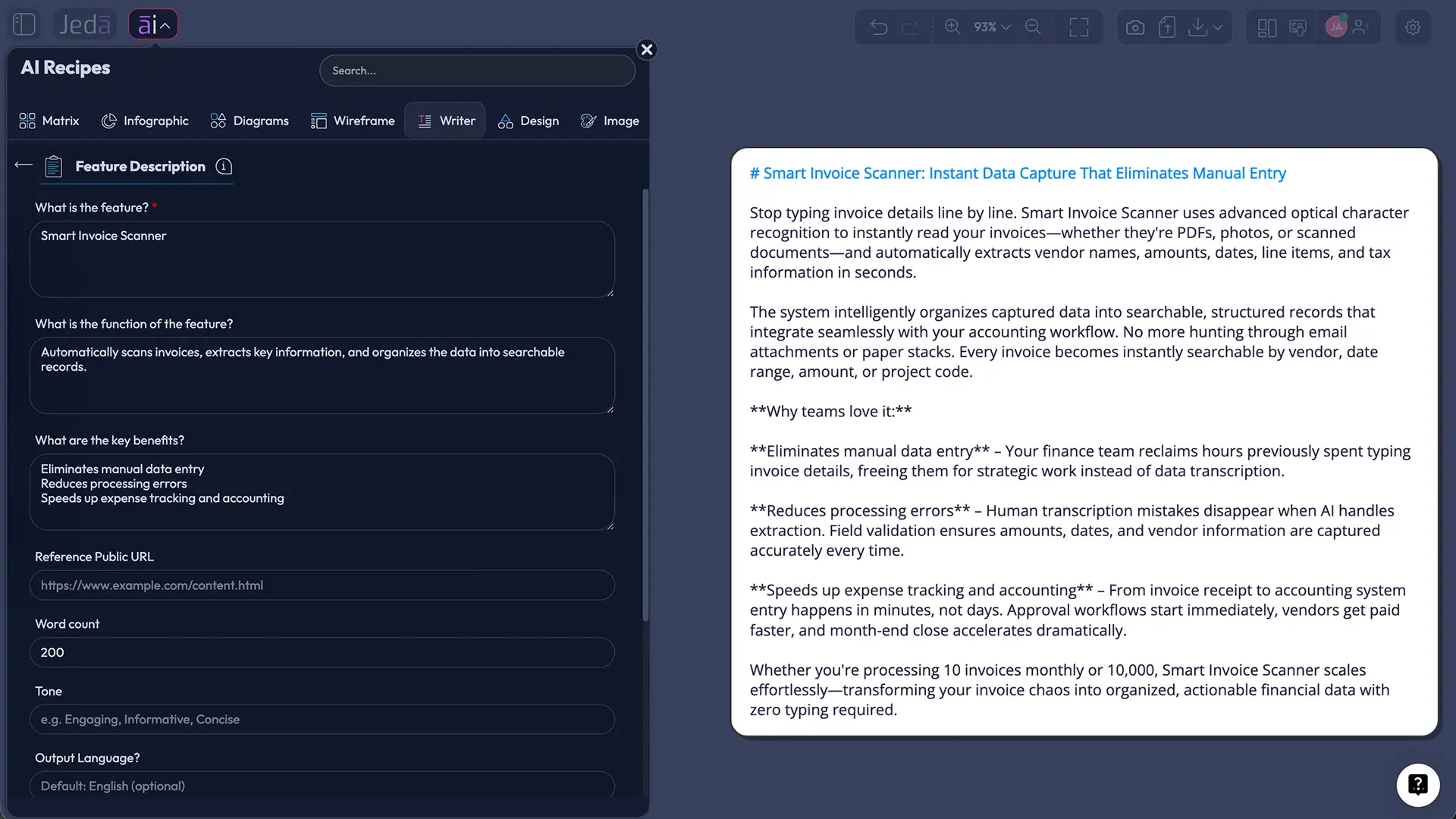
In Jeda.ai, this happens through the Writer recipe named Feature Description. The recipe does not ask the user to build a prompt from scratch. It gives a guided form, starting with one mandatory input: What is the feature. From there, the user can add the function of the feature, key benefits, preferred word count, tone, and output language. English is the default output language.
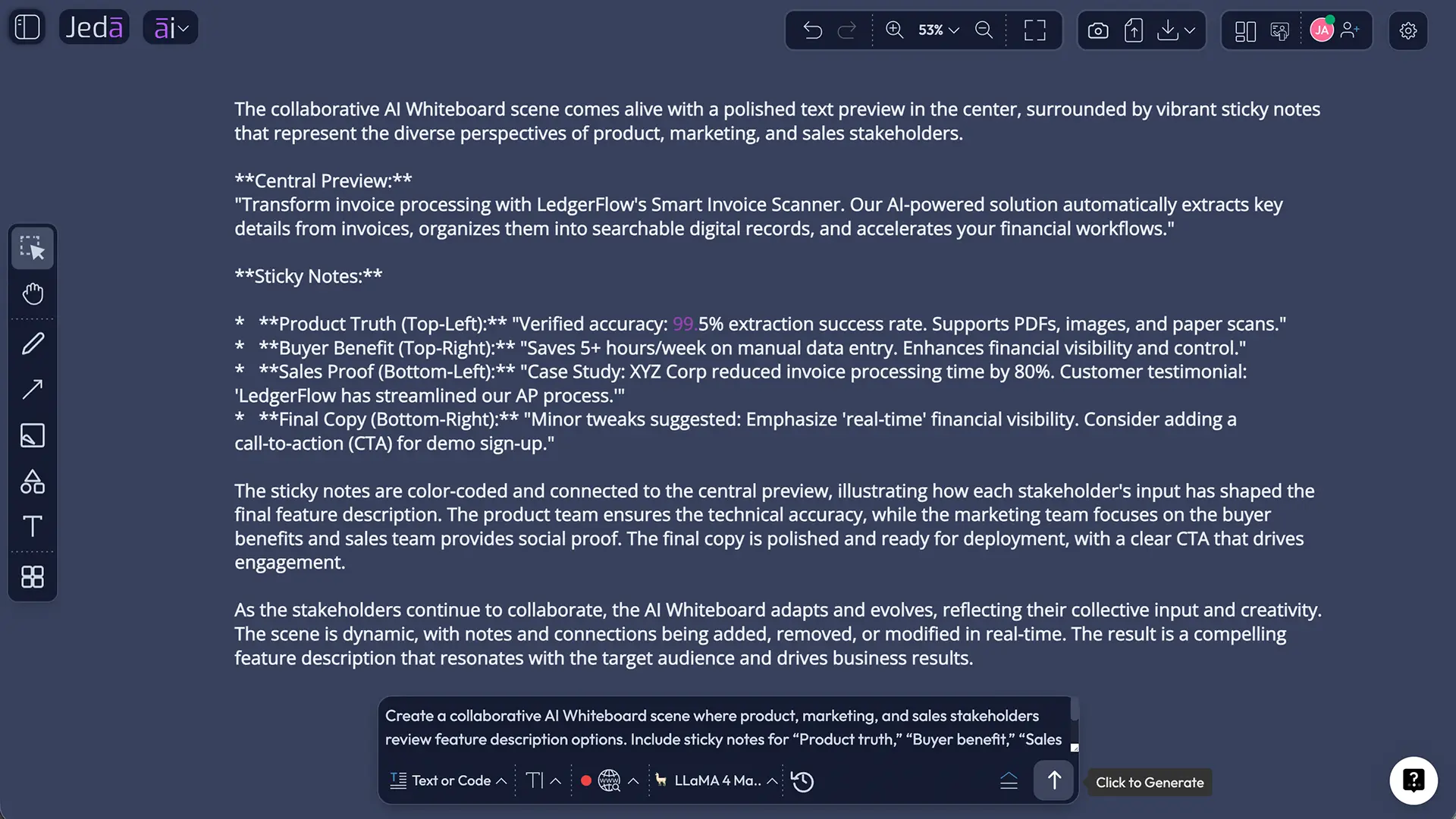
The output can be previewed as Document or Text. That distinction matters. “Document” means the preview appears in a more document-like text style on the workspace; “Text” means a simpler text output. It does not generate a native document file. After generation, users can manually edit the copy and apply available text formatting.
This is where Jeda.ai differs from a plain AI chat window. The work lives on a Visual AI canvas, so teams can write the feature description next to a positioning matrix, roadmap note, customer journey, wireframe, or launch plan. That makes the copy easier to review in context. A feature description should not float around like a lost balloon. It should sit beside the product thinking that shaped it.
Why feature descriptions are becoming strategic work
Feature descriptions used to be treated as small copy blocks. A few lines for a release note. A tooltip. A product page paragraph. A sales enablement blurb. Fine.
That view is aging badly.
When buyers use search engines, AI assistants, review sites, product pages, sales decks, and internal comparison docs to evaluate software, the feature description becomes part of the decision system. It feeds discovery, onboarding, sales conversations, support knowledge, investor narratives, and product adoption. Weak feature copy creates friction everywhere.
Content Marketing Institute’s 2026 B2B research makes a useful point: winning teams are not simply “playing with prompts” or producing more content; they are strengthening marketing fundamentals while using AI to support better creative work. That is exactly the right framing for Feature Description with AI. The recipe should not produce generic filler. It should help product, marketing, and sales teams clarify the feature’s purpose before that feature meets the market.
A good feature description answers five questions fast:
- What is the feature?
- What does it do?
- Who is it for?
- What problem does it reduce?
- What changes after the user adopts it?
Miss any of those, and the copy turns into feature confetti. Colorful, sure. Useful? Not really.
How Jeda.ai’s Feature Description recipe works
The Feature Description recipe is part of the AI Writer area in Jeda.ai’s AI Recipes. Jeda.ai describes AI Writer as a tool for generating written content such as emails, sales scripts, blog posts, code, and structured writing from prompts on a visual canvas. The broader AI Recipes system provides guided, form-based workflows across recipe categories, including Writer, and Jeda.ai positions these recipes as intelligent workflows rather than static templates.
For this specific recipe, the workflow is intentionally simple.
Mandatory field
What is the feature
This is the only required field. The user should name or describe the feature clearly. Example: “Clear Chat Context button,” “Multi-model reasoning selector,” “AI Writer output format toggle,” or “Web Search Auto/On/Off setting.”
Optional fields
What is the function of the feature
Use this to explain what the feature actually does. For example: “Clears previous AI conversation context before generating a new output.” This prevents the AI from inventing a function from the feature name alone.
What are the key benefits
Add user-facing outcomes. Good benefits are specific: cleaner context, less irrelevant output, faster drafting, clearer feature messaging, better consistency across launch assets.
Word Count
Set the desired length. Shorter descriptions work for tooltips, release notes, and UI panels. Longer descriptions work for product pages, help docs, sales enablement, and launch briefs.
Tone
Pick the style for the output. A product marketer may choose polished and persuasive. A help-center writer may choose clear and instructional. A founder may choose confident and direct.
Output Language
English is the default, but the user can choose another output language when needed.
Reasoning model selection
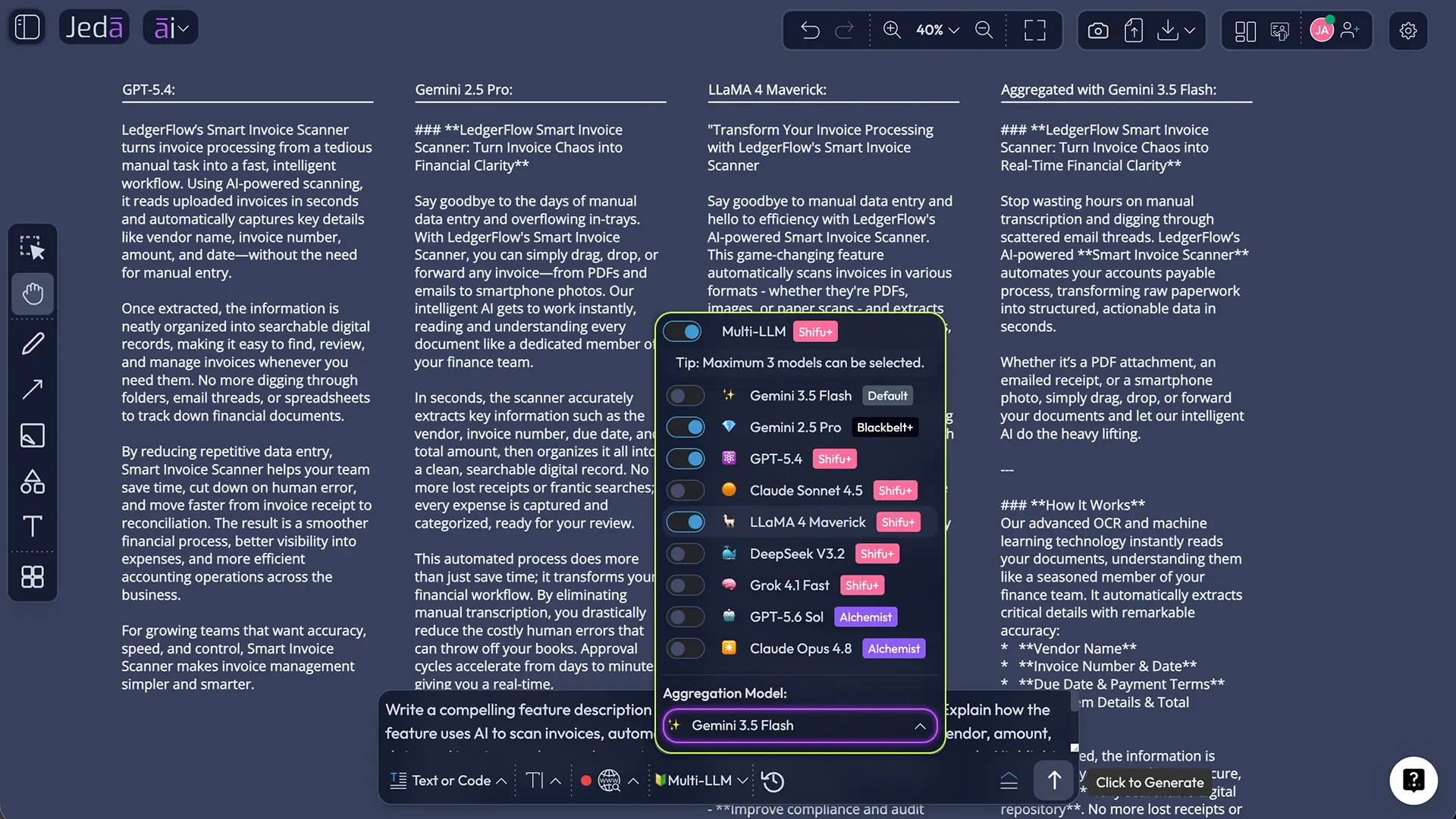
Users can choose one, two, or three reasoning models for the generation. When multiple models are selected, the user can toggle the Aggregate feature and choose one additional AI model to evaluate the outputs and generate a consolidated result. For teams that care about wording quality, this is not a gimmick. It gives the same feature multiple interpretations before the final version is chosen.
Output format
The recipe supports Document or Text output. This is only a preview format inside Jeda.ai. It does not create a downloadable document file by itself.
Web Search
The recipe includes Web Search modes: Auto, On, and Off. Auto lets the system decide when current information is useful. On forces web grounding. Off keeps the generation based on the user’s supplied context and model knowledge.
Use Web Search carefully. If the feature description is for an internal product capability, Web Search may not help. If the description needs market language, competitive context, or current category framing, Web Search can add useful signal. Tiny switch, big consequences.
Clear Chat Context
The Clear Chat Context button lets users reset prior AI conversation context before generating. This is valuable when switching between unrelated features, brands, products, or audiences. Without a reset, old context can quietly leak into the new draft. Nobody wants yesterday’s pricing page haunting today’s onboarding feature copy. Ghosts are bad UX.
How to create a Feature Description with AI in Jeda.ai
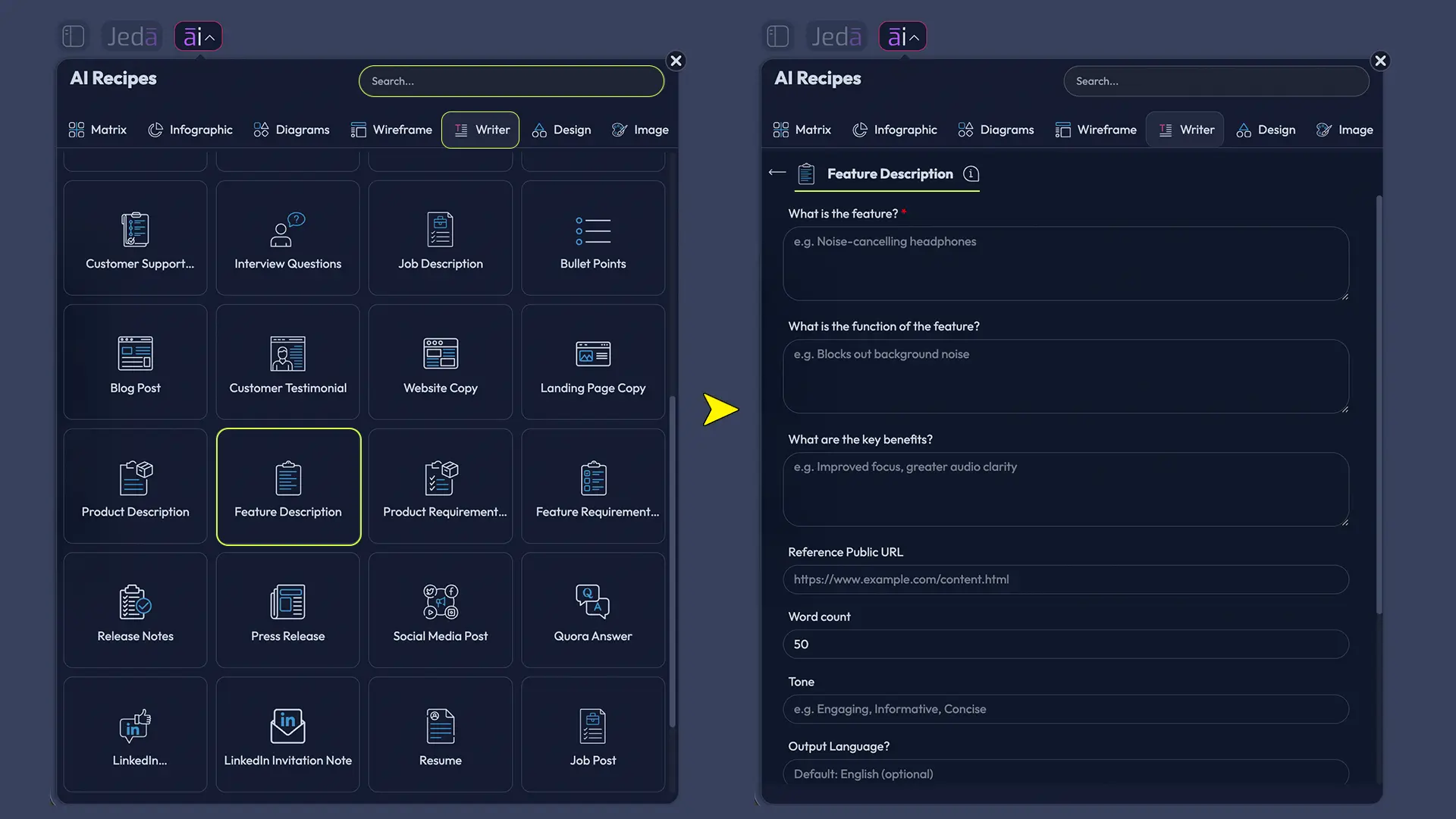
There are two practical ways to access the recipe: navigate to it through AI Recipes, or search for it directly.
Method 1: Navigate to the recipe
- Open a workspace in Jeda.ai.
- Click the AI Menu from the top-left area of the workspace.
- Open the Writer recipe area.
- Select the Feature Description recipe.
- Enter the mandatory field: What is the feature.
- Add optional details such as the function, key benefits, word count, tone, and output language.
- Choose one, two, or three reasoning models.
- If using multiple models, toggle Aggregate and select the aggregation model that should consolidate the best result.
- Select the output format: Document or Text.
- Choose Web Search mode: Auto, On, or Off.
- Use Clear Chat Context if the current generation should ignore earlier conversation history.
- Generate the preview, then edit and format the text manually as needed.
Method 2: Search directly
- Open the AI Menu.
- Use the recipe search bar.
- Search for Feature Description.
- Open the recipe from the search result.
- Complete the same guided fields and generation settings.
- Generate the preview.
- Review the copy, edit the wording, and apply text formatting on the canvas.
The search method is faster when the user already knows the recipe name. The navigation method is better for discovery or training new users inside a team.
When should teams use Feature Description with AI?
Use it whenever a feature needs to be understood by someone who did not build it.
That sounds obvious, but it is the entire game. Engineers, product managers, marketers, salespeople, consultants, and customers do not read the same sentence the same way. A raw feature note like “supports contextual reset” might be clear to the product team and useless to everyone else. A stronger description would say: “Clear Chat Context removes prior AI conversation history so the next generation starts fresh, reducing irrelevant outputs when you switch topics.”
That is the difference between internal shorthand and market-ready explanation.
Product teams
Product managers can use the recipe to turn roadmap items into user-facing descriptions before handoff to marketing, support, or sales. It forces clarity early: what does the feature do, what benefit does it create, and what should users expect?
Product marketing teams
Product marketers can generate first drafts for launch pages, changelog copy, tooltip text, announcement emails, or competitive battlecards. The important move is not accepting the first output. The move is comparing options, editing for brand voice, and tightening the benefit.
Sales enablement teams
Sales teams need feature descriptions that connect capability to buyer pain. A feature is not a pitch until it explains the before-state and after-state. The recipe helps create copy that can be turned into call scripts, objection handling, or demo talk tracks.
Consultants and MBA cohorts
Consultants and MBA teams can use the recipe to analyze how product features should be explained to different stakeholders. For example, the same AI feature may need one description for executives, another for operations teams, and another for end users. Jeda.ai’s AI Workspace makes it easy to place these versions side by side on the AI Whiteboard and discuss which one wins.
Best practices for stronger AI-generated feature descriptions
AI can generate wording, but product truth has to come from the team. The input quality determines whether the result sounds precise or suspiciously fluffy.
Start with the real job of the feature
Do not start with “advanced,” “powerful,” or “smart.” Start with the actual job. What does the feature let the user do that they could not do before? What friction does it remove? What decision does it speed up?
Add the function, not just the name
Feature names are often vague. “Aggregate” means one thing in AI model selection and another thing in analytics. “Document” may mean an output style, not a downloadable file. Add the function so the AI does not have to guess. Guessing is where product copy goes to wear a fake mustache.
Write benefits as outcomes
A benefit is not “supports Web Search.” That is a function. A benefit is “helps ground feature descriptions with current market context when public information is useful.” Benefits should name the user’s gain.
Match tone to surface
A tooltip needs restraint. A launch blog can be more persuasive. A help article should be clear and procedural. A sales deck can be sharper and more outcome-heavy. Use the Tone field instead of forcing one voice across every channel.
Use Web Search only when it improves the answer
Google’s guidance says generative AI can help with research and structure, but it also warns against scaled content that lacks user value. That is a helpful standard. Use Web Search when current context improves relevance. Turn it off when internal product truth matters more than public information.
Edit after generation
The recipe gives a draft preview. The final version should still be reviewed for accuracy, claims, naming, audience fit, and tone. Nielsen Norman Group’s long-standing writing guidance still applies: web users skim, headings should be meaningful, and pages should start with the useful point quickly. AI does not cancel web-writing basics. It punishes teams that forget them faster.
Example: turning a weak feature note into usable copy
Raw input
What is the feature: Clear Chat Context button
Function: Clears previous AI conversation context before generating new content
Key benefits: Fresher outputs, less irrelevant context, better results when switching tasks
Tone: Professional
Word Count: 80 words
Output format: Text
Web Search: Off
Possible generated preview
The Clear Chat Context button lets users reset the AI conversation history before starting a new task. This helps prevent earlier prompts, files, or discussion topics from influencing the next generation. Use it when switching between unrelated projects, audiences, or content types so the AI starts from cleaner context and produces more relevant output.
Stronger edited version
Clear Chat Context resets the AI’s prior conversation memory for the current workspace task, giving your next generation a cleaner starting point. Use it before switching products, audiences, or writing goals so old prompts do not bleed into the new result. The payoff is simple: fewer irrelevant outputs, cleaner drafts, and faster review.
See the difference? The first version explains the feature. The edited version explains the feature, the trigger, and the payoff. That is what teams should aim for.
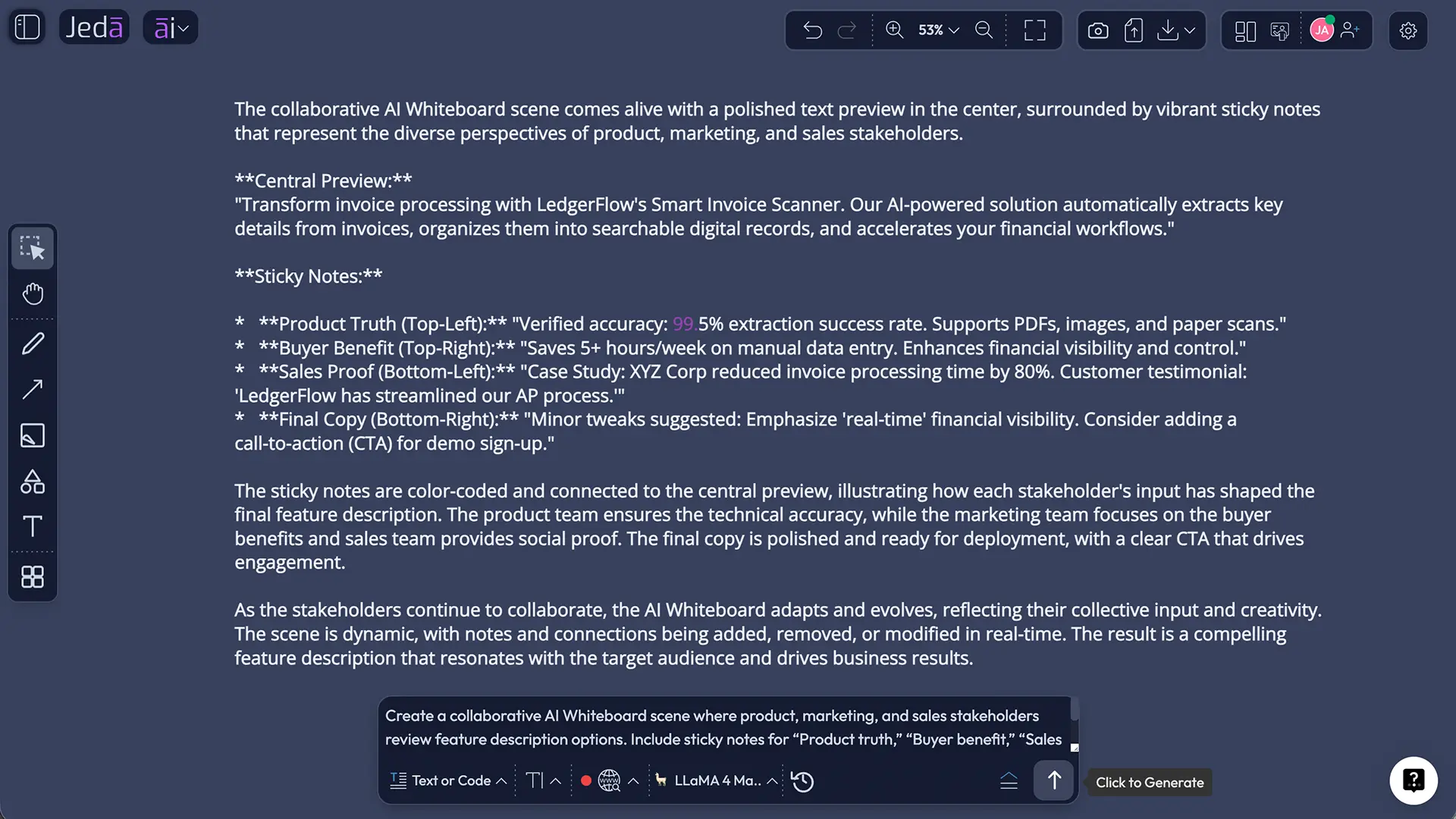
Feature Description with AI vs generic AI writing tools
Generic AI writing tools can produce feature copy. Many do. Jasper’s product description agent, for example, frames the job around turning features into persuasive, benefit-led descriptions. That validates the category, but Jeda.ai’s angle is different.
Jeda.ai puts writing inside a visual workspace. The feature description can sit next to a product roadmap, customer journey, positioning matrix, launch checklist, or competitive map. The team can compare multiple drafts, select a stronger version, and manually format the text without leaving the canvas.
That matters for serious product work. The feature description is not only a paragraph. It is a small piece of a larger messaging system.
| Capability | Generic AI writing tool | Jeda.ai Feature Description recipe |
|---|---|---|
| Guided feature-specific fields | Sometimes | Yes |
| Visual workspace context | Usually no | Yes, inside the AI Workspace |
| AI Whiteboard review | No | Yes |
| One to three reasoning models | Varies | Yes |
| Aggregated multi-model result | Varies | Yes, when multiple models are selected |
| Output style preview | Usually text/document editor | Document or Text preview inside Jeda.ai |
| Manual editing after generation | Yes | Yes, with canvas text formatting |
| Web Search control | Varies | Auto, On, or Off |
| Clear Chat Context | Varies | Yes |
| Native document file generation from this recipe | Not applicable | No — preview only |
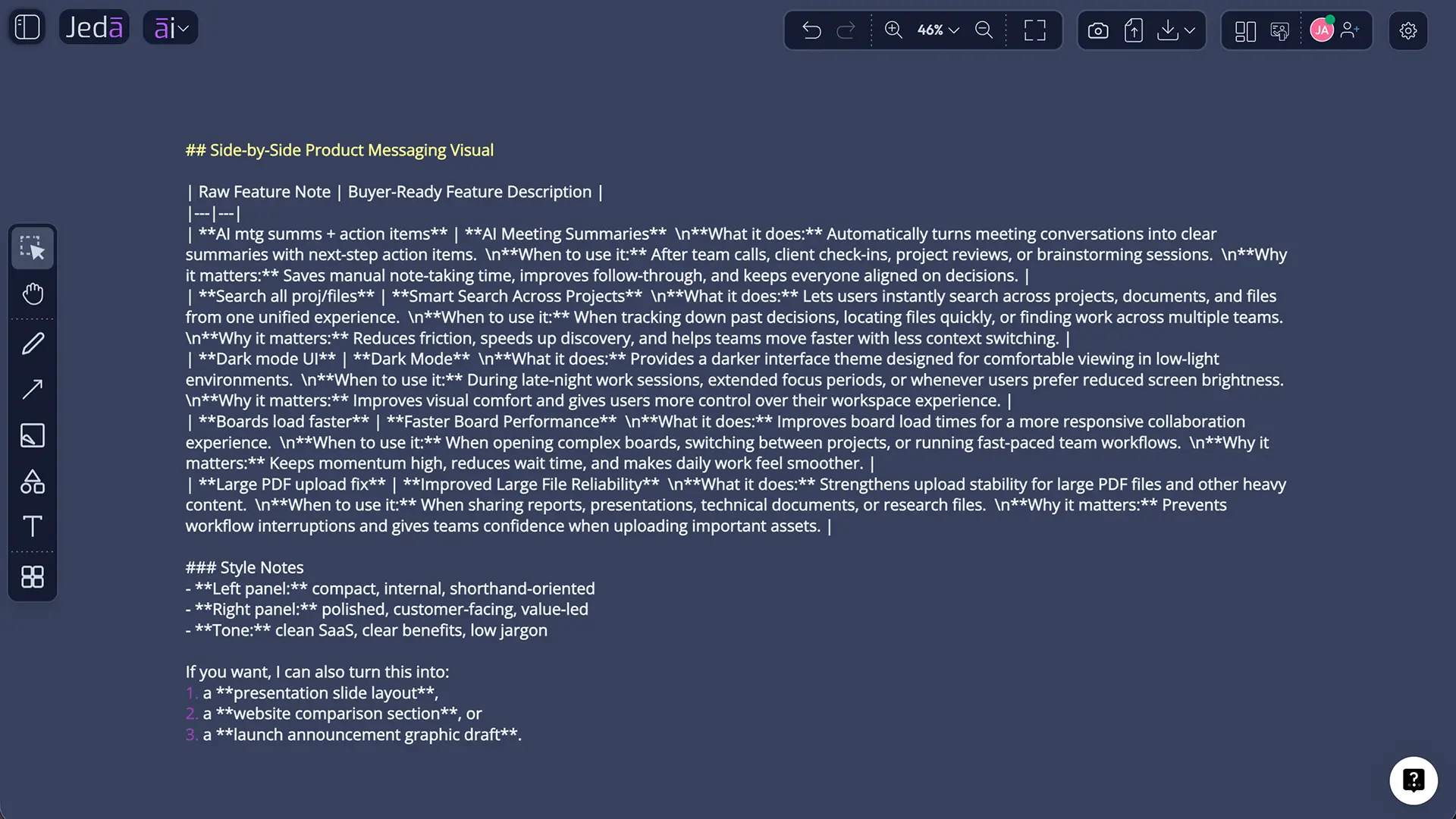
A practical workflow for product teams
The strongest use of Feature Description with AI is not isolated generation. It is a repeatable workflow.
- Collect feature facts from product, engineering, support, or customer feedback.
- Open the Feature Description recipe from the AI Menu or search directly.
- Enter the feature name and function with no jargon unless users already understand it.
- Add benefits that describe the user’s outcome, not just product capability.
- Pick model settings based on the type of copy. Use one model for speed. Use multiple models and aggregation when stakes are higher.
- Choose Web Search mode based on whether public context improves the result.
- Generate the preview as Document or Text.
- Edit for truth, tone, and surface. A release note, tooltip, help doc, and landing page should not all sound identical.
- Format the final version directly on the canvas.
- Place it beside related visuals such as launch plans, customer journeys, or messaging matrices for review.
This is why the AI Whiteboard context matters. McKinsey’s research on AI value points to workflow redesign, governance, trust, feedback loops, and embedding AI into business processes as adoption practices that separate more mature organizations from casual experimenters. In plain English: the tool is less important than the workflow around it. Jeda.ai’s recipe gives the drafting step structure; the team still needs a review habit.
Common mistakes to avoid
Mistake 1: Treating the feature name as enough context
A feature name is rarely enough. Add the function and benefits. Otherwise, the AI may write plausible copy that sounds nice and says very little.
Mistake 2: Confusing output format with file generation
Document and Text are preview formats. This recipe does not generate a native document file. Keep that distinction clear in help content and training material.
Mistake 3: Turning Web Search on for internal-only product truth
Web Search is useful for public context, market framing, and category language. It is not a substitute for internal product knowledge.
Mistake 4: Leaving old chat context active
When switching between unrelated feature descriptions, use Clear Chat Context. Otherwise, old assumptions may shape the new output.
Mistake 5: Publishing without human review
The final copy should be checked for accuracy, claims, tone, and audience fit. If a feature affects pricing, permissions, compliance, security, or data handling, review twice. Then maybe once more. Future-you will send a thank-you note.
Frequently Asked Questions
- What is Feature Description with AI in Jeda.ai?
- Feature Description with AI is a Writer recipe in Jeda.ai that helps users create a clear description of a product feature. The user provides the feature name and can add function, benefits, word count, tone, output language, model settings, Web Search mode, and output format.
- Is Feature Description a sub-recipe inside AI Writer?
- No. For this workflow, treat Feature Description as a Writer recipe, not as a sub-recipe or nested category inside the AI Writer tab. Users can access it by navigating through AI Recipes or by searching for Feature Description directly.
- What field is required to generate a feature description?
- The required field is "What is the feature." Optional fields include the function of the feature, key benefits, word count, tone, and output language. Better optional inputs usually produce more accurate and useful copy.
- Does the recipe generate a document file?
- No. The recipe supports Document or Text as preview output formats, but it does not generate native document files. Users can review the preview, edit it manually, and apply available text formatting in Jeda.ai.
- When should Web Search be set to Auto, On, or Off?
- Use Auto when the system should decide whether current information is helpful. Use On when public market context or current facts should ground the description. Use Off when the feature is internal, confidential, or already fully described by the user’s own inputs.
- Why use multiple reasoning models?
- Multiple reasoning models can generate different interpretations of the same feature. When two or three models are selected, the Aggregate feature can use another model to evaluate the outputs and create a consolidated version. This is useful for high-stakes launch copy or positioning work.
- What does Clear Chat Context do?
- Clear Chat Context resets previous AI conversation context before generation. It is useful when switching between unrelated products, features, audiences, or writing tasks because it reduces the risk of old context influencing the new output.
- Can the generated feature description be edited?
- Yes. After generation, users can manually edit the output and apply text formatting. This is important because AI should create a draft preview, not the final unchecked message.
- Who should use Feature Description with AI?
- Product managers, product marketers, founders, sales enablement teams, consultants, MBA cohorts, and customer success teams can use it. Any team that needs to explain a feature clearly can benefit from a guided AI writing workflow.
- How is this different from writing a feature description in ChatGPT?
- ChatGPT can generate text, but Jeda.ai keeps the feature description inside an AI Workspace and AI Whiteboard where teams can compare drafts, review context, format text, and place the copy beside related visual strategy assets.
Final thought
Feature Description with AI is small on the surface and strategic underneath. It gives teams a way to move from feature facts to buyer-facing clarity without pretending the AI knows the product better than the people building it.
That is the right division of labor.
Use AI for structure, variants, and momentum. Use humans for truth, judgment, and positioning. Then use Jeda.ai’s AI Workspace to keep the description connected to the product thinking around it. That is how a feature stops being a bullet point and becomes a story users can actually act on.
Sources and Citations
- [1]
Google Search Central (2025) . “Google Search’s Guidance on Using Generative AI Content on Your Website” Google Search Central.
View Source ↗ - [2]
Content Marketing Institute (2025) . “9 Takeaways and Insights From the 2026 B2B Content and Marketing Trends Report” Content Marketing Institute.
View Source ↗ - [3]
Jeda.ai . “AI Writer — Framework-Structured Content on Visual Canvas” Jeda.ai.
View Source ↗ - [4]
Jeda.ai . “AI Recipes: 300+ Ready-Made Templates for Jeda.ai” Jeda.ai Resources.
View Source ↗ - [5]
Jakob Nielsen (1997) . “Be Succinct! Writing for the Web” Nielsen Norman Group.
View Source ↗ - [6]
- [7]
McKinsey & Company . “The State of AI: How Organizations Are Rewiring to Capture Value” McKinsey & Company.
View Source ↗
Turn Feature Facts Into Buyer-Ready Clarity
Use Jeda.ai’s AI Workspace to transform raw feature details into structured, editable descriptions your team can review, refine, and connect to the product thinking around them. Let AI create momentum, then let humans bring the truth, judgment, and positioning.
Try Jeda.ai Free