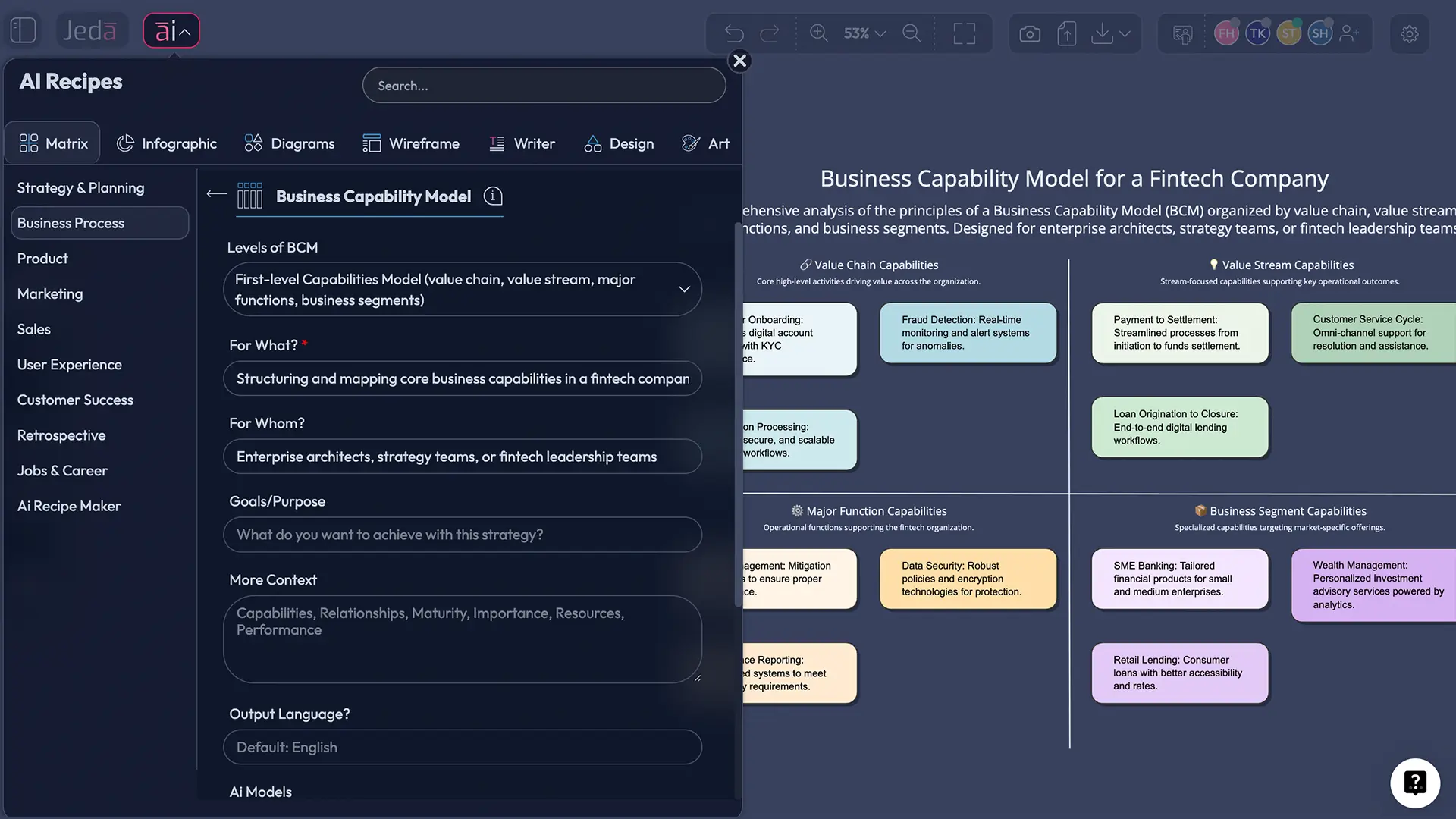
Business Capability Model with AI stops being abstract the second your team has to plan transformation, rationalize systems, or explain what the business must actually be good at. In Jeda.ai, you can turn that job into an editable AI Workspace instead of another static spreadsheet, which is exactly why 150,000+ users come to an AI Whiteboard for faster visual thinking.
At its simplest, a business capability model shows what the organization does, not how each team currently does it. LeanIX, Lucid, and Ardoq all make that distinction, and recent research also shows that GenAI can reduce the manual effort of building capability maps for a specific company.
What is a Business Capability Model?
A business capability model is a structured view of what a company must be able to do to create value. Think customer onboarding, pricing, supplier management, forecasting, fulfillment, compliance, claims handling, product lifecycle management. Not the department names. Not the software list. Not the workflow diagram. Just the capabilities themselves.
That’s why business architects and transformation teams keep coming back to it. A capability model gives you a stable lens when the org chart changes, when an acquisition creates overlap, or when leaders need to decide where to invest next. Keller (2015) connects capability models to strategic alignment, and Khosroshahi et al. (2018) show how capability maps are used in enterprise architecture management.
Why Use a Business Capability Model with AI?
Because most teams do this the slow way.
They pull together leaders from operations, product, finance, IT, maybe compliance. Then the naming fights start, and suddenly processes, systems, and capabilities are all mixed together.
AI helps because it gives you a sharp first draft. In Jeda.ai, that draft lands inside an editable AI Workspace, not a dead-end text answer. You can regroup domains, merge duplicates, add heatmap priorities, and extend thin sections with the AI+ button while keeping the whole conversation visual on an AI Whiteboard.
- Separate what from how
Start with clean capability categories before you drag in processes, systems, owners, or maturity notes.
- Cut workshop setup time
Use AI to generate the first model in minutes, then spend your time refining instead of formatting boxes.
- Spot overlap fast
Capability views make redundancy visible during M&A, operating model changes, and system rationalization.
- Tie strategy to execution
Map strategic goals to capabilities so investment discussions stop sounding like abstract wish lists.
- Use AI+ for expansion
Extend thin sections into deeper sub-capabilities, supporting notes, or maturity hypotheses with AI+.
- Keep it editable
Unlike static reports, Jeda.ai lets you revise text, move groups, recolor priorities, and keep the board alive.
Most ranking pages explain capability models. Very few help you build one visually with AI. That’s the opening. Jeda.ai turns a Visual AI explanation into something you can actually use in a workshop or transformation plan.
How to Create a Business Capability Model in Jeda.ai
If you want the smoothest route, use Method 1: Recipe Matrix. That fits the framework best because this is a matrix-style planning artifact, and it keeps the generation structured from the start.
Method 1: Recipe Matrix
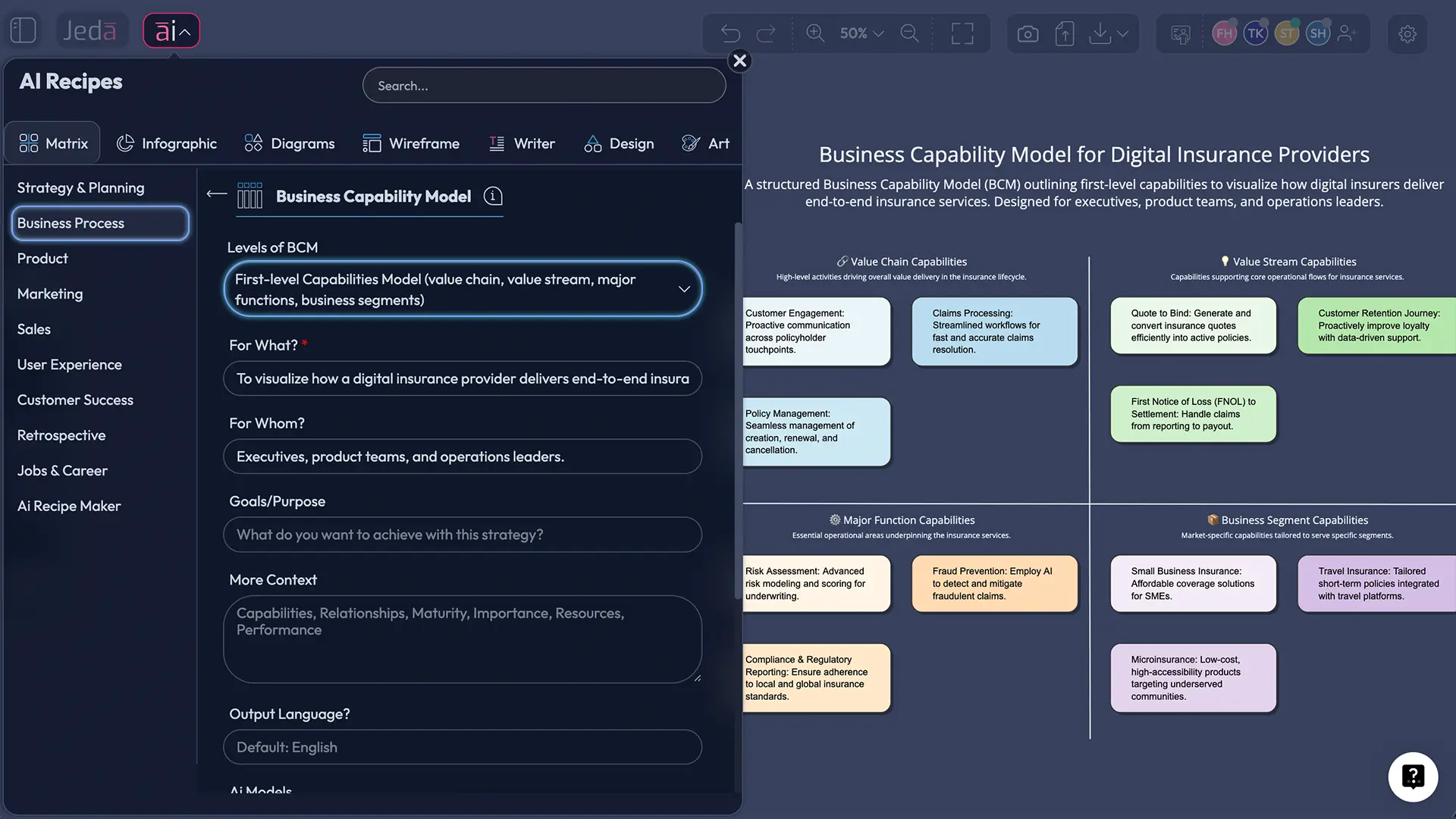
Start in the AI Menu and use the Matrix recipe flow. This is the better choice when you want a structured business capability model with grouped domains, clean naming, and a board that’s ready to discuss in a workshop instead of being “kind of almost there.”
- Open AI Menu and choose Matrix Recipes
From the canvas, open the AI Menu, go to Matrix Recipes, and select the Business Capability Model.
- Define the enterprise context
Enter the company type, market, operating model, and goal. Example: 'Create a business capability model for a regional insurance provider preparing for digital transformation.'
- Ask for capability domains and levels
Request top-level domains first, then ask the model to break them into level-2 or level-3 capabilities. Keep the prompt focused on what the business must do, not departments or processes.
- Review and clean the matrix
Rename vague items, merge duplicates, and remove anything that looks like a process step, software tool, or reporting line.
- Use AI+ to deepen weak areas
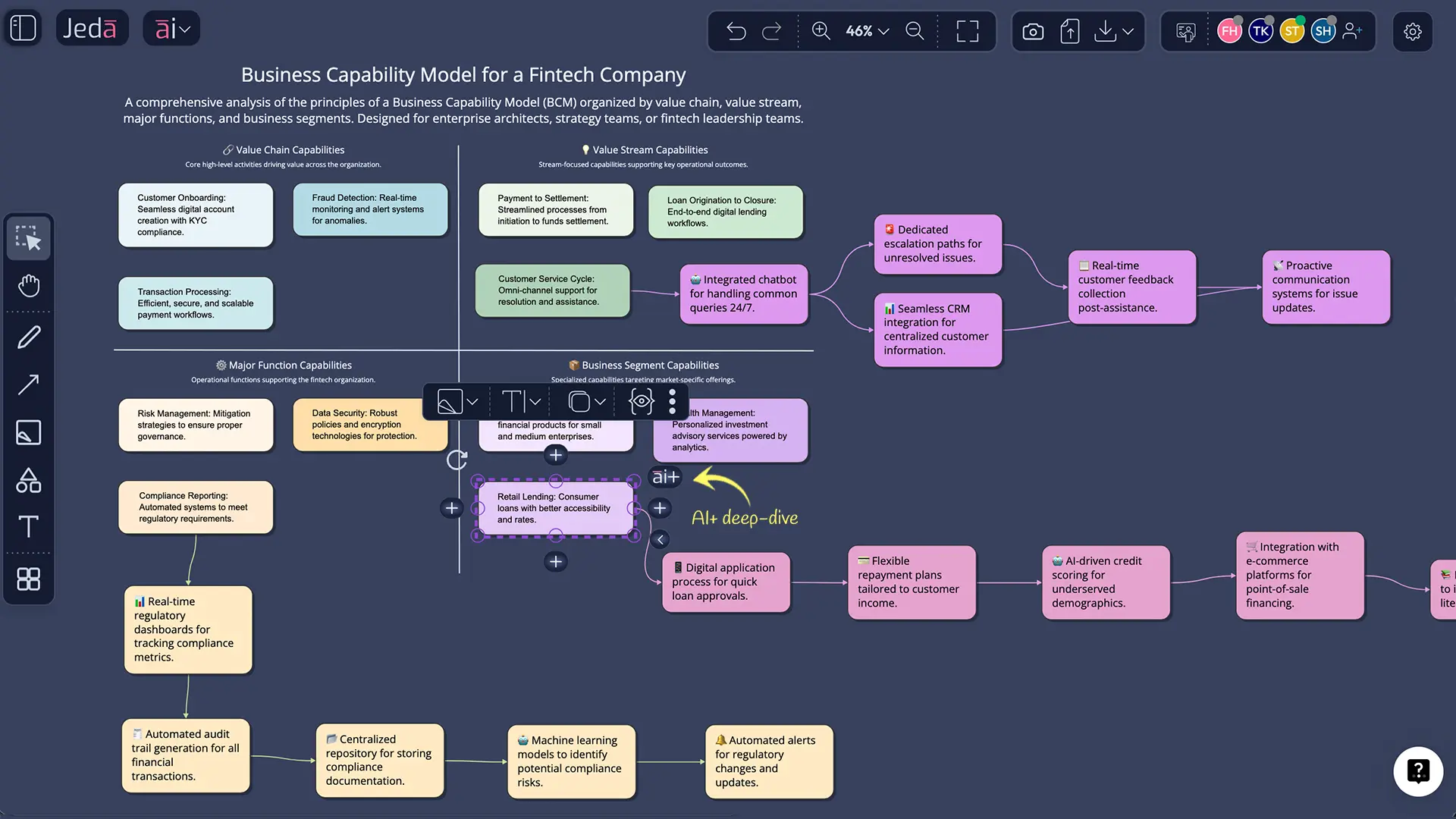
Select a capability group and tap the AI+ button to extend it with sub-capabilities, risks, maturity notes, or investment themes. Treat AI+ as a deep-dive expander, not a precision instruction box.
- Convert or share the output
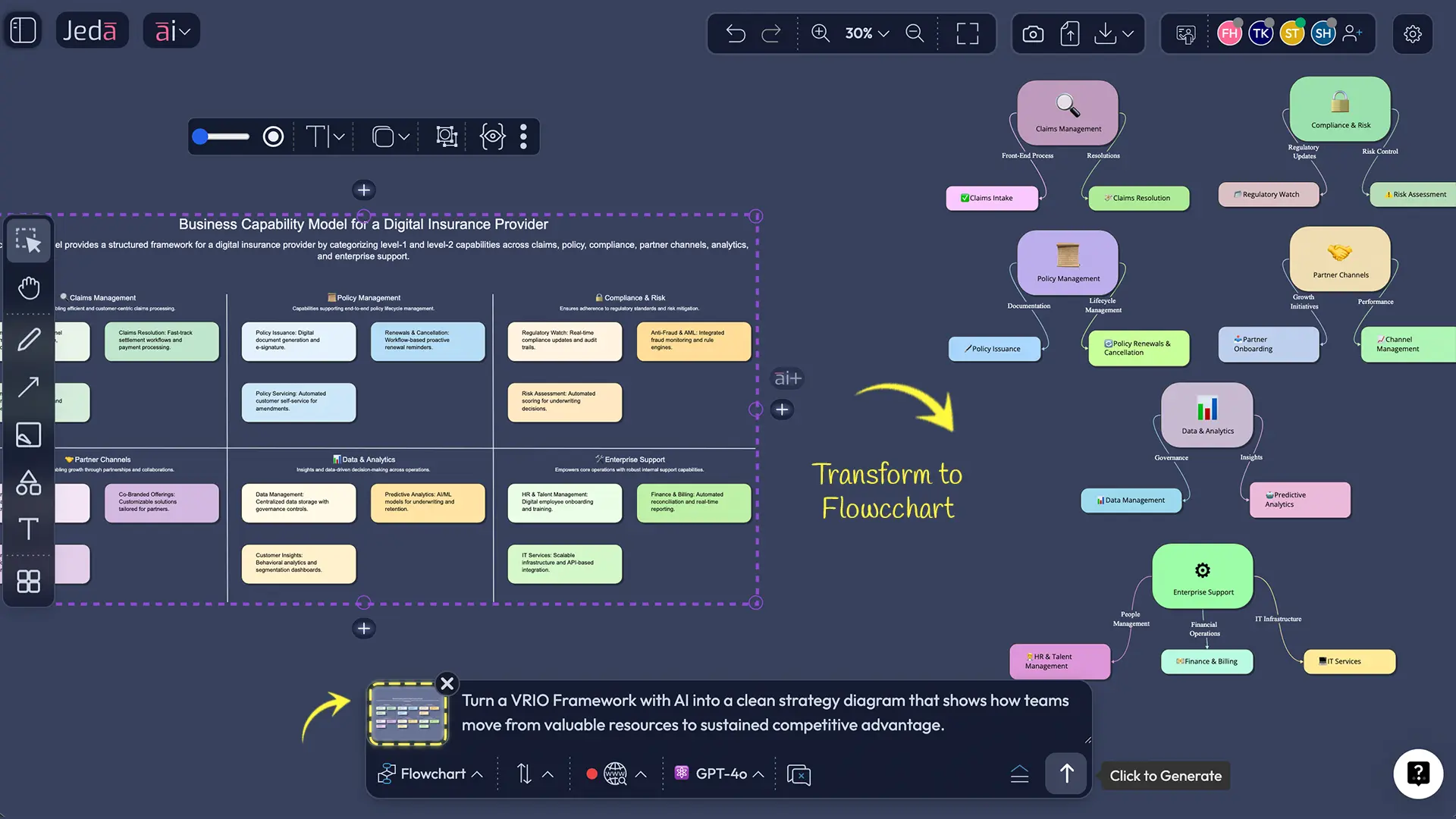
Use Vision Transform if you want to turn the matrix into a diagram view, then export the result as PNG, SVG, or PDF for stakeholder review.
Method 2: Prompt Bar
Sometimes you don’t need the guardrails. Open the Prompt Bar at the bottom of the canvas, select the Matrix command, and type a prompt like this:
Create a business capability model for a SaaS company. Group capabilities into customer, product, revenue, operations, data, finance, compliance, and enablement. Keep the output focused on what the business must do, not org structure, systems, or process steps. Add a simple priority heatmap.
Press Enter, review the matrix, then tighten it up. AI is good at speed. Judgment is still your job.
After you’ve got the base model, use the AI+ button to deepen selected areas such as Revenue Operations, Risk, or Product Delivery. Then use Vision Transform if you want to shift the same structure into a Diagram view for executive storytelling or into a Mindmap for discovery workshops.
Business Capability Model Template & Example
Imagine you’re mapping a digital insurance provider that wants faster claims handling, cleaner compliance reporting, and less duplication after a small acquisition. Start with capabilities, not applications or workflows.
The first layer might look like this:
- Customer Management
- Product and Pricing
- Policy Administration
- Claims Management
- Risk and Compliance
- Finance and Actuarial Support
- Data and Analytics
- Partner and Channel Management
- Enterprise Enablement
From there, you can break Claims Management into intake, triage, fraud review, payout handling, and recovery management. You can flag Data and Analytics as a bottleneck and mark Partner and Channel Management as high priority. That’s where the model starts paying rent.
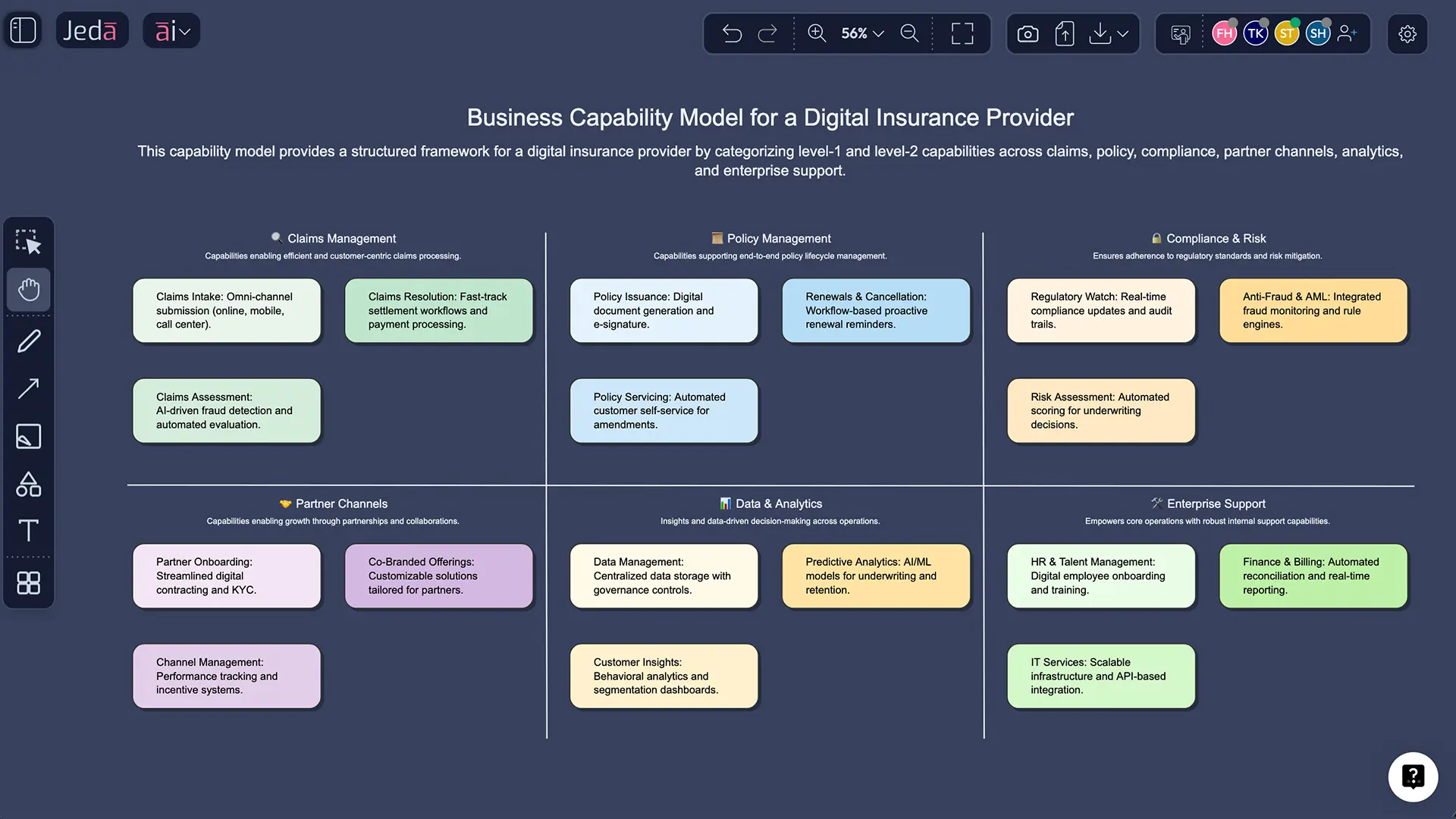
Once you have that version in Jeda.ai, add maturity notes, tag supporting systems, and mark investment priority. You can also link it to AI Workspace, AI Whiteboard, Porter’s Five Forces with AI, Value Chain Analysis with AI, or SWOT Analysis with AI. You’re not just filling a framework. You’re building a working board.
Best Practices for Better Capability Models
Most bad capability models fail for boring reasons. They mix levels, blur terms, and chase completeness too early.
LeanIX notes that many lean capability models land around 10 top-level capabilities and roughly three levels of depth. Good sanity check. If your first draft has 27 top-level groups, the model probably needs a diet.
And don’t obsess over perfection. Ardoq points out that the model does not need to be complete before it starts delivering value.
Common Mistakes to Avoid
1. Confusing capabilities with processes
“Resolve claim” is a process. “Claims Management” is a capability. Mix those up and the model gets muddy fast.
2. Modeling the org chart in disguise
If your board mirrors the company’s departments exactly, you probably built an org map wearing a fake mustache.
3. Going too deep too early
Start with level-1 and level-2 capabilities. Only deepen the domains tied to strategy, risk, or investment choices.
4. Letting systems dominate the structure
Applications support capabilities. They are not the capability model. Put the software in later.
5. Asking AI for everything in one shot
Big prompts usually create bloated answers. Use smaller passes. Domain first. Then detail. Then heatmap. Then extensions with AI+.
Frequently Asked Questions
- What is a business capability model in simple terms?
- A business capability model is a visual structure of what a company must be able to do to create value. It stays focused on abilities and outcomes rather than departments, process steps, or software tools.
- What is the difference between a business capability model and a business process map?
- A business capability model shows what the business does at a strategic level. A process map shows how work flows from step to step. One is stable and structural; the other is operational and procedural.
- Why use AI for business capability modeling?
- AI speeds up the first draft, helps teams organize capability domains, and makes it easier to expand or regroup weak areas. The best use is acceleration, not blind automation. You still need review and cleanup.
- Can Jeda.ai generate a business capability model as a matrix?
- Yes. This use case fits the Matrix command especially well. You can generate the first version through Matrix Recipes in the AI Menu or by using the Matrix command from the Prompt Bar.
- Is a business capability model editable in Jeda.ai?
- Yes. Matrix outputs in Jeda.ai are editable, so you can rename capabilities, move groups, add heatmaps, and refine the structure with your team after generation.
- What does AI+ do on a business capability board?
- AI+ extends an existing section with more depth. On a capability model, that usually means adding sub-capabilities, maturity notes, priorities, or related analysis. It works best as an expansion tool, not a precision instruction interface.
- Can I turn the matrix into another visual type?
- Yes. Use Vision Transform to convert the generated matrix into another visual, such as a diagram view for leadership presentations or a mind map for discovery discussions.
- Who should help review a business capability model?
- A good review group usually includes business leaders, business analysts, enterprise architects, product or operations owners, and someone who understands supporting systems. You want the language to work across business and IT.
- Which Jeda.ai plan supports this workflow?
- Whitebelt includes all 11 commands with limited daily usage and no credit card requirement. Blackbelt expands usage and collaboration, while Shifu adds Multi-LLM intelligence and the Aggregator model for more advanced work.
- How can I export the final capability model?
- You can export the finished board from Jeda.ai as PNG, SVG, or PDF. Native PowerPoint or Word export is not listed in the platform reference, so don’t promise that one in a workshop.
Sources & Further Reading
- [1]
Wolfgang Keller (2015) . “Using Capability Models for Strategic Alignment” Business Architecture Management, Springer.
View Source ↗ - [2]
Svyatoslav Kotusev and Ayed Alwadain (2024) . “Modeling Business Capabilities in Enterprise Architecture Practice: The Case of Business Capability Models” Information Systems Management.
View Source ↗ - [3]
Jürgen Jung and Pierre Wienke (2024) . “Generating Business Capability Maps using GenAI: A Case Study” FACETE / PoEM Companion.
View Source ↗ - [4]
SAP LeanIX (2026) . “What is Business Capability: Definition & Mapping” LeanIX Wiki.
View Source ↗ - [5]
Lucid Software (2026) . “A Quick Guide to Business Capability Maps” Lucid Blog.
View Source ↗ - [6]
Ardoq (2024) . “Business Capability Model: A Guide to Benefits and Best Practices” Ardoq Knowledge Hub.
View Source ↗
Start Your Business Capability Model with AI
Join over 150,000 professionals who use Jeda.ai as an AI Workspace and AI Whiteboard for strategy, analysis, and visual planning.
Try Free Template