This release is not just a UI refresh. It is a signal that Jeda.ai is moving deeper into its identity as a Visual AI Workspace for serious strategy work. The new brand, patent-backed direction, upgraded AI model stack, stronger architecture, Synthetic User Defined Persona recipe, Draw Aggregation, and UX improvements all point to one thing: Jeda.ai is becoming a sharper workspace for teams who need to think visually, move faster, and make better decisions.
For business consultants, decision makers, and MBA cohorts, that matters. Strategy work is no longer just about writing smarter prompts. It is about turning messy thinking into structured, editable, visual, and defensible outputs.
What Changed in This Jeda.ai Release?
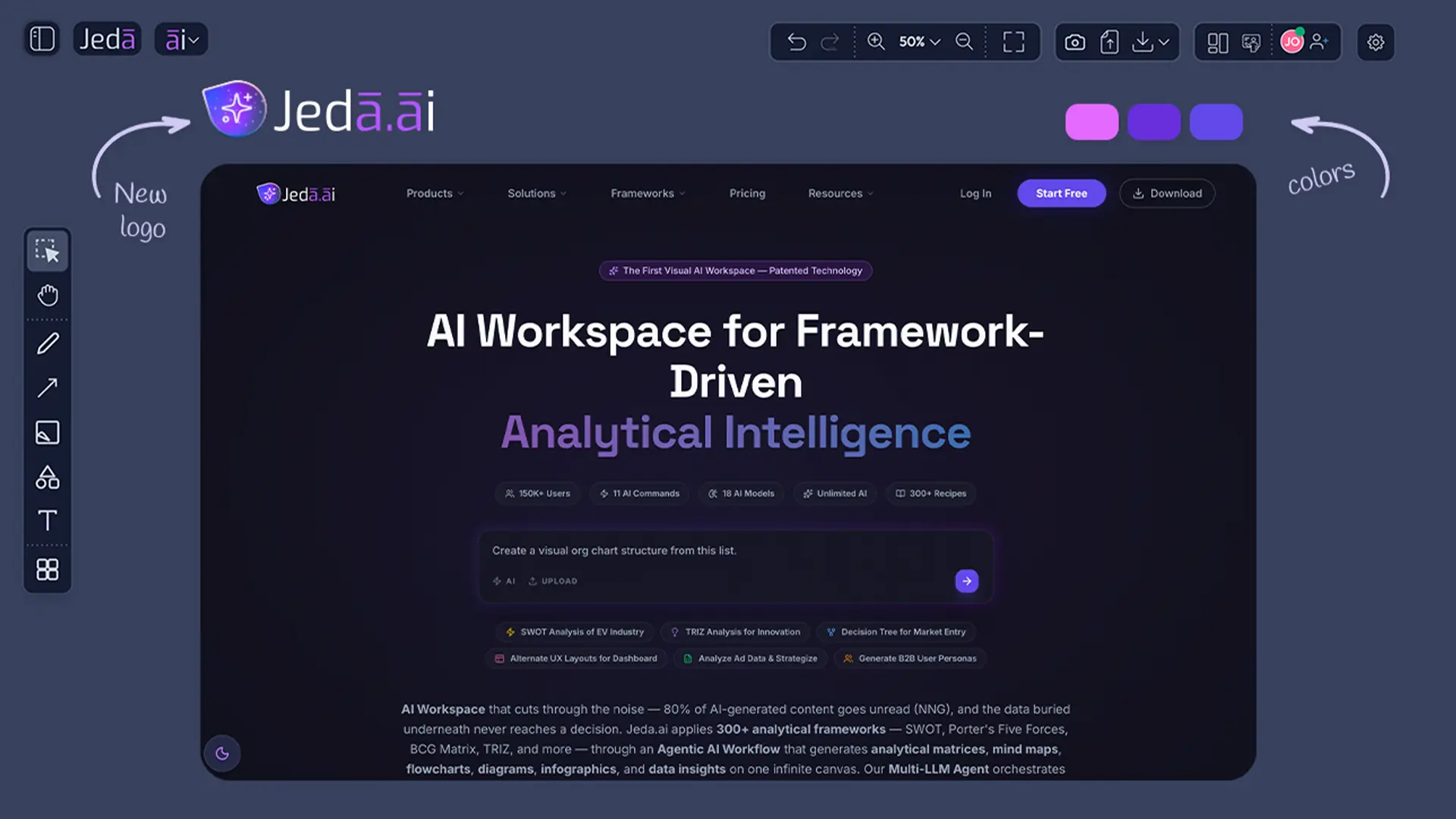
Jeda.ai refreshed the product experience across the website, logo, colors, login pages, and registration pages. But the bigger story is not cosmetic. The release also strengthens the product foundation with a new functional architecture, an upgraded AI model stack, a patent-backed Visual AI direction, a new Synthetic User Defined Persona recipe, Draw Aggregation, and practical UI/UX improvements.
- Sharper Brand System
A refreshed website, logo, color system, login & registration UI give Jeda.ai a modern, more credible product identity.
- Patent-Backed Visual AI
Jeda.ai’s Visual AI Workspace direction is now supported by a stronger patent story around turning prompts, documents, and data into structured visual outputs.
- Upgraded AI Model Stack
The model lineup has been refreshed with newer reasoning and image capabilities for strategy, analysis, visual communication, and business design.
- New Functional Architecture
The platform architecture is now better prepared for deeper AI workflows, cleaner command behavior, larger boards, and more advanced visual generation.
- Synthetic Persona Recipe
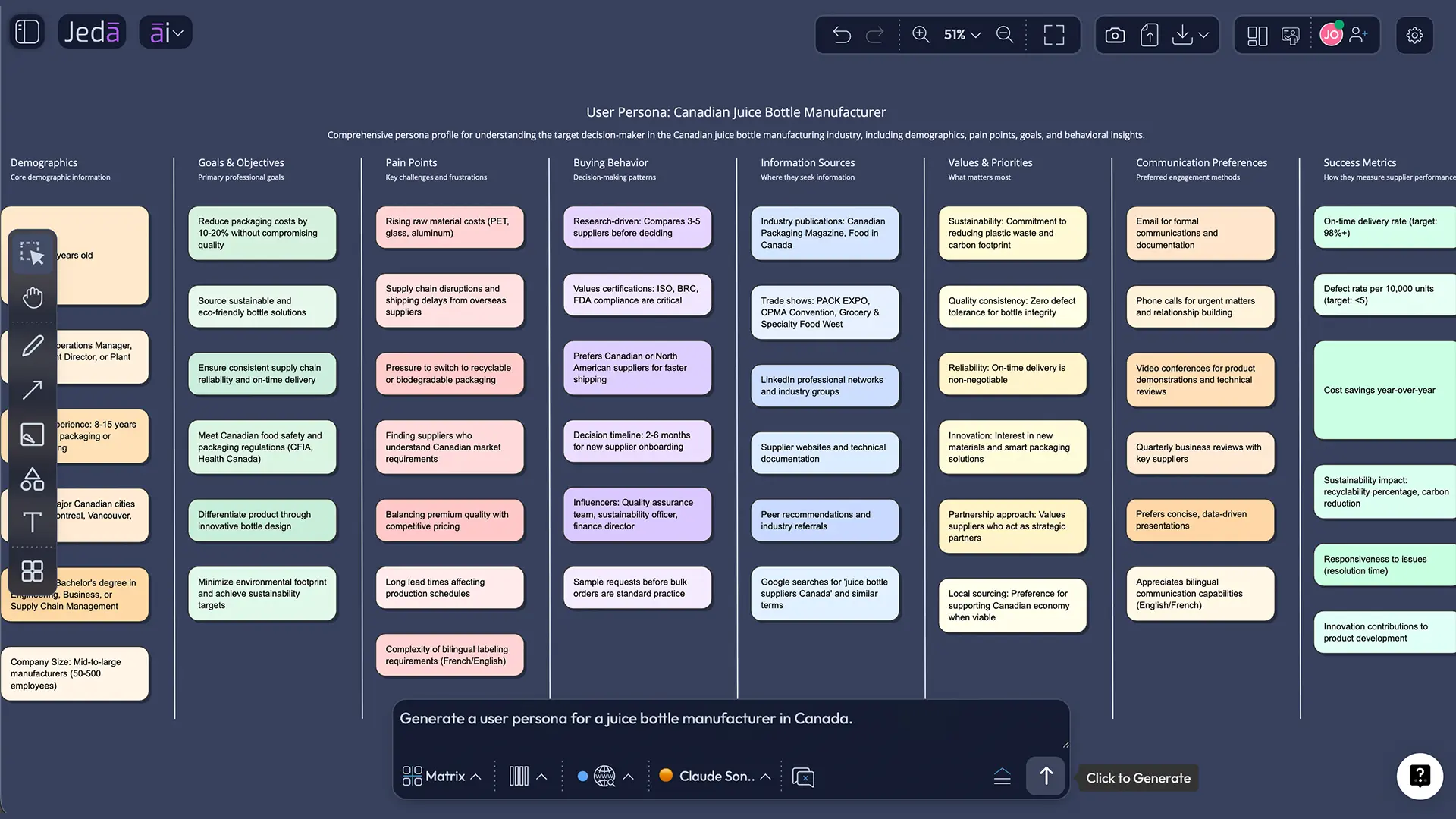
The new Synthetic User Defined Persona recipe helps teams create structured persona hypotheses for positioning, UX, research, and classroom strategy work.
- Draw Aggregation
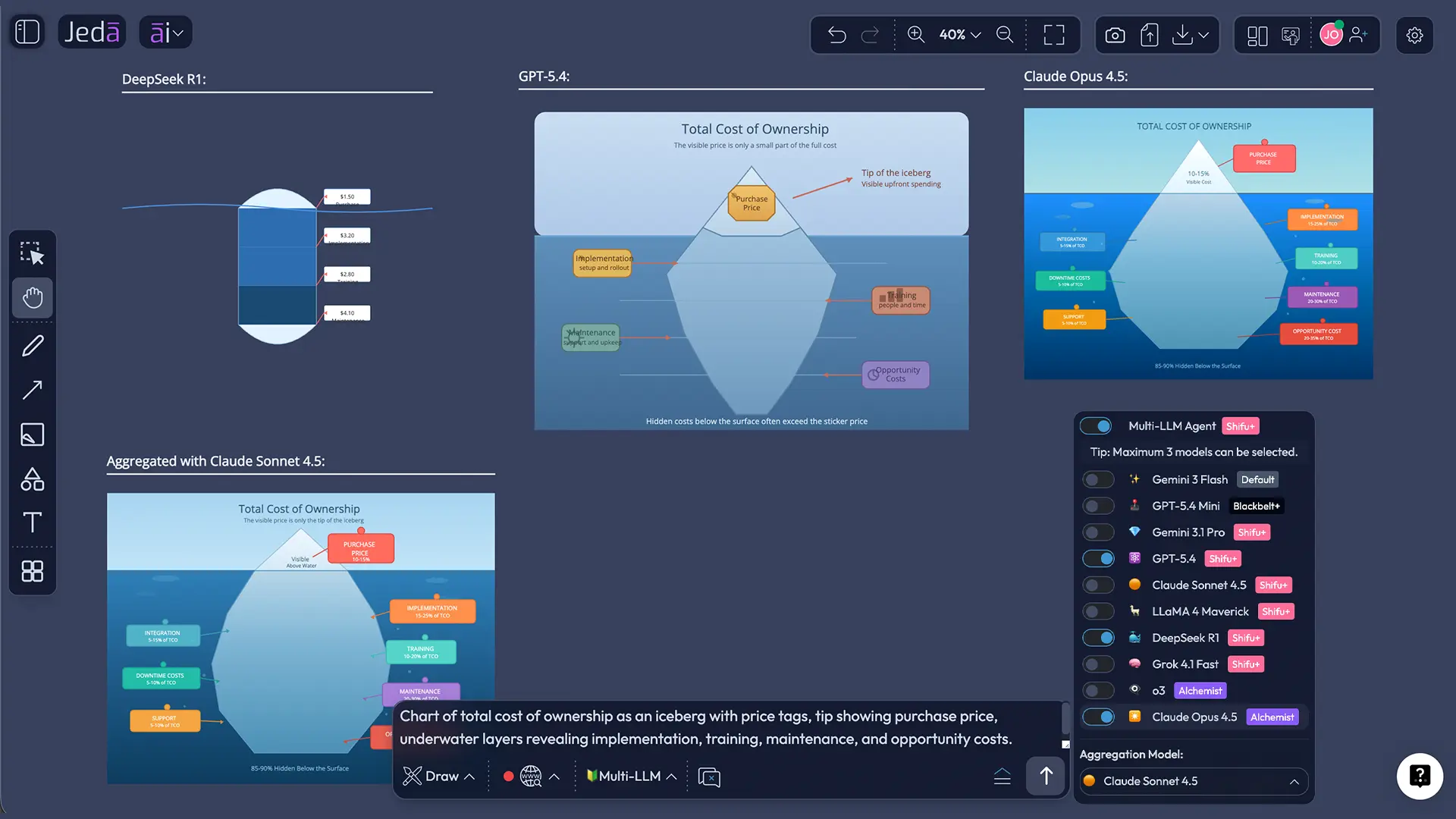
The Draw command now supports Aggregation, helping users combine multi-model intelligence before producing editable visual outputs.
Why Does the New Jeda.ai Brand Matter?
The new brand gives Jeda.ai a cleaner promise: turn complex thinking into visible intelligence. That matters because tools used in client rooms, executive meetings, and MBA programs need to feel credible before they ever generate a single diagram.
A sharper website, cleaner logo, stronger color system, and improved login and registration UI make the product feel closer to what it has become: an AI Whiteboard and AI Workspace for visual thinking, structured analysis, and collaborative execution.
For consultants, brand trust is not decoration. It affects whether a tool feels client-ready.
For decision makers, it reduces the “what is this thing?” friction before a team can use it seriously.
For MBA cohorts, it helps students and instructors understand that Jeda.ai is not another generic chat interface. It is a visual workspace where strategy, analysis, design thinking, and decision workflows can happen on one canvas.
How Does the Jeda.ai Patent Strengthen the Visual AI Workspace Story?
Jeda.ai’s patent story gives the product direction more weight. The patent page positions Jeda.ai around a US-granted Visual AI Workspace breakthrough focused on transforming prompts, documents, and data into structured visual outputs inside an AI Workspace and AI Whiteboard.
That is the real distinction.
Plenty of AI tools can produce text. Jeda.ai is pushing a different thesis: AI should not only answer; it should structure ideas, visualize reasoning, and help people understand the thinking behind the output.
For consultants and decision makers, that patent-backed direction matters because strategic work needs traceable thinking. Not just pretty output. Not just a text summary. A visible structure people can inspect, challenge, edit, and present.
For MBA and EMBA cohorts, it supports a useful teaching shift: AI can become a tool for visual reasoning, not just essay generation.
What Does the New Functional Architecture Improve?
The new functional architecture is the kind of release work users may not immediately see, but they will feel it. Better architecture means Jeda.ai can support more advanced AI workflows, cleaner command behavior, stronger model orchestration, and more consistent visual outputs.
This is foundation work. Not flashy. Necessary.
For consultants, it means fewer dead ends when moving from research to strategy frameworks to client-ready visuals. For decision makers, it means a more reliable workspace for planning sessions and leadership alignment. For MBA cohorts, it means smoother group work, stronger visual assignments, and fewer awkward product moments during live classroom use.
Which AI Models Changed in This Release?
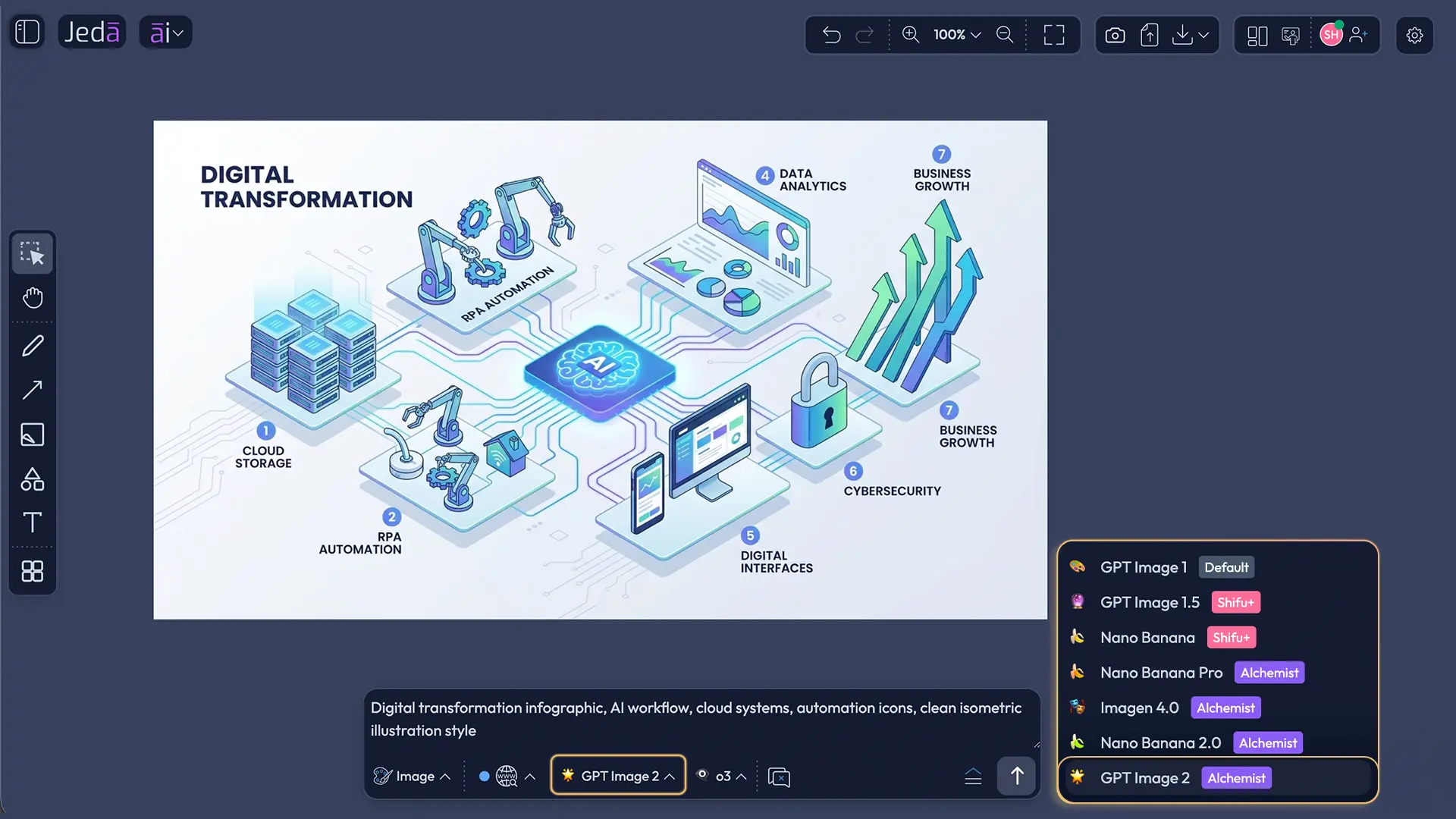
Jeda.ai’s model lineup has been refreshed so the canvas has a stronger reasoning and visual generation layer.
The release includes the following model changes:
- Gemini 2.5 Pro is upgraded to Gemini 3.1 Pro.
- Gemini 2.5 Flash is upgraded to Gemini 3 Flash.
- GPT-5 Mini is replaced with GPT-5.4 Mini.
- GPT-4o is deprecated.
- Grok 3 and Grok 4 Fast are removed.
- Grok 4.1 Fast is introduced.
- GPT Image 2 is introduced.
The point is not model-name theater. Nobody wins strategy because a dropdown looks expensive. The real value is that Jeda.ai can bring fresher reasoning and image capabilities into the AI Workspace where teams are already creating strategy maps, personas, diagrams, executive summaries, and visual frameworks.
For consultants, that can support market analysis, prioritization, scenario planning, client narratives, and diagram logic. For business leaders, it improves the quality of synthesis and decision support. For MBA cohorts, it gives students access to newer AI capabilities inside a visual business environment rather than isolated chat windows.
What Is the Synthetic User Defined Persona Recipe?
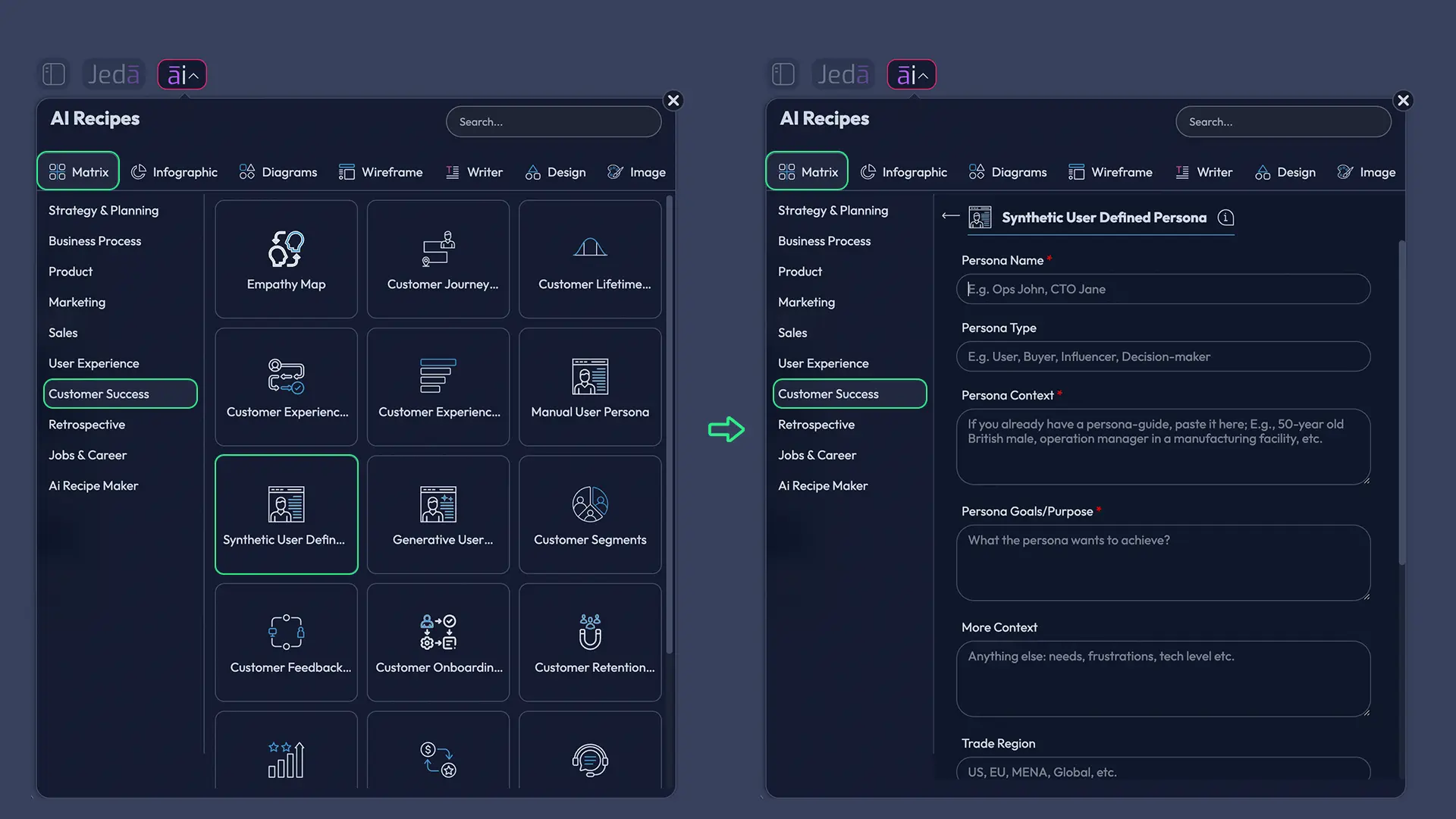
The Synthetic User Defined Persona recipe helps teams create structured persona hypotheses from user-defined context. Instead of starting with a vague “target audience,” users can describe the type of customer, buyer, student, stakeholder, or market segment they want to explore.
Then Jeda.ai can generate a structured persona that supports messaging tests, product positioning, UX assumptions, market segmentation, go-to-market planning, workshop debate, and classroom case analysis.
For business consultants, this is useful before a discovery workshop or market-entry analysis. For product and marketing teams, it helps pressure-test whether a message or feature maps to a believable user profile. For MBA cohorts, it creates a practical way to simulate customer thinking, compare segments, and sharpen strategy recommendations.
How Can Teams Use This Release in Jeda.ai?
This release gives teams a stronger workflow from raw thinking to structured visual output. Use the brand refresh as the entry point, the model stack as the reasoning layer, Synthetic Persona as a strategy recipe, and Draw Aggregation as the visual production layer.
- Start from the AI Workspace
Open Jeda.ai and begin on the canvas. Use the workspace as the shared place for prompts, visual outputs, files, strategy notes, and collaborative edits.
- Choose the right generation path
Use AI Menu for guided recipes such as Synthetic User Defined Persona, or use the Prompt Bar when you want to quickly select a command and enter a custom prompt.
- Generate a structured strategy artifact
Create a persona, matrix, diagram, infographic, or visual framework based on the business question. Add relevant audience, market, product, or classroom context before generating.
- Use Aggregation for stronger Draw outputs
When creating rich SVG visuals with Draw, use Aggregation to synthesize multi-model reasoning before the final visual is generated.
- Edit the output on the canvas
Refine text, shapes, layout, colors, and structure directly in the AI Whiteboard. Use AI+ to extend an existing section when you need more depth.
- Turn the board into a deliverable
Use the final canvas as a client workshop board, decision artifact, MBA case visual, product strategy asset, or presentation-ready visual.
Why Does Draw Aggregation Matter?
Draw is Jeda.ai’s visual creation layer for generating SVG-style business visuals from natural language. It can support diagrams, infographics, charts, high-fidelity wireframes, visual frameworks, and presentation-ready assets.
With Aggregation enabled for Draw, the workflow becomes more strategic. Different models can contribute structure, reasoning, critique, or interpretation before the final visual is created. The aggregator then helps synthesize a stronger direction.
That matters because visual business work is easy to make pretty and hard to make useful. Aggregation helps reduce one-model tunnel vision. It gives consultants, leaders, and students a better shot at producing visuals that actually explain something.
Who Benefits Most From This Release?
Business consultants get a sharper product for client-ready strategy work. The improved architecture, stronger AI model stack, Synthetic Persona recipe, and Draw Aggregation all support faster synthesis and better visual deliverables.
Decision makers get a clearer workspace for alignment. Instead of scattered notes, spreadsheets, chat outputs, and slide fragments, teams can build visible decision artifacts in one place.
MBA and EMBA cohorts get a more practical AI learning environment. Students can move from case material to visual frameworks, persona hypotheses, diagrams, and strategic recommendations without switching between five disconnected tools.
- For Consultants
Build sharper frameworks, client workshop boards, persona hypotheses, and visual strategy narratives faster.
- For Decision Makers
Turn scattered inputs into visible decisions, stronger alignment, and clearer strategic trade-offs.
- For MBA Cohorts
Use AI to analyze cases, create visual frameworks, debate assumptions, and present structured recommendations.
What Should Existing Users Try First?
Start with the Synthetic User Defined Persona recipe if your team is working on positioning, product strategy, messaging, UX, or market segmentation. It is one of the most immediately useful additions because persona thinking sits at the center of so many business workflows.
Then try Draw with Aggregation for any visual output that needs to be more than decoration. Strategy maps, concept visuals, high-fidelity wireframes, and infographic-style explanations are good first tests.
Finally, revisit older UI that might have felt fragmented. The new architecture and UX improvements should make the workspace feel cleaner in real sessions. Tiny friction compounds fast during workshops. This release attacks that friction.
Frequently Asked Questions
- What is the main purpose of this Jeda.ai release?
- This release strengthens Jeda.ai as a Visual AI Workspace by combining a refreshed brand, patent-backed positioning, upgraded AI models, new architecture, Synthetic User Defined Persona generation, Draw Aggregation, and product-level UI/UX improvements.
- Is the Jeda.ai brand refresh only a visual redesign?
- No. The new website, logo, color system, login pages, and registration pages are part of a broader product shift. The release also includes architecture upgrades, model changes, a new persona recipe, Draw Aggregation, and usability improvements.
- Why does the Jeda.ai patent matter for users?
- The patent supports Jeda.ai’s Visual AI direction: turning prompts, documents, and data into structured visual outputs inside an AI Workspace. For users, it reinforces that Jeda.ai is building differentiated visual reasoning infrastructure, not just another chat-style wrapper.
- What is Synthetic User Defined Persona in Jeda.ai?
- Synthetic User Defined Persona is an AI Recipe that helps users generate structured persona hypotheses from custom context. It is useful for product strategy, marketing, UX assumptions, segmentation, go-to-market planning, workshops, and MBA case analysis.
- Should synthetic personas replace real customer research?
- No. Synthetic personas are best used for early-stage framing, ideation, and structured debate. They help teams clarify assumptions and ask better research questions, but they should be validated with real interviews, analytics, surveys, and customer evidence.
- What does Draw Aggregation do?
- Draw Aggregation lets users combine multi-model reasoning before generating Draw outputs. This can improve the structure and quality of SVG-based visuals such as diagrams, infographics, charts, wireframes, strategic frameworks, and presentation-ready assets.
- Who benefits most from the upgraded AI model stack?
- Consultants, decision makers, product teams, marketing teams, and MBA cohorts benefit most. The refreshed model stack supports stronger synthesis, strategy narratives, persona thinking, diagram logic, visual communication, and business analysis inside the Jeda.ai canvas.
- How does this release help consultants?
- Consultants can use the release to produce sharper client deliverables, faster persona hypotheses, stronger visual frameworks, and more defensible strategy boards. Draw Aggregation and upgraded models are especially useful for complex diagrams and presentation-ready strategy visuals.
- How does this release help MBA and EMBA cohorts?
- MBA and EMBA cohorts can use Jeda.ai to turn business cases into structured visual outputs, including personas, matrices, diagrams, strategy maps, and decision artifacts. The release makes AI-assisted visual reasoning more practical for classroom and group project work.
- What should users try first after this release?
- Start with the Synthetic User Defined Persona recipe for customer or stakeholder analysis. Then test Draw with Aggregation for strategy visuals, infographics, or wireframes. Finally, use AI+ to extend generated sections directly on the canvas.
Sources and Further Reading
- [1]
Jeda.ai (2026) . “Jeda.ai Patent: US-Granted Visual AI Workspace Breakthrough” Jeda.ai Resources.
View Source ↗ - [2]
Google AI Studio (2026) . “Gemini 3 Models” Google AI Studio.
View Source ↗ - [3]
OpenAI (2026) . “GPT Image 2 Model” OpenAI Developers.
View Source ↗ - [4]
OpenAI (2026) . “Image Generation Guide” OpenAI Developers.
View Source ↗
See the New Jeda.ai Visual AI Workspace in Action
Join 150,000+ users using Jeda.ai to turn prompts, files, and ideas into structured visual outputs for strategy, business design, and decision intelligence.
Start Free