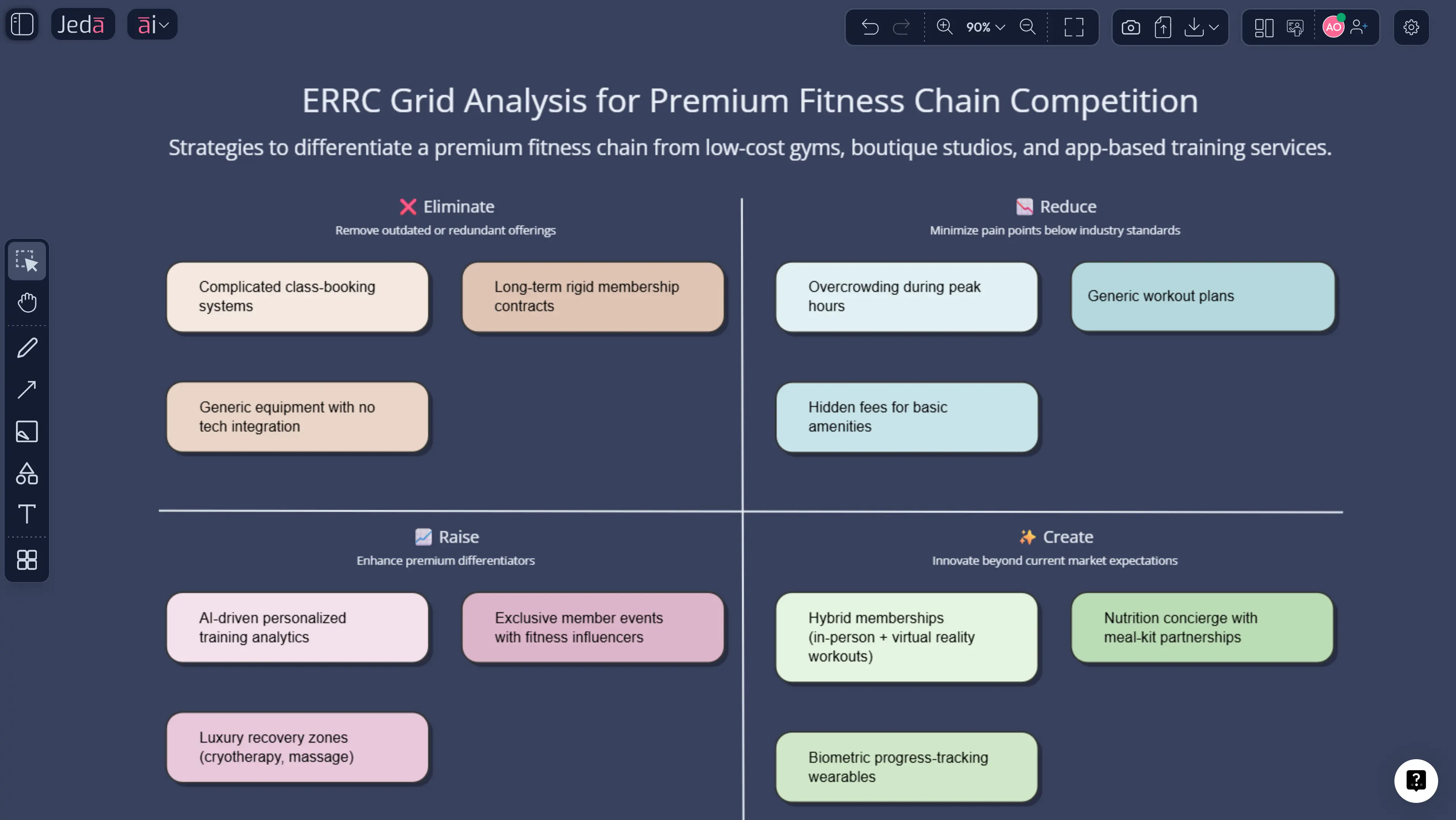
The ERRC grid is one of those frameworks people love because it sounds simple. Eliminate. Reduce. Raise. Create. Four verbs. One tidy matrix. Job done, right? Not quite. In practice, the ERRC grid only works when a team is willing to question sacred industry habits without turning the session into theater. That is exactly why building it inside Jeda.ai, an AI Workspace and AI Whiteboard for editable strategy, is so useful.
In Blue Ocean Strategy, Chan Kim and Renée Mauborgne developed the ERRC Grid as the practical companion to the Four Actions Framework. The goal is to break the trade-off between differentiation and low cost by forcing teams to write down what should be eliminated, reduced, raised, and created. Not discussed vaguely. Written down. That little change has teeth.
Inside Jeda.ai, the grid becomes a live decision board instead of a frozen workshop artifact. You can generate the first draft, test alternate versions, use the AI+ button to deepen any quadrant, and connect the output to the Strategy Canvas or Buyer Utility Map on the same board. Because Jeda.ai supports 300+ strategic frameworks in one Visual AI workspace and is already used by 150,000+ people, the framework stays connected to actual strategic work instead of becoming another screenshot that dies in a deck.
What is the ERRC Grid?
The ERRC grid stands for Eliminate, Reduce, Raise, Create. It is a blue-ocean tool used to reconstruct buyer value and challenge what an industry takes for granted.
Each quadrant asks a different question. Which factors should be eliminated because they add cost without meaningful value? Which should be reduced below the industry's standard? Which should be raised well above it? And which new factors should be created because the industry has never offered them?
That is the mechanical part. The strategic part is tougher. The grid works only when a team stops defending the current model long enough to rethink what buyers care about. That is why the framework pairs so naturally with a strategy canvas. The canvas shows the current value curve. The ERRC grid forces the redesign.
When you build the matrix in Jeda.ai, the framework stays editable in a collaborative AI Workspace. That means people can challenge assumptions, attach evidence, compare versions, and use the AI Whiteboard to move from red-ocean sameness to a more disciplined value proposition.
Why use the ERRC Grid with AI?
Because teams are not as original as they think they are. There, I said it.
When people brainstorm alone, they often produce incremental ideas dressed up as strategic breakthroughs. AI helps because it can widen the option set fast, surface industry assumptions, and generate alternative versions of the grid before the loudest voice in the room declares victory.
In Jeda.ai, AI can suggest what a category may be overdelivering, where buyers may be under-served, and which “must-have” industry factors are actually just expensive habits. That makes the conversation less sentimental and more useful.
- Challenge sacred cows
Use AI to identify factors your industry still funds even though buyers barely notice or no longer care.
- See cost-value trade-offs faster
The grid makes it easier to separate expensive complexity from genuine buyer value.
- Keep the team on one board
Instead of scattered notes and cleanup decks, the ERRC conversation lives in one collaborative AI Workspace.
- Deepen with AI+
Use AI+ to turn each quadrant into scenarios, risks, messaging ideas, or links to adjacent Blue Ocean frameworks.
AI does not make the call for you. Good. It should not. What it does is give you more credible options faster, so the team can judge the trade-offs with a clearer view.
How to create an ERRC Grid in Jeda.ai
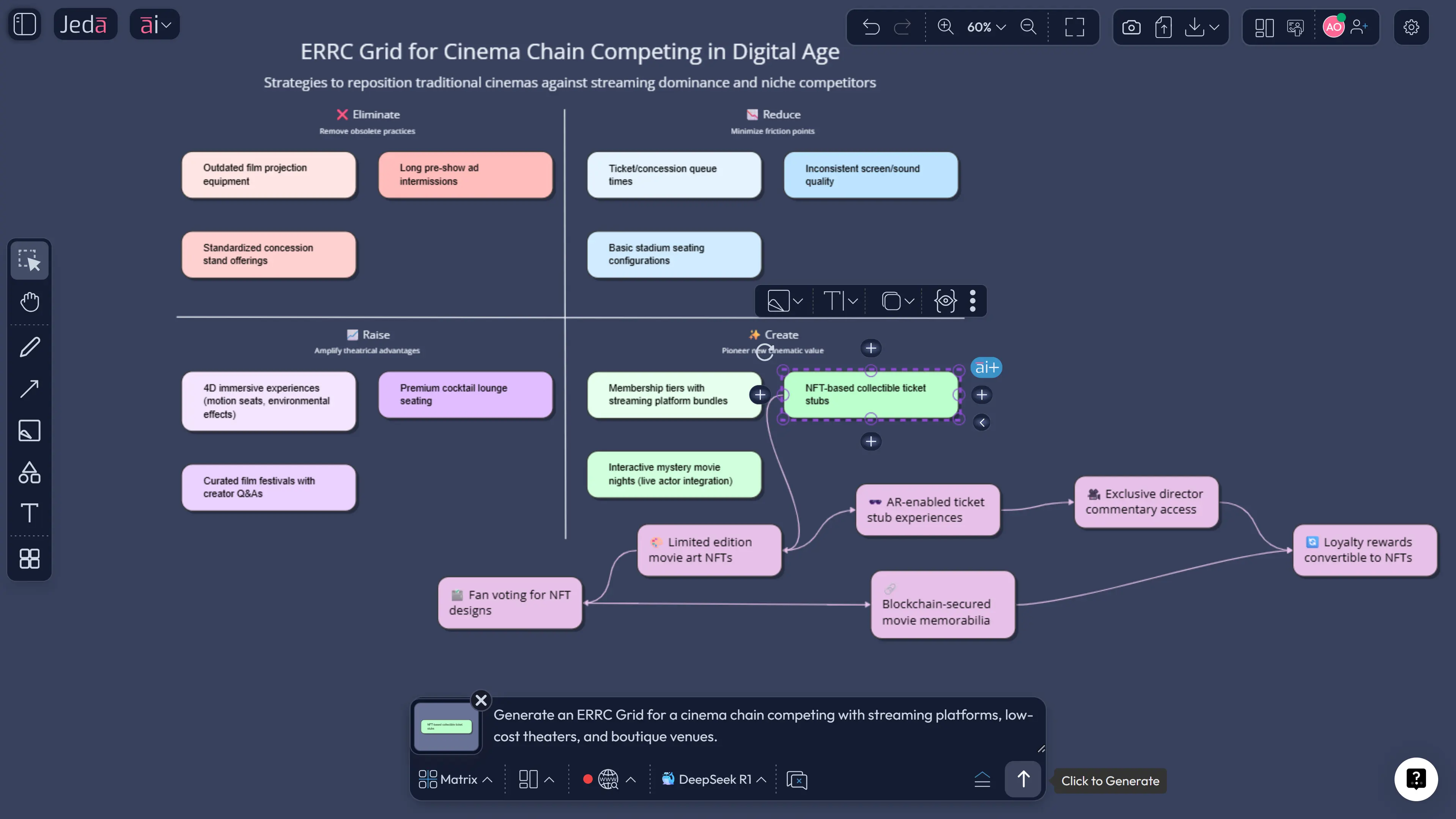
Because ERRC exists as a structured Blue Ocean recipe in Jeda.ai, the AI Menu is the recommended route when you want a guided setup. The Prompt Bar is excellent when you want a faster draft or a category-specific variation.
Method 1: Recipe Matrix
Open Jeda.ai, enter your chosen AI Workspace, and click the AI Menu. Under Strategy & Planning, choose Blue Ocean Framework, then select ERRC Grid. Enter the business context, target buyer, market conditions, and the type of strategic shift you want examined. Then choose your layout and AI model.
This method is best when you want a clean, recognizable structure from the start.
Method 2: Prompt Bar
Open the Prompt Bar at the bottom of the canvas and select the Matrix command. Then write a detailed prompt naming the category, the offering, and the shift you want explored. For example: “Create an ERRC Grid for a commuter e-bike subscription service targeting urban professionals, comparing it against car ownership, ride-hailing, and public transit.”
After the board is generated, rewrite any sticky note directly on the canvas, use AI+ to expand any quadrant, and use Vision Transform if you want to convert the logic into another visual such as a comparative diagram.
- Open your AI Workspace
Log in to Jeda.ai and enter the workspace where you want to build the ERRC Grid.
- Choose the Blue Ocean recipe
Click AI Menu, open Strategy & Planning, choose Blue Ocean Framework, and select ERRC Grid.
- Provide category context
Enter the offering, buyer group, competitors or substitutes, and the strategic shift you want the matrix to examine.
- Generate the first grid
Pick a layout and AI model, then generate the eliminate-reduce-raise-create matrix as an editable board.
- Stress-test every quadrant
Make sure each note reflects buyer value logic rather than internal preferences or brand nostalgia.
- Create a second version
Use the Matrix command in the Prompt Bar to generate an alternate grid for another segment or strategy angle.
- Deepen with AI+
Use AI+ to extend the strongest moves into implications, scenarios, risks, or new value curves.
- Transform and export
Use Vision Transform if needed, then export the final board as PNG, SVG, or PDF.
ERRC Grid template and example
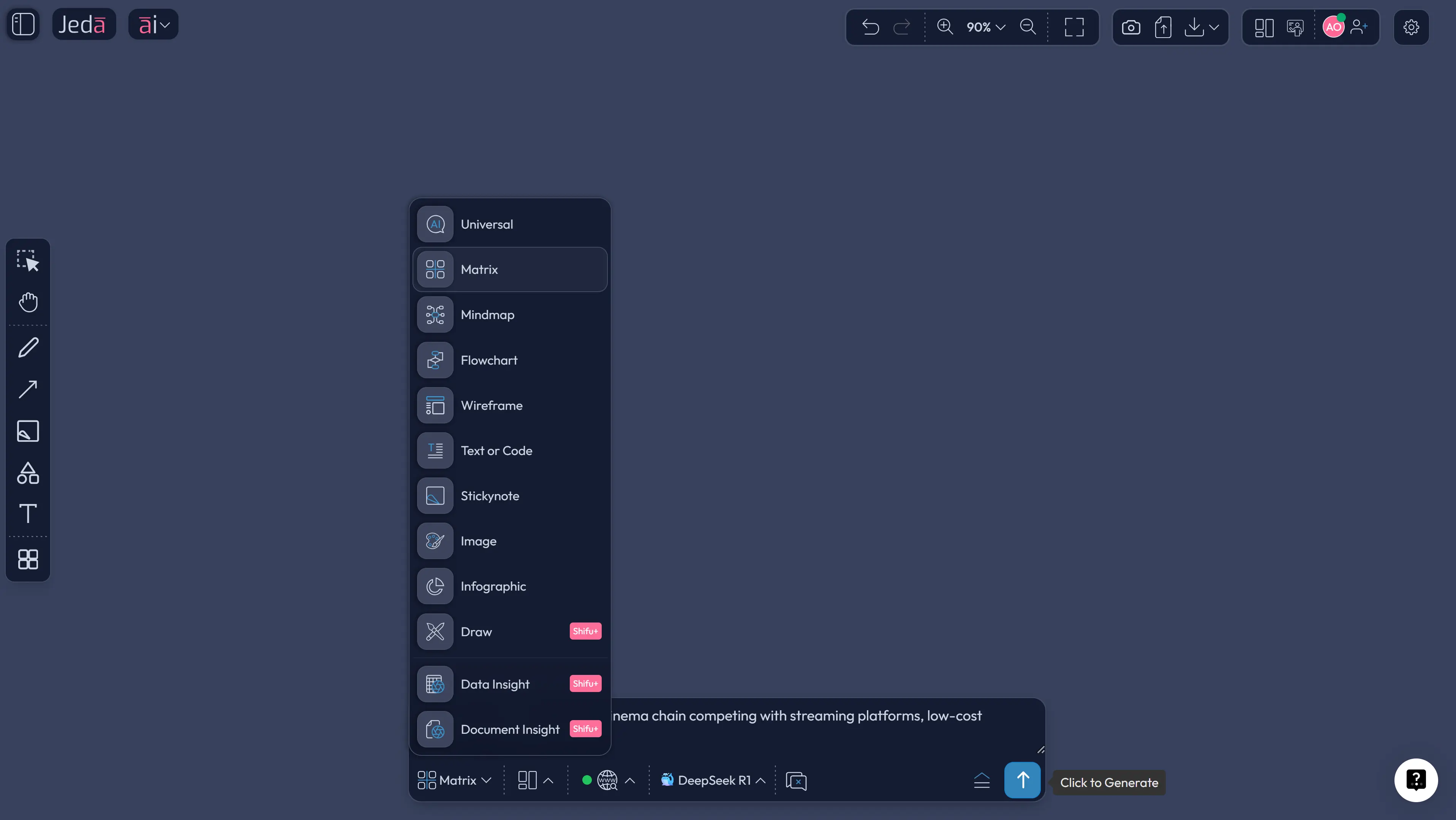
Imagine a premium cinema chain getting squeezed from both sides. Streaming keeps improving. Budget theaters compete on price. Boutique venues sell atmosphere, but only in limited markets. Leadership thinks the answer is “more premium features.” That is not a strategy. That is a shopping list.
An ERRC grid produces a better conversation.
Eliminate: long pre-show ad blocks and convoluted membership rules.
Reduce: excessive seat categories and overbuilt concession menus.
Raise: booking simplicity, seat comfort, audio reliability, and date-night experience.
Create: private micro-screenings, hybrid social watch events, and frictionless subscription access for occasional moviegoers.
Now the team has something they can argue about productively. It is not perfect. It does not need to be. The grid's value is that it makes the redesign explicit. Inside Jeda.ai, that version can be compared against a second grid, linked to a revised strategy canvas, and extended with AI+ into a stronger to-be value curve.
Best practices for an ERRC Grid that actually changes strategy
A weak ERRC grid is just ambition with nicer formatting. A strong one makes a category look smaller and your options look clearer.
Common mistakes to avoid
The first mistake is filling the Create quadrant with fantasy and leaving the Eliminate quadrant blank. That usually means the team wants novelty without sacrifice.
The second mistake is treating Reduce as a minor category. It matters because many categories compete by overserving.
Third, teams often confuse internal efficiency goals with buyer-facing value moves. Cost discipline matters, but the grid is about reconstructing value, not just trimming spend.
Fourth, people sometimes write factors that are too abstract to act on. “Brand trust” might matter, but it is not always specific enough to belong in the first draft of the grid.
Finally, teams often stop at the board. The useful next step is to connect the output to a revised value curve, operating model, or messaging strategy.
Frequently asked questions
- What does ERRC stand for?
- ERRC stands for Eliminate, Reduce, Raise, and Create. It is the short form for the Blue Ocean Strategy grid used to redesign buyer value and break the trade-off between differentiation and low cost.
- What is the ERRC Grid used for?
- The ERRC Grid is used to identify which industry factors should be eliminated, reduced, raised, or created so a company can build a more distinctive and cost-aware value proposition.
- How is the ERRC Grid related to the Four Actions Framework?
- The ERRC Grid is the practical matrix form of the Four Actions Framework. The four actions ask the questions; the grid forces teams to write down the answers and make the redesign explicit.
- Can I build an ERRC Grid with AI?
- Yes. In Jeda.ai, you can create an ERRC Grid through the Blue Ocean recipe in the AI Menu or by selecting the Matrix command in the Prompt Bar. AI helps generate options, compare versions, and extend the analysis.
- What usually goes wrong in an ERRC exercise?
- Teams often add ideas in the Create quadrant without being willing to eliminate or reduce anything. That produces bloated strategy instead of value innovation. The framework works only when real trade-offs are made.
- Should I use the ERRC Grid before or after a strategy canvas?
- Most teams use a strategy canvas first to see the current value curve, then use the ERRC Grid to redesign it. The two frameworks work particularly well together.
- Why use an AI Workspace for ERRC instead of slides?
- Slides are fine for presenting a conclusion. An AI Workspace is better for building one. It keeps the matrix editable, collaborative, and connected to prompts, notes, and follow-on framework work.
- Does Jeda.ai support exporting the ERRC Grid?
- Yes. You can export the finished framework from Jeda.ai in PNG, SVG, or PDF while keeping the working version active in the AI Whiteboard.
Sources & further reading
- [1]
Kim, W. Chan; Mauborgne, Renée (2026) . “Eliminate-Reduce-Raise-Create (ERRC) Grid” Blue Ocean Strategy Tools and Frameworks.
View Source ↗ - [2]
Kim, W. Chan; Mauborgne, Renée (2026) . “Four Actions Framework” Blue Ocean Strategy Tools and Frameworks.
View Source ↗ - [3]
Kim, W. Chan; Mauborgne, Renée (2004) . “Blue Ocean Strategy” Harvard Business Review.
View Source ↗
Continue the cluster with Four Actions Framework with AI, Strategy Canvas with AI, and Buyer Experience Cycle with AI. For the broader product context, see /ai-workspace and /ai-whiteboard.
Build an ERRC Grid in Jeda.ai
Join over 150,000+ users who use Jeda.ai's AI Workspace and AI Whiteboard to turn eliminate-reduce-raise-create logic into editable strategic decisions.
Try Free Template