
Manual Effort
Hours of manual drag-and-drop positioning for every component.
AI Diagram Generator for businesses that need precise architectural decisions — before they become technical debt. While engineers still manually build diagrams in Lucidchart, top teams generate validated system diagrams in seconds, and that advantage snowballs the longer manual teams wait to catch up. Jeda.ai's Agentic AI Workflow engine generates network diagrams, org charts, system architecture, and data flow visuals from plain language in seconds. Our Multi-LLM Agent orchestrates GPT, Claude, Gemini, Grok, and 18 AI models — your brain processes visual diagrams 20× faster than text descriptions.
Vision Transform converts between formats. Design architecture, workflows, and system diagrams on a collaborative canvas where your team validates with precision, not analysis paralysis.
Systems thinking frameworks refined over centuries — now AI-generated as visual diagrams your brain processes 20× faster than text.
Every undocumented system is a decision someone will regret. The AI diagram maker that turns descriptions into precise visual architecture — instantly. 290+ specialized types via AI Recipes.
Visualize systems, cloud architectures, and infrastructure. Multi-LLM Agent intelligence handles complex topologies with accurate component relationships.
Database schemas and data models from natural language. Describe your entities and AI generates properly structured relationship diagrams.
Hardware systems, signal flow, component architecture. AI understands system boundaries and generates clean block-level visualizations.
Team structures and reporting hierarchies. Describe your organization and AI builds properly formatted charts with role-based styling.
Logic flows and decision pathways. AI generates branching structures with conditions, outcomes, and probability annotations.
Website structure and user navigation. Describe your pages and AI maps the hierarchy with proper linking relationships.
A full AI powerhouse — the most powerful language, reasoning, and image models packed together for every use case. Jeda.ai's Multi-LLM Agent runs multiple models simultaneously, picks the best output, and delivers smarter results than any single model alone.
Type a natural language prompt, upload an image, or use web search. From prompt to visual deliverable — AI thinks WITH your team using frameworks built over hundreds of years. Say "Create a network diagram with three servers and a load balancer" and AI understands exactly what you need.
Describe in your own words
Upload sketch or photo
"Create a network diagram with three servers, a load balancer, and a database cluster"
Upload a PDF, DOC, PPT, or any document file. AI reads the content, extracts processes, entities, and relationships, then generates a fully editable diagram automatically.
PDF, DOC, PPT, TXT & more
AI extracts & visualizes
Multi-LLM Agent (GPT-5.4, Claude Opus 4.5, Grok 4 Fast, Llama 4 Maverick, DeepSeek, Aggregator) renders a production-ready diagram in seconds. Multi-LLM Agent compares reasoning so AI thinks WITH you.
5 models + Aggregator
Highest-confidence selected
Drag shapes, add text, recolor elements. Use AI Extend to expand specific sections without regenerating. Visual output your team processes 20× faster than reading a report. Export as PNG, SVG, or PDF.
Expand sections selectively
High-fidelity export
Hours of manual work per deliverable
Hours of manual drag-and-drop positioning for every component.
Other AI tools generate text walls. Your team can't see, challenge, or validate them.
Text-based outputs force sequential processing. Your brain processes visuals 20× faster.
Generic AI has no analytical methodology. UML, C4, and ER frameworks were developed over hundreds of years for this.
Expensive per-seat pricing for basic collaborative features.
Locked into proprietary formats and single tool ecosystems.
Minutes, not hours — with Multi-LLM Agent
AI generates production-ready diagrams in seconds. Visual output is 20× faster for comprehension.
Multi-LLM Agent (GPT-5.4, Claude Opus 4.5, Grok 4 Fast) ensures AI is the thinking partner, not an oracle.
300+ AI Recipes encoding hundreds of years of systems engineering methodology.
Upload any sketch and convert it to an editable diagram instantly.
Platform-level web search for live data integration.
Real-time collaboration with live cursors on a shared canvas.
| Feature | Jeda.aiAI-First | ChatGPT | Microsoft Visio | Lucidchart | Miro | Draw.io |
|---|---|---|---|---|---|---|
| AI Diagram Generation (Patented) | Prompt → visual diagrams | Limited | Limited | |||
| Dynamic Prompt | AI thinks WITH you | |||||
| Multi-LLM Agent | 18 models — multi-reasoning + Aggregator | |||||
| Unlimited AI Content | Unlimited | Limited | Limited | Limited | ||
| Diagram Types | Network, ERD, UML + 300 Recipes | Limited | Limited | |||
| Vision Transform | Any format to any format | |||||
| Real-Time Collaboration | Multi-user Canvas + AI Chat | Limited | Limited | |||
| Web Search | Live data in every output | |||||
| Export Quality | PNG, SVG, PDF | Limited | ||||
| Diagrams from Documents | PDF, DOC, PPT → diagrams | |||||
| Pricing | Free / $10/user/mo | $20/mo | $5/user/mo | Free / $9/user/mo | Free / $10/user/mo + Limited AI Credit | Free |
Comparison based on publicly available information as of March 2026.
Access GPT-4, Claude, Grok, Llama, DeepSeek, and our AI Aggregator in one place. Route complex diagrams to the best model. No vendor lock-in. Three perspectives on every diagram means higher accuracy than any single-model tool.
Upload a whiteboard photo, sketch, or existing diagram. AI converts it to an editable diagram in seconds. Edit shapes, recolor, export. No other AI diagram maker offers visual-to-editable conversion like this.
Stuck? Use AI+ to refine, expand, or iterate on your diagram. Add detail, remove clutter, or pivot to a new approach without starting over. Just the part that needs work.
Pre-built prompts for Network Diagrams, ERDs, block diagrams, org charts, decision trees, site maps, user flows, and more. No prompt engineering required. Setup time: zero.
Embed live data into diagrams. Reference system docs, API specs, or competitor info without leaving the canvas. Every diagram stays current with real-world information.
Invite your team. Real-time editing. Comments. Version history. One AI Workspace for diagrams, flowcharts, mind maps, and beyond. No more version-control chaos.
Software engineers use centuries of systems engineering heritage + visual output to think WITH AI about complex architecture. Build architecture diagrams, API flows, and system designs from requirements. Vision Transform ingests whiteboard sketches. Web search pulls live API docs. Stop re-drawing the same infrastructure diagrams every sprint.
Business analysts use proven process frameworks + visual thinking to think WITH AI about operational efficiency. Create process flows, decision trees, and stakeholder maps. AI Recipes handle RACI matrices, swimlane diagrams, and value stream maps. Share diagrams in seconds instead of spending hours on manual layouts.
Product managers use UX/product design methodology + scannable wireframes to think WITH AI about user experience. Visualize user flows, feature roadmaps, and market positioning. Web search pulls competitive intel. AI diagram maker turns specs into visuals without the Visio learning curve.
IT architects use network topology frameworks + visual systems thinking to think WITH AI about infrastructure. Design network topologies, cloud migrations, and infrastructure stacks. Multi-LLM Agent intelligence handles complex systems. Vision Transform imports existing diagrams from screenshots or photos.
Manufacturing engineers use industrial engineering frameworks + visual schematics to think WITH AI about production lines. Design process flows, value stream maps, and system dynamics. Multi-LLM Agent ensures the AI thinks WITH your engineering team.
Access GPT-5.4, Claude Opus 4.5, Grok 4 Fast, Llama 4 Maverick, DeepSeek, and our AI Aggregator in one place. So AI thinks WITH you by comparing 18 AI model perspectives — not dictating from one.
Snap a photo of a whiteboard sketch or screenshot an old diagram. AI reads it and rebuilds it as an editable, structured diagram. Visual thinking 20× faster than text description.
Don't regenerate the whole diagram because one section needs more detail. The model expands just that component — so AI thinks WITH your ongoing work.
300+ AI Recipes encoding hundreds of years of analytical systems engineering methodology. Setup time: zero.
Building a network diagram? Pull live AWS architecture docs. Platform-level web search means your diagrams stay current with real-world information.
One AI Workspace for everything. Real-time collaboration where teams validate and decide together on a shared visual canvas.
Transform your diagram into a full AI Whiteboard for deeper analysis. Part of the Visual Thinking OS trusted by 150,000+ users.
High-fidelity output every time. Visual deliverables stakeholders process 20× faster than reading a manual report. Pro tip: Export as SVG → import into PowerPoint → convert to fully editable shapes for presentation-ready decks.
Enable flowing dash animations on connector lines between diagram nodes. Visualize data flow direction, process sequences, and system interactions in presentations.
Collapse sections of complex diagrams to focus on specific subsystems. Click fold on any node to hide its children — unfold to reveal the full architecture when needed.
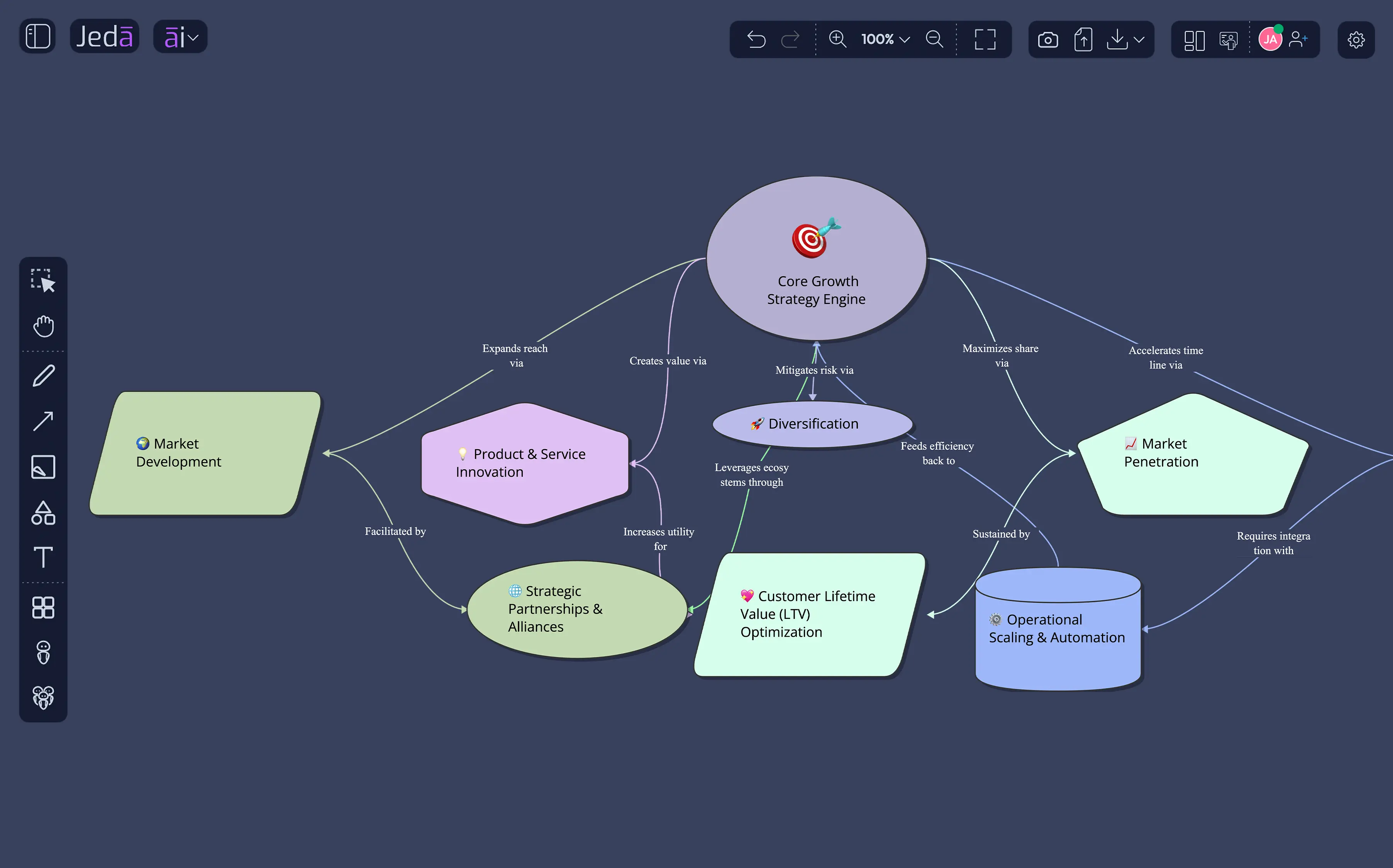
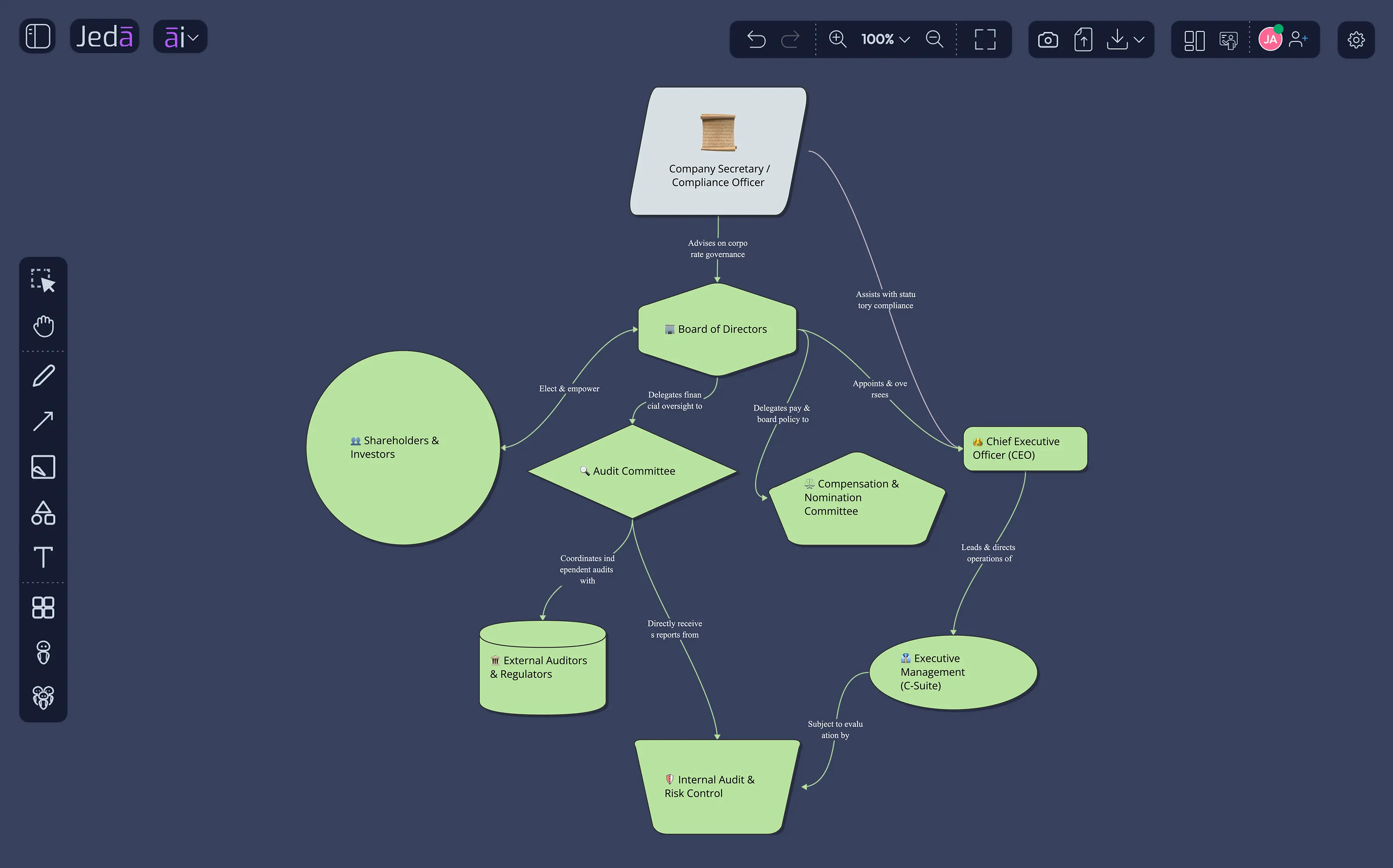
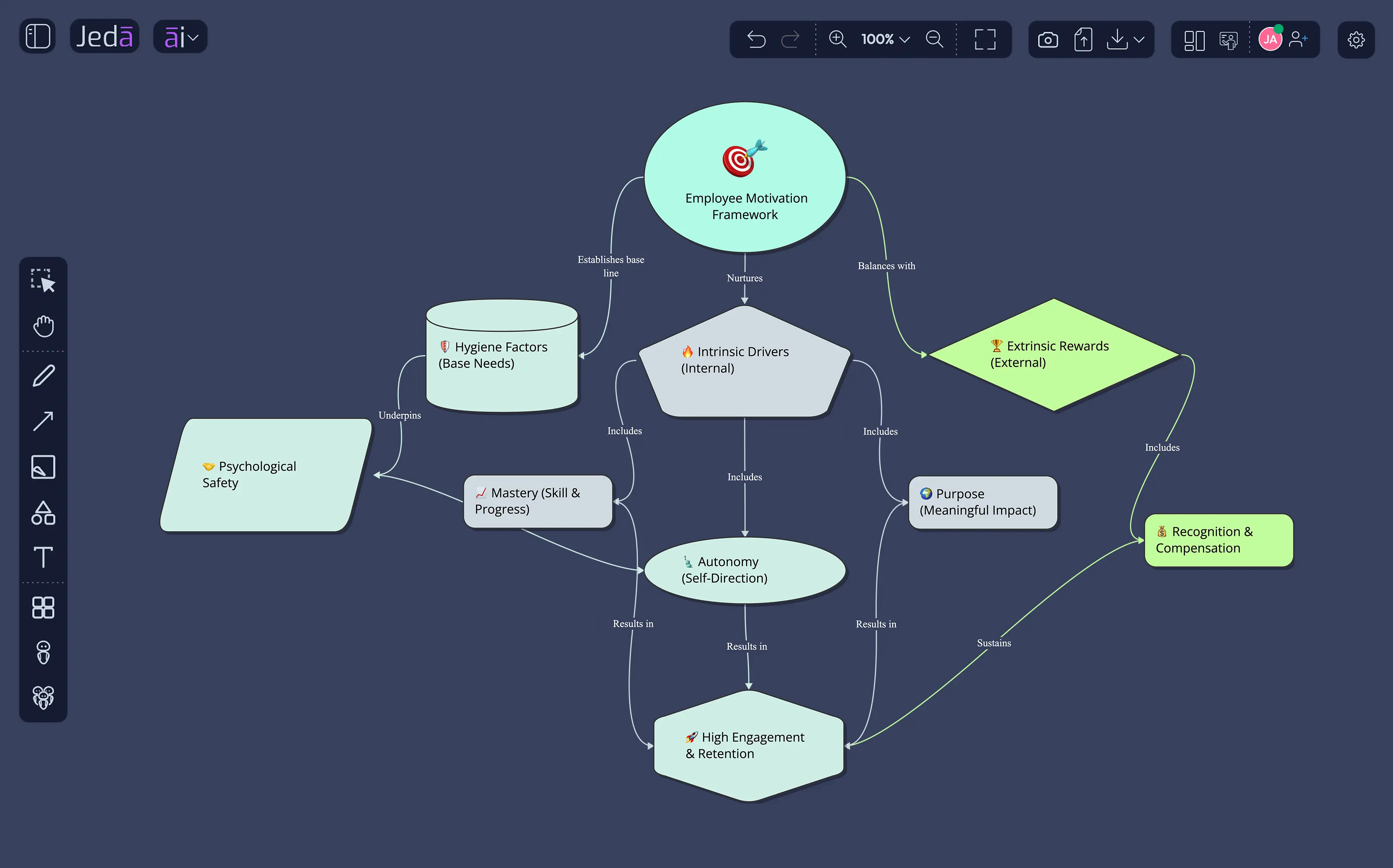
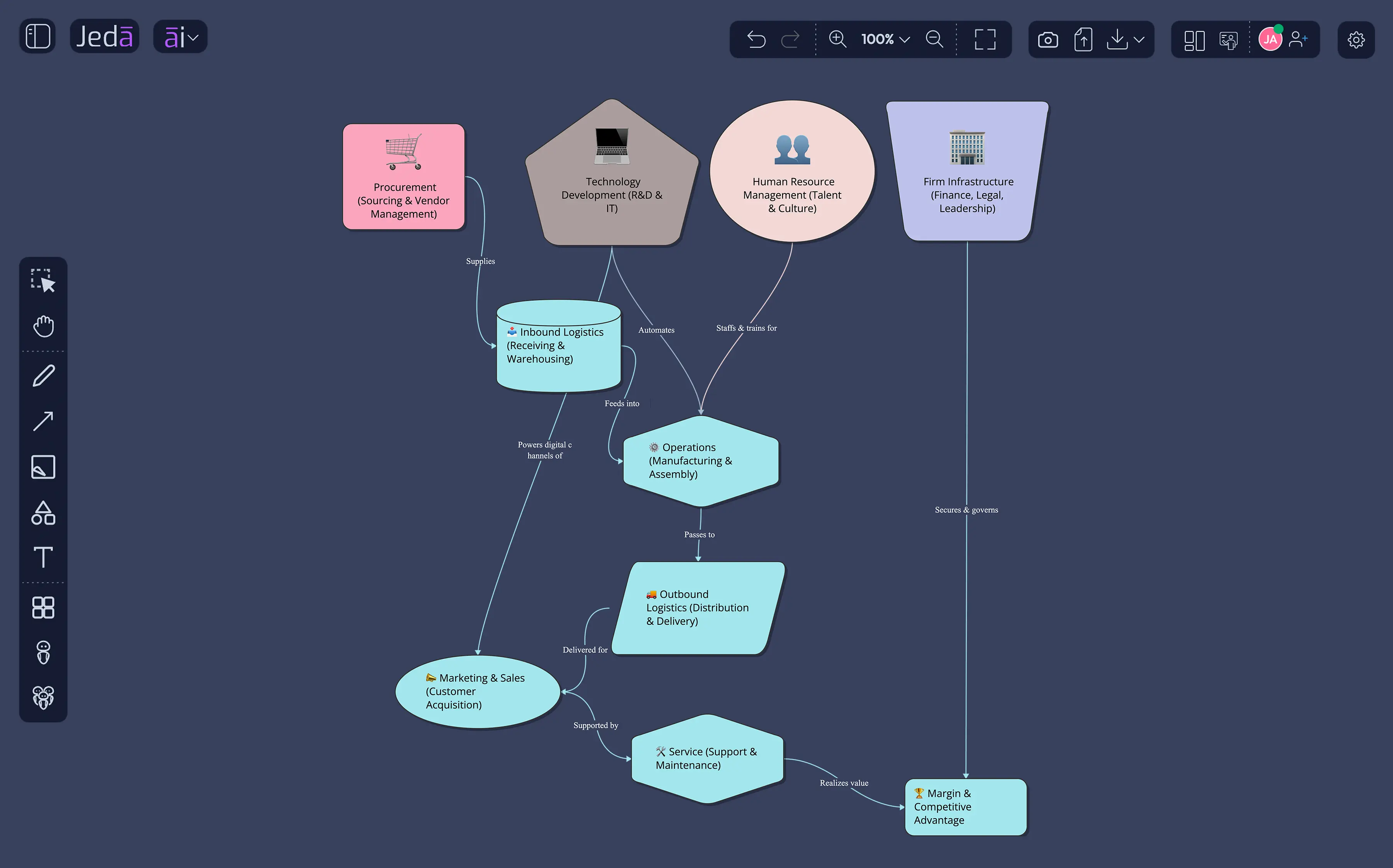
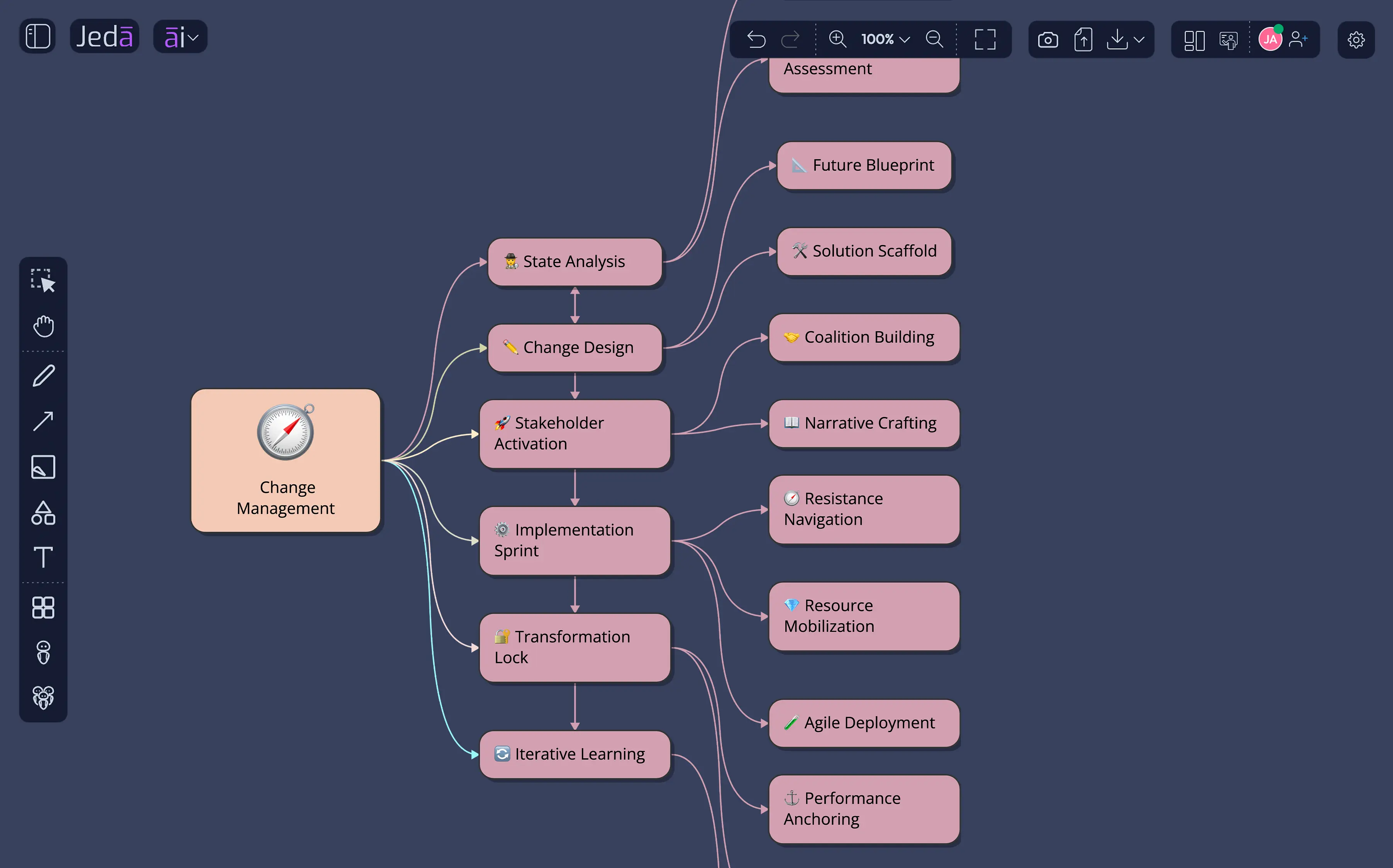
Engineers, product managers, and IT architects use Jeda.ai's AI Workspace to create professional diagrams faster than any manual tool.
We also offer to help you get started
"Such a marvelous app"
"I have checked Jeda, first impression: looks good...pretty good, however when I used contrast colors in windows some graphical features (icons and toolbars) doesn't look good. Besides of that, the operation works wells, fast, solid, ease to use, beautiful charts, summaries. So, applause to the team."
Enterprise teams need proven frameworks, visual deliverables stakeholders process instantly, and AI that augments — not replaces — human judgment.
Jeda.ai is designed for global organizations that demand performance, security, and reliability. Hosted on leading cloud infrastructure providers certified under SOC 2 Type II and ISO 27001 standards, Jeda.ai combines advanced AI capabilities with enterprise-grade architecture.