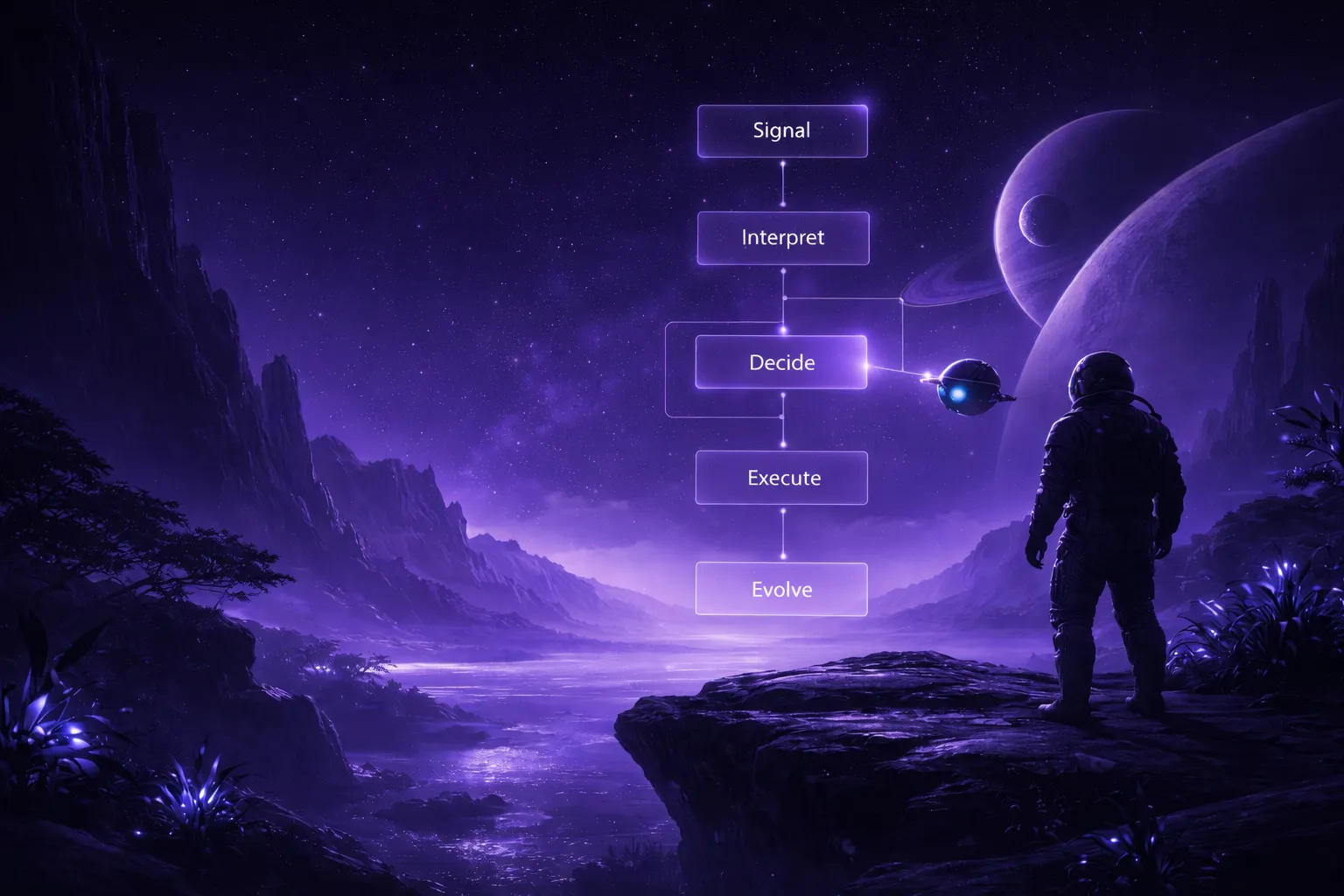
Manual Effort
2-4 hours manually drawing a single process diagram with basic shapes.
Hours of manual work. Decisions delayed.
2-4 hours manually drawing a single process diagram with basic shapes.
Limited by your own knowledge — strategic blind spots go unnoticed.
No analytical framework templates or automated logic built in.
Static diagrams go stale the moment processes change.
Emailing screenshots and praying for version control sync.
Every layout tweak requires manual repositioning of the whole diagram.
Minutes to precise decisions — with Multi-LLM Agent
Complete flowcharts generated in under 60 seconds from prompts.
Multi-LLM Agent consensus catches edge cases across three AI perspectives.
300+ AI Recipes for analytical frameworks and industry templates.
Data Insight and Document Insight convert files to flowcharts instantly.
Real-time shared canvas with live cursors and instant sync.
AI auto-layout with semantic color-coding and professional alignment.
Three models at once. GPT, Claude, and Grok evaluate your prompt simultaneously — then our Aggregator selects the highest-confidence structure. It's why complex diagrams come out more coherent on Jeda.ai than on Miro, Whimsical, or anything running a single model.
Hand-drawn sketch? Old screenshot? Photo of a whiteboard from 2019? AI reads it and rebuilds it as an editable flowchart. No other ai flowchart generator does visual-to-visual conversion like this.
Select a node. Hit AI+. Watch it expand with logic branches, sub-processes, or alternative flows — without regenerating the entire diagram. Just the part that needs work.
Jeda.ai's platform searches the web while generating your flowchart — this is a platform feature, not something the LLMs do on their own. Reference current market data, compliance standards, or competitor info and AI incorporates live results into the diagram logic automatically. Your flowcharts reflect what's happening now, not what some model learned six months ago.
RACI charts, decision matrices, Porter's Five Forces flows. Pre-built AI Recipes that generate strategic diagrams instantly. Cuts setup time to zero.
Flowchart, Diagram, Mindmap, Whiteboard, Infographic — all 11 commands live on one collaborative canvas. Start with a flowchart. Expand into a full Visual AI Workspace without switching tools. Why would you use separate apps for things that belong together?
A full AI powerhouse — the most powerful language, reasoning, and image models packed together for every use case. Jeda.ai's Multi-LLM Agent runs multiple models simultaneously, picks the best output, and delivers smarter results than any single model alone.
Open the Prompt Bar and select the Flowchart command. Then just describe what you need: "Create a decision tree for customer onboarding" or "Map our bug triage process with escalation paths." Plain English. No Mermaid syntax, no drag-and-drop — just describe the flow.
Describe in your own words
One command to generate
"Map a customer checkout flow with payment decision points and error handling"
Upload a PDF, DOC, PPT, or any document file. AI reads the content, extracts procedural steps and decision points, then builds a complete flowchart automatically.
PDF, DOC, PPT, TXT & more
AI extracts & visualizes
Here's what separates Jeda.ai from every other ai flowchart maker on the market. Your prompt hits GPT, Claude, and Grok at the same time. Each model generates its own interpretation — and they disagree more than you'd expect. Then our Aggregator evaluates all responses and picks the most coherent, highest-confidence structure. One prompt, three perspectives, best result wins.
Orchestrates 18 AI models
Best response selected
Your flowchart renders in seconds with auto-layout, color-coded nodes, and semantic clustering. But you're not stuck with the first draft — that's the point. Use (ai+) for extended customization. Or click any section and hit the AI Extend button to expand just that part. Add sub-processes, decision branches, or edge cases without redrawing everything else.
Professional formatting
Expand sections selectively
Export your finished flowchart as PNG, SVG, or PDF — ready for docs, wikis, or presentations. Need team input first? Invite collaborators to the same canvas. Everyone edits simultaneously with live cursors. No more version-control chaos. No more Slack screenshots of outdated diagrams. Pro tip: Export as SVG → import into PowerPoint → convert to fully editable shapes for presentation-ready decks.
Real-time cursors & edits
Export in 3 formats
GPT nails the structural logic. Claude catches nuance and edge cases other models skip. Grok brings analytical depth. Running them simultaneously means your ai flowchart generator doesn't inherit one model's blind spots — it gets the combined intelligence of all three. That matters most on complex, multi-branch workflows.
Our proprietary Aggregator Model evaluates every response for coherence, completeness, and domain accuracy. And here's the key — it doesn't average outputs. It selects the single best structure. Think of it as a senior architect reviewing three junior proposals and choosing the strongest one.
Engineering jargon. BPMN notation. Medical workflows. Financial compliance terms. Multi-LLM Agent catches industry-specific language that single models miss — the combined model coverage handles specialized vocabularies across verticals that would trip up any individual AI.
When GPT ships or Claude gets an upgrade, your flowcharts improve instantly. No migration. No retraining. No action on your end. Multi-LLM Agent architecture means Jeda.ai always uses the best available AI — you just keep working.
Map API workflows, deployment pipelines, and error-handling flows. Multi-LLM Agent understands Kubernetes, CI/CD, and microservice patterns — generates technically accurate diagrams, not the oversimplified marketing versions you get from generic tools. Use /flowchart or /diagram interchangeably. And yes, it handles edge cases.
User journeys. Feature release sequences. A/B test branches. Collaborate with engineering on the same canvas — then export to PNG for your next product review.
Document current-state processes and model future-state improvements side by side. Upload CSVs with Data Insight to auto-generate data flow diagrams — choose Flowchart, Matrix, or Stickynotes as your sub-command output. Bottlenecks jump out visually instead of staying buried in spreadsheets where nobody notices them.
300+ analytical frameworks, ready to go. Decision trees, Porter's Five Forces flows, pricing strategy matrices — generate client-ready deliverables in minutes instead of the 2-day turnaround your competitors are still quoting.
Convert project phases into process logic and critical-path visualizations. Task dependencies, approval workflows, escalation paths — real-time collaboration keeps everyone aligned without another email chain that nobody reads.
Hours of manual work. Decisions delayed.
2-4 hours manually drawing a single process diagram with basic shapes.
Limited by your own knowledge — strategic blind spots go unnoticed.
No analytical framework templates or automated logic built in.
Static diagrams go stale the moment processes change.
Emailing screenshots and praying for version control sync.
Every layout tweak requires manual repositioning of the whole diagram.
Minutes to precise decisions — with Multi-LLM Agent
Complete flowcharts generated in under 60 seconds from prompts.
Multi-LLM Agent consensus catches edge cases across three AI perspectives.
300+ AI Recipes for analytical frameworks and industry templates.
Data Insight and Document Insight convert files to flowcharts instantly.
Real-time shared canvas with live cursors and instant sync.
AI auto-layout with semantic color-coding and professional alignment.
| Feature | Jeda.aiAI-First | ChatGPT | Microsoft Visio | Lucidchart | Miro | Draw.io |
|---|---|---|---|---|---|---|
| AI Diagram Generation (Patented) | Prompt → visual diagrams | Limited | Limited | |||
| Dynamic Prompt | AI thinks WITH you | |||||
| Multi-LLM Agent | 18 models — multi-reasoning + Aggregator | |||||
| Unlimited AI Content | Unlimited | Limited | Limited | Limited | ||
| Diagram Types | Network, ERD, UML + 300 Recipes | Limited | Limited | |||
| Vision Transform | Any format to any format | |||||
| Real-Time Collaboration | Multi-user Canvas + AI Chat | Limited | Limited | |||
| Web Search | Live data in every output | |||||
| Export Quality | PNG, SVG, PDF | Limited | ||||
| Flowcharts from Documents | PDF, DOC, PPT → flowcharts | |||||
| Pricing | Free / $10/user/mo | $20/mo | $5/user/mo | Free / $9/user/mo | Free / $10/user/mo + Limited AI Credit | Free |
Comparison based on publicly available information as of March 2026.
Prompt "Create a competitive pricing flowchart for SaaS tools in 2026" and the platform searches current pricing data before the AI models generate anything. Your diagram reflects what's happening now. Not cached data. Not last quarter's numbers.
Upload a sales pipeline spreadsheet or operational metrics CSV. AI analyzes the data structure and generates a flowchart showing deal stages, decision logic, or process bottlenecks. Pick your preferred output — Flowchart, Matrix, Mindmap, Stickynotes, or others. Your data, your format, visualized in seconds.
Drop in a compliance manual, technical spec, or onboarding wiki. AI reads the unstructured text, extracts the process logic, and renders a clean flowchart. Or choose Matrix, Diagram, Stickynotes — whatever format fits your use case. Works with PDF and Word documents.
Snap a photo of a whiteboard sketch or screenshot an old diagram. AI reads it and rebuilds it as an editable, structured flowchart. We've tested this on some truly terrible napkin drawings — and it still worked. (Your mileage may vary on cocktail napkins, but regular paper? Solid.)
Don't regenerate the whole flowchart because one section needs more detail. Select it. Click AI+. Done. The model expands just that branch — keeps everything else intact. Honestly, it's the feature our users mention most in feedback.
Feed it a CSV or Excel file. AI analyzes columns, relationships, and patterns — then generates a flowchart showing data flow, decision points, or process stages. Choose your output sub-command: Flowchart, Matrix, Mindmap, Stickynotes, Text, Wireframe. Turns numbers into visual logic.
Upload a PDF or Word doc. AI reads the content, extracts procedural steps, and builds a visual output — you pick the sub-command format: Flowchart for process flows, Matrix for comparisons, Mindmap for hierarchies, Stickynotes for quick extraction. Compliance manuals become audit flows. Technical specs become architecture diagrams.
AI applies professional layout algorithms — tree, swimlane, hierarchical — and color-codes nodes by type. Decisions in diamonds, processes in rectangles, data in parallelograms. Looks polished without manual tweaking.
Unlimited collaborators on the same canvas. Live cursors show who's editing what. Add comments on specific nodes. And version history lets you roll back if someone goes rogue with the delete key — which happens more often than you'd think.
Pre-configured prompts for RACI matrices, decision trees, swimlane processes, Porter's Five Forces, and dozens more. Pick a recipe. Customize the prompt. Generate. Setup time: zero.
Three formats. PNG for Slack and docs. SVG for design tools and wikis. PDF for archival and printing. Clean, high-resolution output every time. No PowerPoint or Word native export — but you can embed PNG or SVG into those tools.
Enable flowing dash animations on any connector line. Dashes move along the arrow direction — perfect for presentations, stakeholder walkthroughs, and highlighting process flow direction.
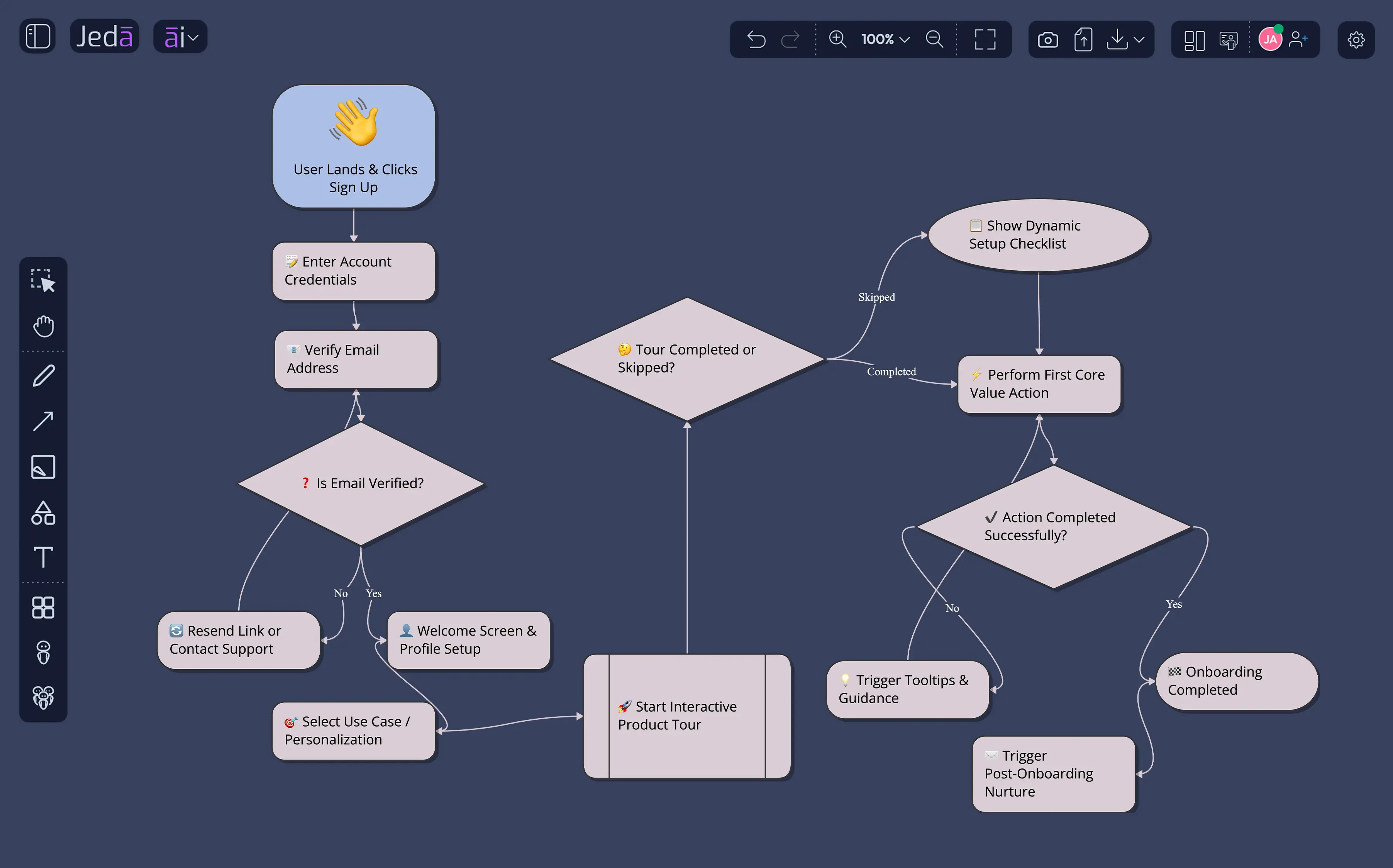
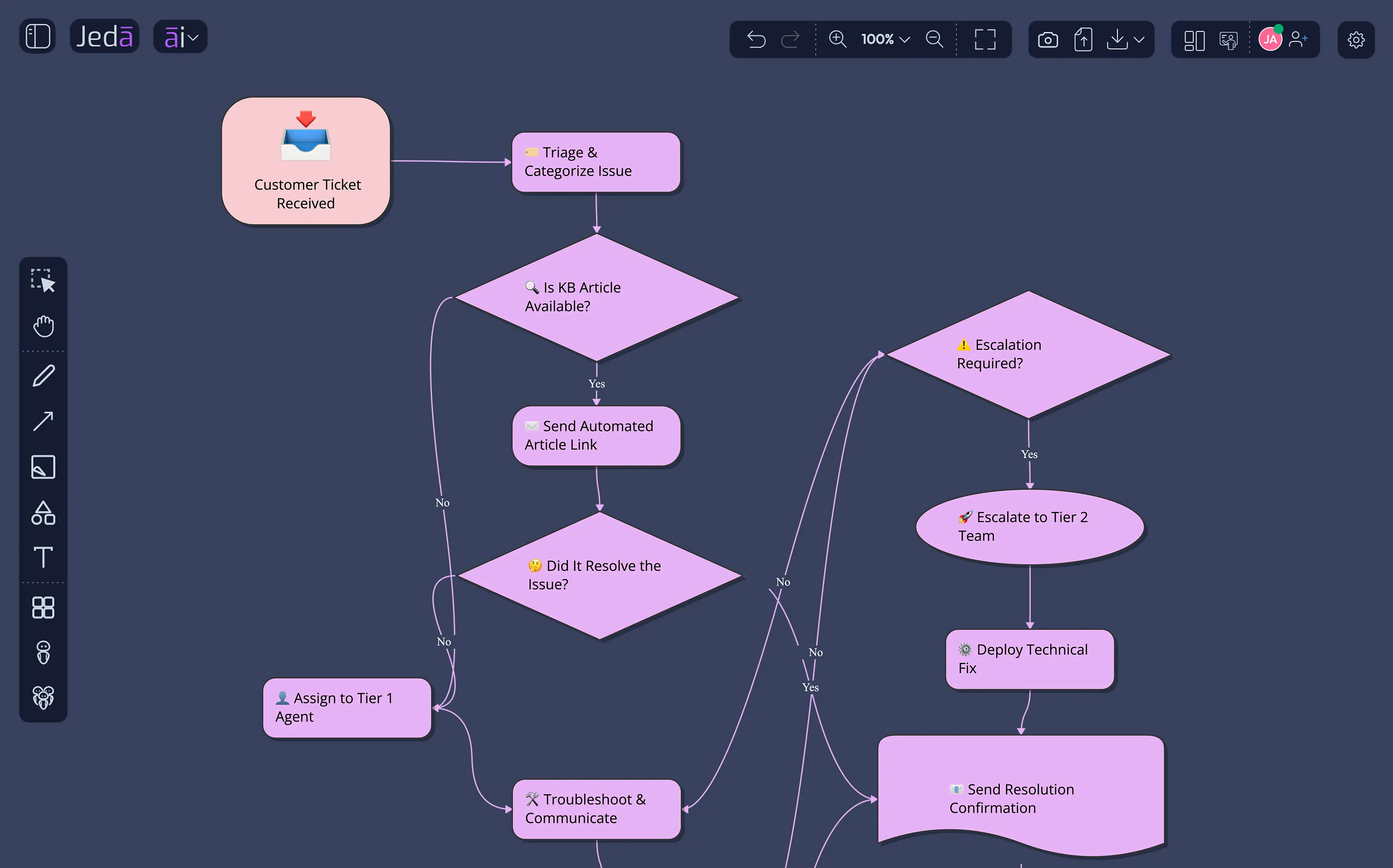
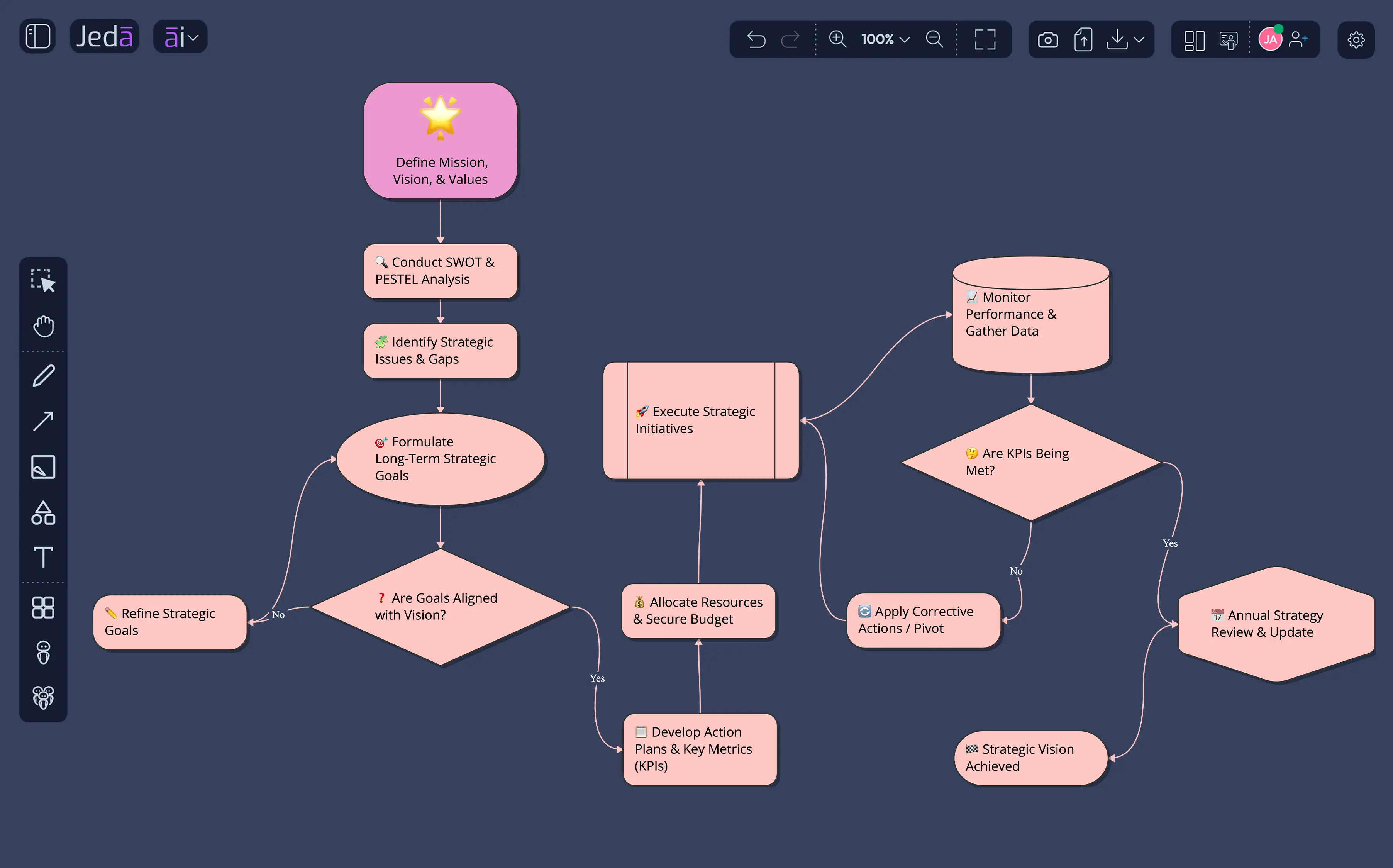
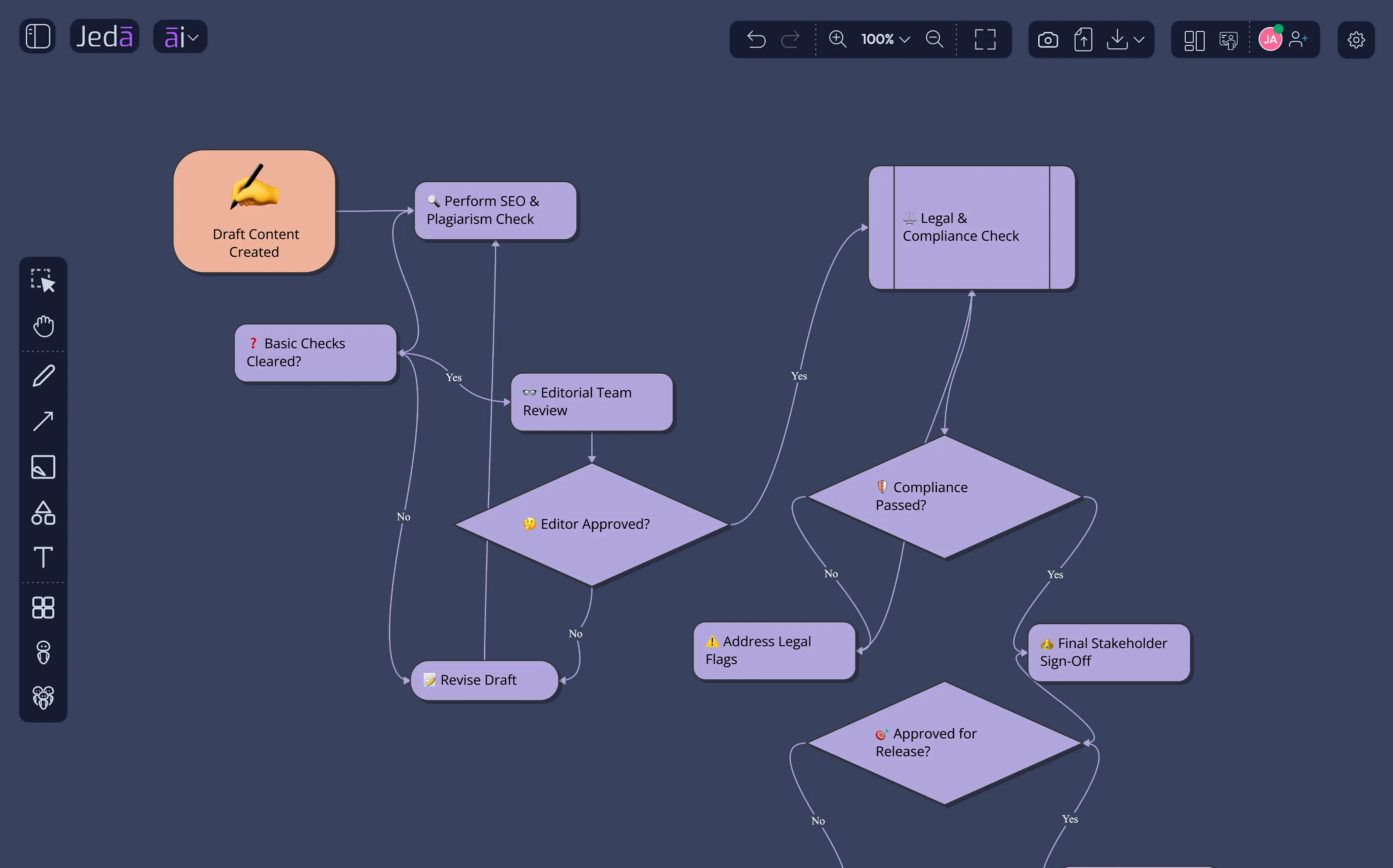
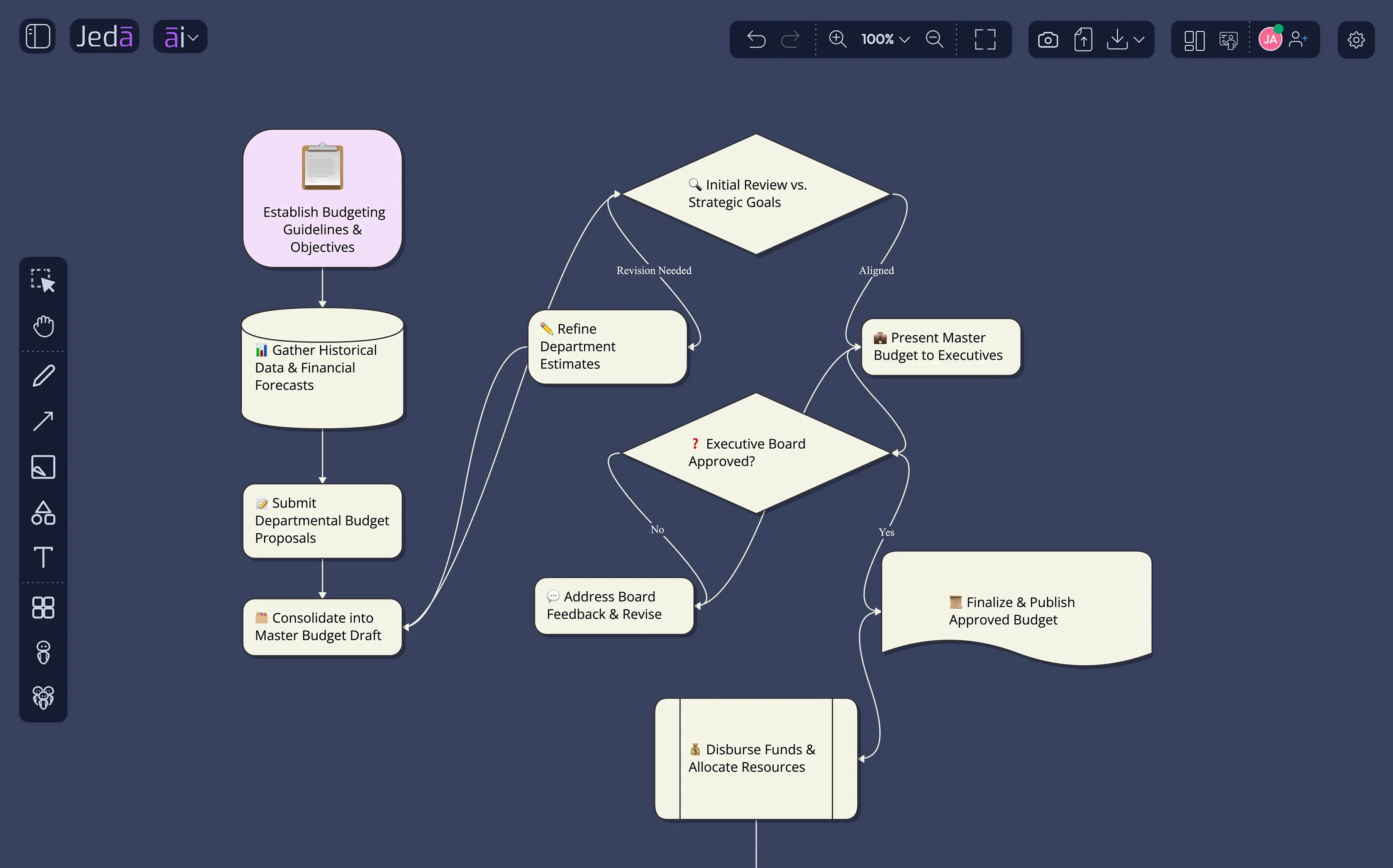
Engineers, product managers, and strategy consultants use Jeda.ai's AI Whiteboard and flowchart tools to visualize complexity faster.
We also offer to help you get started
"This hits on something crucial that most miss; the real power isn't in consolidating tools, it's in consolidating your thinking process. When ideation, visualization, and analysis happen in the same workspace, you stop losing momentum in the handoff between "having an idea" and "seeing if it works." The multi-LLM comparison feature is particularly smart, most people stick with one AI and miss better solutions that are right there."
"Jeda.ai Version 3 sounds like a game-changer! The ability to turn ideas into editable visuals instantly and the multi-LLM agent feature are especially impressive. It’s like an all-in-one workspace for visual thinkers. Definitely excited to try it out!"