
Plain Diagrams
Analytical tools produce functional diagrams — great for thinking, plain for presenting to clients and stakeholders.
Most AI tools generate FOR you. AI Draw helps you think WITH AI using visual communication frameworks refined over centuries — delivered as editable vector objects your brain processes 60,000x faster than text.
Diagrams look plain. AI images can't be edited. Building rich presentation visuals manually takes hours. Teams still rebuilding analytical outputs as presentation graphics slip further back every quarter, while AI-first teams stretch their advantage.
Your analytical tools produce great structured outputs — mind maps, flowcharts, matrices — but they look functional, not polished. AI image generators create beautiful pictures you can't edit. Building rich presentation visuals manually takes hours or a designer. One model, one perspective, no validation. AI dictates the visual; your team rebuilds from scratch.
Text-based outputs force sequential processing. Your brain processes visuals 60,000x faster. Jeda.ai's AI Draw uses LLM reasoning — not image models — to generate rich, editable vector compositions your team comprehends instantly. Shapes, text, containers, and visual hierarchy rendered as structured vector objects on a shared canvas. Not pixels. Not static. Editable visual intelligence.
Generic AI has no visual communication methodology. Design principles — composition, hierarchy, Gestalt theory, visual storytelling — were refined over centuries for this exact problem. Jeda.ai encodes these as AI Recipes. Describe a concept, point AI at your existing analytical work via Vision Transform, or upload documents. Get presentation-quality editable vector drawings grounded in proven visual frameworks.
Visual communication principles refined over centuries — Gestalt theory, design hierarchy, composition, visual storytelling. Jeda.ai encodes these as AI Recipes so your Draw outputs follow proven methodology, not random generation. 300+ analytical frameworks become presentation-quality visuals.
Your brain processes visuals 60,000x faster than text. Draw creates the visual layer that makes your analytical work instantly comprehensible. Relationships, gaps, and priorities visible at a glance — not buried in sequential text. Parallel comprehension for your entire team.
AI generates the visual. Your team sees it, challenges it, and customizes it together on the AI Whiteboard. Ungroup every element. Change text, colors, borders, shapes. AI is the thinking partner. Your team makes the final visual decisions.
AI Draw accepts what you have and creates what you need. Type a text prompt. Select existing canvas content and use Vision Transform to reimagine it as a rich drawing. Upload PDF, Word, Excel, or CSV files and transform documents into visual narratives. Every input path leads to editable vector output.
Draw sits alongside Matrix, Mindmap, Flowchart, Wireframe, Infographic, and 6+ other commands on one infinite canvas. Do your analytical thinking first, then use Draw to create rich presentation-ready visuals. Vision Transform converts any analytical output into a Draw visual. One workspace, complete workflow.
Export your AI-generated drawings as SVG — import directly into PowerPoint as editable grouped objects, open in Figma for further refinement, or use in any vector-compatible design tool. Also export PNG for web or PDF for print. Presentation-quality vector output from an AI prompt.
A full AI powerhouse — the most powerful language, reasoning, and image models packed together for every use case. Jeda.ai's Multi-LLM Agent runs multiple models simultaneously, picks the best output, and delivers smarter results than any single model alone.
Type a text prompt describing your visual concept, select existing canvas content and use Vision Transform, or upload documents (PDF, Word, Excel, CSV). Ideas, existing analytical work, and documents — all valid starting points. For structured analytical frameworks (SWOT, Lean Canvas), use the Matrix command first, then Vision Transform the output into a rich Draw visual.
Natural language visual brief
From existing canvas content
PDF, Word, Excel, CSV
"Create a visual overview of our product launch timeline with milestones, team responsibilities, and key dependencies"
Select from 18 AI models, each with different visual reasoning strengths. GPT for clean structured layouts. Claude for analytical compositions. Grok for bold creative directions. Or enable Multi-LLM Agent to run up to 3 models simultaneously — the Aggregation Model evaluates all outputs and surfaces the richest result. AI thinks WITH you by comparing perspectives.
GPT, Claude, Grok, Llama, DeepSeek
3 models, best result selected
The AI Task Panel streams the reasoning process in real-time. Your vector visual renders directly on the infinite canvas — shapes, text, lines, colors all placed as individual editable objects. The result is a freeform composition, not a rigid template fill. Every element is a vector object ready for customization. Visual output your brain processes 60,000x faster than reading a text report.
Editable shapes, text, lines
Watch AI reason and draw
Select your generated visual and ungroup it. Every shape, text block, line, and container is independently selectable. Change any text content. Adjust colors, borders, shadows. Resize and rearrange objects. Use the floating toolbar for styling. Double-click any text to edit inline. AI generated the starting point. Your team makes it yours.
Every element is independent
Colors, borders, fonts, layout
Download as SVG for PowerPoint/Figma/design tools (fully editable vector objects), PNG for web, or PDF for print. Share your workspace with collaborators — they see updates in real-time, edit alongside you, and customize the visual further. Use Follow Me mode to present your AI-drawn visual to the whole team. One canvas from analytical thinking to visual communication.
PowerPoint & Figma-ready
Live cursors & Follow Me
AI Draw is fundamentally different from AI image generators. Image models (DALL-E, Midjourney, Jeda.ai's own Image command) produce pixel-based pictures you can't edit. AI Draw uses LLM reasoning to understand your concept, plan a rich visual composition, and output organized vector objects — shapes, text, containers, lines with visual hierarchy. Not pixels. Editable vectors.
Enable Multi-LLM Agent to run your visual prompt through up to 3 models simultaneously. GPT generates one interpretation, Claude creates another, Grok offers a third. The Aggregation Model compares all outputs and selects the richest result. Three creative directions in the time it takes to generate one. AI thinks WITH you by comparing perspectives — your team picks the winner.
Upload a PDF report and transform it into a rich visual narrative. Upload a Word document and generate an illustrated summary. Upload CSV or Excel data and create a visually compelling data story. Data Insight understands your data structure; Document Insight extracts key themes. AI Draw turns these into editable vector drawings that communicate and persuade.
Already have a Matrix, Flowchart, or Mindmap on your canvas? Vision Transform reimagines it as a rich AI Draw visual — same insights, far richer visual expression. Perfect for turning analytical work into presentation-ready drawings. Use AI Extend (ai+ button) to expand your drawing with new sections, deeper detail, or additional elements while maintaining style consistency.
Turn your analytical work into visually rich presentation drawings. You've already built the SWOT in Matrix, the process in Flowchart, the ideation in Mindmap — now Vision Transform into compelling visual narratives. Export SVG directly into PowerPoint. Visual output your audience processes 60,000x faster than bullet points.
Generate campaign concept visuals, brand storytelling assets, and visual content as editable vectors — no template fatigue. Upload a brief, get a visual concept. Export SVG for Figma. Test different visual directions by switching LLMs. Three creative directions in one generation cycle via Multi-LLM Agent.
Create rich concept visualizations, feature overview drawings, and visual roadmaps beyond boxes and arrows. Use Vision Transform to turn your Flowchart processes or Mindmap ideation into rich visual compositions for stakeholder presentations. For wireframes, use the dedicated Wireframe command. For visual communication, use Draw.
Build custom educational illustrations, visual explainers, and training visuals without design experience. Upload a lesson plan (PDF/Word) and generate an illustrated overview. Create rich drawings of photosynthesis, historical timelines, or illustrated concept maps — all editable, customizable to your teaching style. Visual learning frameworks refined over centuries.
Transform analytical deliverables into visually impressive client-facing drawings. Upload a client report (Document Insight) or data file (Data Insight) and generate a rich visual narrative that communicates findings more effectively than spreadsheets. Vision Transform turns your Matrix frameworks into presentation-quality visuals clients remember.
Static tools dictating visual output
Analytical tools produce functional diagrams — great for thinking, plain for presenting to clients and stakeholders.
AI image generators create beautiful pictures — but you can't edit a single text label, color, or shape.
Converting analytical outputs into polished visuals means switching to PowerPoint or Figma and rebuilding from scratch. 2-4 hours per graphic.
One model, one visual interpretation, no comparison. AI dictates the visual direction with no alternative.
Different tool for each stage — Miro for ideation, Figma for design, Canva for graphics, PowerPoint for decks. Each switch costs 23 minutes to refocus.
AI generates the visual and hands it to you — no team input, no iteration, no collaborative refinement.
Framework-driven editable visual creation
Describe what you need or point AI at existing work — get a rich editable drawing in seconds. Ungroup and customize every element.
Every shape, text block, line, and container is independently selectable. Not pixels. Structured vector objects you control.
Turns your Matrix, Flowchart, or Mindmap into rich Draw visuals instantly. Analytical thinking → visual communication in one click.
Multi-LLM Agent runs 3 models for different visual interpretations. Your team picks the winner. AI compares perspectives — not dictating from one.
Analyze in Matrix/Flowchart/Mindmap → visualize in Draw → present. All on one AI Whiteboard. No tool-switching.
AI generates the starting point. Your team sees it, challenges it, refines it together on a shared canvas. Thinking WITH, not FOR.
| Feature | Jeda.ai AI DrawAI-First | Miro AI | Whimsical AI | Lucidchart AI | Excalidraw | Recraft AI |
|---|---|---|---|---|---|---|
| AI Text-to-Vector Generation (Patented) | LLM-reasoned editable vectors | Sticky notes & diagrams only | Flowcharts & mind maps only | Structured diagrams only | No AI generation | Image-model vectors (not editable structure) |
| Fully Editable Vector Output | Ungroup every element | Limited to diagram shapes | Limited to diagram shapes | Limited to diagram shapes | Manual drawing only | Static vector images |
| LLM Choice (18 Models) | GPT, Claude, Grok, Llama, DeepSeek, Gemini | Single model | Single model | Single model | No AI | Single image model |
| Multi-LLM Agent (3 Models) | Simultaneous comparison | |||||
| Freeform Visual Creation | Any visual concept | Predefined diagram types | Two diagram types only | Predefined diagram types | Manual only | Image-based |
| Vision Transform | Analytical → visual | |||||
| Data Insight (CSV/Excel) | Data-grounded visuals | Limited | ||||
| Document Insight (PDF) | Document-to-drawing | |||||
| Framework Heritage (300+) | 300+ analytical frameworks as AI Recipes | No framework methodology | No framework methodology | Limited templates | ||
| 11+ AI Commands on One Canvas | Draw + Matrix + Mindmap + 8 more | |||||
| SVG Export | PowerPoint/Figma-ready | Limited | ||||
| Real-Time Collaboration | Live cursors + Follow Me | Limited |
Only Jeda.ai combines framework-driven methodology, editable vector output, and collaborative AI on one canvas.
Product Launch Overviews, Campaign Concept Visuals, Company Timeline Illustrations, Feature Highlight Graphics, Pitch Deck Visuals, Team Structure Drawings, Brand Story Visuals, Event Planning Overviews — AI Recipes grounded in design hierarchy and visual storytelling principles. For structured analytical frameworks (SWOT, Lean Canvas), use the Matrix command.
Executive Summary Visuals, Quarterly Review Graphics, Client Deliverable Illustrations, Training Material Drawings, Onboarding Visuals, Process Overview Graphics, Comparison Illustrations, Roadmap Visuals. Visual communication methodology — Gestalt principles, information hierarchy, visual storytelling — encoded as AI Recipes. Draw shines when visuals need to be richer than diagrams.
Upload CSV/Excel → Data Insight understands your data → AI Draw generates a rich visual narrative beyond charts and tables. Upload PDF/Word → Document Insight extracts key themes → AI Draw creates an illustrated visual summary you customize and present. Your documents become compelling visual stories. Output your team processes 60,000x faster than the source report.
GPT, Claude, Grok, DeepSeek, Llama, Gemini, and more. Each LLM reasons differently about visual structure. Reasoning models, not image models — they understand structure and produce editable vector objects.
Run your prompt through up to 3 models simultaneously. The Aggregation Model selects the strongest visual. Triple your creative options. AI thinks WITH you by comparing perspectives.
Every AI Draw output is a group of vector objects. Ungroup to access individual elements. Change text, colors, borders, shadows, shapes. Full font, size, and formatting control. Not pixels. Yours.
Go beyond diagrams. Concept illustrations, visual overviews, presentation graphics, educational drawings, marketing visuals, storytelling assets. If you can describe it, AI Draw creates it as editable vectors.
Select any existing canvas content — a Matrix, Mindmap, Flowchart, or any object — and transform it into a rich Draw visual. The bridge between analytical thinking and visual communication.
Select a Draw output and click the ai+ button. AI generates additional visual elements — new sections, deeper detail, expanded concepts. Grow your visual incrementally without regenerating.
Download as SVG for PowerPoint (editable grouped objects), Figma (vector editing), Illustrator (professional refinement). No rasterization, no quality loss. Also PNG for web or PDF for print.
Live cursors and comments. Use Follow Me mode to present. Creator Heatmap shows who drew what. AI generates. Your team validates and refines. Thinking WITH.
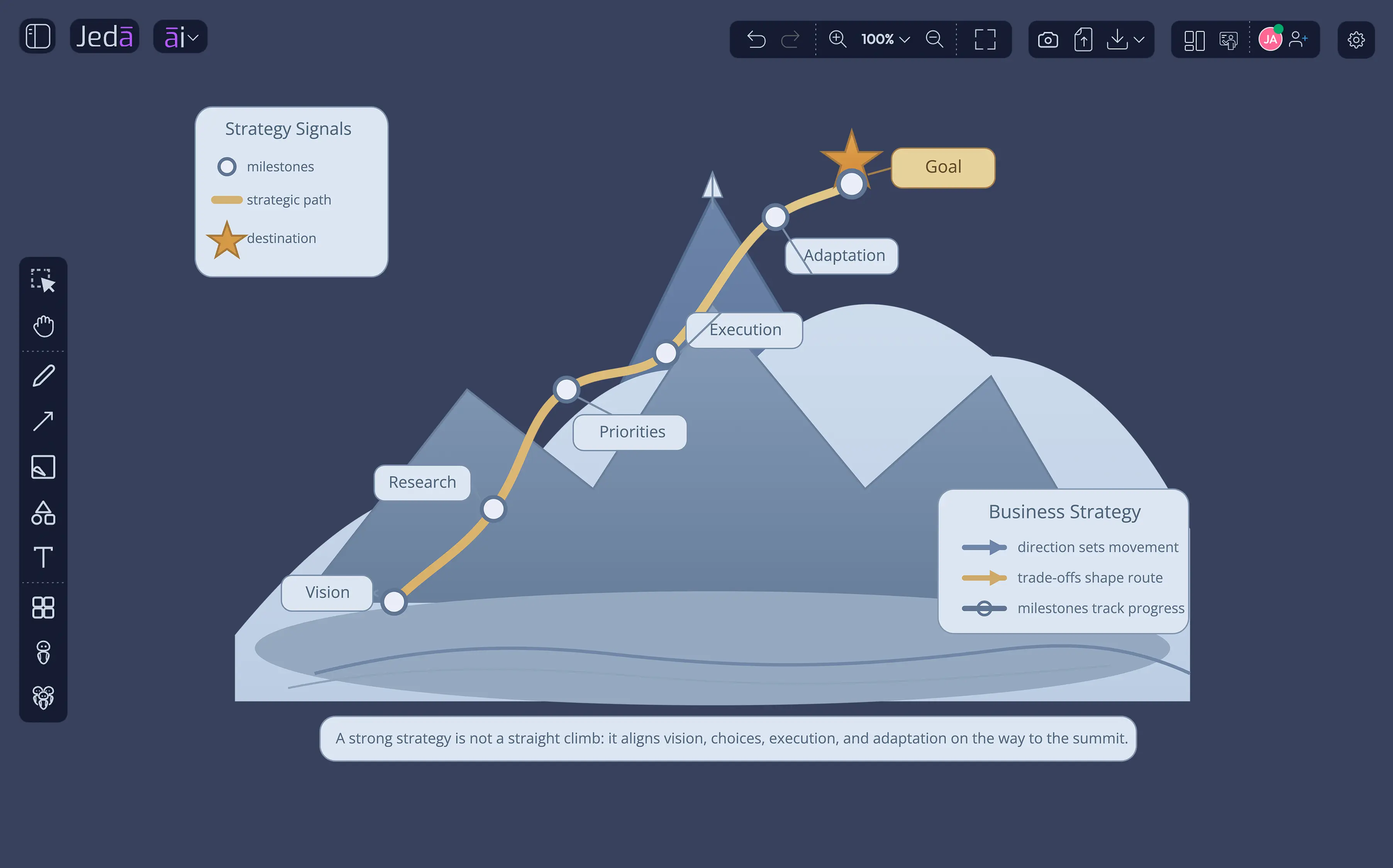
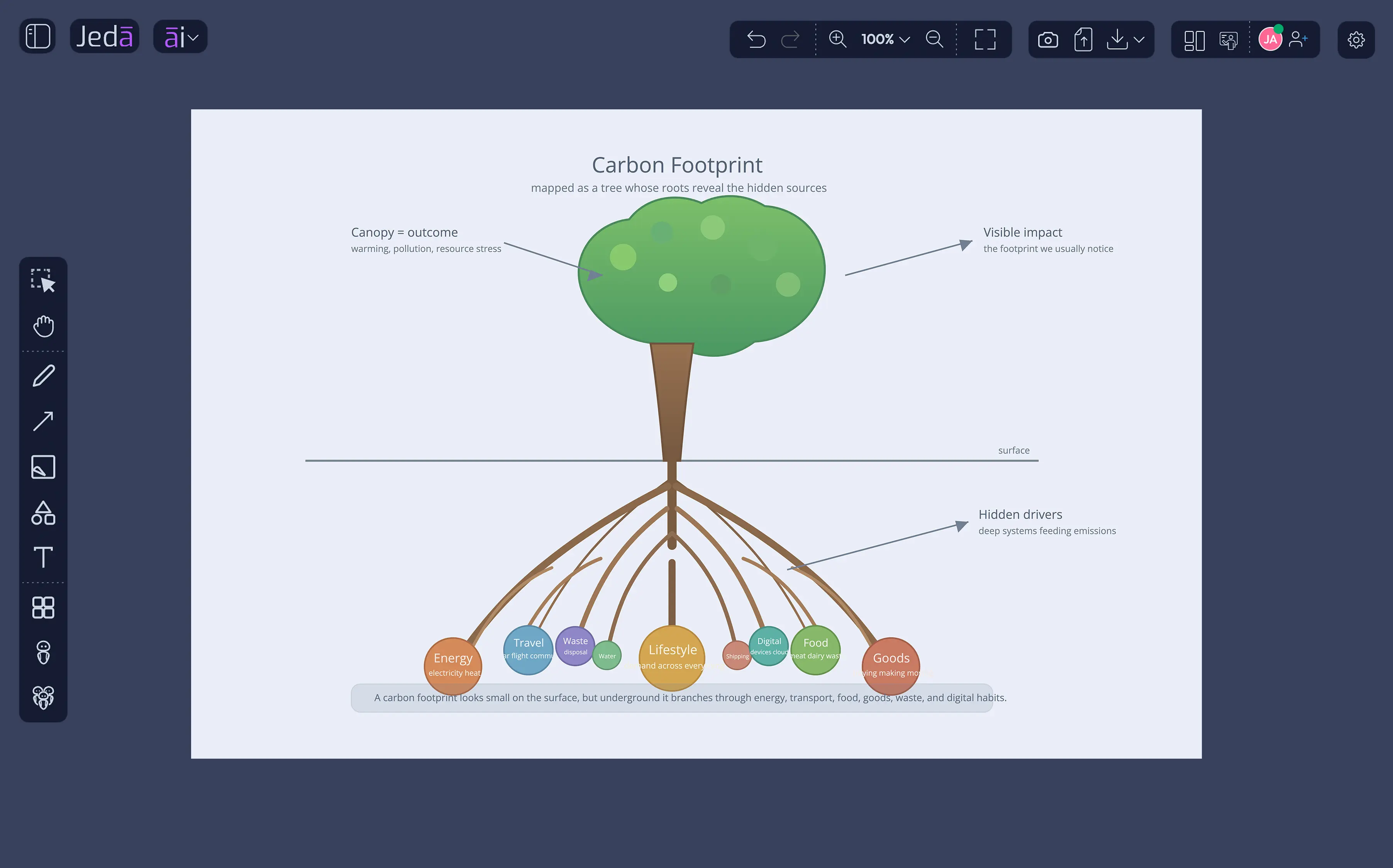
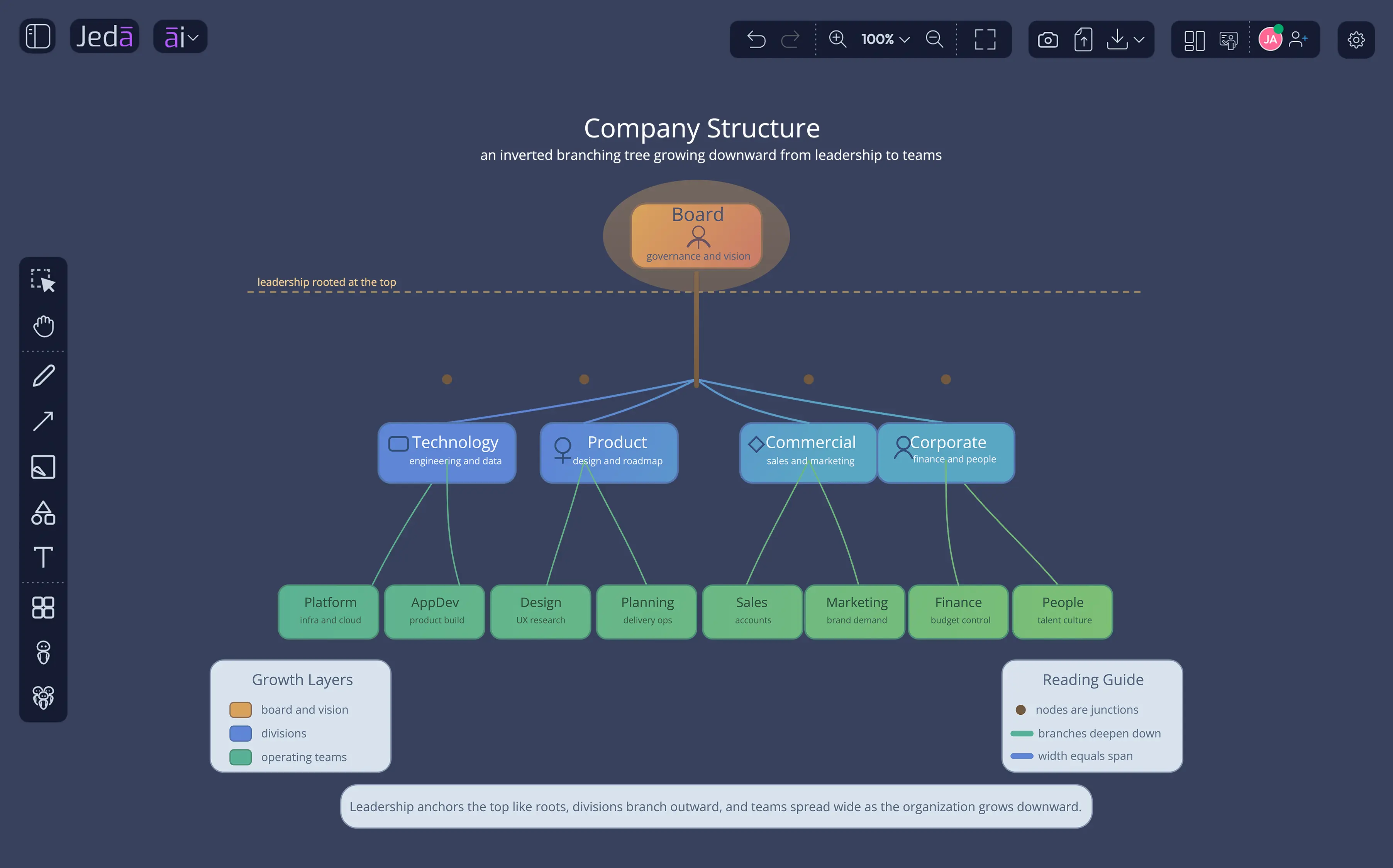
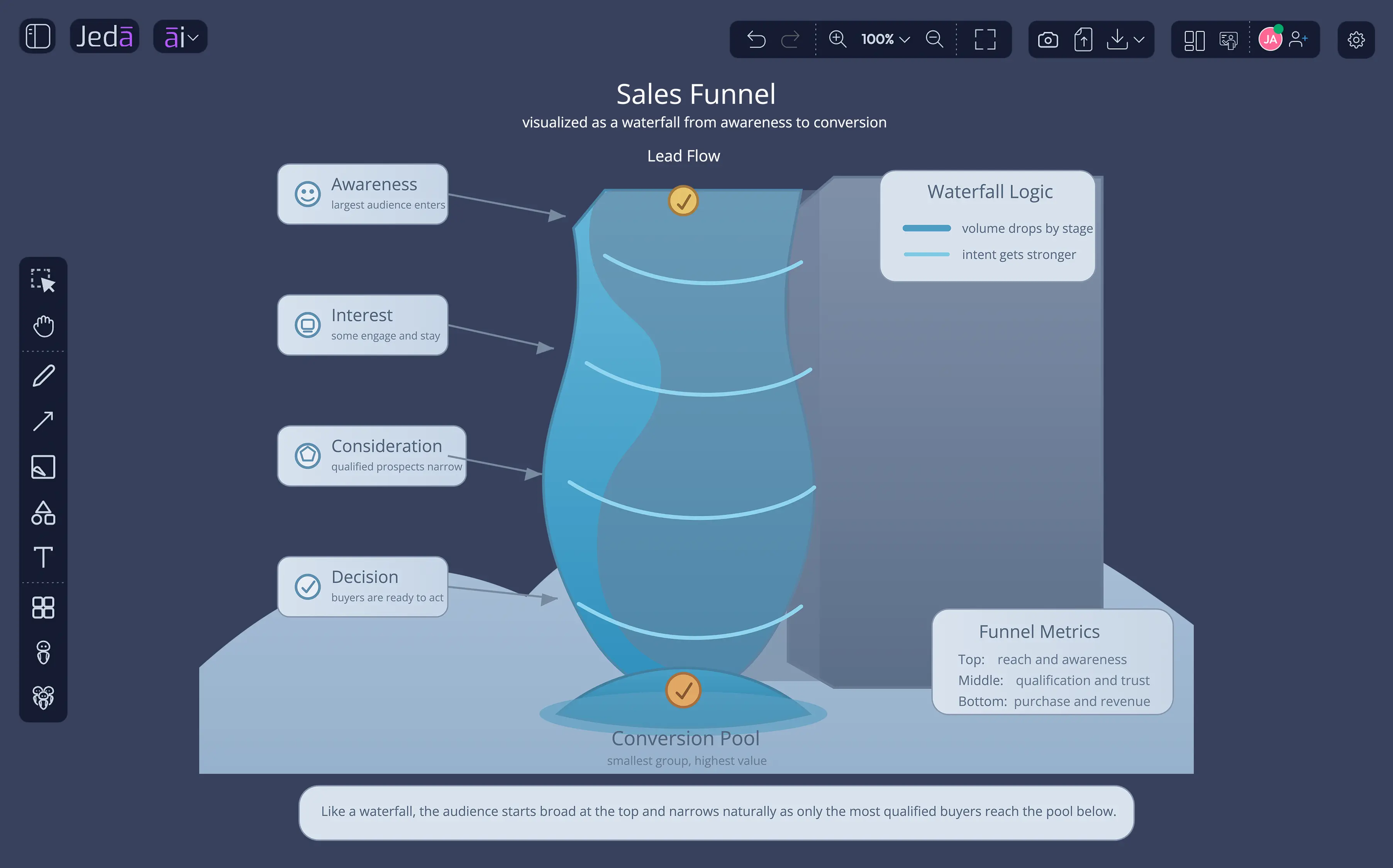
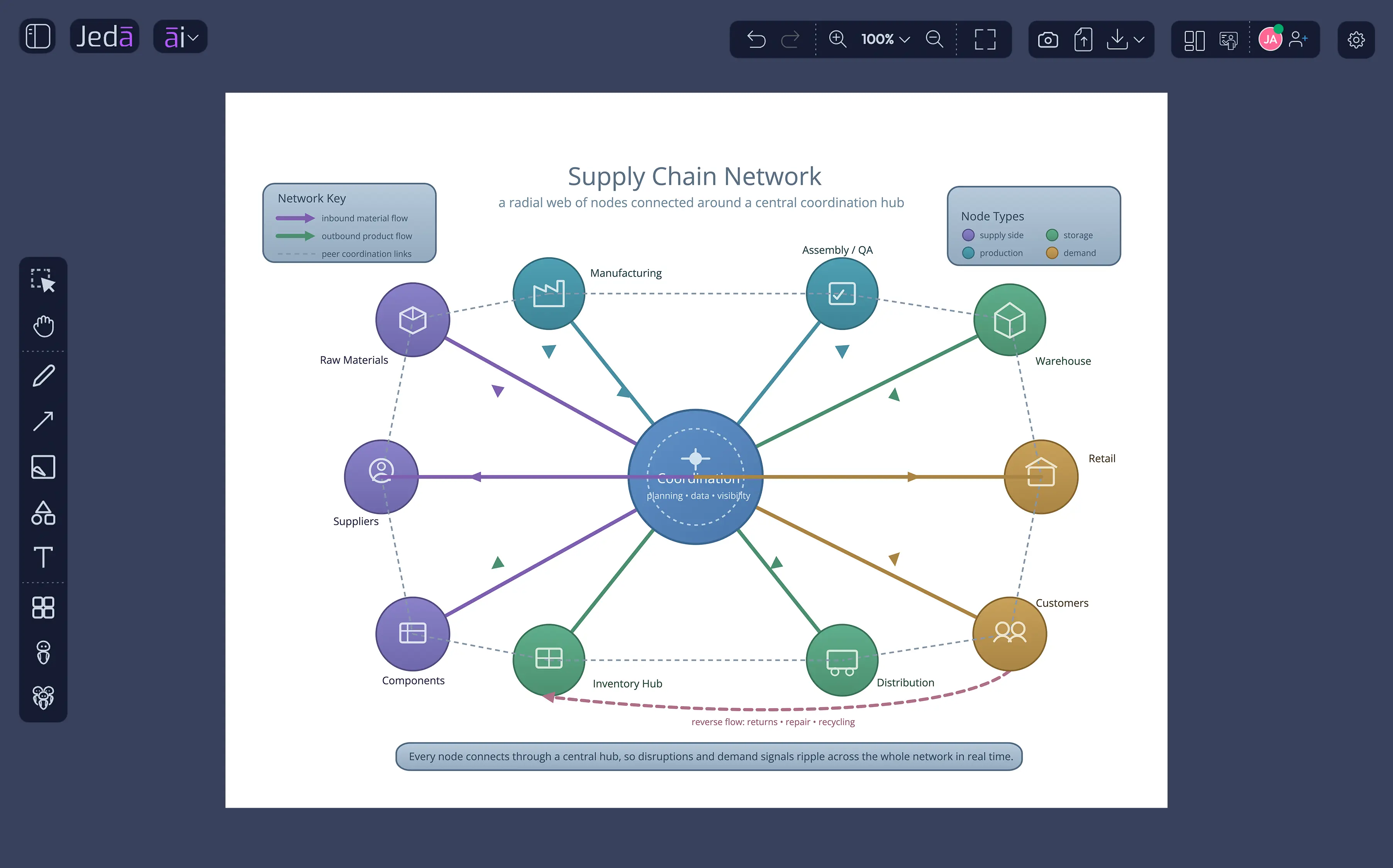
Presenters, marketers, consultants, and educators use Jeda.ai's AI Draw to transform analytical work into rich, presentation-ready editable vector visuals.
We also offer to help you get started